Anymail Finder vs Leadzenai (2026): Which Email Finder Wins?
A neutral 2026 breakdown of Anymail Finder vs Leadzenai — accuracy, pricing, data coverage, and which email finder actually fits your outbound stack.
Choosing between Anymail Finder and Leadzenai usually comes down to one question: do you need clean, verified work emails at scale, or a broader contact-intelligence layer with phone numbers and enrichment? They look similar on a feature grid, but they solve slightly different problems — and paying for the wrong one quietly wrecks your deliverability and your budget.
This is a neutral 2026 comparison. We will look at accuracy, pricing, data coverage, verification, and the workflows each tool actually fits. Where Tomba is a better fit than either, we will say so plainly — and where it is not, we will say that too.
TL;DR#
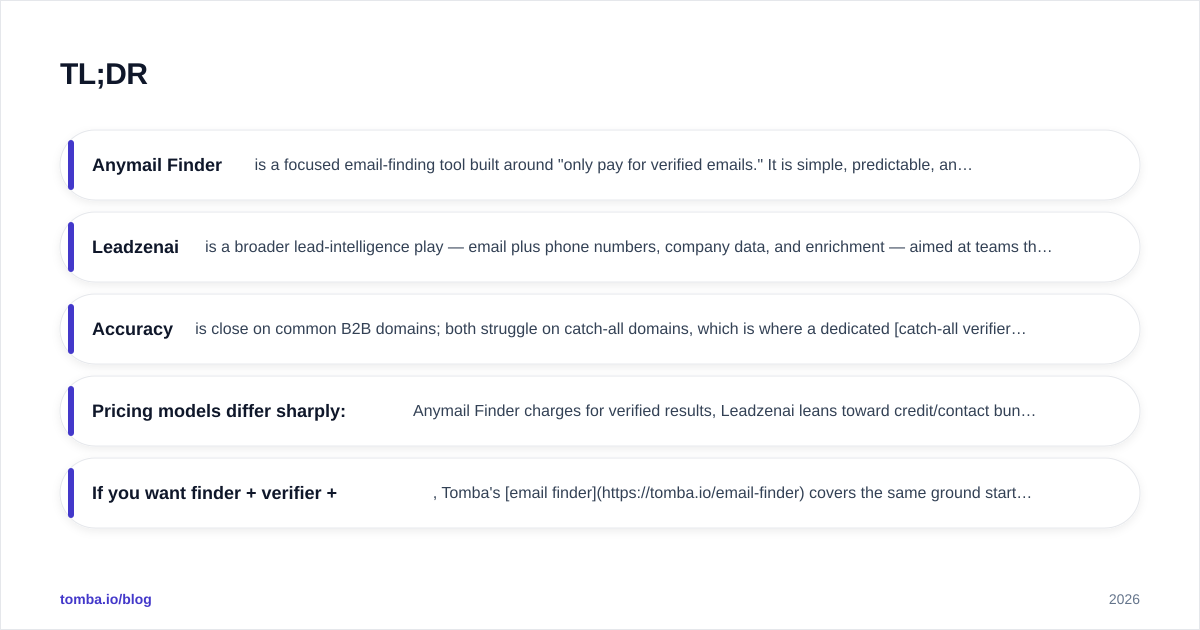
- Anymail Finder is a focused email-finding tool built around "only pay for verified emails." It is simple, predictable, and good for teams that want clean domain-based discovery without a heavy platform.
- Leadzenai is a broader lead-intelligence play — email plus phone numbers, company data, and enrichment — aimed at teams that want a single source for prospect records.
- Accuracy is close on common B2B domains; both struggle on catch-all domains, which is where a dedicated catch-all verifier matters more than the finder itself.
- Pricing models differ sharply: Anymail Finder charges for verified results, Leadzenai leans toward credit/contact bundles. Your real cost depends on bounce rate, not sticker price.
- If you want finder + verifier + enrichment + API under one roof, Tomba's email finder covers the same ground starting at $49/mo with a free tier to test first.
What is Anymail Finder?#
Anymail Finder is an email-discovery tool whose core promise is in its billing model: you are only charged for emails it can verify as deliverable. You feed it a full name plus a company domain (or just a domain), and it returns the most likely professional address along with a confidence status — typically "verified," "best guess," or not found.
That billing philosophy is the whole pitch. Instead of burning credits on guesses that bounce, you pay for results the system is confident about. For small outbound teams and founders doing manual prospecting, that predictability is genuinely attractive. The tradeoff is scope: Anymail Finder is an email finder, not a full prospecting database. It does the one job and stays out of your way.
Where it tends to shine: single-domain lookups, bulk CSV uploads where you already have names and companies, and a clean API for developers who want a no-frills lookup endpoint. Where it gets thin: it does not pretend to be a phone-number source or a deep firmographic enrichment engine.
What is Leadzenai?#
Leadzenai positions itself as a contact-intelligence platform rather than a pure finder. The goal is to hand you a more complete prospect record — work email, sometimes a direct or mobile phone number, company details, and enrichment fields — from a single search or upload.
That makes Leadzenai appealing to teams that hate stitching three tools together. If your SDRs want an email and a phone number and a company size in one row, a broader platform reduces tab-switching. The cost of that breadth is the usual one: data spread across many fields is harder to keep uniformly fresh, so accuracy can vary more by field type than with a finder that does one thing.
The honest summary: Anymail Finder optimizes for verified email precision, Leadzenai optimizes for record completeness. Neither is automatically "better" — it depends on whether your bottleneck is bounce rate or research time.

Anymail Finder vs Leadzenai: feature comparison#
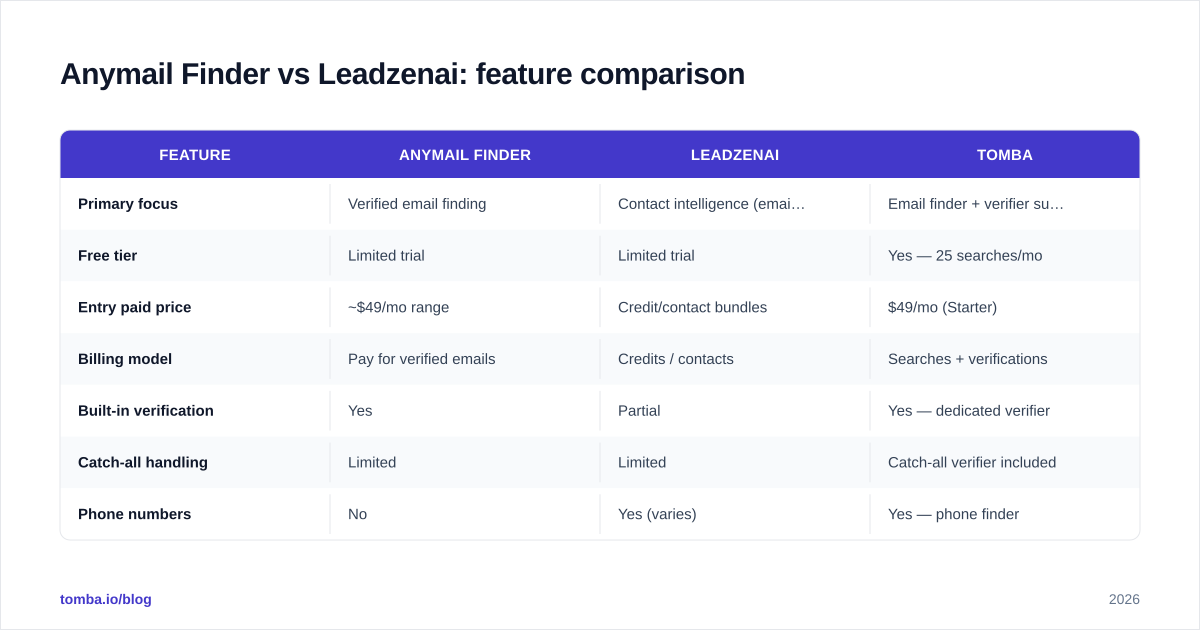
Here is the side-by-side, with Tomba added as a reference point since it competes directly with both on the email-finding layer.
| Feature | Anymail Finder | Leadzenai | Tomba |
|---|---|---|---|
| Primary focus | Verified email finding | Contact intelligence (email + phone) | Email finder + verifier suite |
| Free tier | Limited trial | Limited trial | Yes — 25 searches/mo |
| Entry paid price | ~$49/mo range | Credit/contact bundles | $49/mo (Starter) |
| Billing model | Pay for verified emails | Credits / contacts | Searches + verifications |
| Built-in verification | Yes | Partial | Yes — dedicated verifier |
| Catch-all handling | Limited | Limited | Catch-all verifier included |
| Phone numbers | No | Yes (varies) | Yes — phone finder |
| Domain search | Yes | Yes | Yes |
| Data enrichment | Minimal | Yes | Yes |
| Native API | Yes | Yes | Yes — documented REST API |
| Bulk processing | Yes | Yes | Yes |
A few honest notes on this table. Pricing tiers shift, so treat the dollar figures as "same ballpark" rather than gospel — always confirm on each vendor's live pricing page. The bigger structural difference is the billing model: Anymail Finder's "only pay for verified" approach protects you from paying for bounces, while contact-bundle pricing can be cheaper per record but riskier if a chunk of those records are stale.
Is Anymail Finder more accurate than Leadzenai?#
Conclusion first: on standard corporate domains they are close enough that accuracy alone shouldn't decide it — the real divergence shows up on catch-all domains and on non-email fields.
Email-finding accuracy depends on three things: the size and freshness of the underlying data, the quality of pattern inference (guessing first.last@ vs flast@), and the strength of SMTP verification afterward. Anymail Finder leans hard on that last step, which is why its verified results bounce less — it would rather return "not found" than hand you a risky guess. Leadzenai casts a wider net across data types, which helps coverage but means email confidence can vary.
The universal weak spot for both is catch-all domains — servers that accept mail to any address, so SMTP verification can't confirm a specific mailbox. No finder fully solves this. The practical fix is a dedicated catch-all finder layered on top, plus a verification pass before you send. If your target list skews toward large enterprises (which frequently run catch-all), budget for that extra step regardless of which finder you pick.

A simple test before you commit to either: take 50 known-good contacts from your CRM, run them through each tool's free trial, and measure two numbers — match rate (did it find anything?) and verified-correct rate (was the found address actually right?). The gap between those two numbers tells you more than any vendor benchmark. You can sanity-check the results with a free email checker so you are not grading the tools using their own scoring.
How does pricing compare?#
The headline prices look similar, but the units differ, and that is where teams overspend.
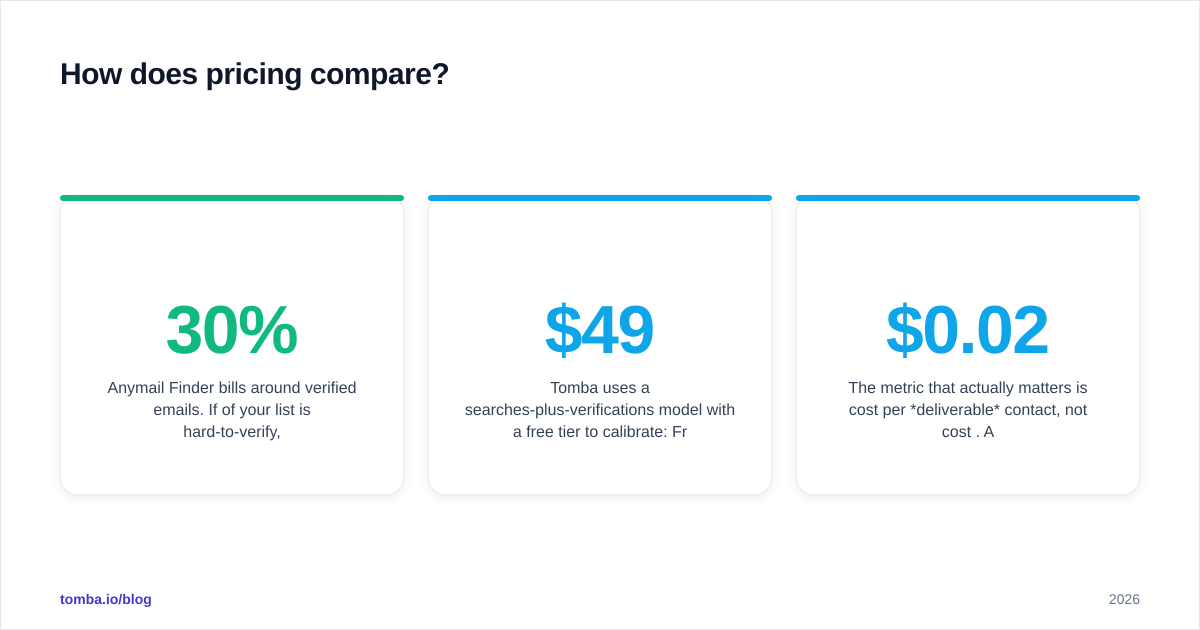
- Anymail Finder bills around verified emails. If 30% of your list is hard-to-verify, you simply don't get charged for those — predictable, but you may also walk away with fewer usable contacts than you hoped.
- Leadzenai leans toward credit or contact bundles. Lower nominal cost per record, but you can spend credits on records that turn out stale or partial. The risk is paying for quantity over deliverability.
- Tomba uses a searches-plus-verifications model with a free tier to calibrate: Free (25 searches/mo), Starter $49/mo, Growth $99/mo, Pro $249/mo, then Enterprise. Full Tomba pricing is public.
The metric that actually matters is cost per deliverable contact, not cost per credit. A $0.02 record that bounces costs you more than its price — it dents your sender reputation and drags down the whole sending domain. Always back-calculate from bounce rate, not from the pricing table.
Which tool fits which workflow?#
Match the tool to your actual bottleneck:
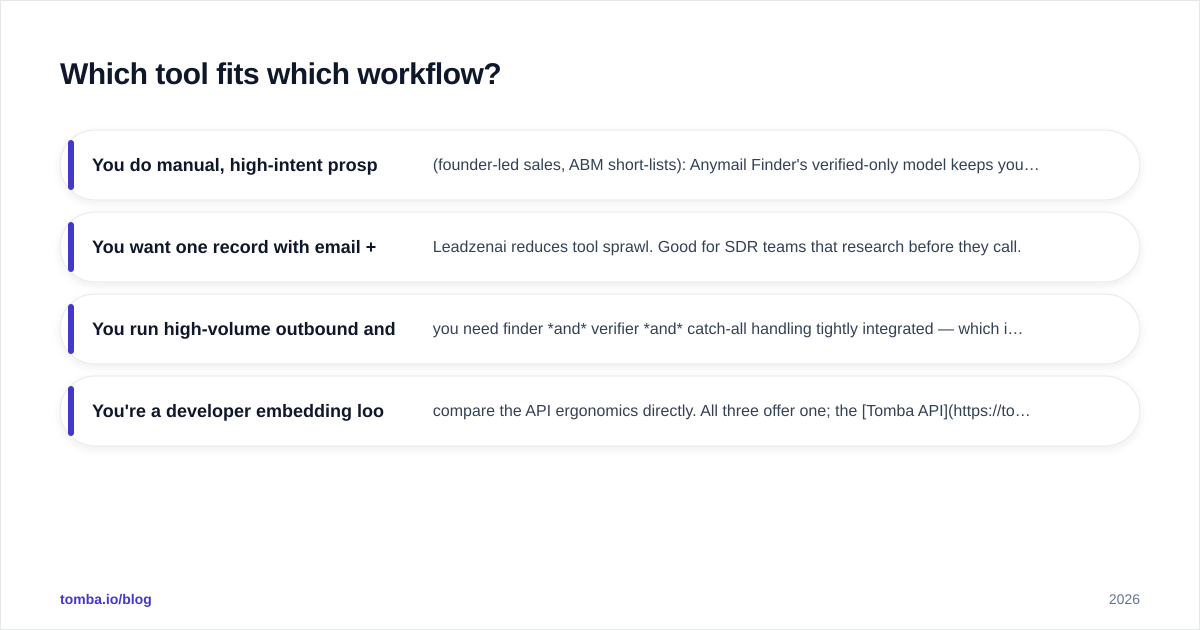
- You do manual, high-intent prospecting (founder-led sales, ABM short-lists): Anymail Finder's verified-only model keeps your small list clean. Precision beats volume here.
- You want one record with email + phone + firmographics: Leadzenai reduces tool sprawl. Good for SDR teams that research before they call.
- You run high-volume outbound and care about deliverability above all: you need finder and verifier and catch-all handling tightly integrated — which is where a full suite like Tomba's email verifier earns its place.
- You're a developer embedding lookups into a product or workflow: compare the API ergonomics directly. All three offer one; the Tomba API is documented with SDKs if you want to benchmark it against the others.
There is no universally correct answer. A two-person startup and a 40-rep outbound org should not buy the same tool, and "best email finder" lists that ignore this are useless.
Where does Tomba fit between them?#
Straight answer: Tomba sits where Anymail Finder's precision meets Leadzenai's breadth — a finder-first suite that also carries verification, catch-all checks, phone lookup, and enrichment without forcing you onto an enterprise contract.
If your reason for looking at Leadzenai is "I want more than just emails," Tomba's data enrichment and phone finder cover that. If your reason for looking at Anymail Finder is "I only want emails I trust," Tomba's verifier and catch-all tooling target the same precision goal. And the free tier means you can A/B it against both without a credit card commitment.
That said — be honest with your own use case. If you genuinely only need a dead-simple verified-email endpoint and nothing else, Anymail Finder's focus is a real virtue, and a broader suite is overkill. Buy the smallest tool that solves your actual problem.
How to evaluate any email finder (quick framework)#
Use the same scorecard on Anymail Finder, Leadzenai, Tomba, or anyone else. Don't trust marketing claims — run the test:
- Match rate — of 50 known contacts, how many return any result?
- Verified-correct rate — of those, how many are actually right? (Cross-check externally.)
- Catch-all behavior — does it flag catch-all domains honestly or hand you a silent guess?
- Cost per deliverable — divide spend by non-bouncing contacts, not total credits.
- Verification depth — is there a real SMTP/verification step, or just pattern guessing?
- Integration fit — API, CRM sync, bulk upload, browser extension — does it slot into your stack?
- Compliance — confirm sourcing and GDPR/CCPA posture before you scale.
For independent signal beyond vendor pages, cross-reference user reviews on G2 and Capterra, and read each tool's own documentation rather than its landing page. If you want a primer on how SMTP verification actually works under the hood, the basics on Wikipedia's SMTP entry explain why catch-all domains are inherently unverifiable.

Frequently asked questions#
Is Anymail Finder or Leadzenai better for cold email? For cold email, deliverability is everything, so lean toward the tool with the strongest verification step — that is Anymail Finder's design strength. But pair either with a separate verifier and warmup process; the finder is only the first link in the chain.
Does Leadzenai include phone numbers? Leadzenai generally offers phone data as part of its contact-intelligence scope, which Anymail Finder does not. Coverage and accuracy for phones vary by region — test before relying on it.
Are these tools GDPR compliant? Both publish compliance positions, but compliance is your responsibility too. Confirm lawful basis for outreach in your target regions regardless of vendor claims.
What's the cheapest way to start? Use free tiers. Tomba offers 25 free searches per month so you can benchmark against both paid tools before spending anything.
The bottom line#
Anymail Finder wins on focused, verified-email precision; Leadzenai wins on record breadth with phones and enrichment. Pick based on your real bottleneck — bounce rate or research time — not the feature grid.
If you want both strengths in one place, give Tomba's Email Finder a run. You get domain-based discovery, built-in verification, catch-all handling, enrichment, and a documented API, starting free at 25 searches a month and scaling to $49/mo when you are ready. Test it against Anymail Finder and Leadzenai on your own 50-contact list — let the verified-correct rate, not the marketing, make the call.
// get started
Find, verify and enrich your first contacts today
Start on the free plan with 25 searches a month, then scale when your team is ready.
Free plan · No credit card required · GDPR & CCPA
// about the author