Anymail Finder vs Salesbot: Which Email Tool Wins in 2026?
Choosing between Anymail Finder and Salesbot? We break down accuracy, pricing, verification, and integrations so you can pick the right email tool for your 2026 B2B prospecting workflow.
Picking an email-sourcing tool sounds simple until your bounce rate spikes and your domain reputation takes the hit. Anymail Finder and Salesbot get pitched at the same buyer — the SDR, founder, or growth marketer who needs valid B2B emails fast — but they solve the problem in very different ways. This guide compares them head to head on accuracy, pricing, verification, and workflow fit, then shows where a third option fits if neither lands.
TL;DR#
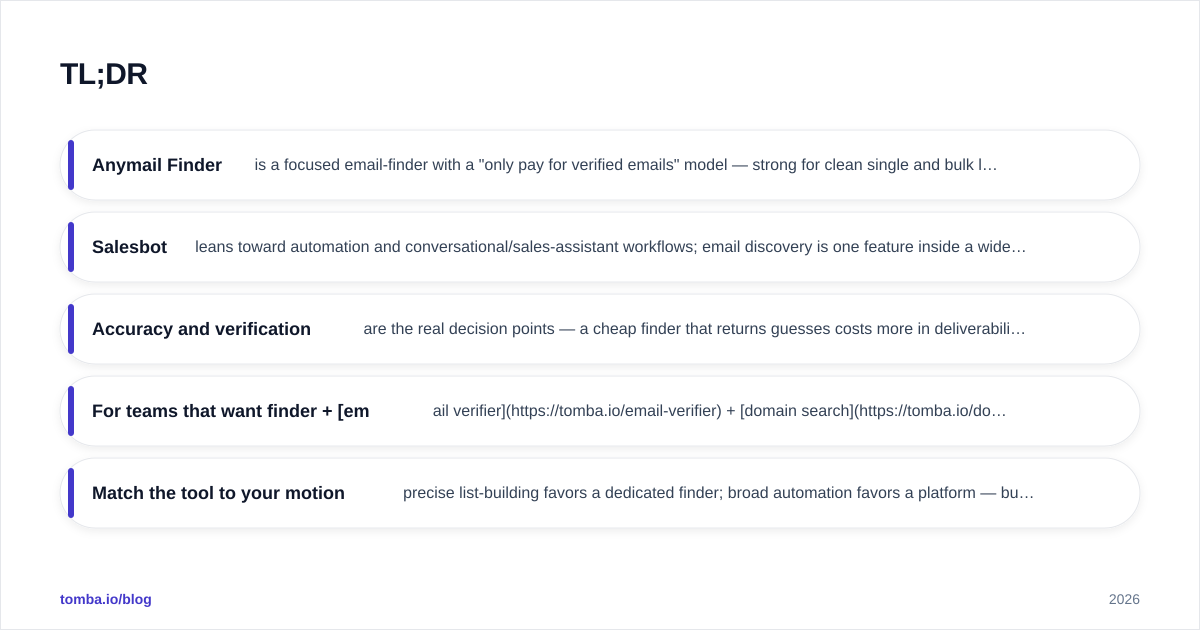
- Anymail Finder is a focused email-finder with a "only pay for verified emails" model — strong for clean single and bulk lookups, lighter on broader prospecting features.
- Salesbot leans toward automation and conversational/sales-assistant workflows; email discovery is one feature inside a wider funnel, so depth and verification rigor vary.
- Accuracy and verification are the real decision points — a cheap finder that returns guesses costs more in deliverability damage than it saves.
- For teams that want finder + email verifier + domain search in one place, Tomba is the neutral third pick worth pricing out (free tier, then $49/mo).
- Match the tool to your motion: precise list-building favors a dedicated finder; broad automation favors a platform — but never trade away verification.
What is Anymail Finder?#
Anymail Finder is a dedicated email-finding tool. You give it a full name plus a company domain (or upload a list), and it returns a business email address with a confidence label. Its headline promise — documented on the Anymail Finder homepage — is that you are only charged for emails it can verify as deliverable, which is a sensible billing model for anyone burned by paying per "found" address that later bounces.
Its strengths are narrow and real: single lookups, bulk CSV processing, and a clean API. It does not try to be a CRM, a sequencer, or a chatbot. That focus is the pitch.
What is Salesbot?#
"Salesbot" is positioned closer to sales automation and assistant workflows than to pure email discovery. Depending on the implementation you are evaluating, it bundles outreach, lead capture, or conversational automation alongside contact data. Email finding exists, but it is one capability inside a broader funnel rather than the core engine.
That changes the evaluation. With a platform-style tool, you are buying workflow breadth — and you have to look harder at how rigorously each individual email is verified before it lands in a send. Check current user reports on G2 for the specific Salesbot product you mean, because feature depth and data freshness move fast in this category.
Anymail Finder vs Salesbot: how do they compare?#
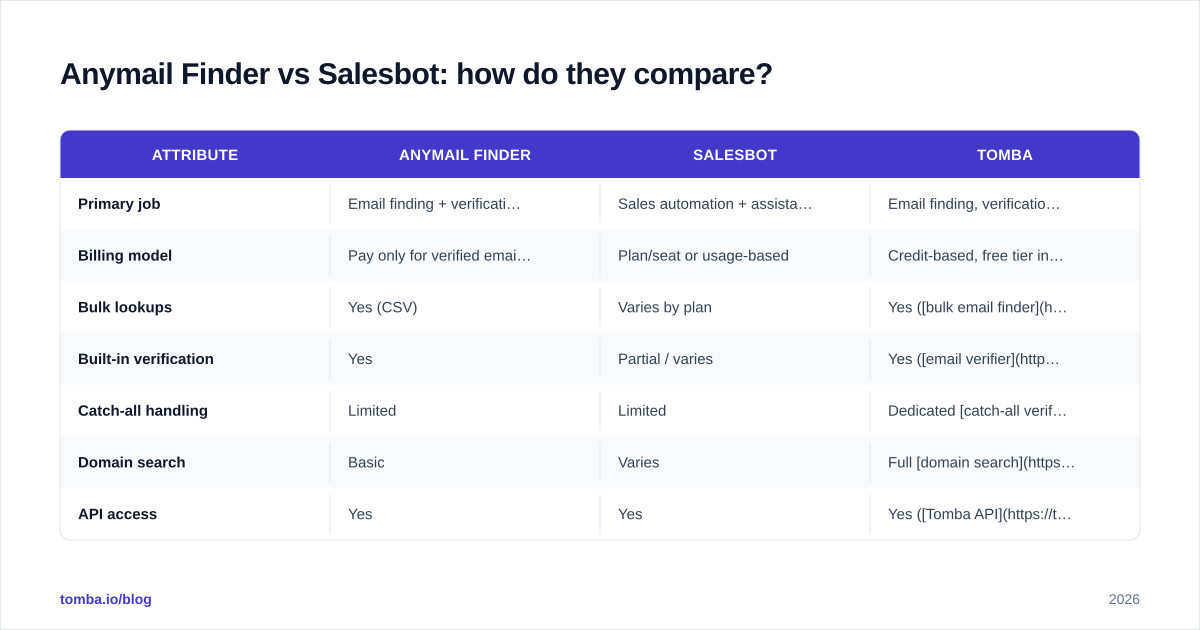
Here is the side-by-side on the attributes that actually change your results. Treat any single vendor's self-reported accuracy with healthy skepticism and run your own test batch before committing budget.
| Attribute | Anymail Finder | Salesbot | Tomba |
|---|---|---|---|
| Primary job | Email finding + verification | Sales automation + assistant, email is one feature | Email finding, verification, enrichment |
| Billing model | Pay only for verified emails | Plan/seat or usage-based | Credit-based, free tier included |
| Bulk lookups | Yes (CSV) | Varies by plan | Yes (bulk email finder) |
| Built-in verification | Yes | Partial / varies | Yes (email verifier) |
| Catch-all handling | Limited | Limited | Dedicated catch-all verifier |
| Domain search | Basic | Varies | Full domain search |
| API access | Yes | Yes | Yes (Tomba API) |
| Free tier | Trial credits | Varies | 25 searches/mo |
| Entry price | Mid-tier monthly | Plan-dependent | $49/mo Starter |

Which one is more accurate?#
Accuracy is the whole game, and it splits into two questions: can the tool find the address, and can it prove the address is deliverable before you send.
A dedicated finder like Anymail Finder has an advantage here by design — its entire model is built around the find-and-verify loop, and its "verified only" billing aligns the vendor's incentive with yours. A broader platform can find emails too, but verification is often a secondary step, which is where guessed or pattern-generated addresses sneak through and quietly raise your bounce rate.
The practical test: take 50 known contacts, run them through each tool, then cross-check the results against a neutral email verification pass. Count three things — found, correct, and verified-deliverable. The tool that wins on verified-deliverable wins, even if another tool "found" more raw addresses.

How should you choose between them?#
Use this decision framework. The right tool depends on your sales motion, not on which feature list is longest.
Choose a dedicated finder (Anymail Finder style) when:
- Email discovery is the bottleneck and you want a single tool that does it well.
- You build targeted lists from names + domains and need clean verification.
- You want pay-for-verified billing and predictable cost per valid email.
Choose a platform (Salesbot style) when:
- You want discovery bundled with automation, capture, or conversational outreach.
- Your team prefers one tool for several steps and can accept variable verification depth.
- Workflow consolidation matters more than best-in-class finding accuracy.
Consider a hybrid (Tomba) when:
- You want finder, verifier, domain search, and data enrichment under one roof without paying for a full sequencer you won't use.
- A free tier to validate accuracy before committing budget matters to you.
What does pricing really look like?#
Sticker price is the wrong number to compare. Compare cost per verified, deliverable email, because that is what protects your sender reputation and actually drives replies.
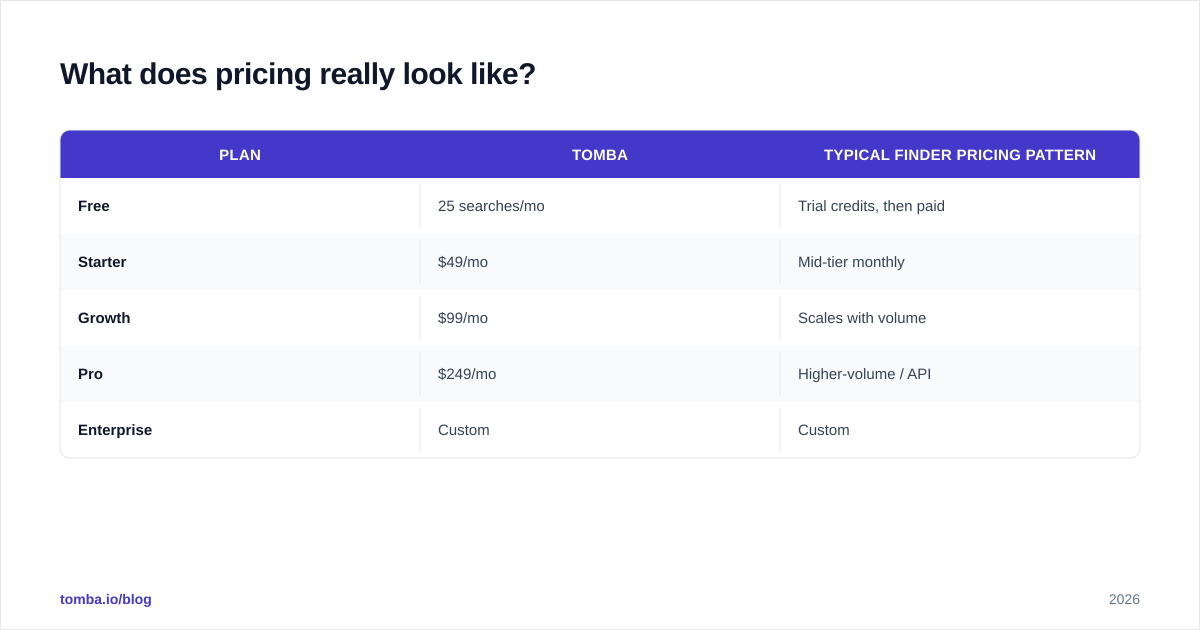
Anymail Finder's verified-only model makes its effective cost easy to reason about — you don't pay for guesses. Salesbot's pricing depends on which plan and seats you buy, and because email is one feature among many, you may be paying partly for capabilities you won't use. Tomba publishes flat, credit-based tiers; see the full Tomba pricing breakdown below.
| Plan | Tomba | Typical finder pricing pattern |
|---|---|---|
| Free | 25 searches/mo | Trial credits, then paid |
| Starter | $49/mo | Mid-tier monthly |
| Growth | $99/mo | Scales with volume |
| Pro | $249/mo | Higher-volume / API |
| Enterprise | Custom | Custom |
A note on the number that trips people up: Tomba's Starter plan is $49/mo, not $39 — worth confirming against any older comparison post you find ranking for this query.

How do they handle verification and catch-all domains?#
Catch-all domains are where most email tools quietly fail. A catch-all server accepts mail for any address at the domain, so a naive verifier marks everything "valid" — including addresses that will never reach a human. If your prospect list skews enterprise, a large share of your domains are catch-all, and this single issue can wreck a campaign.
This is where dedicated verification depth matters more than the finder's headline hit rate. Tools with a purpose-built catch-all finder and separate catch-all verifier give you a real status instead of a false green light. When you evaluate Anymail Finder vs Salesbot, push test addresses on known catch-all domains through both and see which one is honest about uncertainty. The tool that says "risky" is protecting you; the one that says "valid" for everything is setting up a bounce.
For deeper background on why this matters to your inbox placement, the fundamentals of email deliverability are worth a five-minute read before you scale any list.
What about integrations and workflow?#
A finder only earns its keep if the verified emails flow into where you actually work. All three tools expose an API, but the surrounding ecosystem differs.
- Anymail Finder ships a straightforward API and bulk upload — good for engineers and ops people building their own pipeline, lighter on native app connectors.
- Salesbot, as a platform, tends to keep data inside its own automation flows, which is convenient if you live there and less convenient if you don't.
- Tomba offers a Chrome extension, Google Sheets add-on, and native integrations for HubSpot, Salesforce, and
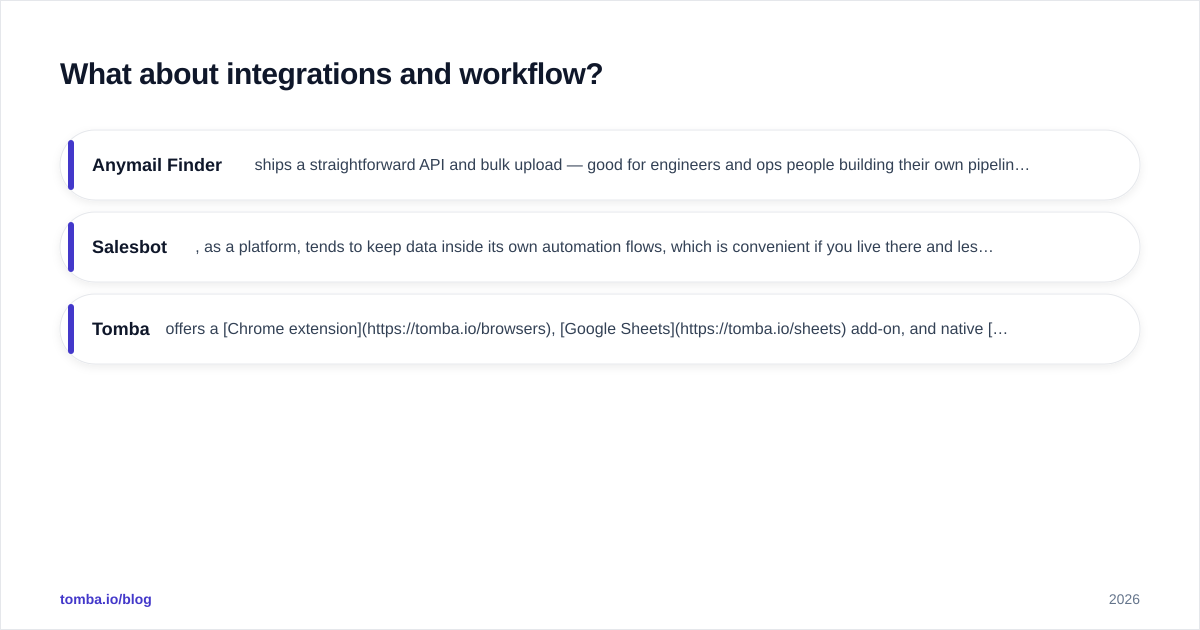
Zapier — so verified contacts land directly in your CRM.
If your stack is centered on a CRM, prioritize native sync over raw API. A clean HubSpot integration saves more SDR hours than a marginal accuracy difference. Industry research from teams like HubSpot consistently shows that data hygiene — not data volume — is what separates campaigns that convert from those that bounce.
Anymail Finder vs Salesbot: which should you pick?#
Here is the honest summary.
Pick Anymail Finder if email discovery is your single biggest gap and you value the verified-only billing model — it does one job and does it cleanly. Pick Salesbot if you want discovery folded into a broader automation or conversational workflow and you're comfortable verifying critical sends with a second pass. And run a head-to-head test batch either way; vendor accuracy claims are marketing until your own list proves them.
If you got here because you want finding and rigorous verification and CRM-native delivery without buying three tools, that's exactly the gap a hybrid fills.
The bottom line#
Don't choose on feature-list length — choose on cost per verified, deliverable email and on how each tool handles catch-all domains. A finder that returns guesses is a liability, not a bargain.
If you want to test that claim yourself, start with Tomba's email finder: find professional emails by name, domain, or company, verify them in the same workflow, and push the clean results straight into your CRM. The free tier gives you 25 searches a month — enough to run the 50-contact accuracy test above against Anymail Finder and Salesbot before you spend a dollar. Run the test, count the verified deliverables, and let the numbers pick the winner.
// get started
Find, verify and enrich your first contacts today
Start on the free plan with 25 searches a month, then scale when your team is ready.
Free plan · No credit card required · GDPR & CCPA
// about the author