Anymail Finder vs Salesql: 2026 Accuracy & Price Test
Anymail Finder vs Salesql, compared on accuracy, verification, pricing, and credit fairness — plus where a third option quietly beats both in 2026.
Choosing between Anymail Finder and Salesql usually comes down to one question: which tool wastes the least of your budget on emails that bounce? Both promise to turn a name and a company into a working inbox, but they take different routes to get there — and they charge for that work in very different ways.
This is a neutral, hands-on comparison. We'll look at accuracy, verification depth, pricing fairness, data coverage, and the workflows each tool fits. Tomba shows up too, because on the metrics that decide cost-per-valid-lead it's a genuine third contender — but you'll see exactly where each tool earns its place.
TL;DR#
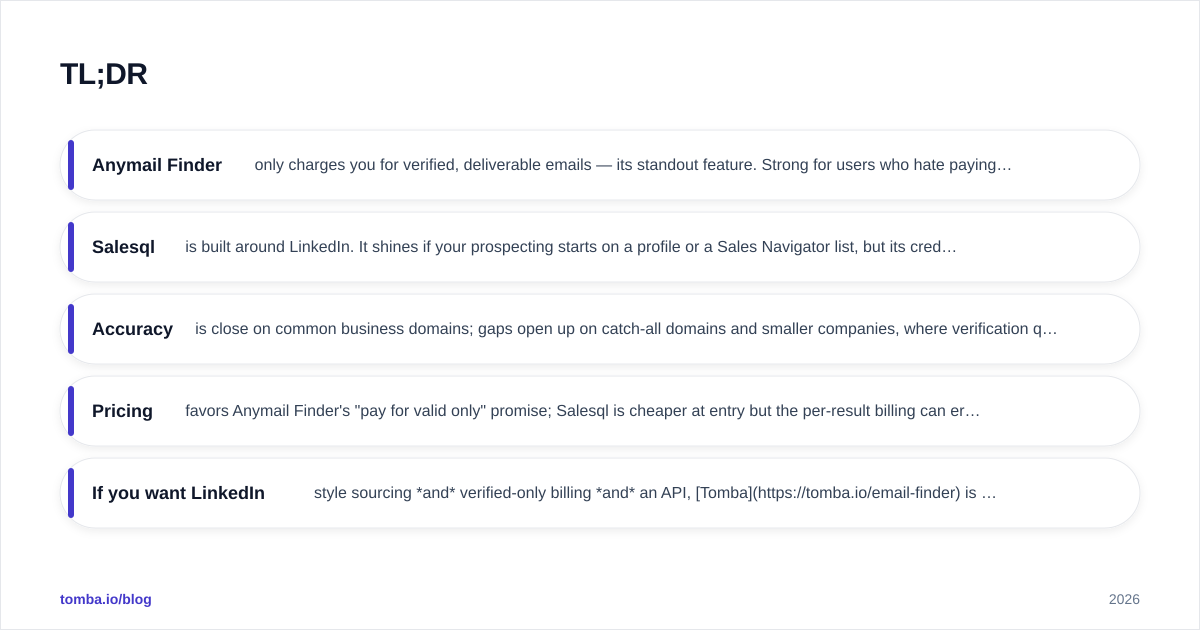
- Anymail Finder only charges you for verified, deliverable emails — its standout feature. Strong for users who hate paying for guesses, weaker on bulk depth and enrichment.
- Salesql is built around LinkedIn. It shines if your prospecting starts on a profile or a Sales Navigator list, but its credit model charges per result whether or not the email is valid.
- Accuracy is close on common business domains; gaps open up on catch-all domains and smaller companies, where verification quality decides the winner.
- Pricing favors Anymail Finder's "pay for valid only" promise; Salesql is cheaper at entry but the per-result billing can erode that edge.
- If you want LinkedIn-style sourcing and verified-only billing and an API, Tomba is worth pricing alongside both before you commit.
What do Anymail Finder and Salesql actually do?#
Both are email-finder tools: you give them an identity (a name plus a domain, or a LinkedIn profile) and they return a likely email address with a confidence signal.
Anymail Finder leans on a verification-first philosophy. It searches public sources, generates likely patterns, and then runs SMTP-level checks before it hands you a result. Its marketing centerpiece is simple: you're only billed for emails it can confirm as deliverable. That's a meaningful promise in a category where many tools charge for every "best guess."
Salesql is a LinkedIn-native finder. It lives as a browser extension that activates on LinkedIn and Sales Navigator pages, pulling emails and phone numbers for the profiles you view or for entire search-result lists. If your prospecting motion is "browse LinkedIn, build a list," Salesql removes a lot of copy-paste.
The philosophical split matters. Anymail Finder optimizes for billing fairness and deliverability. Salesql optimizes for sourcing speed inside LinkedIn. Neither is wrong — they're solving slightly different halves of the same problem.

How accurate is each one?#
Accuracy in this category is really two numbers working together: hit rate (did it return an email?) and validity (does that email actually accept mail?). A tool that returns something 90% of the time but is right only 70% of those times is worse than it looks.
Anymail Finder's verified-only model effectively caps the second problem. Because it filters out results it can't confirm, the emails you receive tend to be deliverable — at the cost of returning nothing for harder targets like catch-all domains. You trade coverage for confidence.
Salesql returns results more liberally, which feels better in the moment because you get an email more often. But more of those are unverified or come from catch-all domains, so you'll want to run them through an email verifier before sending. That second step is real work and real cost.
The honest verdict: on large, well-known company domains the two are close. The gap widens on:
- Catch-all domains, where naive tools mark everything "valid." A dedicated catch-all verifier is the only way to separate real inboxes from accept-all traps.
- Small and mid-market companies, where pattern data is thinner and source coverage decides everything.
Anymail Finder vs Salesql: full comparison table#
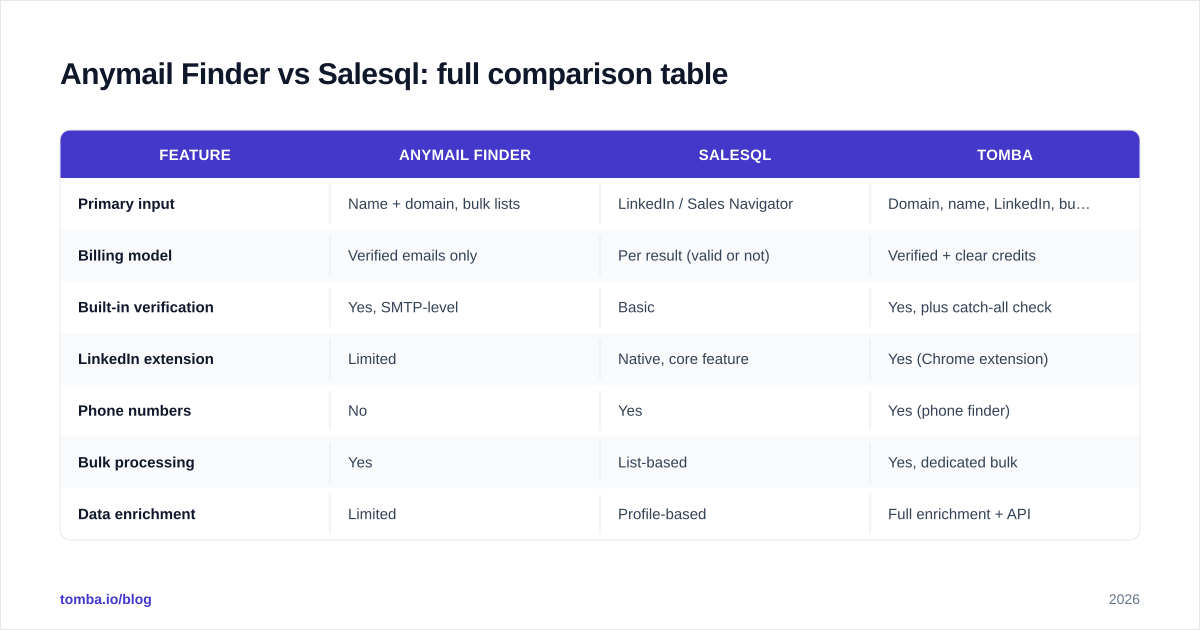
| Feature | Anymail Finder | Salesql | Tomba |
|---|---|---|---|
| Primary input | Name + domain, bulk lists | LinkedIn / Sales Navigator | Domain, name, LinkedIn, bulk |
| Billing model | Verified emails only | Per result (valid or not) | Verified + clear credits |
| Built-in verification | Yes, SMTP-level | Basic | Yes, plus catch-all check |
| LinkedIn extension | Limited | Native, core feature | Yes (Chrome extension) |
| Phone numbers | No | Yes | Yes (phone finder) |
| Bulk processing | Yes | List-based | Yes, dedicated bulk |
| Data enrichment | Limited | Profile-based | Full enrichment + API |
| API access | Yes | Limited | Yes, documented REST API |
| Free tier | Trial credits | Limited free credits | 25 searches/mo free |
| Entry paid price | Mid-range/result | Lower entry | $49/mo Starter |
Use this as a scorecard, not a verdict — the right column depends on whether your bottleneck is sourcing, billing fairness, or downstream verification.
Which has the fairer pricing model?#
Pricing is where these tools diverge most, and it's not about the sticker price.
Anymail Finder bills you only for verified emails. The practical effect: your effective cost-per-valid-lead is predictable, because you never pay for a guess that bounces. If half your target list is hard-to-reach, you simply aren't charged for the misses. For teams that obsess over cost-per-meeting, this is the cleaner mental model.
Salesql charges per result returned. Its entry price is attractive, and for LinkedIn-heavy workflows the convenience can justify it. But "per result" means you can spend credits on unverified or catch-all addresses that you then have to validate — or worse, send to and bounce. The cheap entry tier can quietly become expensive once you account for the verification you still have to do.
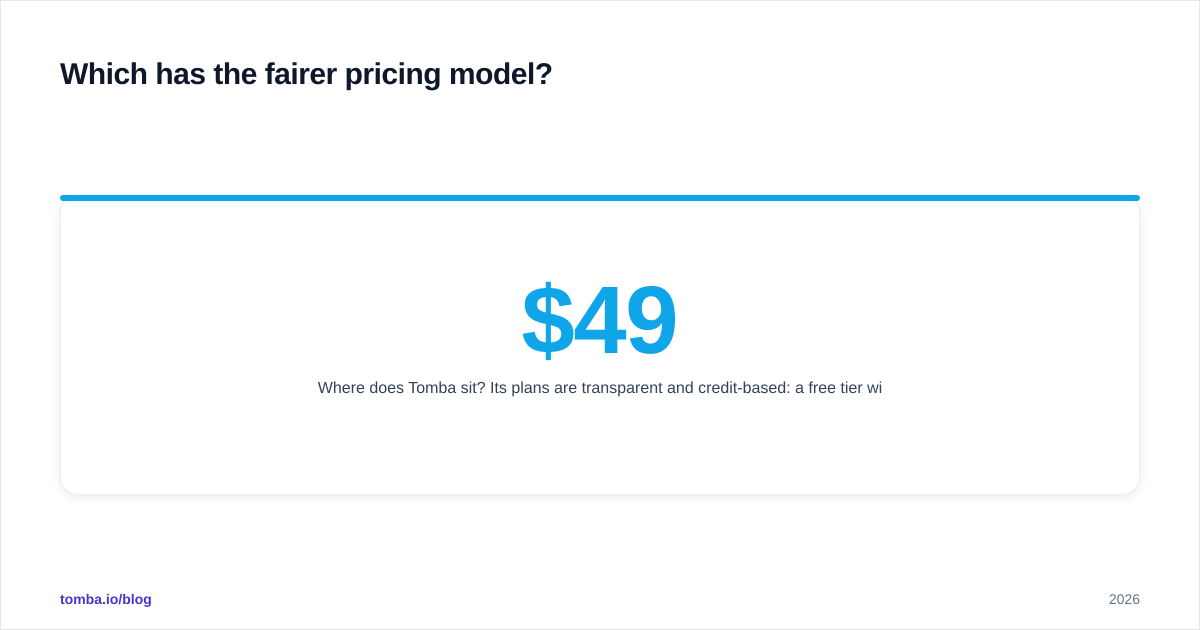
Where does Tomba sit? Its plans are transparent and credit-based: a free tier with 25 searches/month, Starter at $49/mo, Growth at $99/mo, and Pro at $249/mo, with Enterprise custom. You can see the full Tomba pricing breakdown, but the relevant point for this comparison is that Tomba pairs verified results with a documented credit system, so you're not guessing what a "result" costs.

The buying rule of thumb:
- If you hate paying for misses, Anymail Finder's model is the most aligned.
- If your volume is low and LinkedIn-bound, Salesql's entry price wins on day one.
- If you want verified billing and enrichment and an API in one place, price Tomba against both.
Which fits your workflow better?#
Tools win or lose on where they sit in your day, not on a spec sheet.
Choose Salesql if your reps live inside LinkedIn and Sales Navigator. The extension turns a profile or a saved search into a contact list without leaving the page. That sourcing speed is real, and for a LinkedIn-first SDR motion it's the strongest reason to pick Salesql over Anymail Finder. If you need numbers too, its phone data is a bonus — though for serious dialing you'll still want a dedicated phone validator to scrub the list.
Choose Anymail Finder if your inputs are messy lists of names and companies and your priority is not paying for junk. Upload a CSV, get back verified emails, send. It's a clean fit for marketers and founders running occasional campaigns who want deliverability without managing a verification step.
Consider Tomba if you need both motions plus programmatic access. Tomba covers domain-based discovery through domain search, LinkedIn-based finding, bulk processing, and a developer-friendly email finder API — so a RevOps team can wire enrichment directly into the CRM instead of exporting CSVs by hand.
A quick gut-check question: where does your prospecting actually start? If the answer is "a LinkedIn tab," Salesql earns a trial. If it's "a list someone handed me," Anymail Finder does. If it's "an automated pipeline," look at an API-first option.
How do data coverage and verification compare?#
An email finder is only as good as the data underneath it and the rigor of its checks.
Anymail Finder's strength is the verification layer — the SMTP checking that powers its verified-only billing. Its relative weakness is enrichment: you get an email, not a rich profile. If you need title, company size, or social handles attached, you'll bolt on another tool.
Salesql's strength is the profile context it captures from LinkedIn itself — role, company, and sometimes phone. Its weakness is verification depth; results lean toward "found" rather than "confirmed," which pushes verification downstream onto you.
The catch-all problem deserves its own mention. On accept-all domains, both tools can struggle, because the receiving server accepts everything at the SMTP handshake. The only reliable defense is a tool that explicitly flags catch-all status rather than labeling it "valid." Tomba's catch-all finder and verification stack are built around exactly this distinction, and it's a common reason teams add a verification layer regardless of which finder they source with. For the underlying concept, email deliverability is the metric all of this ultimately protects.

Independent review sites are useful for sanity-checking vendor claims here. Cross-reference recent user feedback on G2 and Capterra before you trust any single accuracy number — including the ones in this post.

Is Anymail Finder better than Salesql?#
There's no universal winner — there's a winner for your inputs and your billing tolerance.
Anymail Finder is better when deliverability and not-paying-for-misses are your top priorities, and your source data is lists rather than live LinkedIn browsing. Its verified-only model is the single most pro-buyer feature in this matchup.
Salesql is better when LinkedIn is your prospecting surface, you want phone numbers alongside emails, and you're comfortable adding a verification pass. Its entry price and in-page convenience are hard to beat for a LinkedIn-first SDR.
Neither is ideal when you need a single platform that does verified finding, catch-all detection, enrichment, and API automation together. That's the gap a broader platform fills — and it's the honest reason to keep a third option on the shortlist rather than treating this as a strict two-horse race.
For a structured way to evaluate any finder, weigh four things in order: validity (not just hit rate), billing fairness, source coverage for your market segment, and integration depth. Whichever tool scores highest across all four for your specific use case is your answer — and that ranking changes by team.
Frequently asked questions#
Does Anymail Finder really only charge for valid emails? That's its core model — results it can't verify as deliverable aren't billed. It's the strongest reason to choose it over per-result tools, though it also means harder targets simply return nothing.
Can Salesql find emails outside LinkedIn? Its sweet spot is LinkedIn and Sales Navigator. You can work with lists, but the in-page extension is where it's strongest. If you rarely touch LinkedIn, that advantage is wasted.
Do I still need a separate email verifier? With verified-only tools, less so. With per-result tools, almost always — budget for a verification pass to protect your sender reputation before any large send.
What about catch-all domains? Both tools can mislabel accept-all domains. Run uncertain results through a dedicated catch-all check rather than trusting a generic "valid" flag.
The bottom line#
Anymail Finder wins on billing fairness and deliverability; Salesql wins on LinkedIn-native sourcing speed and phone data. Pick based on where your prospecting starts and how much you hate paying for misses.
If you'd rather not choose between verified-only billing, LinkedIn sourcing, catch-all detection, and an API, run a quick test with the Tomba Email Finder. The free tier gives you 25 searches a month — enough to benchmark accuracy and effective cost-per-valid-lead against both Anymail Finder and Salesql on your own list before you spend a cent. Compare the numbers, not the marketing, and let the results pick the winner.
// get started
Find, verify and enrich your first contacts today
Start on the free plan with 25 searches a month, then scale when your team is ready.
Free plan · No credit card required · GDPR & CCPA
// about the author