Apexverify vs Nymeria 2026: Which Email Tool Wins?
Apexverify vs Nymeria compared on accuracy, pricing, data coverage, and workflow fit — plus where a third option beats both for B2B email finding in 2026.
You are picking between two contact-data tools that look similar on the surface but solve different halves of the same problem. This breakdown compares Apexverify vs Nymeria on the things that actually move your reply rate: data accuracy, coverage, pricing, and how each one fits a real outbound workflow in 2026.
TL;DR#
- Apexverify leans toward email verification and list hygiene — it shines when you already have addresses and need them validated before a send.
- Nymeria leans toward email and contact discovery — it pulls professional and personal emails plus phone numbers, often tied to LinkedIn enrichment.
- Neither tool is a complete finder-plus-verifier-plus-enrichment stack, so most teams end up paying for a second product to cover the gap.
- On raw verification accuracy and catch-all handling, the gap between vendors is wider than the marketing pages admit — always test on your own list.
- If you want finding, verification, domain search, and enrichment under one roof, Tomba is the more economical single-vendor path. Comparison table and benchmarks below.
What is Apexverify?#
Apexverify positions itself as an email verification and deliverability-hygiene tool. The core job is simple to describe and hard to do well: take a list of email addresses and tell you which ones are safe to send to. That means SMTP checks, syntax and domain validation, MX record lookups, disposable-domain detection, role-account flagging (like info@ or sales@), and the hardest category of all — catch-all domains that accept every address whether the mailbox exists or not.
Verification matters because bounces are the fastest way to wreck sender reputation. Mailbox providers read a high bounce rate as a signal that you bought or scraped a list, and they throttle or spam-folder you accordingly. A good verifier is insurance against that.
Where Apexverify is weaker is discovery. It is built to clean addresses you already have, not to find new ones from a name and a company domain. If your pipeline starts with "I have a list of companies but no contacts," verification alone does not get you there.
What is Nymeria?#
Nymeria is a contact-discovery and enrichment tool. Its strength is turning a person — usually identified through a LinkedIn profile or a name-plus-company — into a set of contact points: professional email, sometimes a personal email, and phone numbers. It is popular with recruiters and sales reps who live inside LinkedIn and want a browser extension that surfaces contact data as they browse.
The trade-off is that discovery tools optimize for coverage — returning an answer for as many people as possible — and coverage and accuracy pull in opposite directions. A tool that always returns something will return some guesses. That is fine if you verify afterward, which loops you right back to needing a verification step Nymeria does not fully own.
Apexverify vs Nymeria: how do they actually differ?#
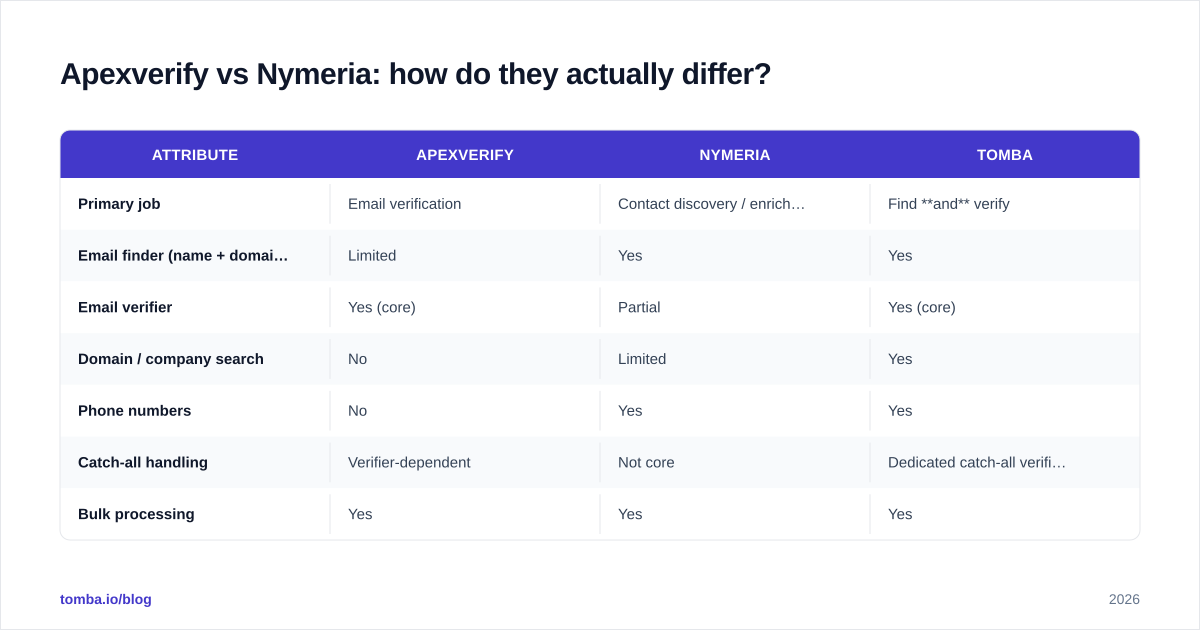
The cleanest way to think about it: Apexverify is a gatekeeper, Nymeria is a scout. One finds people, the other checks the addresses. Most teams need both functions, which is the central problem with choosing either in isolation.
| Attribute | Apexverify | Nymeria | Tomba |
|---|---|---|---|
| Primary job | Email verification | Contact discovery / enrichment | Find and verify |
| Email finder (name + domain) | Limited | Yes | Yes |
| Email verifier | Yes (core) | Partial | Yes (core) |
| Domain / company search | No | Limited | Yes |
| Phone numbers | No | Yes | Yes |
| Catch-all handling | Verifier-dependent | Not core | Dedicated catch-all verifier |
| Bulk processing | Yes | Yes | Yes |
| API access | Yes | Yes | Yes (REST + SDKs) |
| Free tier | Limited | Limited | 25 searches/mo |
| Entry paid price | Varies | Varies | $49/mo |
A few notes on reading that table. "Limited" and "partial" are doing real work — vendors change feature scope and pricing often, so treat the matrix as a starting hypothesis you confirm with a trial, not gospel. The structural point holds regardless of this month's feature list: a verification-first tool and a discovery-first tool occupy different boxes, and the boxes only partly overlap.
Which one is more accurate?#
Accuracy is the only metric that pays your salary, so spend your trial here.
For a verifier like Apexverify, accuracy means two things working together: a low false-positive rate (it should not mark dead mailboxes as valid and let them bounce) and a low false-negative rate (it should not mark good mailboxes as invalid and make you discard real prospects). Catch-all domains are where most verifiers quietly fail — they return "accept-all" or "unknown" and pass the risk back to you. If a large share of your target accounts run catch-all domains (common in mid-market and enterprise), test that specific slice hard.

For a discovery tool like Nymeria, accuracy means the returned email is both real and current. People change jobs; a finder that pulls from stale snapshots hands you addresses that bounce. The honest way to measure this is to run any discovered list through an independent email verifier and count how many survive. If 30% bounce on verification, the discovery tool's "coverage" number was inflated.
The uncomfortable takeaway: you cannot fully trust a discovery tool's accuracy claim without a verifier, and a verifier is useless without addresses to check. That is why single-purpose tools tend to come in pairs — and why a combined platform removes a whole category of busywork.
Apexverify vs Nymeria: pricing and value#
Both vendors move pricing frequently, so confirm current numbers on their sites before you commit. The structural pricing question is more durable than any specific tier: what are you paying per usable, verified contact?
- With Nymeria, you pay for discovery credits. Multiply by the share that survives verification to get your true cost per usable contact.
- With Apexverify, you pay per verification. But verification on a list you do not have yet is zero value — you still need a source of addresses, which is a separate line item.
- Stacking both means two subscriptions, two dashboards, two APIs to integrate, and two vendors to renew.
That stacking cost is the quiet tax of best-of-breed point tools. For a small team, two $30–$70/mo subscriptions plus the engineering time to wire them together can cost more than one consolidated plan that does both jobs. Check the Tomba pricing page for a single-vendor baseline: Free (25 searches/mo), Starter $49/mo, Growth $99/mo, Pro $249/mo.
When should you pick Apexverify?#
Choose Apexverify (or any verification-first tool) when:
- You already have a large list of addresses — from events, signups, a CRM export, or a partner — and you need to clean it before sending.
- Your main pain is bounce rate and deliverability, not finding net-new contacts.
- You run periodic list-hygiene jobs rather than continuous prospecting.
In that scenario, a dedicated verifier earns its keep. Pair it with a bulk verify workflow and you can re-validate aging lists on a schedule, since email data decays at roughly 2–3% per month as people change roles.
When should you pick Nymeria?#
Choose Nymeria (or any discovery-first tool) when:
- Your reps live inside LinkedIn and want contact data surfaced in-browser as they prospect.
- You need phone numbers alongside emails for a multi-channel cadence.
- You are doing recruiting or one-by-one sourcing rather than large programmatic list builds.
Just budget for a verification step downstream. Treat every discovered address as unconfirmed until a verifier clears it — that single habit protects your domain reputation more than any tool choice.
Is there a better all-in-one option?#
Yes — and it is the honest answer rather than a forced pitch: if your workflow needs both finding and verifying (most outbound workflows do), a combined platform removes the integration tax entirely.
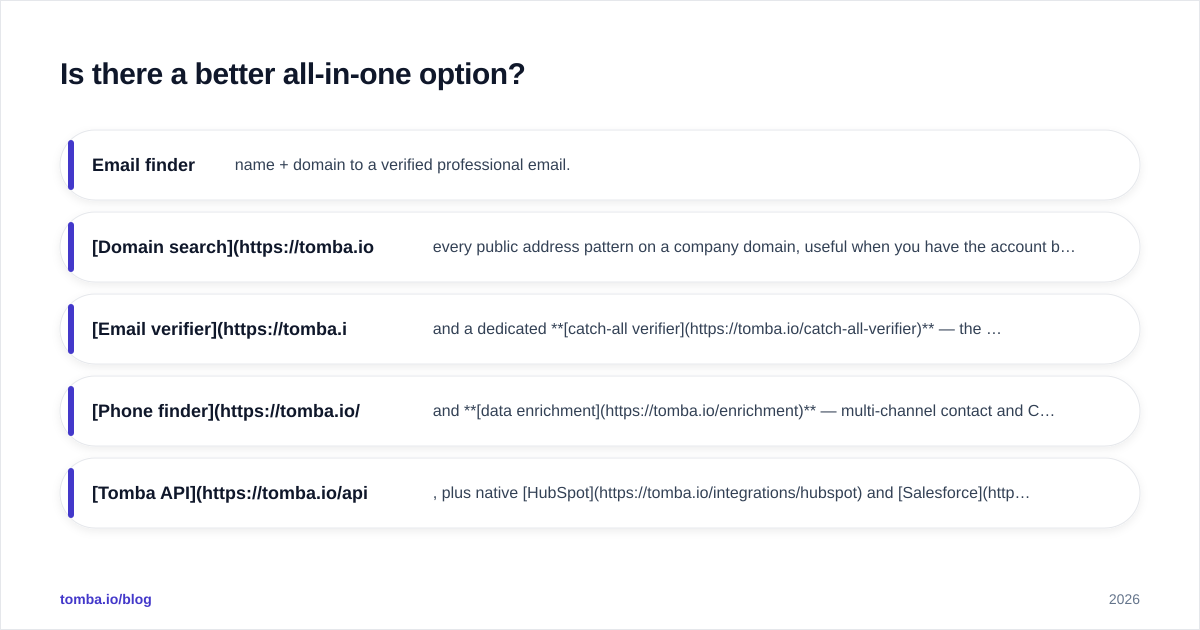
Tomba was built as a finder and verifier in one system, with the surrounding tools that point products make you buy separately:
- Email finder — name + domain to a verified professional email.
- Domain search — every public address pattern on a company domain, useful when you have the account but not the person.
- Email verifier and a dedicated catch-all verifier — the catch-all piece is exactly where standalone verifiers tend to punt.
- Phone finder and data enrichment — multi-channel contact and CRM-ready records.
- Tomba API, plus native HubSpot and Salesforce integrations, so you wire up one vendor instead of three.

The point is not that Tomba wins every single sub-feature — Nymeria's LinkedIn-native UX and a pure verifier's specialized hygiene reports both have fans. The point is that a single find-and-verify pipeline eliminates the bounce-rate guesswork that comes from gluing a scout to a gatekeeper across two billing relationships.
How should you actually decide?#
Run a 50-contact bake-off. It takes an afternoon and beats any review, including this one.
- Pick 50 real target prospects you can manually spot-check.
- Run them through each tool's discovery and/or verification flow.
- Independently verify every returned address (use a neutral third verifier so you are not grading a tool with itself).
- Score each tool on: % found, % that survive verification, catch-all handling, phone coverage, and cost per usable contact.
- Add a column for integration effort — how many tools and APIs you'd actually run in production.
Whichever option wins on cost per usable, verified contact — not on headline coverage or sticker price — is the right call for your data and your market. For most B2B teams running real outbound, consolidating find-and-verify into one stack is what tips the math.
For deeper background on the metrics above, see independent review sites like G2 and Capterra, and the HubSpot resources on bounce rate and sender reputation. And before you trust any vendor's accuracy claim, read how a provider sources and refreshes its data on its data sources page.
The bottom line#
Apexverify and Nymeria each do one half of the job well — verification and discovery, respectively — and neither fully covers the other half. If you only need one half, pick the specialist. If you need both, which most outbound teams do, stop paying two vendors to do one workflow.
Ready to find and verify in one place? Start free with the Tomba Email Finder — 25 searches a month, no card, with verification, domain search, and catch-all handling built in. Run your own 50-contact bake-off against Apexverify and Nymeria and let the cost-per-usable-contact number decide. See full Tomba plans when you're ready to scale.
// get started
Find, verify and enrich your first contacts today
Start on the free plan with 25 searches a month, then scale when your team is ready.
Free plan · No credit card required · GDPR & CCPA
// about the author