Apexverify vs Rampedup: B2B Data Tools Compared (2026)
Apexverify vs Rampedup, broken down on accuracy, pricing, data coverage, and verification. See which tool fits your outbound stack in 2026 — and where a third option beats both.
Choosing between Apexverify and Rampedup usually comes down to one question: do you need clean email verification, or do you need a broad B2B contact database to prospect against? They look similar on a feature grid, but they solve different halves of the same problem. This guide breaks down both tools on accuracy, pricing, coverage, and workflow fit — and shows where a dedicated email finder beats either one.
TL;DR#
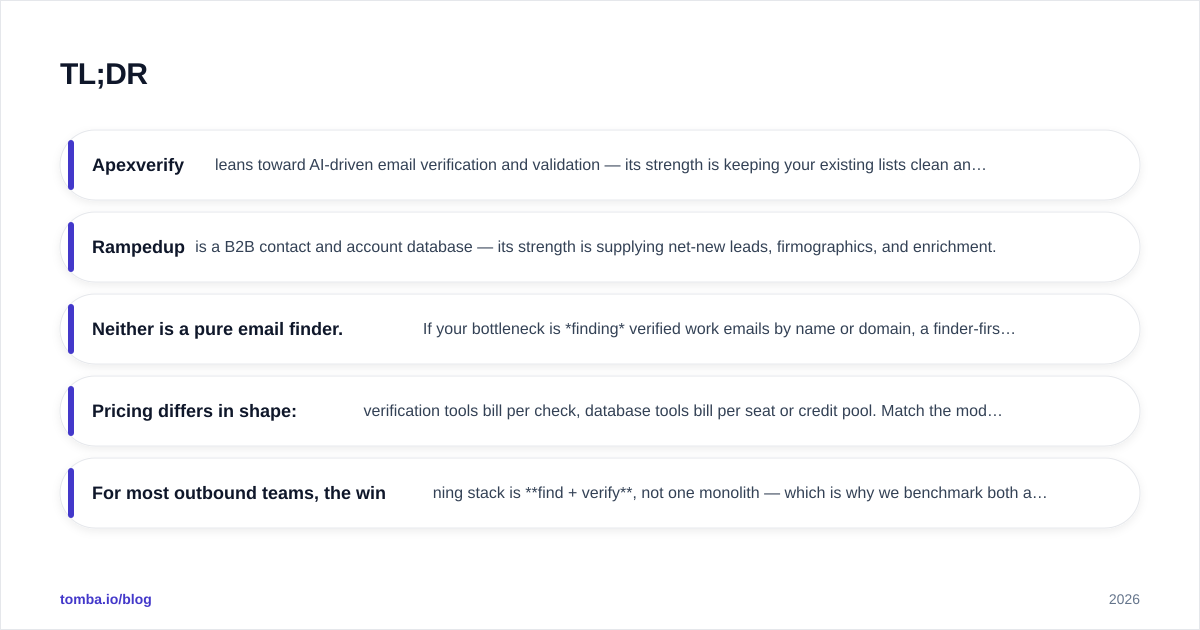
- Apexverify leans toward AI-driven email verification and validation — its strength is keeping your existing lists clean and bounce-free.
- Rampedup is a B2B contact and account database — its strength is supplying net-new leads, firmographics, and enrichment.
- Neither is a pure email finder. If your bottleneck is finding verified work emails by name or domain, a finder-first tool fills the gap better than either.
- Pricing differs in shape: verification tools bill per check, database tools bill per seat or credit pool. Match the model to your volume.
- For most outbound teams, the winning stack is find + verify, not one monolith — which is why we benchmark both against Tomba's email finder below.
What is Apexverify?#
Apexverify is an email validation tool. You feed it a list of addresses, and it tells you which ones are deliverable, risky, or dead. Think of it like a bouncer at the door of your mail server: before a message goes out, the address gets checked against syntax rules, MX records, SMTP responses, and known-disposable domains.
The job it does well is list hygiene. If you already have thousands of contacts — from a CRM export, a trade show, or a scraped list — Apexverify-style validation strips out the addresses that will bounce and hurt your sender reputation. That matters, because mailbox providers punish senders whose bounce rates creep past 2-3%. Cleaning before you send protects email deliverability and keeps you out of spam folders.
What Apexverify does not do is hand you new contacts. It validates what you already have. If your list is empty, a verifier has nothing to chew on.
What is Rampedup?#
Rampedup is a B2B data platform. It maintains a database of companies and contacts — names, titles, emails, phone numbers, and firmographic details like industry, headcount, and revenue. You search by criteria ("VP of Marketing at SaaS companies, 50-200 employees") and it returns matching records you can push into your CRM or sequencer.
Where Apexverify is a filter, Rampedup is a source. Its value is breadth: you go from "I want to reach this segment" to "here are 800 contacts" without manually researching each one. Tools in this category compete on database size, refresh frequency, and how accurate the contact data is at the moment you pull it.
The catch with any database play is staleness. People change jobs every 2-3 years on average, so a record that was correct six months ago may now point to someone who left. That's why database tools and verification tools are natural complements, not substitutes — you pull from one and clean with the other.
Apexverify vs Rampedup: how do they compare?#
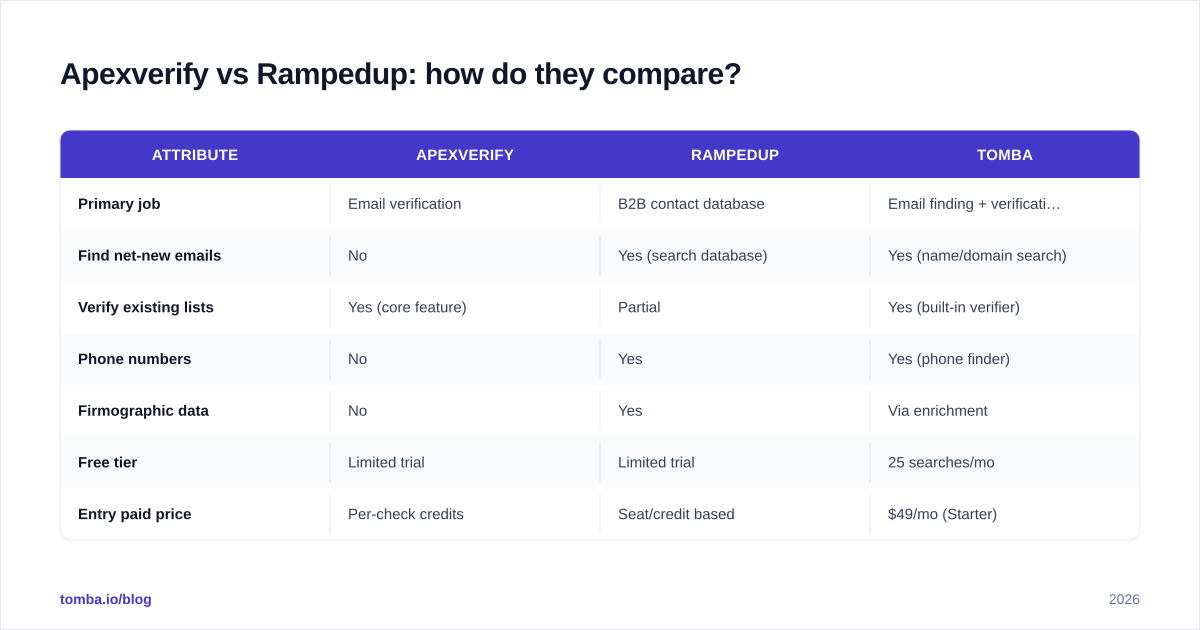
Here's the head-to-head on the attributes that actually change your results. Treat exact prices as indicative — both vendors gate current numbers behind quotes and tiers, so confirm on their sites before you buy.
| Attribute | Apexverify | Rampedup | Tomba |
|---|---|---|---|
| Primary job | Email verification | B2B contact database | Email finding + verification |
| Find net-new emails | No | Yes (search database) | Yes (name/domain search) |
| Verify existing lists | Yes (core feature) | Partial | Yes (built-in verifier) |
| Phone numbers | No | Yes | Yes (phone finder) |
| Firmographic data | No | Yes | Via enrichment |
| Free tier | Limited trial | Limited trial | 25 searches/mo |
| Entry paid price | Per-check credits | Seat/credit based | $49/mo (Starter) |
| API access | Yes | Yes | Yes (REST API) |
| Best for | List hygiene | Net-new prospecting | End-to-end find + verify |
The pattern is clear: Apexverify and Rampedup each own one column of the workflow, while a finder-first platform spans both. If you only ever do one of those jobs, a specialist may suit you. Most outbound teams do both every week.
Which tool is more accurate?#
Accuracy means two different things here, and conflating them is the most common buying mistake.
For Apexverify, accuracy is about validation precision — does a "deliverable" verdict actually deliver? Good verifiers catch catch-all domains, role-based addresses (info@, sales@), and disposable mailboxes without flagging good addresses as bad (false positives). A verifier that's too aggressive shrinks your reachable list; one that's too lenient lets bounces through.
For Rampedup, accuracy is about data freshness — is the email it returns still the person's real address? A database can be huge and still be wrong if records aren't re-verified often. The best database tools re-check contacts on a rolling basis; weaker ones serve whatever they ingested last.
This is the trap: a database that returns unverified emails forces you to run them through a verifier anyway. If you're paying for Rampedup and Apexverify to cover the gap, you're paying twice for one outcome. A finder that verifies at the point of discovery collapses that into a single step.


How does pricing compare?#
Pricing models matter as much as the sticker price, because they reward different usage.
Verification tools like Apexverify usually bill per check — you buy a credit pool and burn one credit per email validated. This is efficient if you validate in bursts (clean a list, then stop) but it punishes continuous, high-volume verification.
Database tools like Rampedup typically bill per seat plus a credit allowance for record exports. You're paying for access to the data as much as for the records themselves, so light users subsidize the platform's coverage. If only one rep uses it, the per-useful-contact cost climbs.
Finder-first tools like Tomba publish flat monthly tiers. For reference, Tomba pricing runs a free tier at 25 searches/month, Starter at $49/mo, Growth at $99/mo, and Pro at $249/mo, with each search returning a verified result. Predictable tiers make budgeting easier when find and verify happen together.
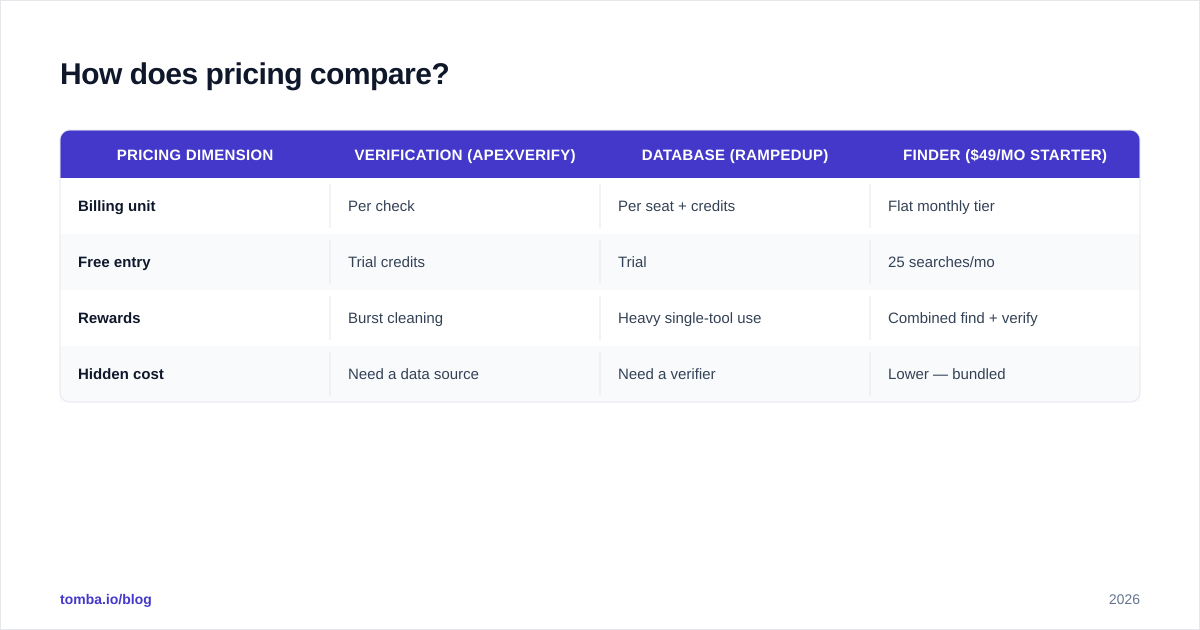
| Pricing dimension | Verification (Apexverify) | Database (Rampedup) | Finder ($49/mo Starter) |
|---|---|---|---|
| Billing unit | Per check | Per seat + credits | Flat monthly tier |
| Free entry | Trial credits | Trial | 25 searches/mo |
| Rewards | Burst cleaning | Heavy single-tool use | Combined find + verify |
| Hidden cost | Need a data source | Need a verifier | Lower — bundled |
The honest takeaway: if you genuinely only verify, a verifier is cheapest. If you genuinely only need raw data, a database is cheapest. The moment you do both — which describes most cold outbound — a bundled finder usually wins on total cost.
When should you choose each tool?#
Conclusion first: pick by which job is your actual bottleneck.
Choose Apexverify when your lists are already full and your problem is bounces. You're importing big lists from events, partners, or legacy CRMs, and you need them clean before they touch your sequencer. Pair it with whatever supplies your contacts. Verification is also smart right before a big send, since list quality decays over time — re-validate quarterly with an email verifier.
Choose Rampedup when your problem is "I don't have enough leads." You know your ICP but lack the contacts to fill a pipeline, and you want firmographic filters to target precisely. Just budget for verification on top, because database emails should never go straight into a campaign unchecked.
Choose a finder-first tool when you want both jobs in one motion — search by domain or name, get a verified email back, and skip the second vendor. This is the right default for SDR teams running daily prospecting who don't want to stitch two subscriptions together.

What about the find + verify gap?#
Here's the structural issue with the Apexverify vs Rampedup framing: it's a false binary. The real outbound data pipeline has four steps — source, find, verify, enrich — and neither tool covers all four.
- Apexverify owns verify.
- Rampedup owns source and partially find.
- Both leave you assembling a stack.
A finder-first platform is built to cover find and verify in one call, then hand off to enrichment. When you search Tomba's email finder by a person's name and company domain, it returns the most likely address with a confidence score and verification status attached. That removes the export-to-verifier round trip entirely. For teams that also need numbers, the phone finder extends the same motion to direct dials, and data enrichment fills in the firmographics a database would otherwise sell you separately.
Independent reviews on G2 and Capterra are useful here — read them for the workflow complaints, not just star ratings. The recurring theme across verification and database categories is the same: buyers underestimate how often they need the other half of the pipeline, then end up paying for a second tool. Knowing that going in saves money.

How do I test these tools before committing?#
Don't trust marketing claims — run a controlled test on data you can verify yourself.
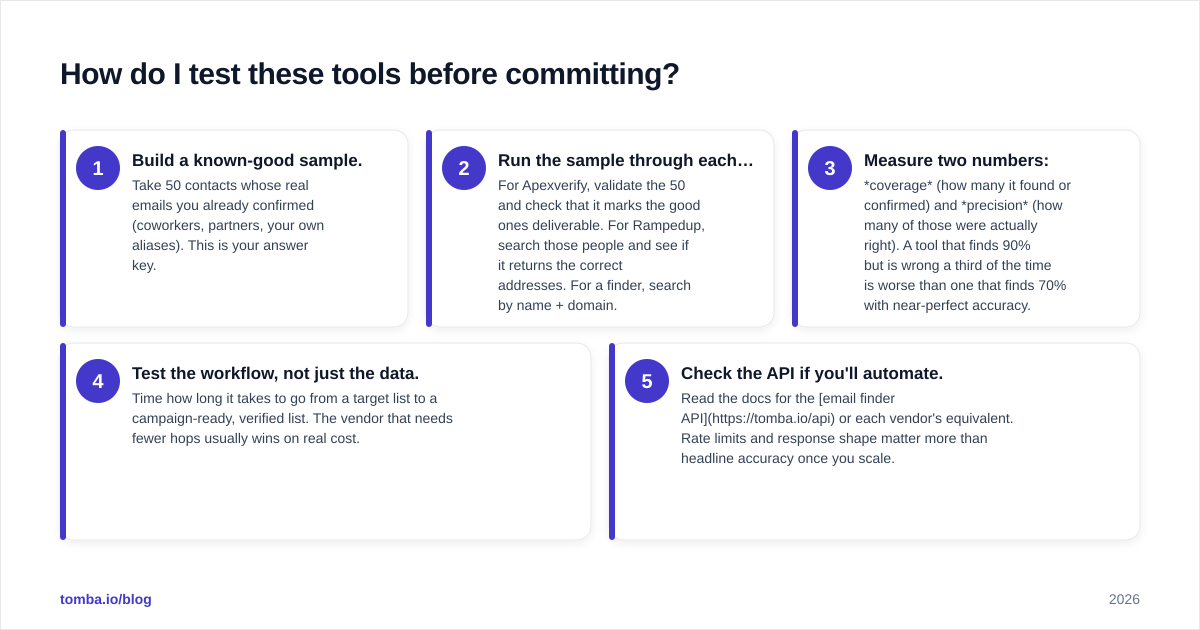
- Build a known-good sample. Take 50 contacts whose real emails you already confirmed (coworkers, partners, your own aliases). This is your answer key.
- Run the sample through each tool. For Apexverify, validate the 50 and check that it marks the good ones deliverable. For Rampedup, search those people and see if it returns the correct addresses. For a finder, search by name + domain.
- Measure two numbers: coverage (how many it found or confirmed) and precision (how many of those were actually right). A tool that finds 90% but is wrong a third of the time is worse than one that finds 70% with near-perfect accuracy.
- Test the workflow, not just the data. Time how long it takes to go from a target list to a campaign-ready, verified list. The vendor that needs fewer hops usually wins on real cost.
- Check the API if you'll automate. Read the docs for the email finder API or each vendor's equivalent. Rate limits and response shape matter more than headline accuracy once you scale.
Run this in an afternoon with each tool's free trial. The results will tell you more than any comparison post, including this one. If you want a quick sanity check on a single address while testing, the free email checker is a fast way to spot-verify.
The bottom line#
Apexverify and Rampedup aren't really competitors — they're two pieces of the same pipeline. Apexverify keeps lists clean; Rampedup fills them with leads. If you only do one of those jobs, buy the specialist. If you do both — and most outbound teams do — you'll either run two subscriptions or pick a tool that does both natively.
That's the case for a finder-first approach. Tomba's Email Finder lets you find professional email addresses by domain, name, or company and returns them already verified, so you skip the second vendor and the export-import shuffle. Start on the free tier with 25 searches a month, test it against your own known-good list using the method above, and scale to a $49/mo Starter plan only once the accuracy convinces you. Find and verify in one place — then spend the saved time actually sending.
// get started
Find, verify and enrich your first contacts today
Start on the free plan with 25 searches a month, then scale when your team is ready.
Free plan · No credit card required · GDPR & CCPA
// about the author