Apexverify vs Reachstream 2026: Which B2B Data Tool Wins
Apexverify vs Reachstream compared on accuracy, pricing, data coverage, and verification. See which B2B data tool fits your outbound stack in 2026 — and where a focused email finder beats both.
Apexverify vs Reachstream: the short answer#
If you only have ten seconds, here is the verdict before the breakdown.
- Apexverify leans toward email verification and validation — cleaning lists, killing bounces, and confirming deliverability before you send.
- Reachstream leans toward B2B contact data — a database you query for emails, phone numbers, and firmographics to build prospect lists.
- They solve adjacent problems, so "which is better" depends on whether your bottleneck is list quality (Apexverify) or list quantity (Reachstream).
- Neither is a pure, high-recall email finder. If your real job is finding the right email per known contact, a focused tool like the Tomba Email Finder often beats both on cost-per-valid-email.
- Pricing and accuracy differ enough that the wrong pick quietly burns your sender reputation for months.

What is Apexverify and what is Reachstream?#
Think of your outbound pipeline like a kitchen. Reachstream is the grocery supplier — it hands you raw ingredients (contacts, companies, job titles). Apexverify is the food-safety inspector — it checks each ingredient is still fresh before it reaches a plate. You need both functions, but you rarely get both done well from a single vendor.
Apexverify positions itself as an email verification and deliverability layer. Its core promise is reducing your bounce rate by catching invalid, disposable, role-based, and risky addresses before they hit your sending tool. That matters because mailbox providers treat bounces as a signal of a careless sender, and a high bounce rate drags down your whole domain's email deliverability.
Reachstream is a B2B data platform — a searchable contact and company database. You filter by industry, title, location, or company size and export matching contacts with emails and direct dials. The pitch is volume: build a large targeted list fast without manual research.
The confusion in any "apexverify vs reachstream" search is that buyers often want one tool to do both jobs. In practice, a database optimizes for coverage and a verifier optimizes for precision, and those goals pull design decisions in opposite directions.
How do Apexverify and Reachstream compare head-to-head?#
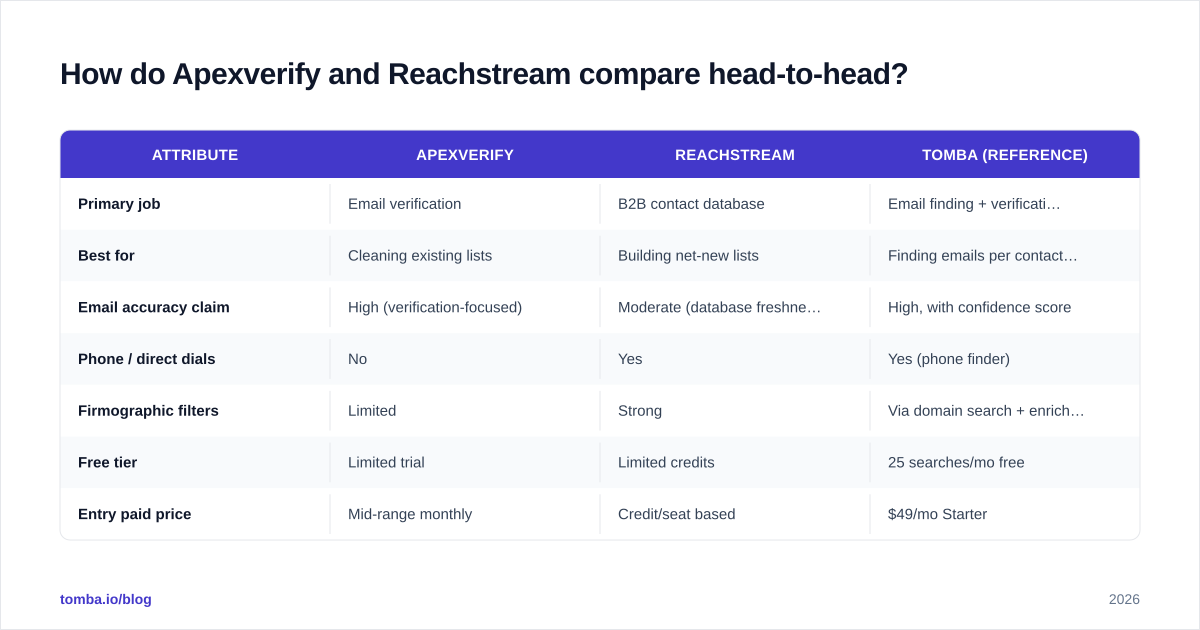
Here is the practical comparison most teams actually care about. Treat exact pricing as directional — vendors change tiers often, so confirm on their live pages — and weight the rows by your own workflow.
| Attribute | Apexverify | Reachstream | Tomba (reference) |
|---|---|---|---|
| Primary job | Email verification | B2B contact database | Email finding + verification |
| Best for | Cleaning existing lists | Building net-new lists | Finding emails per contact/domain |
| Email accuracy claim | High (verification-focused) | Moderate (database freshness varies) | High, with confidence score |
| Phone / direct dials | No | Yes | Yes (phone finder) |
| Firmographic filters | Limited | Strong | Via domain search + enrichment |
| Free tier | Limited trial | Limited credits | 25 searches/mo free |
| Entry paid price | Mid-range monthly | Credit/seat based | $49/mo Starter |
| Bulk processing | Yes (verification) | Yes (export) | Yes (bulk finder + verify) |
| API access | Yes | Yes | Yes (REST API) |
A few things stand out. Reachstream wins on breadth — phone numbers and firmographic filtering make it a list-builder. Apexverify wins on hygiene — it is built to validate, not to source. And the reason a dedicated email finder belongs in the conversation is that it collapses two steps: it finds the address and returns a confidence score, so you are not paying separately to source and then clean.
If you are weighing this against other vendors too, our broader writeups on the email verifier workflow and domain search give you the apples-to-apples mechanics behind each claim.
Which has better data accuracy?#
Accuracy is the whole game, so be specific about what each tool means by it.
A verifier like Apexverify measures accuracy as: "of the addresses you gave me, how correctly did I label each as valid, invalid, risky, or catch-all?" Its accuracy is judged on classification, not discovery. That is the right metric when you already have a list and want to protect your sender reputation.
A database like Reachstream measures accuracy as: "of the contacts I store, how many are still current and reachable?" Database freshness decays fast — people change jobs, companies fold, domains migrate. A record sourced 18 months ago may be firmographically perfect and functionally dead. This is why exporting from any static database and sending without re-verification is risky.

The honest takeaway: never trust a database export blindly, and never assume verification creates contacts that did not exist. The strongest stacks pair a sourcing layer with a verification layer, then re-verify on a schedule. One caveat both tools share is catch-all domains — servers that accept every address regardless of validity. Those need specialized handling, which is why a catch-all verifier exists as its own category.
Is Apexverify or Reachstream better for cold outreach?#
It depends on which problem is bleeding you.
Choose Apexverify if your lists already exist (from events, a CRM, past exports) and your bounce rate is creeping above 3-4%. Verification is the fastest, cheapest fix for a reputation problem, and it pays for itself the moment your domain stops getting throttled.
Choose Reachstream if you are starting from zero in a new segment and need volume — say, "500 ops managers at US logistics firms" — and you do not yet have those contacts anywhere. A database shortcuts weeks of manual research.
Choose a dedicated email finder if your motion is account-based: you know the people and companies you want, and you need the right email for each, fast, with a confidence signal. That is where per-search efficiency beats both a bulk verifier and a broad database. You can layer in data enrichment afterward to fill firmographics, getting database-style depth without paying for a database-size subscription.

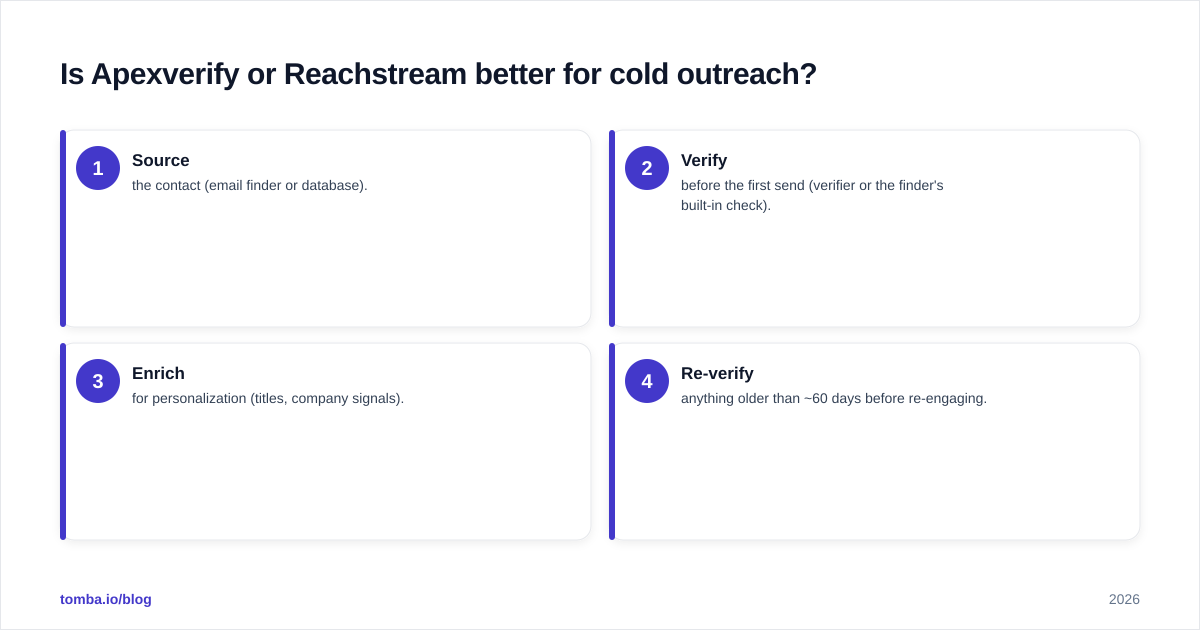
For most outbound teams the realistic answer is a combination, sequenced like this:
- Source the contact (email finder or database).
- Verify before the first send (verifier or the finder's built-in check).
- Enrich for personalization (titles, company signals).
- Re-verify anything older than ~60 days before re-engaging.
What does each tool cost in 2026?#
Pricing models differ enough that headline numbers mislead. Apexverify and most verifiers charge per verification (you pay to clean volume). Reachstream and most databases charge per seat plus credits (you pay to export volume). A finder-first tool charges per search, which maps most directly to "valid emails acquired."
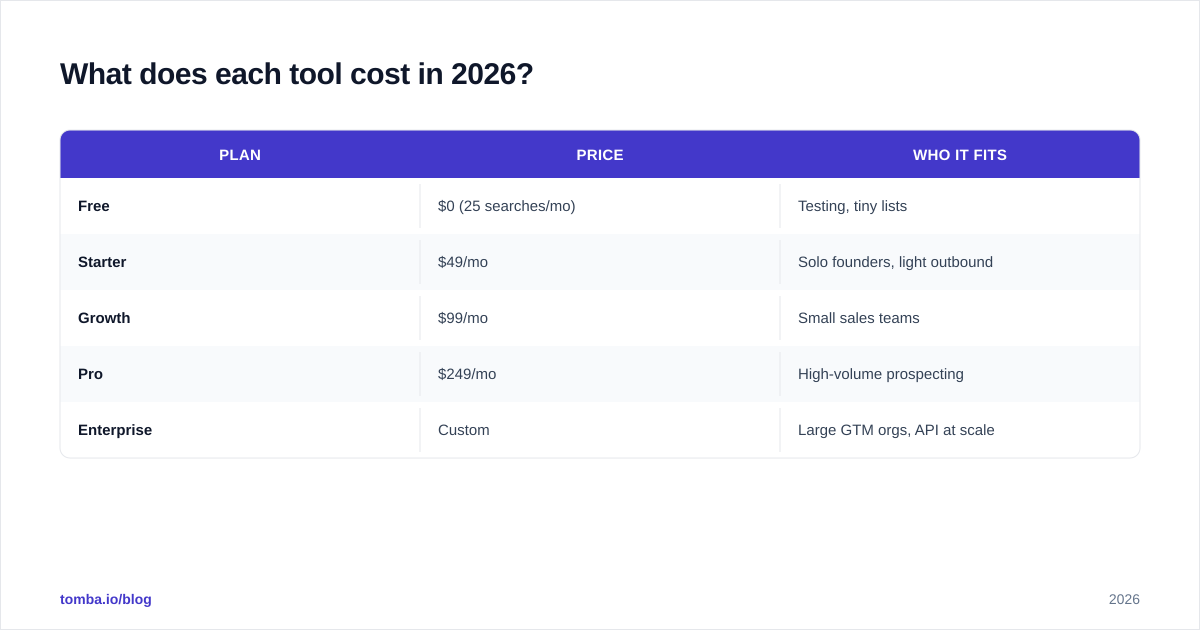
For transparency, here is where Tomba sits so you can benchmark the others against a published scale — see full Tomba pricing for current terms.
| Plan | Price | Who it fits |
|---|---|---|
| Free | $0 (25 searches/mo) | Testing, tiny lists |
| Starter | $49/mo | Solo founders, light outbound |
| Growth | $99/mo | Small sales teams |
| Pro | $249/mo | High-volume prospecting |
| Enterprise | Custom | Large GTM orgs, API at scale |
When comparing quotes from Apexverify and Reachstream, normalize everything to cost per valid, deliverable email. A cheap database is expensive if half its records bounce; a cheap verifier does nothing if you have no contacts to clean. Run a small paid pilot on both before committing — vendor-reported accuracy and your real-world accuracy are rarely the same number. Cross-check independent reviews on G2 and Capterra to temper marketing claims with practitioner feedback.
Can you use both Apexverify and Reachstream together?#
Yes, and for some teams that is the cleanest setup: Reachstream as the sourcing layer, Apexverify as the verification gate before anything enters your sequencer. The grocery supplier and the food inspector working in series.
The friction is operational. Two vendors means two bills, two APIs, two support queues, and a manual handoff (export from one, upload to the other) unless you wire them together with something like a Zapier integration or a custom script against each API. That glue work is real cost.
This is the main argument for consolidating into a single platform that finds and verifies in one pass. You lose nothing on hygiene — the verification still happens — but you delete a handoff, a subscription, and a category of "the export didn't sync" bugs. For teams already living in spreadsheets, doing it directly inside a Google Sheets add-on removes even the export step.

What are the main pros and cons?#
Apexverify
- Pros: focused on deliverability; reduces bounces; protects domain reputation; straightforward verification API.
- Cons: does not source contacts; you still need a separate data provider; value is capped by the quality of the list you feed it.
Reachstream
- Pros: large contact database; phone numbers and firmographic filters; fast net-new list building.
- Cons: database freshness decays; records need re-verification before sending; credit/seat pricing can climb with volume.
The finder-first alternative
- Pros: finds and verifies in one step; per-search pricing maps to outcomes; pairs with enrichment for depth on demand.
- Cons: a pure finder is not a browsable database, so very broad "give me everyone in X industry" discovery still benefits from a database layer.
A quick reality check on a common mistake: do not buy a database to fix a deliverability problem, and do not buy a verifier to fix a coverage problem. Misdiagnosing which one you have is the single most expensive error in this comparison.
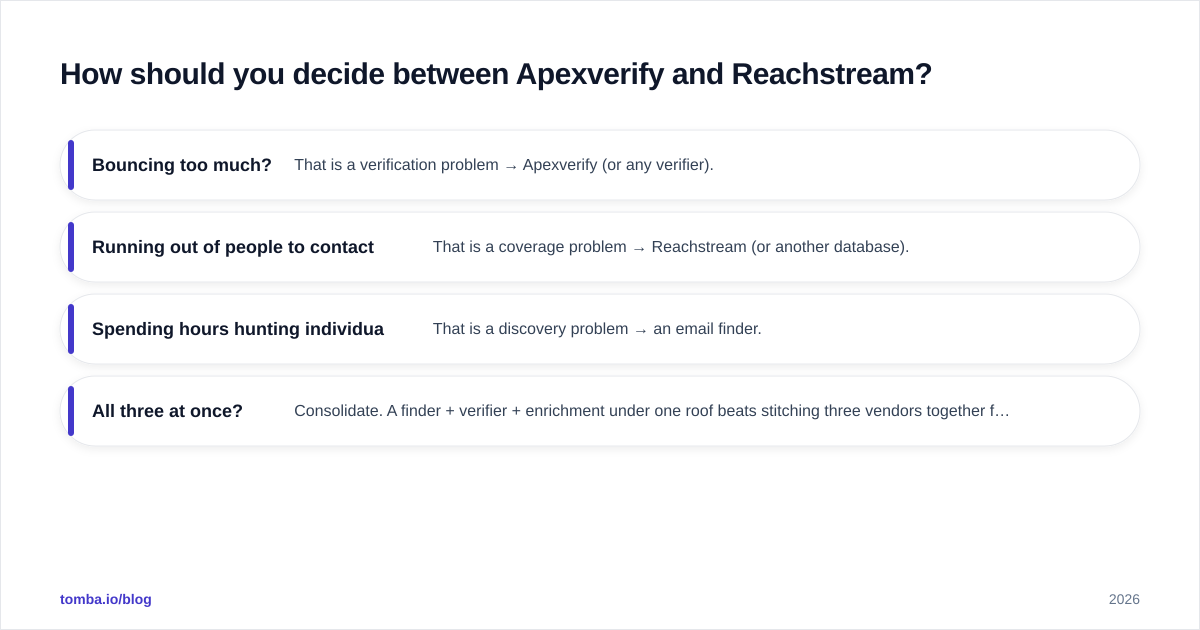
How should you decide between Apexverify and Reachstream?#
Work backward from your bottleneck, not from the feature list.
- Bouncing too much? That is a verification problem → Apexverify (or any verifier).
- Running out of people to contact? That is a coverage problem → Reachstream (or another database).
- Spending hours hunting individual emails for named accounts? That is a discovery problem → an email finder.
- All three at once? Consolidate. A finder + verifier + enrichment under one roof beats stitching three vendors together for most teams under a few hundred sends a day.
Whatever you choose, build re-verification into your process. Records rot, and a clean list in January is a dirty list by June. Treat verification as a recurring task, not a one-time purchase — your response rate depends on reaching real inboxes, not on how impressive the original export looked.
The bottom line#
Apexverify and Reachstream are not really competitors — they are two halves of one pipeline, a verifier and a database. The "winner" is whichever fixes the gap you actually have. But if your core job is finding the right professional email per contact or domain, with a confidence score and verification baked in, a focused finder removes a step both of them leave on your plate.
Start free and test it against your own list: the Tomba Email Finder gives you 25 searches a month at no cost, finds emails by name, domain, or company, and returns a verification status with every result — so you skip the export-clean-import shuffle entirely. Run the same 50 prospects through it, Apexverify, and Reachstream, then compare cost per valid, deliverable email. Let the numbers, not the marketing, pick your winner.
// get started
Find, verify and enrich your first contacts today
Start on the free plan with 25 searches a month, then scale when your team is ready.
Free plan · No credit card required · GDPR & CCPA
// about the author