Apify vs Firecrawl 2026: Which Web Scraping Tool Wins?
Apify is a full scraping platform; Firecrawl turns sites into LLM-ready markdown. Here's how the two compare on pricing, accuracy, and B2B data workflows in 2026.
Choosing between Apify and Firecrawl comes down to one question: do you need a general-purpose scraping platform, or a tool that hands clean, AI-ready data straight to your model? Both extract data from the web, but they were built for different jobs. This guide breaks down where each one wins so you can pick the right tool for your B2B data pipeline.
TL;DR#
- Apify is a mature, full-featured scraping and automation platform with 6,000+ prebuilt scrapers ("Actors"), proxy management, and scheduling. Best for complex, large-scale, custom scraping projects.
- Firecrawl is a newer, AI-first API that converts any website into clean markdown or structured JSON in one call. Best for feeding LLMs, RAG pipelines, and quick data extraction.
- Pricing: Firecrawl starts cheaper and simpler (usage-based credits); Apify's pay-per-use model scales but gets complex fast.
- For B2B teams, the choice depends on whether you're building a custom data product (Apify) or enriching prospects and feeding AI workflows (Firecrawl).
- Neither tool finds verified business emails — pair your scraper with a dedicated email finder for outreach-ready contact data.
What is Apify?#
Apify is a cloud platform for web scraping, browser automation, and data extraction that has been around since 2015. Its core building block is the Actor — a serverless program that performs a scraping or automation task. You can write your own Actors in JavaScript or Python, or pull from a marketplace of more than 6,000 prebuilt ones covering Google Maps, LinkedIn, Amazon, Instagram, and almost any site you can name.
Think of Apify like a full workshop. You get the raw tools (a headless browser SDK, proxy rotation, storage, schedulers, a REST API) and you assemble exactly the machine you need. That flexibility is its strength and its learning curve.
Apify shines when:
- You need to scrape at massive scale (millions of pages) with anti-blocking infrastructure.
- Your target sites are complex, JavaScript-heavy, or actively fight scrapers.
- You want to schedule recurring jobs and pipe results into a data enrichment or warehouse workflow.
- You have engineering resources to build and maintain custom Actors.
What is Firecrawl?#
Firecrawl is a younger, AI-native tool (it gained traction in 2024) with a sharply different philosophy: give it a URL, get back clean, structured content ready for a large language model. No parsing selectors, no proxy config, no boilerplate. One API call to /scrape returns markdown; /crawl walks an entire site; /extract pulls structured fields using natural-language prompts.
If Apify is a workshop, Firecrawl is a vending machine. You press one button and clean output drops out. It strips navigation, ads, and boilerplate automatically, handles JavaScript rendering, and returns markdown that drops straight into a RAG pipeline or a prompt.
Firecrawl shines when:
- You're building AI applications, chatbots, or RAG systems that need clean text.
- You want results in markdown or JSON without writing parsers.
- Speed of integration matters more than deep customization.
- Your team is small or LLM-focused rather than scraping-specialist.
Apify vs Firecrawl: How do they compare?#
Here's a side-by-side look at the attributes that actually matter when you're deciding.
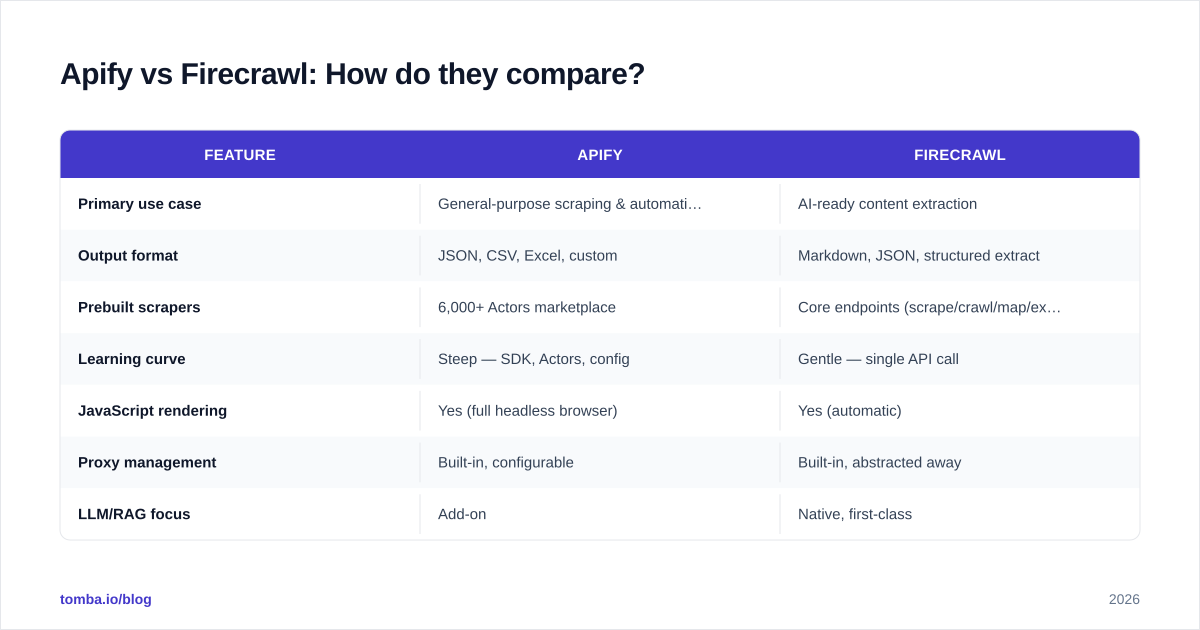
| Feature | Apify | Firecrawl |
|---|---|---|
| Primary use case | General-purpose scraping & automation | AI-ready content extraction |
| Output format | JSON, CSV, Excel, custom | Markdown, JSON, structured extract |
| Prebuilt scrapers | 6,000+ Actors marketplace | Core endpoints (scrape/crawl/map/extract) |
| Learning curve | Steep — SDK, Actors, config | Gentle — single API call |
| JavaScript rendering | Yes (full headless browser) | Yes (automatic) |
| Proxy management | Built-in, configurable | Built-in, abstracted away |
| LLM/RAG focus | Add-on | Native, first-class |
| Self-hostable | No (cloud platform) | Yes (open-source core) |
| Best for | Engineers, large-scale projects | AI builders, fast integration |
| Free tier | $5 free usage credit/mo | 500 credits one-time |
The pattern is clear: Apify gives you control and breadth; Firecrawl gives you speed and clean output. Neither is "better" in the abstract — they optimize for different outcomes.
Which has better pricing?#
Both use credit/usage models, but they feel very different in practice.
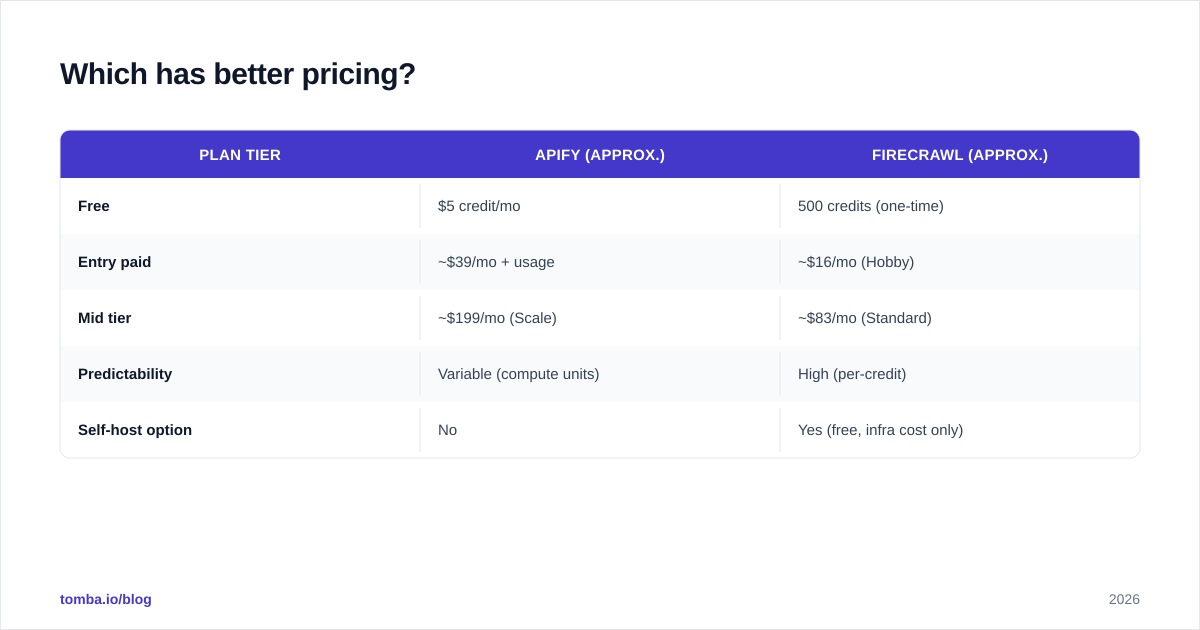
Apify runs on a pay-per-use compute model on top of monthly plans. The Free plan includes $5 of platform credit, Starter is around $39/mo, and Scale and Business plans climb from there, plus you pay for compute units, proxy traffic, and storage. Costs are flexible but hard to predict — a heavy crawl can burn credits fast, and you need to understand compute units to budget accurately.
Firecrawl uses straightforward credit packs. The free tier gives 500 one-time credits, and paid plans (Hobby, Standard, Growth) bundle a monthly credit allotment with predictable per-credit pricing. One page scraped is roughly one credit, which makes forecasting simple.
| Plan tier | Apify (approx.) | Firecrawl (approx.) |
|---|---|---|
| Free | $5 credit/mo | 500 credits (one-time) |
| Entry paid | ~$39/mo + usage | ~$16/mo (Hobby) |
| Mid tier | ~$199/mo (Scale) | ~$83/mo (Standard) |
| Predictability | Variable (compute units) | High (per-credit) |
| Self-host option | No | Yes (free, infra cost only) |
If you want predictable monthly costs and simple math, Firecrawl is easier to reason about. If you need raw scale and are comfortable optimizing compute, Apify can be cost-efficient at volume. Always check the official Apify pricing and Firecrawl pricing directly, since both vendors adjust tiers regularly.
Which is more accurate and reliable?#
Accuracy in scraping means two things: getting the data, and getting it clean.
Getting the data favors Apify on hostile, complex sites. Its mature anti-blocking stack — residential proxies, browser fingerprint rotation, retry logic — was built over a decade of fighting bot detection. For aggressively protected targets like large marketplaces or social platforms, Apify's prebuilt Actors are battle-tested.
Getting it clean favors Firecrawl. Its whole reason to exist is producing tidy, boilerplate-free markdown. Where Apify hands you raw HTML or whatever your Actor outputs (you do the cleanup), Firecrawl strips menus, footers, cookie banners, and ads automatically. For LLM ingestion, that saves real engineering time.
A practical rule: if your bottleneck is access (the site blocks you), lean Apify. If your bottleneck is cleanup (you're drowning in messy HTML), lean Firecrawl.
Which is better for B2B data and lead generation?#
This is where the comparison gets interesting for sales and revenue teams, because scraping is usually a means to an end: filling your pipeline with usable contact and account data.
Both tools can scrape company directories, job boards, review sites, and public profiles. But here's the critical limitation to understand — neither Apify nor Firecrawl is a contact database or an email finder. They extract whatever is published on a page. They do not verify whether an email is deliverable, find emails that aren't listed, or enrich a company record with firmographics.
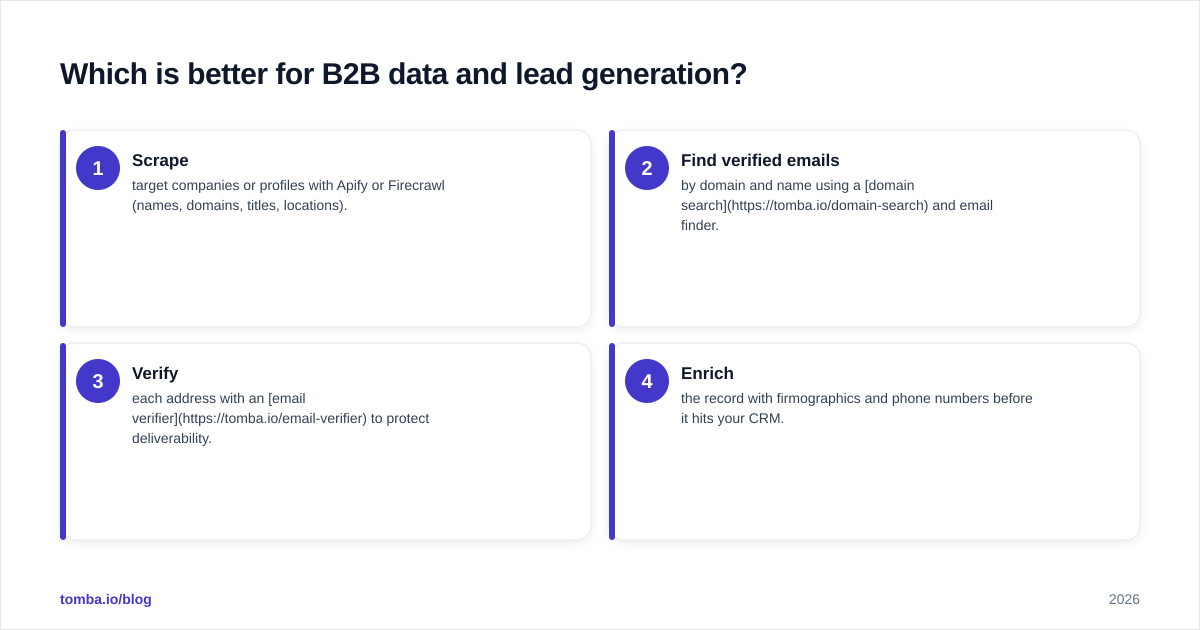
That gap is exactly where a dedicated B2B data tool comes in. A common, effective stack looks like this:
- Scrape target companies or profiles with Apify or Firecrawl (names, domains, titles, locations).
- Find verified emails by domain and name using a domain search and email finder.
- Verify each address with an email verifier to protect deliverability.
- Enrich the record with firmographics and phone numbers before it hits your CRM.
Apify even has a native Apify integration with Tomba, so you can chain a scraped list straight into email discovery. If you'd rather build it yourself, the Tomba API plugs into either scraper's output and returns verified contacts programmatically. For large lists, pushing results through the B2B database closes the loop from raw URL to outreach-ready lead.
The takeaway: scrapers get you the shape of your prospect list. They don't get you the verified, deliverable contact details that make outreach actually work. Pair them accordingly.
When should you choose Apify?#
Pick Apify if most of these describe you:
- You're scraping at large scale and need bulletproof anti-blocking.
- Your targets are complex, login-gated, or actively hostile to bots.
- You want a marketplace of prebuilt scrapers so you don't start from zero.
- You have developers who can build and maintain custom Actors.
- You need scheduling, storage, and a mature platform for production data pipelines.
Apify is the safer bet for a long-lived, mission-critical scraping operation where you'll invest engineering time and want maximum control.
When should you choose Firecrawl?#
Pick Firecrawl if most of these describe you:
- You're building an AI product — RAG, chatbot, agent — that needs clean text.
- You want results in one API call with zero parsing.
- Predictable, simple pricing matters to you.
- You value speed of integration over deep customization.
- You might want to self-host the open-source core later.
Firecrawl is the faster path to value for AI-centric teams and anyone who wants clean markdown without becoming a scraping expert.
Can you use both together?#
Yes, and plenty of teams do. The tools aren't mutually exclusive. A common hybrid pattern:
- Use Apify for the hard targets — sites that block, require login, or need a specialized prebuilt Actor.
- Use Firecrawl for the bulk of straightforward content extraction feeding your LLM pipeline.
Then route both outputs into the same enrichment and verification layer. Because both expose clean REST APIs, orchestrating them with a workflow tool (or your own backend) is straightforward. The scraper choice becomes a per-source decision rather than a one-time platform lock-in.
If you want to evaluate either tool against the broader market first, independent review sites like G2 carry verified user feedback on both, which is useful for sanity-checking vendor claims.
Frequently asked questions#
Is Firecrawl better than Apify? Not universally. Firecrawl is better for AI-ready content extraction and fast integration; Apify is better for large-scale, complex, custom scraping. The right answer depends on your use case.
Does Apify or Firecrawl find email addresses? Neither finds or verifies emails as a core feature. They scrape what's published. For verified, deliverable contact data you need a dedicated email finder layered on top.
Which is cheaper? Firecrawl is usually simpler and cheaper to start, with predictable credit pricing. Apify can be more cost-efficient at very high volume but is harder to forecast because of compute-unit billing.
Can I self-host? Firecrawl offers an open-source core you can self-host (you cover infrastructure). Apify is a managed cloud platform with no self-host option.
Final verdict and next step#
Apify wins on scale, control, and hostile-site reliability. Firecrawl wins on clean output, simplicity, and AI workflows. Most B2B teams will find Firecrawl the faster on-ramp, while data engineering teams running serious volume will prefer Apify's depth.
But remember the real goal: turning scraped data into revenue. A scraper alone gives you a list of names and domains — not verified, outreach-ready contacts. Close that gap with the Tomba Email Finder. Feed it the companies and people you scraped, and get back verified professional emails ready for your sequences, with a free tier of 25 searches a month to test it on your own list. Whichever scraper you choose, that's the piece that turns raw web data into booked meetings.
// get started
Find, verify and enrich your first contacts today
Start on the free plan with 25 searches a month, then scale when your team is ready.
Free plan · No credit card required · GDPR & CCPA
// about the author