Appointment Request Email: Templates and Tips for 2026
Learn how to write an appointment request email that books meetings — proven structures, ready-to-use templates, a follow-up cadence, and the mistakes that kill reply rates.
An appointment request email has one job: turn interest into a scheduled time on a calendar. Get the structure right and you book the meeting in one or two emails. Get it wrong and you join the 90%+ of cold messages that never get a reply. This guide gives you the framework, the templates, and the follow-up cadence that separate booked calendars from ignored inboxes.
TL;DR#
- An effective appointment request email is short, names a clear reason to meet, and proposes specific times or a booking link — never an open-ended "let me know when works."
- Use a five-part structure: relevant hook, value statement, explicit ask, two time options, and a frictionless next step.
- Personalization beats volume. A targeted email to the right person at the right address converts far better than a blast to a generic inbox.
- Plan for follow-up: most meetings are booked on the second or third touch, not the first.
- Pair good copy with verified contact data — the best email never lands if the address bounces.
What is an appointment request email?#
An appointment request email is a message you send to ask someone to schedule a specific meeting, call, or demo with you. It is the connective tissue of B2B sales, recruiting, partnerships, and consulting — any situation where the goal is a calendar invite, not just a conversation.
Think of it like asking a busy friend to grab coffee. "We should hang out sometime" goes nowhere. "Are you free Tuesday at 3 or Thursday at 10 near your office?" gets a yes or a counter-offer. The difference is specificity, and that difference is the entire game.
The technical definition: a short, single-purpose email whose call to action is to confirm a time. Everything in the message should push toward that one outcome. If a sentence does not move the reader closer to picking a slot, cut it.
What are the parts of a high-converting appointment request email?#
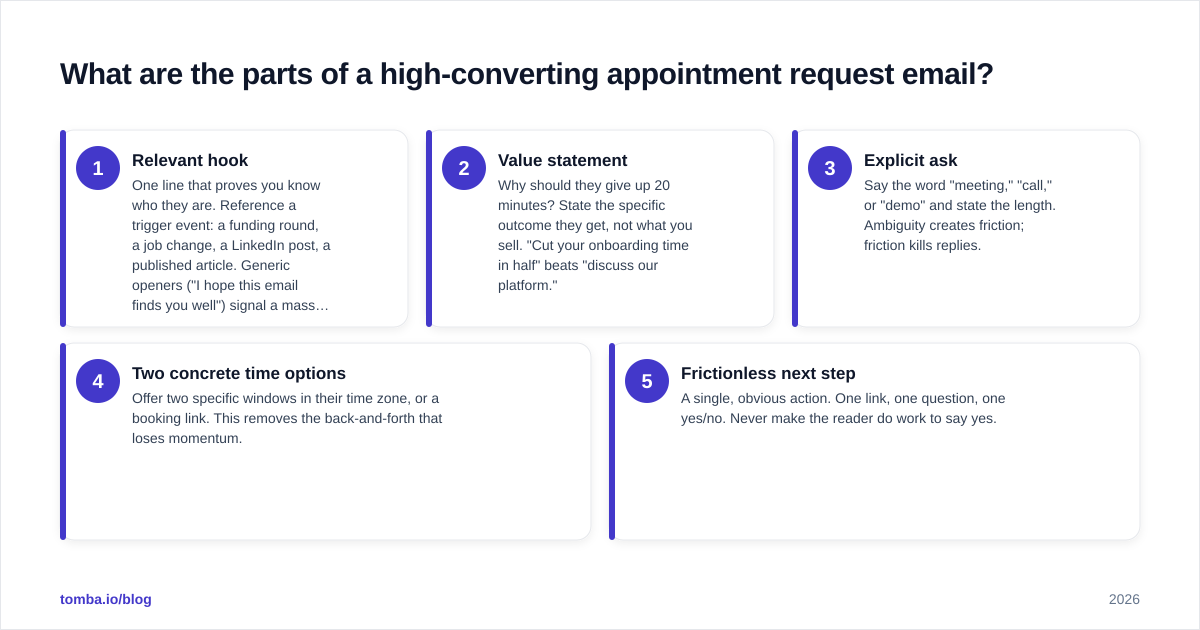
Every email that reliably books meetings shares the same skeleton. Memorize these five components and you can write one in under three minutes.
- Relevant hook — One line that proves you know who they are. Reference a trigger event: a funding round, a job change, a LinkedIn post, a published article. Generic openers ("I hope this email finds you well") signal a mass blast.
- Value statement — Why should they give up 20 minutes? State the specific outcome they get, not what you sell. "Cut your onboarding time in half" beats "discuss our platform."
- Explicit ask — Say the word "meeting," "call," or "demo" and state the length. Ambiguity creates friction; friction kills replies.
- Two concrete time options — Offer two specific windows in their time zone, or a booking link. This removes the back-and-forth that loses momentum.
- Frictionless next step — A single, obvious action. One link, one question, one yes/no. Never make the reader do work to say yes.
A quick gut check: read your draft and ask, "Could a busy stranger reply in five seconds?" If the answer is no, you have too much.
Appointment request email templates you can copy#
Below are field-tested templates for the most common scenarios. Swap the brackets, keep the brevity. For more reusable structures, browse Tomba's cold email templates library and adapt them to your voice.
Template 1 — Cold sales outreach
Subject: Quick question about [specific initiative]
Hi [First name],
Saw that [company] just [trigger event — e.g., expanded the SDR team]. Teams scaling like that usually hit a wall with [specific problem].
We help [similar company] [specific result, with a number if you have one]. Worth a 15-minute look?
Are you open Tuesday at 11am or Wednesday at 2pm ET? If easier, grab any slot here: [booking link].
[Your name]
Template 2 — Warm follow-up after a download or signup
Subject: Your [resource] + a 15-min walkthrough?
Hi [First name],
Thanks for grabbing [the report / the trial]. Most people who download it are trying to solve [problem].
Happy to show you how [peer company] handled exactly that — 15 minutes, no slides. Does Thursday 10am or Friday 1pm work?
[Your name]
Template 3 — Re-engaging a stalled deal
Subject: Still worth a conversation?
Hi [First name],
We spoke a few weeks back about [topic] and things went quiet — totally understand, priorities shift.
If [problem] is still on your radar, I'd love 15 minutes to share what's changed since. Open Monday or Tuesday afternoon? If not, just reply "not now" and I'll circle back next quarter.
[Your name]
The third template works because it offers an easy exit. Giving people permission to say no actually increases the rate at which they say yes.
Which appointment-scheduling approach should you use?#
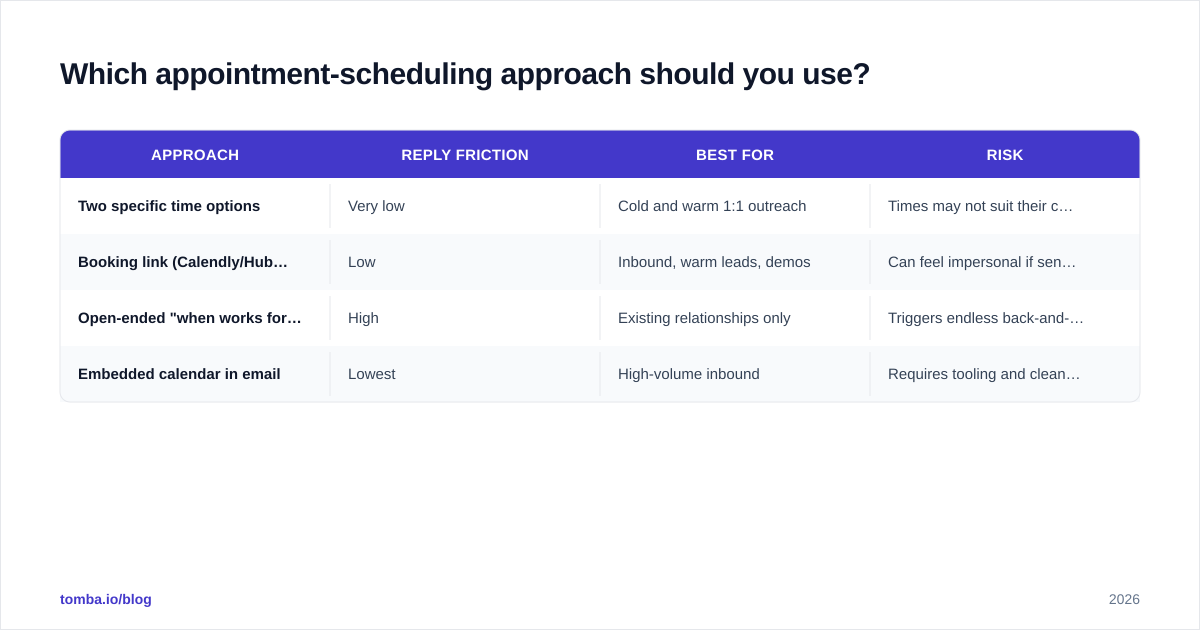
How you handle the time itself matters as much as the copy. Here is how the main approaches compare.
| Approach | Reply friction | Best for | Risk |
|---|---|---|---|
| Two specific time options | Very low | Cold and warm 1:1 outreach | Times may not suit their calendar |
| Booking link (Calendly/HubSpot) | Low | Inbound, warm leads, demos | Can feel impersonal if sent cold |
| Open-ended "when works for you?" | High | Existing relationships only | Triggers endless back-and-forth |
| Embedded calendar in email | Lowest | High-volume inbound | Requires tooling and clean rendering |
The data-backed default for cold outreach: lead with two specific options, then add a booking link as a fallback. You get the personal touch of named times plus the convenience of self-scheduling. Tools like Calendly and HubSpot Meetings make the link side trivial to set up.
What makes a good appointment request subject line?#
Your subject line decides whether the rest of your email is ever read. The best ones are short, specific, and free of hype.
- Keep it under 50 characters so it survives mobile truncation.
- Hint at relevance, not a pitch — "Question about [their project]" outperforms "Revolutionary solution inside."
- Avoid spam triggers — no ALL CAPS, no "free," no exclamation stacks.
- Match the body — a curiosity-gap subject with a boring body just trains people to ignore you.
If you want to pressure-test variations before sending, run them through a subject line generator and A/B test the top two. Small lifts in open rate compound across an entire campaign and directly affect your response rate.
How many follow-ups should an appointment request email get?#
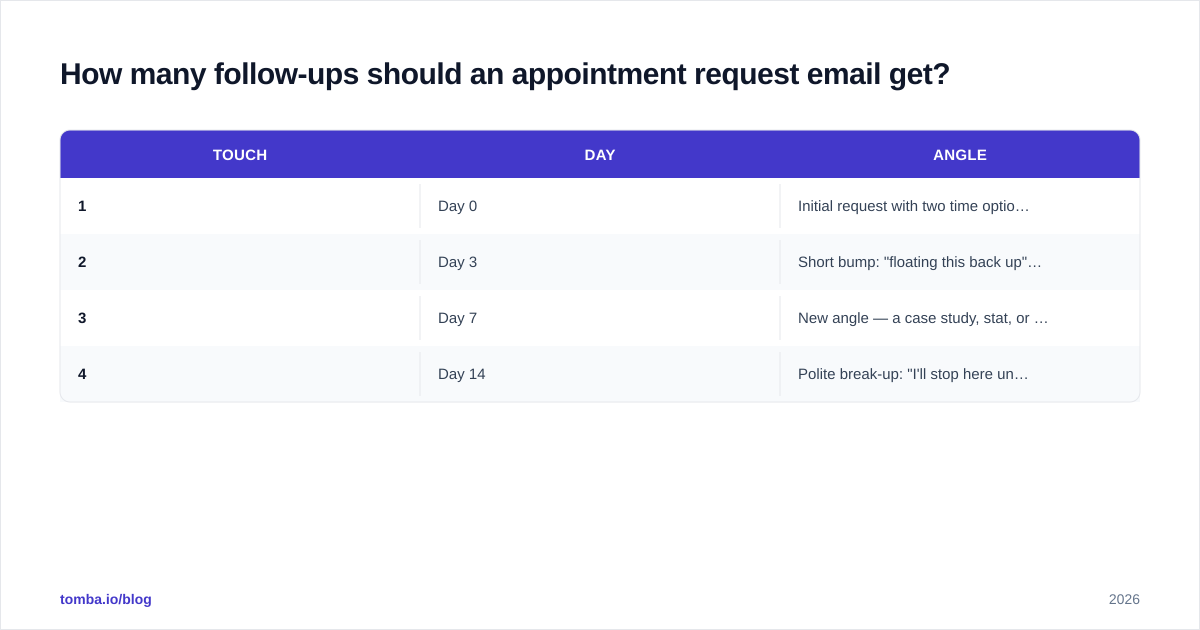
Three to four total touches over two weeks is the sweet spot. Most meetings are not booked on the first email — they are booked when a relevant message lands at the right moment.
A proven cadence:
| Touch | Day | Angle |
|---|---|---|
| 1 | Day 0 | Initial request with two time options |
| 2 | Day 3 | Short bump: "floating this back up" + restate value |
| 3 | Day 7 | New angle — a case study, stat, or resource |
| 4 | Day 14 | Polite break-up: "I'll stop here unless timing changes" |
Rules that keep follow-ups from becoming nagging:
- Add value every time. Never send "just checking in" with nothing new. Reference a fresh insight, a relevant customer story, or a new time window.
- Keep them shorter than the first. By touch three, two sentences is plenty.
- Respect the break-up. The final email should genuinely close the loop. Pressure repels; a graceful exit often earns a reply.
What are the most common appointment request email mistakes?#
Even strong writers sabotage their own meetings. Watch for these.
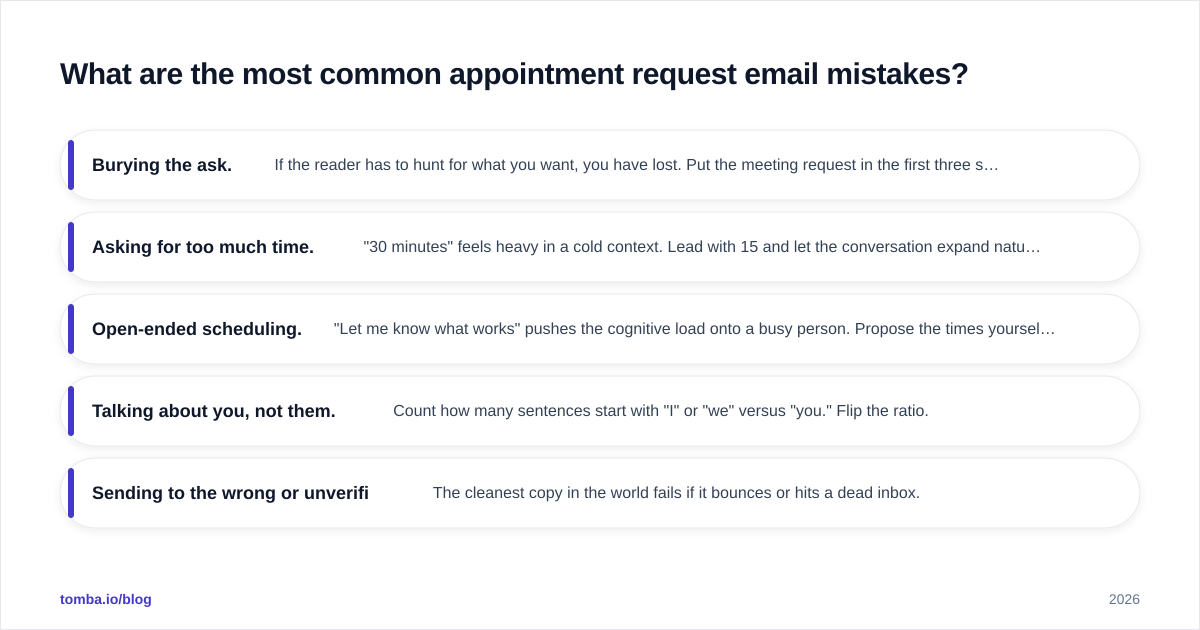
- Burying the ask. If the reader has to hunt for what you want, you have lost. Put the meeting request in the first three sentences.
- Asking for too much time. "30 minutes" feels heavy in a cold context. Lead with 15 and let the conversation expand naturally.
- Open-ended scheduling. "Let me know what works" pushes the cognitive load onto a busy person. Propose the times yourself.
- Talking about you, not them. Count how many sentences start with "I" or "we" versus "you." Flip the ratio.
- Sending to the wrong or unverified address. The cleanest copy in the world fails if it bounces or hits a dead inbox.
That last point is the silent killer. Deliverability problems and bad data quietly cap your results long before copy does. If your bounce rate creeps above 3-4%, mailbox providers start throttling you, and even your good emails stop landing.
How does contact data quality affect your appointment requests?#
Your meeting rate is a product of three things: the right person, a valid email, and good copy. Most teams obsess over copy and ignore the first two — which is backwards, because no template recovers from a wrong recipient.
Before a campaign goes out, two steps protect your sender reputation and your conversion rate:
- Find the correct decision-maker's address. Reaching the VP who owns the budget beats reaching a shared info@ inbox every time. Use an email finder to locate the specific person by name and company domain.
- Verify deliverability before you send. Run your list through an email verifier to strip out invalid, risky, and catch-all addresses that inflate bounce rates.
Industry reviews on platforms like G2 consistently show that teams pairing verified data with personalized outreach book meetings at multiples of the rate of spray-and-pray senders. The math is simple: every bounce is a wasted send and a hit to your reputation that suppresses future emails.
Quick checklist before you hit send#
Run this 30-second pass on every appointment request email:
- The ask appears in the first three sentences.
- You proposed two specific times or a booking link.
- The subject line is under 50 characters and pitch-free.
- More sentences focus on the reader than on you.
- The recipient's email is verified and the name is correct.
- A follow-up is already scheduled for day three.
Book more meetings with the right data behind your emails#
Great appointment request emails are equal parts craft and accuracy. You can perfect every word, but the meeting only happens if your message reaches a real person who can say yes. Start by finding the exact decision-maker and confirming their address with the Tomba Email Finder — then layer your verified list into the templates above. Tomba's pricing starts free with 25 searches a month, so you can test the workflow before scaling. Get the data right, keep the copy short and specific, and let your calendar fill itself.
// get started
Find, verify and enrich your first contacts today
Start on the free plan with 25 searches a month, then scale when your team is ready.
Free plan · No credit card required · GDPR & CCPA
// about the author