Archetype Data vs Cufinder: B2B Data Tools Compared 2026
A neutral, data-driven breakdown of Archetype Data vs Cufinder — accuracy, pricing, enrichment depth, and where each tool actually fits in your 2026 B2B stack.
Choosing between Archetype Data and Cufinder usually comes down to one question: do you want a programmable enrichment pipeline you can pour your own data into, or a packaged lead-finder with a database and UI built around it? Both promise accurate B2B contacts. They get there in very different ways, and the wrong pick will cost you either credits or engineering hours.
TL;DR#
- Archetype Data is an API-first enrichment and matching layer — strong when you have records to enrich and a developer to wire it up.
- Cufinder is a database-plus-tools platform — strong when you want to search, find, and export leads without writing code.
- Accuracy is comparable on common B2B domains; both degrade on catch-all servers and small companies, so verification still matters.
- Pricing models differ: Cufinder leans on credit packs and tiered plans; Archetype Data leans on usage-based API calls. Budget by volume, not headline price.
- If your real bottleneck is finding and verifying work emails at scale, a focused tool like Tomba Email Finder often beats both on cost-per-valid-contact.
What is Archetype Data?#
Archetype Data is a B2B data and enrichment provider built for teams that want to push their own records through an API and get back cleaned, matched, and enriched output. Think of it less like a search engine and more like a water-treatment plant: you feed in messy contact and company data, and it returns standardized fields — job titles, firmographics, company size, and contact details mapped to a canonical schema.
The core appeal is programmatic control. You decide which records to enrich, when, and how the output maps into your CRM or warehouse. That makes Archetype Data a natural fit for revenue operations teams running automated pipelines where data flows in continuously and needs to be normalized on arrival.
The trade-off: there's a learning curve. You need someone comfortable with API authentication, rate limits, and field mapping. If your team's idea of "exporting leads" is clicking a button, Archetype Data will feel like overkill.
What is Cufinder?#
Cufinder is an all-in-one lead generation and enrichment platform with its own B2B database, a web UI, browser extension, and a bundle of finder tools (email finder, phone finder, company lookup, and enrichment APIs). It targets sales and marketing users who want to search for companies and contacts, pull verified details, and export lists — mostly without touching code.
Where Archetype Data assumes you bring your own records, Cufinder assumes you start from its database. You search by company, industry, or domain, and it surfaces matching contacts with emails and phone numbers. It's closer to the experience of a domain search tool wrapped in a broader prospecting suite.
That convenience is the selling point and the catch. You're working inside Cufinder's coverage and its credit economy. When a contact isn't in the database, you're back to guessing or supplementing with another tool.
Archetype Data vs Cufinder: how do they compare?#
Here's the side-by-side on the attributes that actually drive a buying decision. Treat published accuracy numbers as vendor claims — always run your own sample test before committing budget.
| Attribute | Archetype Data | Cufinder |
|---|---|---|
| Primary model | API-first enrichment & matching | Database + finder tools + UI |
| Best for | RevOps, engineering-led pipelines | Sales/marketing self-serve prospecting |
| Email finding | Via enrichment API | Built-in email finder + extension |
| Phone numbers | Available via enrichment | Built-in phone finder |
| No-code UI | Limited | Full web app + Chrome extension |
| Pricing model | Usage-based API calls | Credit packs + tiered plans |
| Free option | Limited trial | Free tier with monthly credits |
| Verification | Depends on source | Built-in verification on finds |
| Learning curve | Higher (developer needed) | Lower (point-and-click) |
| CRM integrations | Via API / middleware | Native + |
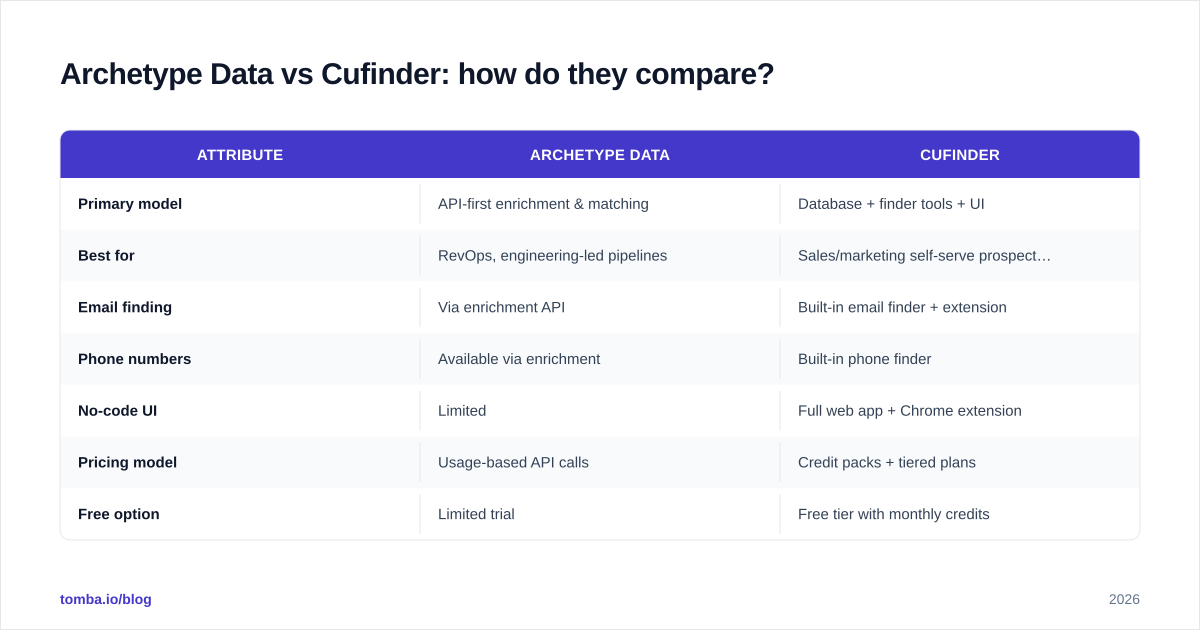
Zapier-style connectors |
The honest summary: these tools aren't really competing for the same buyer. Archetype Data wins when enrichment is a backend process. Cufinder wins when prospecting is a front-line, human activity. Many teams that think they need one actually need the other — or a cheaper, more focused finder for the email-specific job.

Which one is more accurate?#
Neither tool has a structural accuracy advantage on mainstream B2B domains — and both hit the same wall on catch-all servers and tiny companies. This is the single most misunderstood part of the data-tool market, so it's worth slowing down on.
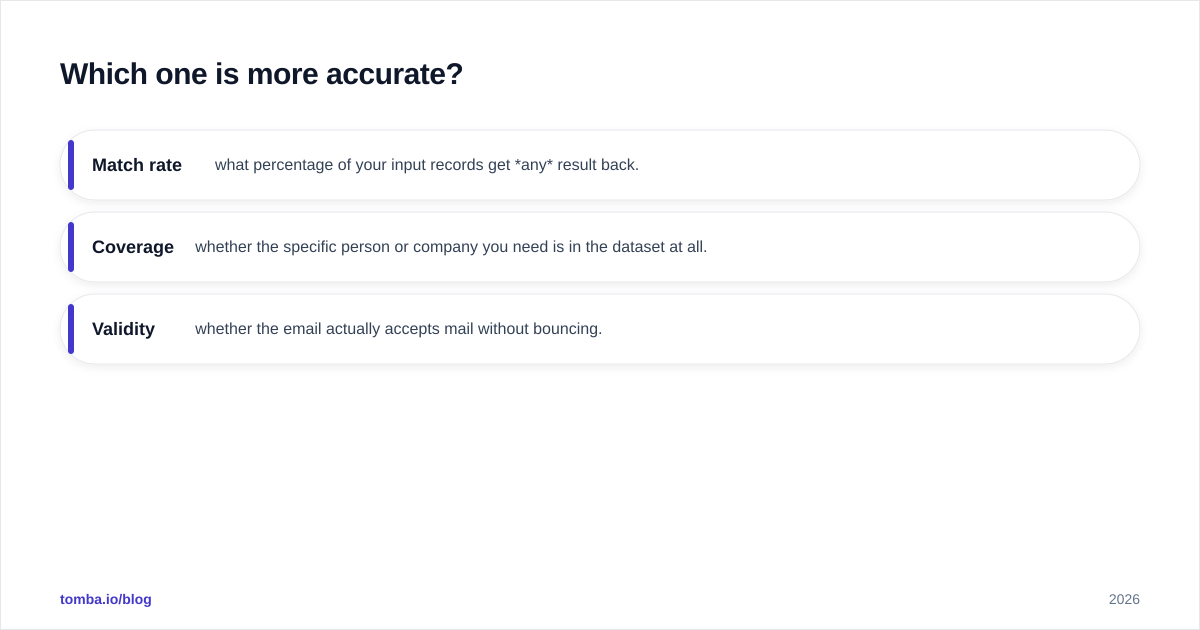
Accuracy in B2B email data is not one number. It's three:
- Match rate — what percentage of your input records get any result back.
- Coverage — whether the specific person or company you need is in the dataset at all.
- Validity — whether the email actually accepts mail without bouncing.
Archetype Data and Cufinder both publish high accuracy figures, and on common patterns (firstname.lastname@company.com at mid-to-large firms) both perform well. The gap appears at the edges: catch-all domains that accept every address, role-based inboxes, and companies under 50 employees with no clear pattern. No provider has solved this; they've only chosen different fallbacks.

This is why an independent email verifier belongs in your stack regardless of which platform you pick. A found email is a hypothesis; a verified email is a fact. If you're sending cold, the difference is your sender reputation — and once that's burned, no amount of data accuracy saves your campaign. For catch-all domains specifically, a dedicated catch-all verifier resolves cases that generic verification marks "unknown."
How does pricing compare?#
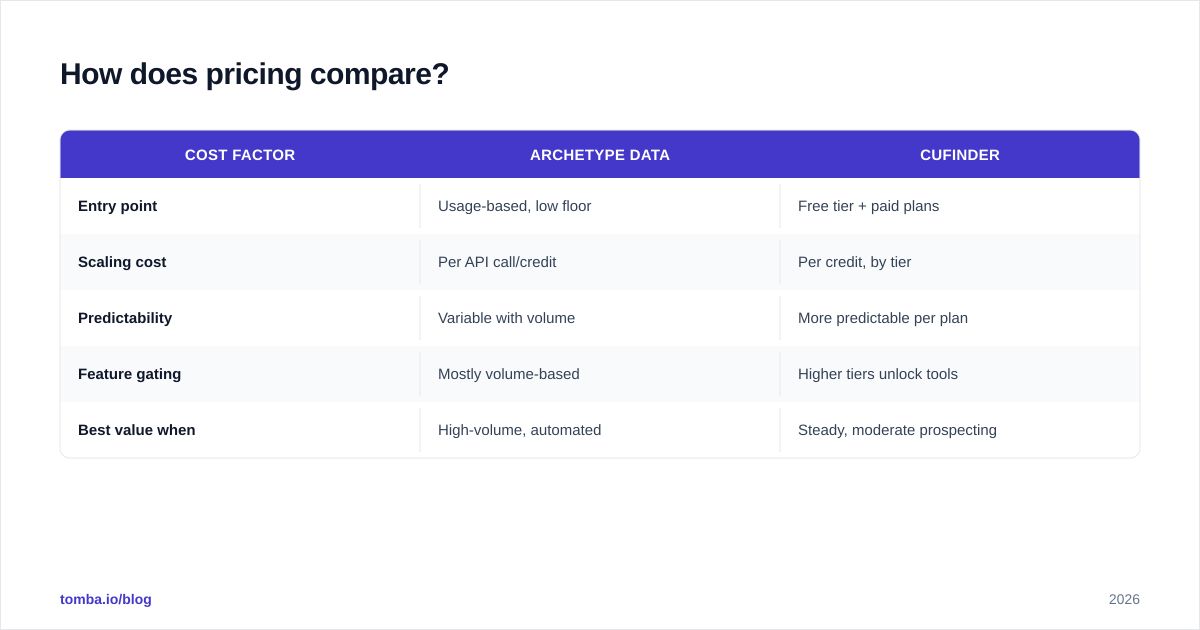
Pricing is where the two models diverge hardest, and where headline numbers mislead. Cufinder uses credit packs tied to tiered plans, so you pay per result and per feature tier. Archetype Data leans usage-based on API calls, so your bill scales with volume rather than seats.
| Cost factor | Archetype Data | Cufinder |
|---|---|---|
| Entry point | Usage-based, low floor | Free tier + paid plans |
| Scaling cost | Per API call/credit | Per credit, by tier |
| Predictability | Variable with volume | More predictable per plan |
| Feature gating | Mostly volume-based | Higher tiers unlock tools |
| Best value when | High-volume, automated | Steady, moderate prospecting |
The trap with credit-based pricing is the cost per valid contact, not the cost per credit. If a tool charges you a credit for every result — including the catch-all "maybe" addresses you can't safely email — your effective cost is higher than the sticker. Always divide spend by verified, usable contacts when comparing.
For reference on a flat, transparent model, Tomba pricing runs a Free tier (25 searches/mo), Starter at $49/mo, Growth at $99/mo, and Pro at $249/mo, with credits covering both finding and verification. The point isn't that one number wins — it's that you should normalize all three vendors to the same denominator before deciding.

Which tool fits which team?#
Match the tool to how your team actually works, not to the longest feature list.
Choose Archetype Data if:
- You have a developer and an existing pipeline (warehouse, CRM automation, reverse ETL).
- Enrichment is a continuous backend process, not a manual search.
- You value schema control and want data normalized on ingestion.
- Your volume is high enough that usage-based pricing beats per-seat plans.
Choose Cufinder if:
- Your SDRs and marketers build lists themselves, in a browser.
- You want a database to search from rather than records to enrich.
- You need phone numbers and emails in one UI with a Chrome extension.
- Predictable, plan-based billing matters more than raw volume economics.
Consider a focused finder if:
- Your real job is finding and verifying work emails at scale, cheaply.
- You want a clean email finder API without buying a whole prospecting suite.
- You're already running outreach tooling and just need accurate contacts to feed it.
This third path is where a lot of teams land after a year of paying for database seats they barely use. If you only need the contact data, you shouldn't pay for the dashboard, the sequencer, and the CRM-lite features bundled around it.
What about data coverage and compliance?#
Coverage is a function of where the data comes from, and both vendors aggregate from public web sources, partner feeds, and pattern inference. Ask each provider directly how they source and refresh records — staleness is the silent killer of any B2B database. A contact who changed jobs eight months ago is worse than no contact, because they'll bounce or annoy the wrong person.
Compliance is non-negotiable in 2026. Confirm GDPR and CCPA handling, opt-out processing, and whether the vendor offers a data processing agreement. Reputable providers document this openly; check resources like G2 for user-reported compliance experiences and verify claims against the vendor's own legal pages. For broader market context on B2B data platforms, Gartner and HubSpot's research on data quality are useful neutral references — for example HubSpot's guidance on data decay underscores why refresh cadence beats raw record count.
For transparency on how a finder builds its results, Tomba documents its data sources publicly — a reasonable bar to hold every vendor to before you sign.
Can you use them together?#
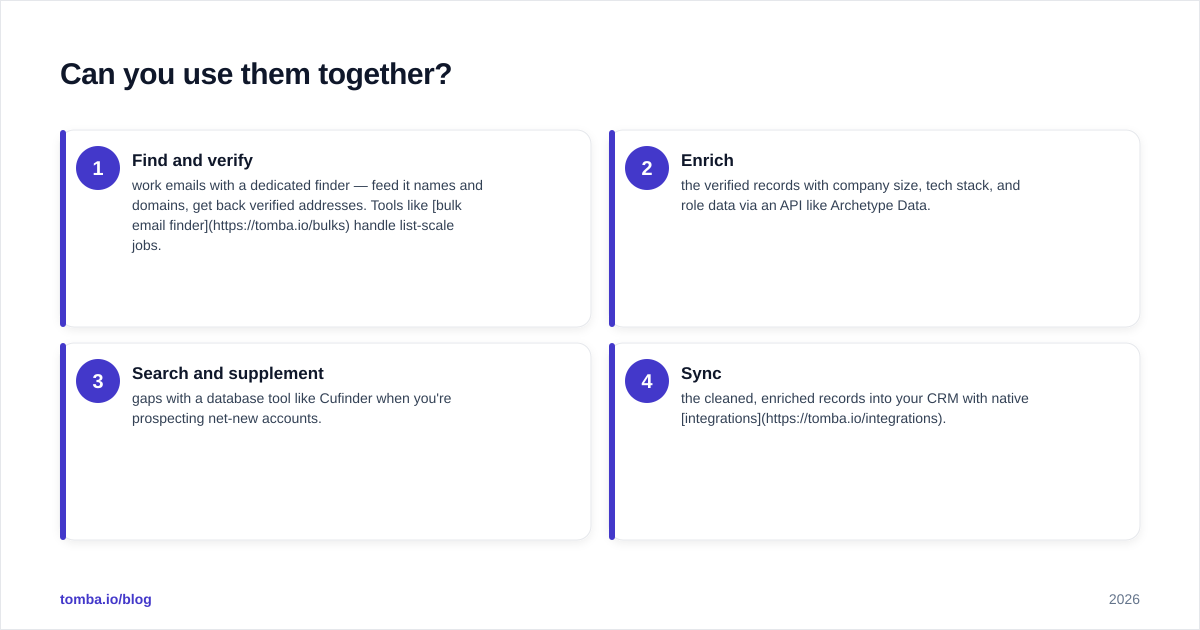
Yes, and many mature stacks do exactly that. The common architecture: a finder discovers and verifies the email (the part that's hard to get right), an enrichment layer appends firmographics and intent signals, and your CRM stores the canonical record. There's no rule that one tool must do everything.
A practical setup looks like this:
- Find and verify work emails with a dedicated finder — feed it names and domains, get back verified addresses. Tools like bulk email finder handle list-scale jobs.
- Enrich the verified records with company size, tech stack, and role data via an API like Archetype Data.
- Search and supplement gaps with a database tool like Cufinder when you're prospecting net-new accounts.
- Sync the cleaned, enriched records into your CRM with native integrations.
Layering this way means you pay each tool for the job it's actually best at, instead of overpaying one platform to be mediocre at all four. It also protects your email deliverability, because verification sits in the pipeline before anything reaches a mailbox.
The bottom line#
Archetype Data and Cufinder solve adjacent problems, not the same one. Archetype Data is the better enrichment engine for engineering-led, high-volume pipelines. Cufinder is the better self-serve prospecting suite for sales teams who want a database and tools in one place. Decide based on who does the work in your org — a developer in a pipeline, or a rep in a browser.
But if you strip the question down to its core — getting accurate, verified work emails into your outreach — neither all-in-one platform is automatically the cheapest path. A focused tool that does finding and verification well, with transparent flat pricing, often delivers a lower cost-per-valid-contact than a bundled suite you only half use.
That's exactly where Tomba fits. The Tomba Email Finder finds professional emails by name, domain, or company, verifies them in the same flow, and exposes everything through an API, Chrome extension, and bulk tools — without locking the essentials behind a high-tier plan. Start on the free tier, run your own accuracy sample against whatever else you're testing, and let cost-per-valid-contact make the decision for you.
Ready to find emails that actually work?
Join 150,000+ professionals who stopped guessing and started sending. Free credits on signup — no credit card required.
Get the Tomba newsletter
Practical outbound tactics and product updates — once every two weeks.
About the author