Archetype Data vs Finderio: B2B Data Tools Compared (2026)
Archetype Data vs Finderio compared on accuracy, pricing, coverage, and API quality — plus where each fits your B2B prospecting stack in 2026.
Archetype Data vs Finderio: Which B2B Email Tool Wins in 2026?
Choosing between Archetype Data and Finderio comes down to one question most buyers skip: do you need a raw data feed, or a finder-and-verifier you can run inside a live workflow? They look similar on a pricing page. They behave very differently once a real prospecting list hits them.
This is a neutral teardown. Where Tomba is the stronger pick, you'll see it said plainly — and where it isn't, you won't.
TL;DR#
- Archetype Data leans toward bulk data delivery and enrichment for teams that already have a list and want it filled in.
- Finderio leans toward single-lookup and small-batch email finding with a lighter, self-serve interface.
- Accuracy is the deciding factor, not feature count — an unverified email is worse than no email because it burns your sender reputation.
- API depth and verification matter more than the headline price. A cheap finder that ships catch-alls as "valid" costs more in bounced sends.
- If you want one platform that finds, verifies, and enriches with a documented API, Tomba is the benchmark both tools get measured against in this post.
What are Archetype Data and Finderio?#
Both are B2B contact-data tools that turn a name and a company domain into a usable business email. The difference is posture.
Archetype Data positions itself around dataset delivery and enrichment — you bring a CSV of companies or contacts, and it appends emails, titles, and firmographics. That's a good fit for a RevOps team building a territory list or seeding a CRM.
Finderio positions itself around on-demand lookups — paste a domain, get the pattern and the likely addresses, do a quick verify. That's a good fit for a single SDR working a short list each morning.
Neither is "wrong." They optimize for different moments in the lead generation cycle. The trap is buying the bulk tool for single lookups, or the lookup tool for a 50,000-row enrichment job.
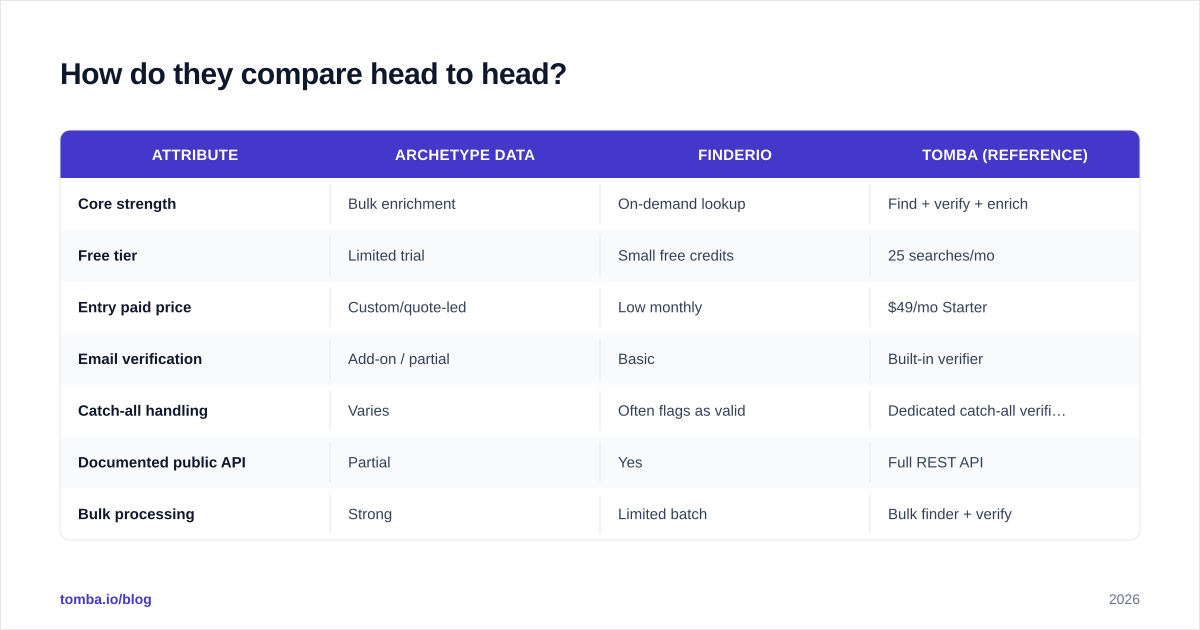
How do they compare head to head?#
Here's the practical breakdown. Treat vendor-published accuracy claims as marketing until you've run your own test list — every provider quotes its best number.
| Attribute | Archetype Data | Finderio | Tomba (reference) |
|---|---|---|---|
| Core strength | Bulk enrichment | On-demand lookup | Find + verify + enrich |
| Free tier | Limited trial | Small free credits | 25 searches/mo |
| Entry paid price | Custom/quote-led | Low monthly | $49/mo Starter |
| Email verification | Add-on / partial | Basic | Built-in verifier |
| Catch-all handling | Varies | Often flags as valid | Dedicated catch-all verifier |
| Documented public API | Partial | Yes | Full REST API |
| Bulk processing | Strong | Limited batch | Bulk finder + verify |
| Best for | RevOps / data teams | Solo SDRs | Teams wanting one stack |
A few honest notes on that table. "Custom/quote-led" pricing usually means Archetype Data is chasing mid-market and up; if you're a two-person team, that friction is real. Finderio's low entry price is attractive, but "basic verification" is the line to watch — it's where deliverability problems start.

Why does accuracy matter more than price?#
Because a wrong email doesn't just fail — it actively damages you. Every send to a dead or mistyped address raises your bounce rate, and mailbox providers read high bounce rates as a spam signal. Two bad lists in a row can tank a domain that took months to warm.
So the real cost of a finder isn't the subscription. It's the deliverability tax of every false positive it hands you. A tool that returns 70% of contacts but verifies them ruthlessly beats a tool that returns 95% with a third of them guessed.
This is where the Archetype-vs-Finderio choice gets sharper:
- Archetype Data as an enrichment feed can return high coverage but pushes verification responsibility back onto you. Plan to run the output through a dedicated email verifier before any send.
- Finderio verifies inline, but lighter verification tends to pass catch-all domains as valid. A catch-all accepts every address at the SMTP layer, so "valid" means nothing until you probe deeper with a catch-all verifier.
If you only remember one thing: never send to an address you haven't independently verified, no matter which vendor's badge says it's good.
Sorry — that image should render as:
Which one fits a bulk enrichment workflow?#
Archetype Data, in most cases. If your job is "here are 20,000 companies, give me the right contact at each," a bulk-first tool is built for that shape. You'll get throughput, firmographic fields, and a CSV in and CSV out rhythm.
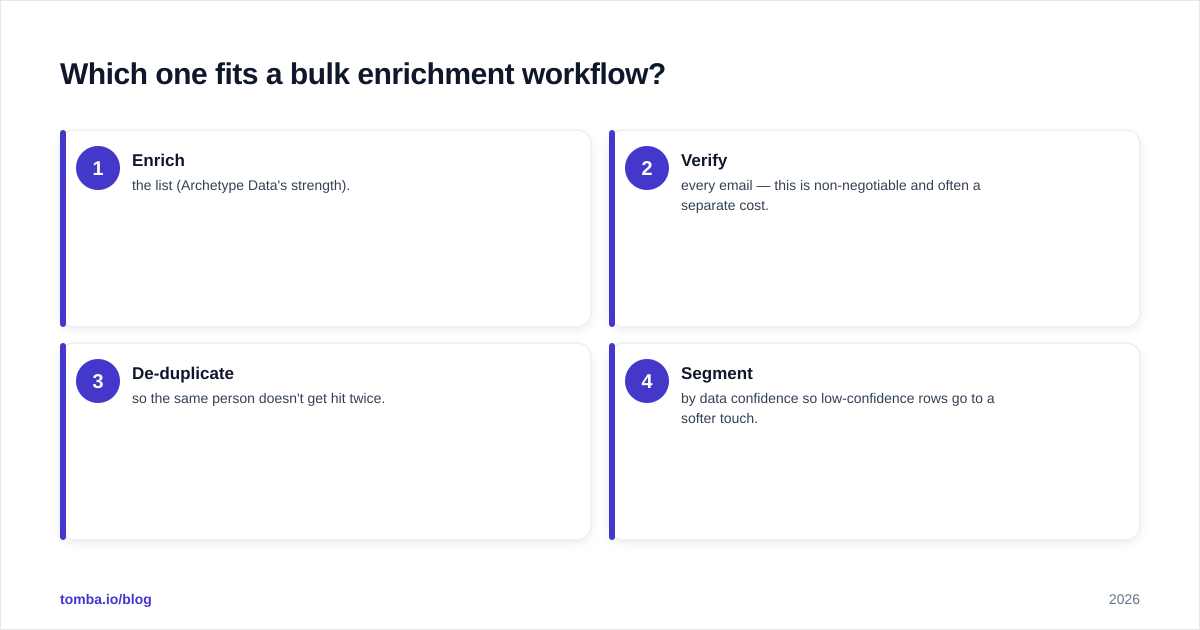
But run the math on the full pipeline, not the append step:
- Enrich the list (Archetype Data's strength).
- Verify every email — this is non-negotiable and often a separate cost.
- De-duplicate so the same person doesn't get hit twice.
- Segment by data confidence so low-confidence rows go to a softer touch.
Tomba's bulk email finder collapses steps 1 and 2 into one pass, which is the main reason teams comparing these two often end up testing a third option. If you keep enrichment and verification in separate tools, you own the glue code and the reconciliation headaches.
For data-quality fundamentals, the framework Gartner publishes on data quality dimensions — accuracy, completeness, consistency, timeliness — is a better scoring rubric than any vendor's accuracy badge. Score both tools against it with your own sample.
Which one fits a solo SDR or small team?#
Finderio, usually — until you scale. The self-serve lookup model is genuinely faster when you're working a short, hand-picked list and want the email now, not after a batch job finishes.
The ceiling shows up in three places:
- Volume. Single-lookup ergonomics get painful past a few hundred rows a week.
- Verification depth. Basic checks miss catch-alls and role accounts, so your bounce rate creeps.
- Integrations. Light tools often lack native CRM sync, so you live in CSV exports.
A reasonable middle path is a tool with both a fast lookup UI and a real API and integrations for when you outgrow manual work. That's the gap most solo-focused finders leave open, and it's why people migrate after six months rather than at signup.

How do their APIs and integrations stack up?#
The API is where "data tool" and "workflow tool" separate.
Finderio exposes a usable public API for lookups, which is a real advantage over closed enrichment vendors. Archetype Data's API access tends to sit behind higher tiers or quotes, which matters if you want to wire it into a product or an automated sequence rather than click around a dashboard.
When you evaluate either API, check four things — and demand a live trial, not a sales demo:
| API criterion | Why it matters |
|---|---|
| Rate limits | Determines real bulk throughput, not the brochure number |
| Verification in response | Avoids a second round-trip to a verifier |
| Confidence score | Lets you route low-confidence contacts to a safer flow |
| Webhooks / async jobs | Required for large batches without timeouts |
For reference, the Tomba API returns a confidence score and verification status in the same call, which is the pattern you want regardless of vendor. If a provider can't tell you how sure it is, you can't safely automate around it. G2's category pages for lead intelligence software are a decent place to sanity-check user-reported reliability before you trust any single API.
What does each tool actually cost?#
Be careful comparing list prices — the tools meter differently. Archetype Data's quote-led model means your real number depends on volume and fields. Finderio's transparent low entry price is easy to budget but can climb once you need higher verification quality or batch capacity.
Three hidden costs to model before you commit:
- Verification you didn't budget for. If it's an add-on, add it to the base price.
- Wasted credits on catch-alls. A "valid" catch-all you can't actually reach is a paid-for dead end.
- Re-finds. Low first-pass accuracy means re-running the same contacts, doubling spend.
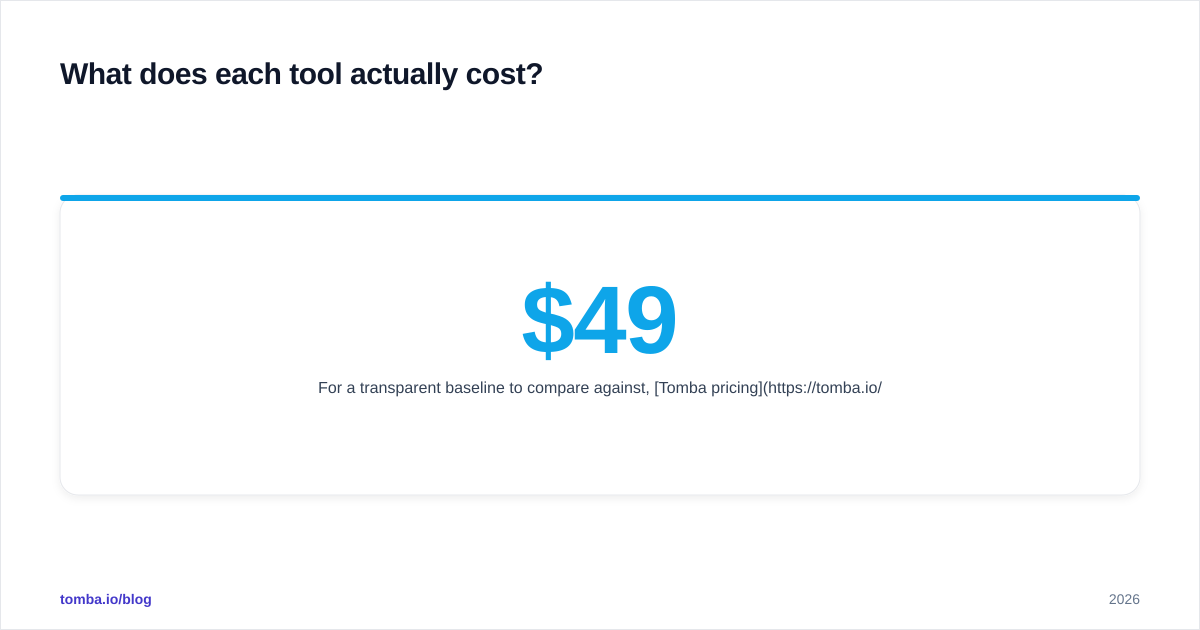
For a transparent baseline to compare against, Tomba pricing is public: Free (25 searches/mo), Starter $49/mo, Growth $99/mo, Pro $249/mo, and Enterprise custom — with verification included rather than bolted on. Whatever you pick, normalize every quote to cost per verified, reachable contact, not cost per credit.
Is there a single tool that does both jobs?#
Yes — and that's the honest reason this comparison rarely ends with "just pick one of these two." The split between Archetype Data (bulk) and Finderio (lookup) exists because each tool optimized half the workflow. Most teams need both halves.
If you want the bulk muscle of an enrichment feed and the fast single-lookup of a finder, with verification that treats catch-alls seriously, a consolidated platform removes the integration tax entirely. You stop paying two vendors, reconciling two exports, and trusting two different definitions of "valid."
That's the case for domain search plus built-in verification in one place: you get the company-wide contact discovery of an enrichment tool and the precision of a lookup tool without gluing them together yourself.
How should you decide?#
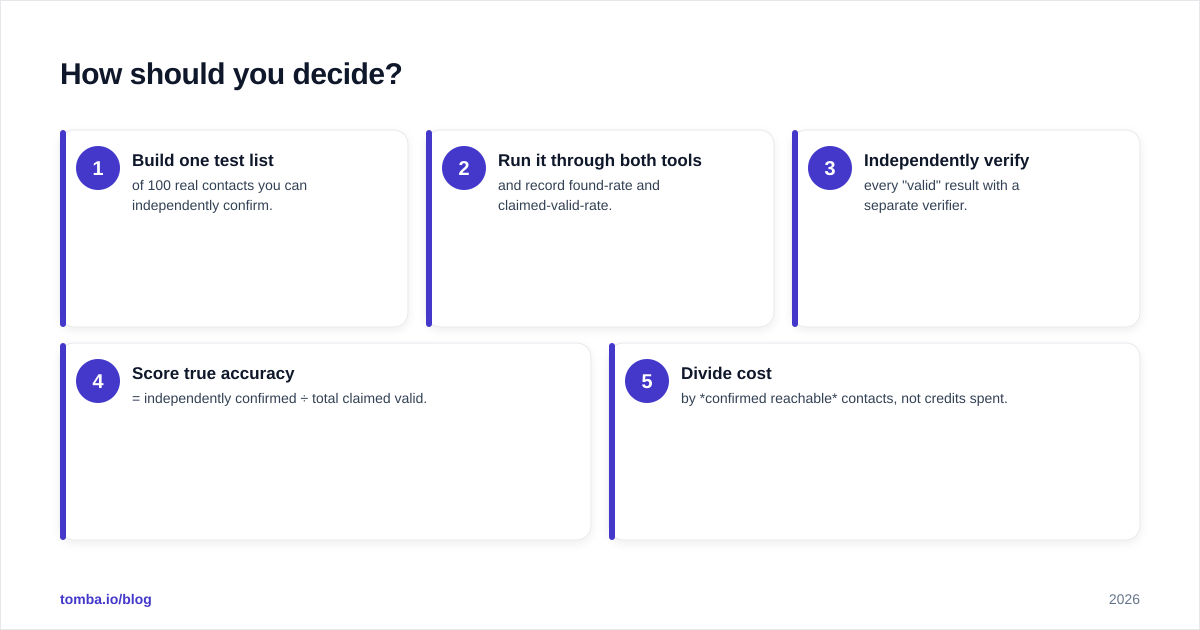
Run a 100-row bake-off. Don't decide on the pricing page.
- Build one test list of 100 real contacts you can independently confirm.
- Run it through both tools and record found-rate and claimed-valid-rate.
- Independently verify every "valid" result with a separate verifier.
- Score true accuracy = independently confirmed ÷ total claimed valid.
- Divide cost by confirmed reachable contacts, not credits spent.
Whichever tool wins your test on your market wins the deal. Vendor benchmarks are run on the data that flatters them; your ICP is the only benchmark that pays your salary.
- Pick Archetype Data if you're enrichment-first, mid-market+, and already own a verifier.
- Pick Finderio if you're a solo or small SDR team doing fast, low-volume lookups.
- Pick a consolidated finder + verifier if you want both jobs handled in one auditable workflow.
The bottom line#
Archetype Data and Finderio aren't really competitors — they're two halves of the same job. One enriches in bulk, the other looks up on demand, and both leave you owning the verification gap that determines whether your emails actually land.
If you'd rather not stitch two tools together, start with the Tomba Email Finder. It finds emails by name, company, or domain, verifies them in the same pass, and exposes a documented API and a free tier (25 searches/mo) so you can run the exact 100-row bake-off above before paying a cent. Test it against your own list, score it on confirmed-reachable contacts, and let your data make the call.
// get started
Find, verify and enrich your first contacts today
Start on the free plan with 25 searches a month, then scale when your team is ready.
Free plan · No credit card required · GDPR & CCPA
// about the author