Archetype Data vs GetProspect: 2026 B2B Data Tool Showdown
A neutral, hands-on breakdown of Archetype Data vs GetProspect in 2026 — accuracy, pricing, enrichment, and which B2B data tool fits your pipeline.
Choosing between Archetype Data and GetProspect comes down to one question: do you need raw enrichment depth, or do you need a fast, verified list you can email this afternoon? This guide compares both on accuracy, pricing, data coverage, and workflow so you can pick without a two-week trial marathon.
TL;DR — Archetype Data vs GetProspect#
- GetProspect is a mature, list-building-first platform: a 145M+ contact database, a LinkedIn extension, built-in verification, and a free tier. Best for SDR teams that want volume fast.
- Archetype Data leans into enrichment and firmographic/technographic signals — better when you care about why a lead fits, not just their email.
- Accuracy is close on common B2B domains; both degrade on catch-all domains, where a dedicated verifier matters more than the finder.
- Pricing favors GetProspect for predictable per-credit list building; Archetype Data is stronger for enrichment-heavy, API-driven workflows.
- If you mainly need verified emails at scale, a focused email finder like Tomba often beats a broad platform on cost-per-valid-email.
What is Archetype Data?#
Archetype Data positions itself as a B2B enrichment and intelligence layer. Instead of starting from "give me a list," it starts from "tell me everything that matters about this account or person." Think firmographics (company size, revenue, industry), technographics (the stack a company runs), and contact-level enrichment that hangs off a domain or a known identifier.
That makes it an enrichment-first tool. You typically feed it something you already have — a domain, a company name, a partial record — and it returns a fuller profile. This is the right shape when your motion is account-based: you've picked your target accounts and you need depth on each one before a rep reaches out.
The trade-off is that enrichment-first tools can feel heavier when all you want is "200 marketing directors at SaaS companies in Texas, with emails." That's a list-building job, and it's where GetProspect was built to shine.
What is GetProspect?#
GetProspect is a list-building and email-finding platform with a database that the company reports at 145M+ verified business contacts. Its center of gravity is the workflow most SDRs recognize: filter a database by role, industry, geography, and company size; pull a list; verify; export to your CRM or sequencer.
Its LinkedIn Chrome extension is the feature most teams adopt first — you browse Sales Navigator, click, and GetProspect appends business emails to the profiles you've selected. Verification is built in, so you're not bouncing the list through a separate tool before you send.
GetProspect is acquisition-first: the job is to turn search filters into a clean, sendable list. Enrichment exists, but it's secondary to "find me people and their emails."
Archetype Data vs GetProspect: how do they compare?#
Here's the head-to-head on the attributes that actually change your buying decision. Figures reflect publicly listed positioning as of 2026; always confirm current limits on each vendor's pricing page before you commit.
| Attribute | Archetype Data | GetProspect |
|---|---|---|
| Primary job | Enrichment & firmographic/technographic intelligence | List building & email finding |
| Database size | Enrichment-driven (domain/identifier in) | 145M+ business contacts |
| LinkedIn extension | Limited / enrichment-focused | Yes — core feature |
| Built-in verification | Available | Yes, included |
| Free tier | Limited / trial-based | Yes (free credits monthly) |
| Best for | ABM, RevOps, data teams | SDR list building, outbound at volume |
| API depth | Strong (enrichment endpoints) | Available, list-oriented |
| Catch-all handling | Enrichment metadata helps | Standard verification |
The pattern is clear: these tools optimize for different ends of the same funnel. Archetype Data wants to make each record richer. GetProspect wants to make each list longer and cleaner, faster.

Which tool has better email accuracy?#
Short answer: on standard corporate domains they're close, and the bigger accuracy lever is verification, not the finder.
Every email finder works from the same raw materials — public web data, crawled sources, and pattern inference (firstname.lastname@, f.lastname@, and so on). On a domain like a 500-person SaaS company with a consistent email pattern, most reputable tools land in the same accuracy band. The differences show up at the edges:
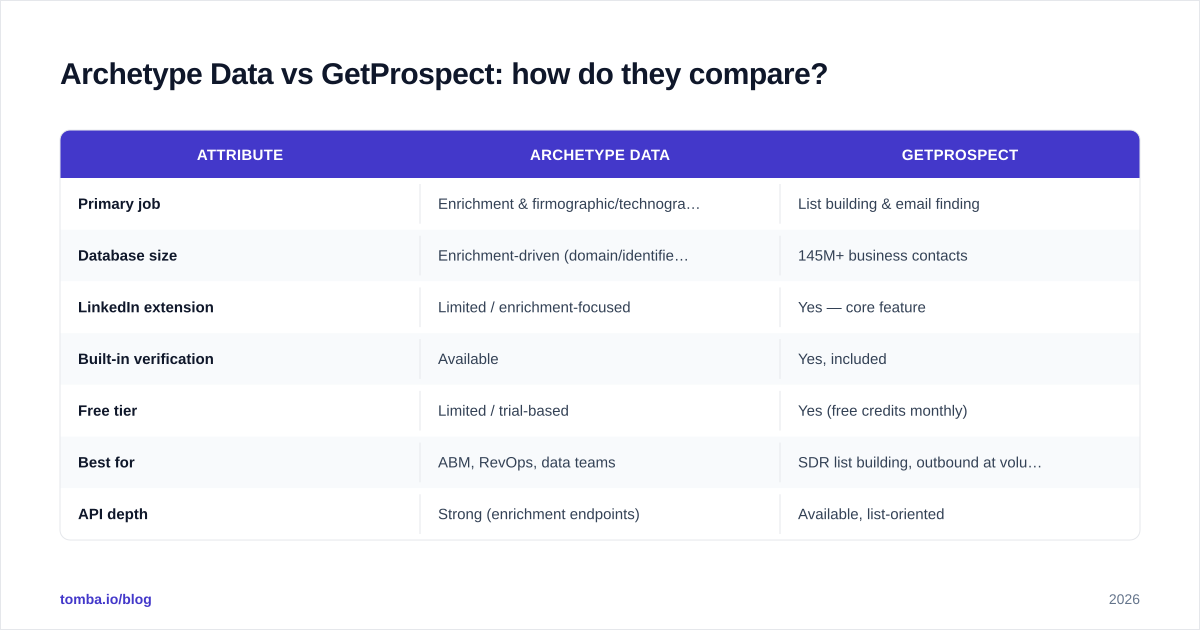
- Catch-all domains, where the mail server accepts everything and SMTP verification can't confirm a specific mailbox.
- Smaller or newer companies with thin web footprints.
- Recently changed roles, where data freshness decides whether you get a live mailbox or a bounce.
This is why a dedicated email verifier step matters more than which finder you started with. A finder gives you a candidate; a verifier tells you whether sending will hurt your sender reputation. If you're comparing tools, test them on your target domains, not a generic benchmark — your ICP's domain quality is what determines your real-world hit rate.

For teams that send at volume, protect deliverability by treating verification as non-negotiable. Bounce rates above ~3% are a common threshold where inbox providers start throttling you — and no finder's "accuracy" claim saves you from a list you didn't verify. See industry guidance on list hygiene from sources like HubSpot before you scale sends.
How should you choose? A simple decision framework#
Use this framework to map your motion to the right tool instead of arguing about feature lists.
1. Start with your motion.
- Account-based / RevOps: you've chosen accounts and need depth (tech stack, headcount, signals). Lean Archetype Data or another enrichment-first platform.
- Volume outbound / SDR list building: you need verified emails by filter, fast. Lean GetProspect or a focused email finder.
2. Check where your data enters the pipeline.
- If you already have a CRM full of domains and want to fill gaps, that's enrichment — Archetype Data's strength.
- If you're starting from a blank list and a set of filters, that's acquisition — GetProspect's strength.
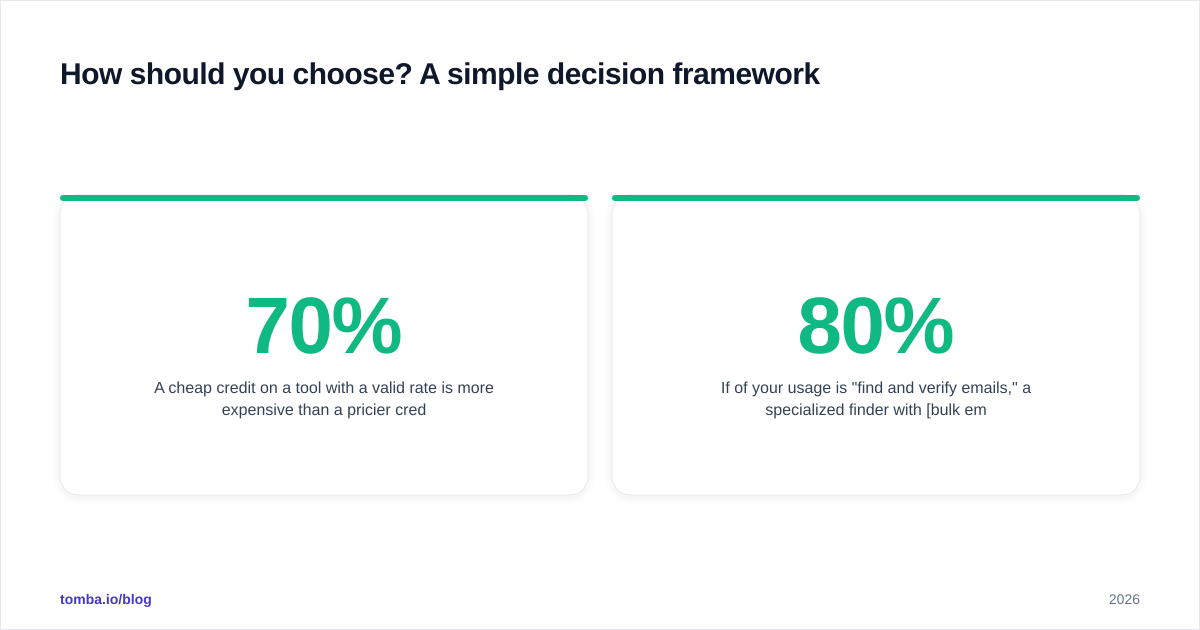
3. Price it per valid email, not per credit. A cheap credit on a tool with a 70% valid rate is more expensive than a pricier credit at 95% valid. Run a 100-contact test on each, verify the output independently, and compute cost-per-valid-email.
4. Don't pay a platform tax for a finder job. If 80% of your usage is "find and verify emails," a specialized finder with bulk email finder support is usually cheaper than a full enrichment suite you're only half-using.
What does each tool cost in 2026?#
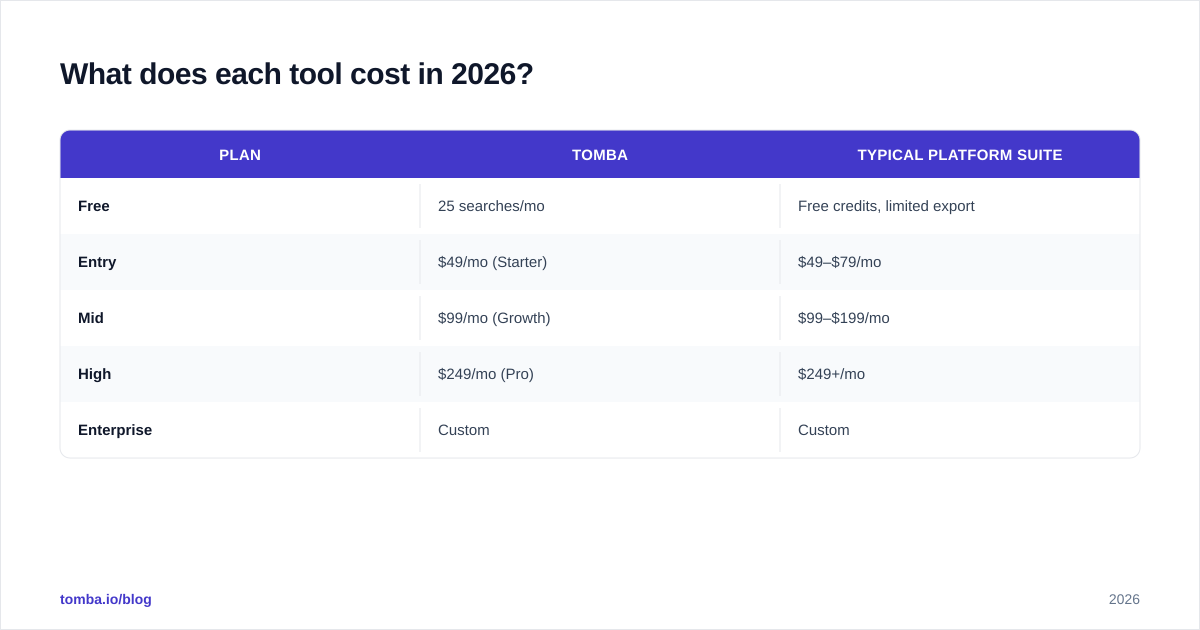
Both vendors use credit-based pricing with monthly tiers, and both gate verification and exports behind higher plans. Always confirm live numbers — pricing pages change quarterly — but the structural difference is what to plan around:
- GetProspect offers a free tier with monthly credits, then climbs through paid tiers priced primarily on the number of verified contacts you pull per month. Predictable for list builders.
- Archetype Data prices toward enrichment volume and API usage, which rewards teams running programmatic enrichment and penalizes occasional manual lookups.
For comparison, here's how a focused email-finder's published pricing looks, so you have a third reference point on the cost-per-credit spectrum:
| Plan | Tomba | Typical platform suite |
|---|---|---|
| Free | 25 searches/mo | Free credits, limited export |
| Entry | $49/mo (Starter) | $49–$79/mo |
| Mid | $99/mo (Growth) | $99–$199/mo |
| High | $249/mo (Pro) | $249+/mo |
| Enterprise | Custom | Custom |
You can see full Tomba pricing for exact credit counts. The point isn't that one tool is universally cheaper — it's that a finder-first tool and an enrichment-first suite charge for different things, so the "winner" depends entirely on which job dominates your usage.

Which integrates better with your stack?#
Both tools export to the usual suspects — CSV, the major CRMs, and outreach sequencers. GetProspect's LinkedIn extension makes it feel native to a prospecting-in-the-browser workflow, which is where many SDRs live. Archetype Data's API-first posture makes it the better fit when your RevOps team is wiring enrichment into a data pipeline or a reverse-ETL flow.
If your team runs on a CRM, check for a first-party connector rather than relying on Zapier glue for high-volume syncs. A native HubSpot integration or Salesforce integration keeps enrichment and verification inside the record without an export round-trip — and avoids the duplicate-contact mess that CSV imports create. For reference on connector quality across vendors, peer reviews on G2 are a more honest signal than any vendor's own integrations page.
What about data compliance and freshness?#
Two often-skipped questions decide whether a tool is safe to scale on:
- Freshness. B2B data decays ~2.5% per month as people change jobs. Ask each vendor how often records are re-verified, not just how big the database is. A 145M-record database that's stale is worse than a smaller one that's continuously re-checked.
- Compliance. For EU and UK contacts, confirm the vendor's lawful-basis posture under GDPR and how they handle suppression requests. Both Archetype Data and GetProspect operate in this space; the responsibility for legitimate-interest documentation still sits with you as the sender.
Freshness is also where catch-all domains bite hardest. If a big share of your ICP sits on catch-all servers, budget for a dedicated catch-all verifier regardless of which finder you choose — neither platform fully solves catch-all on its own.
So, who wins — Archetype Data or GetProspect?#
There's no single winner; there's a winner for your job.
- Pick GetProspect if your day is filter → list → verify → export, you live in LinkedIn, and you want a free tier to start. It's the faster path to a sendable list.
- Pick Archetype Data if your team is account-based or data-engineering-led, you enter the pipeline with domains you already own, and you value firmographic/technographic depth over raw list speed.
- Pick a focused finder if 80% of your usage is "find and verify emails" and you'd rather not pay for an enrichment suite you barely touch — that's where cost-per-valid-email usually wins.
The honest reality: most teams over-buy. They purchase a broad platform for a narrow job, then pay a premium on every lookup. Audit your last 90 days of usage before you renew. If the bulk of it is email finding and verification, a specialized tool is the cheaper, cleaner answer.
Try a focused alternative before you commit#
Before locking into either suite, run a 25-search test on your real target accounts with the Tomba Email Finder. It finds professional emails by domain, name, or company, verifies them in the same flow, and supports bulk runs and a full API when you scale. Compare the cost-per-valid-email against Archetype Data and GetProspect on your ICP — not a generic benchmark — and let the numbers, not the marketing, pick your winner. The free tier means the test costs you nothing but ten minutes.
Ready to find emails that actually work?
Join 150,000+ professionals who stopped guessing and started sending. Free credits on signup — no credit card required.
Get the Tomba newsletter
Practical outbound tactics and product updates — once every two weeks.
About the author