Archetype Data vs Leadrocks: B2B Contact Data Compared 2026
Archetype Data vs Leadrocks compared on data freshness, accuracy, pricing, and coverage — plus where a dedicated email finder beats both for cold outreach in 2026.
Choosing between Archetype Data and Leadrocks comes down to one question most review sites skip: do you need a broad enrichment layer or a fast, LinkedIn-sourced contact list you can export today? Both tools promise B2B emails and phone numbers. They get there in very different ways, and the gap shows up the moment your bounce rate report lands.
TL;DR#
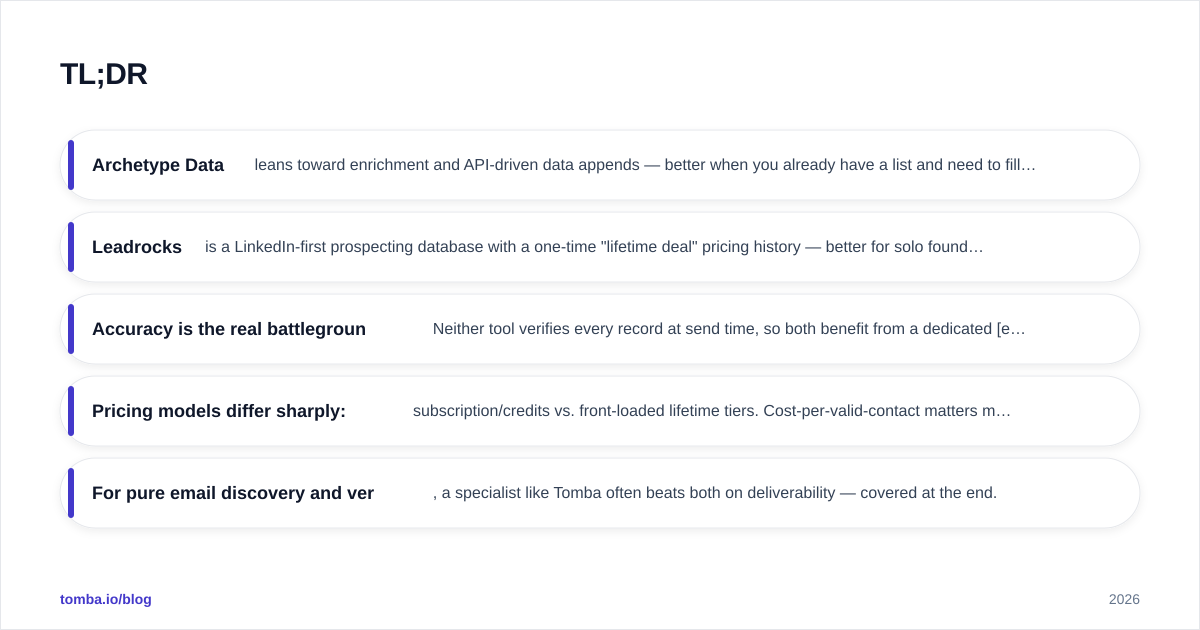
- Archetype Data leans toward enrichment and API-driven data appends — better when you already have a list and need to fill gaps at scale.
- Leadrocks is a LinkedIn-first prospecting database with a one-time "lifetime deal" pricing history — better for solo founders and small teams building lists from scratch.
- Accuracy is the real battleground. Neither tool verifies every record at send time, so both benefit from a dedicated email verifier before you launch a campaign.
- Pricing models differ sharply: subscription/credits vs. front-loaded lifetime tiers. Cost-per-valid-contact matters more than sticker price.
- For pure email discovery and verification, a specialist like Tomba often beats both on deliverability — covered at the end.
What are Archetype Data and Leadrocks?#
Think of these two as a warehouse versus a vending machine. Archetype Data behaves like a warehouse: you bring records in, and it enriches them with firmographics, contact details, and intent signals, often through an API or bulk upload. Leadrocks is the vending machine — search a company or a LinkedIn profile, get emails and phone numbers back instantly, export, done.
Archetype Data positions itself as a B2B data and enrichment provider. The typical workflow is append-and-clean: upload partial records, match them against the database, and push enriched rows back into your CRM. That suits revenue and revenue operations teams that already own a pipeline and need coverage, not discovery.
Leadrocks is a prospecting database built largely on LinkedIn-sourced profiles. You filter by title, industry, location, or company, then pull contact details into lists. Its claim to fame has been accessible pricing — including AppSumo-style lifetime deals — which made it popular with bootstrapped founders and agencies.
The distinction matters because it changes what "accuracy" even means. Enrichment tools are judged on match rate and field completeness. Prospecting databases are judged on how fresh and deliverable the contacts are on the day you export them.
)
How accurate is the data in each tool?#
Accuracy is where most B2B data tools quietly lose money for you. A list that looks full but bounces at 12% will torch your sender reputation faster than a smaller, clean list ever could.
Archetype Data's enrichment model tends to produce high field completeness — you get titles, company size, and other firmographics filled in. But enrichment matched from cached sources can lag reality: people change jobs roughly every two to three years, and a record enriched six months ago may already point to the wrong company.
Leadrocks, sourcing heavily from LinkedIn, often has fresher role data because profiles update when people switch jobs. The trade-off is email pattern inference: many LinkedIn-derived emails are guessed from name-plus-domain patterns rather than confirmed, which inflates catch-all and risky addresses.

The practical takeaway: treat the email field from either tool as a candidate, not a confirmed address. Run exports through a catch-all verifier and an SMTP-level check before sending. The cost of verification is trivial next to the cost of a blocklisted domain.
Archetype Data vs Leadrocks: feature and pricing comparison#
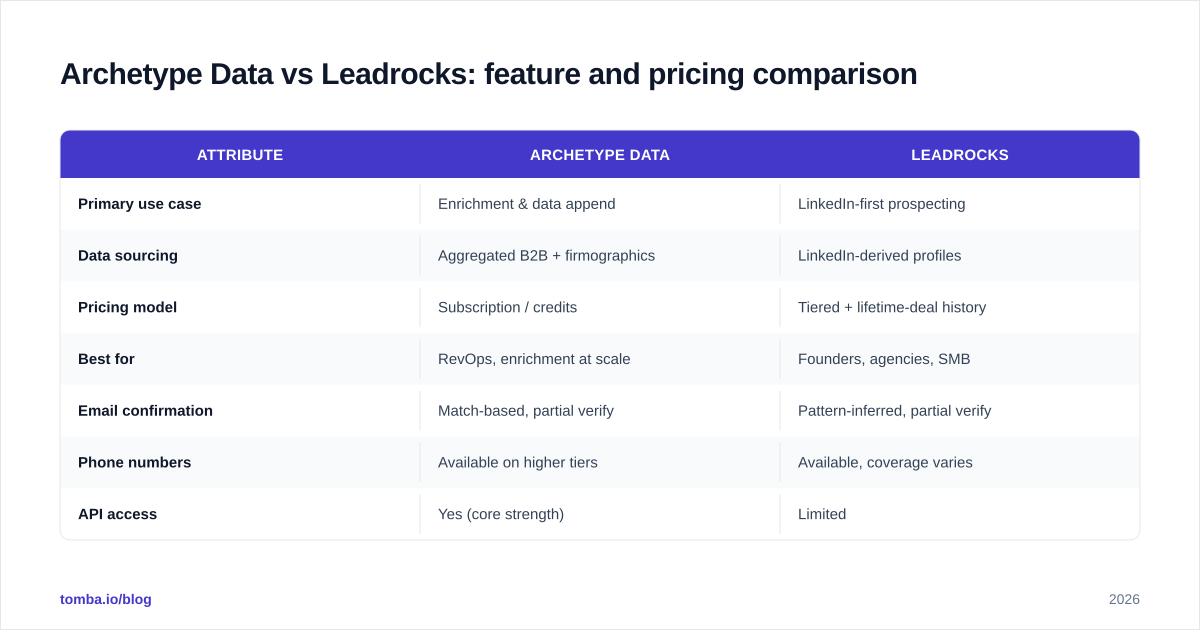
Here is the head-to-head on the attributes that actually drive cost-per-meeting. Pricing for both vendors shifts often, so confirm current numbers on their sites before you commit — this table reflects the typical structure each uses.
| Attribute | Archetype Data | Leadrocks |
|---|---|---|
| Primary use case | Enrichment & data append | LinkedIn-first prospecting |
| Data sourcing | Aggregated B2B + firmographics | LinkedIn-derived profiles |
| Pricing model | Subscription / credits | Tiered + lifetime-deal history |
| Best for | RevOps, enrichment at scale | Founders, agencies, SMB |
| Email confirmation | Match-based, partial verify | Pattern-inferred, partial verify |
| Phone numbers | Available on higher tiers | Available, coverage varies |
| API access | Yes (core strength) | Limited |
| Built-in verification | Minimal | Minimal |
| Free option | Trial-based | Limited free credits |

Two patterns jump out. First, neither tool treats verification as a first-class feature — both assume you'll clean data downstream. Second, the pricing philosophies attract different buyers: Archetype Data's recurring model fits teams enriching continuously, while Leadrocks' front-loaded pricing appeals to anyone who hates monthly bills.
Which tool fits your team?#
Match the tool to the motion, not the marketing. Use this decision framework.
Choose Archetype Data if:
- You already have lead lists and need to fill missing fields (title, company size, phone).
- You run enrichment programmatically through an API inside your CRM or warehouse.
- Your team is in RevOps or marketing ops and cares about field completeness for scoring and routing.
- You're feeding a lead scoring model that needs consistent firmographics.
Choose Leadrocks if:
- You're building lists from scratch and prospect mostly on LinkedIn.
- You want predictable, low cost — especially if a lifetime tier is available.
- You're a founder or small agency without an ops team to manage API plumbing.
- You value fresh role/title data over guaranteed email deliverability.
Choose neither (or add a third tool) if:
- Your core need is finding and verifying emails for cold outreach. That's a specialist job, and general data platforms underperform here on deliverability.
)
Where does a dedicated email finder fit?#
A specialist email finder solves the one thing both platforms treat as an afterthought: confirmed deliverability at the address level. This is the difference between "we have an email for this person" and "this exact mailbox accepts mail right now."
Enrichment and prospecting databases optimize for breadth. An email finder optimizes for the single highest-leverage field in your outbound stack — because a wrong email doesn't just fail to convert, it actively damages your domain. If your goal is cold email that lands, you want a tool whose entire reason for existing is finding and confirming addresses.
That's where Tomba slots in alongside — or instead of — Archetype Data and Leadrocks. Its email finder locates professional addresses by name, company, or domain, and every result can flow through an email verifier in the same workflow. For list building at scale, domain search pulls every public address on a company domain, and the bulk email finder handles thousands of rows at once.
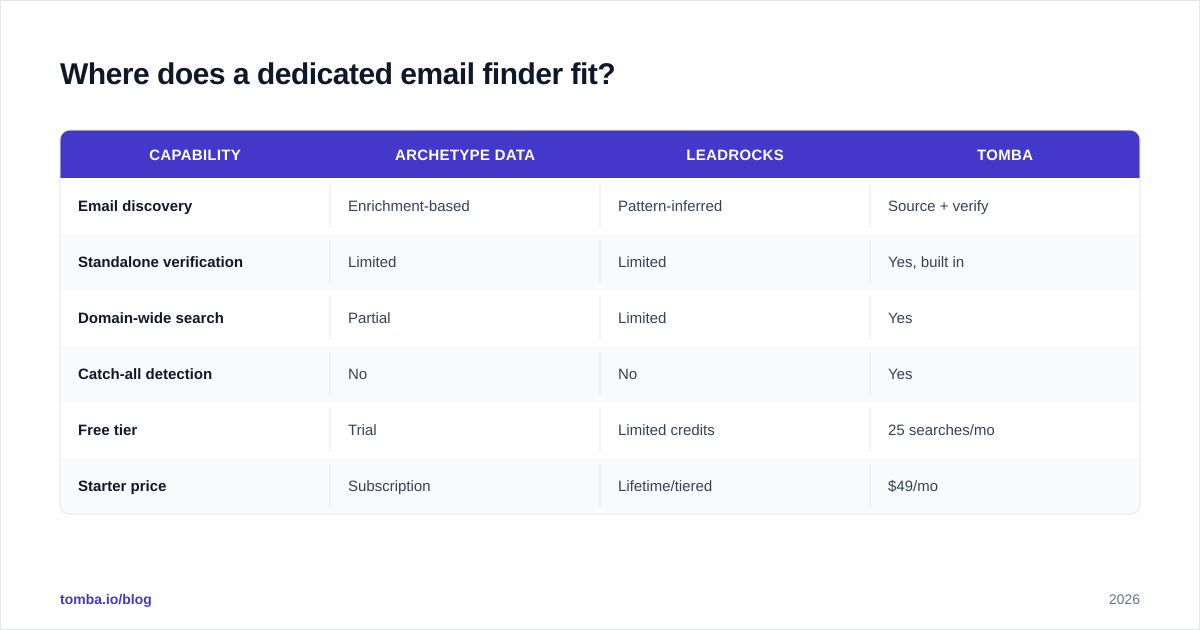
Here's how the three approaches compare on the outreach-critical attributes:
| Capability | Archetype Data | Leadrocks | Tomba |
|---|---|---|---|
| Email discovery | Enrichment-based | Pattern-inferred | Source + verify |
| Standalone verification | Limited | Limited | Yes, built in |
| Domain-wide search | Partial | Limited | Yes |
| Catch-all detection | No | No | Yes |
| Free tier | Trial | Limited credits | 25 searches/mo |
| Starter price | Subscription | Lifetime/tiered | $49/mo |
On pricing, Tomba runs a free tier (25 searches/month), then $49/mo Starter, $99/mo Growth, $249/mo Pro, and custom Enterprise — full details are on the Tomba pricing page. The point isn't that Tomba replaces enrichment; it's that the email step deserves a purpose-built tool.
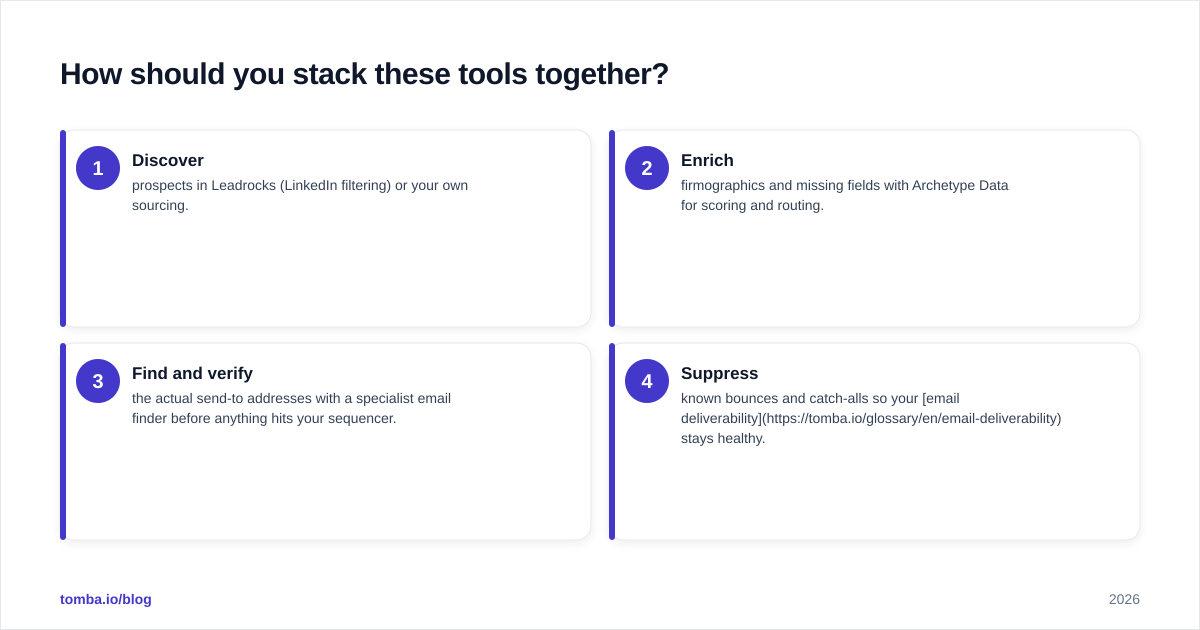
How should you stack these tools together?#
The smartest setups rarely pick one vendor. They layer.
A common high-performing stack looks like this:
- Discover prospects in Leadrocks (LinkedIn filtering) or your own sourcing.
- Enrich firmographics and missing fields with Archetype Data for scoring and routing.
- Find and verify the actual send-to addresses with a specialist email finder before anything hits your sequencer.
- Suppress known bounces and catch-alls so your email deliverability stays healthy.
This sequence treats each tool as a stage, not a competitor. You get the breadth of a database, the completeness of enrichment, and the deliverability of verified email — without betting your domain on inferred addresses.
If you want to validate vendor claims independently, cross-check user reviews on G2 and Capterra rather than trusting any single comparison page, including this one. And confirm Leadrocks' current plans directly at leadrocks.io, since lifetime-deal availability changes.
Frequently asked questions#
Is Archetype Data better than Leadrocks? Neither is universally better. Archetype Data wins for API-driven enrichment of existing lists; Leadrocks wins for fast, affordable LinkedIn prospecting. Pick based on whether you're filling gaps or building from scratch.
Do I still need an email verifier with these tools? Yes. Both treat verification as secondary, and inferred emails bounce. Always verify before sending — it's the single cheapest insurance for your sender reputation.
Which is cheaper, Archetype Data or Leadrocks? Leadrocks' lifetime-deal history often makes it cheaper upfront for small teams. Archetype Data's subscription scales with usage. Compare cost-per-valid contact, not sticker price.
The bottom line#
Archetype Data vs Leadrocks is really enrichment vs prospecting — two different jobs that the market keeps comparing as if they were the same product. Buy Archetype Data when you have lists to enrich and an ops team to run the API. Buy Leadrocks when you're sourcing fresh prospects on a budget. But don't let either tool be your last stop before the send button.
If cold outreach is the goal, put a specialist on the most important field. Start free with the Tomba Email Finder — find professional emails by name, company, or domain, verify them in the same flow, and send to a clean list from day one. Twenty-five searches a month cost nothing, and your bounce rate will thank you.
// get started
Find, verify and enrich your first contacts today
Start on the free plan with 25 searches a month, then scale when your team is ready.
Free plan · No credit card required · GDPR & CCPA
// about the author