Archetype Data vs Leadsrush: B2B Data Tools Review 2026
Archetype Data vs Leadsrush, compared head-to-head for 2026: data accuracy, coverage, pricing, exports, and integrations — plus where a dedicated email finder beats both.
Choosing between Archetype Data and Leadsrush comes down to one question most demos dodge: when you push a contact into your sequence, does the email actually land? Everything else — UI polish, credit math, dashboard charts — is downstream of that. This guide compares both platforms on the attributes that move pipeline, then shows where a dedicated email finder fits into the stack.
TL;DR#
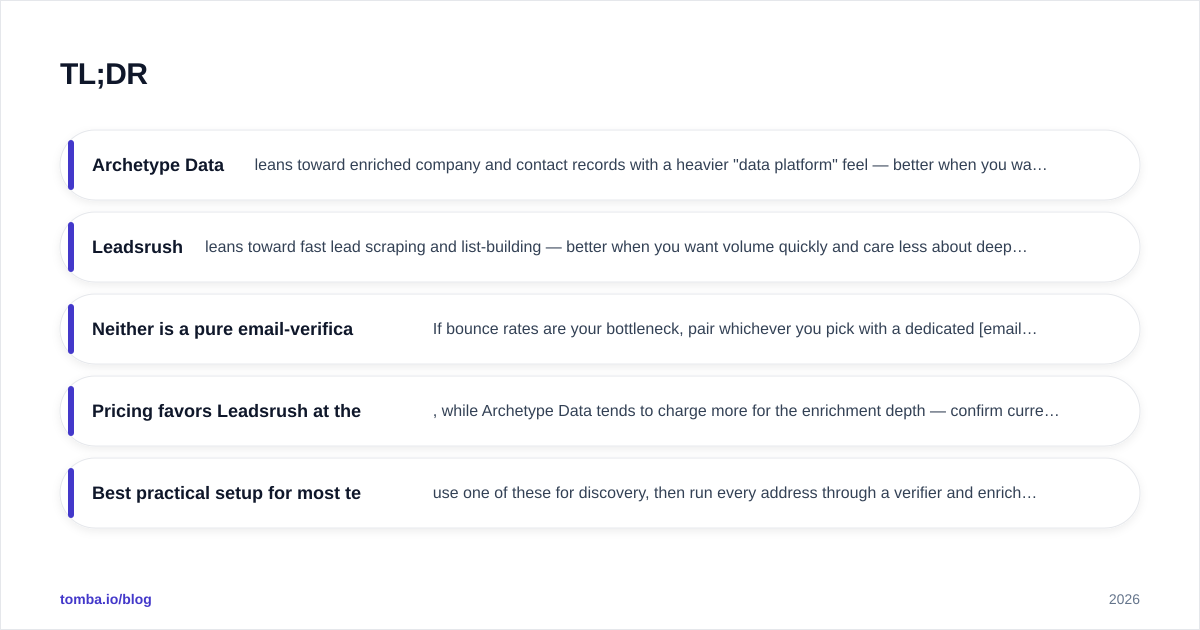
- Archetype Data leans toward enriched company and contact records with a heavier "data platform" feel — better when you want firmographics, technographics, and segmentation alongside contacts.
- Leadsrush leans toward fast lead scraping and list-building — better when you want volume quickly and care less about deep enrichment fields.
- Neither is a pure email-verification engine. If bounce rates are your bottleneck, pair whichever you pick with a dedicated email verifier.
- Pricing favors Leadsrush at the entry tier, while Archetype Data tends to charge more for the enrichment depth — confirm current numbers on each vendor's site before you commit.
- Best practical setup for most teams: use one of these for discovery, then run every address through a verifier and enrich gaps with a focused email finder before any campaign goes out.
What are Archetype Data and Leadsrush?#
Both tools live in the same broad category — B2B data and intelligence — but they solve the problem from different ends.
Archetype Data positions itself as a contact and company data platform. The pitch is breadth: you search by company attributes, pull enriched profiles, and build segmented lists with firmographic and (often) technographic filters layered on top of contact details. Teams that think in terms of ideal customer profiles and account-based motions tend to gravitate here, because the value is in slicing a database, not just grabbing one email at a time.
Leadsrush is built for speed and volume. The core loop is "define a target, scrape a list, export." It appeals to founders, agencies, and SDR teams who want a usable list in minutes and are comfortable doing their own cleanup afterward. Less ceremony, fewer enrichment fields, faster time-to-CSV.
That difference in philosophy — depth versus velocity — explains almost every downstream trade-off in pricing, accuracy, and workflow.
How do Archetype Data and Leadsrush compare at a glance?#
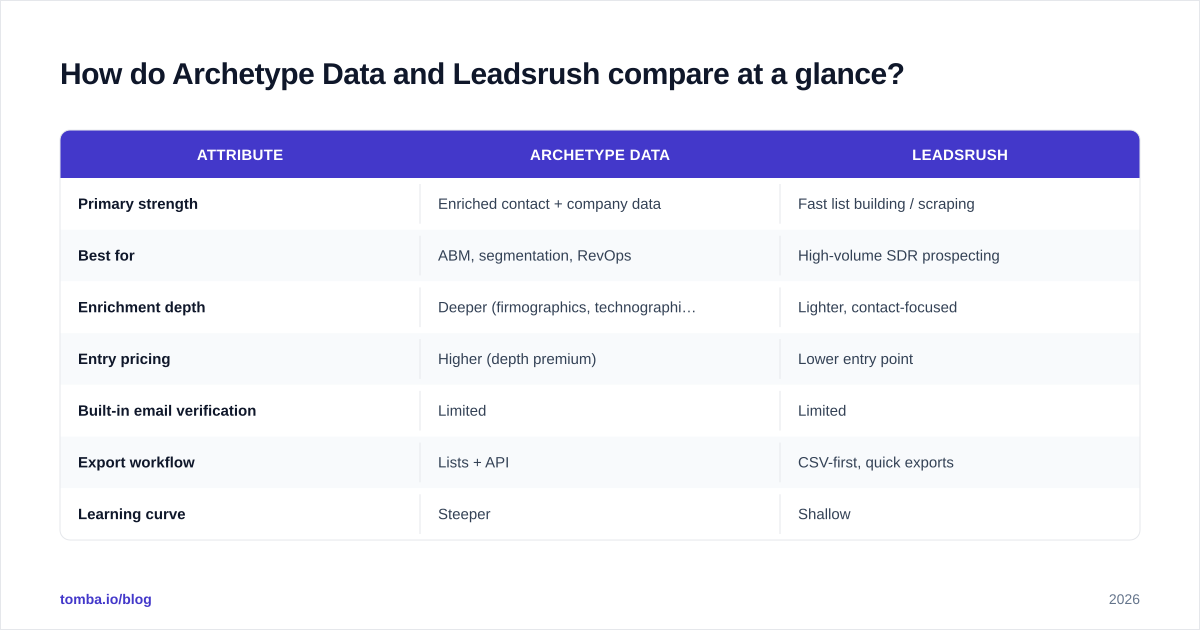
Use the table below as a starting scorecard, not gospel — both vendors iterate on pricing and limits, so verify the live numbers before you buy. The point is the shape of each tool, which changes slowly even when the price tags don't.
| Attribute | Archetype Data | Leadsrush |
|---|---|---|
| Primary strength | Enriched contact + company data | Fast list building / scraping |
| Best for | ABM, segmentation, RevOps | High-volume SDR prospecting |
| Enrichment depth | Deeper (firmographics, technographics) | Lighter, contact-focused |
| Entry pricing | Higher (depth premium) | Lower entry point |
| Built-in email verification | Limited | Limited |
| Export workflow | Lists + API | CSV-first, quick exports |
| Learning curve | Steeper | Shallow |
| Ideal team size | Mid-market to enterprise | SMB, agencies, solo founders |
The honest read: if your motion is account-based and you need to understand a market, Archetype Data's depth earns its premium. If your motion is volume outbound and you measure success in lists shipped per week, Leadsrush's simplicity wins. Cross-check both on independent review sites like G2 and Capterra to see how real users rate support and data freshness, not just the marketing pages.
Which one has more accurate data?#
Accuracy is the wrong single question — break it into three.
1. Coverage. Does the tool have the people you actually target? Archetype Data's database approach usually means broader firmographic coverage, especially for mid-market and enterprise accounts. Leadsrush's scraping model can surface fresher contacts in niches the big databases miss, but coverage is spottier and varies by region.
2. Freshness. A record found six months ago may already be wrong — people change jobs constantly. This is where scrape-based tools can win on recency for active profiles, and where database tools win on consistency. Ask each vendor how often records are re-validated, and treat any answer vaguer than "continuously" as a yellow flag.
3. Deliverability. This is the one that actually costs you. A contact record is worthless if the email bounces and damages your sender reputation. Neither Archetype Data nor Leadsrush is primarily a verification engine, which is why bounce rates from raw exports of either tool can disappoint. The fix is not switching vendors — it's adding a verification step you control.
This is exactly the gap a dedicated tool closes. Running exports through Tomba's email verifier before sending catches dead addresses, role accounts, and risky catch-alls that a discovery tool happily handed you. For domains that accept everything, a proper catch-all verifier gives you a confidence score instead of a coin flip.
Is Archetype Data or Leadsrush better for cold email?#
For cold outbound, the workflow matters more than the raw database. Here's the difference in practice.
With Leadsrush, you can stand up a list fast, but you inherit the cleanup burden: dedupe, verify, and pattern-check before the first send. Skip that and your bounce rate punishes the whole sending domain. Pair it with a bulk verify pass and the speed advantage actually holds up.
With Archetype Data, the richer fields let you personalize at scale — referencing tech stack, headcount, or industry in the opening line. That lifts reply rates, but you pay for the depth and still need to verify deliverability before launch.
In both cases, the missing piece is the same: a clean, verified address and a known email pattern. If a record comes back without an email, a domain search on the company plus an email permutator check will recover most of the gaps that discovery tools leave open.
How should you actually evaluate them? A simple framework#
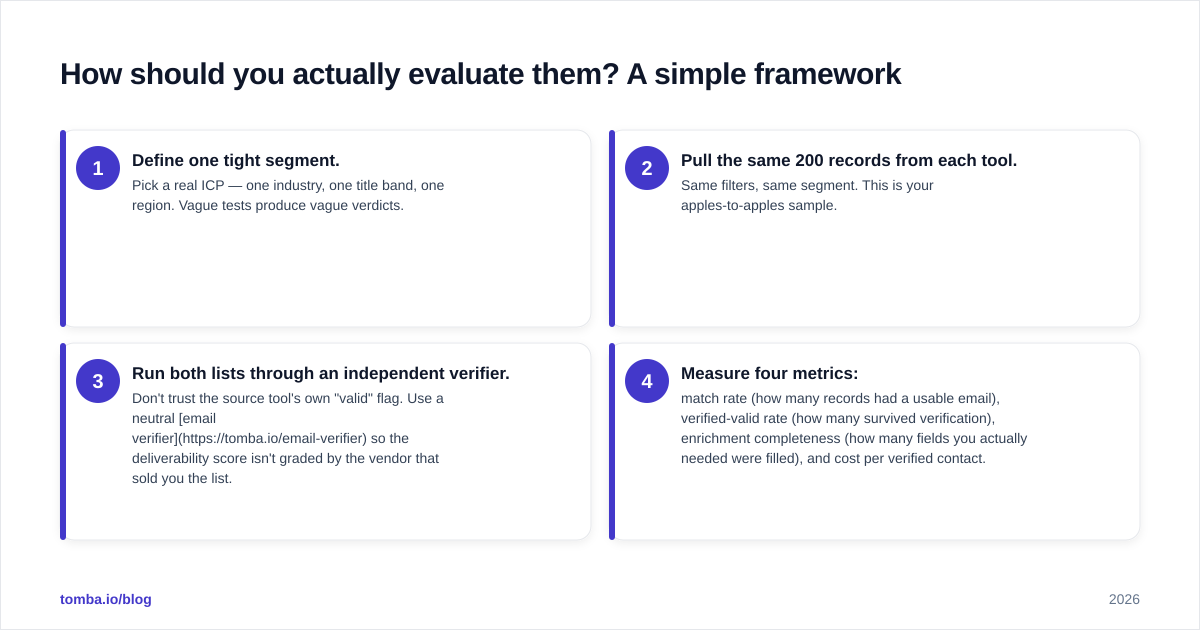
Don't pick on brand or pricing page alone. Run both through the same four-step test on your data, and let the numbers decide.
- Define one tight segment. Pick a real ICP — one industry, one title band, one region. Vague tests produce vague verdicts.
- Pull the same 200 records from each tool. Same filters, same segment. This is your apples-to-apples sample.
- Run both lists through an independent verifier. Don't trust the source tool's own "valid" flag. Use a neutral email verifier so the deliverability score isn't graded by the vendor that sold you the list.
- Measure four metrics: match rate (how many records had a usable email), verified-valid rate (how many survived verification), enrichment completeness (how many fields you actually needed were filled), and cost per verified contact.
That last metric — cost per verified contact — is the only number that matters for budgeting. A cheap list with a 40% bounce rate is more expensive than a pricier list that's 95% deliverable, once you account for burned domain reputation and rep time. Both effects compound, and neither shows up on the pricing page.
What about pricing and value?#
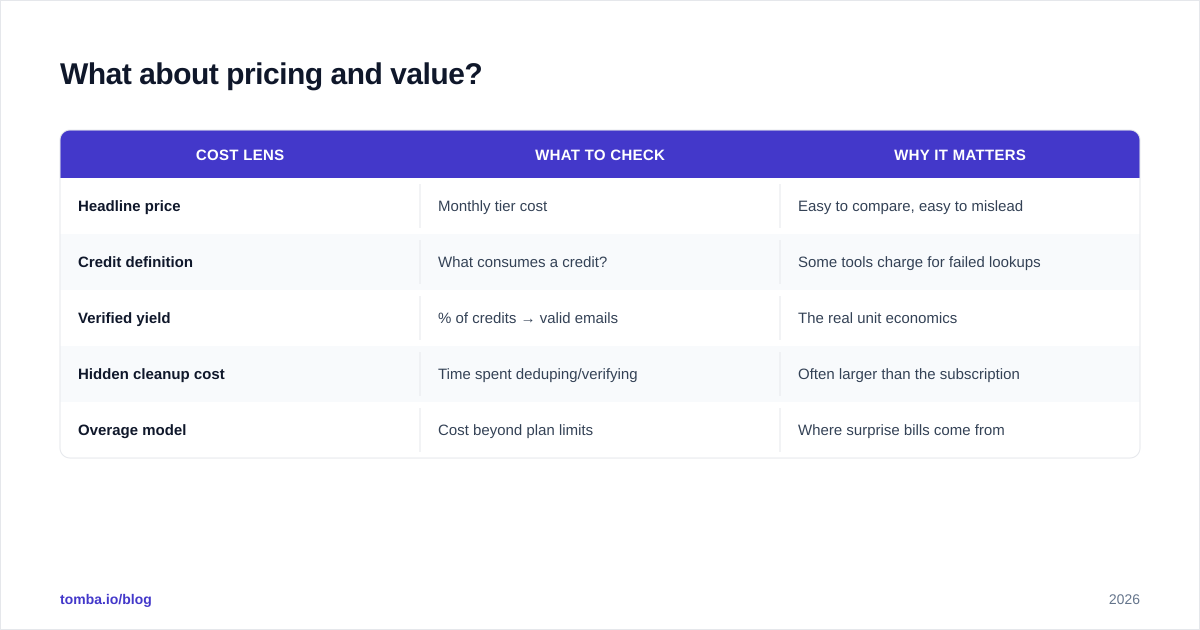
Pricing for both tools shifts often, so the durable advice is structural: compare cost per verified contact, not cost per credit. A credit that returns an unverified or stale record isn't a contact — it's a liability.
Here's a value comparison framing that survives price changes:
| Cost lens | What to check | Why it matters |
|---|---|---|
| Headline price | Monthly tier cost | Easy to compare, easy to mislead |
| Credit definition | What consumes a credit? | Some tools charge for failed lookups |
| Verified yield | % of credits → valid emails | The real unit economics |
| Hidden cleanup cost | Time spent deduping/verifying | Often larger than the subscription |
| Overage model | Cost beyond plan limits | Where surprise bills come from |
For reference on where a focused tool sits, Tomba's published pricing runs a Free tier (25 searches/mo), Starter at $49/mo, Growth at $99/mo, and Pro at $249/mo, with Enterprise custom. The point isn't that Tomba replaces a full data platform for every use case — it's that the per-contact economics of finding and verifying emails are transparent and easy to model against whatever Archetype Data or Leadsrush quote you.
For analyst-grade context on the broader data-intelligence category and how vendors are evaluated, Gartner maintains category reviews worth scanning before a larger purchase.
Where does a dedicated email finder fit?#
Think of it like building a house. Archetype Data and Leadsrush are the lumberyard — they supply raw material in bulk. A dedicated email finder and verifier are the level and the moisture meter: the precision tools that make sure what you build doesn't rot later.
In practice, the strongest stacks combine them:
- Discovery layer: Archetype Data (for depth/ABM) or Leadsrush (for volume) to source accounts and contacts.
- Precision layer: an email finder to recover missing addresses, a verifier to kill bounces, and data enrichment to fill the fields your discovery tool left blank.
- Scale layer: the Tomba API or bulk tools to automate the find-verify step inside your CRM or sequencer rather than exporting CSVs by hand.
Tomba's data transparency — documented at our data sources — also matters when compliance and provenance are part of the buying decision, which they increasingly are for enterprise security reviews.
Frequently asked questions#
Is Archetype Data better than Leadsrush? Neither is universally better. Archetype Data wins on enrichment depth and segmentation for ABM and RevOps teams; Leadsrush wins on speed and entry price for high-volume SDR work. Match the tool to your motion.
Do either of them verify emails? Verification is limited in both. Run exports through a dedicated verifier before sending — your bounce rate and domain reputation depend on it.
Can I use them alongside Tomba? Yes, and most effective teams do. Use one of them for discovery, then use Tomba to find missing emails, verify deliverability, and enrich gaps via API or bulk upload.
Which is cheaper? Leadsrush typically has a lower entry point, but compare cost per verified contact rather than headline price. A cheaper list with high bounce rates costs more in burned reputation and rep time.
The bottom line#
Pick Archetype Data when depth, segmentation, and account intelligence drive your pipeline. Pick Leadsrush when speed and volume matter more than enrichment fields. But whichever you choose, treat it as a discovery layer — not a deliverability guarantee.
Close the gap with a precision tool. Start with the Tomba Email Finder to recover missing addresses and verify every contact before it enters a sequence — so the leads you paid for from Archetype Data or Leadsrush actually reach a human inbox instead of a spam folder. The free tier gives you 25 searches a month to test the find-and-verify workflow against your own list before you spend a cent.
// get started
Find, verify and enrich your first contacts today
Start on the free plan with 25 searches a month, then scale when your team is ready.
Free plan · No credit card required · GDPR & CCPA
// about the author