Archetype Data vs Wiza 2026: Which B2B Data Tool Wins?
Archetype Data vs Wiza compared on accuracy, pricing, exports, and verification. See which B2B prospecting tool fits your outbound stack in 2026 — and where a dedicated email finder beats both.
TL;DR
- Archetype Data leans toward AI-driven account research and intent signals; Wiza is a LinkedIn-first prospecting tool that turns Sales Navigator searches into verified contact lists.
- If your workflow starts inside LinkedIn, Wiza is the smoother path. If you want broader firmographic enrichment and signals, Archetype Data has the edge.
- Neither tool is a pure, high-accuracy email finder — both bundle contact data into a wider prospecting product, which means you pay for features you may not use.
- For teams that just need accurate, verified emails by domain or name at predictable cost, a dedicated finder like Tomba often beats both on price-per-verified-email.
- Read the full comparison table below before you commit to an annual plan.
What are Archetype Data and Wiza?#
Short answer: both are B2B contact-data tools, but they solve different halves of the prospecting problem.
Wiza is a LinkedIn-native lead generation tool. You run a search in LinkedIn or Sales Navigator, and Wiza extracts the matching people, finds their work emails and phone numbers, verifies them in real time, and pushes the list to a CSV or your CRM. Think of it like a checkout lane bolted onto LinkedIn: you fill your cart with profiles, and Wiza rings up the contact details on the way out.
Archetype Data sits closer to the account-intelligence end of the market. Its pitch is AI-assisted research — building target account lists, layering firmographic and intent signals, and enriching records so your reps walk into a conversation already knowing who to call and why. It is less about scraping a LinkedIn list and more about answering "which accounts should we even be working this quarter?"
That difference in philosophy is the whole story of archetype data vs wiza. One optimizes for the moment you have a list and need contacts; the other optimizes for the moment you have a market and need a list.
How accurate is the contact data?#
Accuracy is where most prospecting tools quietly lose you money. A 12% bounce rate doesn't just waste credits — it tanks your sender reputation and pushes your real emails to spam.
Wiza markets real-time verification: when you export, it checks each email against the mail server at that moment rather than serving a stale cached result. In practice that produces strong deliverability on standard corporate domains, with the usual weak spot being catch-all domains where SMTP gives an ambiguous answer.
Archetype Data relies more on a blend of database matching and enrichment providers. That can mean wider coverage on firmographic fields (company size, tech stack, funding) but more variability on the email itself, especially for smaller companies that aren't well represented in aggregated datasets.
The honest takeaway: neither tool publishes an independently audited accuracy figure, so treat vendor claims as directional. When email accuracy is the single most important metric for your team, a tool built specifically around verification — with a transparent confidence score and a separate email verifier — gives you a cleaner audit trail.


Archetype Data vs Wiza: full comparison table#
Here is the head-to-head on the attributes that actually drive a buying decision.
| Attribute | Archetype Data | Wiza | Tomba |
|---|---|---|---|
| Primary use case | Account research + intent | LinkedIn list extraction | Email finding + verification |
| Best entry point | Target account lists | Sales Navigator search | Domain, name, or company |
| Real-time email verification | Partial | Yes | Yes |
| Phone numbers | Yes | Yes | Yes (phone finder) |
| Catch-all handling | Limited | Limited | Dedicated catch-all verifier |
| Free tier | Trial only | Limited free credits | 25 searches/mo free |
| Entry paid price | Custom / mid-market | ~$83/mo billed annually | $49/mo (Starter) |
| Bulk processing | Yes | Yes | Yes (bulk finder) |
| Public API | Limited | Yes | Yes (full REST API) |
| Native CRM push | Yes | Yes | Via integrations + |
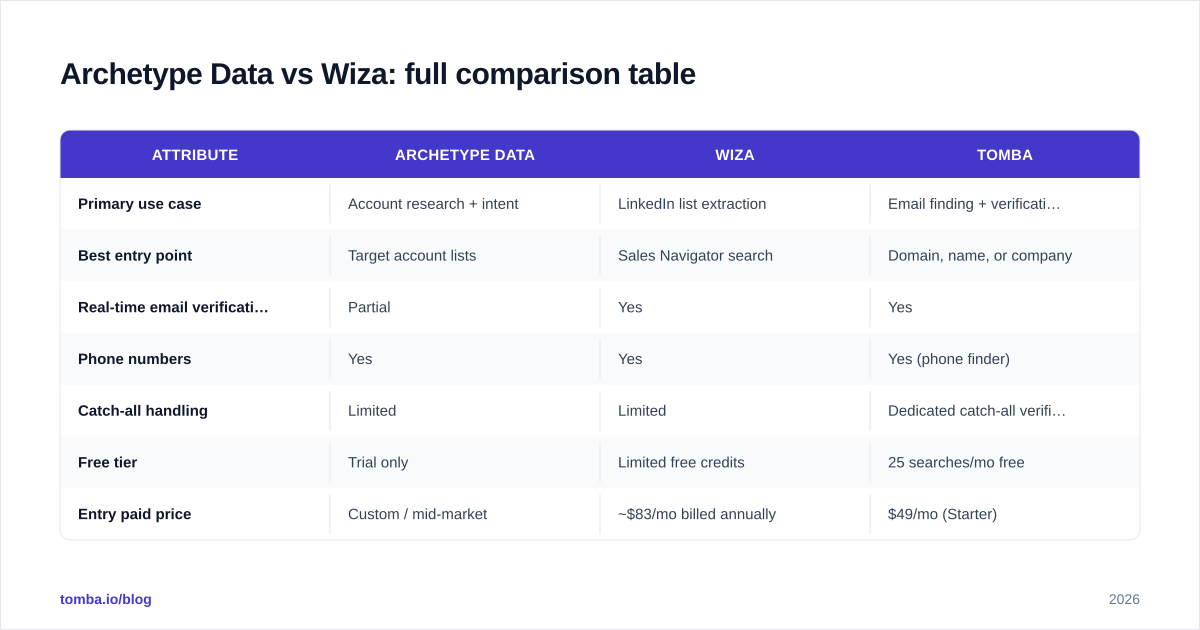
Zapier |
A few things stand out. Wiza and Tomba both expose a real API, which matters if you want to wire contact lookups into your own sales automation flows. Archetype Data's strength isn't in the table cells at all — it's in the signals layer that's hard to render as a single row.
Is Wiza better than Archetype Data for outbound SDRs?#
For a classic outbound SDR motion, Wiza usually wins on speed-to-list. Conclusion first: if your reps live in Sales Navigator and need to turn a saved search into a clean, verified CSV in two minutes, Wiza removes the most friction.
The workflow is genuinely tight:
- Build a Sales Navigator search with your ICP filters.
- Run Wiza against the result set.
- Let it find and verify emails and phones.
- Export to CSV or push straight into your sequencer or CRM.
Archetype Data asks you to think one layer up. Instead of "extract these 500 people," it nudges you toward "which 80 accounts match our best-customer pattern, and what changed recently that makes now the right time?" That's more valuable for an account-based motion with a small, high-value target list — and overkill for a high-volume SDR who is judged on dials and sends.
So the real question isn't which tool is better in the abstract. It's which stage of the funnel you're optimizing. Map your bottleneck:
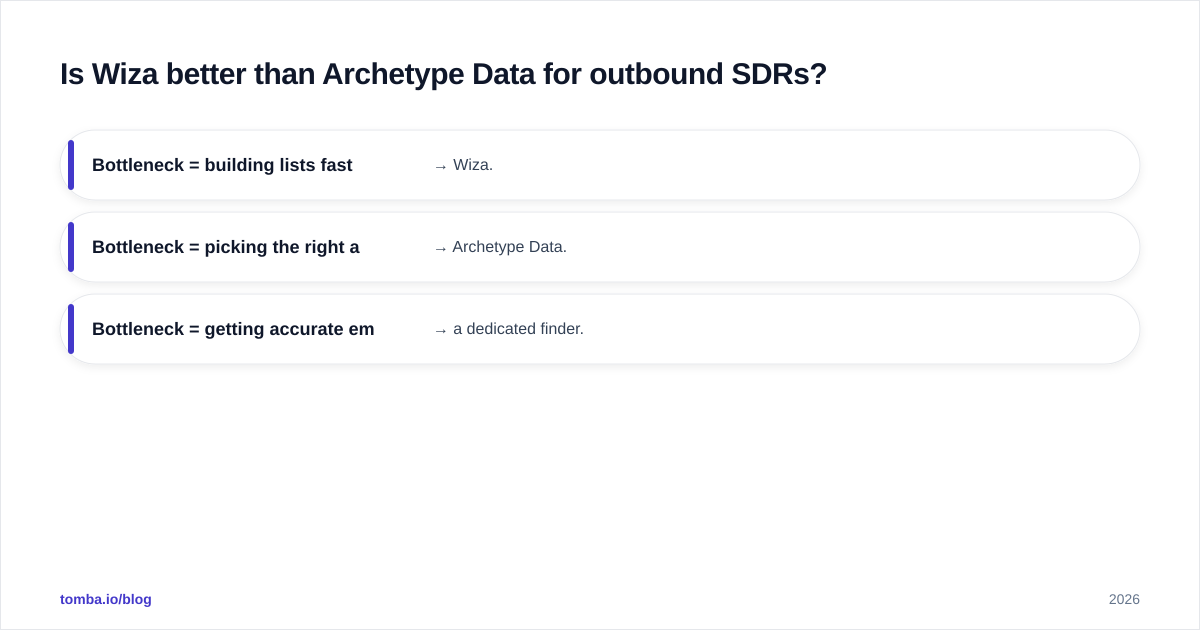
- Bottleneck = building lists fast from LinkedIn → Wiza.
- Bottleneck = picking the right accounts and timing → Archetype Data.
- Bottleneck = getting accurate emails cheaply at scale → a dedicated finder.
How much do Archetype Data and Wiza cost?#
Pricing is where the two diverge most, and where buyers get surprised.
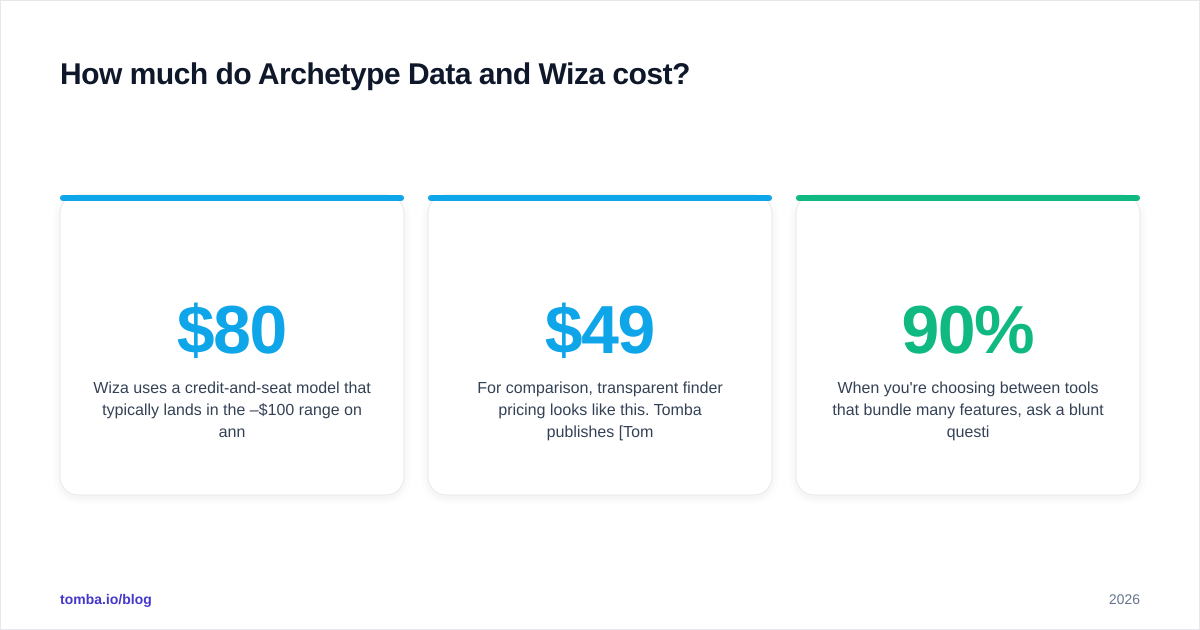
Wiza uses a credit-and-seat model that typically lands in the $80–$100/month range per user on annual billing, scaling up with credit volume and team size. Pay-as-you-go exists but the per-credit cost is higher, so heavy users get pushed toward annual commitments.
Archetype Data trends toward custom, mid-market pricing — you talk to sales, and the number depends on data volume, signal feeds, and seats. That's normal for the account-intelligence category, but it means there's no clean public price to compare, and onboarding can carry a platform fee.
For comparison, transparent finder pricing looks like this. Tomba publishes Tomba pricing openly: a Free tier with 25 searches/month, Starter at $49/mo, Growth at $99/mo, Pro at $249/mo, and custom Enterprise. The point isn't that cheaper is automatically better — it's that you can model your cost-per-verified-email before you sign anything.

When you're choosing between tools that bundle many features, ask a blunt question: how much am I paying for the contact data versus the research layer I may never open? If 90% of your usage is "find and verify an email," you're overpaying for intent signals you ignore.
What about data coverage and compliance?#
Coverage is a tie that breaks differently by region and segment.
Archetype Data's aggregation approach tends to give richer firmographic depth on established companies — funding rounds, headcount trends, tech stack — which feeds better account scoring. Wiza's coverage mirrors LinkedIn, so it's strong wherever your prospects maintain active profiles and thinner where they don't (some technical, trades, and non-Western segments).
On compliance, both operate under the usual B2B-data frameworks (GDPR legitimate interest, CCPA). Neither removes your obligation to honor opt-outs and keep suppression lists. If you're enriching at scale, build a data enrichment process that logs where each record came from — provenance matters when a prospect asks how you got their details.
One coverage gap both share: catch-all domains. When a company accepts mail for every address at its domain, simple SMTP checks can't confirm a specific inbox exists. That's exactly the case a purpose-built catch-all verifier is designed to resolve, and it's a common reason teams add a dedicated verification layer on top of whichever prospecting tool they buy.
Which tool should you actually choose?#
Here's the decision framework in plain terms.
Choose Wiza if: LinkedIn and Sales Navigator are your primary prospecting surface, your reps build lists daily, and you want verified contacts exported with minimal clicks. It's the most ergonomic option for a LinkedIn-first SDR team.
Choose Archetype Data if: you run an account-based motion, you need intent and firmographic signals to prioritize a finite target list, and you have the budget and process maturity to act on research rather than raw volume.
Choose a dedicated email finder if: your core need is accurate, verified emails by domain or name, at a transparent and predictable cost, with a real API and bulk tooling — and you don't want to pay for a research suite you won't use.
Many strong teams run a hybrid: Archetype Data or Wiza to source and prioritize, then a finder-plus-verifier to clean the emails before they ever hit a sequencer. That combination protects email deliverability far better than trusting any single tool's export blindly.
A quick gut-check before you sign#
- Run a 50-contact test export and measure the real bounce rate yourself.
- Check whether the per-verified-email cost beats your current stack.
- Confirm the API and CRM push match how your team actually works.
- Re-verify any list older than 90 days — contact data decays ~2–3% per month.
How do these compare to a focused email finder?#
Both Archetype Data and Wiza are good at what they're built for, and neither is trying to be a low-cost, high-accuracy finder — that's a different product category. If your spend is dominated by "find this person's email and confirm it's real," a specialist tool usually delivers more verified emails per dollar.
That's the niche Tomba Email Finder is built for. Find professional email addresses by domain, name, or company; verify them with a real-time check; run bulk lead generation for whole lists; and wire it all into your stack through the Tomba API or native integrations. Start on the free tier with 25 searches a month, test it against your current Archetype Data or Wiza exports, and compare bounce rates side by side before you renew anything. If the verified-email cost comes out lower — and for most teams focused on email it does — you've found where the savings live.
Bottom line: pick Wiza for LinkedIn-speed list building, Archetype Data for account intelligence, and a dedicated finder when accurate, affordable email is the job to be done. The best outbound stacks usually use more than one — sourcing in one tool, verifying in another. Build for that reality and your reps spend less time cleaning data and more time selling.
Sources: Wiza, G2 sales intelligence category, HubSpot sales statistics.
Ready to find emails that actually work?
Join 150,000+ professionals who stopped guessing and started sending. Free credits on signup — no credit card required.
Get the Tomba newsletter
Practical outbound tactics and product updates — once every two weeks.
About the author