Arounddeal vs Salutary Data: B2B Data Compared (2026)
Arounddeal vs Salutary Data: one is a self-serve contact platform, the other a compiled data supplier. Here's which fits your 2026 GTM stack — and where a verification layer beats both.
TL;DR
- Arounddeal is a self-serve B2B contact and company intelligence platform (Chrome extension + web app), strongest for APAC coverage and quick prospecting workflows.
- Salutary Data is a compiled, license-and-deliver B2B data supplier — you buy curated, verified files (often with phone and email) rather than prospect inside an app.
- They are not really the same product: one sells access, the other sells files. Pick Arounddeal for rep-led, ad-hoc prospecting; pick Salutary for bulk list builds and data licensing.
- Neither replaces a verification step. Bounce rates wreck deliverability regardless of source, so a verify layer is mandatory before you send.
- If your real need is finding and confirming specific work emails on demand, a dedicated finder + verifier like Tomba is cheaper per valid contact than licensing a database you only partly use.
What are Arounddeal and Salutary Data?#
Arounddeal and Salutary Data both sell B2B contact data, but they solve the problem from opposite ends.
Arounddeal is a prospecting platform. You install a browser extension, open a LinkedIn profile or a company site, and it surfaces work emails, direct dials, and firmographics. It's a tool a sales rep uses — query by query, list by list — much like Apollo or Lusha. Its reputation skews toward strong APAC and EMEA coverage, which is where it carved out a niche against US-centric incumbents.
Salutary Data is a data supplier. Think of it as a wholesaler rather than a storefront. You tell them the audience — title, industry, geography, technographics — and they deliver a compiled, verified file you license for a defined use. The model favors agencies, list buyers, data resellers, and ops teams running large, repeatable campaigns who want records in hand, not seats in an app.
The everyday analogy: Arounddeal is a self-checkout where you scan exactly what you need when you need it. Salutary Data is a bulk distributor that ships you a pallet on contract. Same shelf, very different buying motion.
How do their data models actually differ?#
The split matters because it changes everything downstream: pricing, freshness, compliance, and how you integrate the data.
A self-serve platform like Arounddeal refreshes records continuously and lets you pull only what you touch. That keeps data relatively current at the point of query, but you're rate-limited by credits and the app's coverage for any given person. A compiled supplier like Salutary Data assembles and verifies a file at delivery time. You get scale and consistency in one drop, but a static file starts decaying the moment it lands — B2B data degrades roughly 2–2.5% per month as people change jobs.
That decay rate is the single most important number in this entire comparison. Whichever vendor you choose, the records age. The only defense is to re-verify before each send, which is why a standalone email verifier belongs in the stack no matter what.

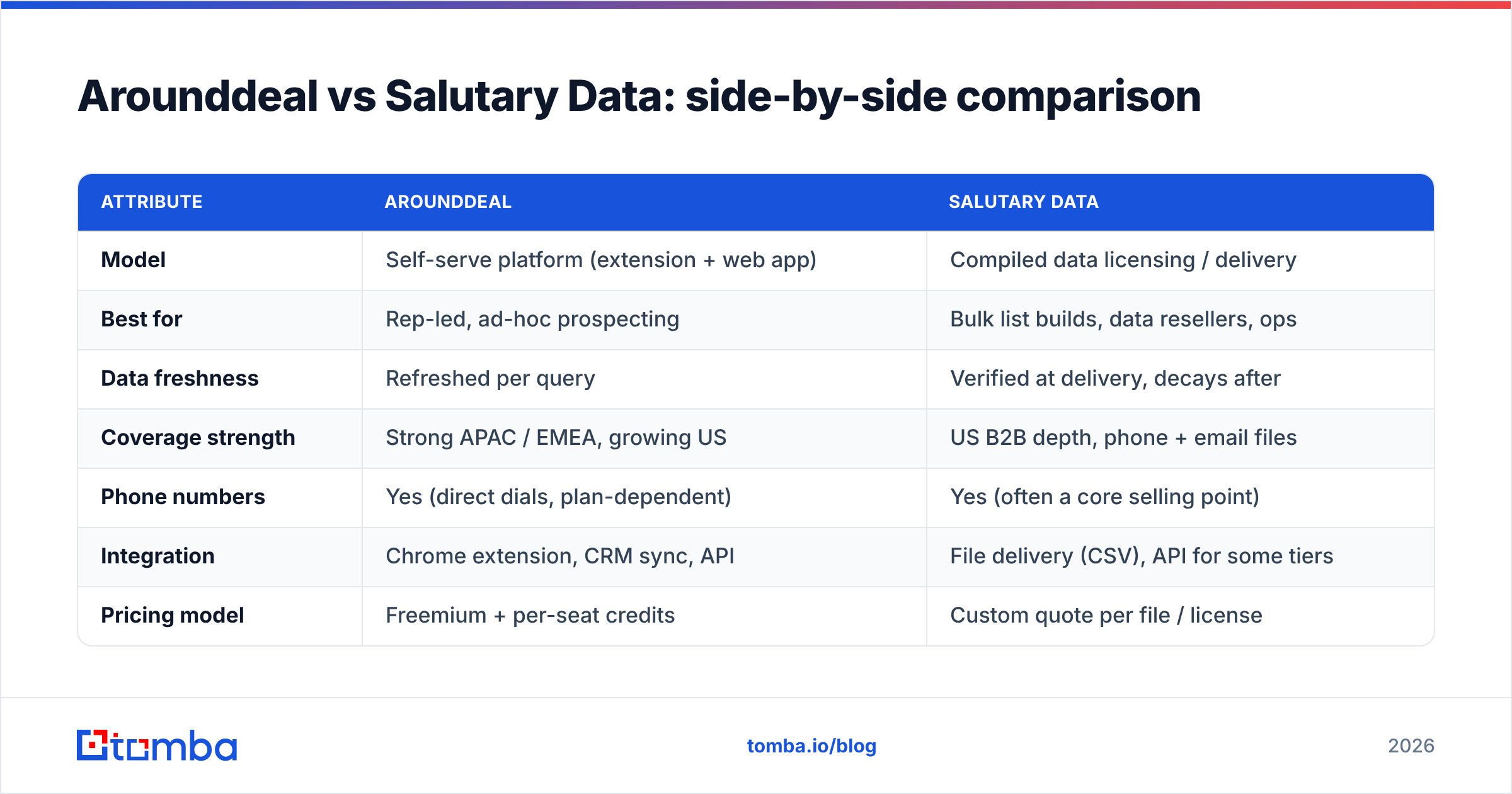
Arounddeal vs Salutary Data: side-by-side comparison#
Here's the head-to-head on the attributes that drive a buying decision.
| Attribute | Arounddeal | Salutary Data |
|---|---|---|
| Model | Self-serve platform (extension + web app) | Compiled data licensing / delivery |
| Best for | Rep-led, ad-hoc prospecting | Bulk list builds, data resellers, ops |
| Data freshness | Refreshed per query | Verified at delivery, decays after |
| Coverage strength | Strong APAC / EMEA, growing US | US B2B depth, phone + email files |
| Phone numbers | Yes (direct dials, plan-dependent) | Yes (often a core selling point) |
| Integration | Chrome extension, CRM sync, API | File delivery (CSV), API for some tiers |
| Pricing model | Freemium + per-seat credits | Custom quote per file / license |
| Verification included | Partial / platform-side | Supplier-verified at compile time |
| Ideal team | SDRs, founders, small sales teams | Agencies, RevOps, list buyers |
The pattern is clear: Arounddeal wins on immediacy and ease, Salutary wins on scale and licensing flexibility. Neither is "more accurate" in the abstract — accuracy depends on the segment you're targeting and how recently the record was touched.
Which one has better data accuracy?#
Short answer: it depends on recency, not brand. Both vendors publish or imply high accuracy figures, and both are telling a partial truth.
Self-serve platforms look accurate because you verify in small batches and see results immediately — a bad email shows up fast and you move on. Compiled files look accurate at delivery because the supplier ran verification right before shipping. The problem is what happens after. A file that was 95% deliverable on Monday is meaningfully worse a quarter later.
This is where buyers get burned. They license a big Salutary file or export a large Arounddeal list, sit on it for weeks, then blast it — and watch bounce rates spike. The data wasn't bad. It got old.
Two habits protect you:
- Re-verify before every campaign, not just at acquisition. Run the list through an email verification pass within 48 hours of sending.
- Handle catch-all domains explicitly. A large share of corporate domains accept everything at the SMTP layer, so a naïve "valid" flag means nothing. Use a catch-all verifier to score risk instead of trusting the green checkmark.
For broader context on how deliverability and bounce rates interact, G2's email verification category is a useful neutral reference for what buyers actually rate vendors on.
How does pricing compare?#
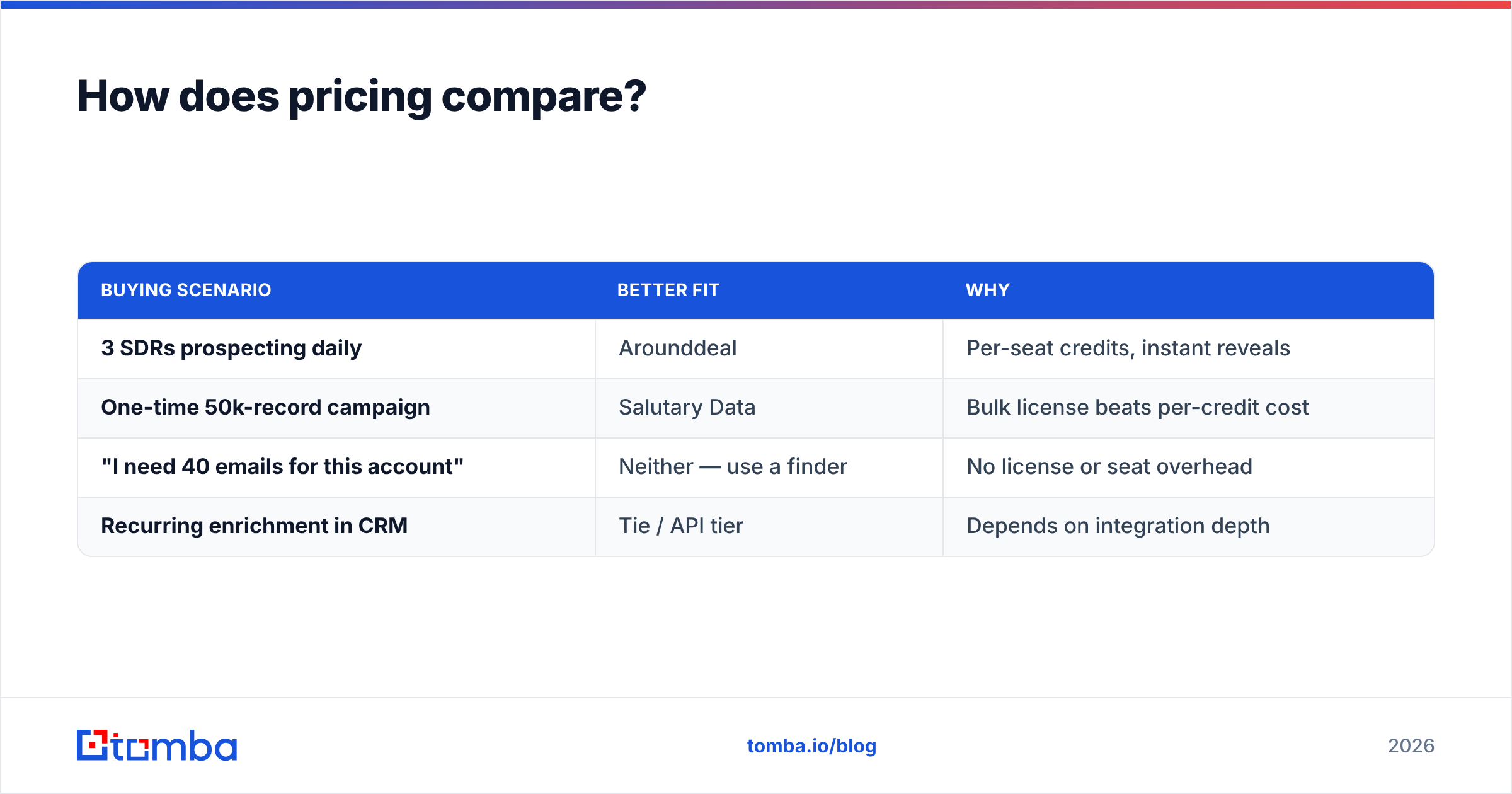
The pricing models are too different to line up dollar for dollar, but here's the shape of each.
Arounddeal runs freemium. There's a limited free tier, then per-seat plans with monthly credit allowances for reveals and exports. Cost scales with seats and usage — predictable for a team of SDRs, but credits run out fast on heavy list days, and overage or top-up pricing can sting.
Salutary Data is quote-based. You don't see a public price card because you're licensing a file scoped to your audience, volume, and permitted use. That's efficient at scale (cost-per-record drops on big orders) but opaque and slow for anyone who just needs a few hundred contacts this week.
| Buying scenario | Better fit | Why |
|---|---|---|
| 3 SDRs prospecting daily | Arounddeal | Per-seat credits, instant reveals |
| One-time 50k-record campaign | Salutary Data | Bulk license beats per-credit cost |
| "I need 40 emails for this account" | Neither — use a finder | No license or seat overhead |
| Recurring enrichment in CRM | Tie / API tier | Depends on integration depth |
That third row is the tell. A large amount of real-world demand is narrow and on-demand — "find the VP of Eng's email at these 30 target accounts" — and for that, paying for a platform seat or a compiled license is overkill. A pay-as-you-go email finder or bulk email finder does the same job without the commitment.
When should you choose a finder + verifier instead?#
Choose a dedicated finder-and-verifier stack when your workflow is targeted, recurring, and accuracy-critical rather than volume-first.
Here's the decision in plain terms:
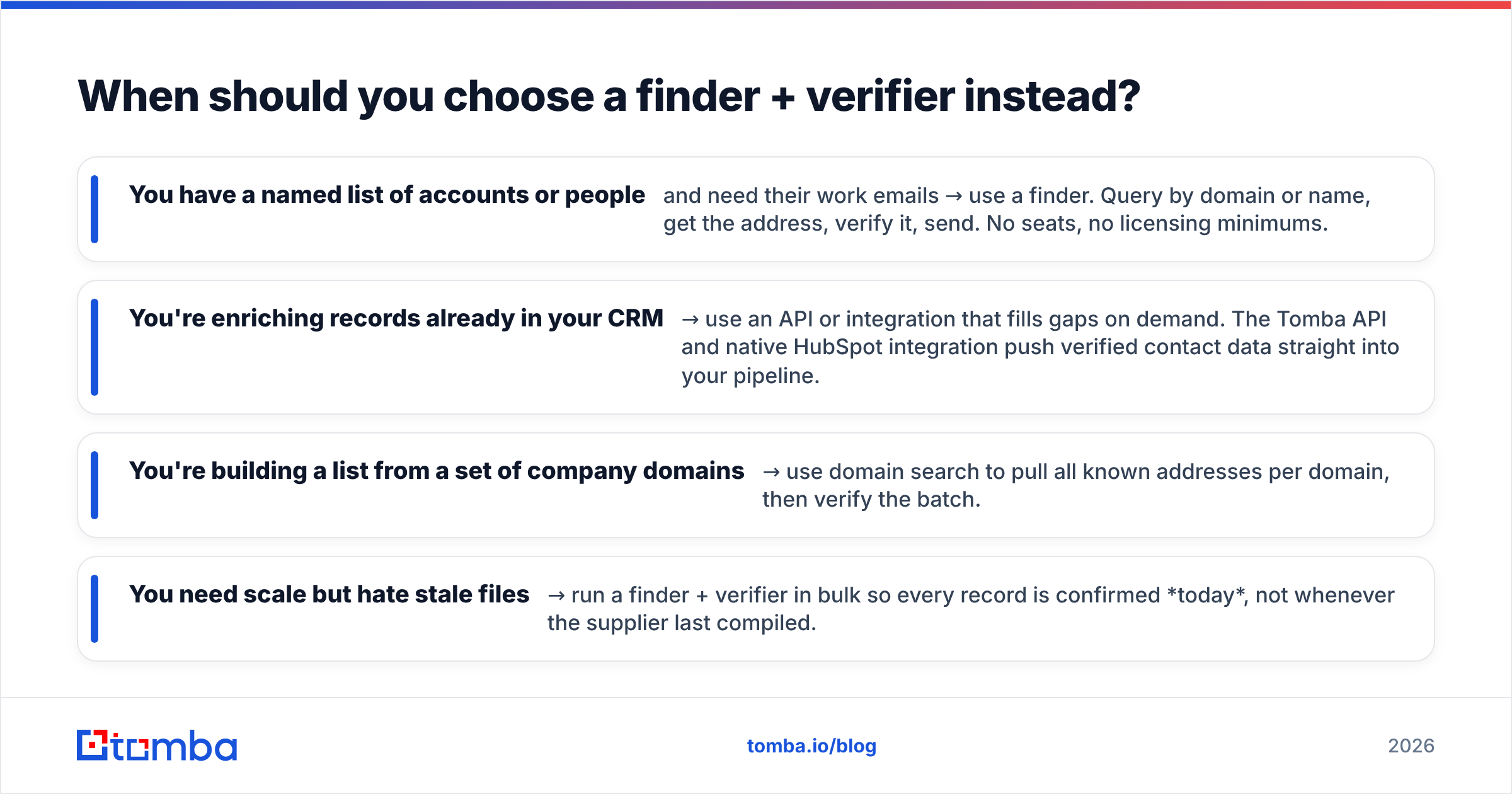
- You have a named list of accounts or people and need their work emails → use a finder. Query by domain or name, get the address, verify it, send. No seats, no licensing minimums.
- You're enriching records already in your CRM → use an API or integration that fills gaps on demand. The Tomba API and native HubSpot integration push verified contact data straight into your pipeline.
- You're building a list from a set of company domains → use domain search to pull all known addresses per domain, then verify the batch.
- You need scale but hate stale files → run a finder + verifier in bulk so every record is confirmed today, not whenever the supplier last compiled.
The difference in economics is real. With a compiled-file or per-seat model, you pay for coverage you may never touch. With a finder, you pay per result — and you only pull what you'll actually contact, which keeps cost-per-valid-contact low.
For how the major platforms stack up beyond these two, Gartner's Digital Markets research and vendor-neutral reviews on Capterra are reasonable starting points before you commit budget.
What about compliance and data sourcing?#
Compliance is non-negotiable in 2026, and the two models carry different risk profiles.
Compiled suppliers like Salutary Data live and die by their sourcing documentation. Reputable ones can tell you provenance, consent basis, and permitted-use terms in writing — and you should demand exactly that before licensing anything, especially for EU or California audiences. The upside of the licensing model is a paper trail; the downside is that you inherit whatever the supplier's sourcing assumptions were.
Self-serve platforms like Arounddeal aggregate from public profiles and contributed data. Coverage is convenient, but you carry responsibility for lawful outreach (GDPR legitimate interest, CAN-SPAM, CASL) once you act on a revealed contact. Read the platform's terms on permitted use before you scale exports.
Across both models, two practices keep you safe:
- Document where each contact came from. Tomba publishes its data sources for this reason — provenance you can show an auditor matters more than a marginally larger database.
- Verify and suppress. Clean against your suppression list and re-verify every send. This is both a deliverability and a compliance hygiene step.
So which should you actually buy?#
The honest answer: it depends on your motion, and for many readers the right answer is neither as your primary tool.
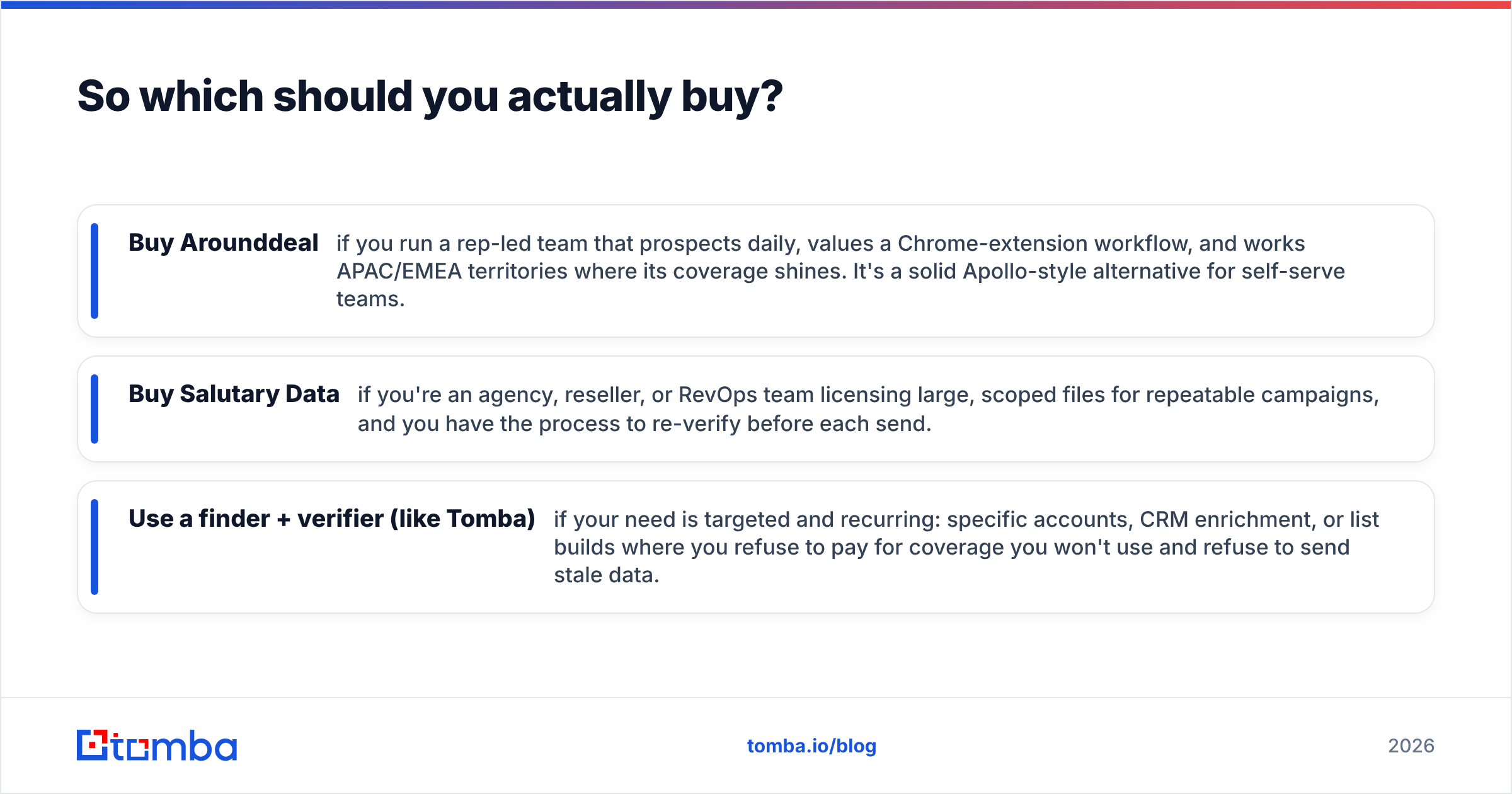
- Buy Arounddeal if you run a rep-led team that prospects daily, values a Chrome-extension workflow, and works APAC/EMEA territories where its coverage shines. It's a solid Apollo-style alternative for self-serve teams.
- Buy Salutary Data if you're an agency, reseller, or RevOps team licensing large, scoped files for repeatable campaigns, and you have the process to re-verify before each send.
- Use a finder + verifier (like Tomba) if your need is targeted and recurring: specific accounts, CRM enrichment, or list builds where you refuse to pay for coverage you won't use and refuse to send stale data.
In practice, the highest-performing teams blend these. They source breadth from a platform or a compiled file, then run everything through a verification layer immediately before sending — because the cheapest bounce is the one you never let leave the outbox.
The bottom line#
Arounddeal vs Salutary Data isn't really one-or-the-other; it's access vs files, and your buying motion decides the winner. But both share the same Achilles' heel — data decays, and unverified sends destroy deliverability and sender reputation.
That's the gap a focused finder closes. Tomba's Email Finder lets you find professional emails by domain, name, or company, then confirm them with a built-in verifier and catch-all check — pay-as-you-go, no seat minimums, no opaque licensing quote. Start on the free tier (25 searches/month), scale to Starter at $49/mo or Growth at $99/mo, and see full Tomba pricing when you're ready. Find the contact, verify it today, and send to a list you can actually trust.
// get started
Find, verify and enrich your first contacts today
Start on the free plan with 25 searches a month, then scale when your team is ready.
Free plan · No credit card required · GDPR & CCPA
// about the author