AtData vs LeadsForge (2026): B2B Data Platforms Compared
AtData brings decades of email intelligence; LeadsForge promises AI-built lists. We compare accuracy, pricing, and fit so you pick the right data engine in 2026.
You are choosing between two very different bets. AtData (formerly TowerData) is an email-first intelligence vendor with two decades of validation data behind it. LeadsForge is a newer, AI-marketed list builder that promises to assemble targeted prospect lists from a chat prompt. They sound like competitors, but they solve different halves of the same problem — and most teams pick the wrong one because the marketing blurs the line.
This guide cuts through it: what each tool actually does, where the data comes from, real pricing posture, and which workflows each one wins. Then we cover where a focused email-finding layer like Tomba fits, because in practice you will probably need verification regardless of which platform you choose.
TL;DR#
- AtData is an email validation and enrichment engine — strongest when you already have emails and need accuracy, demographic enrichment, and fraud/activity signals at scale.
- LeadsForge is an AI list-builder — strongest when you have zero list and want a quick targeted set of contacts to start outbound, with less transparency on data provenance.
- Accuracy is the dividing line: AtData's heritage is verification; LeadsForge's heritage is discovery. Neither fully replaces a dedicated email verifier before you send.
- Pricing models differ: AtData is volume/enterprise-quoted; LeadsForge leans subscription/credit. Budget predictability favors LeadsForge, depth favors AtData.
- Best practical stack: discover with a finder, verify before send, enrich for context. Tomba's email finder plus verification covers the first two cheaply.
What is AtData?#
AtData is an email intelligence company that has been operating since the early 2000s under the TowerData name. Its core competency is the email address itself: validating whether an address is real and deliverable, scoring how active and risky it is, and attaching demographic, interest, and identity attributes to it.
Think of AtData as a credit bureau for email addresses. You hand it an address, and it tells you whether the account is alive, how engaged the owner tends to be, and what you can reasonably infer about them. That positioning makes AtData popular with large email marketers, e-commerce brands, and fraud/risk teams who process millions of records and care about list hygiene and signal more than raw discovery.
What AtData is not is a prospecting tool. It does not hand you a fresh list of decision-makers at companies in your ICP. It expects you to arrive with data, and it makes that data better, cleaner, and richer.

Accuracy is the metric that matters here, and it is where AtData's long history pays off. Two decades of validation events, engagement observations, and identity graphs mean its deliverability and activity scores are battle-tested. If your problem is "I have 4 million emails and 18% of them are dead weight," AtData is built for exactly that.
What is LeadsForge?#
LeadsForge is a newer entrant pitched around AI. The promise is simple: describe the kind of prospect you want — industry, role, company size, region — and the tool assembles a list of matching contacts with emails, ready for outreach. It is sold as a fast on-ramp for founders, agencies, and SDRs who do not want to wrangle filters in a heavyweight sales database.
If AtData is a credit bureau, LeadsForge is a vending machine. You press a few buttons describing what you want, and a list drops out. That convenience is the whole value proposition, and for a cold-start team with no existing data, it is genuinely useful.
The trade-off is transparency. AI list builders typically aggregate from a mix of public sources, third-party data partners, and pattern inference. The provenance is rarely spelled out, and the accuracy varies more than a verification-first vendor. You get speed and a low entry price; you give up some certainty about where each record came from and how recently it was confirmed.

For early outbound, that can be an acceptable trade. The danger is treating an AI-generated list as send-ready without an independent verification pass. Unverified AI lists are where bounce rates and sender reputation damage come from.
AtData vs LeadsForge: how do they compare?#
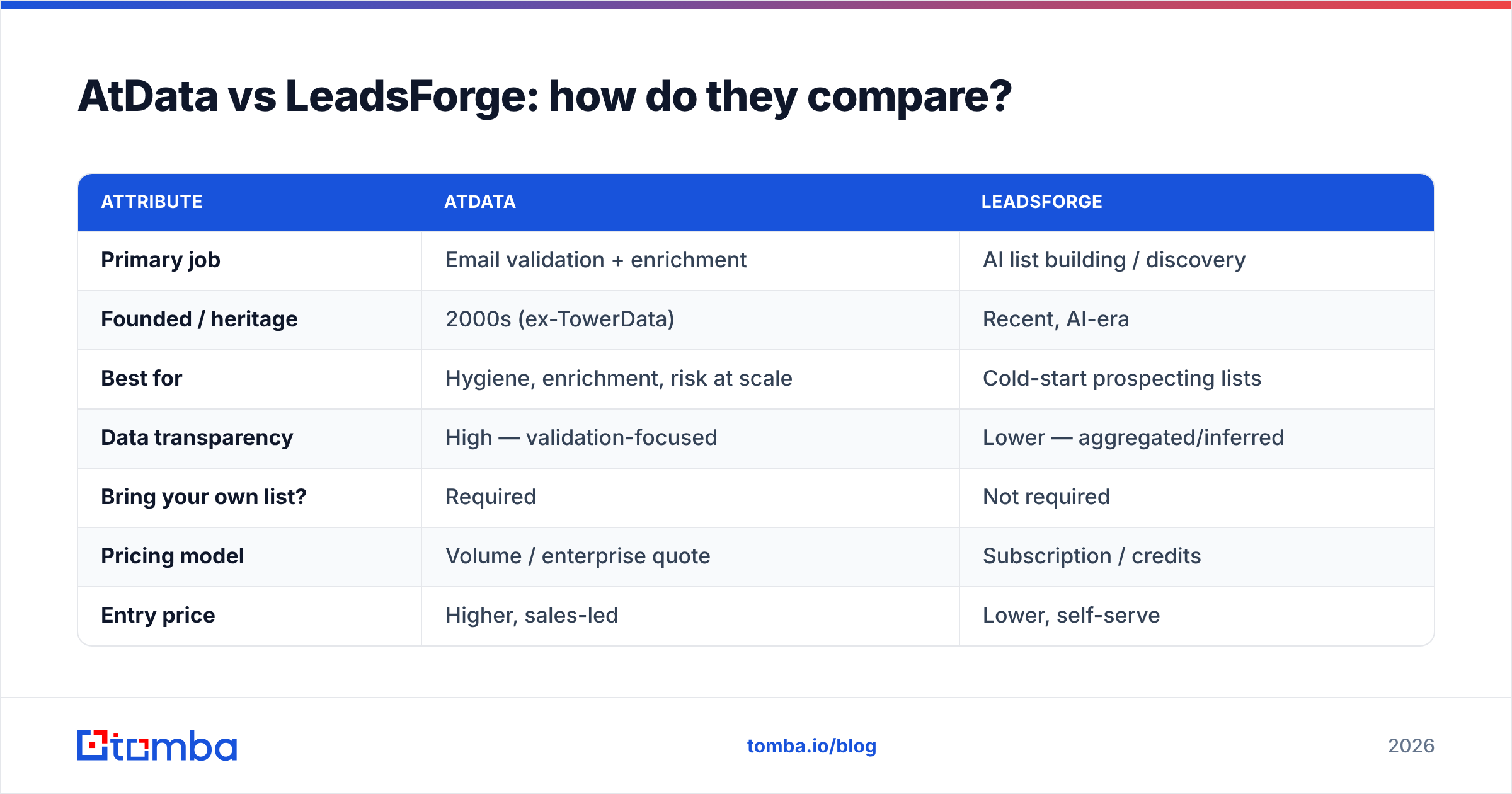
Here is the core comparison across the attributes that actually drive a buying decision. Treat the pricing rows as posture rather than exact public quotes — AtData in particular is sales-quoted by volume.
| Attribute | AtData | LeadsForge |
|---|---|---|
| Primary job | Email validation + enrichment | AI list building / discovery |
| Founded / heritage | 2000s (ex-TowerData) | Recent, AI-era |
| Best for | Hygiene, enrichment, risk at scale | Cold-start prospecting lists |
| Data transparency | High — validation-focused | Lower — aggregated/inferred |
| Bring your own list? | Required | Not required |
| Pricing model | Volume / enterprise quote | Subscription / credits |
| Entry price | Higher, sales-led | Lower, self-serve |
| Verification depth | Deep (core competency) | Shallow (discovery-first) |
| Ideal user | Email marketers, risk teams | Founders, agencies, SDRs |
| Weakness | No native prospecting | Provenance + accuracy variance |
The pattern is clear: these tools sit on opposite ends of the data lifecycle. AtData improves data you have; LeadsForge generates data you lack. Choosing between them is really a question of which problem you have first.
Which one is more accurate?#
AtData wins on raw verification accuracy, and it is not especially close. Verification is AtData's product. Its activity and deliverability scores draw on a continuous stream of validation signals, so a "valid" verdict from AtData carries real weight. For risk, fraud, and high-volume marketing hygiene, that depth is the reason to buy.
LeadsForge accuracy is harder to pin down because it depends on the underlying sources for any given query. AI list builders can return impressively complete records for well-covered industries and noticeably thinner, staler data for niche roles or smaller companies. The convenience is real; the consistency is variable.
But here is the nuance most comparisons miss: accuracy at discovery and accuracy at send time are different things. Even an AtData-clean list degrades — people change jobs, domains migrate, catch-all servers mask reality. That is why a catch-all verifier and a fresh verification pass matter regardless of which platform sourced the data.
If accuracy is your top priority and you already have lists, AtData. If accuracy matters but you also need to build the list, you will want a discovery tool plus an independent verification step — which is exactly the combination we cover below.
How much do AtData and LeadsForge cost?#
Neither vendor competes on a simple public price, but the posture is predictable.
AtData is enterprise and volume oriented. You request a quote, and pricing scales with record volume and which products (validation, enrichment, activity scores, identity) you license. This favors organizations processing large lists where per-record cost drops at scale. It is rarely the cheapest way to start, and it is overkill for a small team sending a few hundred emails a week.
LeadsForge leans on subscription tiers or credit packs, with a lower self-serve entry point. You can get moving without a sales call, which is the appeal for founders and agencies. The risk is that cheap discovery without verification creates a hidden cost downstream: bounces, spam complaints, and a damaged sending domain that takes weeks to repair.
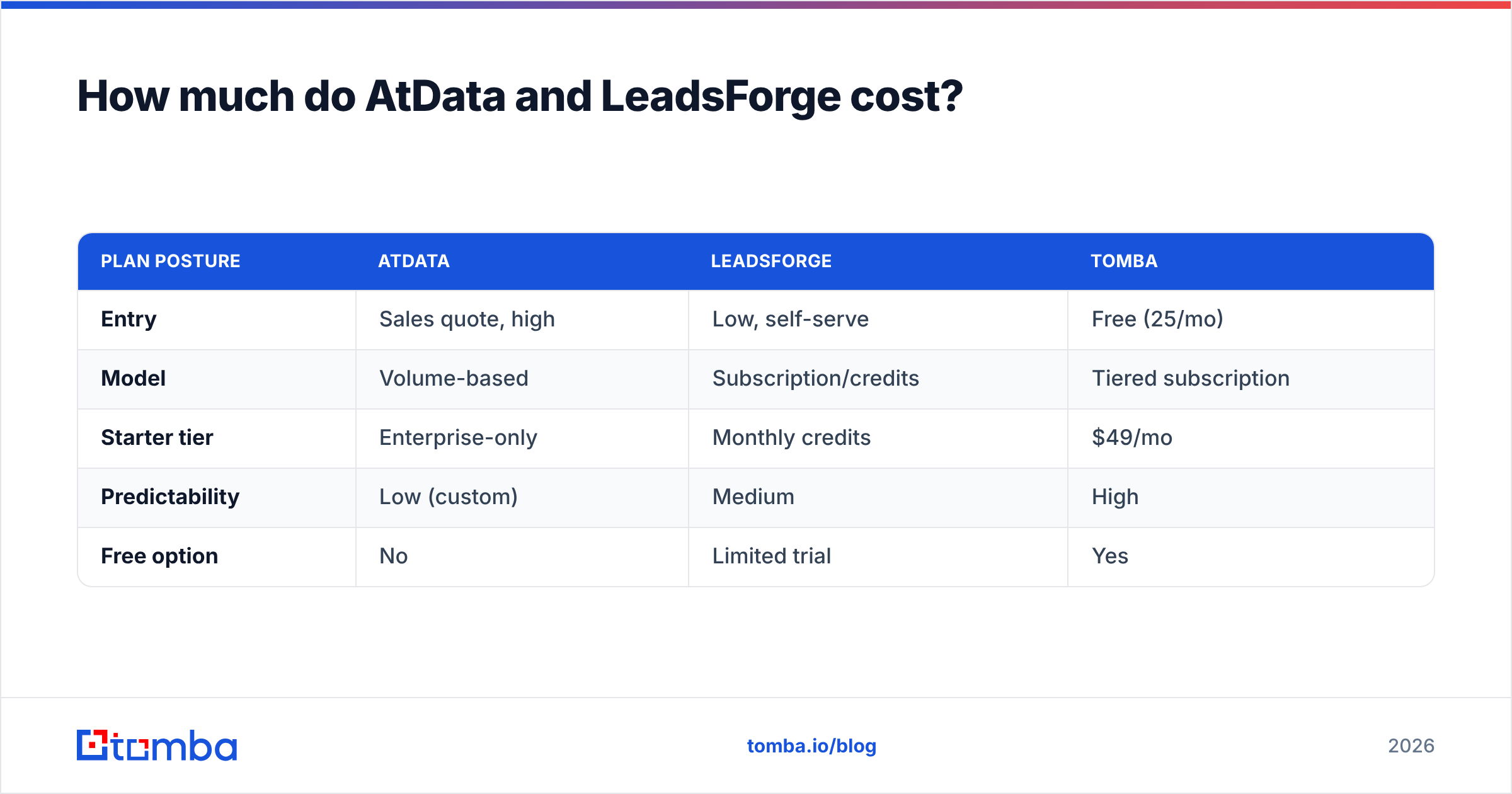
For reference, a focused finder-plus-verifier stack is dramatically cheaper than either. Tomba pricing runs a free tier (25 searches/month), Starter at $49/mo, Growth at $99/mo, and Pro at $249/mo — predictable, self-serve, and built around exactly the find-and-verify loop both AtData and LeadsForge leave partly unsolved.
| Plan posture | AtData | LeadsForge | Tomba |
|---|---|---|---|
| Entry | Sales quote, high | Low, self-serve | Free (25/mo) |
| Model | Volume-based | Subscription/credits | Tiered subscription |
| Starter tier | Enterprise-only | Monthly credits | $49/mo |
| Predictability | Low (custom) | Medium | High |
| Free option | No | Limited trial | Yes |
When should you choose AtData?#
Pick AtData when these describe you:
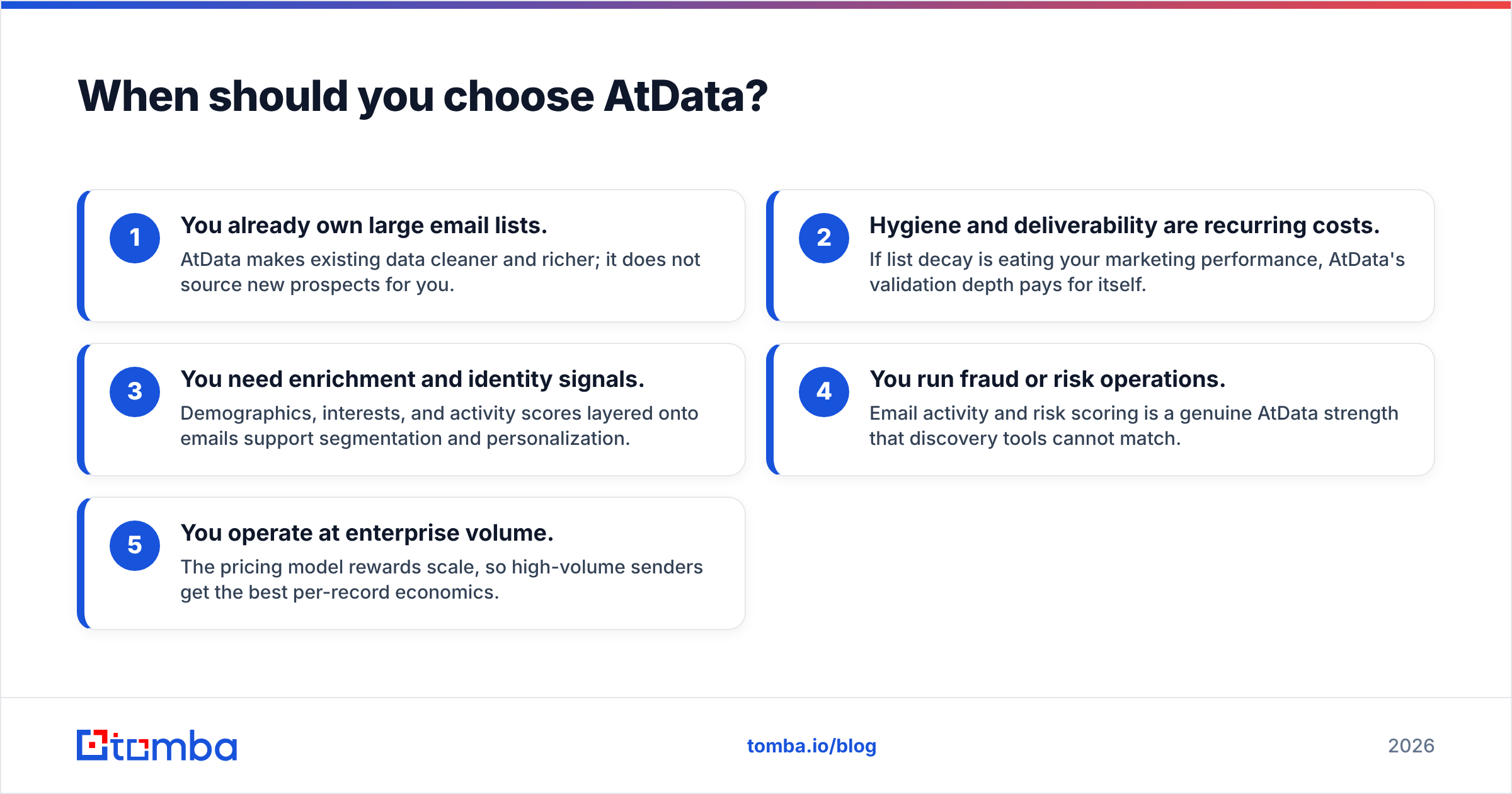
- You already own large email lists. AtData makes existing data cleaner and richer; it does not source new prospects for you.
- Hygiene and deliverability are recurring costs. If list decay is eating your marketing performance, AtData's validation depth pays for itself.
- You need enrichment and identity signals. Demographics, interests, and activity scores layered onto emails support segmentation and personalization.
- You run fraud or risk operations. Email activity and risk scoring is a genuine AtData strength that discovery tools cannot match.
- You operate at enterprise volume. The pricing model rewards scale, so high-volume senders get the best per-record economics.
If you are a five-person startup trying to land your first 100 customers, AtData is the wrong tool — not because it is bad, but because it solves a problem you do not have yet.
When should you choose LeadsForge?#
Pick LeadsForge when these describe you:
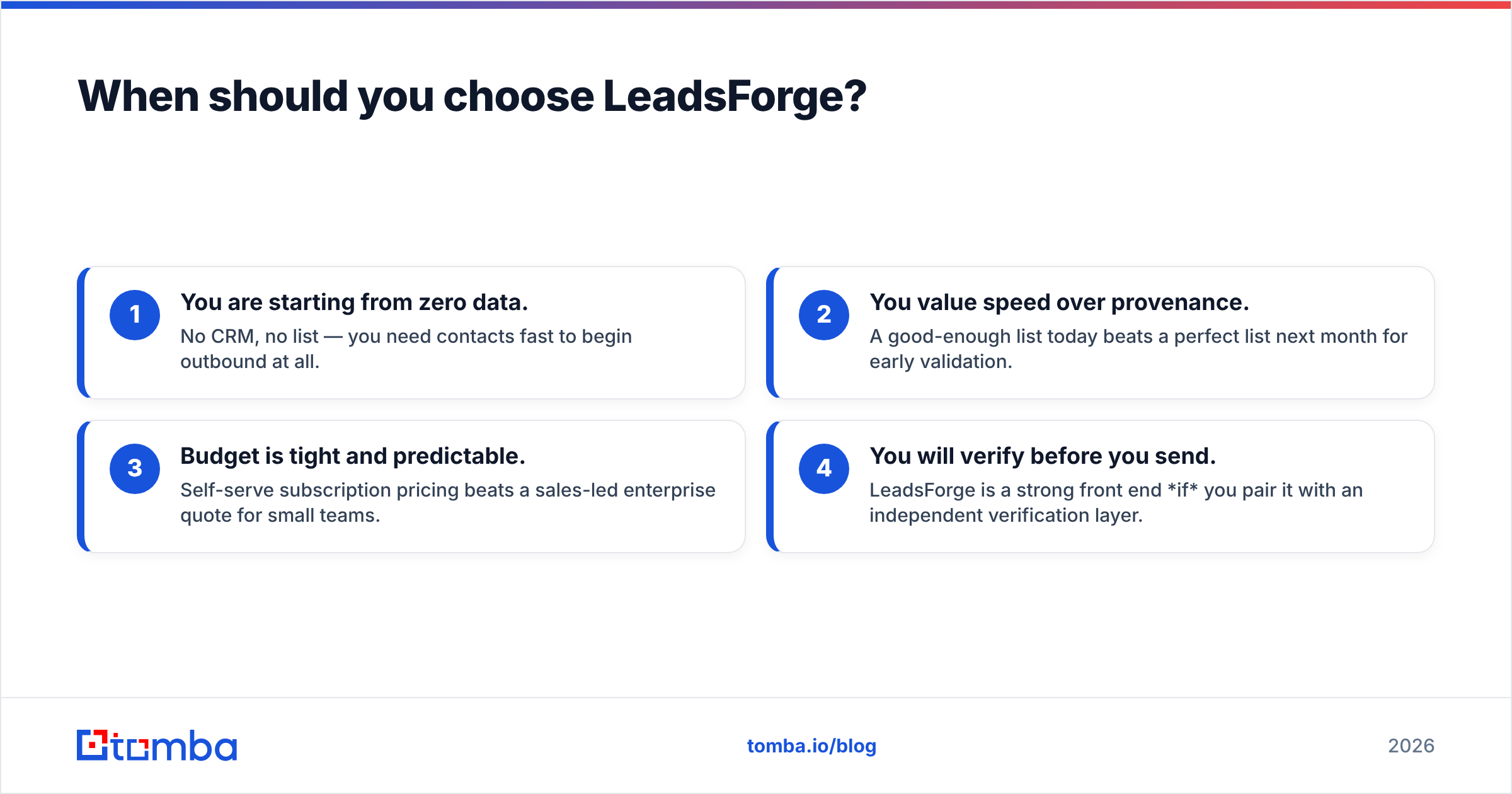
- You are starting from zero data. No CRM, no list — you need contacts fast to begin outbound at all.
- You value speed over provenance. A good-enough list today beats a perfect list next month for early validation.
- Budget is tight and predictable. Self-serve subscription pricing beats a sales-led enterprise quote for small teams.
- You will verify before you send. LeadsForge is a strong front end if you pair it with an independent verification layer.
The failure mode is using LeadsForge output raw. AI-built lists need a verification gate, full stop. Skip it and you trade a low subscription price for a high deliverability bill.
Where does Tomba fit in this comparison?#
Tomba sits in the gap both tools leave open: targeted, transparent discovery paired with verification you can trust before you hit send. Where AtData expects you to bring a list and LeadsForge hands you an opaque one, Tomba lets you find specific, current emails by name, company, or domain search and verify them in the same workflow.
The practical stack looks like this:
- Discover with the email finder or domain search when you know the companies and roles you want — no waiting on an enterprise quote, no opaque AI black box.
- Verify every address with the verifier and catch-all finder before it touches your sequence, protecting your email deliverability.
- Enrich and scale with data enrichment and the bulk email finder when you graduate from dozens of contacts to thousands.
This is not an argument that Tomba replaces AtData's enterprise-grade activity scoring or LeadsForge's chat-to-list convenience. It is that for the core, daily job of most outbound teams — get a real email for a real person and confirm it is deliverable — a focused finder is faster, cheaper, and more transparent than either heavyweight.
You can validate the difference yourself. Independent review sites like G2 and Capterra carry side-by-side user feedback on all three categories of tool, and most vendors, including HubSpot's data quality guidance, now treat verification as a mandatory step rather than an optional one.
What is the verdict for 2026?#
There is no universal winner — there is a winner for your situation:
- Have lists, need them clean and enriched? AtData. Its verification heritage and enrichment depth are hard to beat at scale.
- Have nothing, need a list fast and cheap? LeadsForge — with a non-negotiable verification step before you send.
- Need to find specific people and trust the result? A finder-plus-verifier loop. This is where Tomba is strongest and cheapest.
The honest framing is that "AtData vs LeadsForge" is often a false choice. The complete workflow is discover, verify, enrich — and few teams get all three from a single vendor. Match the tool to the stage of the data lifecycle you are actually stuck on, and do not let AI marketing talk you into skipping verification.
Start with accurate, verified emails#
If your real bottleneck is finding the right person's email and knowing it will land, start there. The Tomba Email Finder finds professional email addresses by domain, name, or company, and pairs with built-in verification so the contacts you discover are deliverable before they ever enter a sequence. Begin on the free tier with 25 searches a month, scale to Starter at $49/mo when you are ready, and add enrichment or bulk processing as your pipeline grows. Find the email, verify the email, then let AtData or LeadsForge do the specialized work they are actually built for.
// get started
Find, verify and enrich your first contacts today
Start on the free plan with 25 searches a month, then scale when your team is ready.
Free plan · No credit card required · GDPR & CCPA
// about the author