Atompark Software vs Leadsforge: 2026 Lead Tool Comparison
Atompark Software vs Leadsforge compared on pricing, data accuracy, email sending, and fit. See which lead tool wins for B2B outbound in 2026 — and where a dedicated finder beats both.
Choosing between Atompark Software and Leadsforge comes down to one question: do you need a mature bulk-email and extraction suite, or an AI-driven list builder that hands you ready-made leads? They sit on opposite ends of the lead workflow, and picking wrong wastes both budget and deliverability.
This guide breaks down what each tool actually does, where the data comes from, what you pay, and which buyer each one fits. We will also be honest about the gap both leave open — verified contact data you can trust before you hit send.
TL;DR: Atompark Software vs Leadsforge#
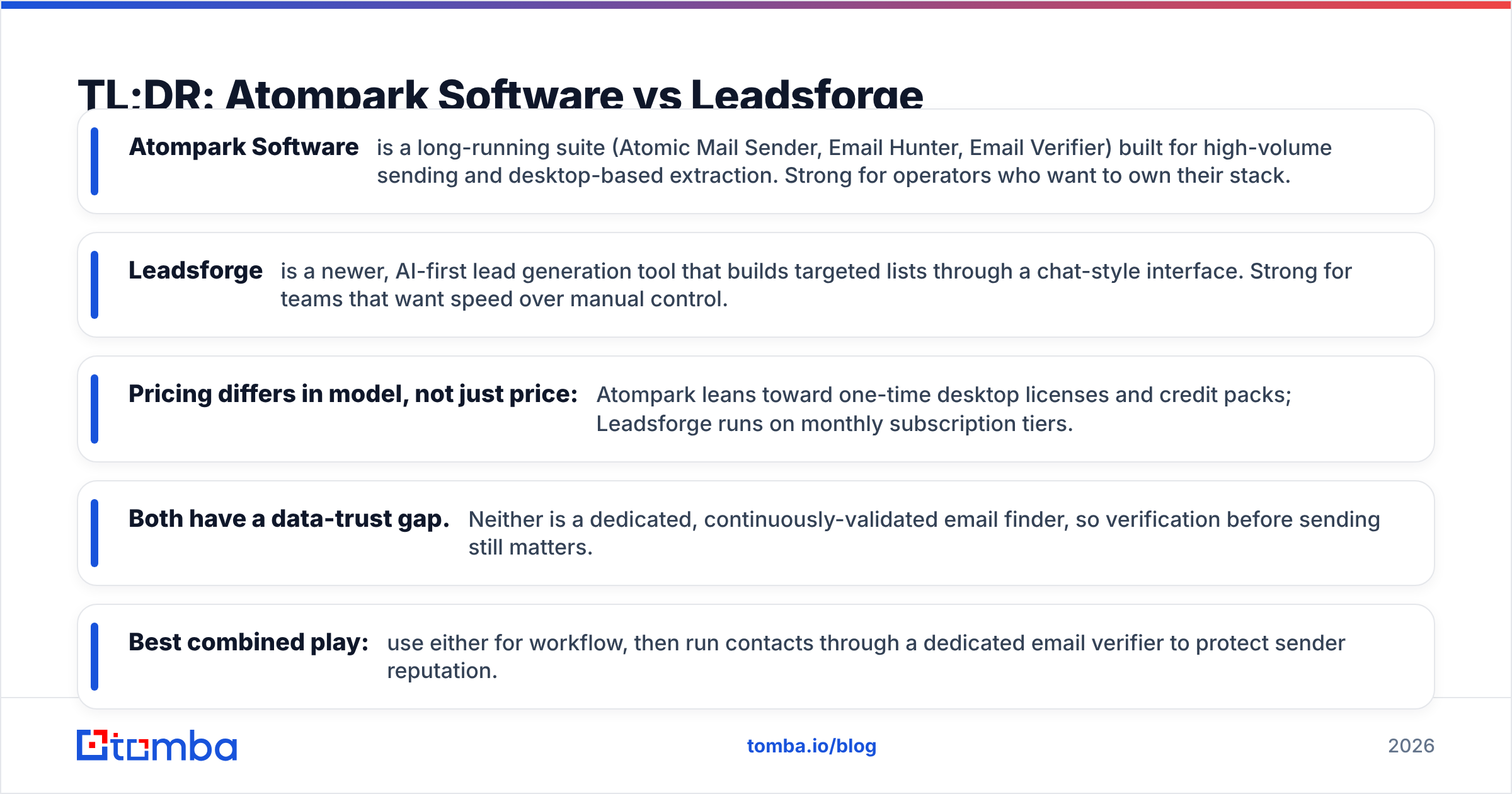
- Atompark Software is a long-running suite (Atomic Mail Sender, Email Hunter, Email Verifier) built for high-volume sending and desktop-based extraction. Strong for operators who want to own their stack.
- Leadsforge is a newer, AI-first lead generation tool that builds targeted lists through a chat-style interface. Strong for teams that want speed over manual control.
- Pricing differs in model, not just price: Atompark leans toward one-time desktop licenses and credit packs; Leadsforge runs on monthly subscription tiers.
- Both have a data-trust gap. Neither is a dedicated, continuously-validated email finder, so verification before sending still matters.
- Best combined play: use either for workflow, then run contacts through a dedicated email verifier to protect sender reputation.
What is Atompark Software?#
Atompark Software is one of the older names in email marketing tooling, known mainly for its Atomic product line. The flagship apps include Atomic Mail Sender (a desktop bulk-email client), Atomic Email Hunter (which extracts addresses from websites and search results), and Atomic Email Verifier. The company has sold these as installable Windows applications for years, which appeals to people who want software they run and control locally rather than a pure cloud subscription.
The strength here is volume and ownership. If you want to send large batches from your own infrastructure, manage lists offline, and pay once rather than monthly, Atompark fits that mental model. You can read user reviews on G2 and Capterra to see how the suite holds up in practice, and the official Atompark site lists the current app lineup.
The tradeoff is that desktop extraction and self-managed sending put deliverability squarely on you. Scraped addresses are unverified by default, and blasting an unverified list is the fastest way to torch a sending domain.
What is Leadsforge?#
Leadsforge is a newer, AI-native lead generation platform. Instead of asking you to scrape or build queries, it uses a conversational interface: you describe your ideal customer, and it returns a list of matching contacts with enriched fields. The pitch is speed — go from "I sell to HR leaders at 50-200 person SaaS companies" to a usable list in minutes, without learning a filter-heavy UI.
This positions Leadsforge closer to modern data platforms than to Atompark's desktop tooling. It is cloud-based, subscription-priced, and aimed at founders and small sales teams who would rather delegate list-building to software than run extraction jobs themselves.
The open question with any AI list builder is the same one that applies to every data vendor: where does the data come from, and how fresh is it? AI makes the interface friendlier, but it does not automatically make the underlying emails accurate. That is the part you have to test.

How do Atompark Software and Leadsforge compare?#
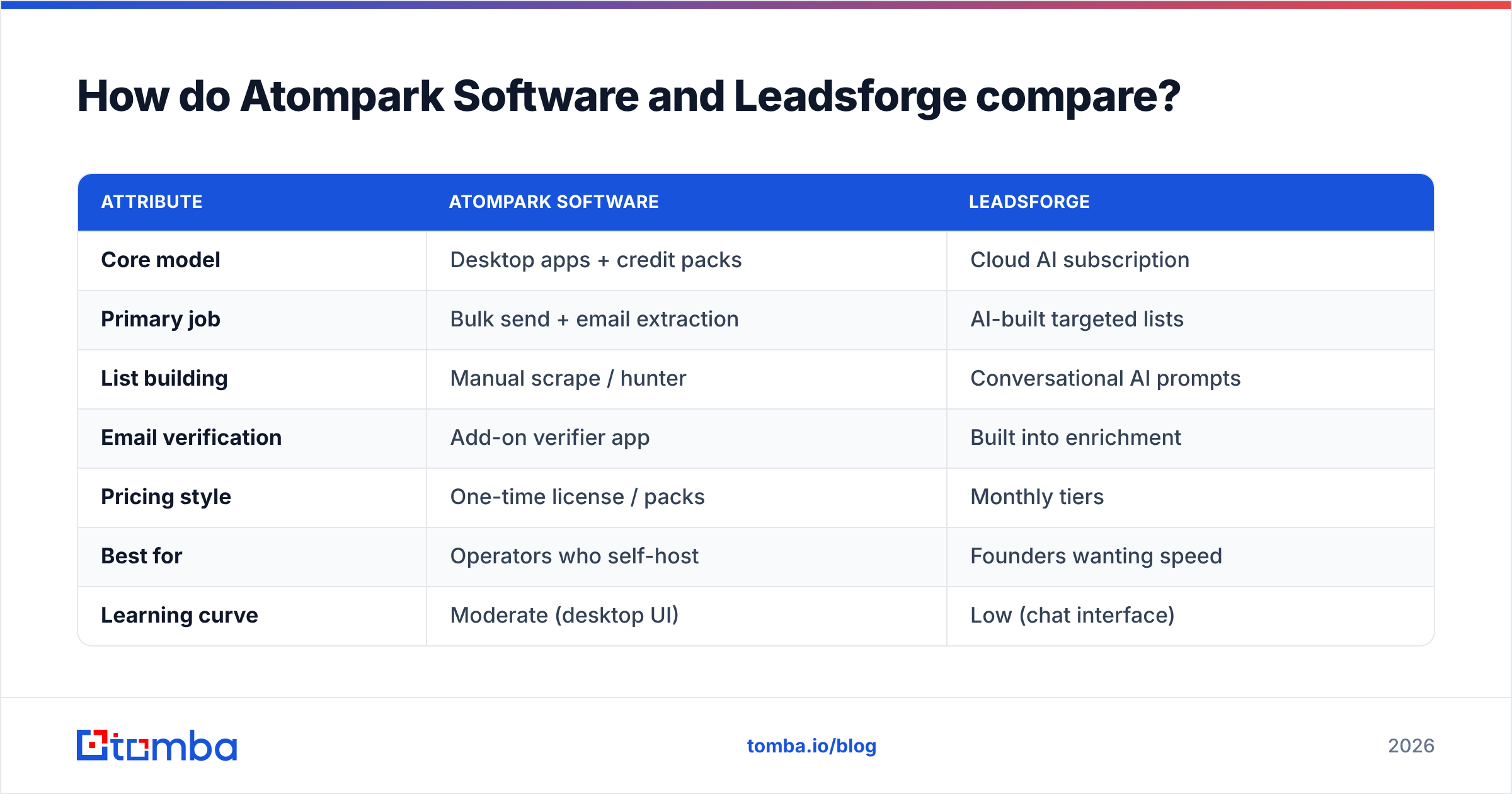
Here is the core side-by-side. Treat the data-accuracy column as the one that matters most — everything else is workflow preference.
| Attribute | Atompark Software | Leadsforge |
|---|---|---|
| Core model | Desktop apps + credit packs | Cloud AI subscription |
| Primary job | Bulk send + email extraction | AI-built targeted lists |
| List building | Manual scrape / hunter | Conversational AI prompts |
| Email verification | Add-on verifier app | Built into enrichment |
| Pricing style | One-time license / packs | Monthly tiers |
| Best for | Operators who self-host | Founders wanting speed |
| Learning curve | Moderate (desktop UI) | Low (chat interface) |
| Data freshness control | You manage it | Vendor-managed |
The split is clear. Atompark gives you control and ownership; Leadsforge gives you speed and abstraction. Neither is wrong — they answer different questions.
Which buyer does each tool fit?#
To make the choice concrete, match yourself to one of these profiles:
- The high-volume operator — You send tens of thousands of emails and want to own the sending app. Atompark's desktop model fits, provided you handle warmup and verification yourself.
- The time-poor founder — You want a list now and do not want to learn filters. Leadsforge's AI prompt flow is the faster path.
- The deliverability-conscious SDR — You care more about whether emails land than how they were gathered. Neither tool is built primarily for this; you will bolt on verification regardless.
- The agency running many clients — You need predictable per-contact costs and clean exports. Compare Atompark's credit packs against Leadsforge's seat-based tiers carefully; the cheaper headline price is not always the cheaper outcome.
- The API-first team — You want lead data inside your own systems automatically. Here, both tools can feel limiting, and a programmatic finder API often wins.
Which has better data accuracy?#
Accuracy is where comparisons get uncomfortable, because neither vendor's headline is a substitute for testing on your own segment. Atompark's Email Hunter extracts whatever is publicly visible, which means accuracy depends entirely on the source page and whether you verify afterward. Leadsforge's AI returns enriched contacts, but AI-assembled lists can still carry stale or role-based addresses that look valid and bounce on send.
The practical rule: measure bounce rate, not promises. Pull a 100-contact sample from each tool, run it through an independent verifier, and compare valid-rate and catch-all-rate. That single test tells you more than any feature page.
This is also where a dedicated finder pulls ahead. A purpose-built tool like the Tomba email finder is engineered around one job — returning a deliverable professional address with a confidence score — rather than treating data as a feature attached to sending or chat. If accuracy is your deciding factor, benchmark both Atompark and Leadsforge against a specialist before committing budget.
How does pricing compare?#
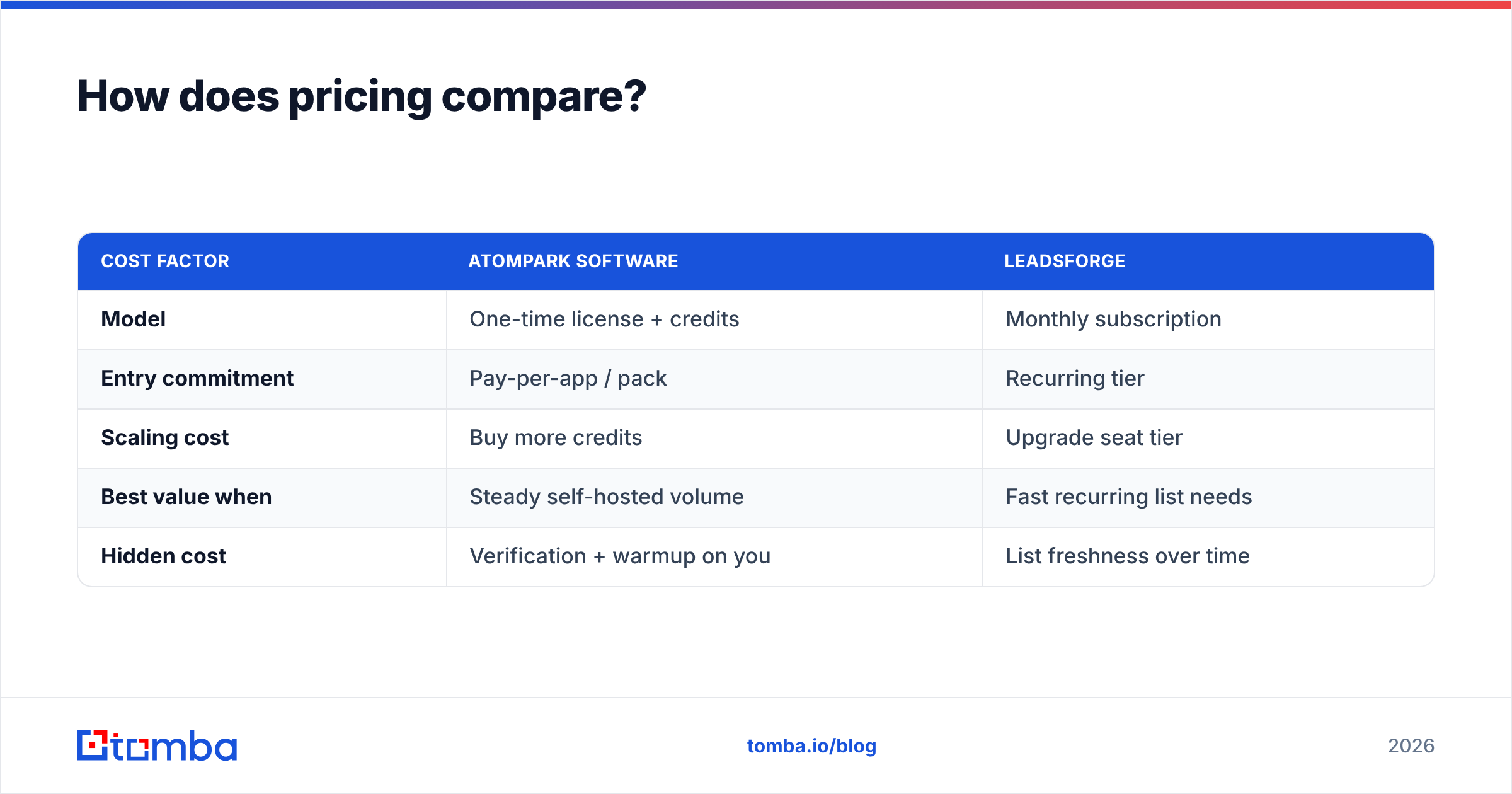
Pricing is the trickiest part of an Atompark Software vs Leadsforge decision because the two use different cost models, so a flat "X is cheaper" claim misleads.
| Cost factor | Atompark Software | Leadsforge |
|---|---|---|
| Model | One-time license + credits | Monthly subscription |
| Entry commitment | Pay-per-app / pack | Recurring tier |
| Scaling cost | Buy more credits | Upgrade seat tier |
| Best value when | Steady self-hosted volume | Fast recurring list needs |
| Hidden cost | Verification + warmup on you | List freshness over time |
Atompark's model rewards users who want to pay once and run software for a long time, plus credits for verification or hunting as needed. Leadsforge's subscription rewards teams who need continuous fresh lists and prefer an operating expense to a license purchase.
Whichever you pick, budget separately for verification. A list is only as cheap as its deliverability — every bounce is wasted send volume and a hit to sender reputation. For reference on transparent per-credit pricing, the Tomba pricing page shows a free tier of 25 searches per month, Starter at $49/mo, Growth at $99/mo, and Pro at $249/mo — useful as a baseline when you compare cost-per-verified-contact rather than cost-per-seat.
What about email sending and deliverability?#
This is the clearest functional difference. Atompark includes actual sending tools (Atomic Mail Sender), so it can be an end-to-end send-from-your-machine setup. Leadsforge focuses on producing the list and generally expects you to send through a separate sequencer or email platform.
That difference matters for deliverability planning:
- With Atompark, you control the sending engine, which also means you own warmup, throttling, SPF/DKIM, and bounce handling. Power and responsibility in equal measure.
- With Leadsforge, you plug the list into whatever sending stack you already trust, keeping data and delivery separate.
Neither approach removes the need to verify before you send. Sending from your own desktop does not make a scraped address valid, and an AI-built list does not guarantee inboxes are live. Running contacts through verification — and ideally a catch-all verifier for risky domains — is the step that actually protects your domain.
Where do both tools leave a gap?#
Both tools are competent at their core jobs and both share the same blind spot: continuously-validated, source-attributed contact data with an API you can build on.
Atompark's extraction is as good as the page it scrapes. Leadsforge's AI is as good as the dataset behind it on the day you query. In both cases, you inherit data you did not verify and cannot always trace. For one-off campaigns that may be acceptable. For a repeatable outbound motion, it is a liability.
A dedicated finder closes that gap in three ways:
- Confidence scoring on every address, so you triage before sending.
- Source visibility, so you know where a contact came from rather than trusting a black box.
- Bulk and API access, so list-building scales programmatically instead of through a desktop UI or chat box.
If you regularly build lists, the bulk email finder workflow plus verification is usually faster and cleaner than scraping or prompting, and it keeps your data trustworthy at volume. Teams that want this inside their own apps lean on the Tomba API instead of exporting CSVs by hand.
Atompark Software vs Leadsforge: which should you choose?#
Choose Atompark Software if you want to own desktop software, send high volume from your own setup, and prefer a license-plus-credits model over a subscription. You will take on more of the deliverability work, but you keep maximum control.
Choose Leadsforge if you want AI to build targeted lists fast, you prefer a clean cloud interface, and a monthly subscription suits how you budget. You trade some control and data transparency for speed.
Choose neither as your data source — and add a specialist — if accuracy is the metric you actually get measured on. Use Atompark for sending or Leadsforge for list ideas, then run every contact through dedicated finding and verification so your campaigns hit real inboxes.
The honest takeaway: this is not a one-winner fight. Atompark and Leadsforge solve workflow problems at opposite ends. The data-quality problem in the middle is the one that decides whether your outbound works, and that is the part worth investing in separately.
Final recommendation#
If you take one action from this comparison, make it this: stop treating contact data as a free byproduct of your sending tool or your AI list builder, and start treating it as the foundation it is. Run a verified sample before you trust any list at scale.
Tomba's email finder and email verifier are built around exactly that job — returning deliverable, confidence-scored professional emails with sources you can see, on a transparent free-to-Pro pricing ladder. Start on the free tier, benchmark it against whatever Atompark or Leadsforge hands you, and let the bounce rate pick the winner. Your sender reputation will thank you.
// get started
Find, verify and enrich your first contacts today
Start on the free plan with 25 searches a month, then scale when your team is ready.
Free plan · No credit card required · GDPR & CCPA
// about the author