Atompark Software vs Lusha: 2026 B2B Data Tool Comparison
Atompark Software vs Lusha go head to head in 2026 on data accuracy, pricing, and workflow fit. See which tool actually feeds your pipeline and where a third option wins.
Atompark Software and Lusha get lumped together in "lead generation tool" lists, but they solve different problems. Picking the wrong one means you either pay for contact data you can't act on, or buy bulk-email machinery when what you needed was clean, verified prospect records. This guide cuts through the overlap so you can match the tool to the job.
TL;DR — Atompark Software vs Lusha in 30 seconds#
- Atompark Software is a suite of desktop and web email-marketing tools (bulk senders, extractors, verifiers). It's built for sending volume, not for sourcing accurate B2B decision-maker data.
- Lusha is a cloud B2B contact-data platform with a Chrome extension, prized for direct dials and LinkedIn enrichment — but credits run out fast and seat pricing climbs quickly.
- They barely compete. Atompark wins on send-side automation; Lusha wins on contact discovery and enrichment inside the browser.
- Accuracy and cost-per-verified-contact are where most teams get burned — Lusha credits are pricey, Atompark's scraped data needs heavy cleaning.
- If your real goal is verified emails at a predictable price, a dedicated finder-verifier like Tomba usually beats both on cost-per-good-contact.
What is Atompark Software?#
Atompark Software is a long-running vendor (around since the early 2000s) that sells a family of email-marketing utilities. Think Atomic Mail Sender, Atomic Email Studio, Atomic Email Hunter, and a verifier. The products are mostly desktop-installed Windows apps plus some SaaS, and they're priced as one-time licenses or subscriptions per tool.
The center of gravity is sending and list-building at volume: scrape addresses from websites and search engines, load them into a sender, blast campaigns. That model made sense fifteen years ago. In 2026, scraped-and-blast workflows collide head-on with modern spam filtering, sender reputation scoring, and consent rules like GDPR and CAN-SPAM.
Atompark's strength is that it's cheap to own and gives you raw control over the send. Its weakness is everything downstream: data quality, deliverability, and the fact that "harvested" addresses are exactly what blocklists are trained to catch.

What is Lusha?#
Lusha is a modern B2B sales-intelligence platform. You install a Chrome extension, open a LinkedIn profile or company page, and Lusha surfaces work emails and direct-dial phone numbers. It also offers prospecting search, list building, and CRM enrichment for HubSpot, Salesforce, and others.
Lusha's reputation rests on direct dials — its phone coverage in North America is genuinely useful for SDRs who live on the phone. The data is community- and partner-sourced and compliance-positioned (Lusha makes a point of its data-protection certifications).
The catch is the economics. Lusha sells credits, and a single revealed contact (email + phone) can burn multiple credits. Teams routinely hit their monthly cap mid-sprint and either upgrade or wait. Per-seat pricing compounds this: a five-rep team on a mid-tier plan adds up fast.
How do Atompark Software and Lusha actually differ?#
The honest framing is that these are two different categories that marketing copy blurs together. One is a megaphone; the other is a phone book. Here's the core-concept breakdown:
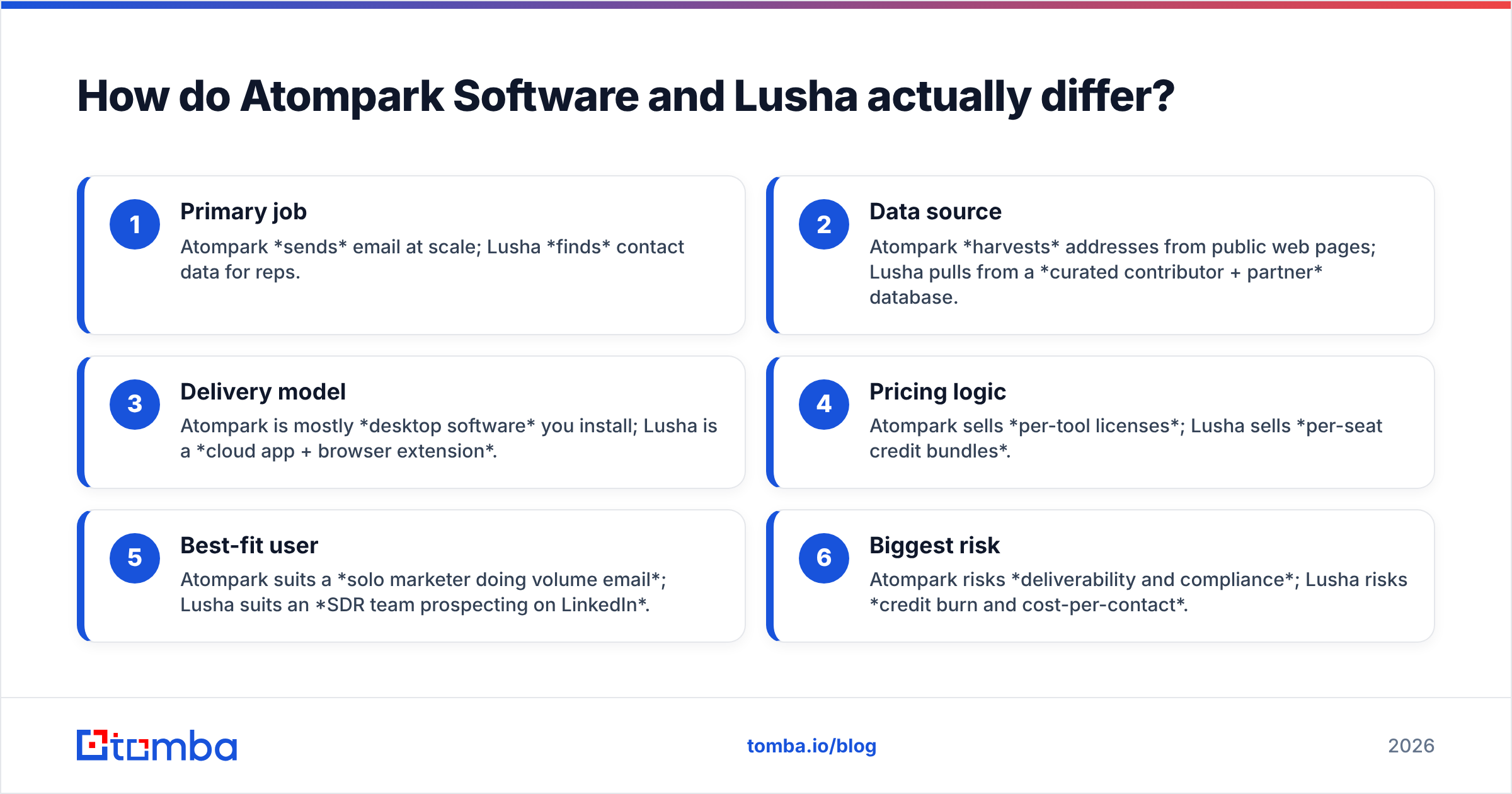
- Primary job — Atompark sends email at scale; Lusha finds contact data for reps.
- Data source — Atompark harvests addresses from public web pages; Lusha pulls from a curated contributor + partner database.
- Delivery model — Atompark is mostly desktop software you install; Lusha is a cloud app + browser extension.
- Pricing logic — Atompark sells per-tool licenses; Lusha sells per-seat credit bundles.
- Best-fit user — Atompark suits a solo marketer doing volume email; Lusha suits an SDR team prospecting on LinkedIn.
- Biggest risk — Atompark risks deliverability and compliance; Lusha risks credit burn and cost-per-contact.
If you only remember one thing: choosing between them is really choosing which half of the outbound problem you're solving. Most teams need both halves — clean data and safe sending — which is why a single-purpose accuracy tool often slots in better than either.
Which has better data accuracy?#
Accuracy is the make-or-break metric, because a bounced email damages your email deliverability and a wrong number wastes an SDR's morning.

Atompark's addresses are scraped, which means freshness is whatever was on the page when it was crawled. Role accounts (info@, sales@), stale contacts, and spam traps slip in easily, so you must run the output through a verifier before sending — Atompark sells one, but it's another step and another tool.
Lusha's data is curated and generally cleaner than raw scraping, especially for direct dials in the US. But coverage thins out for non-US regions, smaller companies, and non-sales roles, and "we found a contact" is not the same as "this email is deliverable today." Independent reviews on G2 consistently praise Lusha's phone data while flagging email hit-rate variability.
The reliable move regardless of vendor: treat finding and verifying as two jobs. Run every address through a dedicated email verifier (including a catch-all verifier for domains that accept everything) before it touches your sending domain.
Atompark Software vs Lusha vs Tomba: side-by-side#
Here's the comparison table most "vs" posts skip — adding a neutral third option so you can see the trade-offs honestly.
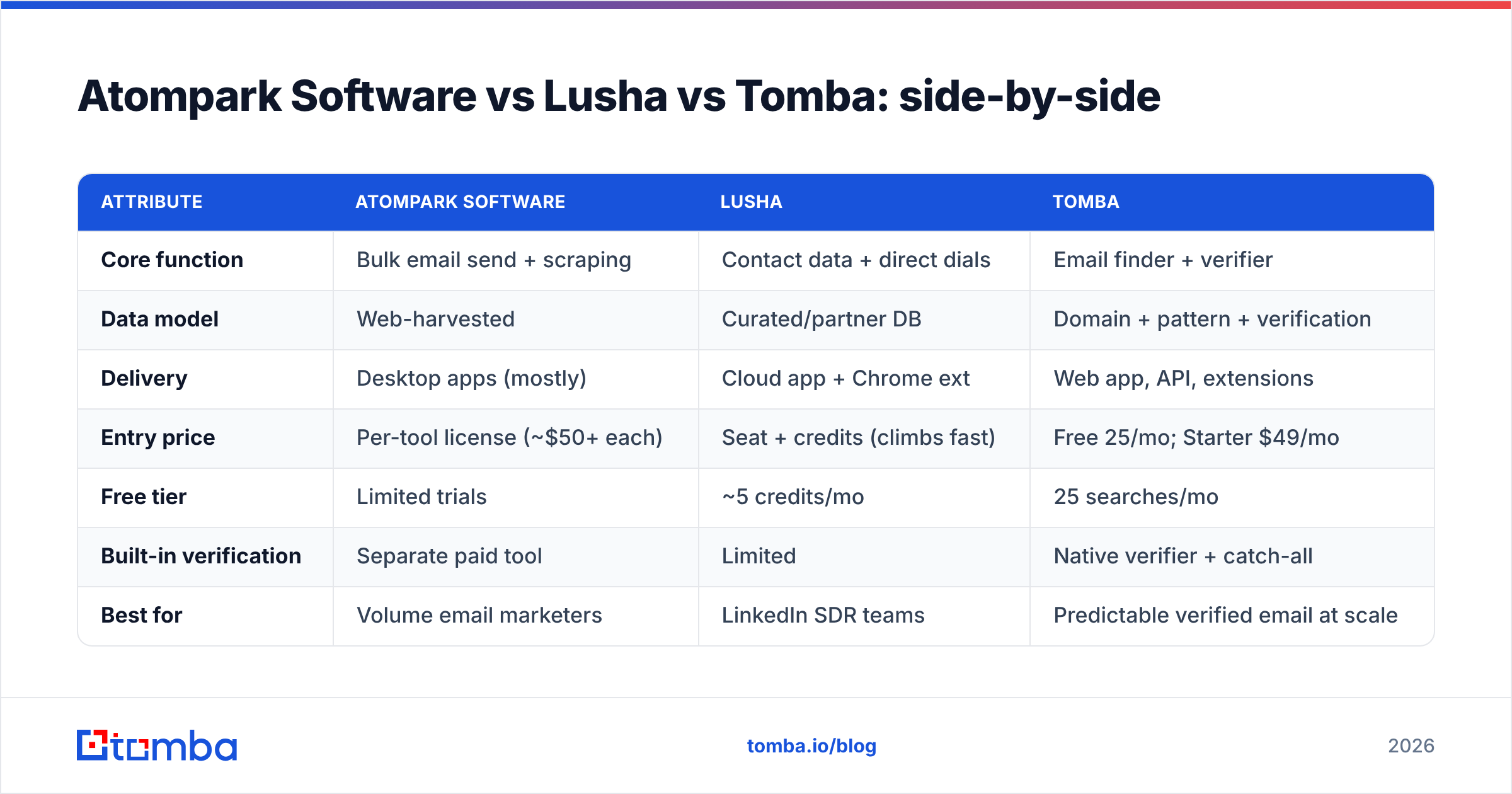
| Attribute | Atompark Software | Lusha | Tomba |
|---|---|---|---|
| Core function | Bulk email send + scraping | Contact data + direct dials | Email finder + verifier |
| Data model | Web-harvested | Curated/partner DB | Domain + pattern + verification |
| Delivery | Desktop apps (mostly) | Cloud app + Chrome ext | Web app, API, extensions |
| Entry price | Per-tool license (~$50+ each) | Seat + credits (climbs fast) | Free 25/mo; Starter $49/mo |
| Free tier | Limited trials | ~5 credits/mo | 25 searches/mo |
| Built-in verification | Separate paid tool | Limited | Native verifier + catch-all |
| Best for | Volume email marketers | LinkedIn SDR teams | Predictable verified email at scale |
| Compliance posture | User-managed (risky) | Certified, positioned strong | GDPR-aware, transparent sources |

A note on Atompark pricing: because it's sold tool-by-tool, the "cheap" headline is misleading. To replicate one modern workflow (extract → verify → send) you're buying three products. Lusha's pricing looks simple per seat until you model real credit consumption across a team.
When should you choose Atompark Software?#
Pick Atompark if all of these are true:
- You're a solo operator or tiny team running your own newsletter or transactional-style campaigns to a list you already own and have consent for.
- You prefer one-time desktop licenses over recurring SaaS.
- You're comfortable managing deliverability, warmup, and compliance yourself.
Atompark is a poor fit if you're doing cold B2B outbound to net-new prospects. Scraped lists plus a desktop blaster is the fastest route to a burned domain in 2026. If that's your use case, you want sourcing tools that respect verification and a sending platform built for warmup and response rate optimization.

When should you choose Lusha?#
Pick Lusha if:
- Your reps prospect primarily inside LinkedIn and need phone numbers as much as emails.
- You're US-focused, where Lusha's direct-dial coverage is strongest.
- Your budget tolerates per-seat credit pricing, and your monthly contact volume is predictable enough not to blow the cap.
Lusha struggles when you need high-volume email sourcing (credits make bulk expensive), international coverage outside its strong regions, or a developer workflow — its API exists but isn't the product's center of gravity. If you're enriching thousands of records or wiring data into a pipeline, the credit math turns against you. For those jobs, look at a bulk email finder or a programmatic email finder API instead.
Is there a better-value alternative to both?#
For most B2B teams whose real need is "give me verified work emails for these companies, at a price I can forecast," a dedicated finder-verifier is the cleaner buy. That's the lane Tomba sits in.
Where Tomba differs from this pair:
- Find and verify in one place. Domain search returns company addresses with pattern detection, and every result can run through native verification — no second vendor.
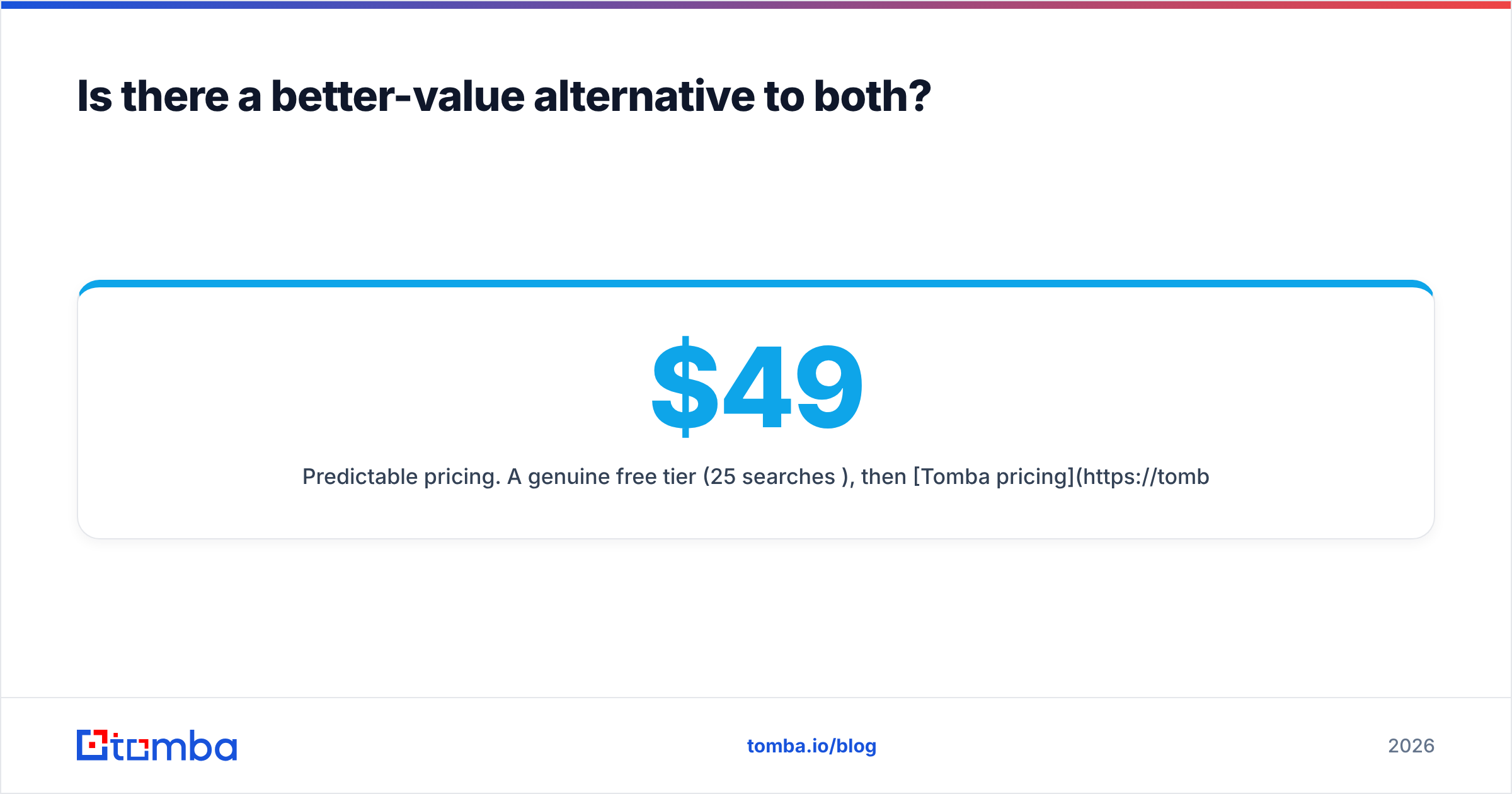
- Predictable pricing. A genuine free tier (25 searches/mo), then Tomba pricing at Starter $49/mo, Growth $99/mo, and Pro $249/mo — no per-contact credit roulette.
- Built for workflows. A real REST API, Chrome extension, Sheets and Excel add-ons, plus data enrichment for filling gaps in records you already have.
- Transparency on sources. Tomba publishes how and where it gets data, which matters for compliance reviews.
This isn't to say Tomba does everything — it doesn't send campaigns like Atompark, and its phone coverage isn't Lusha's specialty. But on the single metric most outbound teams actually optimize for — cost per verified, deliverable email — it's the more defensible default.
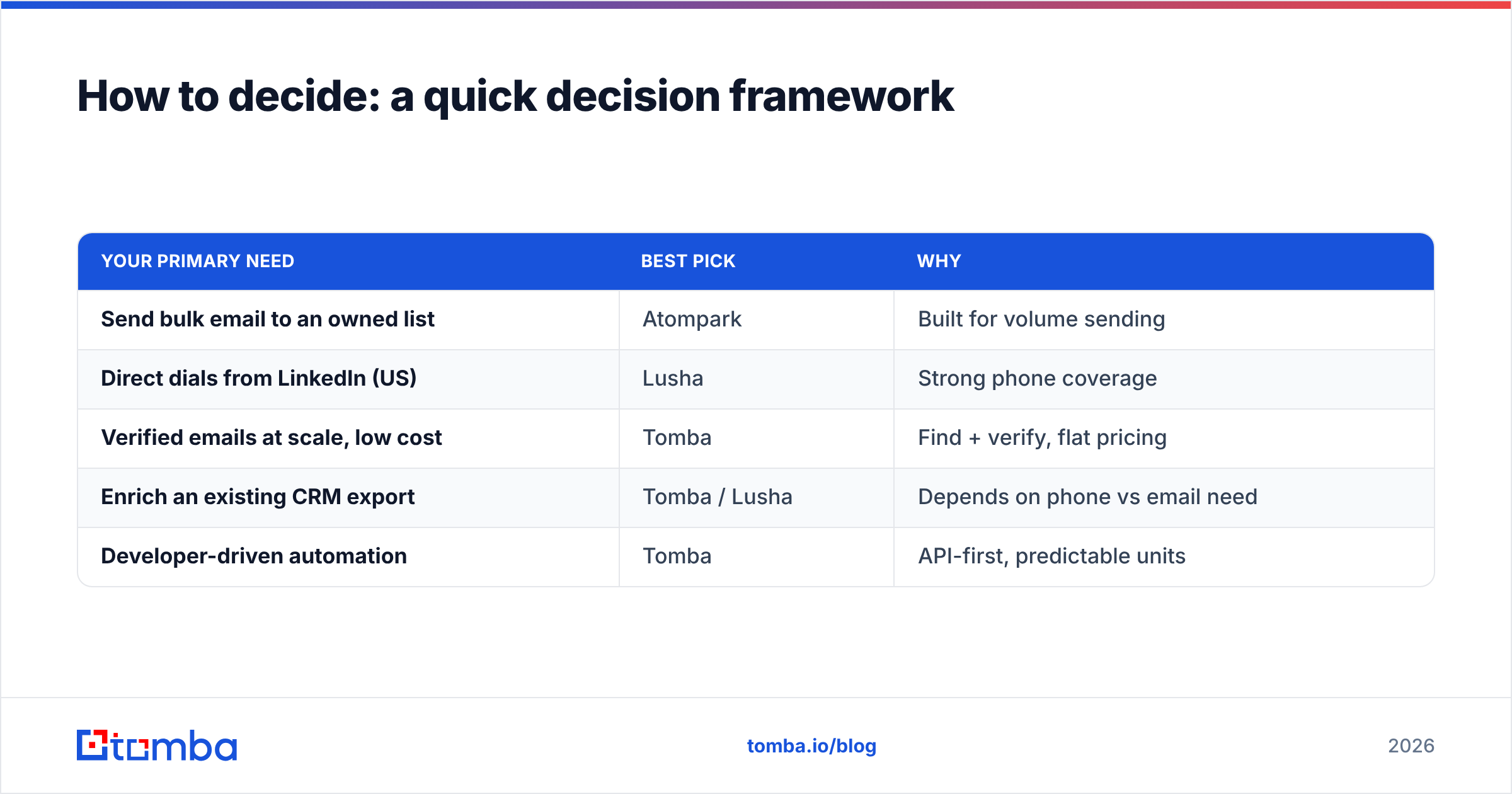
How to decide: a quick decision framework#
Match the tool to the dominant job:
| Your primary need | Best pick | Why |
|---|---|---|
| Send bulk email to an owned list | Atompark | Built for volume sending |
| Direct dials from LinkedIn (US) | Lusha | Strong phone coverage |
| Verified emails at scale, low cost | Tomba | Find + verify, flat pricing |
| Enrich an existing CRM export | Tomba / Lusha | Depends on phone vs email need |
| Developer-driven automation | Tomba | API-first, predictable units |
If you're still torn between Atompark Software vs Lusha, the tiebreaker question is simple: do you have a sending problem or a sourcing problem? Atompark answers the first, Lusha the second. If your honest answer is "I just need accurate emails I can trust," neither is the most efficient spend.
Frequently asked questions#
Is Atompark Software good for cold outreach? Not really. Its harvested lists and desktop senders predate modern spam filtering. Cold B2B outreach needs verified data and warmup-aware sending, which Atompark doesn't provide end to end.
Does Lusha give unlimited contacts? No. Lusha runs on credits, and revealing email plus phone can consume several per contact. Heavy users frequently hit caps and need to upgrade.
Can I use a finder and a verifier together? Yes, and you should. Find addresses, then run them through verification (and a catch-all check) before sending. Tools like Tomba combine both, which removes a vendor and a step.
The bottom line#
Atompark Software and Lusha aren't really rivals — one sends, one sources. Choose Atompark only if you're running owned-list email campaigns and want desktop control. Choose Lusha if direct dials inside LinkedIn drive your pipeline and the credit economics work for your team. But if what you actually need is accurate, verified B2B emails at a price you can plan around, skip the false choice.
Start free with the Tomba Email Finder — 25 searches a month at no cost, find-and-verify in one workflow, and an API ready when you scale. It's the lowest-risk way to see your real cost per deliverable contact before you commit a budget to either Atompark or Lusha.
// get started
Find, verify and enrich your first contacts today
Start on the free plan with 25 searches a month, then scale when your team is ready.
Free plan · No credit card required · GDPR & CCPA
// about the author