Automated Appointment Setting in 2026: The Full Playbook
Automated appointment setting turns scattered outreach into a booked-calendar machine. Here's how the workflow, tools, and data fit together in 2026.
TL;DR
- Automated appointment setting uses software to handle the repetitive parts of booking sales meetings — sourcing contacts, sending sequenced outreach, qualifying replies, and scheduling — so reps only join calls that are real.
- The single biggest failure point is bad contact data. Bounced emails and dead numbers wreck deliverability before a meeting can ever be booked.
- A working stack has four layers: a data layer (find + verify contacts), an outreach layer (multichannel sequences), a scheduling layer (calendar booking), and a CRM layer (sync + reporting).
- You can automate 80% of the busywork, but the qualification logic and the message itself still need a human's judgment.
- Start by fixing your list quality with a tool like the Tomba Email Finder, then layer sequencing and scheduling on top.
What is automated appointment setting?#
Automated appointment setting is the practice of using software to run the meeting-booking pipeline that an SDR used to run by hand. Think of it like a restaurant's reservation system: instead of a host manually calling every guest to confirm a table, the system collects requests, checks availability, sends reminders, and only flags the host when a human decision is actually needed.
In a B2B context, that pipeline moves a prospect from "name on a list" to "meeting on a calendar." Traditionally an SDR did all of it: pull contacts, write emails, follow up five times, chase replies, and negotiate a time slot over three back-and-forth messages. Automation collapses the mechanical steps into a workflow that runs whether or not anyone is at their desk.
The goal is not to remove the human. It is to remove the 90% of the job that is copy-paste, scheduling Tetris, and data hygiene — so the rep spends their hours on conversations and the actual call.
How does automated appointment setting actually work?#
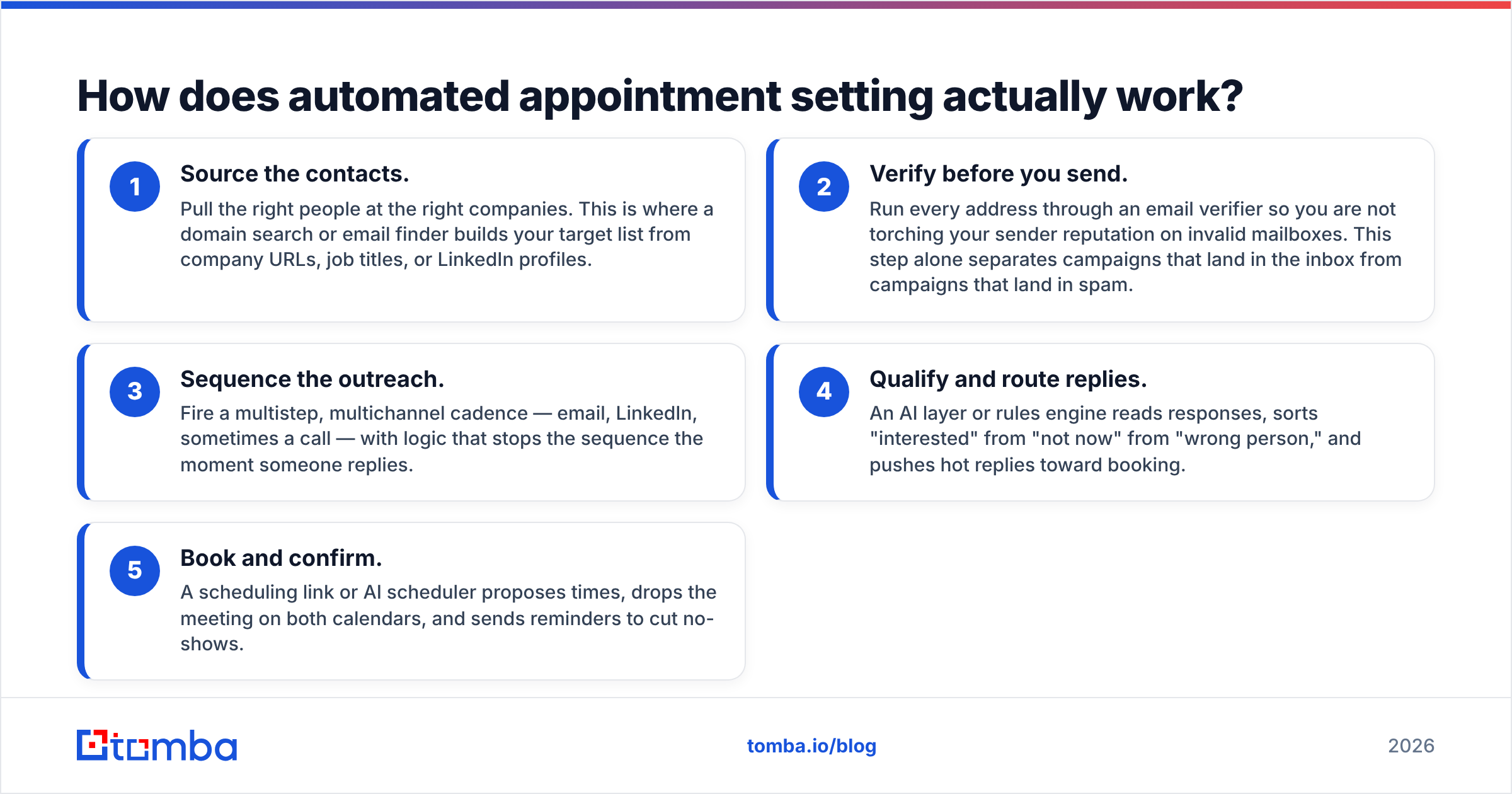
The workflow runs in five stages, and each one hands clean output to the next. Skip a stage and the whole chain degrades.
- Source the contacts. Pull the right people at the right companies. This is where a domain search or email finder builds your target list from company URLs, job titles, or LinkedIn profiles.
- Verify before you send. Run every address through an email verifier so you are not torching your sender reputation on invalid mailboxes. This step alone separates campaigns that land in the inbox from campaigns that land in spam.
- Sequence the outreach. Fire a multistep, multichannel cadence — email, LinkedIn, sometimes a call — with logic that stops the sequence the moment someone replies.
- Qualify and route replies. An AI layer or rules engine reads responses, sorts "interested" from "not now" from "wrong person," and pushes hot replies toward booking.
- Book and confirm. A scheduling link or AI scheduler proposes times, drops the meeting on both calendars, and sends reminders to cut no-shows.
The thing teams underrate is stage two. You can have the slickest sequencing tool on the market, but if 30% of your list bounces, mailbox providers throttle you, your good emails stop landing, and the funnel dries up. Clean data is the foundation, not a nice-to-have. That is also why data accuracy matters more than the number of contacts a database claims to have.
What does an automated appointment setting stack look like?#
There is no single product that does everything well. The realistic approach is a stack of best-in-class layers that talk to each other. Here is how the four layers break down and what each is responsible for.
| Layer | Job | Example tooling | What breaks without it |
|---|---|---|---|
| Data | Find + verify contacts | Tomba, |
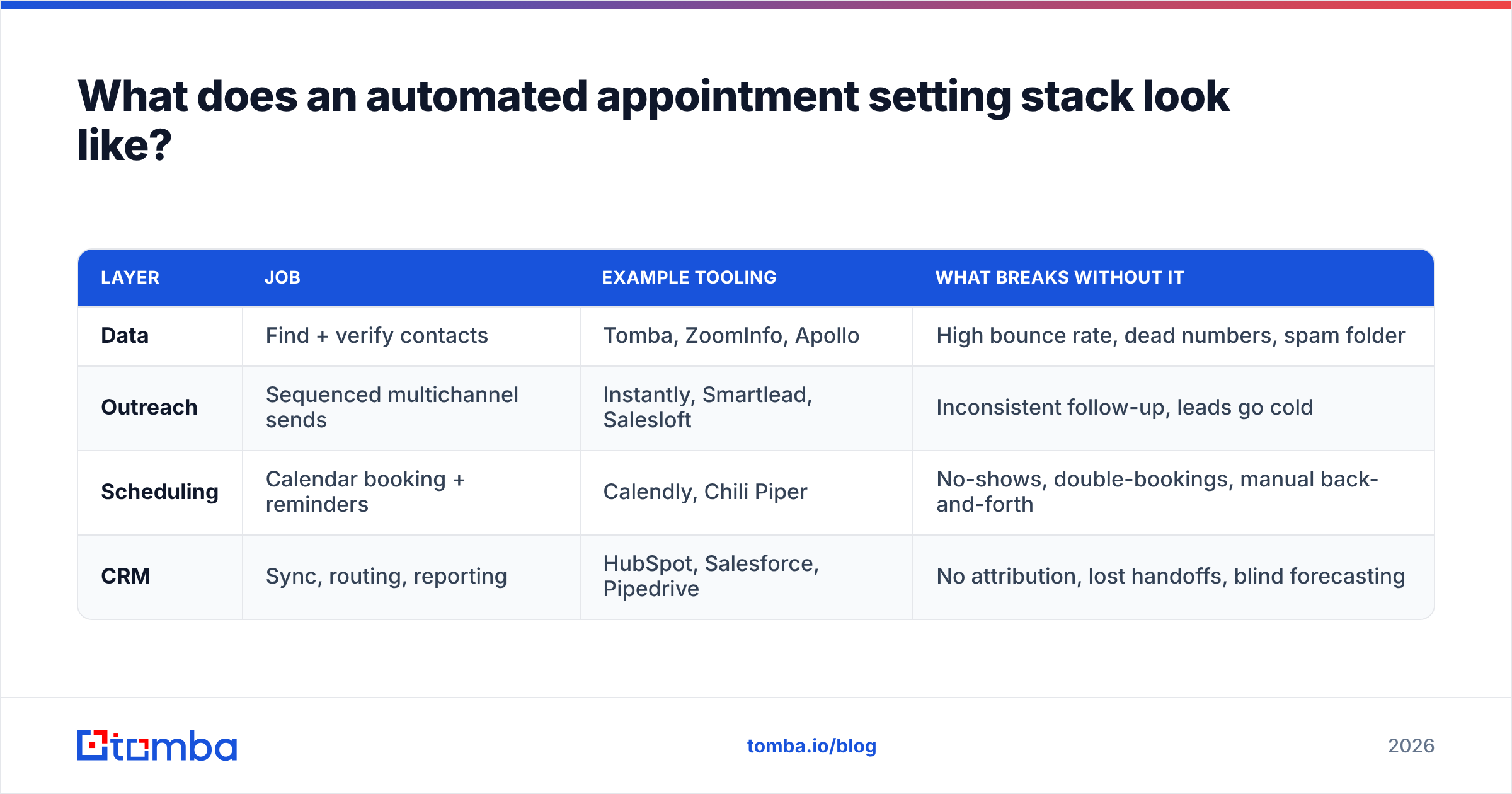
ZoomInfo, Apollo | High bounce rate, dead numbers, spam folder | | Outreach | Sequenced multichannel sends | Instantly, Smartlead, Salesloft | Inconsistent follow-up, leads go cold | | Scheduling | Calendar booking + reminders | Calendly, Chili Piper | No-shows, double-bookings, manual back-and-forth | | CRM | Sync, routing, reporting | HubSpot, Salesforce, Pipedrive | No attribution, lost handoffs, blind forecasting |
A few notes on the table. The data layer is the one teams try to cut to save money, and it is the one that quietly kills the other three. The outreach layer is where most "appointment setting tools" market themselves, but they all assume your list is already clean. The scheduling layer is the cheapest to add and has the fastest payback because no-shows are pure waste. And the CRM layer is what turns booked meetings into a forecast your VP actually trusts.
If you are evaluating an all-in-one platform that bundles these, read the fine print on data freshness. Bundled databases are often the weakest part of the suite, which is why many teams run a dedicated finder and verifier alongside their sequencer. You can connect them through native integrations or a Zapier flow rather than living inside one walled garden.
Is automated appointment setting better than human SDRs?#
It is not a replacement — it is a multiplier. The right framing is: automation handles volume and consistency, humans handle judgment and rapport.
Here is the honest split of what each side does well:
- Automation wins on: never forgetting a follow-up, sending at scale, working nights and weekends, instant reply routing, and removing scheduling friction.
- Humans win on: reading nuance in a hesitant reply, handling a curveball objection, building genuine rapport, and deciding whether a lead is actually a fit versus just polite.
A study from HubSpot's research on sales consistently shows that speed-to-lead and persistent follow-up are top predictors of conversion — both of which are exactly what software does better than a tired human at 5pm on a Friday. But the moment a prospect writes something off-script, you want a person, not a bot pretending to be one.

The teams that get this wrong try to fully automate the conversation and end up with robotic threads that prospects can smell from a mile away. The teams that get it right automate the plumbing and keep the human on the parts that need a human. Your response rate tells you which camp you are in.
What metrics tell you it's working?#
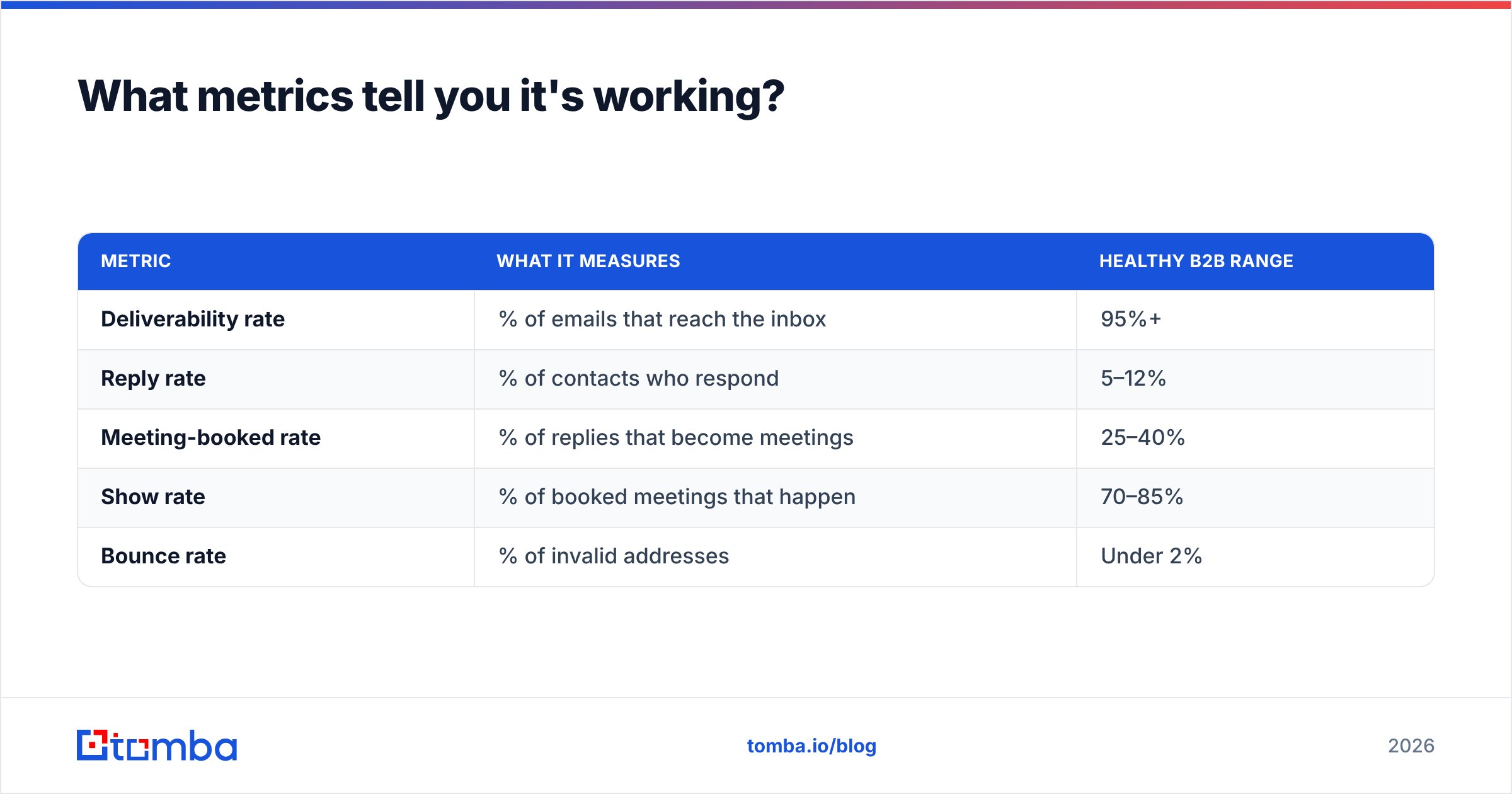
Vanity metrics like "emails sent" mean nothing here. Track the chain that actually leads to revenue:
| Metric | What it measures | Healthy B2B range |
|---|---|---|
| Deliverability rate | % of emails that reach the inbox | 95%+ |
| Reply rate | % of contacts who respond | 5–12% |
| Meeting-booked rate | % of replies that become meetings | 25–40% |
| Show rate | % of booked meetings that happen | 70–85% |
| Bounce rate | % of invalid addresses | Under 2% |
The numbers feed each other. Push bounce rate above 3–4% and deliverability collapses, which drags every downstream metric with it. This is the mechanical reason data quality sits at the top of the funnel: it is the only lever that touches every other metric at once. Tools like the email verifier exist specifically to keep that bounce number under control before a campaign ever launches.
For deeper benchmarks on inbox placement, the documentation on email deliverability and sender reputation is worth keeping open while you tune sequences.
How do you set it up without wrecking your domain?#
Speed is the trap. Spinning up a 2,000-send-a-day automated machine on a cold domain is the fastest way to get blacklisted. Build it in this order:
- Warm the sending infrastructure first. Use dedicated sending domains, set up SPF, DKIM, and DMARC, and ramp volume gradually over two to four weeks.
- Build a clean, targeted list. Smaller and verified beats large and noisy every time. Use a bulk email finder to source at scale, then verify the whole batch.
- Write sequences that read like a human wrote them. Short, specific, one ask. Automation should send human-sounding messages, not template sludge.
- Add the scheduling layer. A single booking link in the right message removes the most friction for the smallest effort.
- Connect your CRM last. Once meetings flow, pipe them into HubSpot, Salesforce, or Pipedrive so attribution and handoff are clean.
The order matters because each step protects the next. A clean list protects your warmed domain. A human-sounding sequence protects your reply rate. And a connected CRM protects your reporting so you can actually prove the machine works.
One more guardrail: keep a human reviewing reply routing for the first few weeks. AI qualification is good, but early on it mislabels edge cases, and a misrouted "yes" is an expensive miss.
What are the common ways automated appointment setting fails?#
Most failures trace back to one of four causes:
- Dirty data. The number one killer. Unverified lists bounce, spam filters trigger, and deliverability tanks. Fix it at the source with verification, not after the damage is done.
- Over-automation of the conversation. Bots trying to sound human in a back-and-forth almost always backfire. Automate the cadence, not the dialogue.
- No warm-up. Blasting volume on a fresh domain gets you flagged in days.
- Broken handoffs. A meeting booked but never synced to the CRM, or routed to the wrong rep, is a lead you paid to generate and then dropped.
Notice that two of the four are data problems. That is not a coincidence — it is the structural weak point of the entire model. If you only fix one thing, fix your contact accuracy first.
Frequently asked questions#
Can automated appointment setting work for small teams? Yes — it is arguably more valuable for small teams, because one or two reps cannot manually run the volume that software handles. Start lean with a verified list, one sequencer, and a booking link.
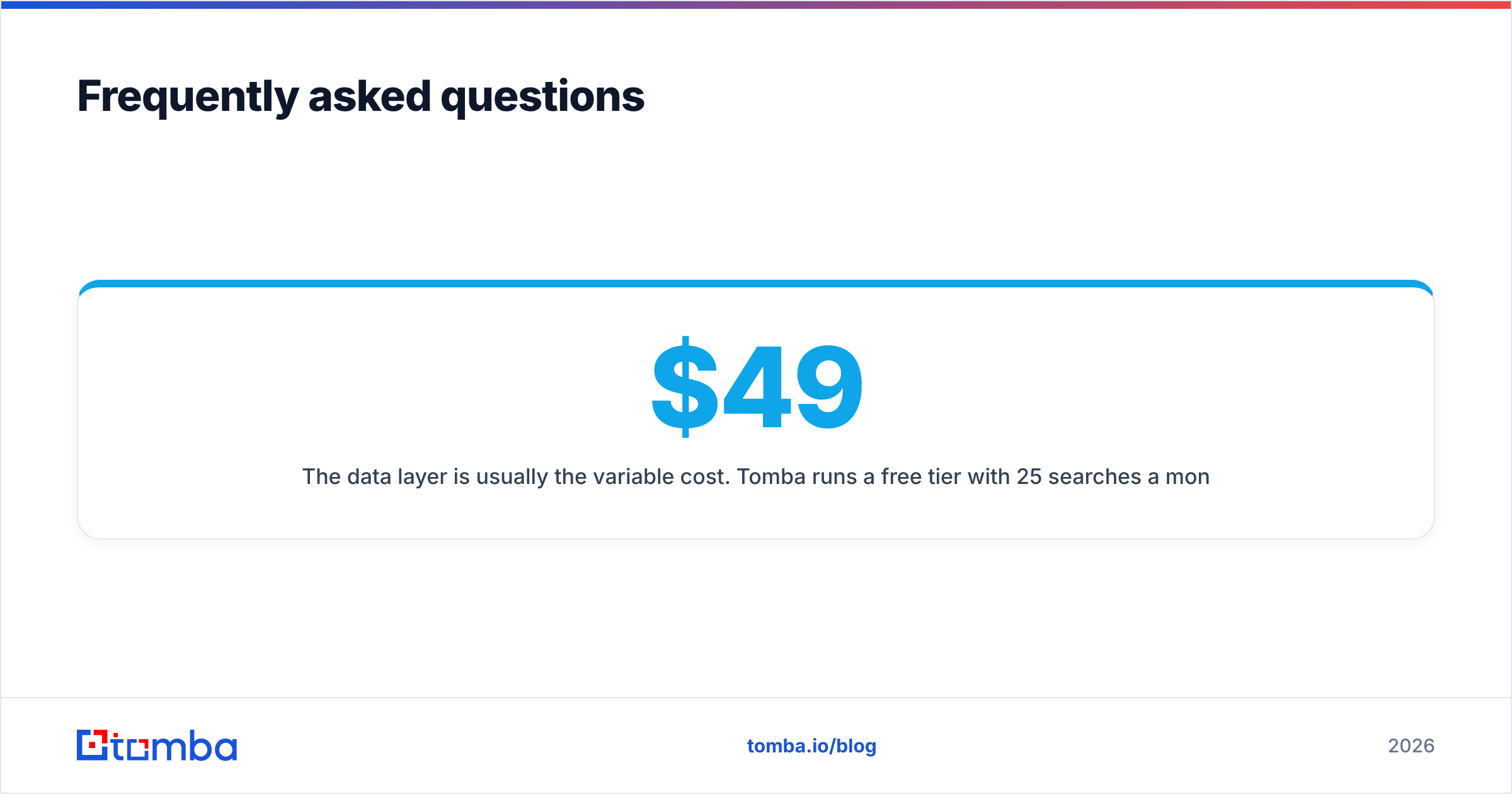
How much does a stack like this cost? The data layer is usually the variable cost. Tomba runs a free tier with 25 searches a month, then paid plans from $49/mo Starter, $99/mo Growth, and $249/mo Pro. Sequencers and schedulers add their own per-seat pricing on top.
Does automation hurt deliverability? Only if you skip verification and warm-up. Done right, automation improves consistency, which mailbox providers reward. Done wrong, it is the fastest path to the spam folder.
Is AI appointment setting the same thing? AI is one layer of the modern stack — it powers reply qualification and time-slot negotiation. But "automated appointment setting" is the whole workflow; AI is the part that reads and routes.
Where to start#
Conclusion first: fix your data layer before you spend a dollar on sequencing. Every other metric in your funnel — deliverability, reply rate, show rate — sits downstream of contact accuracy, and no amount of clever automation compensates for a list that bounces.
If you are building or rebuilding an automated appointment setting motion in 2026, start by sourcing and verifying your target contacts with the Tomba Email Finder. Pull clean, role-targeted addresses by domain, name, or company, run them through verification, and hand a list you can trust to whatever sequencer and scheduler you bolt on next. A booked calendar is built on good data — start there, and the rest of the stack actually works.
// get started
Find, verify and enrich your first contacts today
Start on the free plan with 25 searches a month, then scale when your team is ready.
Free plan · No credit card required · GDPR & CCPA
// about the author