Automated Champion Tracking: The 2026 RevOps Playbook
When a champion changes jobs, your deal goes cold overnight. Automated champion tracking catches the move early so you can re-engage before the deal dies.
TL;DR
- A champion is the internal advocate who sells your deal when you are not in the room. Lose track of them and your pipeline quietly rots.
- Automated champion tracking monitors job changes, role moves, and engagement drops across your buying group, then alerts you the moment a champion shifts.
- The biggest deal-killer is a silent champion departure: 30%+ of B2B contacts change roles every year, and most reps find out months too late.
- A working system needs three layers: a clean contact record, an enrichment/signal feed, and a CRM trigger that turns a signal into a task.
- When a champion moves, the fastest play is to find their new work email and re-open the relationship before a competitor does.
What is automated champion tracking?#
Automated champion tracking is the practice of continuously monitoring your key deal advocates — your champions — for the signals that predict a deal stalling, and acting on those signals without manual checking.
Think of it like a smoke detector for your pipeline. You do not walk through your house every hour sniffing for fire. You install a sensor that watches around the clock and screams the second something changes. Champion tracking does the same for your revenue: instead of a rep manually re-checking 200 contacts every quarter, software watches for the one event that matters — a job change, a title shift, a sudden silence — and pushes a task to the owner.
Technically, it is the intersection of three things: your CRM record (who the champion is and which deal they back), a data enrichment feed that detects when their employment or contact details change, and an automation rule that converts that change into action.
Why do champions matter so much in B2B deals?#
Because nobody buys enterprise software alone. Gartner research puts the typical B2B buying group at six to ten people. Your champion is the one inside that group doing the work you cannot: forwarding your deck, fighting for budget, and answering "why now?" in meetings you will never attend.
The MEDDIC and MEDDPICC qualification frameworks both put the C for Champion at the center for a reason. As HubSpot's sales methodology guides note, a deal without an identified, mobilized champion is not really qualified — it is a hopeful forecast. When that champion is engaged, deals close faster and at higher win rates. When they go quiet, the deal flatlines and your forecast lies to you.
So the question is not whether to track champions. It is whether you track them by hand — and miss most of the moves — or automatically.
What happens when a champion leaves?#
A deal that looked 80% closed becomes 0% closed overnight, and you are usually the last to know.
Here is the chain reaction:
- Your champion accepts a new role at another company. Their replacement has no relationship with you and no memory of why the project started.
- The deal goes silent. Emails bounce or go unanswered. The new stakeholder re-evaluates every vendor, including yours.
- Months pass before the rep notices. By the time a quarterly account review surfaces the stalled opportunity, the budget has been reallocated.
The flip side is the opportunity most teams miss entirely: your champion didn't disappear — they went somewhere new, with a new budget, and they already trust you. If you reach them in their first 90 days, you often get a warm second deal. But you can only do that if you catch the move while it is fresh and can find their new contact details fast.
How does automated champion tracking work?#
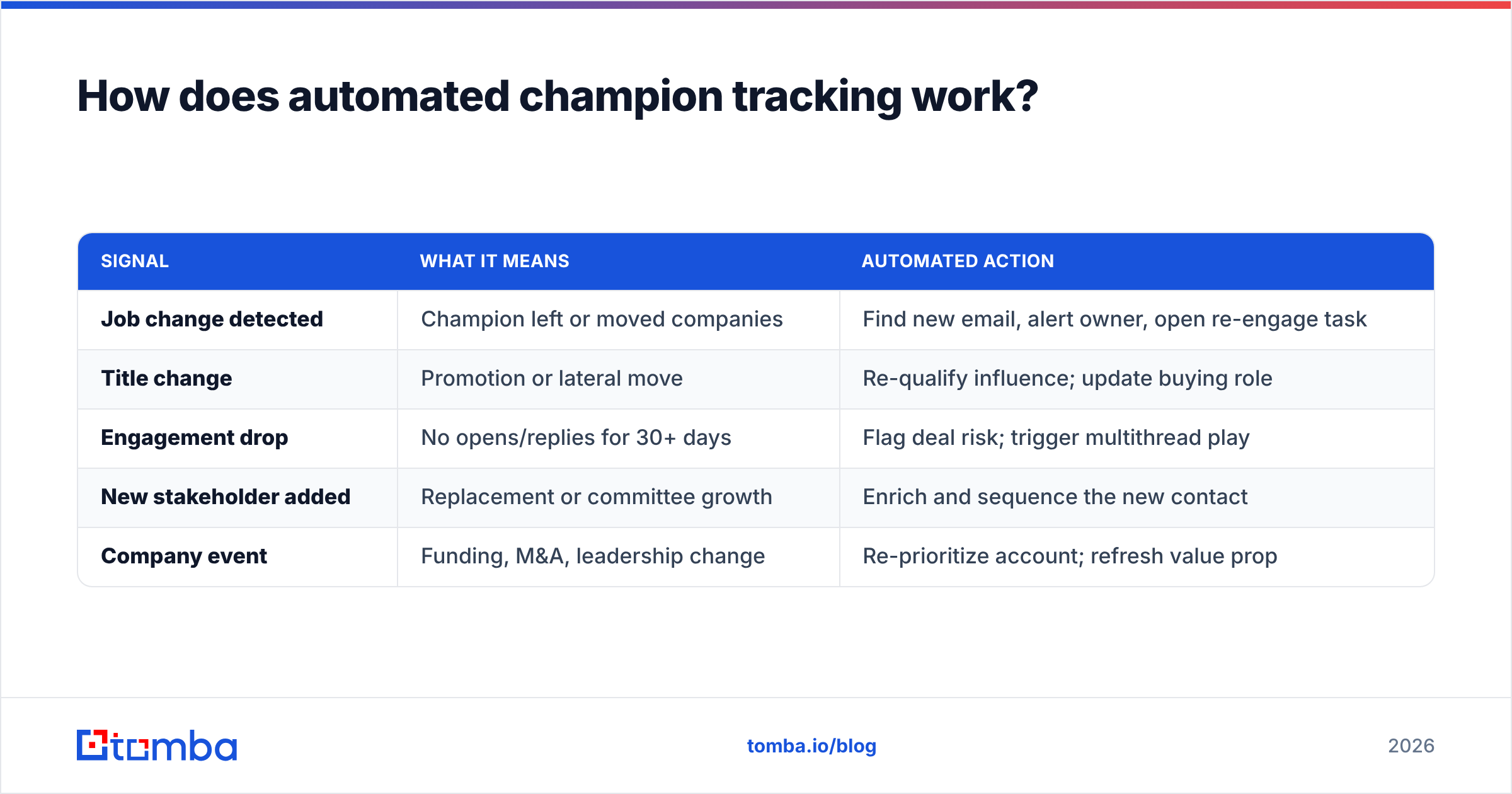
At the core, automated champion tracking turns raw signals into routed actions. The engine watches a defined set of events, scores their urgency, and assigns the follow-up to a human. Here is the signal-to-action map most RevOps teams build:
| Signal | What it means | Automated action |
|---|---|---|
| Job change detected | Champion left or moved companies | Find new email, alert owner, open re-engage task |
| Title change | Promotion or lateral move | Re-qualify influence; update buying role |
| Engagement drop | No opens/replies for 30+ days | Flag deal risk; trigger multithread play |
| New stakeholder added | Replacement or committee growth | Enrich and sequence the new contact |
| Company event | Funding, M&A, leadership change | Re-prioritize account; refresh value prop |
The structured pieces you need to make this run, in order of dependency:
- Identity — a canonical record of each champion (name, company, role, deal) in your CRM.
- Detection — an enrichment feed that re-checks employment and contact data on a schedule.
- Resolution — a way to recover a valid email or phone number the instant the old one breaks.
- Routing — a CRM rule or workflow that converts the signal into an owned task with a due date.
- Measurement — a report on saved deals and re-engaged champions so you can prove the system pays for itself.
Skip any one of these and the chain breaks. Detection without resolution just tells you a champion left without giving you a way to reach them. Resolution without routing produces fresh emails that nobody ever sends.
What signals should you actually track?#
Not every change deserves an alert — too many and reps mute the channel. Prioritize the signals with the highest correlation to deal outcomes:
- Employment changes are the highest-value signal. A champion switching companies is both a deal risk (current account) and a new opportunity (their next account).
- Seniority shifts change who holds the budget. A promoted champion is gold; a sidelined one means you need a new advocate.
- Engagement decay — measured by your email response rate and meeting acceptance — is the earliest warning that interest is cooling.
- Buying-group expansion means a committee is forming. New names are new threads you must own before a competitor does.
How do you build an automated champion tracking workflow?#
Conclusion first: you do not need a six-figure platform. You need a clean contact list, an enrichment API, and a few CRM rules. Here is the build, step by step.
- Tag your champions explicitly. Add a "Champion" flag and a "Deal Role" field in your CRM. You cannot track what you have not labeled. Start with open opportunities over $10k.
- Schedule enrichment passes. Run your tagged champions through an enrichment or email verifier job weekly. Bounced or invalid emails are your first job-change tell, even before LinkedIn updates.
- Resolve new contact details automatically. When the old email breaks, fire a lookup against the person's name and new company to recover a current address. The Tomba API returns a fresh professional email and confidence score you can write straight back to the CRM.
- Route the alert to a human. A signal with no owner dies. Use a workflow rule (
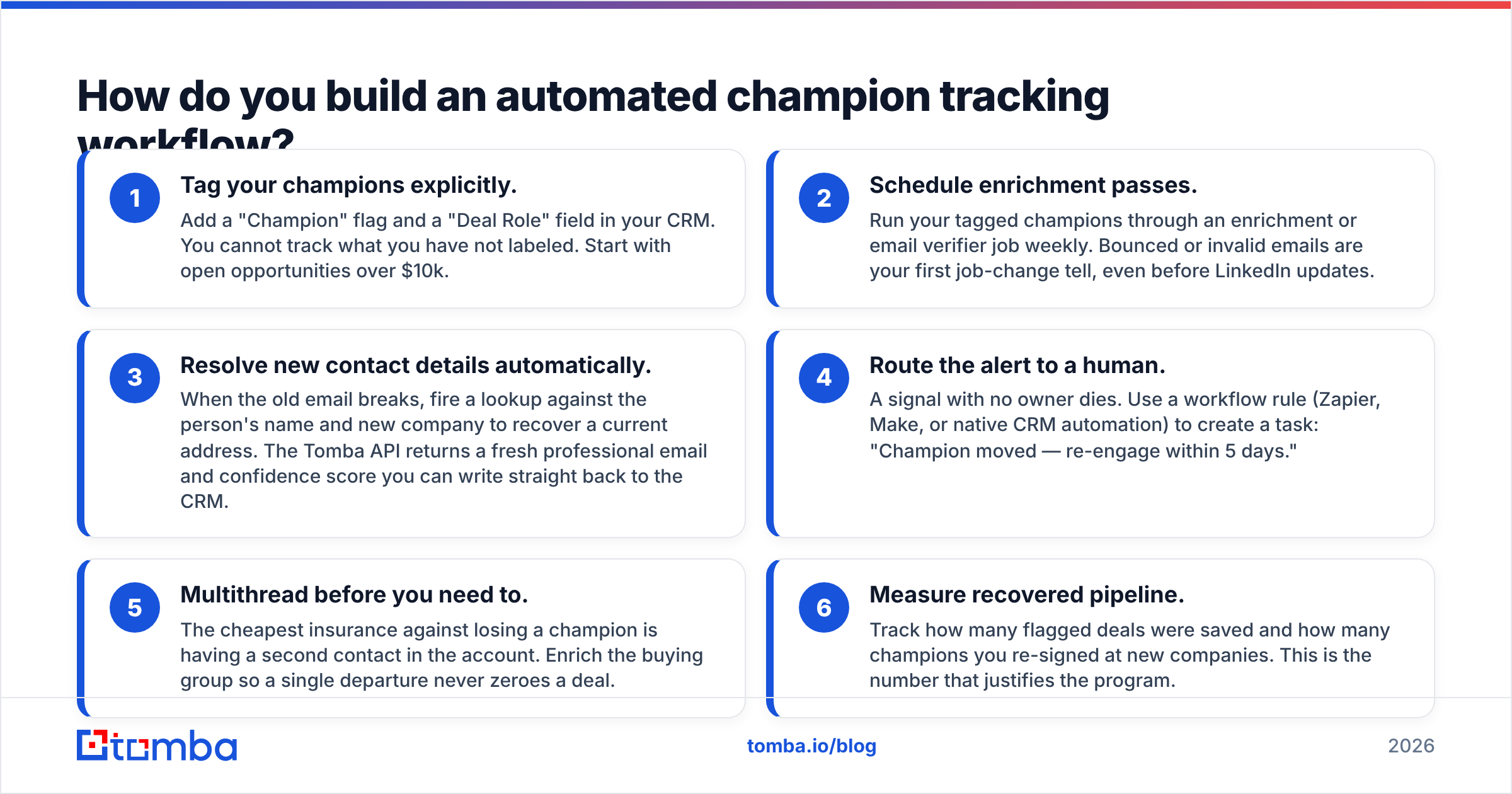
Zapier, Make, or native CRM automation) to create a task: "Champion moved — re-engage within 5 days." 5. Multithread before you need to. The cheapest insurance against losing a champion is having a second contact in the account. Enrich the buying group so a single departure never zeroes a deal. 6. Measure recovered pipeline. Track how many flagged deals were saved and how many champions you re-signed at new companies. This is the number that justifies the program.

Manual vs automated champion tracking: which wins?#
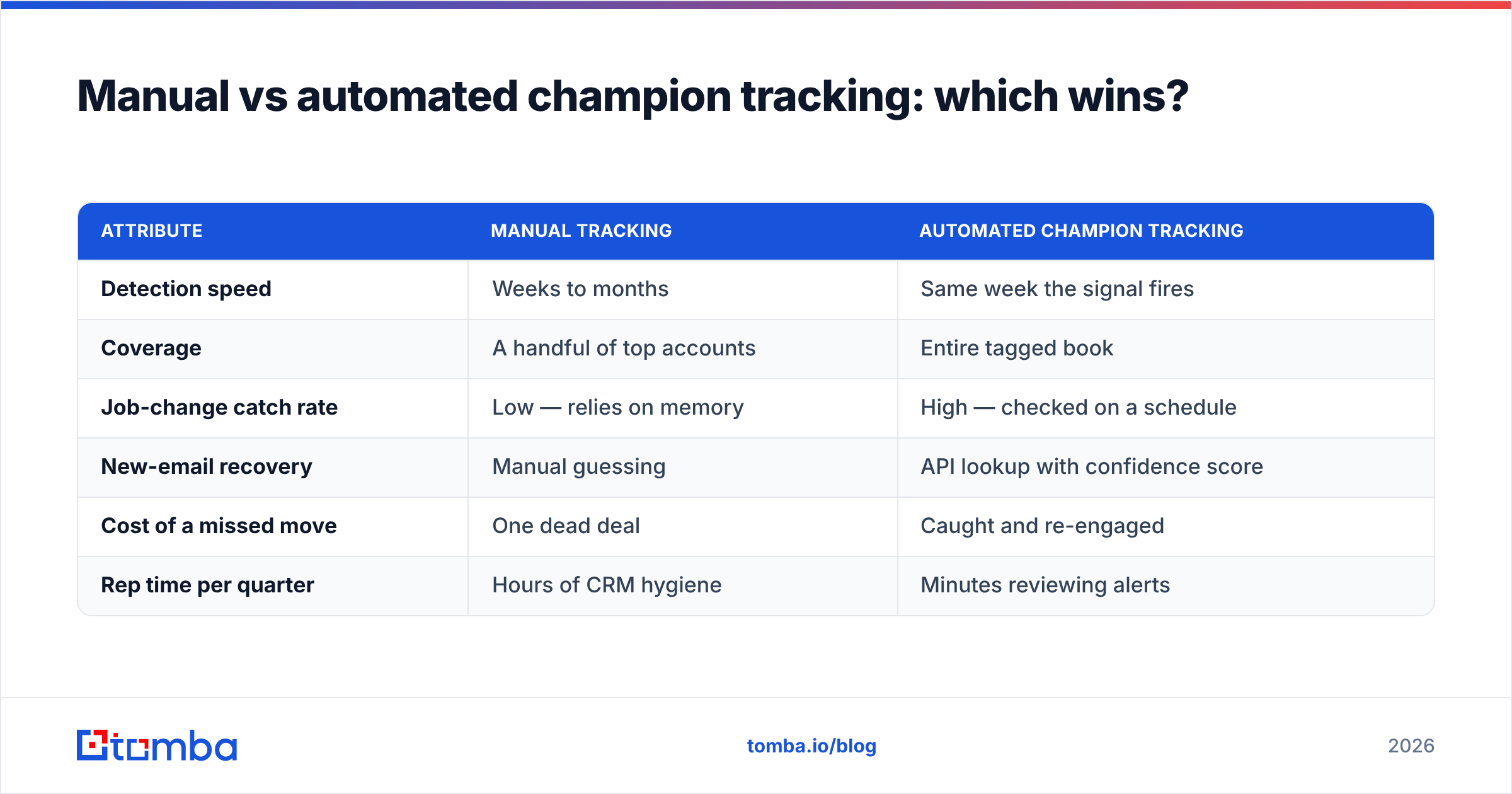
Manual tracking works fine when you have ten accounts. It collapses the moment you have hundreds, because human attention does not scale and job changes do not wait for your quarterly review.
| Attribute | Manual tracking | Automated champion tracking |
|---|---|---|
| Detection speed | Weeks to months | Same week the signal fires |
| Coverage | A handful of top accounts | Entire tagged book |
| Job-change catch rate | Low — relies on memory | High — checked on a schedule |
| New-email recovery | Manual guessing | API lookup with confidence score |
| Cost of a missed move | One dead deal | Caught and re-engaged |
| Rep time per quarter | Hours of CRM hygiene | Minutes reviewing alerts |
The honest caveat: automation is only as good as the data feeding it. Garbage contact records produce garbage alerts. That is why the first two steps — tagging and enrichment — matter more than the fancy routing logic. Tools like those reviewed on G2's sales intelligence category vary widely on data freshness, so test accuracy on your own list before you commit.
How does Tomba fit into champion tracking?#
Tomba covers the detection-and-resolution layer — the part most teams get stuck on. The signal "this email bounced" is useless unless you can answer "so what is the right one now?"
- Use the email finder to recover a champion's current professional email the instant they surface at a new company.
- Use data enrichment and bulk jobs to re-check your entire tagged champion list on a schedule, surfacing the bounces that signal a move.
- Use the phone finder when email goes cold and you need a faster channel to reconfirm the relationship.
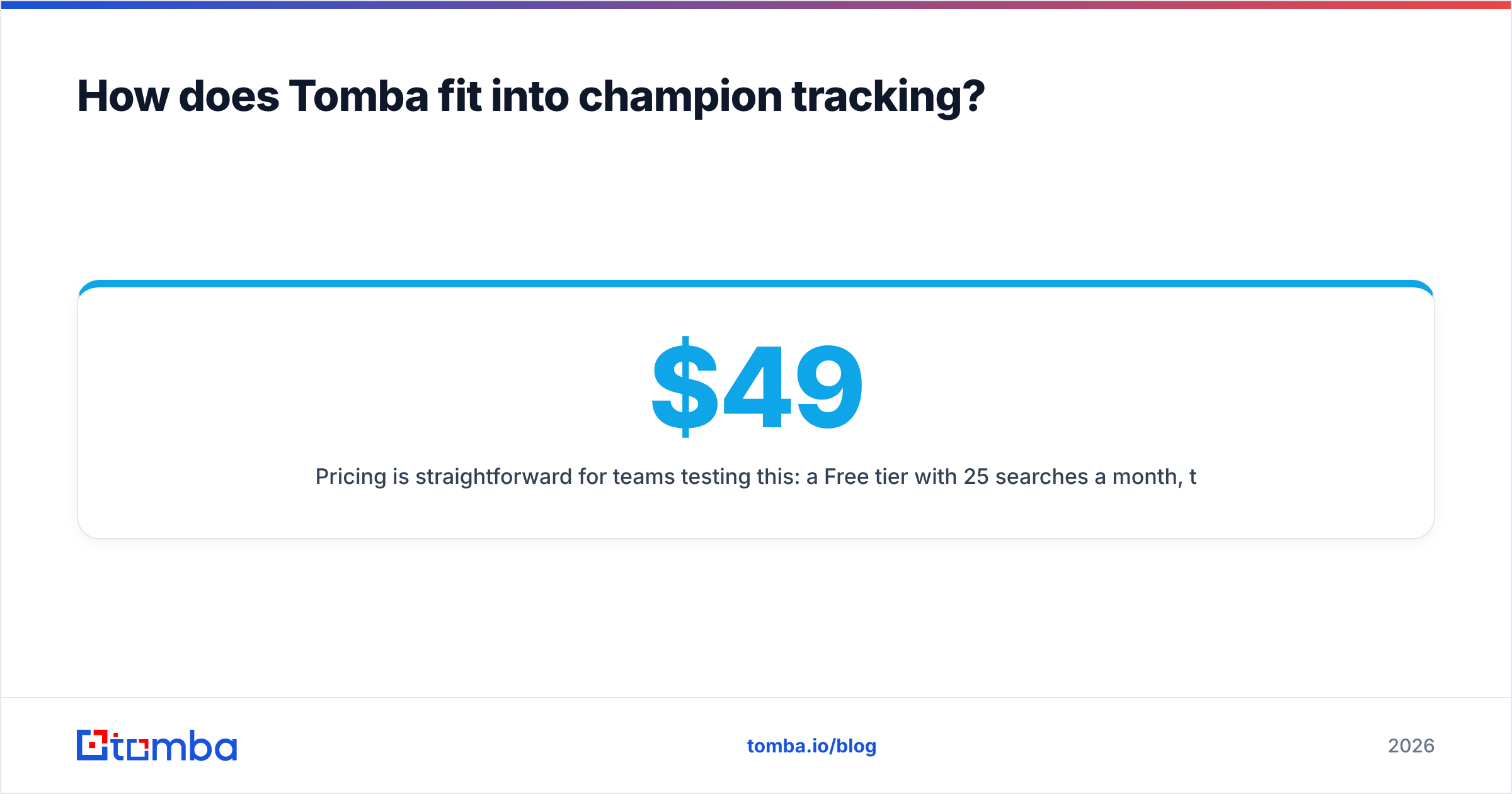
Pricing is straightforward for teams testing this: a Free tier with 25 searches a month, then Starter at $49/mo, Growth at $99/mo, and Pro at $249/mo. Full Tomba pricing scales with the size of your champion book, and the API lets you wire detection directly into your CRM rules rather than running lookups by hand.
Frequently asked questions#
What is a sales champion? An internal advocate at the buying company who actively pushes your deal forward, sells on your behalf internally, and gives you access to power. They are the single most predictive factor in whether a deal closes.
How often do champions change jobs? Industry data consistently shows roughly a quarter to a third of professional contacts change roles each year, with even higher churn in fast-moving tech and sales functions. That is why a one-time data pull goes stale within months.
Can I automate champion tracking without a big platform? Yes. A CRM with a champion tag, a scheduled enrichment job, an email-lookup API, and a workflow rule cover 90% of the value. You can layer on dedicated job-change tools later.
What is the fastest action when a champion leaves? Find their new work email, send a short congratulations-plus-context note within their first 90 days, and log a new opportunity at the new account. You are starting warm while competitors start cold.
Start tracking your champions before they slip away#
Every quarter you run on manual checks, deals are dying in silence — not because the product lost, but because the one person selling it internally walked out the door and nobody noticed. Automated champion tracking closes that gap.
The fastest place to start is the resolution layer: the moment an email bounces, you need a current one. The Tomba Email Finder recovers a champion's verified professional email by name and company in seconds, so a job change becomes a re-engagement opportunity instead of a lost deal. Start free with 25 searches, wire it into your CRM, and never let a champion disappear quietly again.
// get started
Find, verify and enrich your first contacts today
Start on the free plan with 25 searches a month, then scale when your team is ready.
Free plan · No credit card required · GDPR & CCPA
// about the author