Automated Email Writing in 2026: Tools, Workflow & ROI
Automated email writing is no longer copy-paste mail merge. Here's how AI plus real contact data drafts personalized emails at scale in 2026 — and where it breaks.
Automated email writing used to mean dropping {{first_name}} into a template and blasting 5,000 contacts. In 2026 it means something very different: AI models drafting genuinely personalized messages, fed by verified contact data, scored before they ever hit a send queue. Done well, it saves hours and lifts replies. Done lazily, it produces the robotic sludge every inbox is now trained to ignore.
This guide breaks down what automated email writing actually is today, the workflow that separates good automation from spam, a tool comparison, and the honest limits you should plan around.
TL;DR#
- Automated email writing = AI drafting + real data + verification, not just mail merge with merge tags.
- The biggest quality lever is input data: a perfectly worded email to a wrong or unverified address is wasted automation.
- A reliable workflow is find → enrich → draft → score → verify → send, with a human review gate for anything high-value.
- Generic AI copy gets filtered fast; personalization from accurate firmographic and role data is what keeps reply rates alive.
- Use automation for the first 80% (research, drafts, variants) and keep humans for the last 20% (judgment, edge cases, relationship tone).
What is automated email writing in 2026?#
Automated email writing is the use of software — usually an AI model plus structured contact data — to generate, personalize, and prepare email messages with minimal manual typing. Think of it like a sous-chef: it preps every ingredient, chops, and plates a first draft, but you still taste and adjust before the dish leaves the kitchen.
There are three layers stacked on top of each other today:
- Template automation — the oldest layer. Static templates with merge fields. Fast, but obviously templated.
- AI generation — a model writes the body from a prompt, brief, or product description. Flexible, but blind to who it's writing to unless you feed it context.
- Data-driven personalization — the model is given real attributes about the recipient (role, company, tech stack, recent trigger) so the draft references something true. This is where reply rates live or die.
The mistake most teams make is buying layer two and skipping layer three. An AI writer with no data writes confident, fluent, and totally generic email. The fix isn't a better model — it's better inputs.
Why does automated email writing need accurate data?#
Because the email body is only half the message — the other half is whether it reaches a real person and says something true about them. Two failure modes dominate:
- Bounce and deliverability damage. Automated sends to invalid addresses spike bounce rates, which trains mailbox providers to throttle you. One bad list can sink an entire domain's email deliverability for weeks.
- Hollow personalization. "I loved your recent work at {{company}}" reads as automation precisely because it's true of nobody. Real personalization needs a real data point — a job title, a department, a verified company domain — not a merge tag standing in for one.
That's why serious automated email writing starts upstream of the writing. You need a clean source: an email finder to get the address, an email verifier to confirm it's deliverable, and data enrichment to give the AI something concrete to personalize around. The copy step is last, not first.
What does a good automated email workflow look like?#
Here's the sequence that separates automation that lands replies from automation that lands in spam. Each step has a clear owner — machine or human.
- Find the contact. Pull verified professional emails by name or domain. Skip scraped, unverifiable lists.
- Enrich the record. Attach role, seniority, company size, industry, and any trigger event. This is the raw material for personalization.
- Draft with AI. Feed the model a tight brief plus the enriched fields. Generate 2–3 variants, not one.
- Score the draft. Run a spam and readability check. Flag salesy phrases, broken personalization tokens, and walls of text.
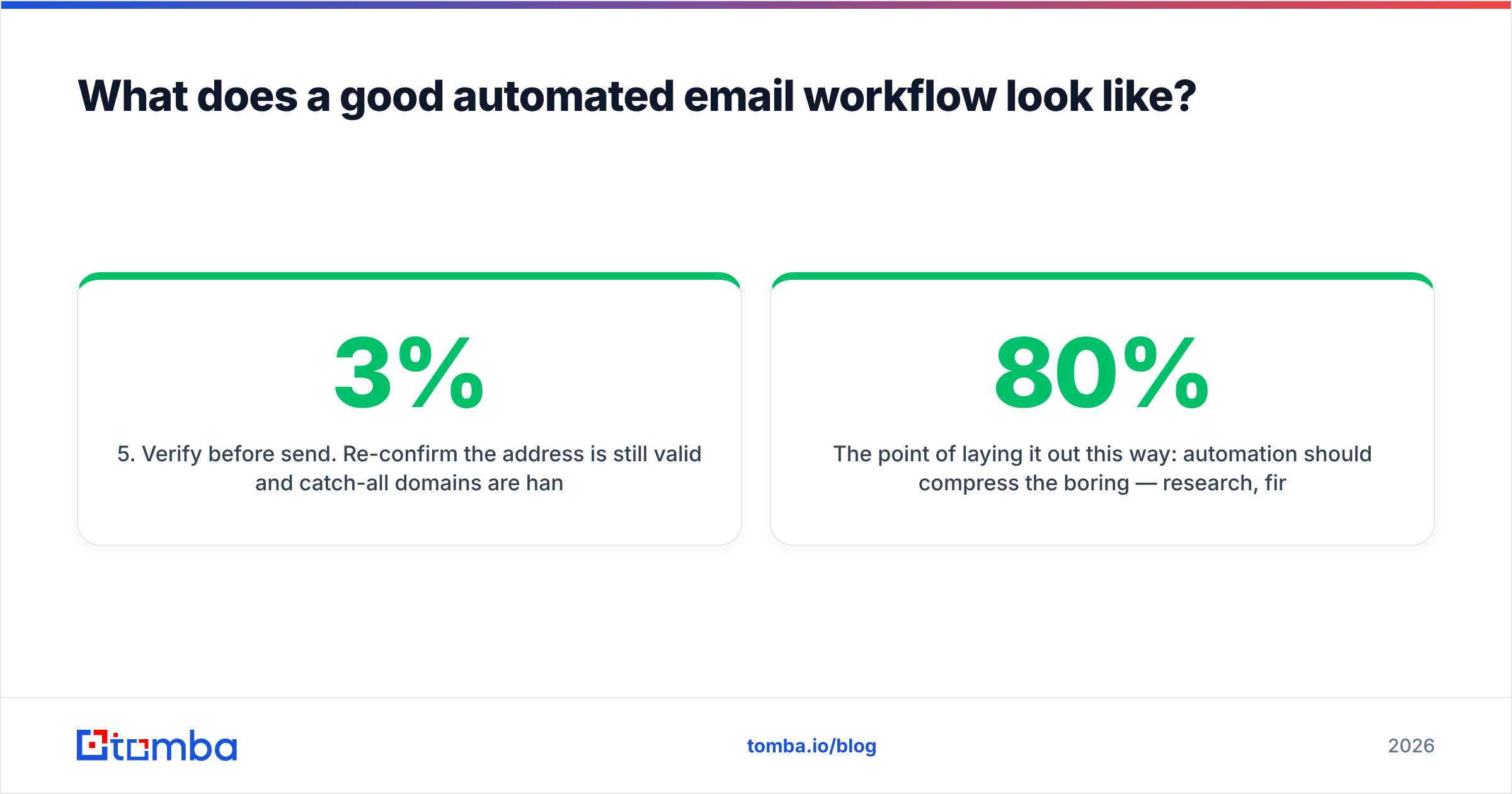
- Verify before send. Re-confirm the address is still valid and catch-all domains are handled. Addresses decay ~2–3% per month.
- Human gate for high value. Anything to a target account, a warm lead, or an exec gets a 20-second human read. The rest can flow.
The point of laying it out this way: automation should compress the boring 80% — research, first drafts, variant generation, list hygiene — and route the judgment-heavy 20% to a person. Teams that automate the last 20% too are the ones whose campaigns read like a robot wrote them, because one did.
How do automated email writing tools compare?#
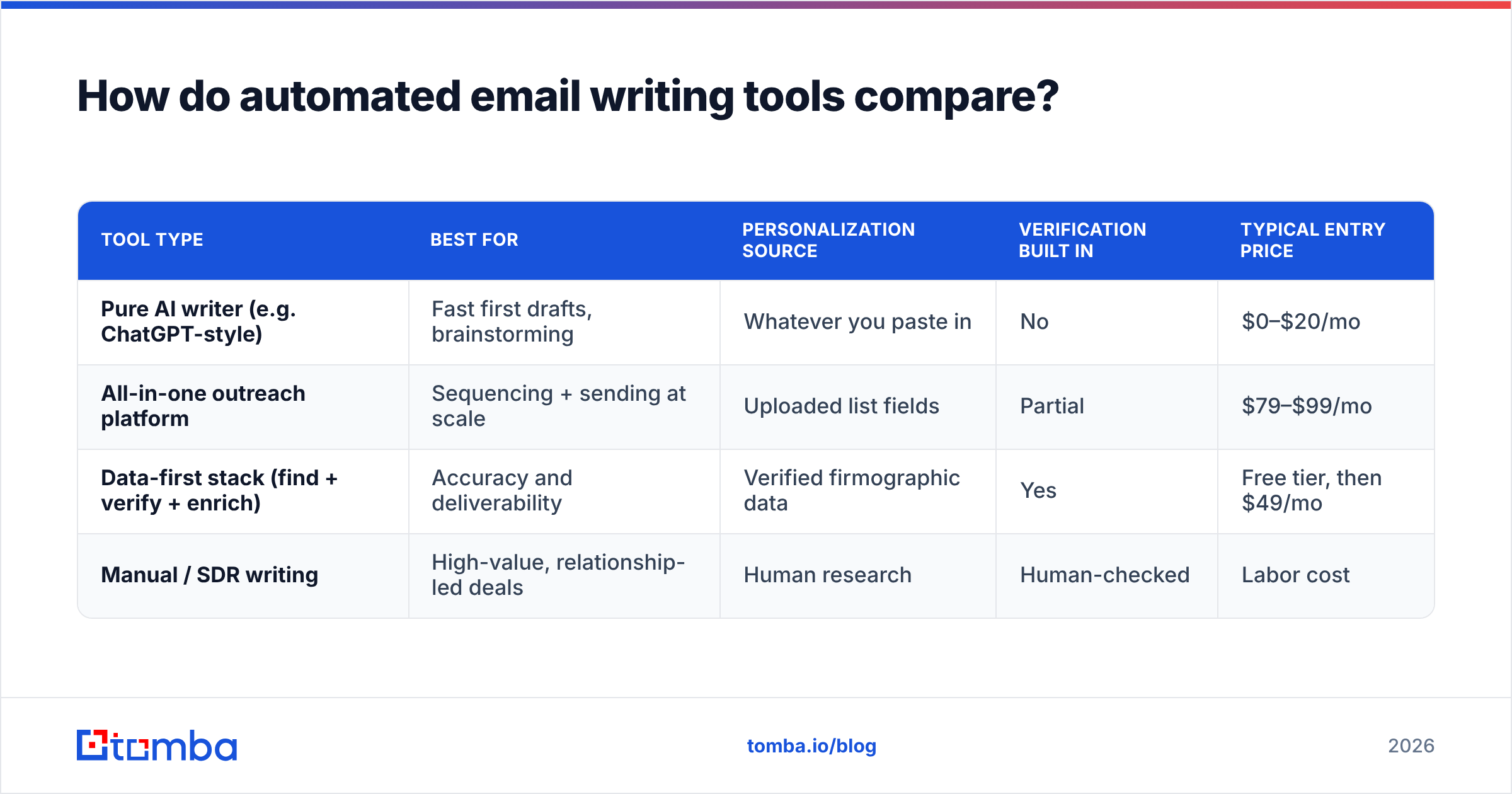
Tools cluster into three buckets: pure AI writers, all-in-one outreach platforms, and data-first stacks. They optimize for different things, so the "best" one depends on whether your bottleneck is copy, sending, or data quality.
| Tool type | Best for | Personalization source | Verification built in | Typical entry price |
|---|---|---|---|---|
| Pure AI writer (e.g. ChatGPT-style) | Fast first drafts, brainstorming | Whatever you paste in | No | $0–$20/mo |
| All-in-one outreach platform | Sequencing + sending at scale | Uploaded list fields | Partial | $79–$99/mo |
| Data-first stack (find + verify + enrich) | Accuracy and deliverability | Verified firmographic data | Yes | Free tier, then $49/mo |
| Manual / SDR writing | High-value, relationship-led deals | Human research | Human-checked | Labor cost |
The honest read: AI writers are commodities now — they all draft fluent copy. The durable advantage is the data feeding them. That's why a data enrichment layer plus a free AI cold email writer beats a premium standalone generator working off a stale CSV. Cross-check vendor claims on a neutral source like G2 before you commit — reply-rate screenshots in marketing decks are rarely representative.
How do you keep automated emails out of spam?#
Volume without hygiene is the fastest route to the spam folder. Automation multiplies whatever you feed it — including mistakes. A few rules keep automated sends deliverable:
- Verify every address at send time, not just at import. Lists rot. A catch-all verifier handles the domains that accept everything and tell you nothing.
- Cap volume per domain and warm up gradually. Going from 0 to 1,000 sends a day flags you instantly.
- Vary the copy. Identical bodies across thousands of recipients is a spam signal. AI variant generation actually helps here when it changes real sentences, not just the greeting.
- Authenticate your domain. SPF, DKIM, and DMARC are non-negotiable. Check your SPF record before any campaign scales.
- Watch your bounce rate. Above ~3% and providers start throttling. Verification upstream keeps you under it.
For the copy itself, run drafts through a spam-word check and a readability pass. Tools like a subject line generator help you test openers without burning real sends on guesses. HubSpot's research on email send frequency and engagement is a reasonable baseline if you're setting volume policy.
Where does automated email writing still fail?#
Automation has hard edges. Knowing them keeps you from over-trusting the machine.
- Tone for relationships. A follow-up to a prospect you met at a conference needs human warmth automation fakes badly. Reserve those for manual writing.
- Factual hallucination. AI will confidently invent a "recent product launch" that never happened. Every claim about the recipient must trace to a verified data field, not the model's imagination.
- Over-personalization creep. Referencing someone's exact location or personal detail crosses from relevant to creepy. Keep personalization to professional, public, business-relevant facts.
- Compliance. GDPR, CAN-SPAM, and CCPA apply to automated sends. Consent and unsubscribe handling aren't optional, and email marketing law varies by region.
- Diminishing returns at scale. Past a point, sending more automated emails to worse-fit contacts lowers your domain reputation and your reply rate simultaneously. Tighter targeting beats higher volume.
The teams that win treat automation as leverage on a good list, not a substitute for one. Garbage in still produces garbage out — faster and at higher volume.
How much time and money does it actually save?#
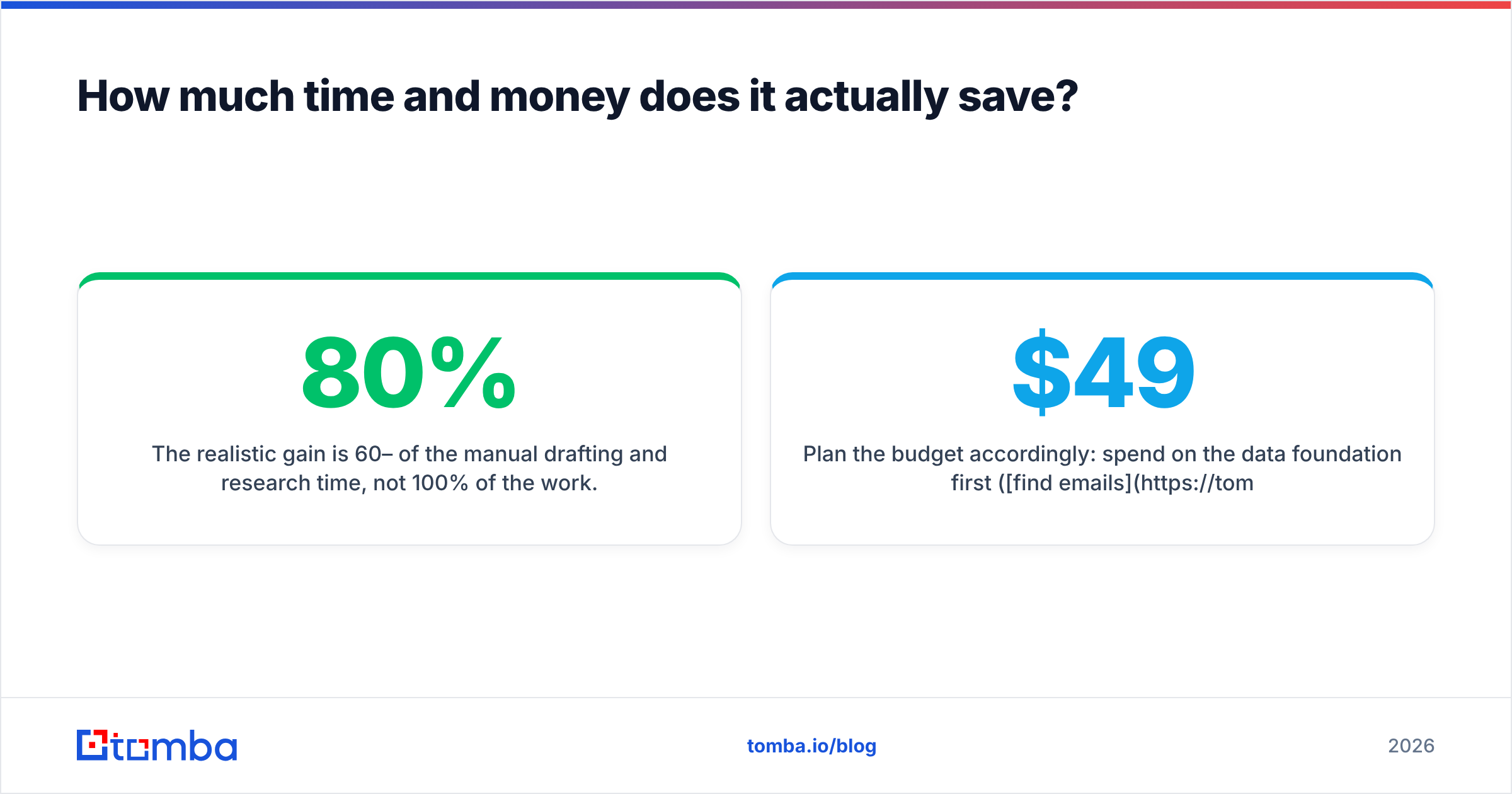
The realistic gain is 60–80% of the manual drafting and research time, not 100% of the work. A rep who spent 15 minutes researching and writing one personalized email can get a solid AI draft in two minutes from enriched data, then spend three minutes editing. That's roughly a 5x throughput gain on drafting — but only if the data step is already solved.
Where the math breaks: if your team spends the saved time chasing bounced sends and rewriting hallucinated copy, the net gain evaporates. The ROI is concentrated entirely in the data-and-verification layer. Cheap automation on a dirty list is more expensive than slower manual work on a clean one, because the dirty list costs you deliverability you can't easily buy back.
Plan the budget accordingly: spend on the data foundation first (find emails, verify, enrich), then layer AI drafting on top. The drafting tools are increasingly free or near-free; the accurate data is the part worth paying for. See Tomba pricing for how the data tiers scale — Free (25 searches/mo), Starter at $49/mo, Growth at $99/mo, and up.
What should a small team automate first?#
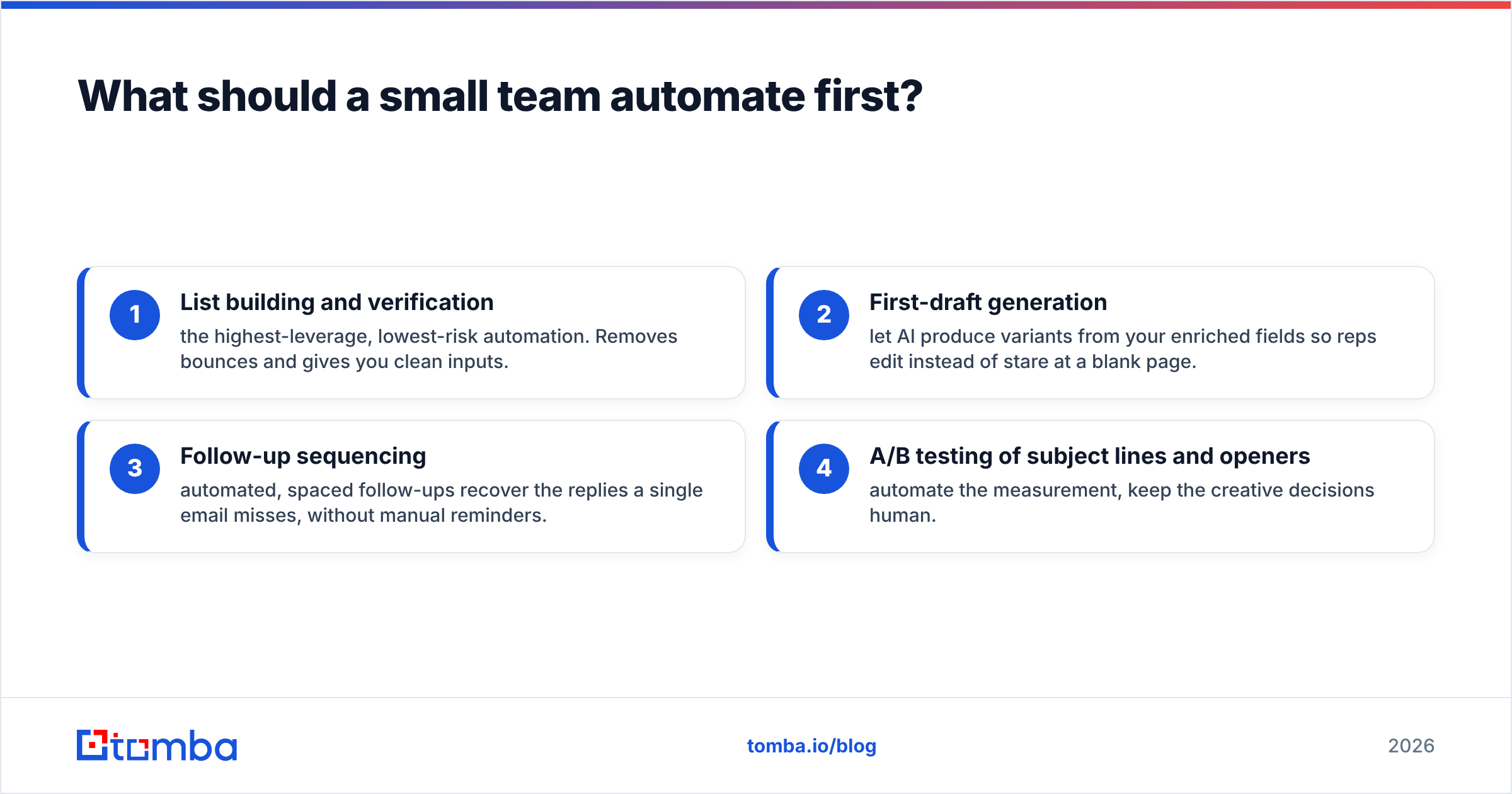
If you're starting from manual work, automate in this order:
- List building and verification — the highest-leverage, lowest-risk automation. Removes bounces and gives you clean inputs.
- First-draft generation — let AI produce variants from your enriched fields so reps edit instead of stare at a blank page.
- Follow-up sequencing — automated, spaced follow-ups recover the replies a single email misses, without manual reminders.
- A/B testing of subject lines and openers — automate the measurement, keep the creative decisions human.
Hold off on fully automating the send-decision for high-value accounts until your data and copy quality are proven. The cost of one badly automated email to a dream account is higher than the time it saves.
The bottom line#
Automated email writing in 2026 is a data problem wearing a copywriting costume. The models that draft your emails are good and getting cheaper; what they can't manufacture is an accurate, verified, enriched view of the person on the other end. Solve that, and automation gives you genuine leverage. Skip it, and you've just built a faster way to annoy people.
Start where the leverage is: get verified, enrichable contact data flowing before you scale the writing. Tomba's Email Finder gives your automated workflow the one thing AI can't invent — real, deliverable email addresses with the firmographic context that makes personalization true instead of templated. Pair it with verification and enrichment, plug the output into your AI drafting step, and let automation compress the busywork while your team keeps the judgment. Try it free with 25 searches a month and see how much cleaner your automated emails land.
Ready to find emails that actually work?
Join 150,000+ professionals who stopped guessing and started sending. Free credits on signup — no credit card required.
Get the Tomba newsletter
Practical outbound tactics and product updates — once every two weeks.
About the author