Automated Lead Re-Engagement: The 2026 Playbook for Reviving Dead Leads
Most CRMs are graveyards of leads that went quiet. Here's how automated lead re-engagement revives them with triggers, enrichment, and multichannel sequences in 2026.
Your CRM is mostly a graveyard. For every deal that closed, dozens of leads raised a hand, got a few emails, then went silent — and stayed there. Automated lead re-engagement is how you mine that graveyard without hiring a team to do it by hand.
TL;DR#
- Automated lead re-engagement uses triggers, fresh data, and multichannel sequences to revive dormant or cold leads without manual list-pulling.
- Re-engaging an existing lead is far cheaper than sourcing a net-new one — the intent and context already exist in your CRM.
- The system has four moving parts: segmentation, trigger logic, data refresh, and sequenced outreach across email, phone, and LinkedIn.
- Stale contact data is the silent killer. If 20-30% of your dormant records have dead emails, re-engagement fails before the first send.
- Tools like HubSpot or Salesforce handle workflow logic; data accuracy comes from enrichment and verification layers like Tomba.
What is automated lead re-engagement?#
Automated lead re-engagement is a system that detects when a lead has gone quiet, refreshes what you know about them, and triggers a tailored outreach sequence — all without a rep manually building lists or remembering to follow up.
Think of it like a smoke detector for your pipeline. You don't walk around the house sniffing for smoke every hour; you install a sensor that fires only when something changes. Re-engagement automation works the same way: instead of a rep babysitting 4,000 dormant records, rules watch for signals (time since last touch, a website revisit, a job change) and launch the right play at the right moment.
The "automated" part matters because manual re-engagement never scales. A rep can lovingly hand-write 15 win-back emails a day. A workflow can process 1,500 — and personalize each one with current data the rep would never have time to look up.
Why bother re-engaging leads instead of finding new ones?#
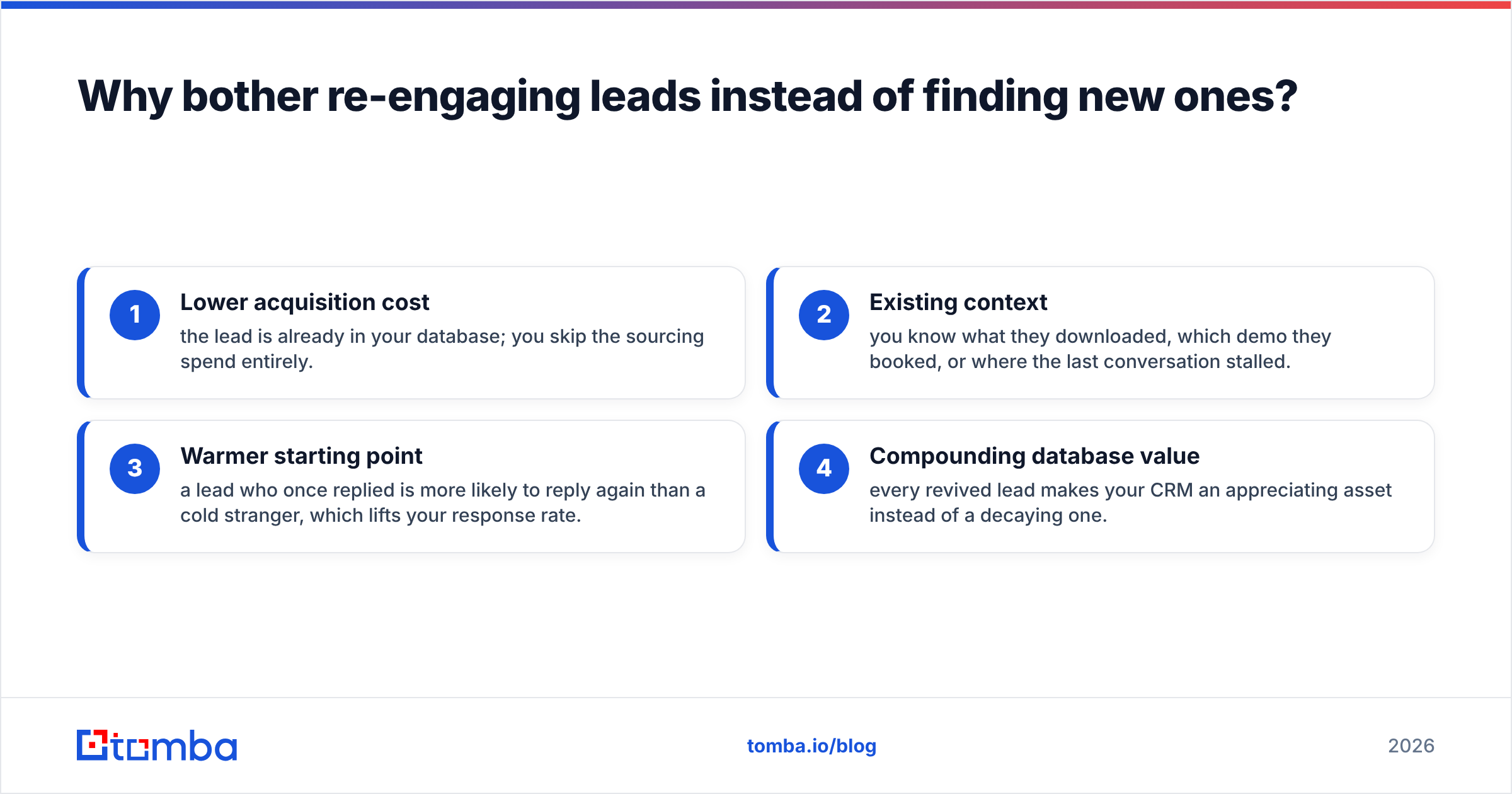
Because the expensive part is already done. A dormant lead has already discovered you, expressed some intent, and handed over contact details. A net-new lead requires you to pay for all of that again.
Industry benchmarks from sources like HubSpot consistently show that nurturing and re-engaging existing contacts produces a lower cost per opportunity than top-of-funnel acquisition. The math is simple: you're not paying to create awareness, only to revive it.
There are four concrete reasons re-engagement beats constant net-new prospecting:
- Lower acquisition cost — the lead is already in your database; you skip the sourcing spend entirely.
- Existing context — you know what they downloaded, which demo they booked, or where the last conversation stalled.
- Warmer starting point — a lead who once replied is more likely to reply again than a cold stranger, which lifts your response rate.
- Compounding database value — every revived lead makes your CRM an appreciating asset instead of a decaying one.

That doesn't mean you stop prospecting. It means you stop ignoring the pipeline you already paid for.
What makes a lead "dormant" and worth re-engaging?#
Not every quiet lead deserves a sequence. The art is in segmentation — deciding which silence is meaningful.
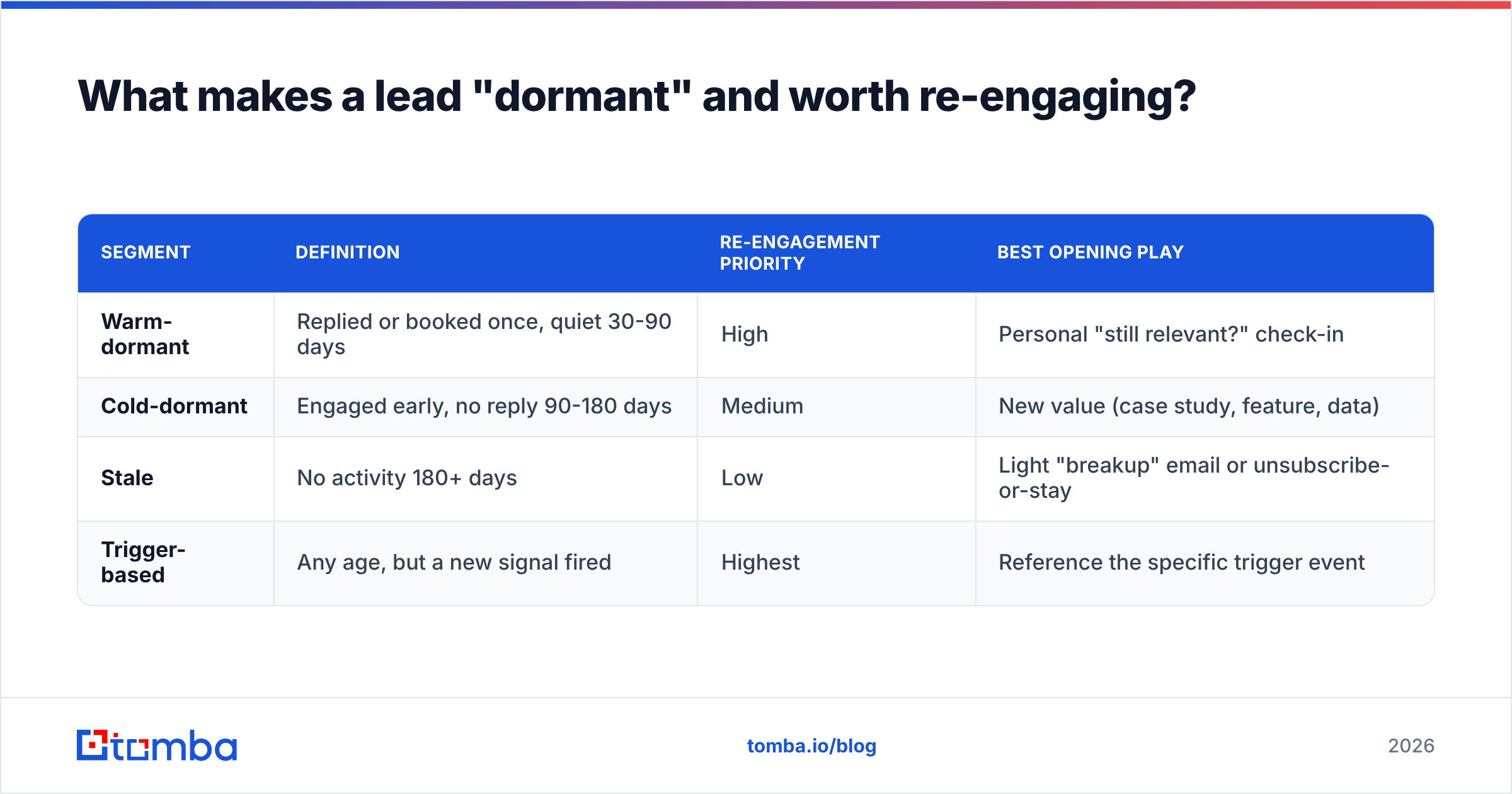
A useful starting framework splits dormant leads into tiers:
| Segment | Definition | Re-engagement priority | Best opening play |
|---|---|---|---|
| Warm-dormant | Replied or booked once, quiet 30-90 days | High | Personal "still relevant?" check-in |
| Cold-dormant | Engaged early, no reply 90-180 days | Medium | New value (case study, feature, data) |
| Stale | No activity 180+ days | Low | Light "breakup" email or unsubscribe-or-stay |
| Trigger-based | Any age, but a new signal fired | Highest | Reference the specific trigger event |
The fourth row is where automation earns its keep. A lead who went dark eight months ago is normally low-priority — until they change jobs, their company raises a funding round, or they revisit your pricing page. That signal flips them to the top of the queue instantly, and only an automated system catches it in real time.
What triggers should fire a re-engagement sequence?#
Triggers fall into two buckets: time-based and behavior-based. The strongest programs combine both.
Time-based triggers are the simplest — X days of no activity moves a lead into a nurture track. They're easy to set up but blunt; they fire whether or not the lead has any new reason to care.
Behavior- and data-based triggers are sharper because they reflect a real change:
- Website revisit — a dormant lead returns to your site (caught via visitor identification).
- Job change — your contact moves companies, creating a fresh opening and often a new buying mandate.
- Company event — funding, hiring spree, new tooling, or expansion that signals budget.
- Email re-open — an old thread suddenly gets opened or clicked.
- Content interaction — a download, webinar signup, or pricing-page view.
The key is that a trigger should change the message, not just start a generic drip. "I noticed you were back looking at our integrations page" lands far harder than "Just checking in!"
How do you keep contact data from killing the campaign?#
Refresh the data before you send — every time. This is the step most teams skip, and it's why most re-engagement programs quietly fail.
Here's the problem: dormant leads are, by definition, old records. People change jobs roughly every two to three years, which means a meaningful slice of any 12-month-old list has an email address that now bounces. B2B data decays at an estimated 22-30% per year. If you fire a beautifully crafted sequence at addresses that no longer exist, you get bounces, deliverability damage, and zero replies — and you'll blame the copy.
A healthy re-engagement pipeline runs three data steps before the first send:
- Verify existing emails with an email verifier to catch dead addresses before they bounce.
- Re-find contacts whose email is invalid — if someone changed companies, you need their new work email, which an email finder can recover from name plus current domain.
- Enrich the record with current title, company, and phone so the message and channel stay relevant. A reverse email lookup helps when all you have left is an old address.
Protecting your sender reputation here isn't optional. One sloppy blast to a stale list can tank deliverability for your clean campaigns too.

What does an automated re-engagement sequence look like?#
The best sequences are multichannel and patient. Here's a representative structure for a warm-dormant lead, fully automatable:
- Day 0 — Email: Reference the original context. "Last spring you looked at X — we just shipped the thing you asked about."
- Day 3 — LinkedIn: A light connection or comment, no pitch. Found via a LinkedIn finder workflow.
- Day 6 — Email: Deliver new value: a relevant case study, benchmark, or feature.
- Day 10 — Phone: A short call using a number from your phone finder enrichment. Voice cuts through inbox noise.
- Day 14 — Email (breakup): "Should I close your file?" Loss aversion often pulls a reply that nine upbeat check-ins couldn't.
Each step is conditional. A reply or meeting booking pulls the lead out of the sequence and hands them to a rep. No reply advances them to the next channel. That branching logic is exactly what a CRM workflow engine is built for.
Which tools handle automated lead re-engagement in 2026?#
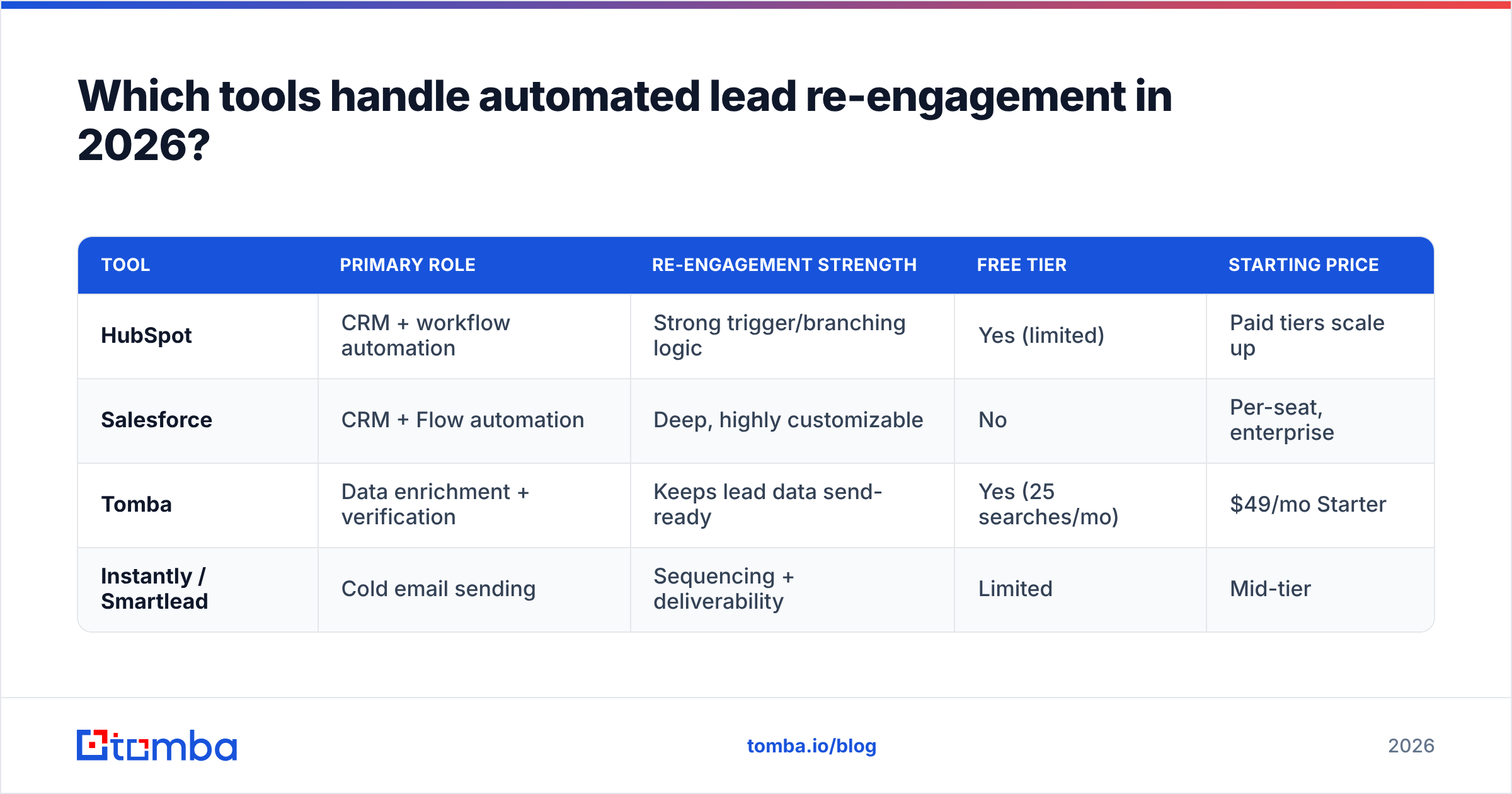
There's no single tool — there's a stack. One layer runs the workflow logic; another keeps the data accurate. Here's how the common options compare:
| Tool | Primary role | Re-engagement strength | Free tier | Starting price |
|---|---|---|---|---|
| HubSpot | CRM + workflow automation | Strong trigger/branching logic | Yes (limited) | Paid tiers scale up |
| Salesforce | CRM + Flow automation | Deep, highly customizable | No | Per-seat, enterprise |
| Tomba | Data enrichment + verification | Keeps lead data send-ready | Yes (25 searches/mo) | $49/mo Starter |
| Instantly / Smartlead | Cold email sending | Sequencing + deliverability | Limited | Mid-tier |
The pattern in mature stacks: your CRM (HubSpot or Salesforce) owns the triggers and branching, a sending tool owns deliverability, and a data layer keeps every record send-ready. You can compare category leaders on a marketplace like G2 before committing.
Tomba slots into the data layer. Its plans run from a free tier (25 searches/mo) through Starter at $49/mo, Growth at $99/mo, and Pro at $249/mo — see full Tomba pricing for details. The Tomba API, HubSpot integration, and Salesforce integration let you verify and enrich records automatically inside your existing workflow, so re-engagement triggers always fire against fresh data.
How do you measure if re-engagement is working?#
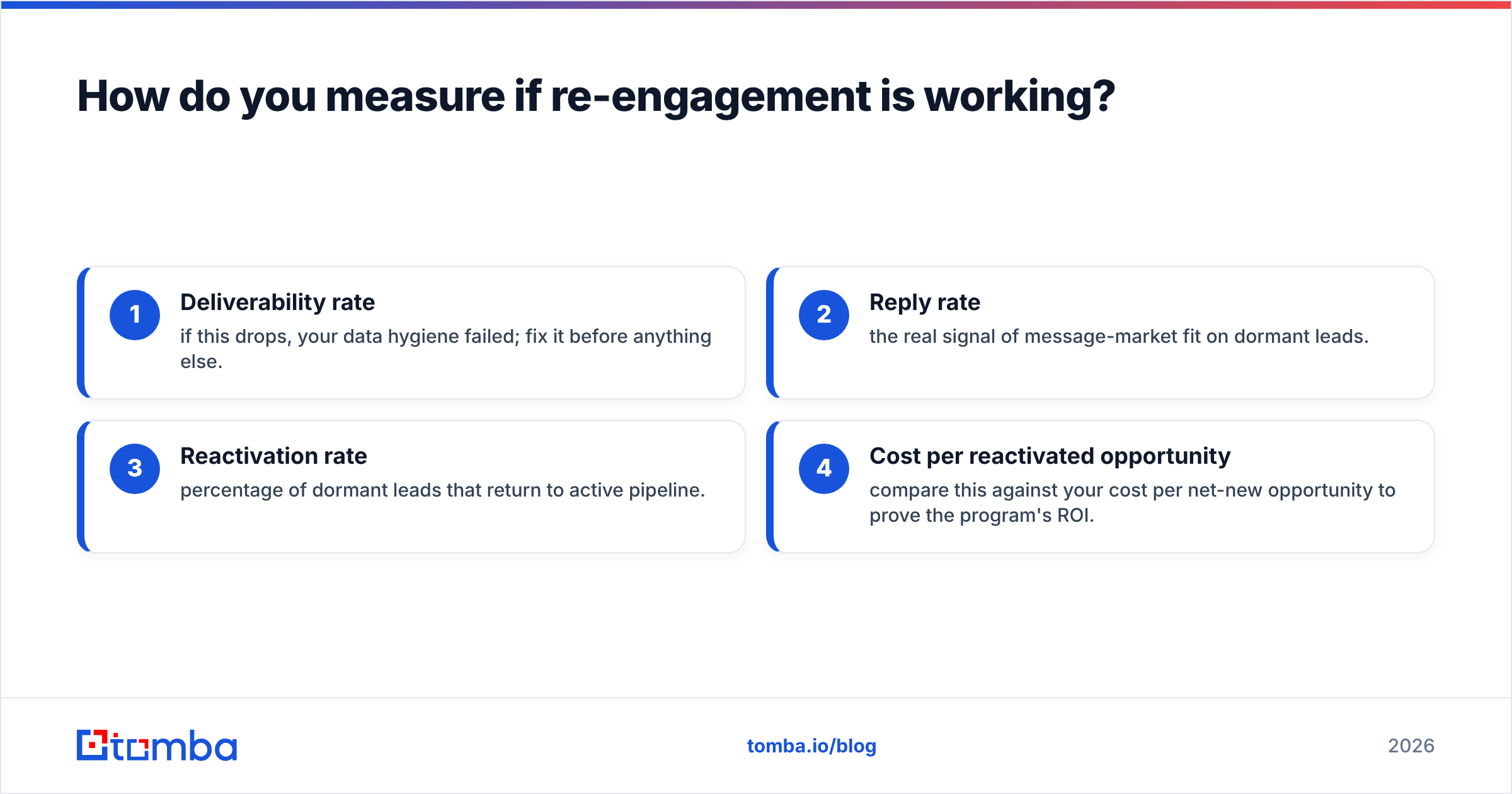
Track these four metrics, and watch them in this order:
- Deliverability rate — if this drops, your data hygiene failed; fix it before anything else.
- Reply rate — the real signal of message-market fit on dormant leads.
- Reactivation rate — percentage of dormant leads that return to active pipeline.
- Cost per reactivated opportunity — compare this against your cost per net-new opportunity to prove the program's ROI.
A common mistake is optimizing open rates. With Apple Mail Privacy Protection and similar features, opens are noisy. Replies and meetings booked are what actually move revenue.
What are the biggest mistakes to avoid?#
- Blasting the whole dormant list at once. Segment first. A stale 200-day lead and a warm 40-day lead need different messages and different priority.
- Skipping data verification. Covered above, but it bears repeating: bad data is the number-one cause of failed re-engagement.
- Reusing the original pitch. If it didn't work the first time, repeating it louder won't help. Lead with something new.
- No exit logic. A lead who replies must immediately leave the automation and reach a human. Nothing kills trust faster than getting an automated "just checking in" after you already replied.
- Ignoring channel fit. Some buyers will never answer a cold call but respond on LinkedIn. Multichannel sequences let the lead self-select.
For the underlying definitions and scoring concepts behind all of this, the lead management and CRM glossary entries are a useful reference.
Getting started: a 30-day rollout#
You don't need to boil the ocean. A realistic first month:
- Week 1: Pull every lead with no activity in 90+ days. Verify the emails and flag the dead ones.
- Week 2: Re-find and enrich the high-value dead records. Segment the survivors into the four tiers above.
- Week 3: Build one trigger-based sequence (start with website revisit or job change) and one time-based win-back sequence.
- Week 4: Launch to the warm-dormant tier only, measure replies and deliverability, then expand.
By the end of the month you'll have a repeatable engine, not a one-off campaign.
Close: keep your re-engagement data send-ready#
Automated lead re-engagement lives or dies on data accuracy. The smartest trigger logic in the world is worthless if it fires at an email that bounced six months ago. That's the layer to get right first.
Start with the Tomba Email Finder to recover and verify the contacts hiding in your dormant CRM. Pair it with data enrichment so every revived lead carries a current title, company, and phone number into your sequence — and your re-engagement workflow fires against data that actually lands. Spin up the free tier, point it at your oldest 500 leads, and see how many are still reachable. Most teams are surprised by how much pipeline was sitting there the whole time.
// get started
Find, verify and enrich your first contacts today
Start on the free plan with 25 searches a month, then scale when your team is ready.
Free plan · No credit card required · GDPR & CCPA
// about the author