Automated Sales Emails in 2026: A Practical Setup Guide
Automated sales emails only work when the data, timing, and copy are right. Here's how to build a sequence that books meetings instead of burning your domain.
Automated sales emails are how modern outbound teams stay in front of hundreds of prospects without hiring an army of SDRs. Done right, they feel like a one-to-one note. Done wrong, they torch your domain reputation and train buyers to ignore you. This guide shows you the difference.
TL;DR#
- Automation amplifies whatever you feed it — clean data and sharp copy scale into pipeline; bad data and generic templates scale into spam complaints.
- Deliverability is the gating factor. A sequence that lands in spam has a 0% reply rate no matter how good the copy is.
- Verify before you send. Bounces above 3-4% drag your sender reputation down fast and shrink the inbox placement of every future email.
- Personalization at scale is a data problem, not a writing problem — dynamic fields are only as good as the enrichment behind them.
- Tools matter, but sequence design matters more. The best platform won't save a five-touch pitch that never mentions the prospect.
What are automated sales emails?#
Automated sales emails are pre-written outreach messages sent on a schedule by software instead of one at a time by hand. You define the steps — say, an intro email, a follow-up two days later, a value-add on day five — and the platform sends them to each prospect at the right interval, pausing the sequence the moment someone replies.
Think of it like a sprinkler system for a lawn. You can water by hand with a hose, but it doesn't scale past a small yard. A sprinkler covers the whole lawn on a timer — yet if it's pointed at the driveway, you just waste water at scale. Automation is the timer. Your targeting and copy decide where the water lands.
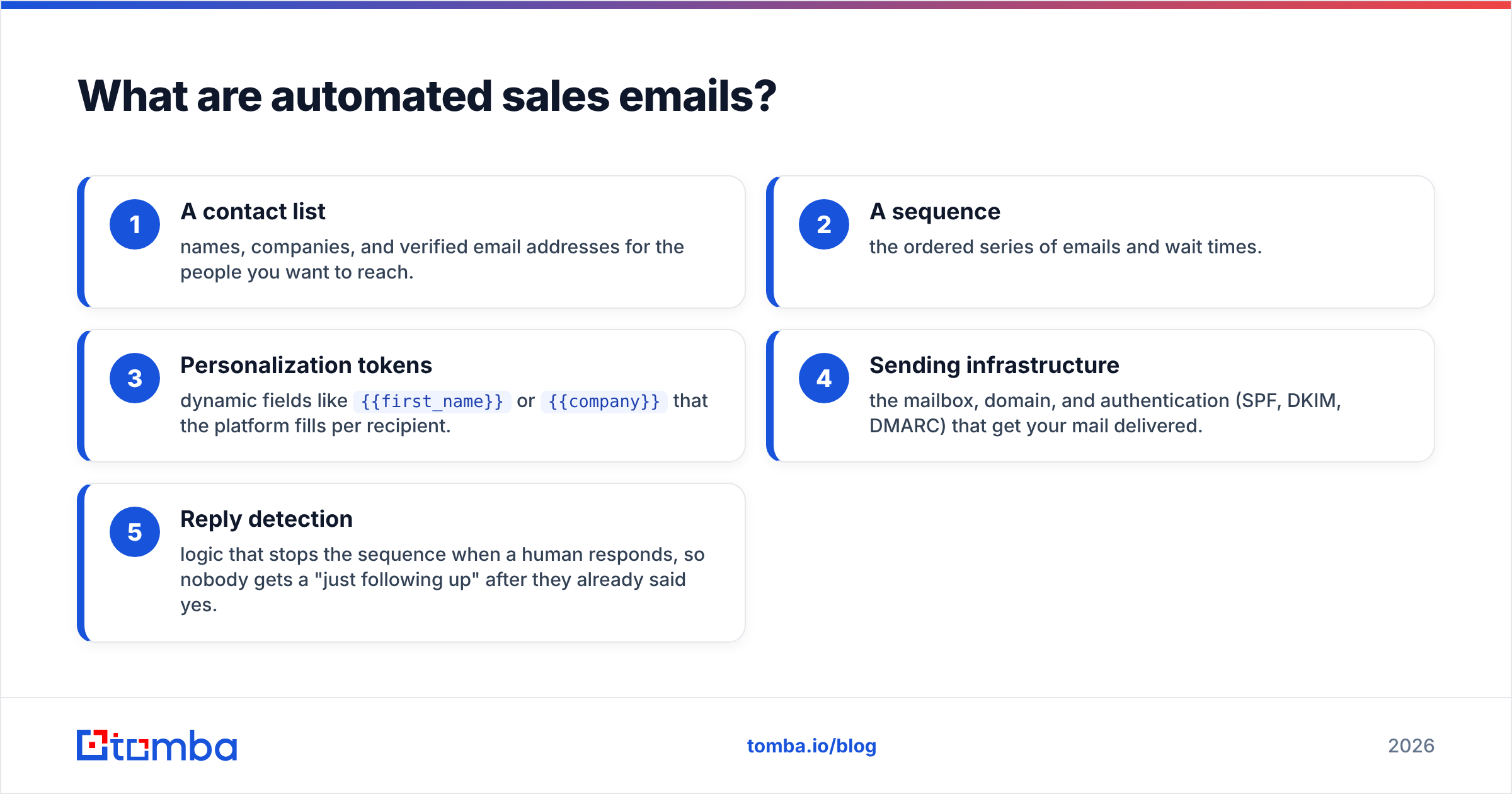
The core pieces of any automated email system are:
- A contact list — names, companies, and verified email addresses for the people you want to reach.
- A sequence — the ordered series of emails and wait times.
- Personalization tokens — dynamic fields like
{{first_name}}or{{company}}that the platform fills per recipient. - Sending infrastructure — the mailbox, domain, and authentication (SPF, DKIM, DMARC) that get your mail delivered.
- Reply detection — logic that stops the sequence when a human responds, so nobody gets a "just following up" after they already said yes.
Get those five working together and you have a system that runs while you sleep. Skip any one and the whole thing leaks.
)
Why do most automated sales email campaigns fail?#
Most campaigns fail before the first email sends, because the list is wrong. You can automate a bad idea faster than a good one, and that's exactly what happens when teams buy a stale list and blast it.
Here are the failure modes, in rough order of how often they sink a campaign:
- Dirty data. Outdated or guessed addresses bounce. A bounce rate over 3-4% tells inbox providers you don't manage your list, and they start routing you to spam.
- No warmup. A brand-new domain sending 200 cold emails on day one looks exactly like a spammer to Google and Microsoft.
- Generic copy. "I wanted to reach out about our solution" gets deleted in under a second. Automation doesn't fix a weak message — it mails it to everyone.
- Sending too much, too fast. Volume spikes trip spam filters. Steady, gradual ramps build reputation.
- Ignoring replies. Nothing kills trust faster than an automated follow-up to someone who already objected or opted out.
The fix for the first one is non-negotiable: verify every address before it enters a sequence. Running your list through an email verifier removes the invalid addresses that cause bounces, and a quick pass with a catch-all verifier flags the risky domains that accept everything and tell you nothing. According to HubSpot's research on email engagement, list quality and segmentation consistently out-predict subject-line tricks — the boring work upstream is what moves reply rates.
How do you build an automated sales email sequence?#
Start with the prospect's timeline, not yours. A good sequence respects that the person didn't ask to hear from you, so each touch has to earn the next one.
A reliable five-step structure:
- Email 1 — the relevant hook (day 0). One specific reason you're reaching out to this person. A trigger event, a shared connection, a problem their role owns. No company brochure.
- Email 2 — the soft nudge (day 2). A short reply-to-self that adds one new angle. Keep it under four sentences.
- Email 3 — the proof (day 5). A concrete result a similar company got. Numbers beat adjectives.
- Email 4 — the pattern interrupt (day 9). Change the format. A one-line question, a relevant resource, or a "should I close the loop?" check-in.
- Email 5 — the breakup (day 14). Tell them you'll stop. Breakup emails reliably pull replies because they remove pressure.
Two rules hold the whole thing together. First, every email must work on its own — assume each is the only one they'll read. Second, personalization has to go past the first name. The token {{company}} is table stakes; {{recent_funding_round}} or {{tech_stack_signal}} is what makes automation feel hand-written. That depth comes from data enrichment, which appends firmographic and contact detail to each row so your dynamic fields actually have something to say.
)
What's the difference between automation and personalization?#
Automation is how you send; personalization is what you say. The teams that win treat them as a single workflow rather than a trade-off — the data layer feeds the sending layer.
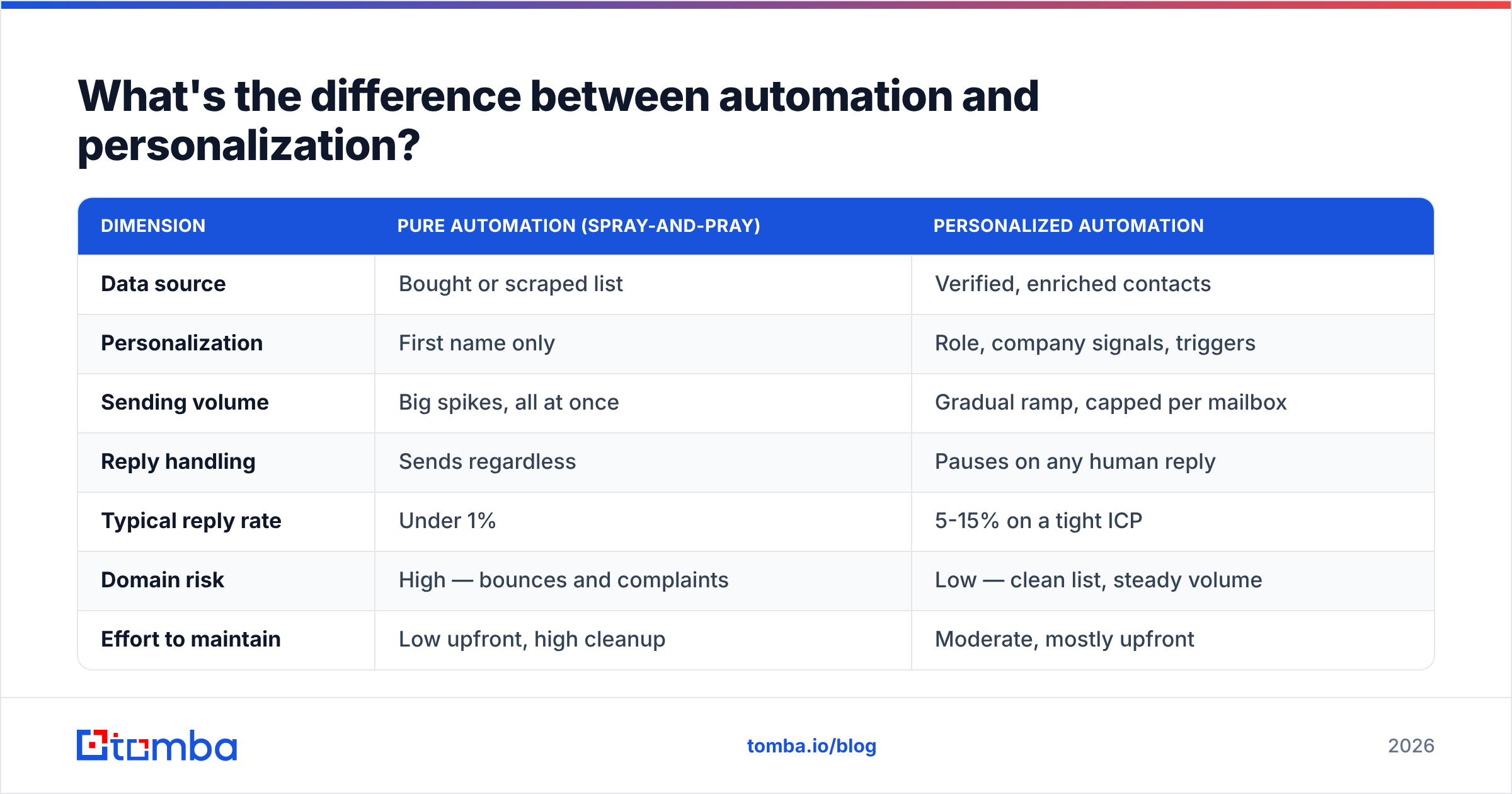
| Dimension | Pure automation (spray-and-pray) | Personalized automation |
|---|---|---|
| Data source | Bought or scraped list | Verified, enriched contacts |
| Personalization | First name only | Role, company signals, triggers |
| Sending volume | Big spikes, all at once | Gradual ramp, capped per mailbox |
| Reply handling | Sends regardless | Pauses on any human reply |
| Typical reply rate | Under 1% | 5-15% on a tight ICP |
| Domain risk | High — bounces and complaints | Low — clean list, steady volume |
| Effort to maintain | Low upfront, high cleanup | Moderate, mostly upfront |
The right column costs more attention early and far less firefighting later. The left column is cheap until your domain gets blocklisted and you're buying a new one.
Which tools do you actually need?#
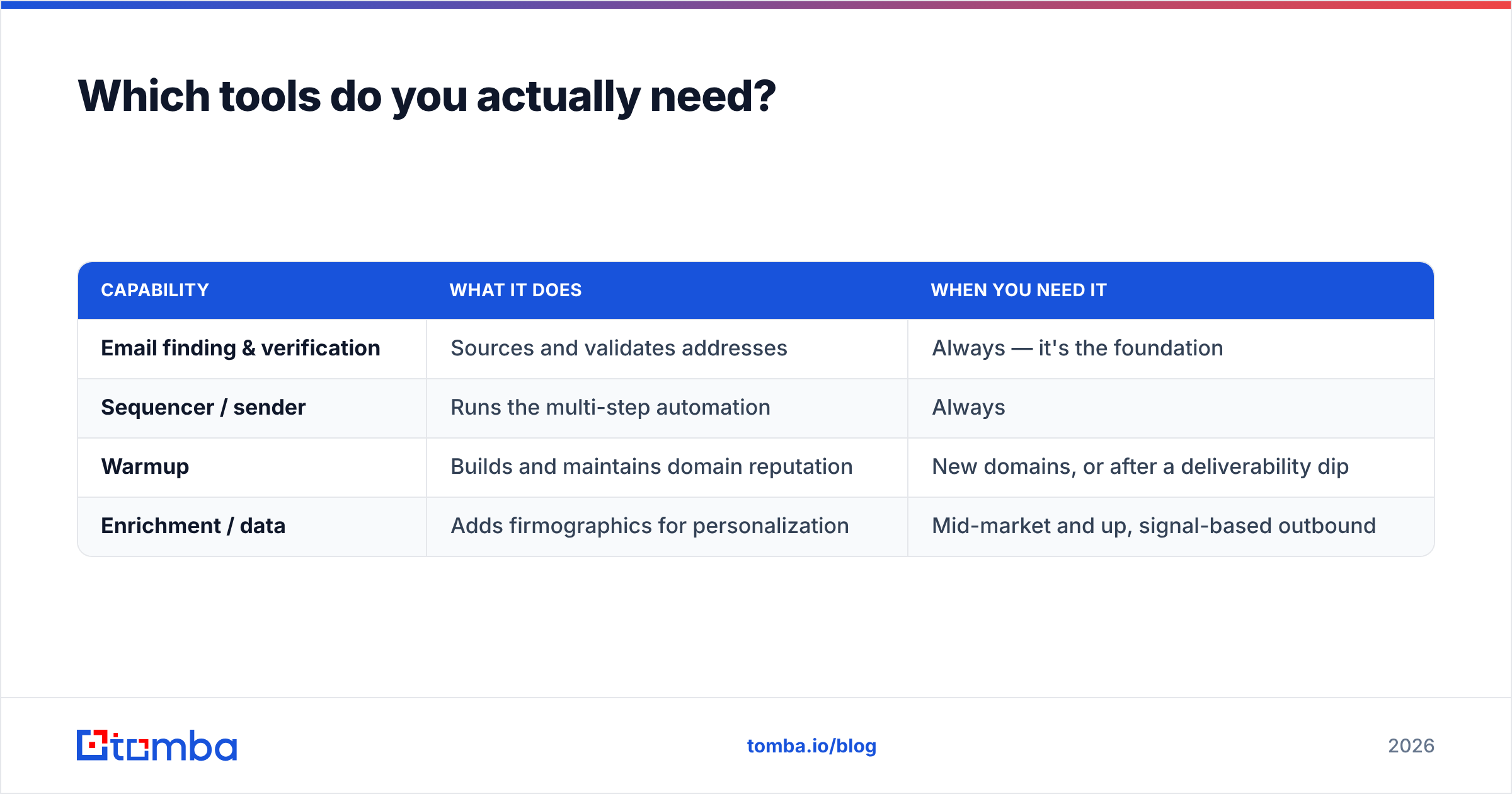
You need four capabilities, and they sometimes live in one platform and sometimes across several. Don't pay for a category you won't use.
| Capability | What it does | When you need it |
|---|---|---|
| Email finding & verification | Sources and validates addresses | Always — it's the foundation |
| Sequencer / sender | Runs the multi-step automation | Always |
| Warmup | Builds and maintains domain reputation | New domains, or after a deliverability dip |
| Enrichment / data | Adds firmographics for personalization | Mid-market and up, signal-based outbound |
For the foundation layer, an accurate email finder is what keeps the rest of the stack from running on garbage. Tomba's email finder sources professional addresses by name or company and verifies them in the same step, and its domain search pulls every reachable contact at a target account so you can build account-based lists fast. If you live in spreadsheets or a CRM, the HubSpot integration and Google Sheets add-on push verified contacts straight into your existing workflow instead of forcing another export-import dance.
For the sequencer and warmup layers, evaluate vendors on their own merits — G2's sales engagement category is a fair place to compare current options against verified reviews. The point isn't which logo you pick; it's that the contacts flowing into that sequencer are verified first.
How do you keep automated emails out of spam?#
Treat deliverability as the prerequisite, not an afterthought — the highest-converting copy in the world earns nothing from the spam folder. Three layers protect you.
Authenticate the domain. Set up SPF, DKIM, and DMARC records before sending a single email. These tell receiving servers you are who you claim to be. Google and Yahoo now effectively require them for bulk senders, and Google's own sender guidelines spell out the thresholds. Skipping this is the fastest way to the junk folder.
Warm up and ramp. A new mailbox should start at 10-20 emails a day and climb gradually over two to four weeks. Sudden volume looks like an attack. Keep daily sends per mailbox modest even at scale — spread volume across several mailboxes rather than hammering one.
Protect your reputation with clean data. This loops back to verification. Every bounce and every spam complaint is a vote against your domain. Keeping bounce rates low is the single biggest lever an individual sender controls, which is why running lists through verification — and re-checking older lists before reuse — pays for itself. You can pressure-test your setup with a free email checker before a campaign goes live.
A simple pre-send checklist:
- SPF, DKIM, and DMARC all pass
- List verified within the last 30 days
- Catch-all and risky addresses flagged or removed
- Daily volume within mailbox limits
- Unsubscribe path present and working
- Reply detection enabled so the sequence stops on response
How do you measure whether automation is working?#
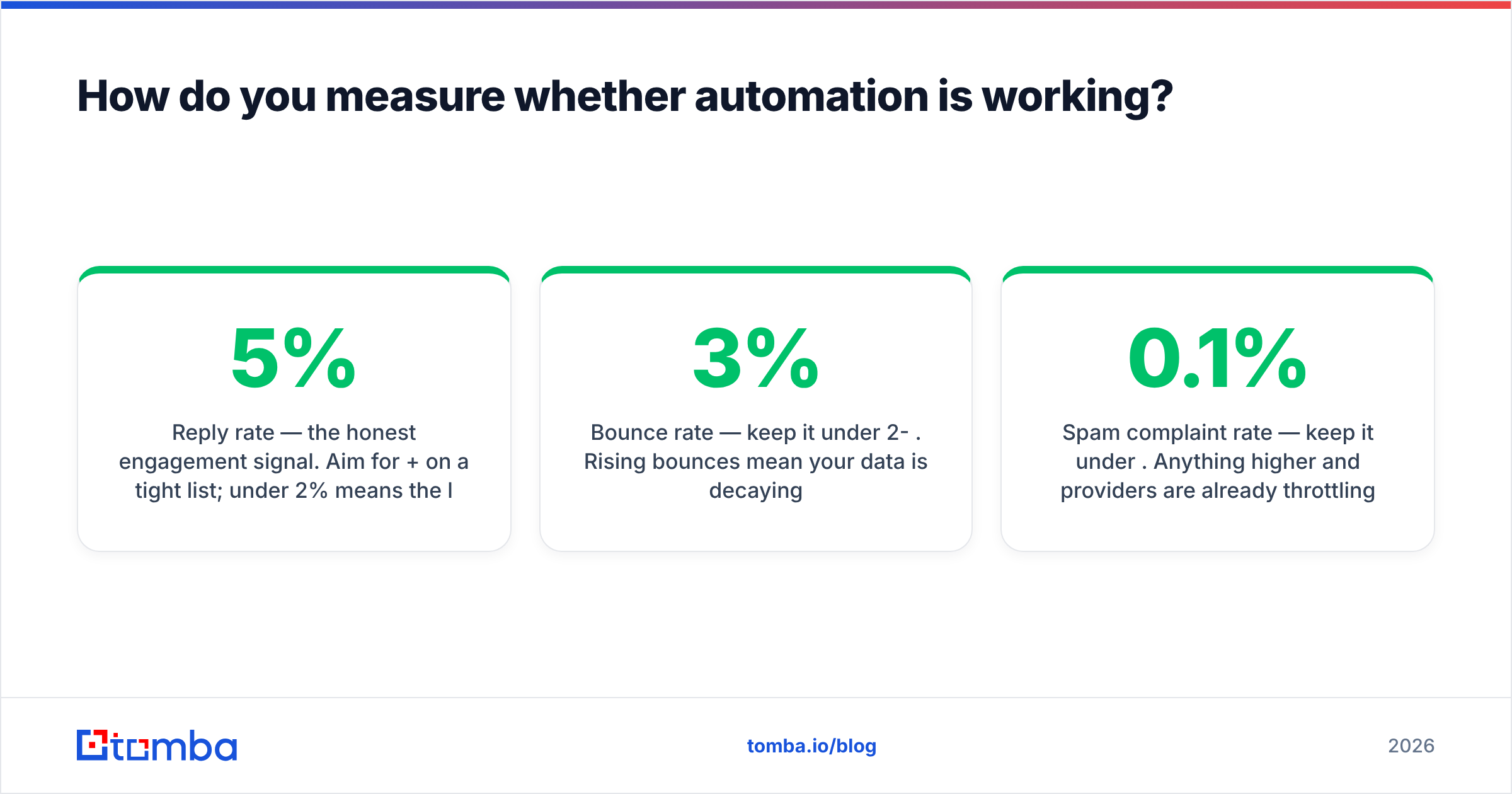
Measure replies and meetings, not opens. Apple's Mail Privacy Protection inflates open rates with bot pre-fetches, so opens are now a vanity metric. The numbers that actually map to revenue:
- Reply rate — the honest engagement signal. Aim for 5%+ on a tight list; under 2% means the list or copy is off.
- Positive reply rate — replies that want to talk, separated from "no thanks." This is the real ICP-fit gauge.
- Bounce rate — keep it under 2-3%. Rising bounces mean your data is decaying.
- Meetings booked — the only number a revenue leader cares about.
- Spam complaint rate — keep it under 0.1%. Anything higher and providers are already throttling you.
Run small. Test one variable at a time — subject line, first sentence, or call to action — across a few hundred contacts before you scale a sequence to thousands. Automation makes it cheap to be wrong at scale, so prove the message works small first.
Is automating sales emails worth it in 2026?#
Yes — but only as the output of a clean data pipeline, not as a shortcut around one. Automation is a multiplier. Point it at a verified, well-segmented list with sharp, specific copy and it compounds your best rep's output across thousands of prospects. Point it at a bought list with a generic pitch and it compounds your worst habits just as efficiently, with your domain reputation as collateral.
The teams pulling double-digit reply rates in 2026 aren't using a secret tool. They're doing the unglamorous work first: verifying every address, enriching every record, ramping volume patiently, and writing like a human. The software just runs the play they already designed.
Start where the leverage is highest — the data. Build your lists with the Tomba Email Finder so every contact entering your sequence is real and reachable, verify in the same pass, and review the Tomba pricing to match a plan to your volume: the Free tier gives you 25 searches a month to test, Starter runs $49/mo, and Growth at $99/mo covers most outbound teams. Get the foundation right, and automation does exactly what you hoped it would — book meetings while you sleep.
// get started
Find, verify and enrich your first contacts today
Start on the free plan with 25 searches a month, then scale when your team is ready.
Free plan · No credit card required · GDPR & CCPA
// about the author