B2B Data for Sales Prospecting: The 2026 Playbook
Most prospecting fails on bad data, not bad pitches. Here's how to source, verify, and enrich B2B data for sales prospecting that actually converts in 2026.
Your prospecting isn't broken because of your subject line. It's broken because 30% of the records in your list are wrong before you hit send. Bad B2B data is the silent tax on every outbound team — bounced emails, wrong job titles, dead phone numbers, and reps burning hours chasing people who left the company eight months ago.
This guide breaks down how to source, verify, and enrich B2B data for sales prospecting so your pipeline runs on signal instead of noise.
TL;DR#
- Data decays fast — roughly 2.5%–3% of B2B contact records go stale every month, which means a list bought in January is meaningfully wrong by spring.
- Three data types matter: firmographic (the account), contact (the person), and intent/behavioral (the timing). You need all three to prospect well.
- Verification is non-negotiable — verify every email before sending or your sender reputation pays the price.
- Build vs. buy is the wrong question — the right stack blends a real-time finder/verifier API with enrichment, not a static purchased list.
- Accuracy beats volume — 500 verified, well-fit contacts outperform 50,000 scraped guesses every quarter.
What is B2B data for sales prospecting?#
B2B data for sales prospecting is the structured information your team uses to identify, reach, and qualify potential buyers. Think of it like fuel for an engine: the engine (your sequences, calls, and reps) can be perfectly tuned, but feed it dirty fuel and the whole thing sputters.
It breaks into three layers, and most teams only buy one of them:
- Firmographic data — the company itself: industry, headcount, revenue, location, tech stack, funding. This tells you which accounts are worth your time.
- Contact data — the individual: name, job title, work email, direct phone, LinkedIn profile. This tells you who to reach inside the account.
- Intent and behavioral data — signals that a buyer is in-market: job changes, hiring spikes, website visits, technology adoption, funding rounds. This tells you when to reach out.
A reliable prospecting motion stitches all three together. You target the right accounts (firmographic), find the right person (contact), and time the touch around a real trigger (intent). Skip a layer and you're guessing.
Why does B2B data quality decay so fast?#
People change jobs. Companies merge, rebrand, get acquired, and shut down. Email formats change when IT migrates domains. According to widely cited industry estimates, B2B data degrades at roughly 30% per year — and in volatile sectors like tech, it's faster.
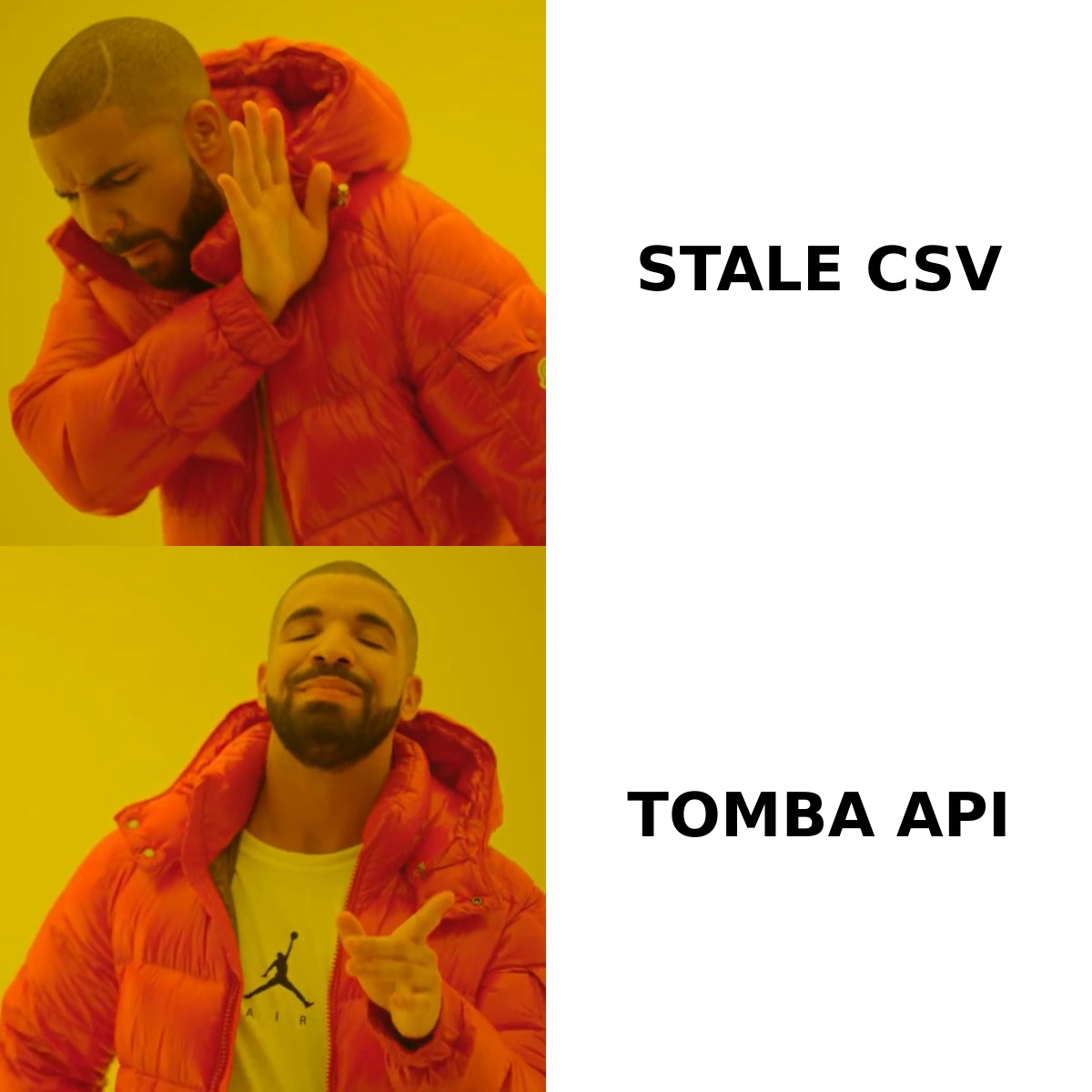
Here's what that decay looks like in practice across a typical 12-month-old purchased list:
| Field | Approx. decay/year | What goes wrong |
|---|---|---|
| Job title | ~25–30% | Promotions, lateral moves, role changes |
| Work email | ~22–30% | Job changes, domain migrations, format updates |
| Direct phone | ~30%+ | Remote work, number reassignment |
| Company size/funding | ~15–20% | Growth, layoffs, new rounds |
| Email deliverability | varies | Catch-all changes, mailbox deletion |
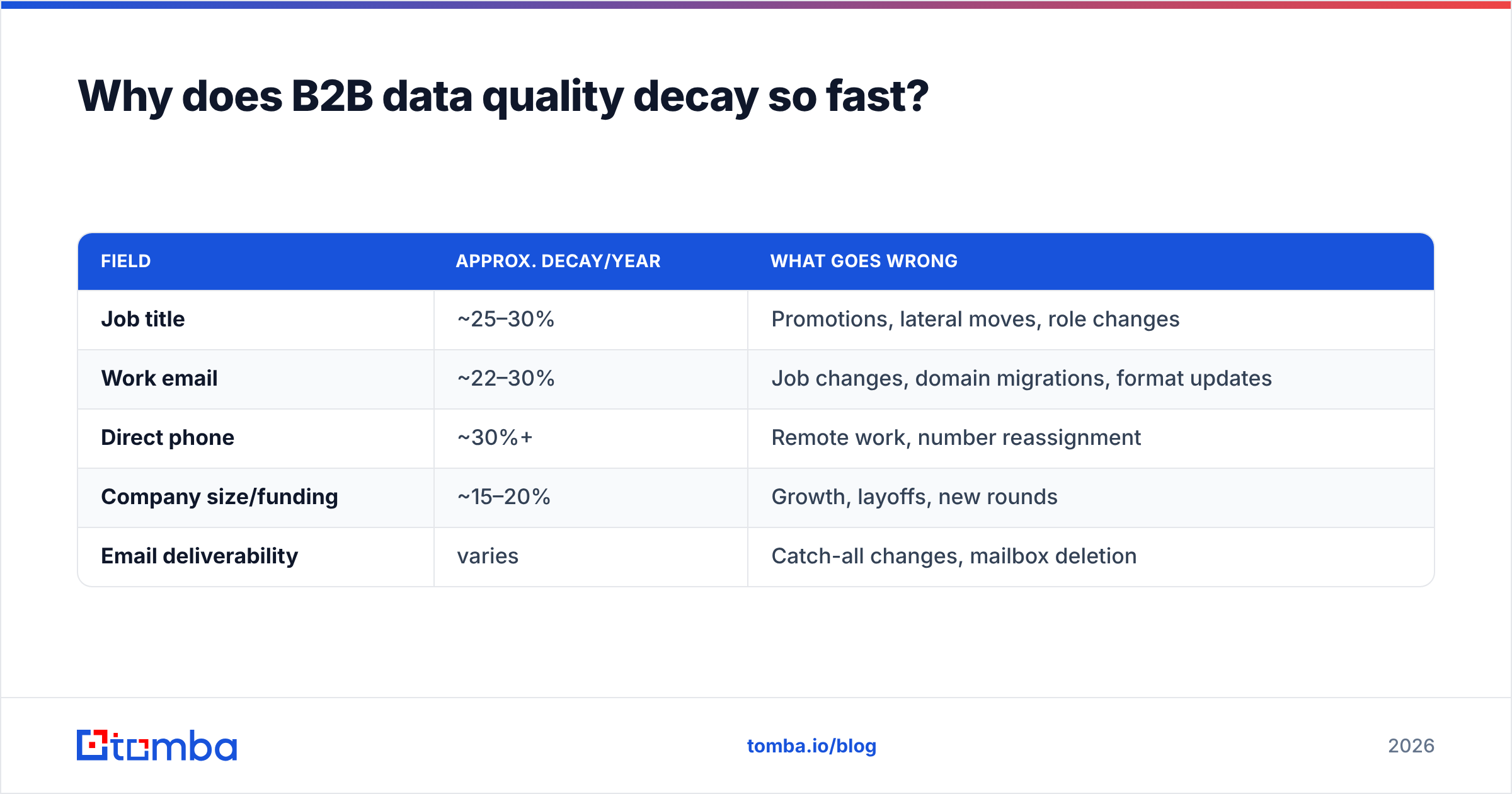
The takeaway: a static list is a depreciating asset. The moment you buy a CSV, it starts rotting. That's why modern teams lean on real-time lookups and continuous data enrichment instead of one-time purchases.
What are the main ways to source B2B prospecting data?#
There are four realistic sourcing methods, each with trade-offs.
- Buy a static list. Fast and cheap up front, but you inherit someone else's decay. Often resold to dozens of buyers, so your "exclusive" leads are getting hammered by competitors too.
- Scrape it yourself. Maximum control, but high maintenance, legally gray in many jurisdictions, and you still have to verify everything you pull.
- Use a real-time finder/verifier. Query a person or domain on demand and get a freshly validated result. This is the highest-accuracy approach because the data is checked the moment you need it. Tools like an email finder or domain search live here.
- Enrich your existing CRM. You already have leads — many are incomplete or stale. Re-running them through an enrichment and verification layer is the cheapest way to add pipeline without buying a single new record.
Most teams that prospect well use a hybrid: real-time finding for net-new accounts, continuous enrichment for the CRM, and bulk processing for big campaign pushes.
How do you compare B2B data providers?#
Don't compare on database size — every vendor claims "200M+ contacts." Compare on the metrics that actually affect your reply rate and sender reputation.
| Criterion | What to ask | Why it matters |
|---|---|---|
| Email accuracy | Verified bounce rate under 3%? | Protects deliverability and domain reputation |
| Data freshness | Real-time lookup or static dump? | Stale data wastes rep hours |
| Verification built in | SMTP + catch-all checks included? | Avoids paying for a separate tool |
| Coverage | Strong in your target region/industry? | A huge US database is useless for EU SMBs |
| Pricing model | Per-credit, per-seat, or hybrid? | Per-seat punishes small focused teams |
| API + integrations | Native CRM, Sheets, |
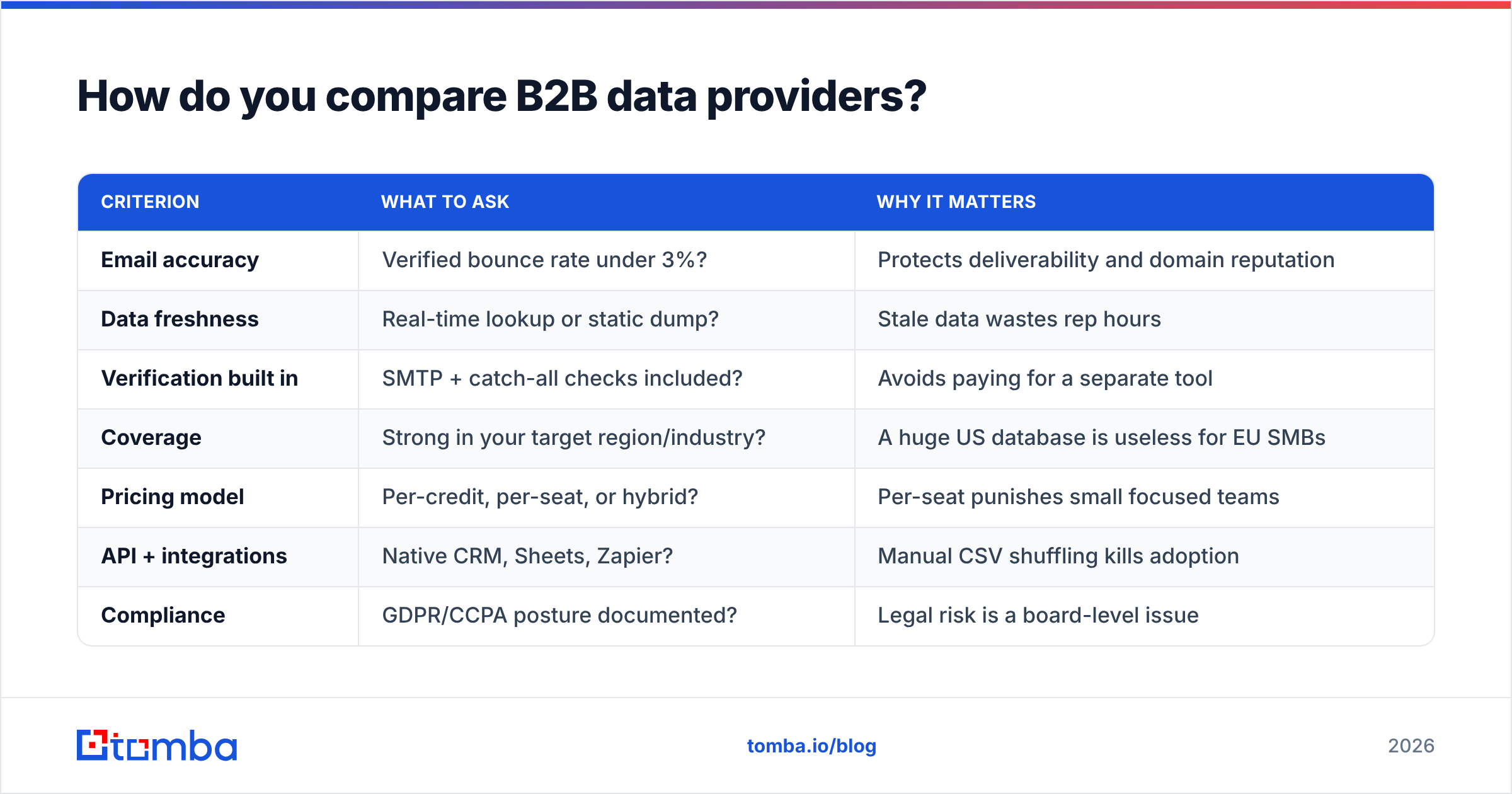
Zapier? | Manual CSV shuffling kills adoption | | Compliance | GDPR/CCPA posture documented? | Legal risk is a board-level issue |
When you're benchmarking vendors, cross-check independent reviews on G2 and Capterra rather than trusting marketing pages. Real buyers report real bounce rates.
Where Tomba fits#
Tomba is built around the real-time, verify-first approach. Instead of selling you a stale dump, it finds and validates contacts on demand. Pricing is credit-based and transparent — a Free tier with 25 searches/month, Starter at $49/mo, Growth at $99/mo, and Pro at $249/mo — so a focused two-person team isn't paying enterprise seat fees. You can see the full Tomba pricing breakdown before committing.
How do you verify B2B data before you use it?#
Verification is the step most teams skip and most regret. Sending to unverified addresses spikes your bounce rate, which tanks your email deliverability and can get your domain blacklisted. Mailbox providers treat high bounce rates as a spammer signal.
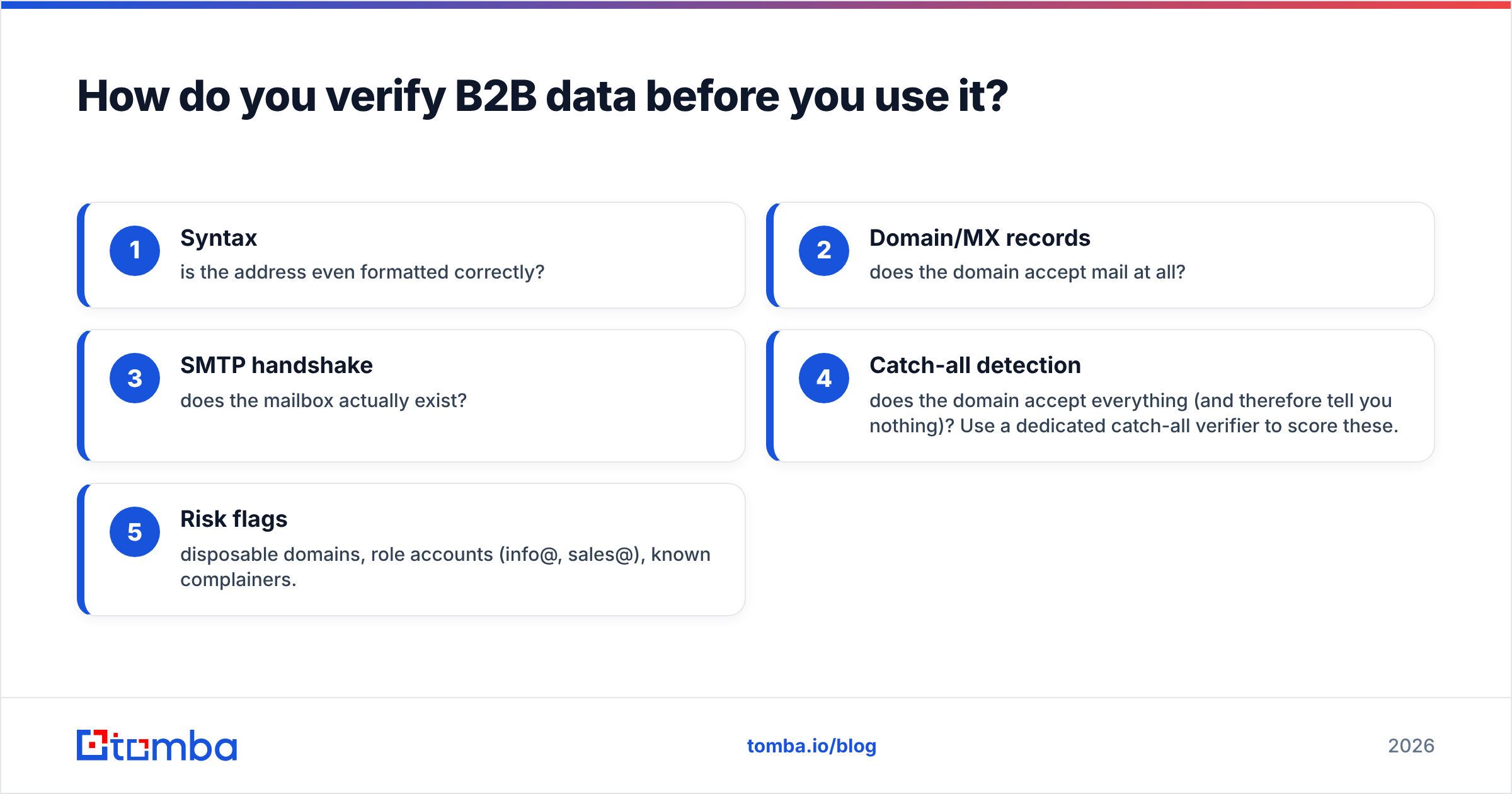
A solid verification pass checks, in order:
- Syntax — is the address even formatted correctly?
- Domain/MX records — does the domain accept mail at all?
- SMTP handshake — does the mailbox actually exist?
- Catch-all detection — does the domain accept everything (and therefore tell you nothing)? Use a dedicated catch-all verifier to score these.
- Risk flags — disposable domains, role accounts (info@, sales@), known complainers.
Run this through an email verifier before every campaign, not once a quarter. For big pushes, a bulk email finder lets you find and verify thousands of records in one job instead of one-by-one.

What does a modern prospecting data stack look like?#
You don't need ten tools. You need four functions covered, ideally by fewer vendors:
- Find — turn a name + company or a domain into a verified work email and phone. This is the email finder and phone finder layer.
- Verify — validate every address before send, including catch-all scoring.
- Enrich — fill in missing firmographic and contact fields on records you already have.
- Integrate — push clean data straight into your CRM. Native connectors for HubSpot, Salesforce, and Zapier mean no manual CSV gymnastics.
The teams that win automate the boring parts. A Tomba API call inside your workflow means a new CRM lead gets enriched and verified automatically — before a rep ever sees it. Compare that to a rep manually Googling for an email and pasting it into a sequence: the API version is faster, cheaper, and more accurate.
How do you measure if your prospecting data is actually good?#
Track these four numbers per data source, every month:
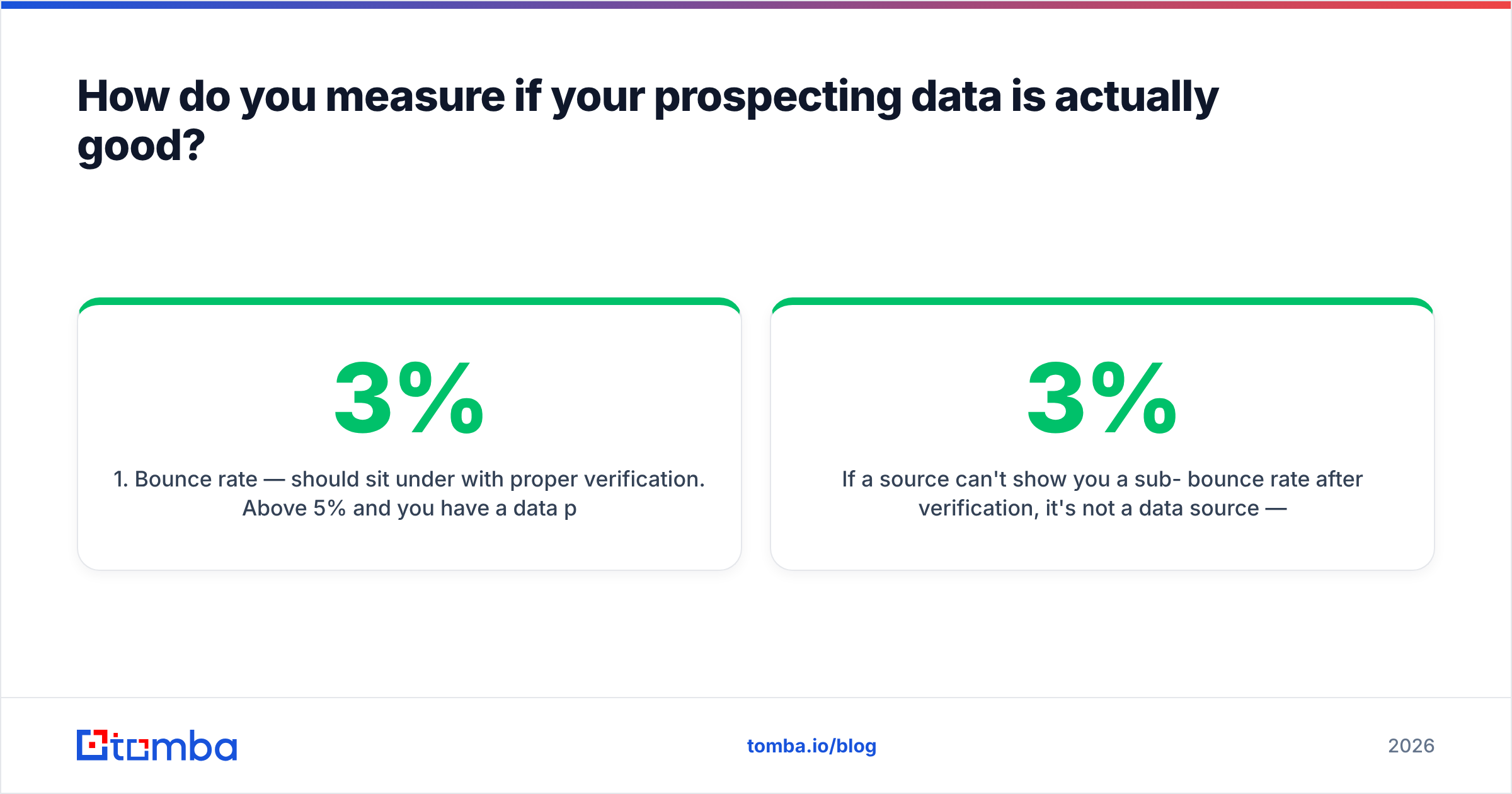
- Bounce rate — should sit under 3% with proper verification. Above 5% and you have a data problem, not a copy problem.
- Connect/reply rate by source — tag every contact with where it came from so you can kill underperforming sources.
- Cost per qualified meeting — not cost per contact. A "cheap" list that books no meetings is infinitely expensive.
- Data completeness — what percentage of records have a verified email and a direct phone and a correct title?
If a source can't show you a sub-3% bounce rate after verification, it's not a data source — it's a liability. This is the difference between teams that hit quota on a clean list and teams that burn their sender reputation on a dirty one.
Is buying a list ever the right move?#
Rarely, and only with eyes open. A purchased list can make sense for a one-time event push or a brand-new market test where you have zero data. But treat it as a starting point, never a finished asset:
- Always re-verify the entire list yourself before sending — the seller's "95% accuracy" was true on the day they exported it, not today.
- Assume it's non-exclusive and your competitors have the same names.
- Strip role accounts and obvious decay before the first send.
- Layer your own intent signals on top — a name without timing is just a name.
For ongoing prospecting, real-time finding plus enrichment beats list-buying on every metric that matters: freshness, accuracy, exclusivity, and cost per meeting. The math only favors lists when you genuinely have nothing and need volume yesterday.
What about compliance and data privacy?#
B2B data isn't exempt from privacy law. GDPR (EU), CCPA (California), and similar regimes govern how you collect, store, and use contact data — even for business contacts. The safe posture:
- Use providers that document where their data sources come from and how they're processed.
- Honor opt-outs and suppression lists across every tool.
- Don't store more than you need, and don't keep it longer than you use it.
- Keep a defensible record of legitimate interest for your outreach.
This isn't legal advice — talk to counsel for your jurisdiction — but choosing a transparent provider makes the compliance conversation far shorter.
Frequently asked questions#
How often should I refresh my prospecting data? Continuously for active CRM records, and always verify fresh at the point of send. Given ~2.5–3% monthly decay, any list older than 60–90 days needs re-verification before a campaign.
What's the single highest-leverage fix for bad prospecting results? Add a verification step before every send. It's the cheapest change with the biggest impact on bounce rate, deliverability, and reply rate.
Do I need separate tools for finding and verifying? No. A platform that finds and verifies in one flow is cheaper and avoids data leaking between vendors. Tomba combines finding, verification, catch-all checks, phone lookup, and enrichment under one roof.
Is more data always better? No. A smaller, verified, well-fit list outperforms a giant scraped one on cost per meeting almost every time. Volume without accuracy just amplifies your bounce problem.
Start with data you can trust#
Prospecting is a data problem first and a messaging problem second. Fix the fuel before you tune the engine. If your reps are still hand-hunting emails or working off a six-month-old purchased list, you're leaving pipeline on the table and risking your sender reputation every send.
Start free with the Tomba Email Finder — 25 searches a month at no cost — and find verified, deliverable contacts by name, company, or domain. Pair it with the built-in verifier and enrichment, wire it into your CRM, and let your reps spend their time selling instead of sourcing. Clean data in, more meetings out.
// get started
Find, verify and enrich your first contacts today
Start on the free plan with 25 searches a month, then scale when your team is ready.
Free plan · No credit card required · GDPR & CCPA
// about the author