Best B2B Lead Generation Software in 2026: A Buyer's Guide
A neutral, hype-free breakdown of B2B lead generation software in 2026 — categories, pricing, accuracy trade-offs, and how to build a stack that actually books meetings.
B2B lead generation software is the layer of your go-to-market stack that turns "we should talk to companies like X" into a verified contact record your reps can actually email or call. The category is crowded, the marketing is loud, and the pricing is rarely honest. This guide cuts through it.
TL;DR#
- B2B lead generation software isn't one tool — it spans data/contact finders, intent platforms, outreach engines, and CRMs. Most teams need two or three categories, not one mega-suite.
- Data accuracy beats database size. A 700M-contact database with 60% deliverable emails wastes more rep time than a smaller, verified source.
- Budget realistically: entry tooling starts around $49/mo per category; full mid-market stacks run $300–$1,500/mo.
- Start narrow. Nail contact discovery and verification first; add intent data and automation once your targeting is proven.
- For accurate email discovery without buying stale lists, a focused finder like the Tomba Email Finder covers the highest-leverage step cheaply.
What is B2B lead generation software?#
B2B lead generation software is any tool that helps you identify, source, enrich, and reach potential business buyers. Think of it like a kitchen: the data tools are your pantry (raw ingredients), enrichment tools are your prep station, outreach tools are the stove, and the CRM is the plate you serve everything on. No single appliance makes the meal.
Technically, the category covers five jobs:
- Contact discovery — finding the email or phone number for a specific person at a target company (email finders, domain search, prospecting databases).
- Verification — confirming those contacts are deliverable before you send, so your sender reputation survives.
- Enrichment — appending firmographics, technographics, and role data to thin records.
- Intent & signals — surfacing accounts showing buying behavior (web visits, topic surges, hiring).
- Outreach & automation — sequencing email, calls, and LinkedIn touches at scale.
A common mistake is buying an all-in-one platform expecting it to be best-in-class at all five. It almost never is. The strongest stacks pick a reliable data source, a strict verifier, and one automation layer they trust.
)
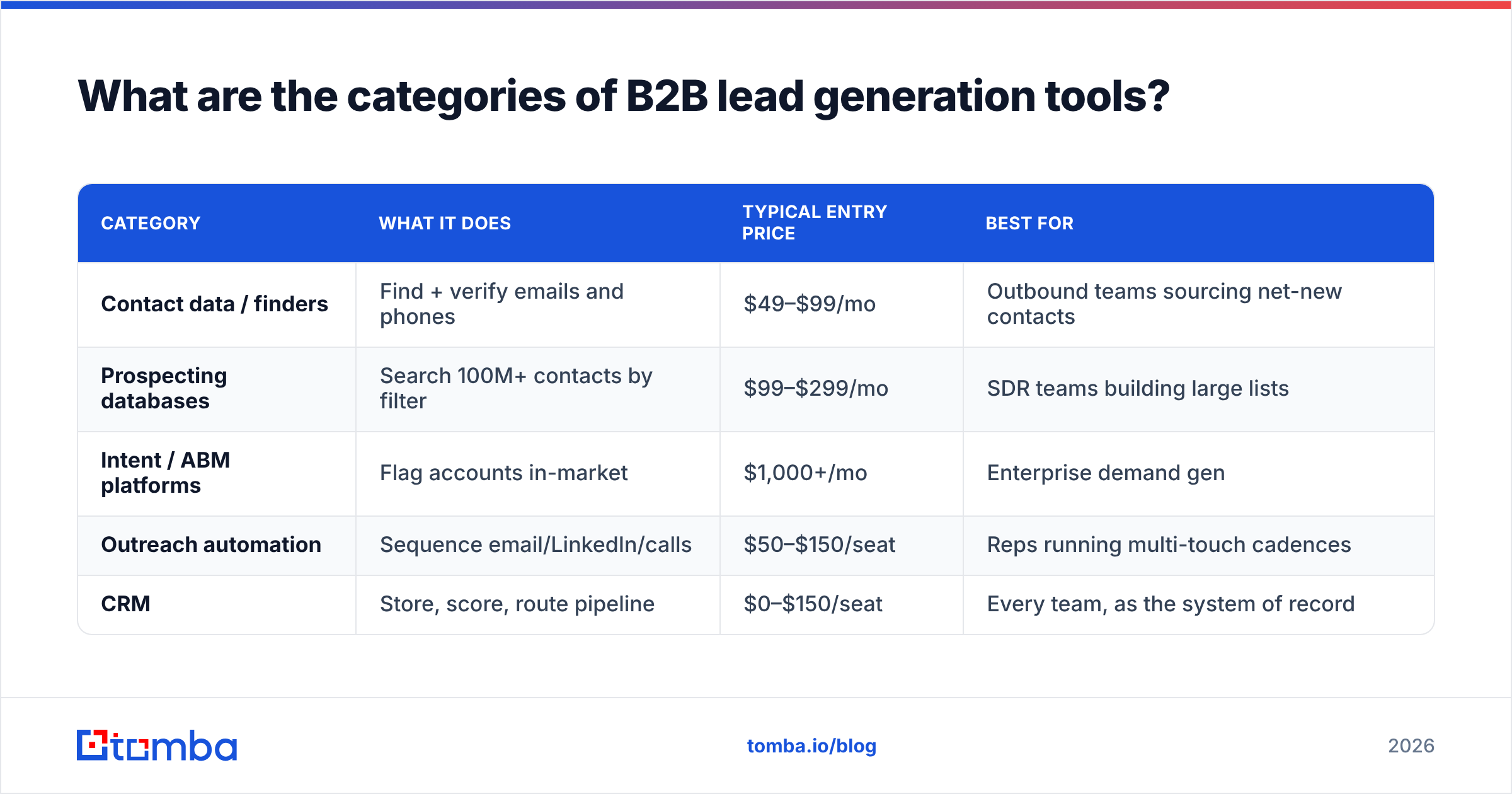
What are the categories of B2B lead generation tools?#
| Category | What it does | Typical entry price | Best for |
|---|---|---|---|
| Contact data / finders | Find + verify emails and phones | $49–$99/mo | Outbound teams sourcing net-new contacts |
| Prospecting databases | Search 100M+ contacts by filter | $99–$299/mo | SDR teams building large lists |
| Intent / ABM platforms | Flag accounts in-market | $1,000+/mo | Enterprise demand gen |
| Outreach automation | Sequence email/LinkedIn/calls | $50–$150/seat | Reps running multi-touch cadences |
| CRM | Store, score, route pipeline | $0–$150/seat | Every team, as the system of record |
The categories overlap on purpose — vendors expand into adjacent jobs to raise contract value. That's fine, but evaluate each job on its own merits. A great sequencer with mediocre data still feeds your funnel garbage.
How do you choose B2B lead generation software?#
Conclusion first: choose for data accuracy and workflow fit, not feature count. Here's the checklist that actually predicts ROI.
- Verified deliverability rate. Ask the vendor for their bounce guarantee, then test 200 contacts in your ICP before committing. Run them through an email verifier to confirm.
- Coverage in your segment. A tool strong in US SaaS may be thin in EU manufacturing. Test your actual territory.
- Pricing model. Credit-based, seat-based, and unlimited models reward different usage. High-volume teams get burned by per-credit pricing; low-volume teams overpay for unlimited.
- Integrations. If it doesn't push clean records to your CRM and sequencer, you'll pay in manual CSV work. Check for native HubSpot and Salesforce connectors.
- Compliance. GDPR/CCPA handling, opt-out support, and documented data sources matter more every year.
A useful gut check: according to G2 reviews, the most common complaint across this category is not missing features — it's data that's stale or wrong. Optimize against that first.
Is more data always better?#
No. This is the single most expensive misconception in the category.
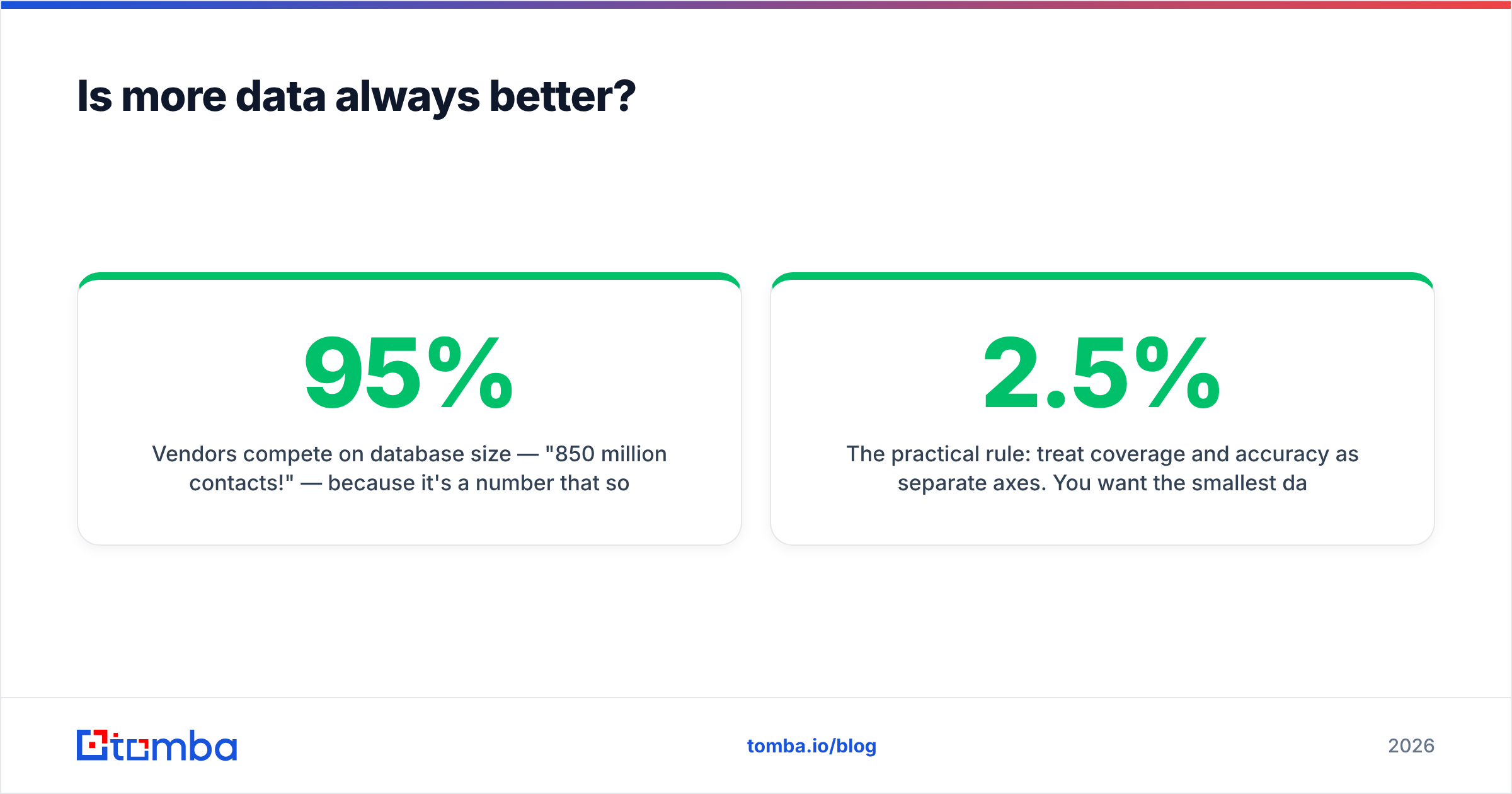
Vendors compete on database size — "850 million contacts!" — because it's a number that sounds like value. But you only email the contacts that match your ICP, and of those, only the deliverable ones produce replies. A 50,000-record list that's 95% accurate outperforms a 500,000-record list that's 65% accurate, because the bad records don't just waste time — they damage sender reputation and tank deliverability for the good ones too.
)
The practical rule: treat coverage and accuracy as separate axes. You want the smallest dataset that fully covers your ICP at the highest verified accuracy you can buy. Then verify again at send time, because B2B data decays roughly 2–2.5% per month as people change jobs.
What does B2B lead generation software cost in 2026?#
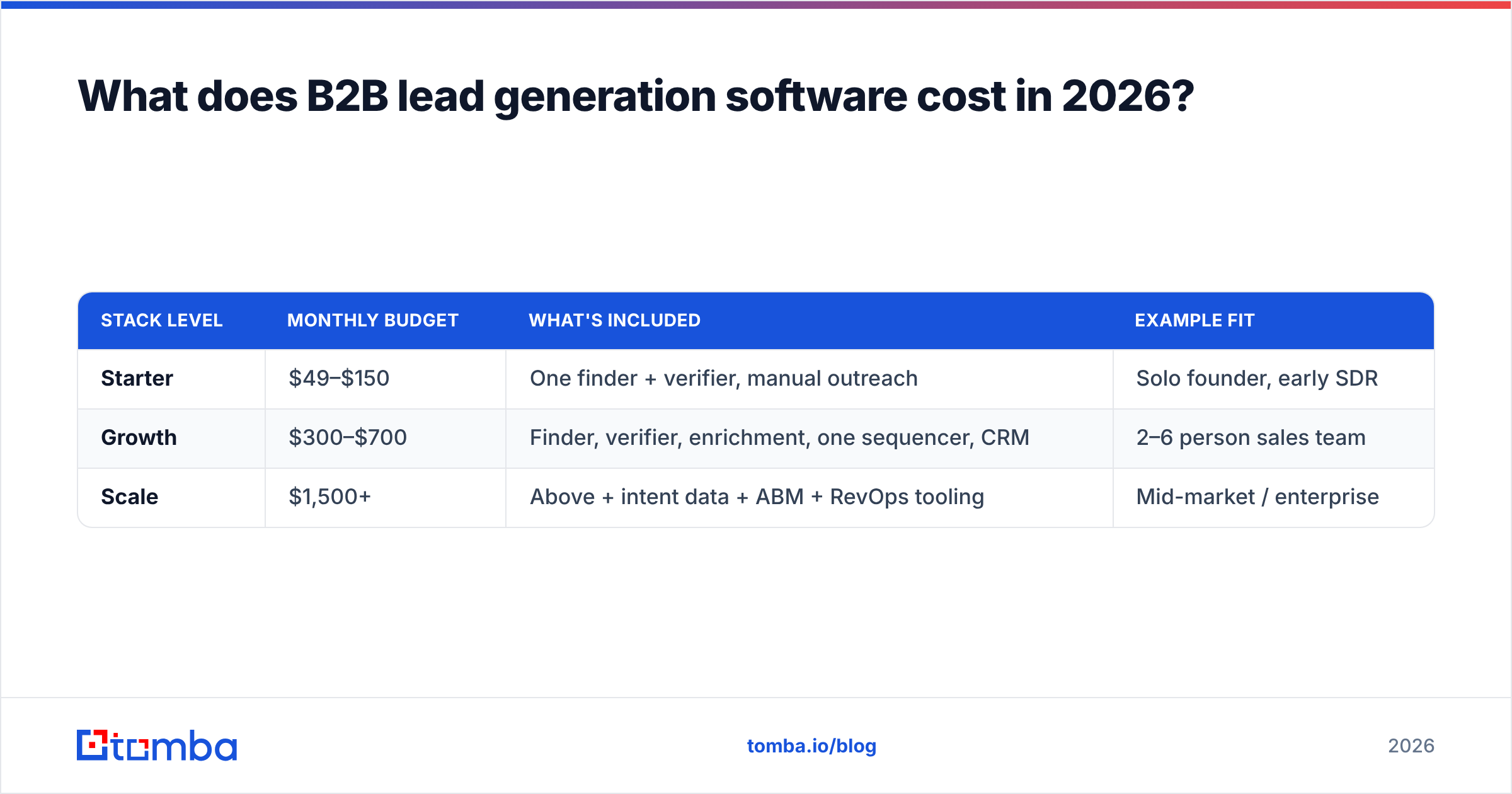
Pricing splits into three honest tiers. Ignore the "contact sales" theater on enterprise pages until you've validated the lower tiers.
| Stack level | Monthly budget | What's included | Example fit |
|---|---|---|---|
| Starter | $49–$150 | One finder + verifier, manual outreach | Solo founder, early SDR |
| Growth | $300–$700 | Finder, verifier, enrichment, one sequencer, CRM | 2–6 person sales team |
| Scale | $1,500+ | Above + intent data + ABM + RevOps tooling | Mid-market / enterprise |
For the contact-data layer specifically, Tomba pricing is representative of focused finders: a Free tier with 25 searches/mo, Starter at $49/mo, Growth at $99/mo, Pro at $249/mo, and custom Enterprise. Note that focused single-job tools are usually cheaper per verified contact than bundled suites, because you're not subsidizing modules you won't use.
A budgeting tip most teams miss: price per verified, deliverable contact, not per credit. A $99/mo plan that yields 1,000 usable emails beats a $79/mo plan that yields 500.
How do you build a lead gen stack that actually books meetings?#
Build it in the order leads flow, and prove each stage before adding the next.
- Define the ICP precisely. Job titles, company size, industry, geography, tech stack. Vague ICPs make every downstream tool look broken.
- Source contacts with a finder. Start from a target company and pull verified decision-maker emails — a domain search returns every public address pattern for a company in seconds.
- Verify before sending. Route every email through verification; quarantine catch-all domains with a catch-all verifier rather than blindly mailing them.
- Enrich thin records with firmographics and role data so personalization isn't generic.
- Sequence across email, phone, and LinkedIn. Keep daily volume conservative to protect email deliverability.
- Sync to CRM so reps work one source of truth and you can measure reply-to-meeting conversion by source.
The teams that win don't have the biggest stack — they have the tightest feedback loop. They measure which data source produces meetings, then double down on it.
Build vs. buy: should you scrape your own data?#
Buy for the data, build for the workflow. Scraping and maintaining your own contact database looks cheap until you account for proxy costs, breakage, legal exposure, and the engineering hours to keep it fresh. Specialized vendors amortize that across thousands of customers.
Where building (or light scripting) does pay off is glue: connecting your finder's API to your CRM, auto-verifying on import, and de-duplicating. That's a weekend of automation that saves reps hours weekly — and most finders expose an API and a bulk email finder endpoint precisely so you can wire this up without scraping anything.
What are common mistakes with lead generation software?#
- Buying purchased lists. They're shared, stale, and a deliverability landmine. Source net-new, verify, and own your data.
- Skipping verification. Sending to unverified addresses is the fastest way to land in spam folders.
- Over-tooling early. Buying intent data before your basic outreach converts is premature optimization.
- Ignoring the CRM. If data doesn't flow to your CRM, you're paying for tools and still working from spreadsheets.
- Optimizing for volume. More sends ≠ more meetings. Tighter targeting and clean data beat blast volume every time.
According to HubSpot's research, lead quality consistently ranks above lead quantity as the top priority for high-performing teams — yet most tool budgets are spent chasing volume. Resist that.
Frequently asked questions#
Is free B2B lead generation software worth using? Free tiers (like the 25-search Tomba plan, or limited CRM seats) are genuinely useful for validating fit before you pay. They're not a long-term sourcing strategy at volume, but they're the correct first step.
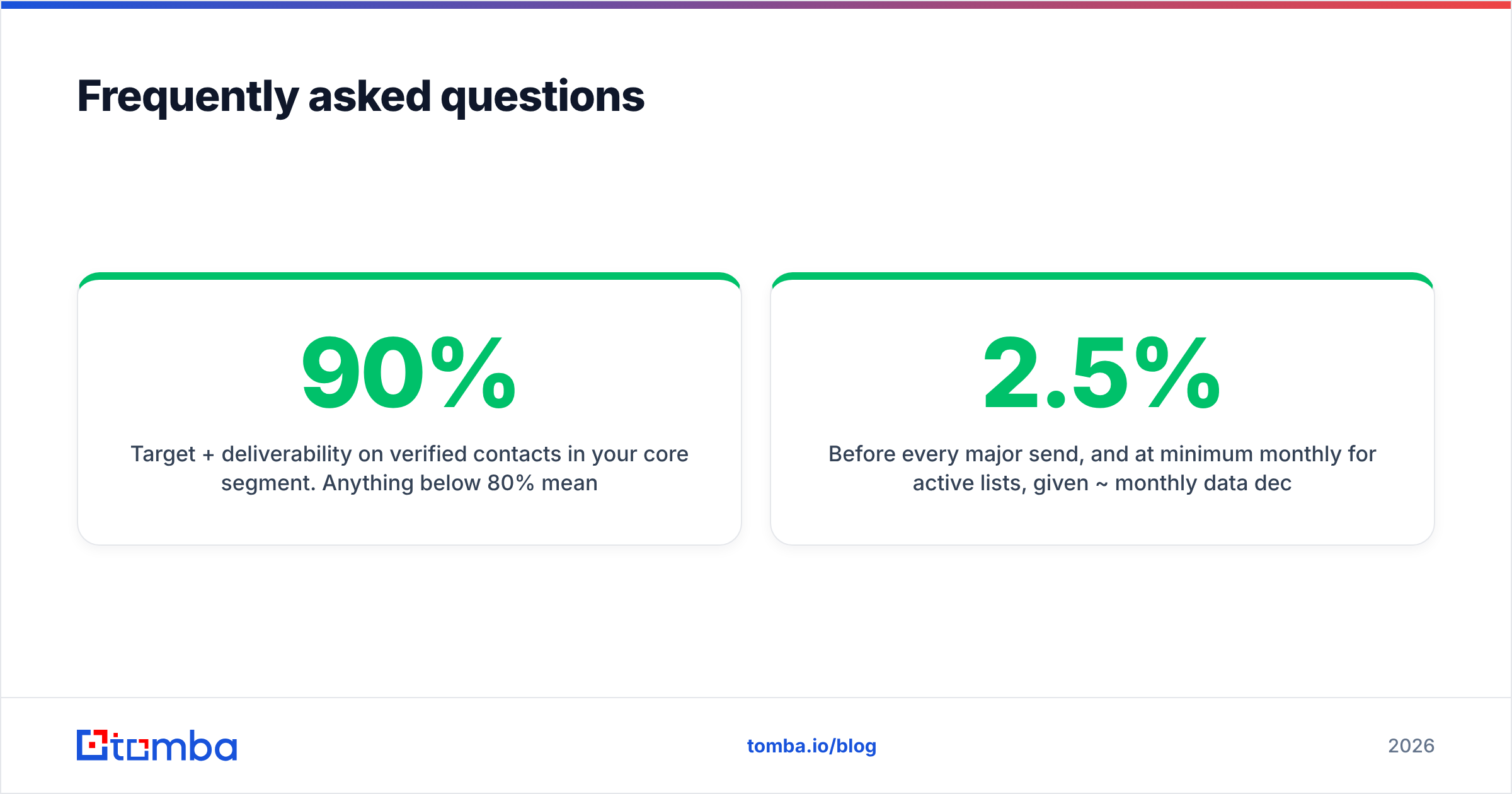
How accurate should I expect the data to be? Target 90%+ deliverability on verified contacts in your core segment. Anything below 80% means you're funding bounces.
Do I need separate tools for email and phone? Often one platform covers both. If you do outbound calling, confirm the vendor's phone finder coverage in your region before relying on it.
How often should I re-verify my list? Before every major send, and at minimum monthly for active lists, given ~2.5% monthly data decay.
The bottom line#
B2B lead generation software is a stack, not a single purchase. Get the data layer right — accurate, verified, well-sourced — and the rest of your tooling has something worth automating. Get it wrong, and every downstream dollar amplifies the error.
Start where the leverage is highest: clean, verified contact discovery. The Tomba Email Finder finds professional emails by name, domain, or company, verifies them in the same flow, and pushes straight into your CRM via native integrations — so you can prove your ICP and book meetings before committing to a heavier stack. Spin up the free tier, test 25 contacts against your ideal segment, and let deliverability decide your budget.
Ready to find emails that actually work?
Join 150,000+ professionals who stopped guessing and started sending. Free credits on signup — no credit card required.
Get the Tomba newsletter
Practical outbound tactics and product updates — once every two weeks.
About the author