How to Build a B2B Lead List in 2026 (Step-by-Step Guide)
A bought B2B lead list decays the moment you download it. Here's how to build a high-accuracy, verified lead list in 2026 that actually books meetings.
How to Build a B2B Lead List in 2026 (Step-by-Step Guide)
Most B2B lead lists fail before the first email is sent. You buy a 50,000-row CSV, blast it, watch your bounce rate spike to 18%, and burn your sending domain. A great lead list isn't a file you download — it's a process you run. This guide shows you how to build one in 2026 that's targeted, verified, and actually deliverable.
TL;DR#
- Buying lists is the slowest way to fail. Purchased lists are stale, oversold, and tank your deliverability. Build your own from a clear ICP.
- A B2B lead list is only as good as its verification layer. Aim for a bounce rate under 3% before you ever hit send.
- The workflow is four steps: define your ICP, source contacts, enrich the records, then verify every email.
- Tooling matters more than volume. A 500-row verified list beats a 50,000-row bounce machine every time.
- Tomba handles sourcing, enrichment, and verification in one stack — so your list is build-ready, not buy-ready.
What is a B2B lead list?#
A B2B lead list is a structured set of contacts at companies that match your ideal customer profile (ICP), enriched with the data your team needs to reach out — name, role, verified work email, company, and often phone or LinkedIn URL.
Think of it like a guest list for a wedding. You don't invite a random crowd off the street and hope some of them know the couple. You start with who matters, confirm each person's address, and only then send invitations. A bought list is the random crowd. A built list is the curated guest list.
The difference shows up in the numbers. Here's what separates a list that converts from one that gets you blacklisted:
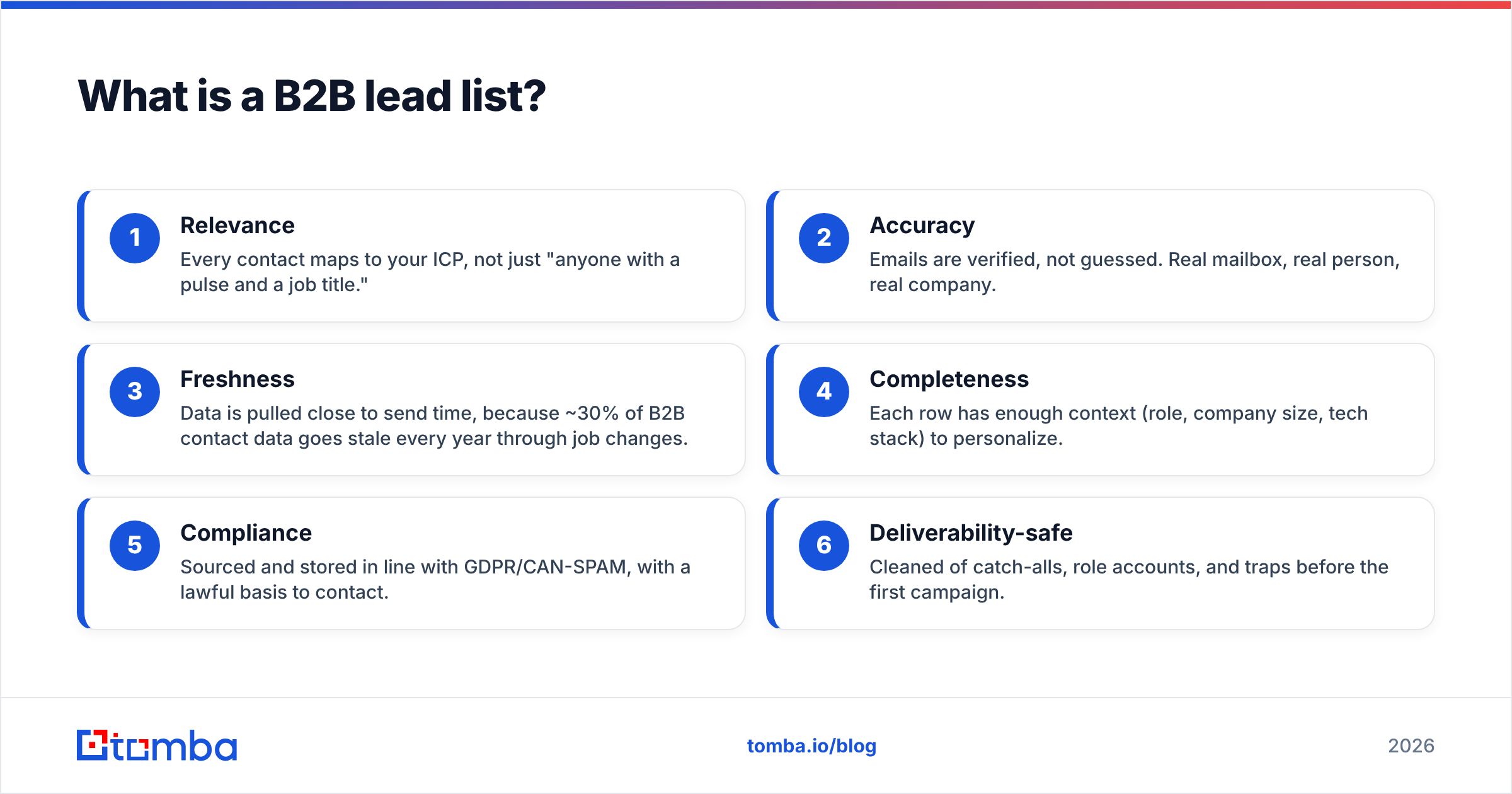
- Relevance — Every contact maps to your ICP, not just "anyone with a pulse and a job title."
- Accuracy — Emails are verified, not guessed. Real mailbox, real person, real company.
- Freshness — Data is pulled close to send time, because ~30% of B2B contact data goes stale every year through job changes.
- Completeness — Each row has enough context (role, company size, tech stack) to personalize.
- Compliance — Sourced and stored in line with GDPR/CAN-SPAM, with a lawful basis to contact.
- Deliverability-safe — Cleaned of catch-alls, role accounts, and traps before the first campaign.
Should you buy a B2B lead list or build one?#
Build it. Buying a list is the single most common reason cold campaigns die on arrival.
Purchased lists are sold to dozens of buyers, scraped months ago, and full of contacts who left their roles. When everyone emails the same stale list, recipients flag it as spam, mailbox providers notice the pattern, and your sender reputation collapses. According to research compiled by HubSpot, B2B databases naturally degrade by roughly 22.5% per year — and a bought list is already degraded before it reaches you.
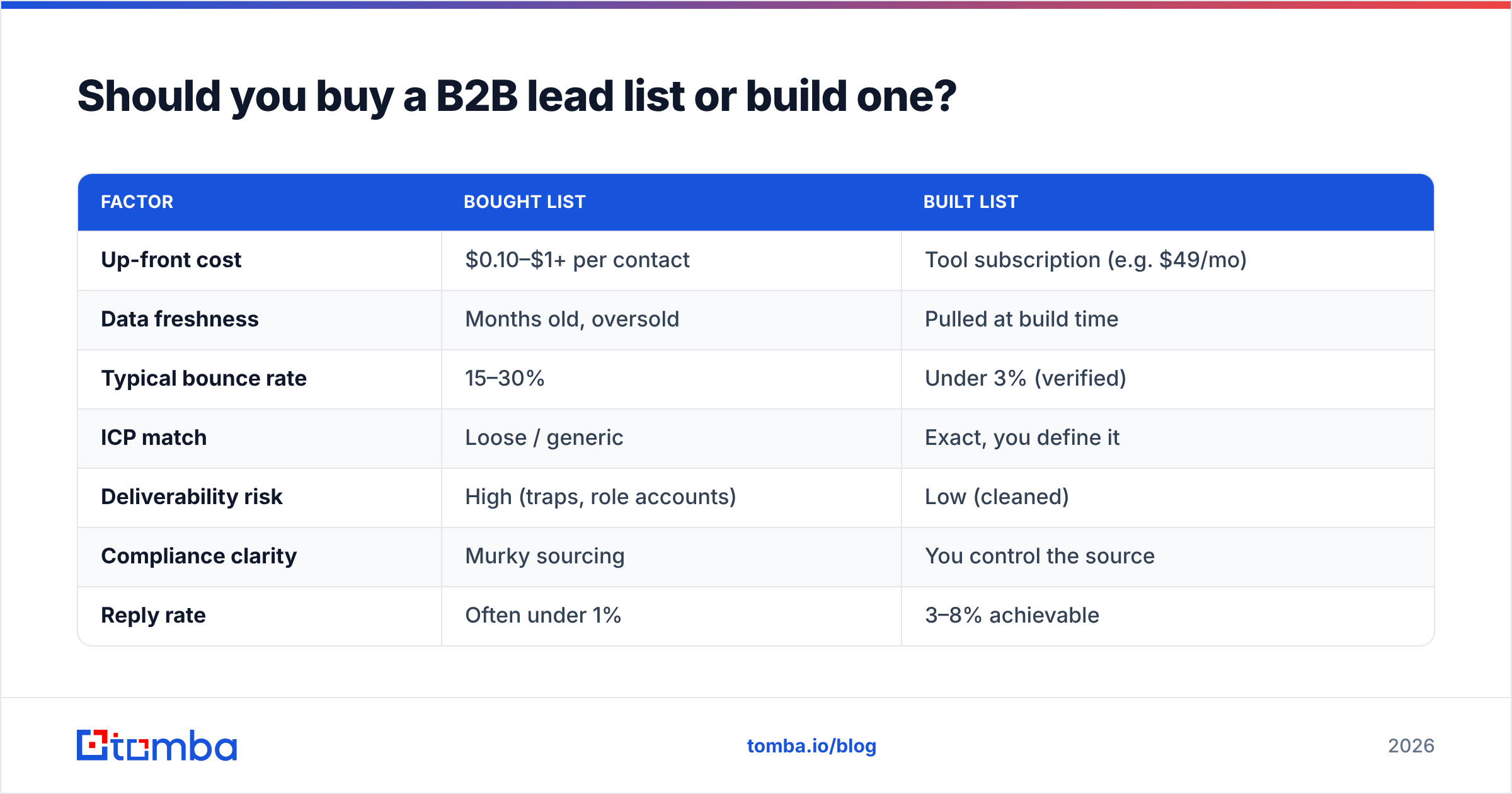
Here's the honest comparison:
| Factor | Bought list | Built list |
|---|---|---|
| Up-front cost | $0.10–$1+ per contact | Tool subscription (e.g. $49/mo) |
| Data freshness | Months old, oversold | Pulled at build time |
| Typical bounce rate | 15–30% | Under 3% (verified) |
| ICP match | Loose / generic | Exact, you define it |
| Deliverability risk | High (traps, role accounts) | Low (cleaned) |
| Compliance clarity | Murky sourcing | You control the source |
| Reply rate | Often under 1% | 3–8% achievable |
The math is simple: a 10,000-contact bought list with a 1% reply rate gives you 100 conversations and a wrecked domain. A 1,000-contact built list with a 5% reply rate gives you 50 conversations and a clean sender reputation you can use for years. Lead generation is a compounding asset, not a one-time purchase — treat it that way and read more on building a repeatable lead generation engine.
How do you build a B2B lead list step by step?#
Four steps, in order. Skip none of them.
Step 1 — Define your ICP and trigger criteria#
Before you collect a single email, write down exactly who you're targeting. Vague targeting produces vague lists.
- Firmographics: industry, company size, revenue, region.
- Technographics: the tools they already run (a CRM, a specific cloud, a competitor's product).
- Role / persona: the exact titles that own the problem you solve and the budget to fix it.
- Triggers: recent funding, new hires in a department, job postings, or expansion — signals that they need you now.
A tight ICP of 800 perfect-fit accounts will always outperform 80,000 maybes. You can validate your ICP definitions against category leaders on G2 to see who actually buys tools like yours.
Step 2 — Source the contacts#
Now find the people inside those accounts. The strongest sources in 2026:
- Domain search — Start with a target company's domain and pull every public professional email pattern and named contact. This is the fastest way to map an account. Use a domain search tool to surface contacts by company in seconds.
- LinkedIn-based sourcing — Identify the right person by role, then resolve their work email.
- Website and content sourcing — Authors, speakers, and team pages are goldmines for niche B2B targets.
- Your own first-party signals — Website visitors, demo requests, and webinar attendees who already raised a hand.
The goal here is breadth with relevance: get every in-ICP contact, but don't drift into "adjacent maybe" territory.
Step 3 — Enrich the records#
A name and email aren't enough to personalize at scale. Enrichment fills the gaps that make outreach land: job title, seniority, department, company size, location, social profiles, and sometimes direct phone numbers.
Good data enrichment turns a thin row into a record you can actually write a relevant first line for. The difference between "Hi there" and "Saw you just opened a second office in Austin" is enrichment data — and it's the difference between a deleted email and a booked meeting.

Step 4 — Verify every email before you send#
This is the step everyone skips and everyone regrets. Verification confirms each mailbox actually exists and can receive mail, without sending a test message that risks your reputation.
A proper email verifier checks syntax, domain MX records, mailbox existence, and flags risky catch-all domains and role accounts (like info@ or sales@). Run your full list through it and discard anything marked invalid or risky. Your target: a bounce rate under 3%. Mailbox providers like Google and Microsoft treat high bounce rates as a spam signal, so verification protects the domain you spent months warming up.
For large lists, do this in one pass with a bulk email finder and bulk verifier rather than checking rows one at a time.
What tools do you need to build a B2B lead list?#
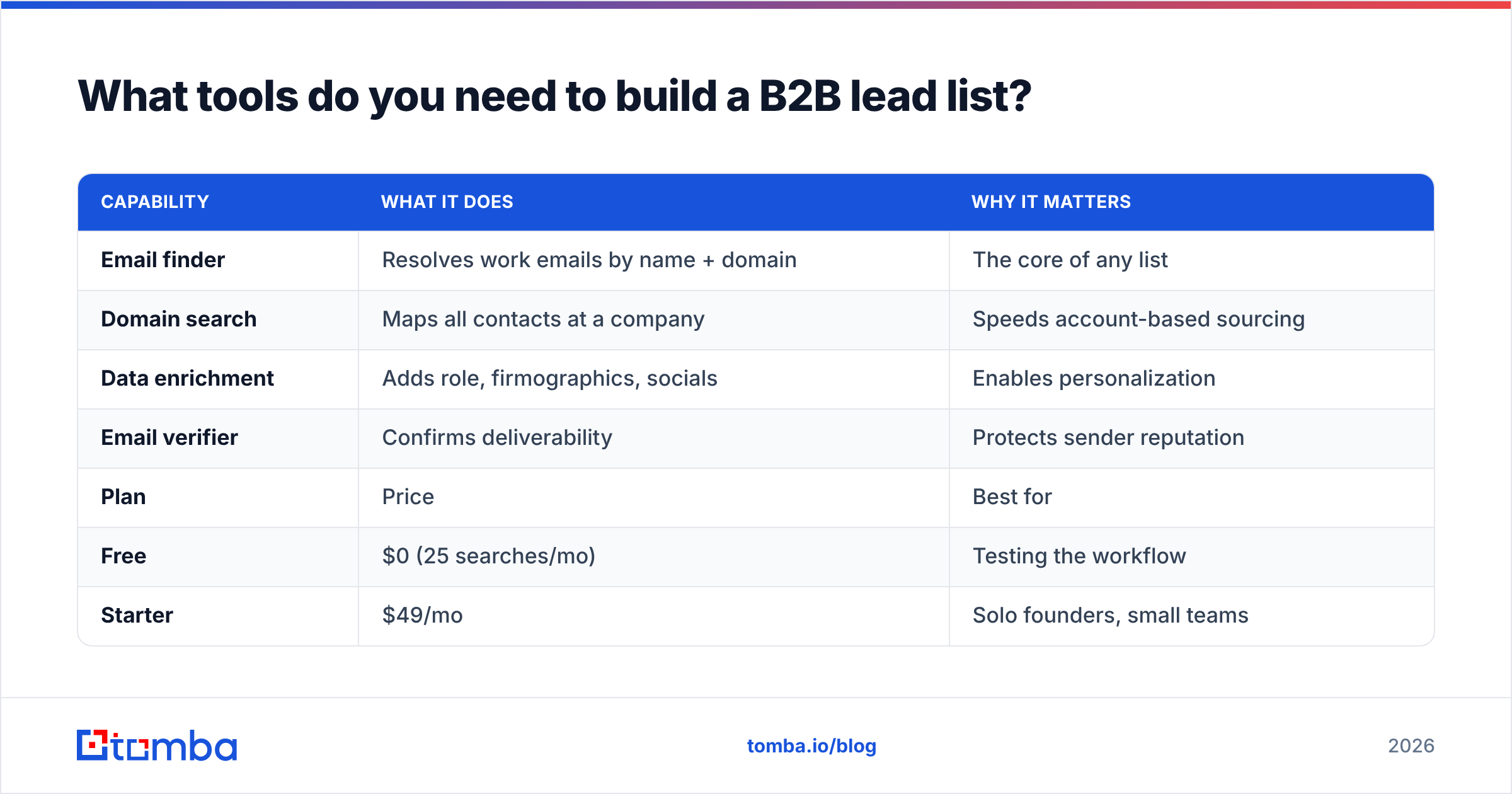
You need four capabilities. They can come from one platform or several, but the stack has to cover all four or the list breaks at the weakest link.
| Capability | What it does | Why it matters |
|---|---|---|
| Email finder | Resolves work emails by name + domain | The core of any list |
| Domain search | Maps all contacts at a company | Speeds account-based sourcing |
| Data enrichment | Adds role, firmographics, socials | Enables personalization |
| Email verifier | Confirms deliverability | Protects sender reputation |
Buying four separate tools means four bills, four data formats, and four sync headaches. A consolidated stack keeps your data consistent and your costs predictable. For reference, here's how a single-platform approach prices out:
| Plan | Price | Best for |
|---|---|---|
| Free | $0 (25 searches/mo) | Testing the workflow |
| Starter | $49/mo | Solo founders, small teams |
| Growth | $99/mo | Scaling outbound teams |
| Pro | $249/mo | High-volume SDR orgs |
| Enterprise | Custom | Large GTM teams + API |
You can see full Tomba pricing for credit limits per tier. The free tier is enough to build and verify your first targeted list and prove the build-don't-buy approach before you commit.
How do you keep a B2B lead list clean over time?#
A lead list is a perishable asset, like fresh produce. It looks fine in the fridge for a week, then quietly rots. B2B data decays as people change jobs, companies rebrand, and domains expire.
Keep it fresh with a maintenance rhythm:
- Re-verify before every major campaign. Even a list you built last month has new bounces.
- Re-enrich quarterly. Job changes are your biggest source of decay — and also your biggest trigger for new outreach.
- Suppress and segment. Move replies, unsubscribes, and bounces out of the active list immediately.
- Track engagement signals. Contacts who never open should be cleaned out so your engaged-rate stays high.
Automating this with an API or scheduled bulk jobs means your list stays at under-3% bounce indefinitely, instead of degrading until your next painful cleanup.
What mistakes kill a B2B lead list?#
Avoid these and you're ahead of most teams running outbound:
- Buying instead of building. Covered above — it's the cardinal sin.
- Skipping verification. Even self-sourced lists need it; finders aren't infallible on catch-all domains.
- Over-targeting volume. Bigger isn't better. Tighter ICP, higher reply rate.
- Ignoring compliance. Know your lawful basis. The Gartner glossary and your legal team are better references than guesswork.
- No personalization data. A verified email with no enrichment still gets a generic email — and generic gets ignored.
- Treating the list as static. Build the maintenance loop or watch your hard-won list rot.
Frequently asked questions#
How many leads should a B2B list have? Quality over quantity. A focused list of 500–2,000 well-matched, verified contacts will outperform a generic list ten times the size. Start small, prove the message, then scale the sourcing.
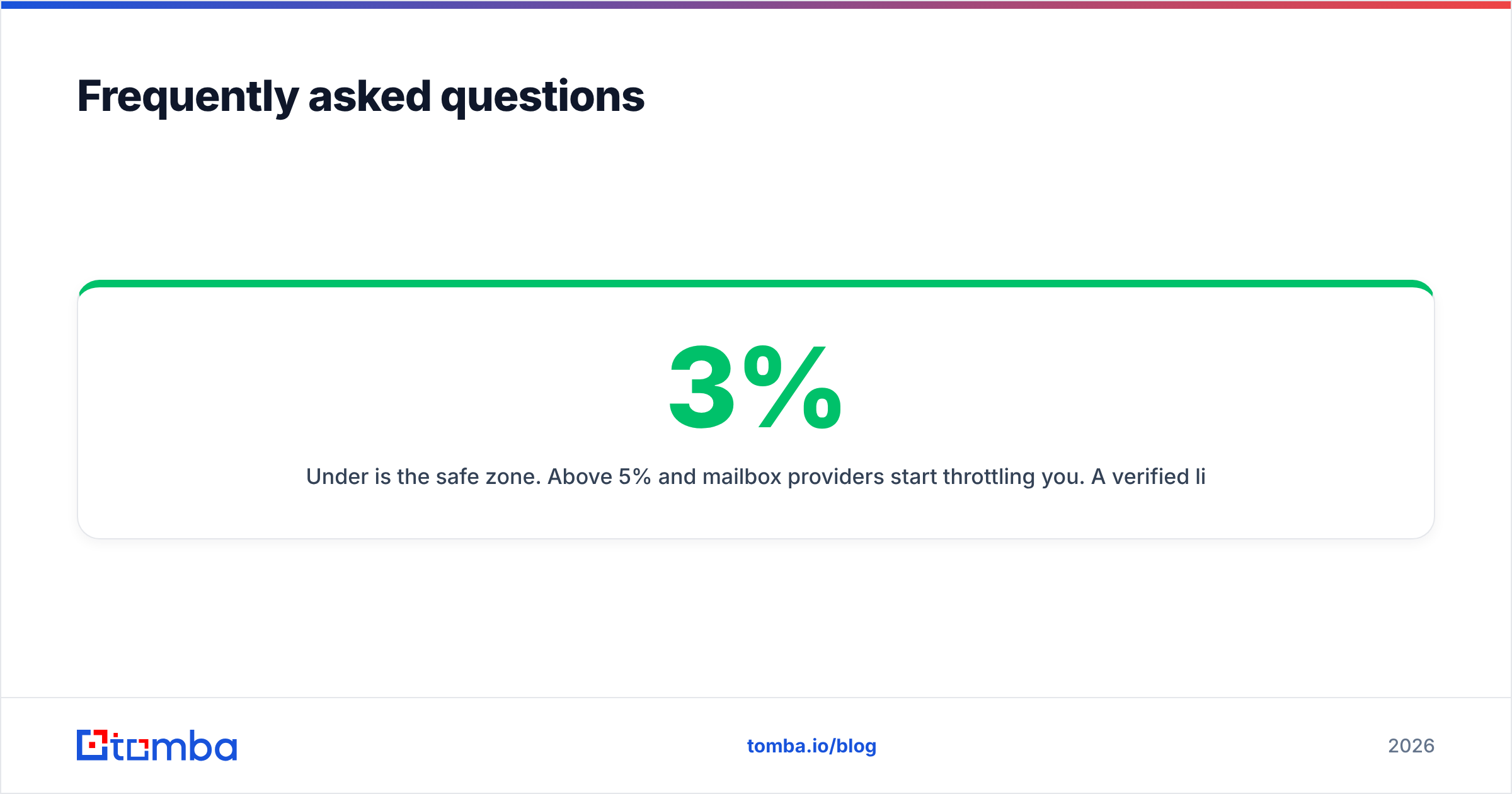
What's a good bounce rate for a B2B lead list? Under 3% is the safe zone. Above 5% and mailbox providers start throttling you. A verified list should comfortably sit at 1–2%.
Is buying a B2B lead list ever okay? Rarely, and only as a research input — never as a send-ready list. If you do acquire one, treat it as raw data: re-verify and re-enrich every row before contact. In practice, building from scratch is usually faster and safer.
Can I build a lead list for free? Yes, to a point. Free tiers (like Tomba's 25 searches/month) let you build and verify a small, targeted list to validate the workflow before you pay for volume.
Build your B2B lead list the right way#
Stop buying lists that bounce. The fastest path to a list that books meetings is to define a tight ICP, source the right contacts, enrich them for personalization, and verify every address before you send. Tomba's Email Finder gives you the core of that stack — accurate work emails by name or domain, with verification and enrichment alongside it — so your next list is build-ready, not buy-ready. Start free with 25 searches and build a list your deliverability will thank you for.
// get started
Find, verify and enrich your first contacts today
Start on the free plan with 25 searches a month, then scale when your team is ready.
Free plan · No credit card required · GDPR & CCPA
// about the author