B2B Lead Lists in 2026: How to Build Lists That Convert
Bought B2B lead lists decay fast and tank deliverability. Here's how to build, verify, and maintain lead lists that actually convert in 2026.
B2B Lead Lists in 2026: How to Build Lists That Convert
Most B2B lead lists fail before the first email ever sends. You buy 10,000 "verified" contacts, load them into your sequencer, and watch your bounce rate cross 12% by lunch. Two weeks later your domain is in spam purgatory and your SDRs are blaming the copy.
The list was the problem. This guide shows you how to build B2B lead lists that hold up — sourced cleanly, verified properly, and maintained so they don't rot.
TL;DR#
- Bought lists decay 2-3% per month and are often resold to dozens of competitors — build targeted lists instead of buying bulk.
- Verification is non-negotiable. A 12% bounce rate can blacklist your sending domain in days.
- A good B2B lead list is narrow, not big — 500 well-matched contacts beat 50,000 random ones.
- Enrich, don't just collect. Title, company size, and intent signals turn a name into a qualified lead.
- Refresh quarterly. People change jobs every ~2.5 years, so a list that converted last quarter is already eroding.
What is a B2B lead list?#
A B2B lead list is a structured set of business contacts — names, work emails, job titles, companies, and ideally enrichment data — that match your ideal customer profile (ICP) and are ready for outreach.
Think of it like a guest list for a dinner party. You don't invite the entire phone book; you invite people who'd actually enjoy the meal and can RSVP. A bloated list of strangers just means a lot of no-shows and wasted plates. The same logic applies to outreach: the value isn't in volume, it's in fit.
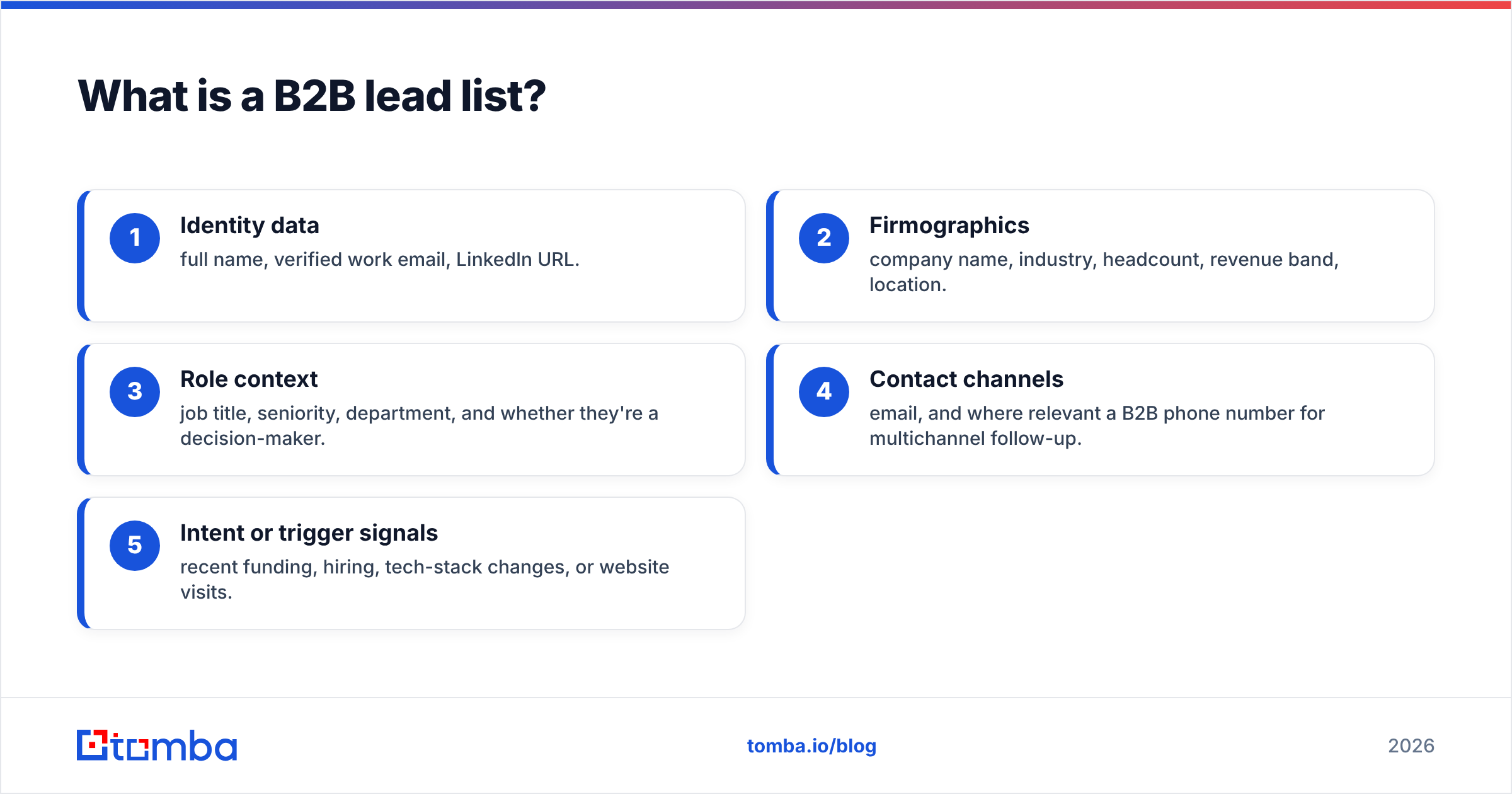
A complete lead list record usually contains:
- Identity data — full name, verified work email, LinkedIn URL.
- Firmographics — company name, industry, headcount, revenue band, location.
- Role context — job title, seniority, department, and whether they're a decision-maker.
- Contact channels — email, and where relevant a B2B phone number for multichannel follow-up.
- Intent or trigger signals — recent funding, hiring, tech-stack changes, or website visits.
The first three are table stakes. The last two are what separate a list that books meetings from a list that gets ignored.
Should you buy or build your B2B lead lists?#
Build for relevance; buy only when speed outweighs quality and you've vetted the source. Bought bulk lists are cheap and fast, but they carry hidden costs that show up in your sender reputation, not your invoice.
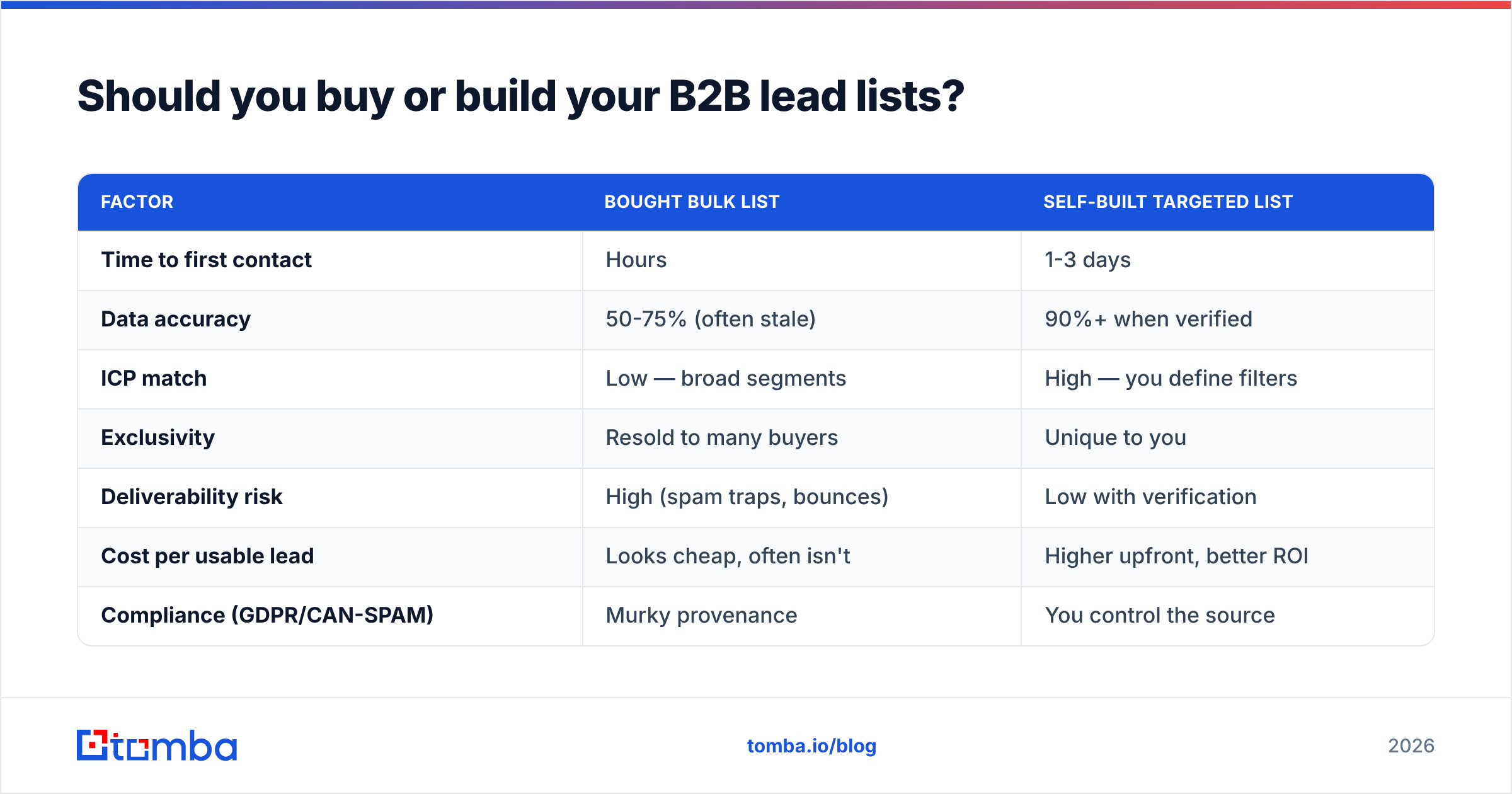
Here's how the two approaches compare on the dimensions that actually matter:
| Factor | Bought bulk list | Self-built targeted list |
|---|---|---|
| Time to first contact | Hours | 1-3 days |
| Data accuracy | 50-75% (often stale) | 90%+ when verified |
| ICP match | Low — broad segments | High — you define filters |
| Exclusivity | Resold to many buyers | Unique to you |
| Deliverability risk | High (spam traps, bounces) | Low with verification |
| Cost per usable lead | Looks cheap, often isn't | Higher upfront, better ROI |
| Compliance (GDPR/CAN-SPAM) | Murky provenance | You control the source |
The math people miss: a 5,000-contact bought list at 60% accuracy gives you 3,000 usable records — and the bad 40% includes spam traps that actively damage you. A 1,000-contact built list at 92% accuracy gives you 920 usable records and zero reputation damage. The "smaller" list wins on real, deliverable leads.
If you do buy, treat every record as unverified until proven otherwise. Run the entire file through an email verifier before a single message goes out. According to HubSpot's research on email marketing, databases naturally degrade by roughly 22.5% per year — so even a "fresh" purchase is already aging.
How do you build a B2B lead list that converts?#
Start with the ICP, then source and verify — never the other way around. Building backwards from a list you already have is how you end up emailing the wrong people efficiently.
1. Define a sharp ICP#
Write down the firmographics and role criteria that describe your best existing customers. Industry, headcount, geography, tech stack, and the specific titles that sign or champion deals. If your filter is "any B2B company," you don't have an ICP — you have a wish.
2. Source contacts at the company level#
Once you know which companies fit, find the right people inside them. A domain search pulls every discoverable email pattern and contact for a given company domain, so you can map a target account in one pass instead of guessing addresses one at a time. For account-based plays, this is faster than scrolling LinkedIn manually.
3. Find and pattern-match emails#
For named prospects, an email finder returns the verified work email from a name plus domain. Tools that show the company's dominant email pattern (e.g. first.last@) let you predict and confirm addresses at scale rather than relying on risky guesses.
4. Verify before you send#
This is the step that protects everything else. Verification checks that the mailbox exists, the domain accepts mail, and the address isn't a spam trap or catch-all. Skipping it is the single most common reason cold campaigns torch a domain. Pair standard verification with a catch-all verifier for domains that accept everything, since those need extra scrutiny.
5. Enrich for relevance#
A name and email get you delivered; context gets you replies. Data enrichment appends seniority, department, company size, and signals so you can segment and personalize. A line referencing the prospect's actual role beats "Dear Sir/Madam" every time.

What makes a B2B lead list "high quality"?#
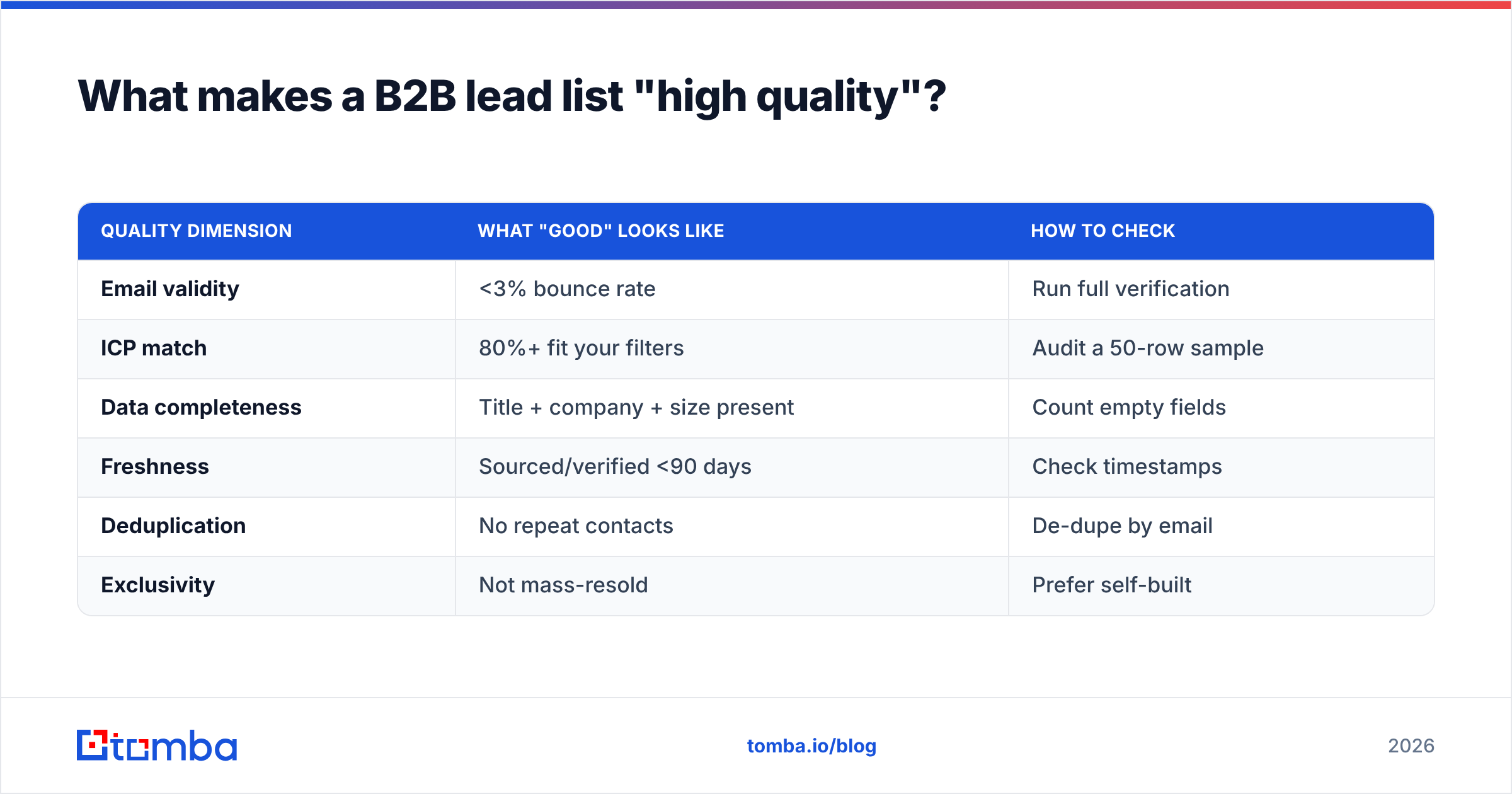
Quality is accuracy times relevance times freshness — weakness in any one factor drags the whole list down. A perfectly verified list of the wrong people is worthless, and a perfectly targeted list of dead emails is worse than worthless because it hurts your domain.
Use this scorecard before you trust any list:
| Quality dimension | What "good" looks like | How to check |
|---|---|---|
| Email validity | <3% bounce rate | Run full verification |
| ICP match | 80%+ fit your filters | Audit a 50-row sample |
| Data completeness | Title + company + size present | Count empty fields |
| Freshness | Sourced/verified <90 days | Check timestamps |
| Deduplication | No repeat contacts | De-dupe by email |
| Exclusivity | Not mass-resold | Prefer self-built |
A practical rule: if you can't explain why each contact is on the list, they shouldn't be. "They were in the CSV" is not a reason. Relevance is what keeps your email response rate from cratering and your unsubscribes low.
For scale, run sourcing and checking as a batch job. A bulk email finder lets you upload a company or contact file and get verified results back without hand-processing each row — useful when you're building lists in the thousands rather than the dozens.
How do bad lead lists destroy deliverability?#
Bad lists wreck deliverability through bounces and spam-trap hits, which mailbox providers read as signals you're a spammer. Once your sender reputation drops, even your good emails land in spam — and recovery takes weeks.
The chain reaction works like this:
- High bounces signal that you're not maintaining your list. Gmail and Outlook track this per sending domain.
- Spam traps are addresses that exist only to catch senders using purchased or scraped data. Hitting one can get you blacklisted instantly.
- Low engagement from poorly-matched contacts (no opens, no replies, fast deletes) tells filters your mail is unwanted.
- Spam complaints from people who never opted in compound all of the above.
Mailbox providers want bounce rates under roughly 2% and complaint rates under 0.1%. A scraped list routinely blows past both. This is why verification and tight targeting aren't "nice to have" — they're the cost of staying in the inbox. For the full mechanics, Mailchimp's deliverability guidance is a solid primer, and you can sanity-check sources against your own email deliverability fundamentals.
The takeaway: list hygiene and deliverability are the same problem. You cannot out-copy a dirty list.
How often should you refresh your B2B lead lists?#
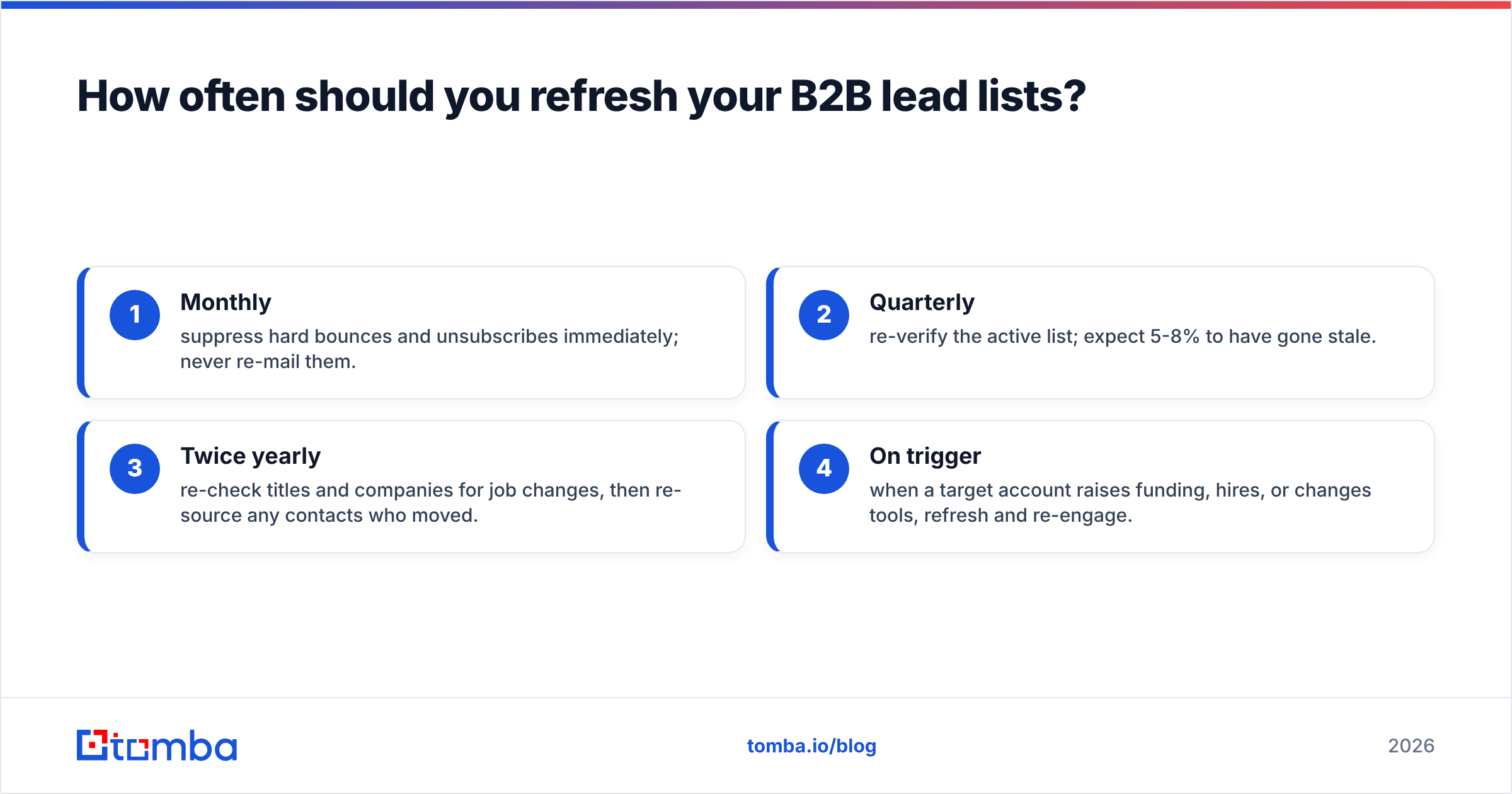
Refresh verification every 90 days and re-source roles at least twice a year. B2B data decays continuously because people change jobs, companies get acquired, and domains migrate. A list that performed in Q1 is measurably weaker by Q3.
A workable maintenance cadence:
- Monthly — suppress hard bounces and unsubscribes immediately; never re-mail them.
- Quarterly — re-verify the active list; expect 5-8% to have gone stale.
- Twice yearly — re-check titles and companies for job changes, then re-source any contacts who moved.
- On trigger — when a target account raises funding, hires, or changes tools, refresh and re-engage.
Job changes are an opportunity, not just churn. When a champion moves to a new company, that's a warm lead at a new account — if your data is current enough to catch it. G2's buyer behavior research consistently shows that timing and relevance drive B2B response, and stale lists miss both.
Frequently asked questions#
Are bought B2B lead lists worth it? Rarely at bulk scale. They're cheap per contact but expensive per usable contact once you factor in bounces, spam traps, and reputation damage. If you buy, verify everything before sending and treat low-quality records as disposable.
How many contacts should a B2B lead list have? Enough to fill your pipeline, not more. A focused 500-1,000 contact list matched tightly to your ICP outperforms a 50,000-contact dump because every send is relevant and deliverable.
Is buying email lists legal? It depends on jurisdiction and provenance. CAN-SPAM permits cold B2B email with rules (accurate headers, working opt-out), while GDPR requires a lawful basis for EU contacts. Self-built, well-documented lists keep you on safer ground than opaque purchased ones.
What's the fastest way to build a clean list? Define your ICP, run a domain search on target accounts, find and verify emails in bulk, then enrich. With the right tooling that's a same-day workflow for a few hundred contacts.
Build lists worth sending to#
The difference between a list that books meetings and one that blacklists your domain comes down to sourcing and verification — not volume. Stop renting stale, resold data and start building targeted lists you actually control.
Tomba's Email Finder lets you build B2B lead lists from a name, company, or domain, verify them before they ever hit your sequencer, and enrich each contact with the role and firmographic data that drives replies. Start free with 25 searches a month, and scale on the Starter plan at $49/mo when you're ready to build at volume. Your sender reputation — and your reply rate — will thank you.
Ready to find emails that actually work?
Join 150,000+ professionals who stopped guessing and started sending. Free credits on signup — no credit card required.
Get the Tomba newsletter
Practical outbound tactics and product updates — once every two weeks.
About the author