B2B Lead Scraper Guide: Best Tools and Tactics for 2026
A B2B lead scraper can fill your pipeline fast — or flood your CRM with junk. Here's how the tools compare, where scraping breaks, and how to keep data clean in 2026.
A B2B lead scraper is the fastest way to turn the open web into a prospect list — and the fastest way to wreck your sender reputation if you do it wrong. Scraping pulls names, titles, companies, and contact details from places like LinkedIn, company sites, directories, and review platforms. The hard part isn't collecting rows. It's collecting rows that are accurate, compliant, and actually reachable.
TL;DR#
- A B2B lead scraper extracts contact and company data from public sources at scale, then hands it off for enrichment and verification.
- Raw scraped data is noisy: stale roles, generic inboxes, catch-all domains, and duplicates are normal — not the exception.
- The tool you pick matters less than your verify-before-send discipline. Unverified scrapes are how you land on blocklists.
- Pure scrapers (Phantombuster, Apify) are flexible but require cleanup; finder-grade platforms (Tomba, Apollo) trade some flexibility for accuracy.
- The winning 2026 stack is scrape narrow, enrich deep, verify always — not "scrape everything and pray."
What is a B2B lead scraper?#
A B2B lead scraper is software that automatically reads public web pages and pulls structured contact data out of them — think of it as a metal detector for the beach. It sweeps a huge area quickly, but it beeps at bottle caps as often as gold, so somebody still has to dig and check.
Technically, a scraper sends automated requests to a source (a LinkedIn search, a company team page, a SaaS directory), parses the HTML or API response, and writes fields like full name, job title, company, domain, location, and sometimes email or phone into a row. Modern scrapers chain three jobs together:
- Collection — crawl the source and grab raw records.
- Enrichment — fill gaps (find the work email behind a name+domain, add company size, tech stack, LinkedIn URL).
- Verification — confirm the email actually exists and accepts mail before you send.
Most teams obsess over step 1 and skip step 3. That's backwards. Collection is commoditized; clean, deliverable data is the moat.
What sources can a B2B lead scraper pull from?#
Not all sources are equal. Each trades reach for reliability, and each carries different compliance weight.
- LinkedIn / Sales Navigator — the richest source for titles and seniority, but the most aggressive about blocking automation. Best paired with a finder that resolves the work email rather than scraping it directly.
- Company websites — team, about, and contact pages give you verified-by-the-source names and patterns. Low volume, high trust. This is where a domain search earns its keep.
- Public directories and review sites — G2, Capterra, Crunchbase, Clutch. Great for firmographics and intent signals, weaker for direct contacts.
- Job boards — hiring activity is a buying signal; scraping postings tells you which teams are growing.
- Conference and association lists — niche, but high-intent for vertical campaigns.
The mistake is treating LinkedIn as the only well. A blended approach — company sites for accuracy, directories for firmographics, a bulk email finder to resolve contacts — beats hammering one source until it rate-limits you.
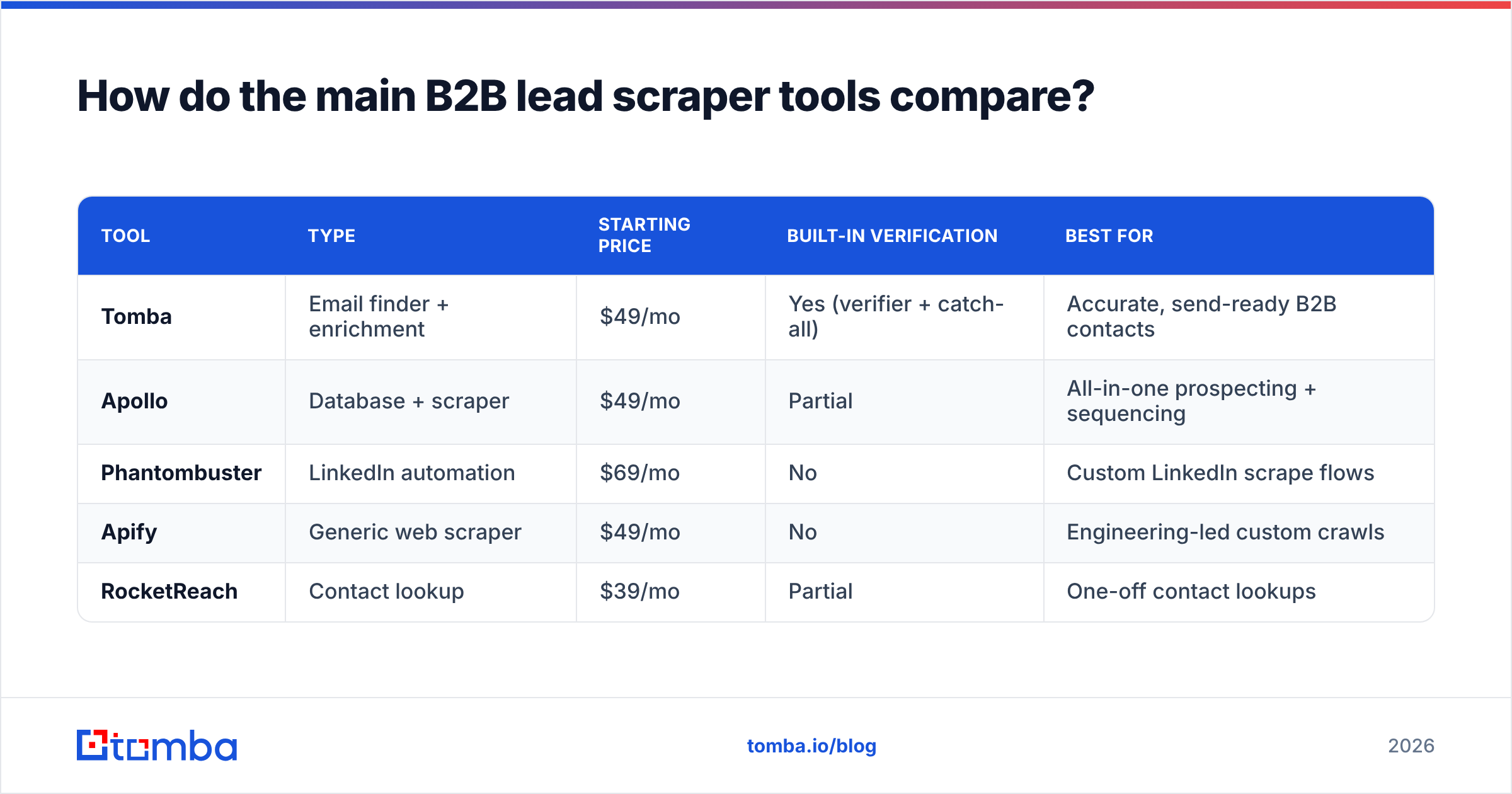
How do the main B2B lead scraper tools compare?#
There are two camps. General scrapers give you raw automation power and expect you to build the cleanup yourself. Finder-grade platforms bake in enrichment and verification so the output is closer to send-ready. Here's how they stack up in 2026.
| Tool | Type | Starting price | Built-in verification | Best for |
|---|---|---|---|---|
| Tomba | Email finder + enrichment | $49/mo | Yes (verifier + catch-all) | Accurate, send-ready B2B contacts |
| Apollo | Database + scraper | $49/mo | Partial | All-in-one prospecting + sequencing |
| Phantombuster | LinkedIn automation | $69/mo | No | Custom LinkedIn scrape flows |
| Apify | Generic web scraper | $49/mo | No | Engineering-led custom crawls |
| RocketReach | Contact lookup | $39/mo | Partial | One-off contact lookups |
A few honest notes. Phantombuster and Apify are the most flexible — if you can describe a page, you can scrape it — but they hand you raw rows and zero deliverability guarantees. Apollo bundles a database with sequencing, which is convenient until you hit its credit caps. RocketReach is fine for occasional lookups but expensive at volume. Tomba sits in the "clean output" lane: it resolves emails from name+domain and runs them through an email verifier before they reach your list. You can see the full Tomba pricing tiers rather than guessing.
If your bottleneck is building crawls, pick a generic scraper. If your bottleneck is trusting the data, pick a finder.
Why does raw scraped data fail so often?#
Because the web is out of date the moment you scrape it. People change jobs every ~2.5 years, companies rebrand domains, and roughly a third of B2B contact data decays annually. A scraper captures a snapshot; reality keeps moving.
Here are the failure modes you'll hit, ranked by how much damage they do:
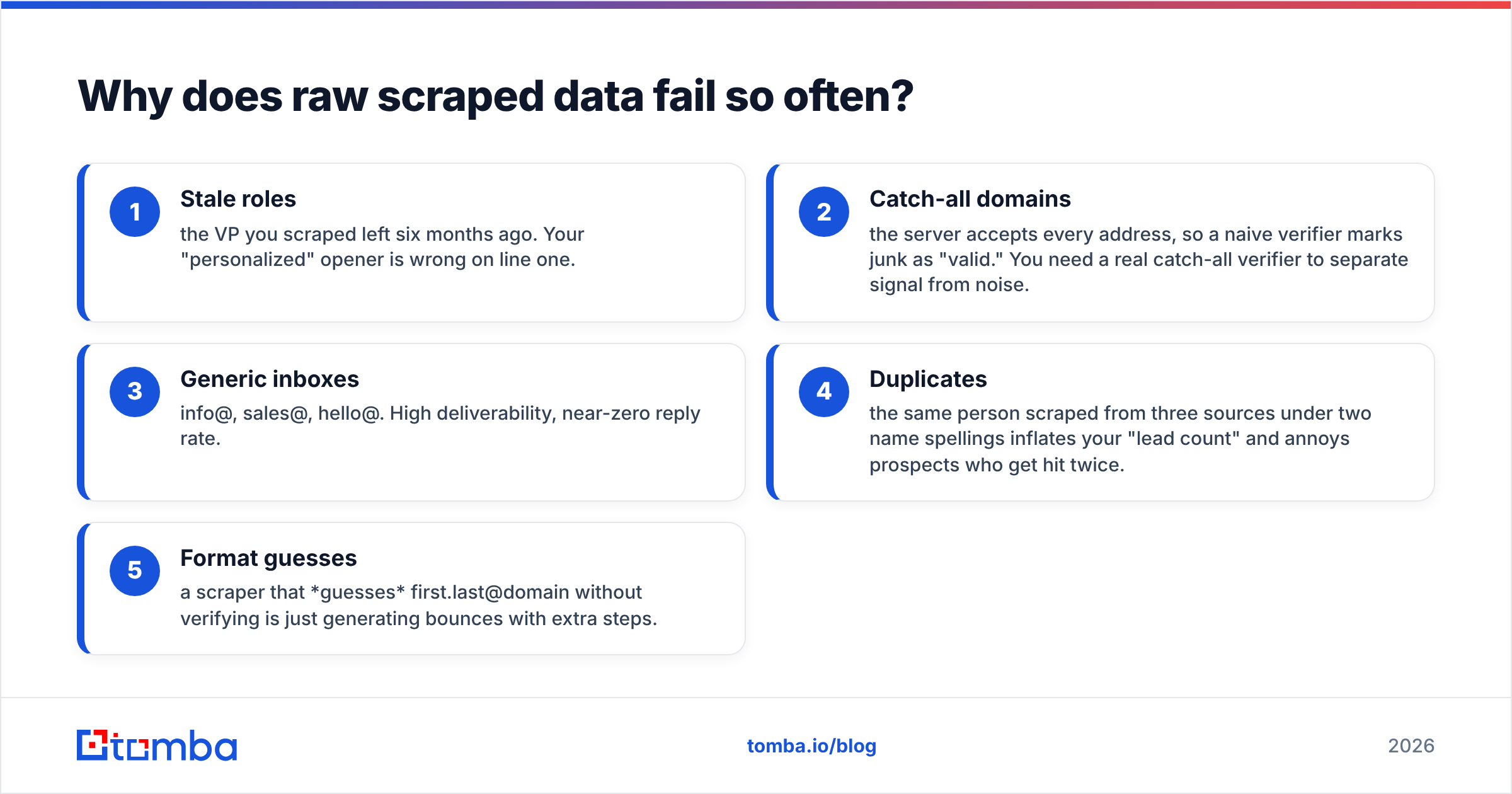
- Stale roles — the VP you scraped left six months ago. Your "personalized" opener is wrong on line one.
- Catch-all domains — the server accepts every address, so a naive verifier marks junk as "valid." You need a real catch-all verifier to separate signal from noise.
- Generic inboxes — info@, sales@, hello@. High deliverability, near-zero reply rate.
- Duplicates — the same person scraped from three sources under two name spellings inflates your "lead count" and annoys prospects who get hit twice.
- Format guesses — a scraper that guesses first.last@domain without verifying is just generating bounces with extra steps.
This is the whole argument for verification. A scraped list that's 70% deliverable feels fine until you send 10,000 emails, eat a 30% bounce rate, and watch your domain reputation crater. Mailbox providers read bounces as a spam signal. One bad blast can poison weeks of email deliverability.
Is scraping B2B leads legal and compliant?#
Short answer: scraping publicly available business data is broadly defensible, but how you store and contact people is where the law actually bites. This is not legal advice — it's the operating reality.
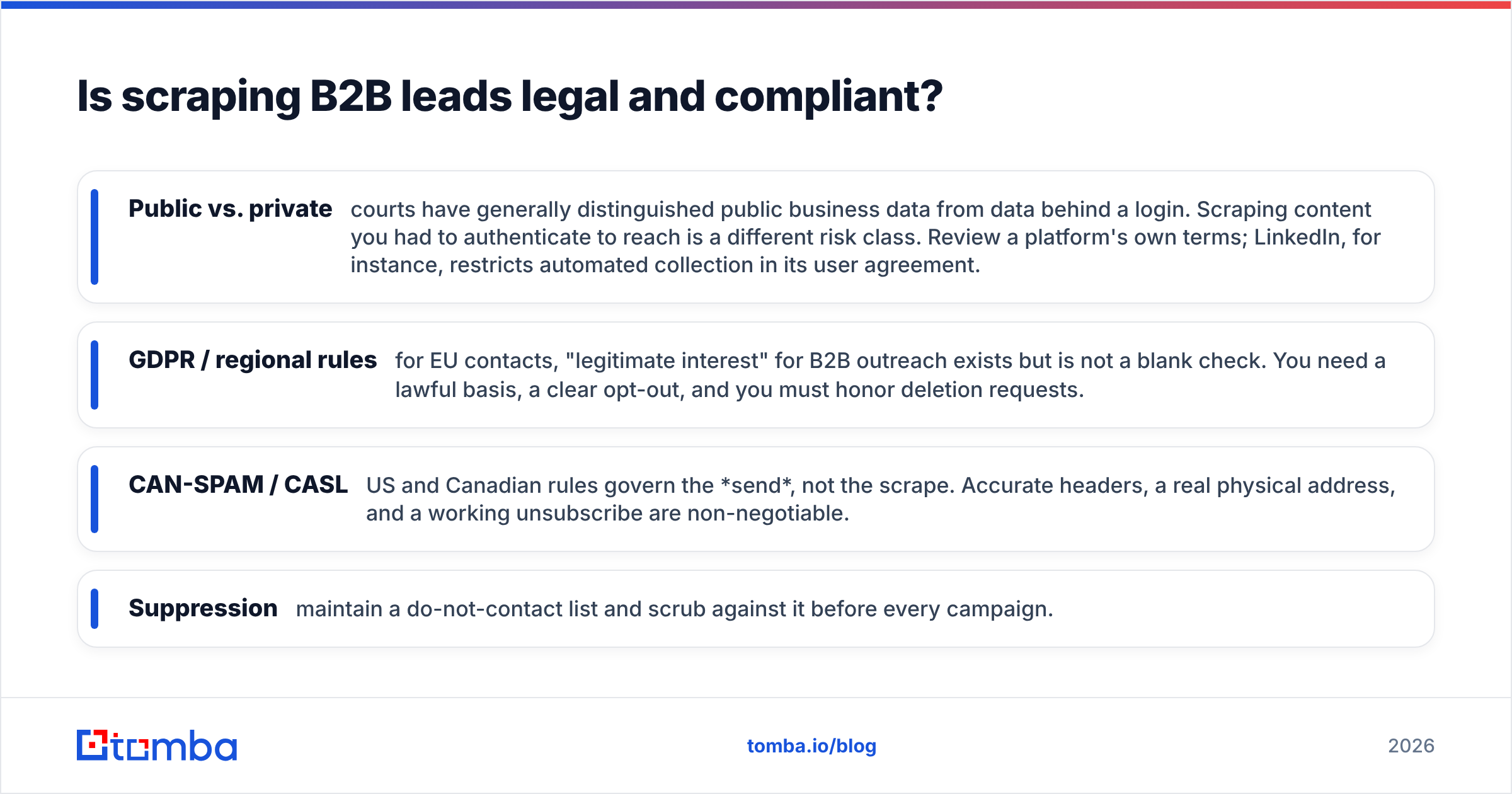
- Public vs. private — courts have generally distinguished public business data from data behind a login. Scraping content you had to authenticate to reach is a different risk class. Review a platform's own terms; LinkedIn, for instance, restricts automated collection in its user agreement.
- GDPR / regional rules — for EU contacts, "legitimate interest" for B2B outreach exists but is not a blank check. You need a lawful basis, a clear opt-out, and you must honor deletion requests.
- CAN-SPAM / CASL — US and Canadian rules govern the send, not the scrape. Accurate headers, a real physical address, and a working unsubscribe are non-negotiable.
- Suppression — maintain a do-not-contact list and scrub against it before every campaign.
The compliant pattern is simple: scrape business contacts, contact them about relevant business value, make opting out trivial, and delete on request. Most legal trouble comes from ignoring opt-outs, not from the scrape itself. For more on where contact data legitimately originates, Tomba documents its data sources openly.
How do you turn a scrape into pipeline that converts?#
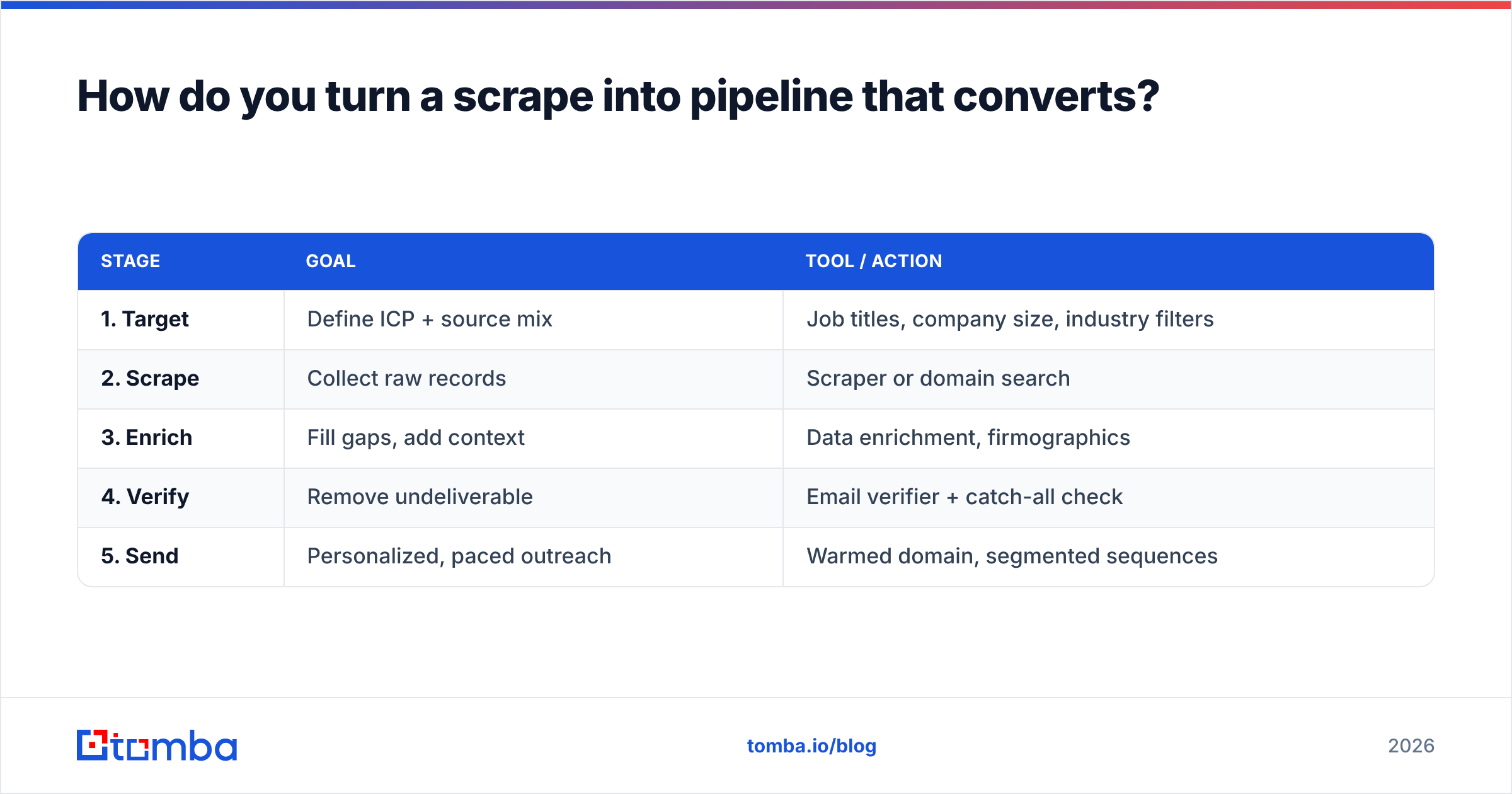
Treat scraping as step one of a five-step pipeline, not the finish line. The teams that win don't scrape more — they qualify harder before they spend a single send.
| Stage | Goal | Tool / action |
|---|---|---|
| 1. Target | Define ICP + source mix | Job titles, company size, industry filters |
| 2. Scrape | Collect raw records | Scraper or domain search |
| 3. Enrich | Fill gaps, add context | Data enrichment, firmographics |
| 4. Verify | Remove undeliverable | Email verifier + catch-all check |
| 5. Send | Personalized, paced outreach | Warmed domain, segmented sequences |
A few rules that separate pipeline from spam:
- Scrape narrow. A list of 500 verified VPs of Sales at 50–200 employee SaaS firms outperforms 50,000 random scrapes. Specificity is the entire game.
- Verify 100%, every time. Not a sample. The whole list. Bounces above 3% start hurting your sender reputation; above 5% you're in real trouble.
- Deduplicate before send. Merge name variants, collapse duplicate domains, suppress existing customers and open opportunities.
- Enrich for relevance, not vanity. Tech stack and headcount let you write an opener that earns a reply. Adding 40 empty columns just slows your team down.
- Pace and warm. Even a perfect list dies on a cold domain sending 1,000 emails on day one.
If you want to validate the approach on a small batch first, you can find email addresses for a tight target account list, verify them, and measure reply rate before you scale collection. That feedback loop — small, verified, measured — beats any "scrape a million leads" promise.
What should you look for when choosing a B2B lead scraper?#
Match the tool to your actual constraint, not to a feature list. Use this quick rubric:
- Accuracy and verification — does it confirm emails are deliverable, or just guess formats? This is the single highest-leverage feature. A finder with a built-in verifier and a catch-all finder saves you a second tool and a bounce problem.
- Source coverage — domain, name, company, LinkedIn? More resolution paths mean fewer dead ends.
- API and integrations — can you wire it into your CRM and workflow? A solid email finder API lets you enrich leads the moment they enter your funnel instead of in nightly batches.
- Transparent pricing — credit-based models can balloon. Know your cost per verified contact, not per lookup.
- Compliance posture — does the vendor document where data comes from and how to honor deletions?
Independent reviews on G2 and Capterra are useful for sanity-checking vendor claims — read the 3-star reviews, not the 5-star ones, since that's where deliverability complaints surface.
Frequently asked questions#
Is a B2B lead scraper the same as an email finder? No, but they overlap. A scraper collects raw records from pages; an email finder resolves and verifies the actual work email behind a person and domain. The best workflows use both — scrape to identify targets, then finder-grade tools to make the contacts usable.
How accurate is scraped B2B data? Out of the box, expect 60–80% usable, with the rest stale, generic, or undeliverable. Verification is what pushes a list to send-ready. Never trust a scrape's "valid" label without an independent check.
Can I scrape LinkedIn safely? LinkedIn actively restricts automation and its terms prohibit it, so direct scraping risks account bans. The safer pattern is to use LinkedIn for targeting signals and resolve work emails through a compliant finder rather than scraping contact data off the platform.
How many leads should I scrape at once? Fewer than you think. A tightly targeted, fully verified list of a few hundred ICP-matched contacts will out-convert tens of thousands of generic scrapes — and protect your domain reputation while doing it.
The bottom line#
A B2B lead scraper is a force multiplier, but only on top of clean data discipline. Collection is the easy 20%; enrichment, verification, and compliance are the 80% that decide whether your scrape becomes pipeline or a blocklist entry. Scrape narrow, verify everything, honor opt-outs, and measure reply rate on small batches before you scale.
When you're ready to turn raw targets into verified, send-ready contacts, start with the Tomba Email Finder. Find professional emails by domain, name, or company, run them through built-in verification and catch-all detection, and push clean records straight into your CRM via the API — so the leads you scrape actually reach a human inbox. The free tier gives you 25 searches a month to test it on a real target account before you commit to a plan.
// get started
Find, verify and enrich your first contacts today
Start on the free plan with 25 searches a month, then scale when your team is ready.
Free plan · No credit card required · GDPR & CCPA
// about the author