B2B Lists vs Wiza in 2026: Which Data Source Wins?
Buying static B2B lists or pulling live contacts with Wiza? We compare freshness, accuracy, pricing, and compliance so you pick the right data source in 2026.
Buying a pre-built B2B list and running Wiza are not the same decision, even though both end with a CSV of contacts in your CRM. One hands you a static file someone else compiled months ago. The other pulls contacts live from LinkedIn at the moment you search. Choosing wrong costs you deliverability, budget, and sometimes your domain reputation.
This guide breaks down b2b lists vs Wiza on the dimensions that actually move pipeline: data freshness, accuracy, pricing, compliance, and workflow fit. Then it shows where a verification-first email finder beats both.
TL;DR#
- Pre-built B2B lists are cheap per contact but decay fast — 22–30% of B2B data goes stale every year, so a list older than a quarter is already leaking.
- Wiza pulls contacts live from LinkedIn and Sales Navigator, so freshness is far better than a bought list, but you pay per credit and you are tied to LinkedIn as the source of truth.
- Accuracy is the real battleground: a list with no verification step and a tool that returns "guessed" emails both burn your sender reputation.
- For most outbound teams, the winning play is live sourcing plus a verification layer — find the contact fresh, then confirm the email is deliverable before you send.
- Tomba sits in this gap: domain search and an email verifier confirm every address against live SMTP data instead of trusting a months-old export.
What is the real difference between B2B lists and Wiza?#
A pre-built B2B list is a database product. A vendor scrapes, buys, and aggregates contacts, then sells you a slice — by industry, title, geography, or company size. You get a file. The moment it lands in your inbox, the clock starts ticking on accuracy.
Wiza is a live extraction tool. You run a LinkedIn or Sales Navigator search, Wiza scrapes the results, finds work emails and phone numbers, and exports them. Because it sources at query time, the data reflects what's on LinkedIn today rather than what a vendor captured last spring.
Think of it like produce. A bought list is canned vegetables — convenient, shelf-stable, but picked long ago and slowly losing nutrients. Wiza is the farmers' market: you pick what's fresh that morning, but you pay a premium and you're limited to what that one market stocks.
The third option — the one this article keeps circling back to — is sourcing fresh contacts and verifying them before they touch your sequence. That's where most teams leave money on the table.
How do B2B lists and Wiza compare head-to-head?#
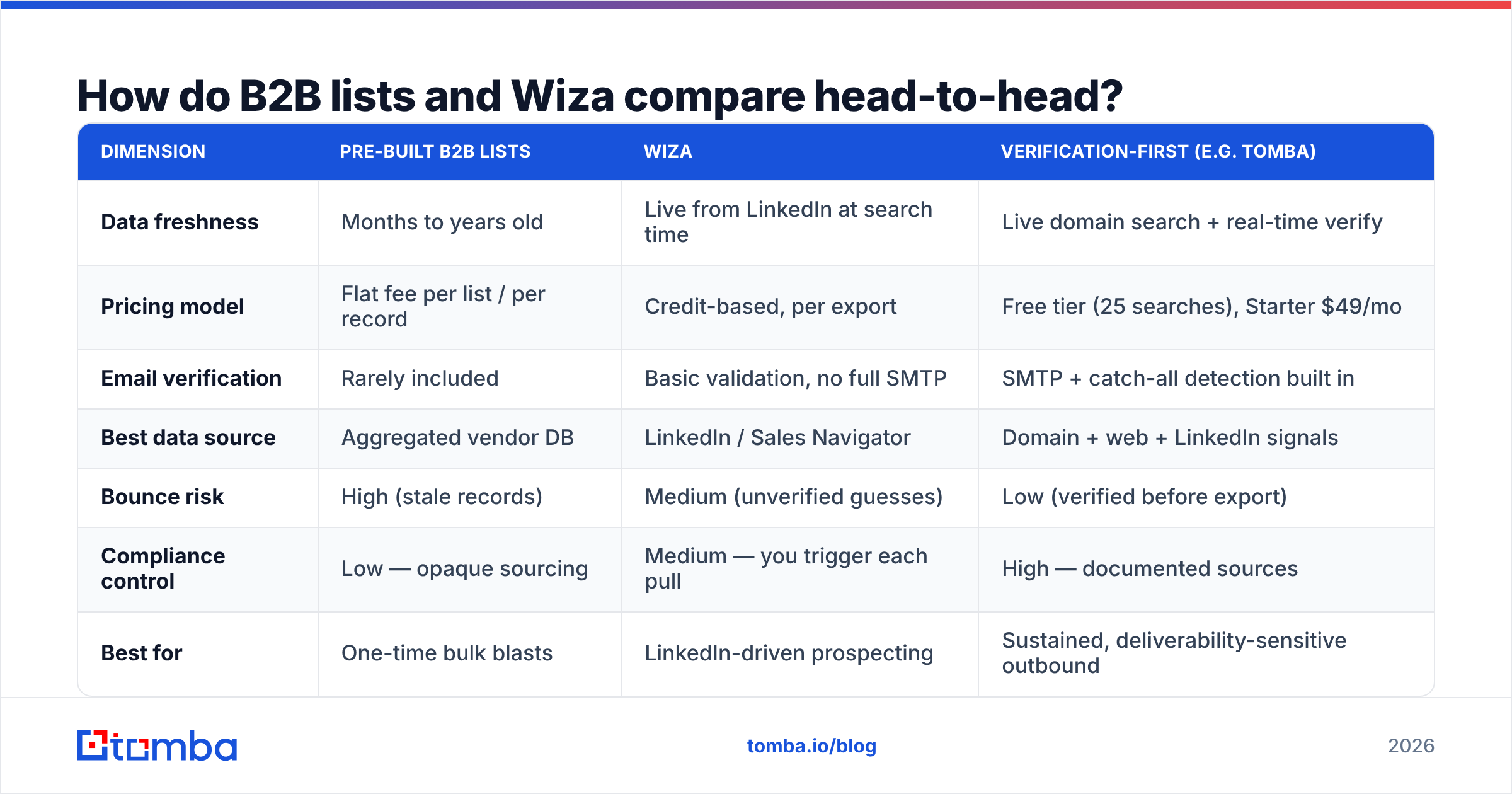
Here is the side-by-side that matters before you spend a dollar.
| Dimension | Pre-built B2B Lists | Wiza | Verification-first (e.g. Tomba) |
|---|---|---|---|
| Data freshness | Months to years old | Live from LinkedIn at search time | Live domain search + real-time verify |
| Pricing model | Flat fee per list / per record | Credit-based, per export | Free tier (25 searches), Starter $49/mo |
| Email verification | Rarely included | Basic validation, no full SMTP | SMTP + catch-all detection built in |
| Best data source | Aggregated vendor DB | LinkedIn / Sales Navigator | Domain + web + LinkedIn signals |
| Bounce risk | High (stale records) | Medium (unverified guesses) | Low (verified before export) |
| Compliance control | Low — opaque sourcing | Medium — you trigger each pull | High — documented sources |
| Best for | One-time bulk blasts | LinkedIn-driven prospecting | Sustained, deliverability-sensitive outbound |
The pattern is clear: lists win on upfront cost, Wiza wins on freshness, and a verification-first workflow wins on the metric that decides whether your campaign survives — deliverability.
Is buying a B2B list ever the right call?#
Yes, in narrow cases. Buying makes sense when:
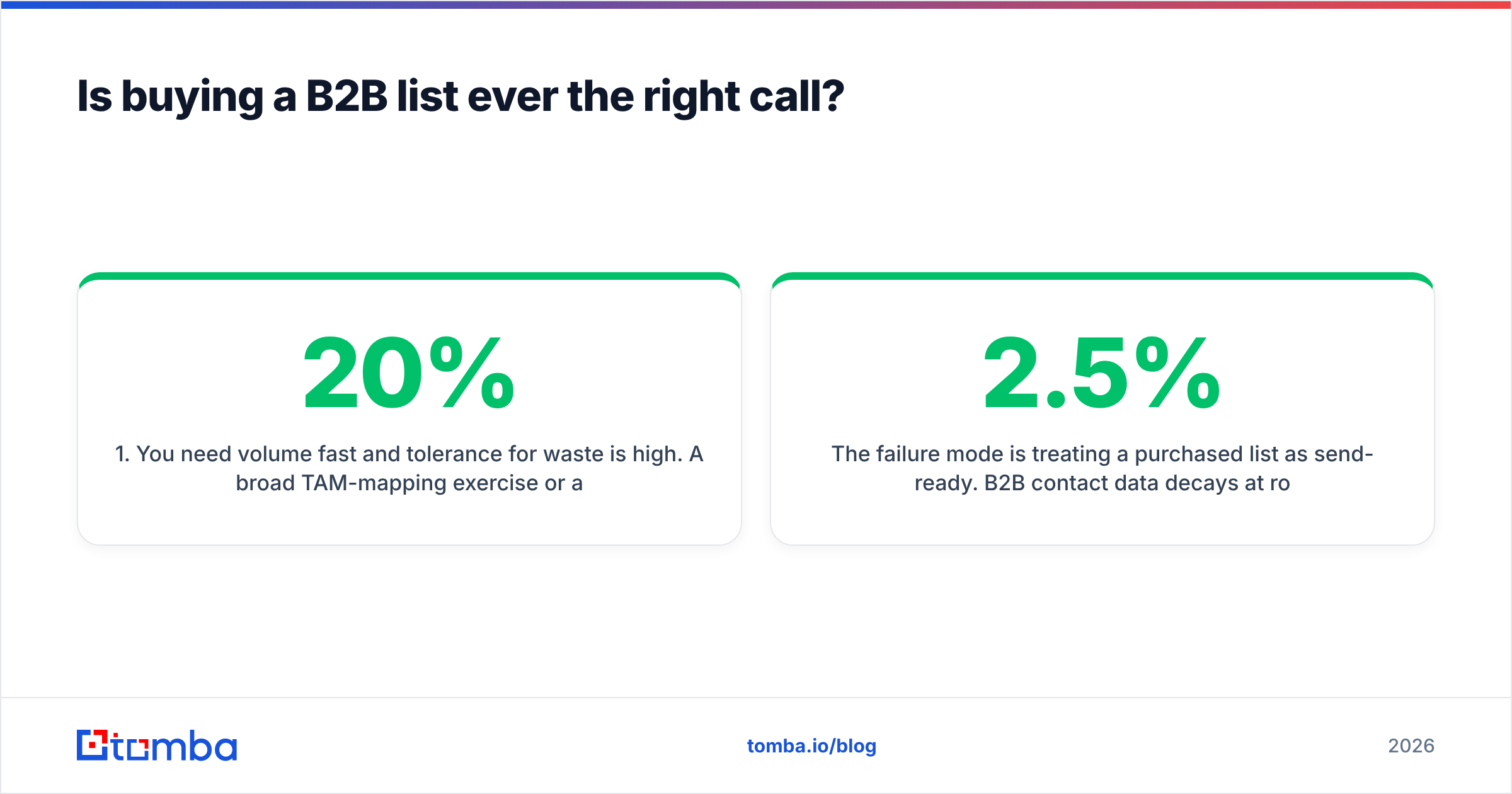
- You need volume fast and tolerance for waste is high. A broad TAM-mapping exercise or an event invite blast can absorb a 20% bounce rate.
- The segment is stable. Contacts at large enterprises in slow-moving titles (legal, compliance) churn slower than startup growth roles.
- You will verify before sending. A bought list run through an email verifier becomes far less dangerous. The list gives you reach; verification gives you safety.
The failure mode is treating a purchased list as send-ready. B2B contact data decays at roughly 2–2.5% per month. People change jobs, companies rebrand, domains migrate. According to HubSpot's research on database decay, marketing databases degrade by about 22.5% every year on their own. Mail a six-month-old list cold and you are gambling your domain reputation on records that are already a quarter wrong.
There is also the compliance question. You often cannot see how a list vendor sourced its data, which makes GDPR and CAN-SPAM defensibility weak. If you can't document where a contact came from, you can't prove a lawful basis to process it.
Is Wiza better than buying a list?#
For most LinkedIn-centric teams, yes — Wiza beats a static list on the dimension that breaks campaigns first: freshness. You can read peer reviews on G2 and Wiza's own feature set on wiza.co, but the core advantage is structural. Because Wiza extracts at search time, the title, company, and email reflect the prospect's current LinkedIn profile, not a snapshot from two vendor refreshes ago.
The trade-offs:
- Source lock-in. Wiza is only as good as LinkedIn. Prospects who aren't active on LinkedIn, or whose profiles are out of date, slip through. You inherit LinkedIn's blind spots.
- Credit economics. Per-export credit pricing is efficient for targeted pulls but gets expensive at scale, and a credit spent on an unverified email that bounces is a credit wasted twice.
- Verification depth. Wiza validates emails, but it is not a dedicated verification engine. Catch-all domains — where a server accepts every address whether or not the mailbox exists — are the classic gap. Without a true catch-all verifier, "valid" can still mean "bounces."
So Wiza fixes the freshness problem that kills bought lists but doesn't fully solve the accuracy problem. If you're weighing tools, our Wiza alternative breakdown maps where each approach lands.
Why does data freshness decide deliverability?#
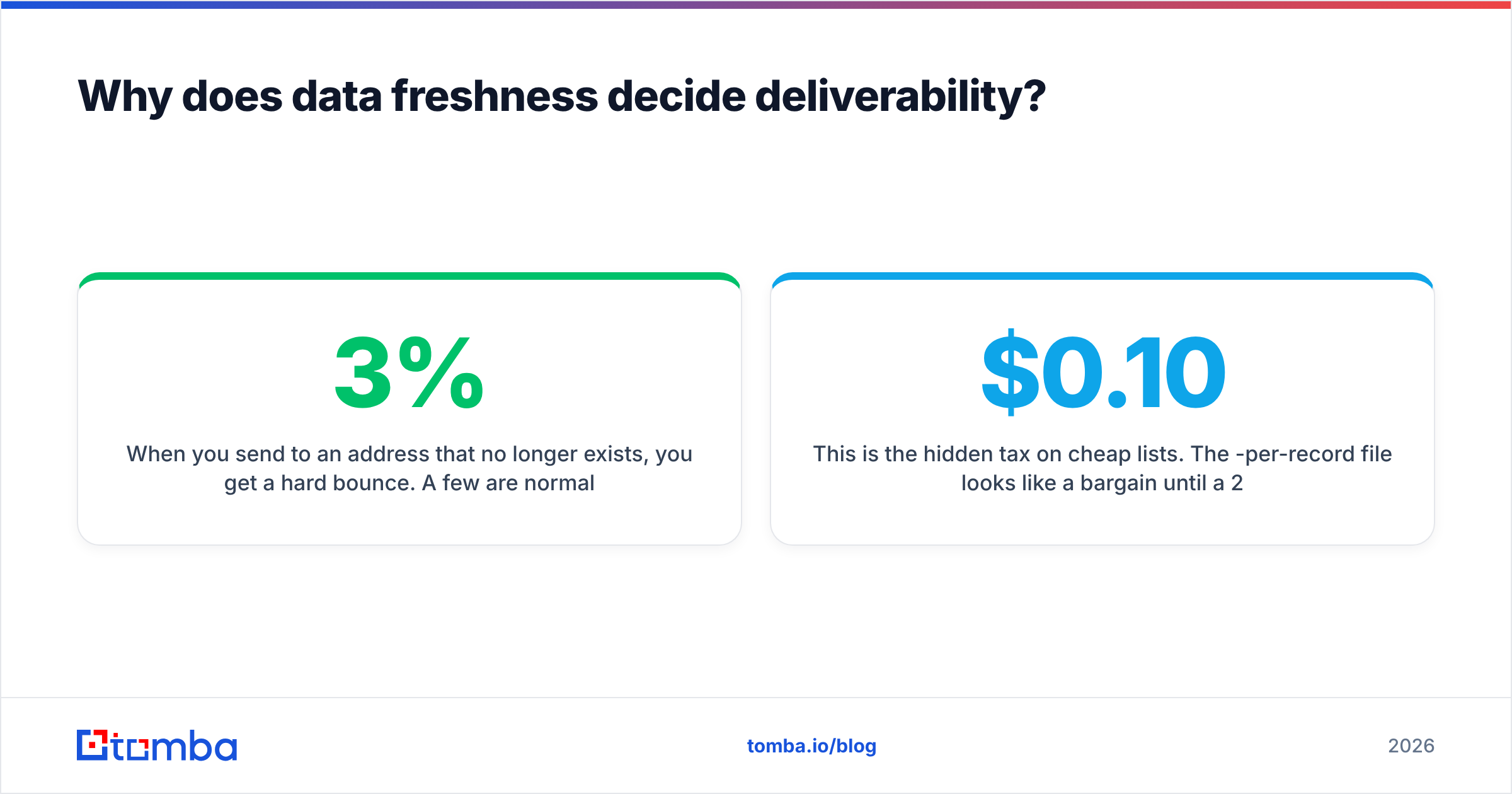
Because mailbox providers score you on bounces and complaints, and stale data drives both.
When you send to an address that no longer exists, you get a hard bounce. A few are normal. A bounce rate above 2–3% tells Gmail and Outlook you're either negligent or a spammer, and they start routing you to spam — even for the valid addresses on your list. One bad batch poisons the well for the good contacts.
This is the hidden tax on cheap lists. The $0.10-per-record file looks like a bargain until a 25% bounce rate tanks your inbox placement for the next month. Freshness isn't a nice-to-have; it's the input to sender reputation, and reputation is what gets your next campaign delivered.
This is the structural argument for sourcing fresh and verifying:
- Find the contact live — domain search or extraction returns the current address, not a cached one.
- Verify before export — SMTP checks confirm the mailbox accepts mail; catch-all logic flags the risky ones.
- Enrich and route — push only verified, complete records into your CRM.
- Monitor and re-verify — re-check long-held lists before each new send, because last quarter's verified is this quarter's stale.
A bought list skips steps 1, 2, and 4. Wiza covers step 1 well and step 2 partially. A verification-first tool covers all four.
Where does Tomba fit between lists and Wiza?#
Tomba is built around the verify-before-send principle, which is why it competes with both options rather than slotting into one camp.
Instead of selling you a static file or locking you to LinkedIn, Tomba lets you:
- Run a domain search to pull every public email pattern at a target company, live.
- Verify each address with SMTP-level checks and catch-all verification before it enters your sequence.
- Enrich records with data enrichment so a bare email becomes a routable, segmentable contact.
- Process lists in bulk with the bulk email finder when you do need volume — including verifying a list you bought elsewhere.
That last point matters: Tomba doesn't make buying lists or using Wiza obsolete. It makes them safer. Bought a list? Run it through verification before you send. Pulled contacts from LinkedIn? Confirm the emails are deliverable, not guessed.
Tomba pricing at a glance#
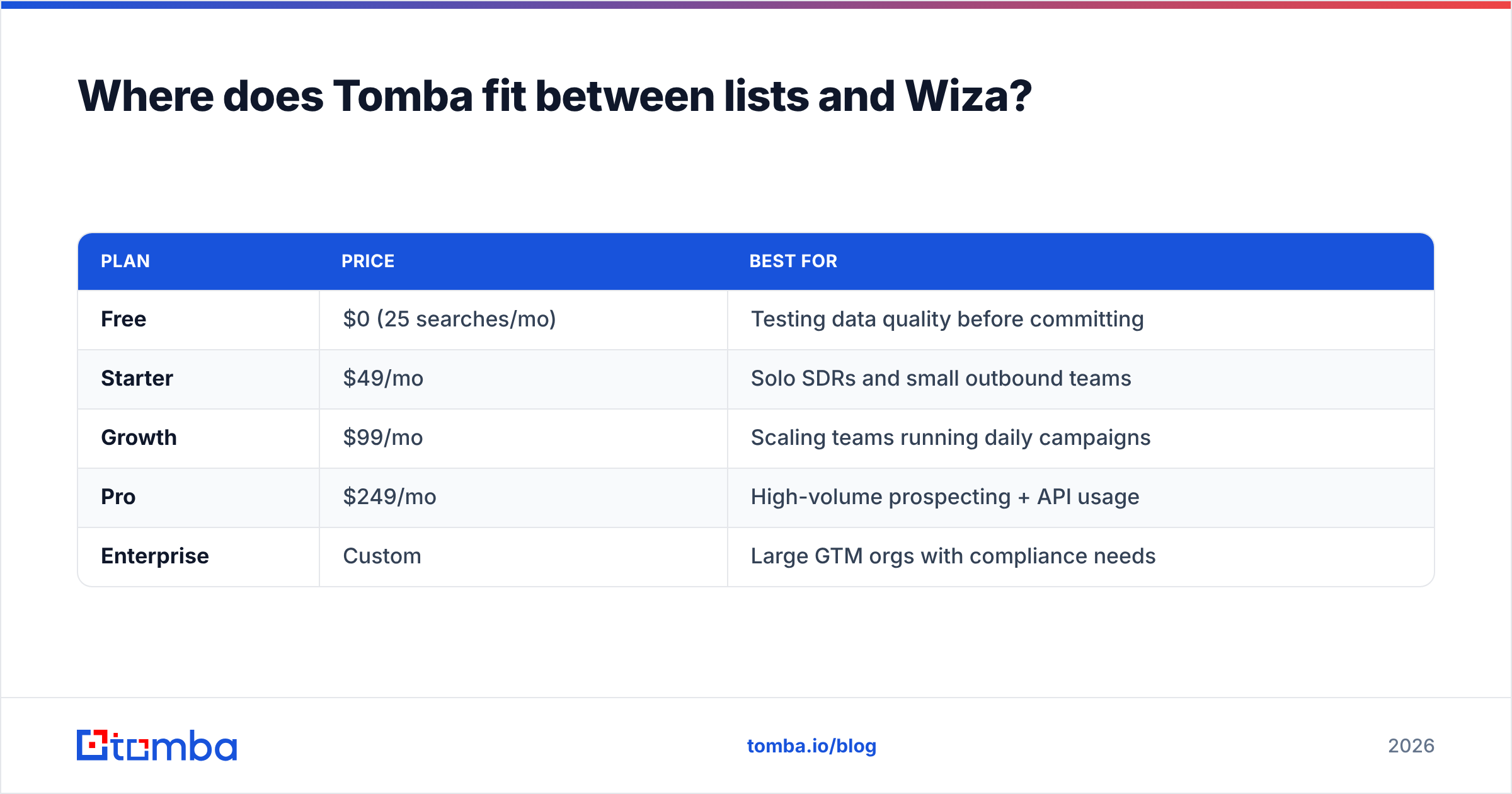
| Plan | Price | Best for |
|---|---|---|
| Free | $0 (25 searches/mo) | Testing data quality before committing |
| Starter | $49/mo | Solo SDRs and small outbound teams |
| Growth | $99/mo | Scaling teams running daily campaigns |
| Pro | $249/mo | High-volume prospecting + API usage |
| Enterprise | Custom | Large GTM orgs with compliance needs |
Full Tomba pricing is credit-flexible across finder, verifier, and enrichment, so you aren't paying separately for the verification step that lists and Wiza leave to you.
What about compliance and data sourcing?#
This is the dimension buyers underweight until legal asks a hard question.
With a bought list, you usually can't trace provenance. If a prospect files a GDPR data-subject request asking where you got their details, "we bought a list" is not a defensible answer, and you may have no lawful basis to point to.
With Wiza, you at least know the source — LinkedIn, triggered by your own search — which gives you a clearer story, though LinkedIn's terms around scraping are their own discussion.
A verification-first tool with documented data sources gives you the cleanest paper trail: you can show where each contact was discovered and that you confirmed it through public, business-context signals. For B2B outbound under GDPR's legitimate-interest basis, being able to document sourcing and relevance is the difference between a defensible program and a liability.
How should you choose for your team?#
Decide by your dominant motion, not by price per record.
- LinkedIn-led, founder or SDR prospecting: Start with live extraction. Wiza is a reasonable fit; pair it with standalone verification to close the catch-all gap.
- Domain- or account-based outbound: Use domain search plus verification. You target companies first, so pulling and confirming every contact at an account beats both a generic list and a LinkedIn-only pull.
- One-time broad blast with low stakes: A bought list can work — but only after you verify it. Budget for the verification step or budget for the reputation damage.
- Sustained, deliverability-critical campaigns: Verification-first wins outright. Your domain reputation is the asset; protect it by never sending to an unconfirmed address.
The common thread across all four: verification is not optional. Whether your raw contacts come from a vendor file or a live LinkedIn pull, the address has to be confirmed deliverable before it enters a sequence.
The bottom line#
Pre-built B2B lists win on upfront cost and lose on freshness and compliance. Wiza wins on freshness and loses on source lock-in and verification depth. Neither fully solves the problem that actually decides whether your campaign lands: is this email deliverable right now?
If you're tired of choosing between a stale file and a LinkedIn-only pull, source fresh and verify in one workflow. Start free with the Tomba Email Finder — 25 searches a month, no card — run a domain search against your top accounts, and watch how many "valid" addresses from your old list actually fail verification. That number is your real bounce rate, and it's the reason verification-first beats both lists and Wiza for outbound that has to keep landing.
// get started
Find, verify and enrich your first contacts today
Start on the free plan with 25 searches a month, then scale when your team is ready.
Free plan · No credit card required · GDPR & CCPA
// about the author