9 Best Bardeen Alternatives for Automation & Data (2026)
Bardeen is great for browser automation, but it is not the only option. Here are 9 Bardeen alternatives covering scraping, workflows, and accurate lead data.

Bardeen made browser automation feel approachable. You install an extension, click a few playbooks, and suddenly LinkedIn profiles flow into a spreadsheet without copy-paste. But once your workflows grow past a handful of scrapes, the cracks show: rate limits, brittle selectors, thin contact data, and pricing that climbs fast as you scale. If you are searching for Bardeen alternatives, you are probably hitting one of those walls right now.
This guide ranks nine tools that replace Bardeen for different jobs — full workflow automation, heavy-duty scraping, and the part Bardeen is weakest at: turning scraped names into verified, reachable contact data.
TL;DR#
- Bardeen is a browser-automation and AI workflow tool, strongest for quick no-code scrapes and playbooks, weakest at clean, verified contact data at scale.
- Best all-round workflow swap: Zapier or Make for app-to-app automation; n8n if you want self-hosted control.
- Best for heavy scraping: Apify and Browse AI handle volume and anti-bot pages better than a browser extension.
- Best for lead data: pair any automation layer with a dedicated email finder like Tomba so the contacts you collect are actually valid.
- Pricing reality: automation credits and data credits are different costs — most teams underbudget the data half.
What is Bardeen and why look for alternatives?#
Bardeen is a browser extension that automates repetitive web tasks — scraping pages, copying data into Google Sheets or a CRM, and chaining "playbooks" with an AI assistant called Magic Box. Think of it as a robot intern that clicks around your browser tabs for you. It is genuinely good at small, visual, on-page automations.
The trouble starts when your use case outgrows the browser. Bardeen runs client-side, so large scrapes are slow and tied to your open session. Its enrichment data is fine for a quick LinkedIn pull but shallow compared to a dedicated data provider, and credits disappear quickly once you batch hundreds of rows. Teams usually leave for one of three reasons:
- Scale — they need server-side scraping that runs without a browser tab open.
- Reliability — selectors break, and mission-critical automations cannot depend on a tab staying open.
- Data quality — scraped names and companies are useless without verified emails and phone numbers.
The right replacement depends on which of those three is your real bottleneck. Below, the alternatives are grouped so you can match the tool to the problem.

What are the best Bardeen alternatives in 2026?#
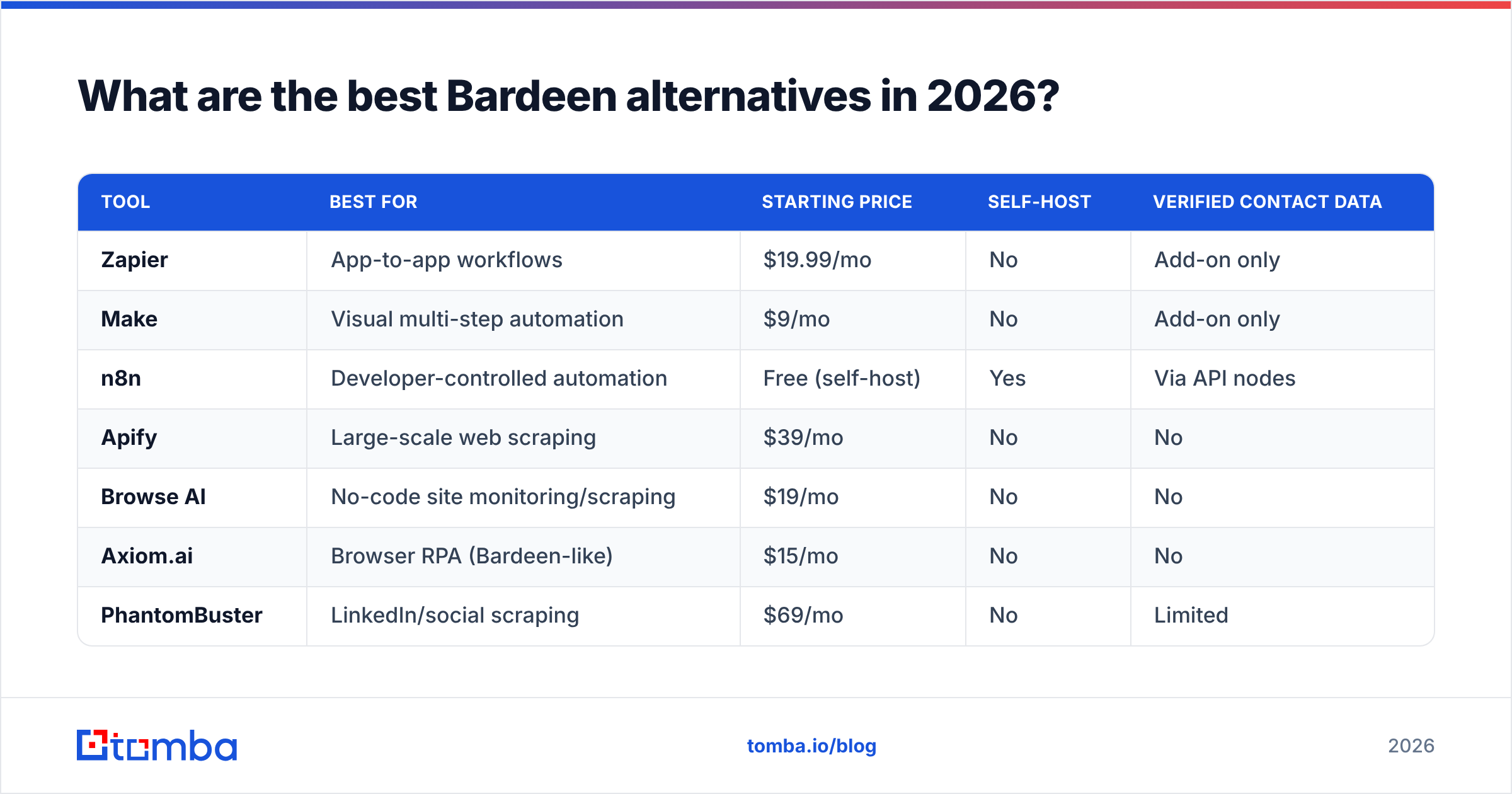
Here are the nine tools worth testing, sorted by primary strength. Use the table first, then read the notes for the ones that fit your stack.
| Tool | Best for | Starting price | Self-host | Verified contact data |
|---|---|---|---|---|
| Zapier | App-to-app workflows | $19.99/mo | No | Add-on only |
| Make | Visual multi-step automation | $9/mo | No | Add-on only |
| n8n | Developer-controlled automation | Free (self-host) | Yes | Via API nodes |
| Apify | Large-scale web scraping | $39/mo | No | No |
| Browse AI | No-code site monitoring/scraping | $19/mo | No | No |
| Axiom.ai | Browser RPA (Bardeen-like) | $15/mo | No | No |
| PhantomBuster | LinkedIn/social scraping | $69/mo | No | Limited |
| Clay | Enrichment + GTM workflows | $149/mo | No | Aggregated |
| Tomba | Verified email & lead data | Free, then $49/mo | API | Yes |
Zapier — the safe workflow replacement#
If you used Bardeen mainly to move data between apps, Zapier is the obvious swap. It connects 7,000+ apps, runs server-side, and never depends on an open tab. It is not a scraper, so pair it with a data source. Zapier's free tier is limited but the $19.99/mo Starter plan covers most solo workflows. Tomba connects directly, so you can trigger an email lookup the moment a new row hits a sheet — see the Zapier integration.
Make — cheaper, more visual#
Make (formerly Integromat) does what Zapier does with a more visual canvas and lower entry pricing at $9/mo. It handles branching logic and iterators better than Zapier on cheaper tiers, which matters when you are looping through scraped records. Good for people who liked Bardeen's visual playbook feel but want server-side reliability.
n8n — for teams that want control#
n8n is open-source and self-hostable, so you own the data and dodge per-task pricing entirely. It is the strongest pick if you have a developer on hand and privacy requirements that rule out cloud-only tools. You wire HTTP nodes to any API — including a Tomba API call — to enrich records inside your own infrastructure.
Apify and Browse AI — when scraping is the point#
Bardeen's scraping is browser-bound. Apify runs thousands of "actors" on cloud servers and handles proxies, anti-bot pages, and scale that an extension cannot touch. Browse AI is the no-code cousin: point, train, and it monitors or scrapes a site on a schedule. Pick Apify for volume and custom logic, Browse AI for simple recurring pulls.
Axiom and PhantomBuster — close Bardeen clones#
Axiom.ai is the most direct Bardeen-style replacement: browser RPA that clicks, types, and scrapes with no code. PhantomBuster specializes in social and LinkedIn automation with a library of ready "phantoms." Both share Bardeen's weakness — the contact data they output still needs verification before you send anything.

Why does contact data matter more than the automation?#
The automation layer is only as useful as the data flowing through it. This is the part almost every Bardeen alternative ignores. You can scrape 5,000 LinkedIn profiles flawlessly, but if 30% of the guessed emails bounce, your domain reputation tanks and the whole pipeline is worse than useless.
Bardeen, Apify, PhantomBuster, and Clay all guess or aggregate emails. None of them are built to verify deliverability in real time. That is a different discipline:
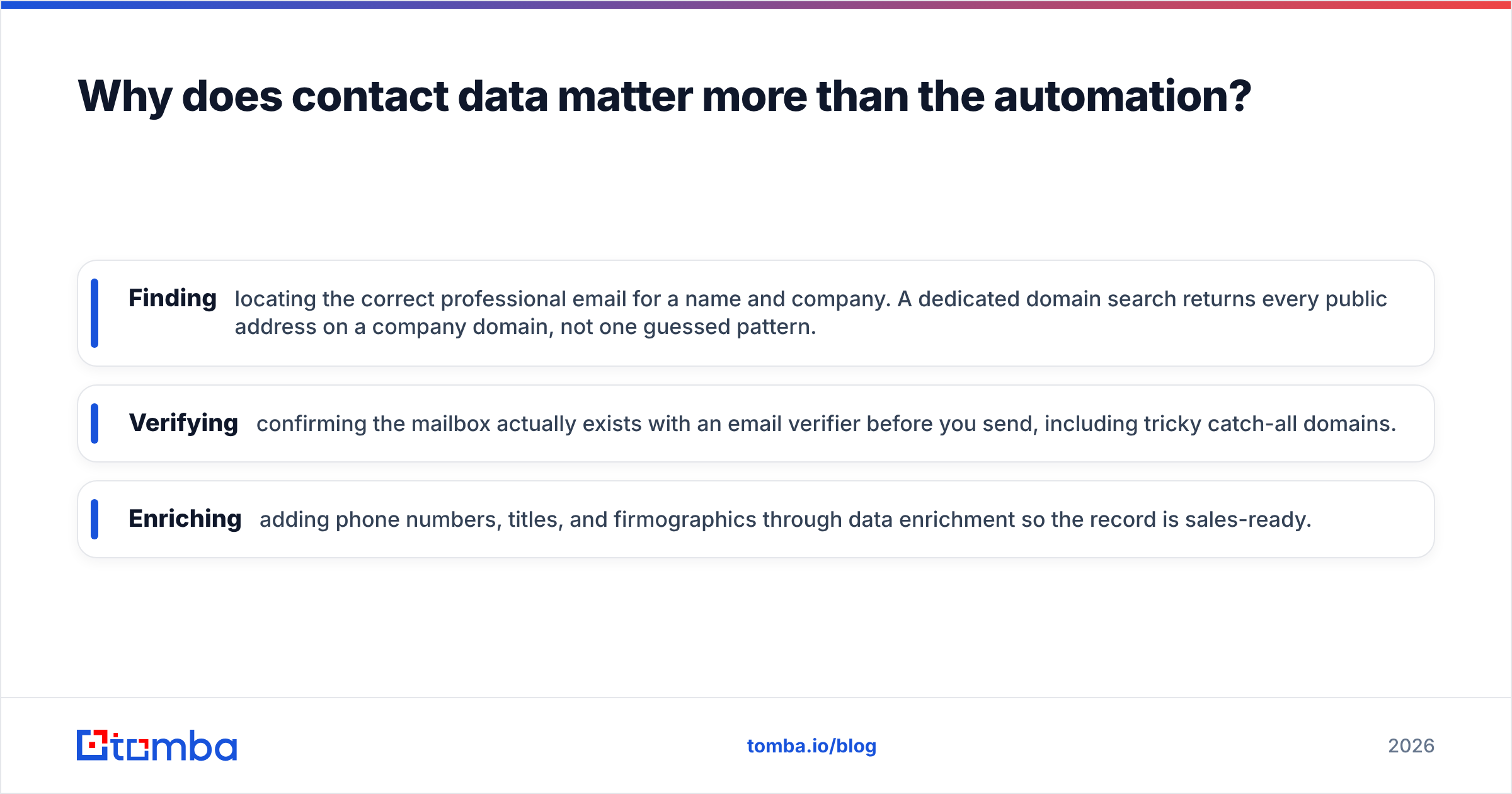
- Finding — locating the correct professional email for a name and company. A dedicated domain search returns every public address on a company domain, not one guessed pattern.
- Verifying — confirming the mailbox actually exists with an email verifier before you send, including tricky catch-all domains.
- Enriching — adding phone numbers, titles, and firmographics through data enrichment so the record is sales-ready.
This is where Tomba fits next to — not against — your automation tool. Let Apify or Zapier handle the moving of data; let Tomba handle whether that data is real.
How does Tomba compare to Bardeen for lead data?#
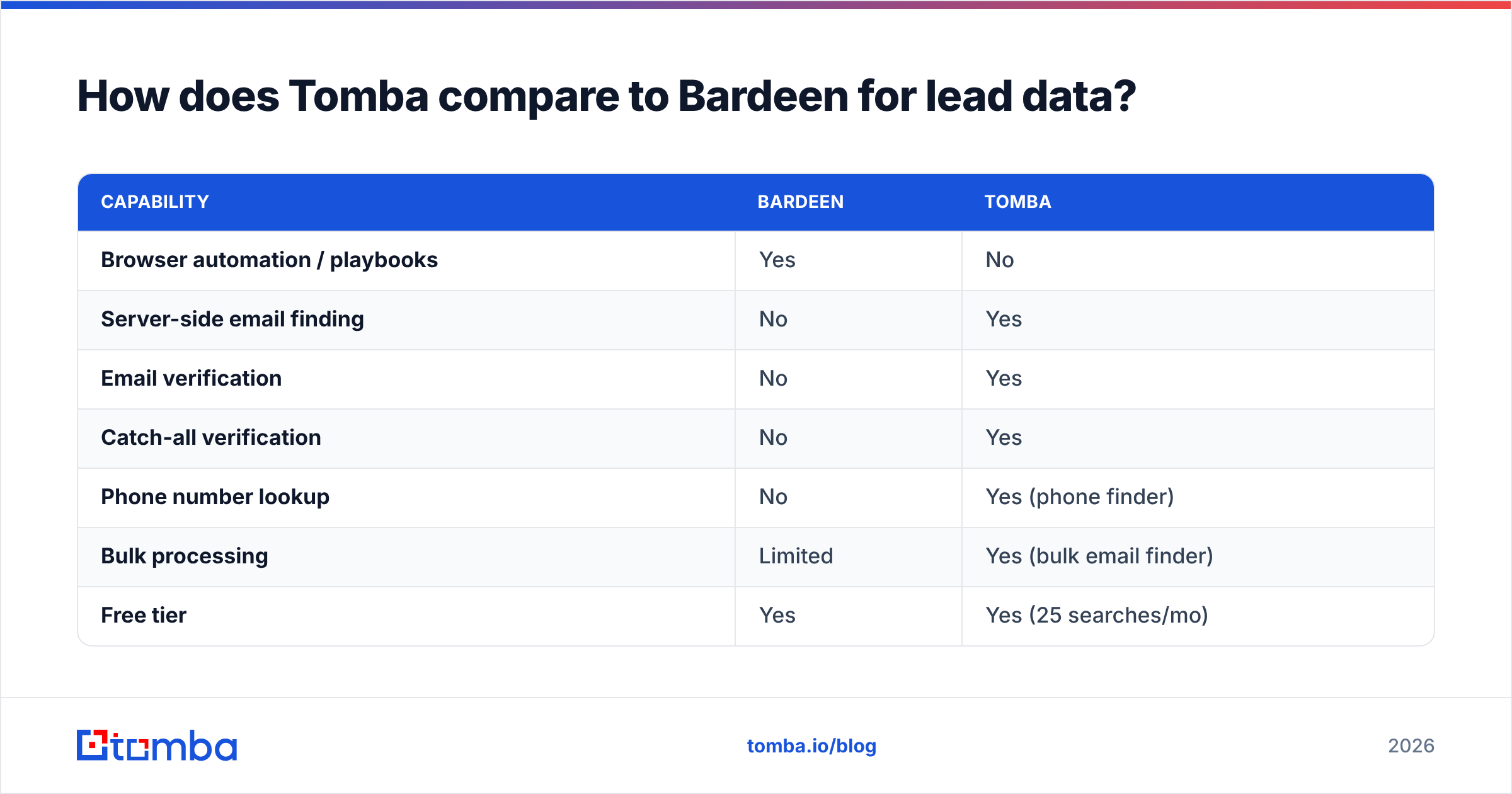
Conclusion first: Bardeen and Tomba solve different halves of the same job, and the smart setup uses both. Bardeen automates the clicks; Tomba guarantees the contacts.
| Capability | Bardeen | Tomba |
|---|---|---|
| Browser automation / playbooks | Yes | No |
| Server-side email finding | No | Yes |
| Email verification | No | Yes |
| Catch-all verification | No | Yes |
| Phone number lookup | No | Yes (phone finder) |
| Bulk processing | Limited | Yes (bulk email finder) |
| Free tier | Yes | Yes (25 searches/mo) |
| Entry paid price | ~$10/mo | $49/mo |
Tomba's pricing is straightforward: a Free tier with 25 searches per month, Starter at $49/mo, Growth at $99/mo, and Pro at $249/mo, with Enterprise custom. Full Tomba pricing is public. The point is not that Tomba replaces Bardeen's clicking — it replaces the unreliable data Bardeen hands you afterward.
A typical 2026 stack looks like this: scrape target accounts with Apify or PhantomBuster, push rows through Zapier, and call Tomba to find and verify each email before the record reaches your CRM. Every email that hits your sequence is one a verifier already cleared.
How do I choose the right Bardeen alternative?#
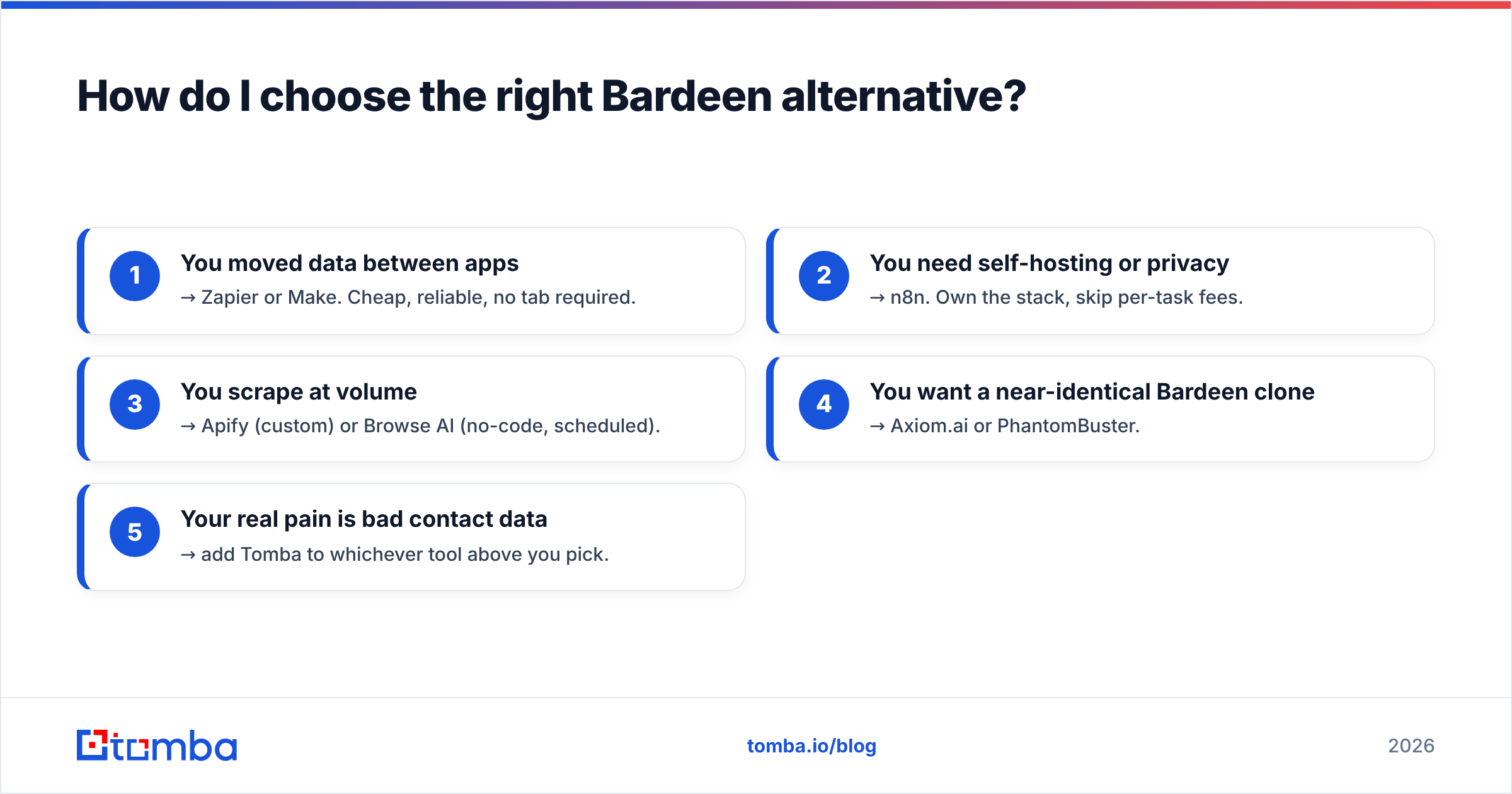
Match the tool to your actual bottleneck instead of buying the most popular name. Use this quick decision path:
- You moved data between apps → Zapier or Make. Cheap, reliable, no tab required.
- You need self-hosting or privacy → n8n. Own the stack, skip per-task fees.
- You scrape at volume → Apify (custom) or Browse AI (no-code, scheduled).
- You want a near-identical Bardeen clone → Axiom.ai or PhantomBuster.
- Your real pain is bad contact data → add Tomba to whichever tool above you pick.
Two cost traps to avoid. First, automation credits and data credits are separate budgets — a "cheap" automation tool that bundles weak enrichment often costs more once you pay to clean its output. Second, watch overage pricing; tools like PhantomBuster and Clay can get expensive fast at scale, which is why teams cross-check vendor reviews on G2 before committing. Check the official Bardeen site for its current limits, then compare against the entry tiers in the table above.
Frequently asked questions#
Is there a free Bardeen alternative? Yes. n8n is free if you self-host, Make and Zapier have free tiers for low volume, and Tomba offers 25 free searches per month for the data side. You can build a working pipeline at zero cost before upgrading.
What is the best Bardeen alternative for scraping? Apify for large, custom scrapes and Browse AI for scheduled no-code monitoring. Both run server-side, so they beat a browser extension on scale and reliability.
Can I replace Bardeen's enrichment? Yes, and you should. Bardeen's enrichment is shallow. A dedicated finder-plus-verifier like Tomba returns verified emails, phone numbers, and firmographic data that scraped profiles alone never give you.
Do I need both an automation tool and a data tool? Almost always. Automation tools move and trigger data; data tools find and verify contacts. Combining them — for example Zapier plus Tomba — produces clean, ready-to-use records.
The bottom line#
Bardeen is a fine browser-automation tool, but "Bardeen alternative" usually means one of two things: you need sturdier automation, or you need better data. For automation, Zapier, Make, n8n, Apify, and Browse AI each win a specific lane. For data — the part that decides whether your outreach lands or bounces — none of them are built for the job.
That is the gap Tomba fills. Connect the Tomba Email Finder to whatever automation layer you choose, start on the free tier with 25 searches, and make sure every contact your workflows collect is one a verifier already confirmed is real. Automate the clicks with anything you like — just stop guessing the emails.
// get started
Find, verify and enrich your first contacts today
Start on the free plan with 25 searches a month, then scale when your team is ready.
Free plan · No credit card required · GDPR & CCPA
// about the author