Bardeen Pricing Reviews Pros and Cons (2026 Guide)
A no-fluff breakdown of Bardeen pricing, real user reviews, and the honest pros and cons — plus where it fits (and breaks) in a 2026 sales stack.
Bardeen Pricing Reviews Pros and Cons (2026 Guide)
Bardeen promises to automate the boring half of your sales day. It scrapes LinkedIn, enriches leads, and copies data between tabs, all without code. But does the price match the value? This guide to Bardeen pricing reviews pros and cons gives you the straight answer. You will see the plans, the real user feedback, and where the tool quietly falls short.
TL;DR#
- Bardeen is a no-code browser automation and AI agent tool. It scrapes web data, runs "playbooks," and chains apps together — strong for repetitive browser tasks, weaker as a dedicated data provider.
- Pricing in 2026 runs from a free tier to roughly $129/user/month for the top self-serve plan, with credit limits that scale by plan. Heavy scrapers hit the ceiling fast.
- Reviews praise the time savings and AI scraper; the most common complaints are credit burn, a learning curve, and brittle automations that break when sites change.
- It is not an email-finder or verified B2B database. Pair it with a dedicated tool like Tomba Email Finder when you need accurate, verified contact data.
- Best fit: solo founders, growth marketers, and small teams who live in the browser and want to skip Zapier-style setup overhead.
What is Bardeen and who is it for?#
Think of Bardeen as a tireless intern inside your browser. You show it a task once. For example: open a LinkedIn list, grab names, titles, and company URLs, then drop them into a Google Sheet. After that, it repeats the task on demand or on a schedule. The technical version: Bardeen is a Chrome extension plus a cloud workflow engine. It combines web scraping, app integrations, and an AI agent ("Magic Box" / Agent) that builds automations from a plain-English prompt.
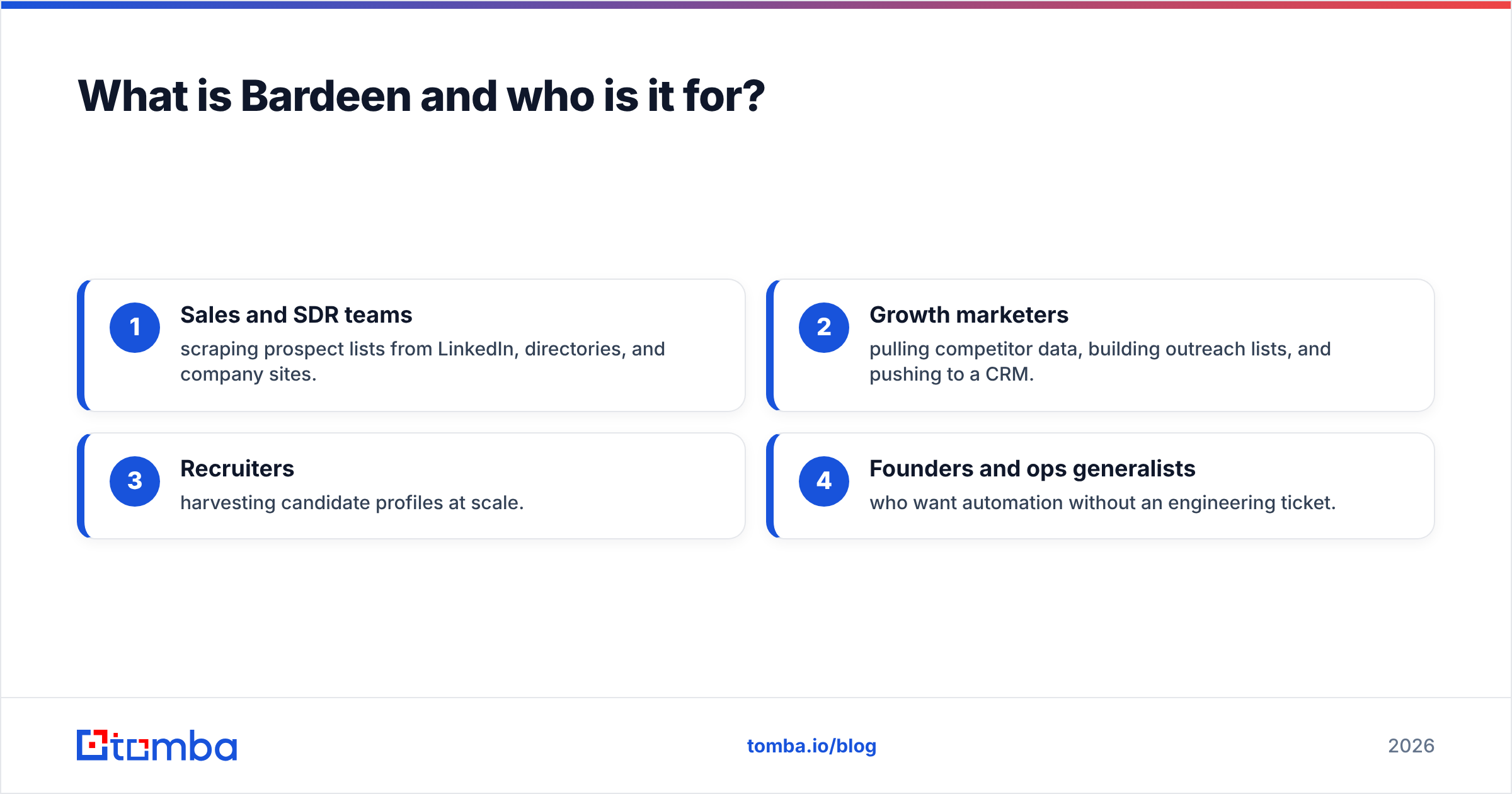
It targets people who do volume browser work but don't want to learn a full iPaaS platform like Make or Zapier. The typical users:
- Sales and SDR teams scraping prospect lists from LinkedIn, directories, and company sites.
- Growth marketers pulling competitor data, building outreach lists, and pushing to a CRM.
- Recruiters harvesting candidate profiles at scale.
- Founders and ops generalists who want automation without an engineering ticket.
If you mostly need verified emails and firmographics, Bardeen is the wrong primary tool. It scrapes what's on the page. It does not maintain a verified contact database. More on that gap below.

Note: treat scraped data as a starting point, not source-of-truth. Anything you scrape still needs verification before you send a single email.
How much does Bardeen cost in 2026?#
Bardeen uses a freemium, per-user, credit-based model. You pay for a seat. You also spend credits each time an automation runs. This two-axis pricing matters most before you commit. A cheap seat with too few credits is not actually cheap.
Here is the typical structure (always confirm current numbers on the official Bardeen pricing page, since credit allotments shift):
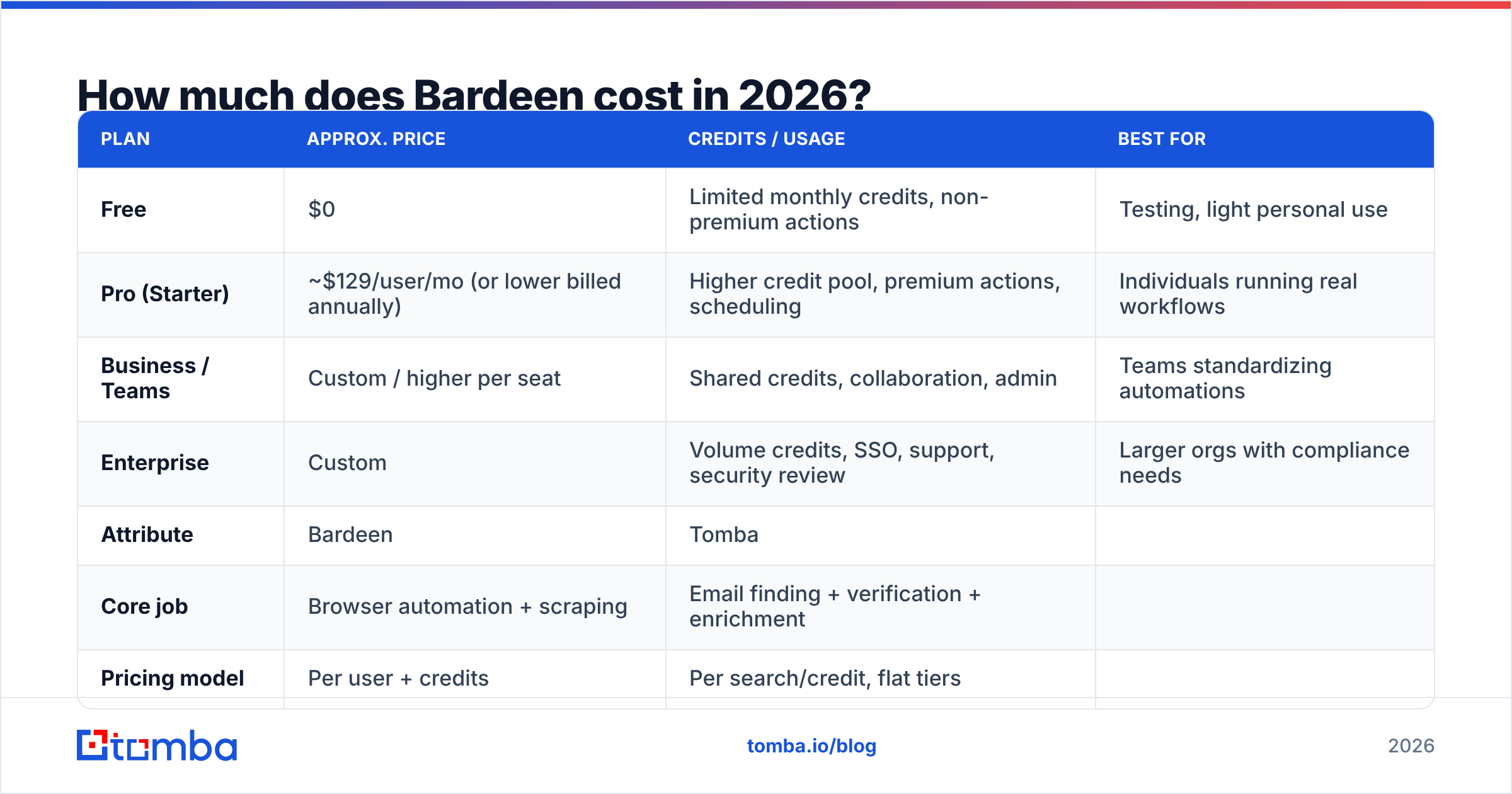
| Plan | Approx. price | Credits / usage | Best for |
|---|---|---|---|
| Free | $0 | Limited monthly credits, non-premium actions | Testing, light personal use |
| Pro (Starter) | ~$129/user/mo (or lower billed annually) | Higher credit pool, premium actions, scheduling | Individuals running real workflows |
| Business / Teams | Custom / higher per seat | Shared credits, collaboration, admin | Teams standardizing automations |
| Enterprise | Custom | Volume credits, SSO, support, security review | Larger orgs with compliance needs |
The catch most reviewers flag: credits disappear faster than expected once you run scrapers across hundreds of rows or schedule jobs daily. A workflow that feels free in testing can burn through a month's credits in a week at production volume.
How Bardeen pricing compares to a focused data tool#
Is your real goal to get accurate contact data into your CRM? Then compare the all-in cost against a purpose-built finder. Tomba, for example, is priced for data volume rather than per-seat automation:
| Attribute | Bardeen | Tomba |
|---|---|---|
| Core job | Browser automation + scraping | Email finding + verification + enrichment |
| Pricing model | Per user + credits | Per search/credit, flat tiers |
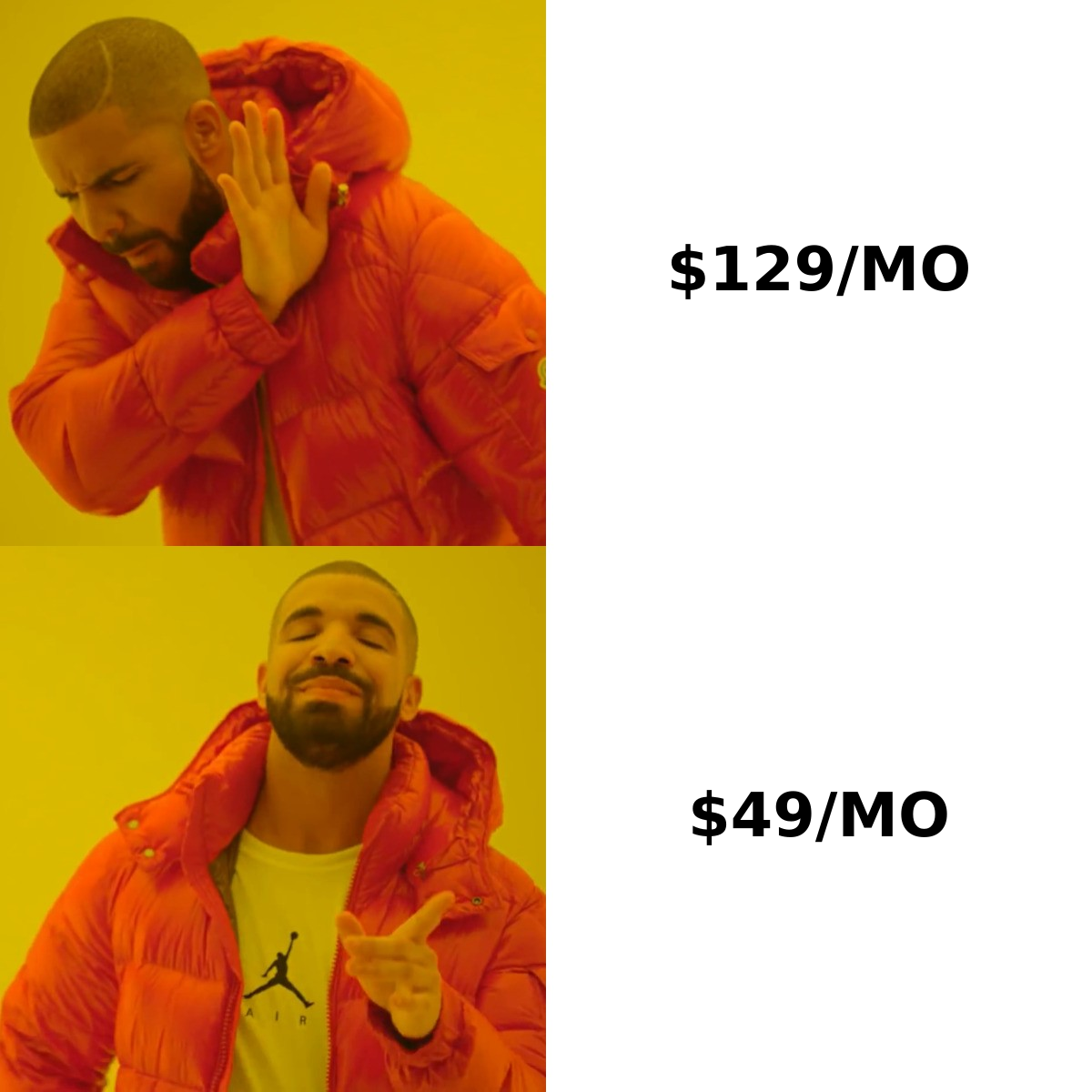
| Entry paid plan | ~$129/user/mo | $49/mo (Starter) |
| Free tier | Yes (limited credits) | Yes (25 searches/mo) |
| Verified email data | No (scrapes page data) | Yes (verified, with confidence score) |
| API access | Limited | Full email finder API |
The two aren't direct competitors. Bardeen automates actions. Tomba supplies verified data. But teams often buy Bardeen hoping it solves the data problem. Then they discover they still need verification. See full Tomba pricing if you're costing out the data half of the stack.
What do Bardeen reviews actually say?#
Across G2 and Capterra, Bardeen holds solid ratings. Reviewers cluster around a few consistent themes. Strip out the marketing gloss, and here is the honest read.
What reviewers love:
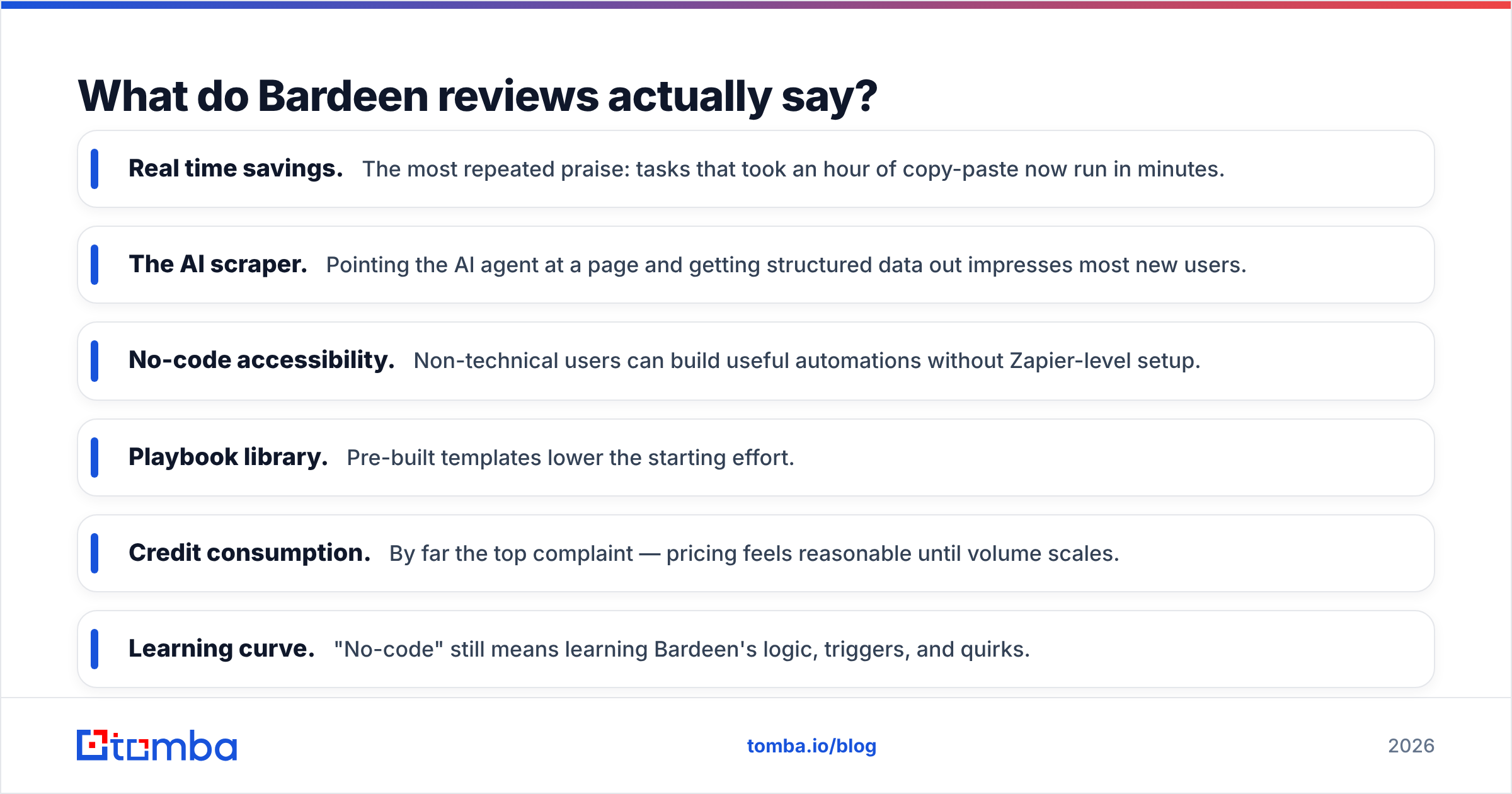
- Real time savings. The most repeated praise: tasks that took an hour of copy-paste now run in minutes.
- The AI scraper. Pointing the AI agent at a page and getting structured data out impresses most new users.
- No-code accessibility. Non-technical users can build useful automations without Zapier-level setup.
- Playbook library. Pre-built templates lower the starting effort.
What reviewers criticize:
- Credit consumption. By far the top complaint — pricing feels reasonable until volume scales.
- Learning curve. "No-code" still means learning Bardeen's logic, triggers, and quirks.
- Brittleness. Scrapers break when target sites change their layout, and debugging is fiddly.
- Data accuracy. Scraped emails and phone numbers are unverified — bounce rates suffer if you don't clean the data.
That last point is the one sales teams underestimate. Scraped data is raw. Sending to it without verification damages your sender reputation and tanks deliverability.

Bardeen pricing reviews pros and cons: the full verdict#
Here's the balanced verdict, the part you came for.
Pros#
- Speed on repetitive browser work. If your day involves the same multi-tab routine, Bardeen genuinely removes hours of drudgery.
- Genuinely no-code. You can ship a working automation the same afternoon you install it.
- AI-assisted building. Describe the workflow in English and let the agent draft it — a real lowering of the barrier versus traditional iPaaS.
- Wide integration surface. Connects to common sales and marketing apps, sheets, and CRMs.
- Runs where the data lives. Because it's browser-native, it can reach data behind logins that API-only tools can't.
Cons#
- Credit-based pricing scales painfully. High-volume scraping is exactly where costs spike.
- Unverified output. It scrapes; it does not verify. You still need an email verifier before outreach.
- Maintenance overhead. Automations break and need babysitting when sites change.
- Compliance gray area. Scraping platforms like LinkedIn can violate their terms of service — a real risk for teams at scale.
- Not a database. There's no proprietary, maintained dataset behind it; quality depends entirely on what's on the page.
Is Bardeen worth it for sales teams?#
Short answer: yes as an automation layer, no as your data source. Bardeen earns its keep when the bottleneck is manual browser labor — moving data, triggering sequences, scraping niche sources that no database covers. It does not earn its keep when the bottleneck is accurate contact data. Scraping without verification creates more cleanup than it saves.
The smart play for most sales orgs is a split stack:
- Use Bardeen for the automation and orchestration — scheduling, moving data, triggering steps.
- Use a dedicated finder for the contact layer — verified emails, phone numbers, and firmographics with confidence scores.
That way you get automation speed without inheriting a deliverability problem. Tomba slots into exactly this role: a verified email finder, bulk email finder for list building, and data enrichment to fill the gaps Bardeen's scraping leaves behind. Tomba also offers a real email finder API and native Zapier integration, so it plugs into automated workflows cleanly.
What are the best Bardeen alternatives?#
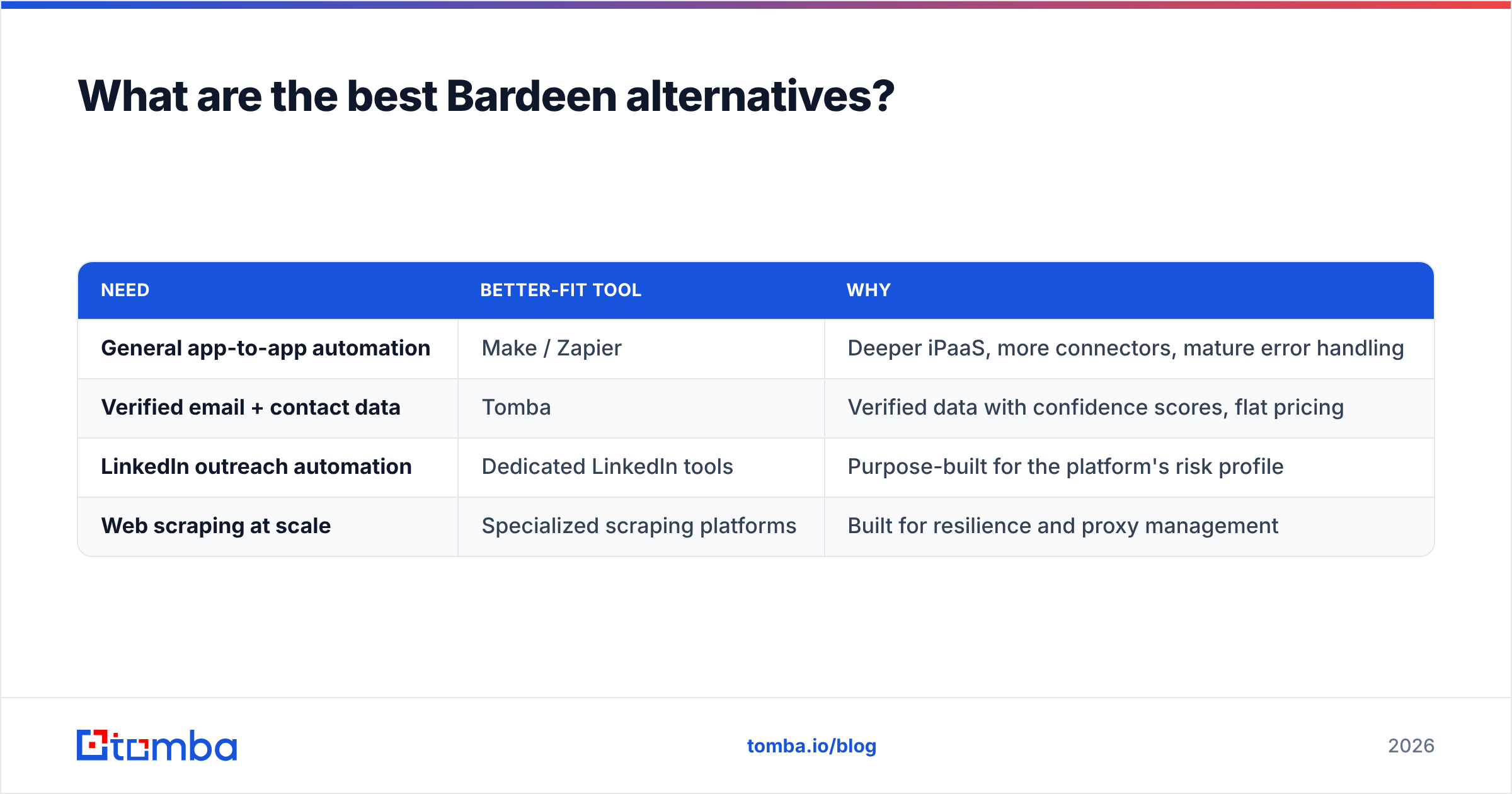
The best alternative depends on which job you're actually solving:
| Need | Better-fit tool | Why |
|---|---|---|
| General app-to-app automation | Make / Zapier | Deeper iPaaS, more connectors, mature error handling |
| Verified email + contact data | Tomba | Verified data with confidence scores, flat pricing |
| LinkedIn outreach automation | Dedicated LinkedIn tools | Purpose-built for the platform's risk profile |
| Web scraping at scale | Specialized scraping platforms | Built for resilience and proxy management |
The point isn't that Bardeen is bad. "Do everything in the browser" is a generalist promise, and specialists win on their home turf. If your core problem is data quality, a generalist scraper will keep disappointing you.
How should you decide?#
Run this quick gut-check before you pay for a seat:
- Is my bottleneck manual browser work, or bad data? If it's manual work, Bardeen fits. If it's data, get a finder first.
- What's my monthly volume? Estimate credits at production scale, not test scale. Then double it — reviewers consistently underestimate.
- Can I tolerate maintenance? Automations break. Budget time, or pick tools with stabler data sources.
- Am I comfortable with scraping risk? Know the terms of service of every site you target.
Answer those honestly and you'll avoid the most common Bardeen regret: buying it as a data solution and finding out it's an automation tool with a scraping side hustle.
The bottom line#
Here is the honest take on Bardeen pricing reviews pros and cons. Bardeen is a strong no-code automation tool. Its pricing is fair but credit-hungry, and its AI scraping is genuinely useful. The reviews are good. The pros are real. And the cons — credit burn, brittleness, and unverified data — are equally real. Treat it as the automation layer in your stack, not the data layer.
For the data layer, accuracy is everything. Before a single scraped contact enters a sequence, run it through verified discovery and validation. That protects your deliverability and reply rates. Try Tomba Email Finder — start free with 25 searches a month, find verified professional emails by name or domain, and let Bardeen handle the busywork while Tomba handles the data you can actually trust.
// get started
Find, verify and enrich your first contacts today
Start on the free plan with 25 searches a month, then scale when your team is ready.
Free plan · No credit card required · GDPR & CCPA
// about the author