Barracuda Reputation Block List: 2026 Removal Guide
Listed on the Barracuda Reputation Block List? Here's exactly why it happens, how to check, how to request removal, and how to stay off it for good in 2026.
Getting blocked by the Barracuda Reputation Block List feels like hitting a wall you didn't know existed. One day your cold campaigns and transactional emails land fine; the next, a chunk of recipients behind Barracuda spam filters bounce with a cryptic rejection notice. This guide explains what the list is, why you landed on it, and the exact steps to get off and stay off in 2026.
TL;DR#
- The Barracuda Reputation Block List (BRBL) is a DNS-based blocklist run by Barracuda Networks that flags IPs sending spam-like traffic.
- You usually get listed for spam complaints, hitting spam traps, sending to dead addresses, or a sudden volume spike from a cold IP.
- Check your status at Barracuda Central's lookup tool, then submit a removal request — most delistings clear within 12–48 hours once the root cause is fixed.
- The real fix is list hygiene: verify addresses before you send so you stop hitting traps and dead inboxes in the first place.
- Prevention beats removal every time. Clean data, gradual warmup, and authentication (SPF, DKIM, DMARC) keep you off the list permanently.
What is the Barracuda Reputation Block List?#
The Barracuda Reputation Block List is a real-time blocklist (an RBL or DNSBL) maintained by Barracuda Networks. Think of it like a bouncer's "do not admit" list at a venue: when a receiving mail server using Barracuda's spam filtering gets a connection, it checks the sender's IP against this list before deciding whether to let the message in. If your IP is on it, your mail gets rejected or quarantined before it ever reaches the inbox.
Barracuda is one of the larger email security vendors, so its blocklist has real reach — many businesses, universities, and government domains route inbound mail through Barracuda appliances or cloud filtering. A single BRBL listing can therefore silently kill deliverability to thousands of organizations at once.
The list is IP-based, not domain-based. That distinction matters: if you send from a shared IP (most ESPs and cold-email tools do), another sender's bad behavior can get the whole pool listed, and your mail suffers for it. Barracuda compiles the list from its global network of sensors, honeypots, and spam-trap data, plus user-reported spam complaints.
For a deeper primer on how blocklists fit into the broader picture, see Tomba's glossary entry on email deliverability and sender reputation.
)
Why did my IP get on the Barracuda Reputation Block List?#
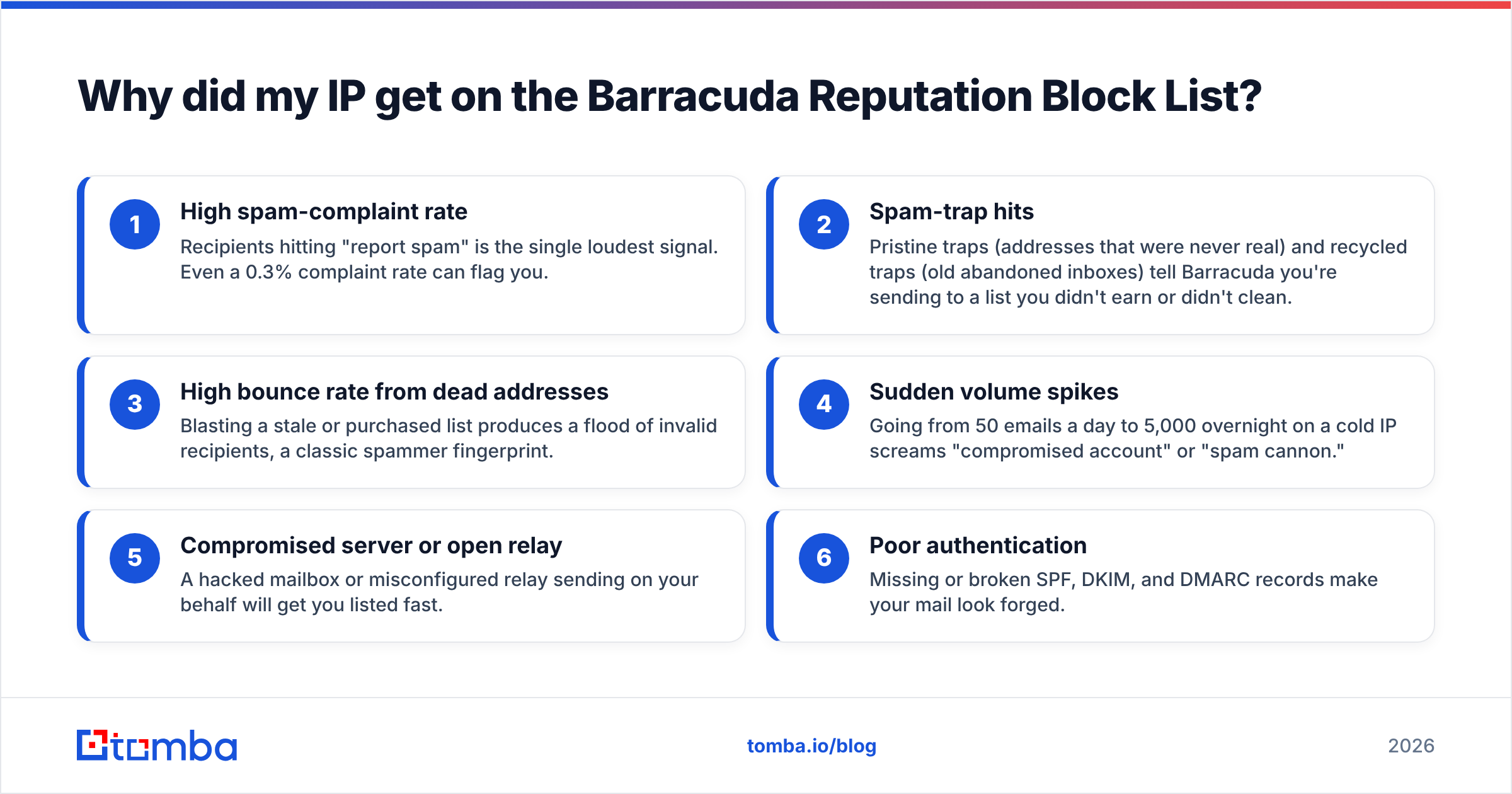
Listings are rarely random. Barracuda's system reacts to signals that look like spam behavior. Here are the most common triggers, in roughly the order they show up:
- High spam-complaint rate — Recipients hitting "report spam" is the single loudest signal. Even a 0.3% complaint rate can flag you.
- Spam-trap hits — Pristine traps (addresses that were never real) and recycled traps (old abandoned inboxes) tell Barracuda you're sending to a list you didn't earn or didn't clean.
- High bounce rate from dead addresses — Blasting a stale or purchased list produces a flood of invalid recipients, a classic spammer fingerprint.
- Sudden volume spikes — Going from 50 emails a day to 5,000 overnight on a cold IP screams "compromised account" or "spam cannon."
- Compromised server or open relay — A hacked mailbox or misconfigured relay sending on your behalf will get you listed fast.
- Poor authentication — Missing or broken SPF, DKIM, and DMARC records make your mail look forged.
The uncomfortable truth: most BRBL listings trace back to list quality, not malice. You bought a list, scraped contacts without verifying them, or let an old database rot. The fix starts with the data, which is why a real email verifier belongs in your workflow before any campaign goes out.
How do I check if I'm on the Barracuda Reputation Block List?#
You have a few quick options to confirm a listing before you waste hours chasing the wrong problem:
- Barracuda Central lookup — Barracuda's own IP reputation lookup tells you directly whether an IP is listed.
- MXToolbox blacklist check — MXToolbox checks your IP against BRBL and dozens of other blocklists in one pass.
- Read the bounce message — Rejected mail often names the list explicitly, with text like "Client host blocked using Barracuda Reputation."
- Tomba's free tool — Run a quick scan with the blacklist checker to see which lists flag your sending IP.
Check the IP address that actually sends your mail, not your domain or website host. If you send through an ESP, that's their delivery IP; if you run your own mail server, it's that server's public IP. Get this wrong and you'll "fix" something that was never broken.
How does BRBL compare to other major blocklists?#
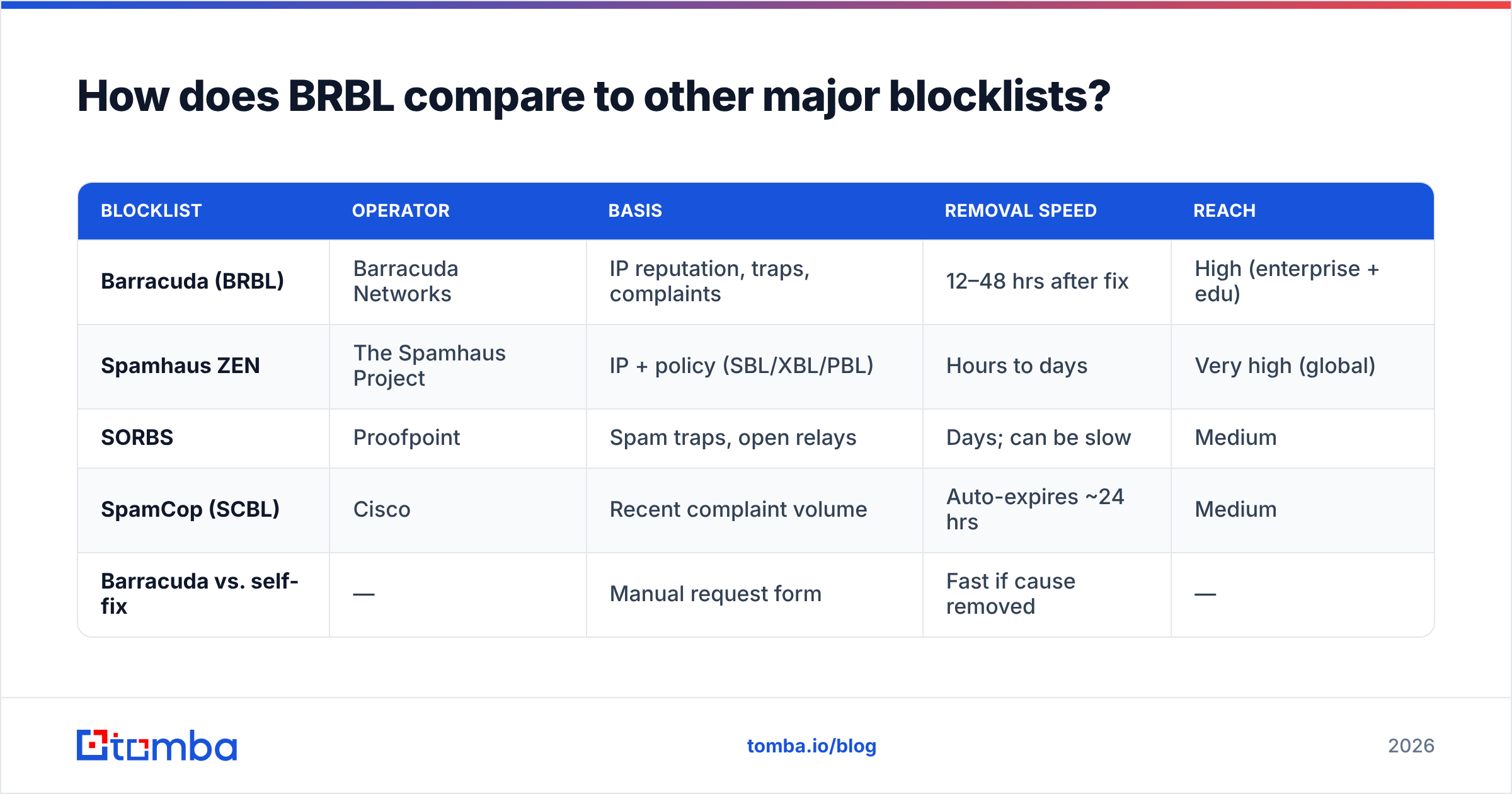
The Barracuda Reputation Block List is one of several DNSBLs you might land on, and each behaves a little differently. Understanding where BRBL sits helps you prioritize which removal to chase first.
| Blocklist | Operator | Basis | Removal speed | Reach |
|---|---|---|---|---|
| Barracuda (BRBL) | Barracuda Networks | IP reputation, traps, complaints | 12–48 hrs after fix | High (enterprise + edu) |
| Spamhaus ZEN | The Spamhaus Project | IP + policy (SBL/XBL/PBL) | Hours to days | Very high (global) |
| SORBS | Proofpoint | Spam traps, open relays | Days; can be slow | Medium |
| SpamCop (SCBL) | Cisco | Recent complaint volume | Auto-expires ~24 hrs | Medium |
| Barracuda vs. self-fix | — | Manual request form | Fast if cause removed | — |
The takeaway: BRBL is one of the more responsive lists once you've genuinely fixed the root cause. Unlike some blocklists that auto-expire or drag for a week, Barracuda offers a direct removal request that a human reviews. That's good news — but only if you've actually stopped the behavior that got you listed. Submitting a removal while you're still blasting a dirty list just gets you re-listed within days.
How do I get removed from the Barracuda Reputation Block List?#
Removal is a four-step process. Skipping step one is the most common mistake.
Step 1 — Fix the root cause first. Identify why you were listed (complaints, traps, bounces, a hacked account) and stop it. Pause campaigns, scan for compromised mailboxes, and clean your list. Removal without a fix is temporary.
Step 2 — Submit the removal request. Go to Barracuda Central's removal page and fill in your IP address, email, and a short reason. Be honest and specific: "Identified and removed a misconfigured form that allowed spam relay; cleaned mailing list" beats "please remove, I don't spam."
Step 3 — Wait and monitor. Barracuda typically processes requests within 12–48 hours. Re-check the lookup tool rather than assuming. Don't submit duplicate requests; it doesn't speed anything up.
Step 4 — Warm back up gradually. Once delisted, don't resume full volume immediately. Ramp sending slowly so you rebuild reputation instead of tripping the same alarms.
)
If you're on a shared IP through an ESP or cold-email platform, you often can't submit the request yourself — the provider has to. Open a support ticket and give them the evidence. This is one reason serious senders move to dedicated IPs once volume justifies it.
How do I stay off the Barracuda Reputation Block List for good?#
Delisting is a band-aid. Staying off the list is the real win, and it comes down to a handful of durable habits.
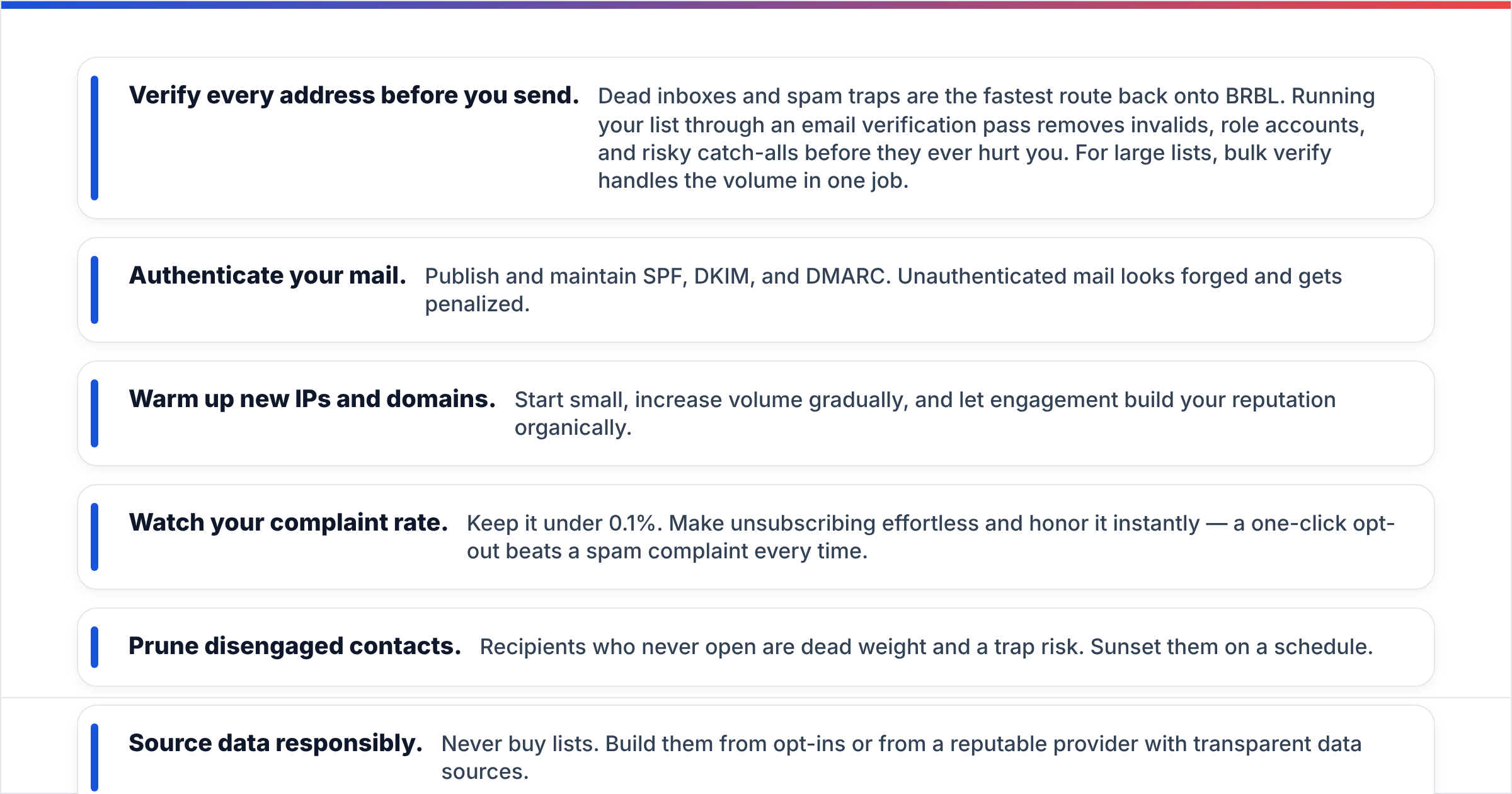
- Verify every address before you send. Dead inboxes and spam traps are the fastest route back onto BRBL. Running your list through an email verification pass removes invalids, role accounts, and risky catch-alls before they ever hurt you. For large lists, bulk verify handles the volume in one job.
- Authenticate your mail. Publish and maintain SPF, DKIM, and DMARC. Unauthenticated mail looks forged and gets penalized.
- Warm up new IPs and domains. Start small, increase volume gradually, and let engagement build your reputation organically.
- Watch your complaint rate. Keep it under 0.1%. Make unsubscribing effortless and honor it instantly — a one-click opt-out beats a spam complaint every time.
- Prune disengaged contacts. Recipients who never open are dead weight and a trap risk. Sunset them on a schedule.
- Source data responsibly. Never buy lists. Build them from opt-ins or from a reputable provider with transparent data sources.
Here's the core principle: blocklists are a symptom, list hygiene is the cure. Every preventive habit above ultimately protects the same thing — your sender reputation. Treat your sending IP like a credit score. One bad month of complaints and bounces tanks it; months of clean, engaged, verified sending rebuild it.
What's the difference between a listing and a permanent block?#
A BRBL listing is not permanent by design. It's a reputation signal that reflects recent behavior, and it clears when the behavior improves. That's a key mental model: Barracuda isn't punishing you forever, it's reacting to a rolling window of data.
The danger is the re-listing loop. Senders who delist without fixing the cause bounce back on within days, then start to look chronically abusive, which makes future removals slower and reputation recovery harder. Break the loop by treating the first listing as a warning that your data and sending practices need an overhaul — not as a one-time inconvenience to dismiss.
If you repeatedly land on multiple blocklists at once, the problem is almost never the individual lists. It's an upstream issue: a poisoned contact database, a compromised account, or a sending pattern that looks automated and unwanted. Fix the upstream cause and the downstream listings stop appearing.
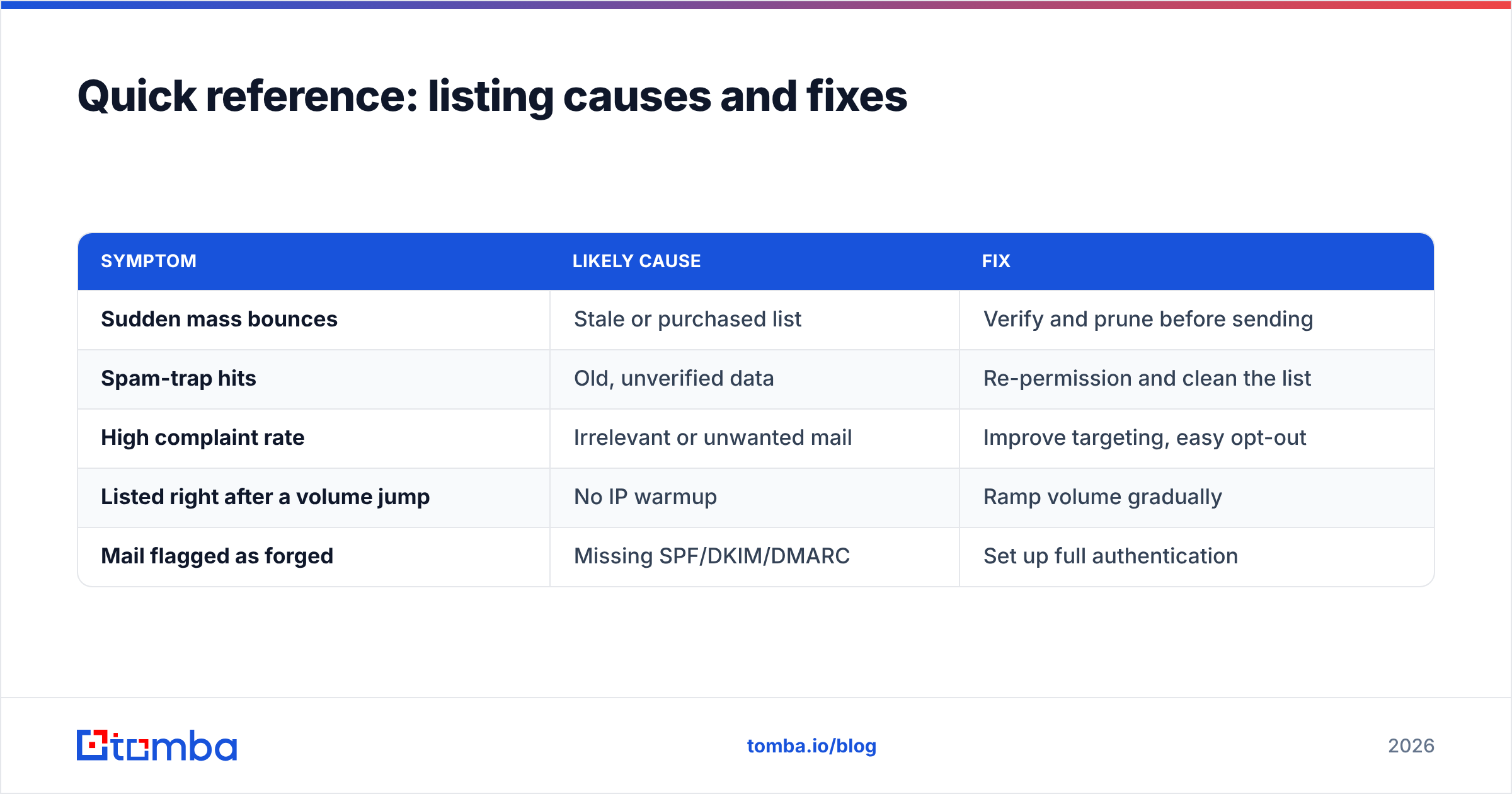
Quick reference: listing causes and fixes#
| Symptom | Likely cause | Fix |
|---|---|---|
| Sudden mass bounces | Stale or purchased list | Verify and prune before sending |
| Spam-trap hits | Old, unverified data | Re-permission and clean the list |
| High complaint rate | Irrelevant or unwanted mail | Improve targeting, easy opt-out |
| Listed right after a volume jump | No IP warmup | Ramp volume gradually |
| Mail flagged as forged | Missing SPF/DKIM/DMARC | Set up full authentication |
Final word: clean data is the cheapest insurance#
The Barracuda Reputation Block List isn't out to get you. It's reacting to signals, and the loudest signals come from bad data — dead addresses, spam traps, and recipients who never wanted your mail. Remove those and most deliverability problems disappear before they start.
That's where the work pays off upfront. Before you import a single contact into your sequencer, find verified, accurate addresses with Tomba's Email Finder and confirm them with the verifier. Accurate sourcing plus verification means fewer bounces, fewer trap hits, and a sender reputation that keeps you off BRBL instead of constantly digging you out. Start free with 25 searches a month, and scale on the Starter plan at $49/mo when you're ready to send at volume. Clean lists are the cheapest deliverability insurance you'll ever buy.
// get started
Find, verify and enrich your first contacts today
Start on the free plan with 25 searches a month, then scale when your team is ready.
Free plan · No credit card required · GDPR & CCPA
// about the author