Best CRM Software for Business in 2026: A Buyer's Guide
Comparing the best CRM software for business in 2026? Here's how HubSpot, Salesforce, Pipedrive, and Zoho stack up on price, features, and fit—plus the data that makes any CRM actually work.
Choosing the best CRM software for business in 2026 is less about finding the "winner" and more about matching a tool to how your team actually sells. The platform that fits a 4-person agency will frustrate a 200-rep sales org, and the enterprise suite that runs a Fortune 500 will bury a startup in setup costs. This guide cuts through the marketing and ranks the real contenders by who they're for, what they cost, and where they break down.
TL;DR#
- HubSpot is the best all-around CRM for most small-to-midsize businesses thanks to a genuinely usable free tier and a gentle upgrade path.
- Salesforce still wins for large, complex organizations that need deep customization—at the cost of price and admin overhead.
- Pipedrive is the best pick for sales-first teams that want a pipeline they can run without a consultant.
- Zoho CRM delivers the most features per dollar if you can tolerate a busier interface.
- A CRM is only as good as the data inside it. Even the best platform underperforms when records are stale, missing emails, or full of duplicates.
What is CRM software, and why does the choice matter?#
A CRM (customer relationship management) platform is the shared memory of your revenue team. Think of it as a kitchen for your sales process: deals are the dishes, contacts are the ingredients, and the CRM is the organized counter where everyone can see what's cooking and who's working on what. Without it, every rep keeps their own notes in their head, their inbox, or a spreadsheet—and that knowledge walks out the door when they leave.
Technically, a CRM is a database that tracks contacts, companies, deals, and the activities (calls, emails, meetings) tied to them, wrapped in workflows that automate the busywork. The choice matters because switching CRMs later is painful—data migration, retraining, and integration rework can eat weeks. Picking the right one up front saves you from a costly do-over in 18 months.
)
Here's the uncomfortable truth most vendor pages skip: the software is the easy part. According to Gartner, the majority of CRM failures trace back to poor adoption and bad data, not missing features. You can buy the most expensive seat on the market and still end up with a half-empty database that reps don't trust.
What should the best CRM software for business include?#
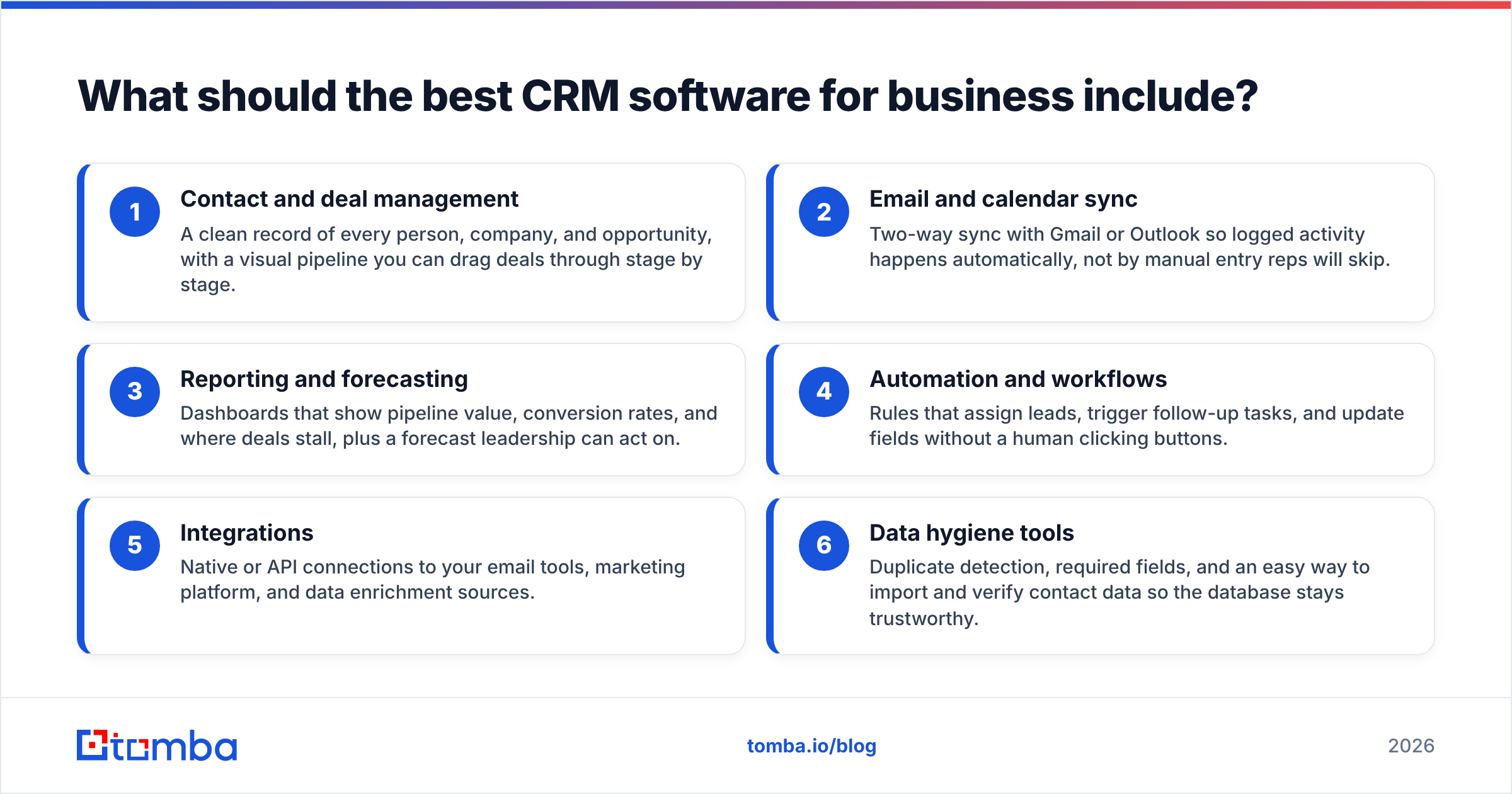
Before comparing brands, get clear on the non-negotiables. These six capabilities separate a real CRM from a glorified contact list:
- Contact and deal management — A clean record of every person, company, and opportunity, with a visual pipeline you can drag deals through stage by stage.
- Email and calendar sync — Two-way sync with Gmail or Outlook so logged activity happens automatically, not by manual entry reps will skip.
- Reporting and forecasting — Dashboards that show pipeline value, conversion rates, and where deals stall, plus a forecast leadership can act on.
- Automation and workflows — Rules that assign leads, trigger follow-up tasks, and update fields without a human clicking buttons.
- Integrations — Native or API connections to your email tools, marketing platform, and data enrichment sources.
- Data hygiene tools — Duplicate detection, required fields, and an easy way to import and verify contact data so the database stays trustworthy.
Notice that half of that list is about data flowing in and staying clean—not flashy AI features. A CRM with empty or wrong contact records is just an expensive filing cabinet.
Which is the best CRM software for business in 2026?#
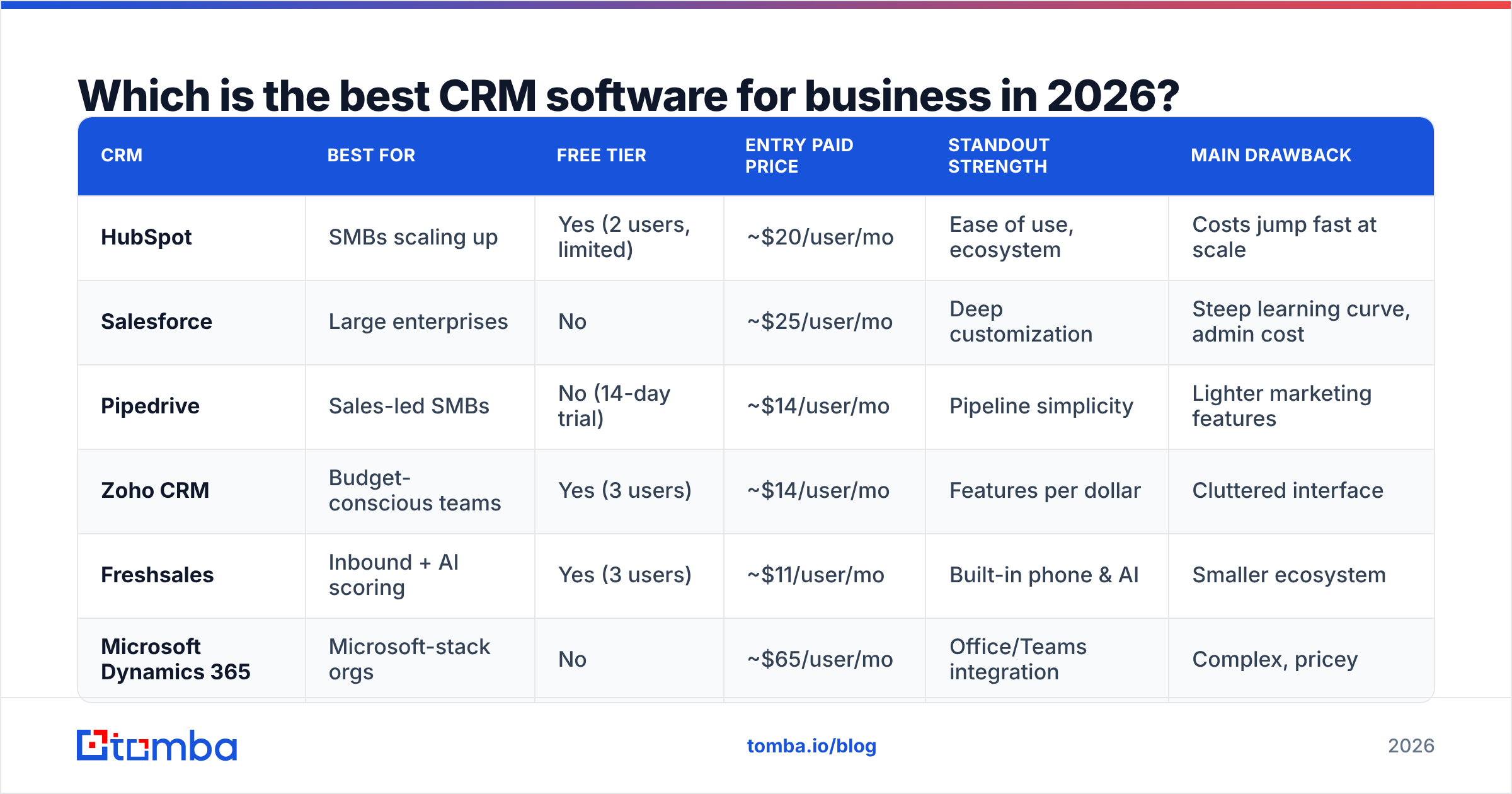
Here's how the leading platforms compare on the attributes that drive a buying decision. Prices reflect published per-user monthly rates billed annually as of 2026; always confirm current pricing before you commit.
| CRM | Best for | Free tier | Entry paid price | Standout strength | Main drawback |
|---|---|---|---|---|---|
| HubSpot | SMBs scaling up | Yes (2 users, limited) | ~$20/user/mo | Ease of use, ecosystem | Costs jump fast at scale |
| Salesforce | Large enterprises | No | ~$25/user/mo | Deep customization | Steep learning curve, admin cost |
| Pipedrive | Sales-led SMBs | No (14-day trial) | ~$14/user/mo | Pipeline simplicity | Lighter marketing features |
| Zoho CRM | Budget-conscious teams | Yes (3 users) | ~$14/user/mo | Features per dollar | Cluttered interface |
| Freshsales | Inbound + AI scoring | Yes (3 users) | ~$11/user/mo | Built-in phone & AI | Smaller ecosystem |
| Microsoft Dynamics 365 | Microsoft-stack orgs | No | ~$65/user/mo | Office/Teams integration | Complex, pricey |
HubSpot: best all-around for most businesses#
HubSpot earns the top general recommendation because it gets the fundamentals right and lets you grow into the platform instead of buying everything on day one. The free CRM is legitimately useful—contact management, deal pipelines, and email tracking with no time limit. When you outgrow it, the Sales Hub tiers add sequences, forecasting, and automation. The catch is the price curve: per-seat costs and required marketing contacts can balloon once you cross a few thousand contacts, so model your 24-month cost, not just the sticker.
Salesforce: best for enterprise complexity#
Salesforce remains the default for large organizations with intricate sales processes, multiple business units, and the budget for a dedicated admin or consultant. Its customization is essentially unlimited, and the AppExchange marketplace covers nearly any edge case. That power is also the downside: a Salesforce rollout is a project, not a signup. Smaller teams routinely overpay for capability they never configure.
Pipedrive: best for sales-first teams#
If your priority is closing deals rather than running marketing campaigns, Pipedrive is the most focused tool here. Its pipeline view is the clearest in the category, onboarding takes hours instead of weeks, and the pricing is friendly to small teams. The trade-off is breadth—reporting and marketing automation are lighter than HubSpot's, so revenue-ops-heavy orgs may outgrow it.
Zoho CRM and the value tier#
Zoho CRM packs an enormous feature set—workflows, AI assistance, multichannel outreach—into a low monthly price, and it plugs into the wider Zoho suite. The cost is a denser, busier interface that takes longer to feel comfortable in. Freshsales is the other strong value play, with built-in phone and AI lead scoring on a generous free plan.
How much does the best CRM software for business actually cost?#
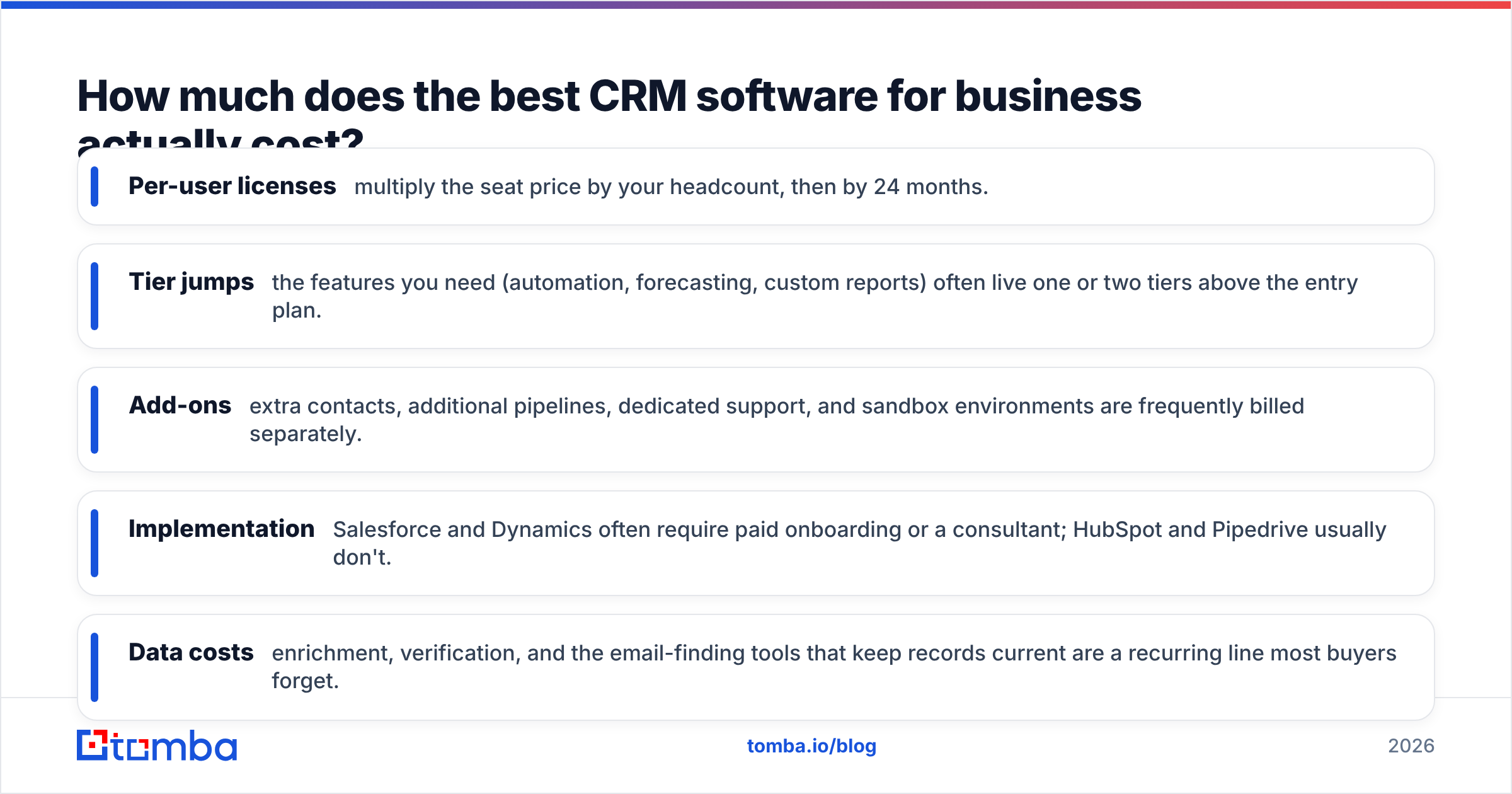
The advertised per-seat price is the tip of the iceberg. Build your real budget from these line items:
- Per-user licenses — multiply the seat price by your headcount, then by 24 months.
- Tier jumps — the features you need (automation, forecasting, custom reports) often live one or two tiers above the entry plan.
- Add-ons — extra contacts, additional pipelines, dedicated support, and sandbox environments are frequently billed separately.
- Implementation — Salesforce and Dynamics often require paid onboarding or a consultant; HubSpot and Pipedrive usually don't.
- Data costs — enrichment, verification, and the email-finding tools that keep records current are a recurring line most buyers forget.
That last point is where teams quietly bleed value. You can run a tight CRM and still feed it junk if you don't budget for keeping contact data accurate. Pairing your CRM with affordable, accurate data tooling—like Tomba's email finder for filling gaps and an email verifier for scrubbing bounces—often costs less than a single extra Salesforce seat and protects every campaign you run.
How do you get the most out of any CRM?#
The best CRM software for business is the one your team actually uses and trusts. Adoption beats features every time. A few principles separate the teams that win from the ones that abandon their CRM in year two:
)
Keep the data clean from day one. Run a deduplication pass before you import, require a small set of mandatory fields, and verify email addresses on entry. A pipeline full of info@ catch-alls and bounced contacts produces forecasts nobody believes. If you're importing a list, validate it first—Tomba's bulk tools can find and verify contacts in batch before they ever hit your records.
Automate the logging, not the relationship. Use workflows to assign leads, create follow-up tasks, and stamp activity automatically so reps spend their time selling, not typing. The human judgment stays human; the data entry disappears.
Integrate your stack. Connect your CRM to the tools that already hold customer data. HubSpot, Salesforce, and Pipedrive all offer native connections, and Tomba plugs into them through its HubSpot integration and the wider integrations library so enriched, verified contacts flow straight into your records.
Measure adoption, not just revenue. Track how many reps log activity daily and how complete records are. Low adoption is an early warning that your CRM is too complex, your fields are too many, or your data is too messy to trust.
Which CRM should you choose?#
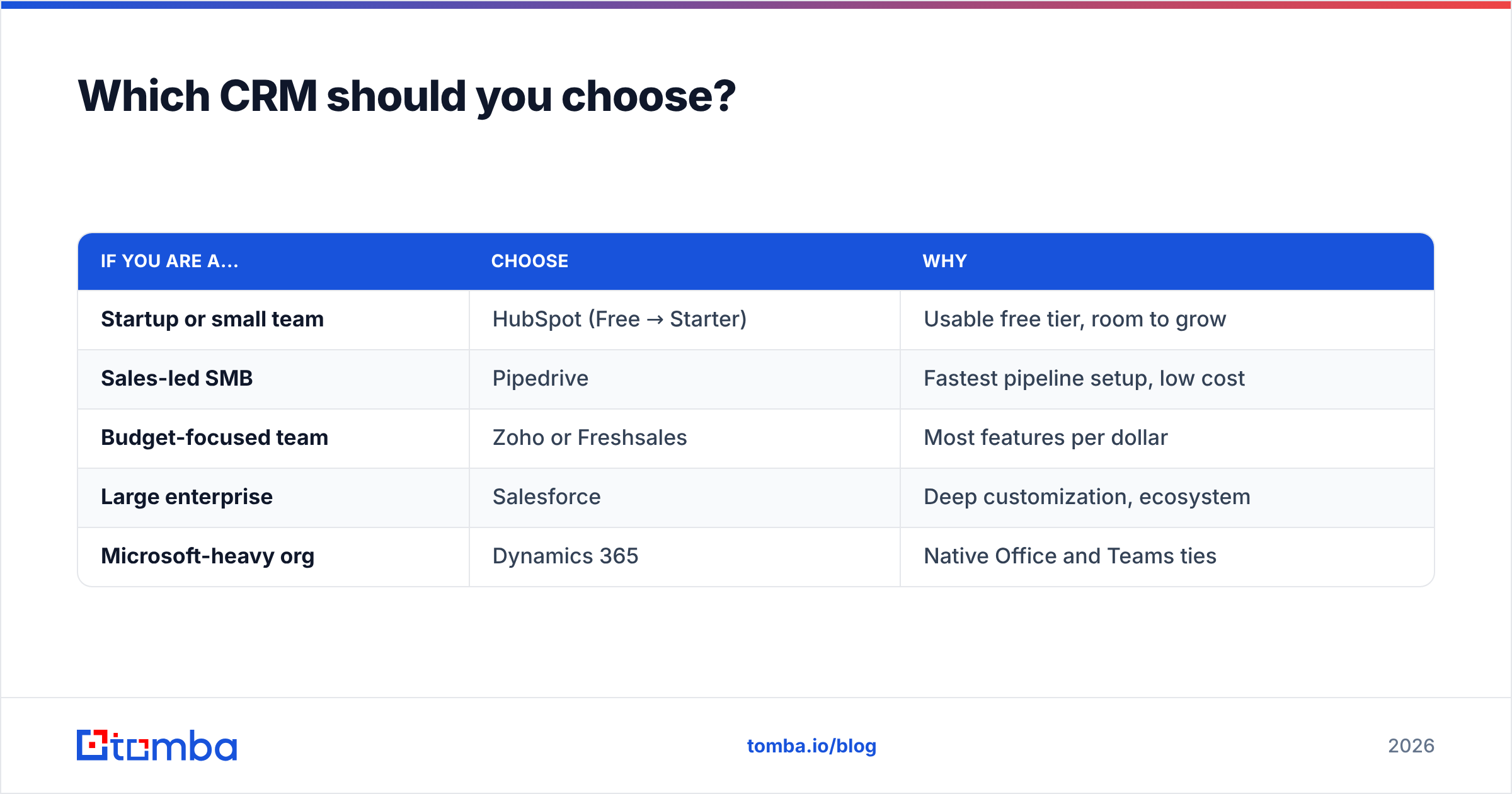
Match the tool to your situation rather than chasing the highest-rated option:
| If you are a... | Choose | Why |
|---|---|---|
| Startup or small team | HubSpot (Free → Starter) | Usable free tier, room to grow |
| Sales-led SMB | Pipedrive | Fastest pipeline setup, low cost |
| Budget-focused team | Zoho or Freshsales | Most features per dollar |
| Large enterprise | Salesforce | Deep customization, ecosystem |
| Microsoft-heavy org | Dynamics 365 | Native Office and Teams ties |
When two options are close, pick the one your team will adopt fastest and the one whose data tools you can afford to run continuously. A simpler CRM with clean, complete records will out-earn a powerful CRM that nobody updates.
The bottom line#
There is no single best CRM software for business—there's the best fit for your team size, sales motion, and budget. HubSpot is the safest all-around bet, Salesforce owns the enterprise, and Pipedrive wins for lean sales teams. But whichever platform you land on, its return depends entirely on the quality of the data inside it.
That's where the groundwork pays off. Before and after you pick a CRM, fill it with accurate, verified contacts so your reps trust the pipeline and your forecasts hold up. Start with the Tomba Email Finder to source professional emails by name, company, or domain, then layer in verification and enrichment to keep every record current. Check the Tomba pricing page—there's a free tier with 25 searches a month to test it against your own list before you spend a dollar. The right CRM organizes your relationships; clean data is what makes them worth organizing.
// get started
Find, verify and enrich your first contacts today
Start on the free plan with 25 searches a month, then scale when your team is ready.
Free plan · No credit card required · GDPR & CCPA
Get the Tomba newsletter
Product and data updates
// about the author