Best Email Automation Platform in 2026: A Buyer's Guide
Comparing the best email automation platforms for 2026 across deliverability, sequencing, pricing, and data quality — so you pick the tool that actually books meetings.
Picking an email automation platform in 2026 is less about who has the prettiest sequence builder and more about who lands in the inbox, scales without burning your domain, and feeds on clean data. Get those three right and almost any tool works. Get them wrong and the best UI on earth still sends you to spam.
TL;DR#
- There is no single "best" platform — the right pick depends on whether you run cold outbound, lifecycle marketing, or full multichannel sales sequences.
- Deliverability and data quality matter more than features. A tool that sends fast into a clean, verified list beats a feature-rich tool fed garbage every time.
- For cold outbound at scale, Instantly and Smartlead lead on inbox placement; for multichannel sales sequences, Salesloft and Apollo dominate; for lifecycle/marketing automation, HubSpot is the safe default.
- Pricing ranges wildly — from ~$30/mo entry tools to $100+/seat sales engagement suites. Pay for what your motion actually needs.
- Every platform is only as good as the addresses you load into it. Pair your automation tool with a dedicated email finder and email verifier before you press send.
What is an email automation platform?#
An email automation platform is software that sends emails on triggers and schedules instead of one-by-one by hand. Think of it like a sprinkler system for your outreach: you set the zones, the timing, and the rules once, and it waters the right leads on the right days while you sleep. Technically, it combines a sending engine, a sequence builder (multi-step cadences with delays and conditions), personalization tokens, reply detection, and analytics.
The category splits into three overlapping motions, and conflating them is the most common buying mistake:
- Cold email / sales outbound — high-volume, multi-inbox sending to prospects who have not opted in. Priority: deliverability and inbox rotation. Examples: Instantly, Smartlead, Lemlist.
- Sales engagement — multichannel cadences (email + calls + LinkedIn) layered on a CRM for AEs and SDRs. Priority: workflow and CRM sync. Examples: Salesloft, Outreach, Apollo.
- Marketing / lifecycle automation — opt-in nurture, drip campaigns, and behavioral triggers for existing contacts. Priority: segmentation and journey design. Examples: HubSpot, Mailchimp, ActiveCampaign.
How do you choose the best email automation platform?#
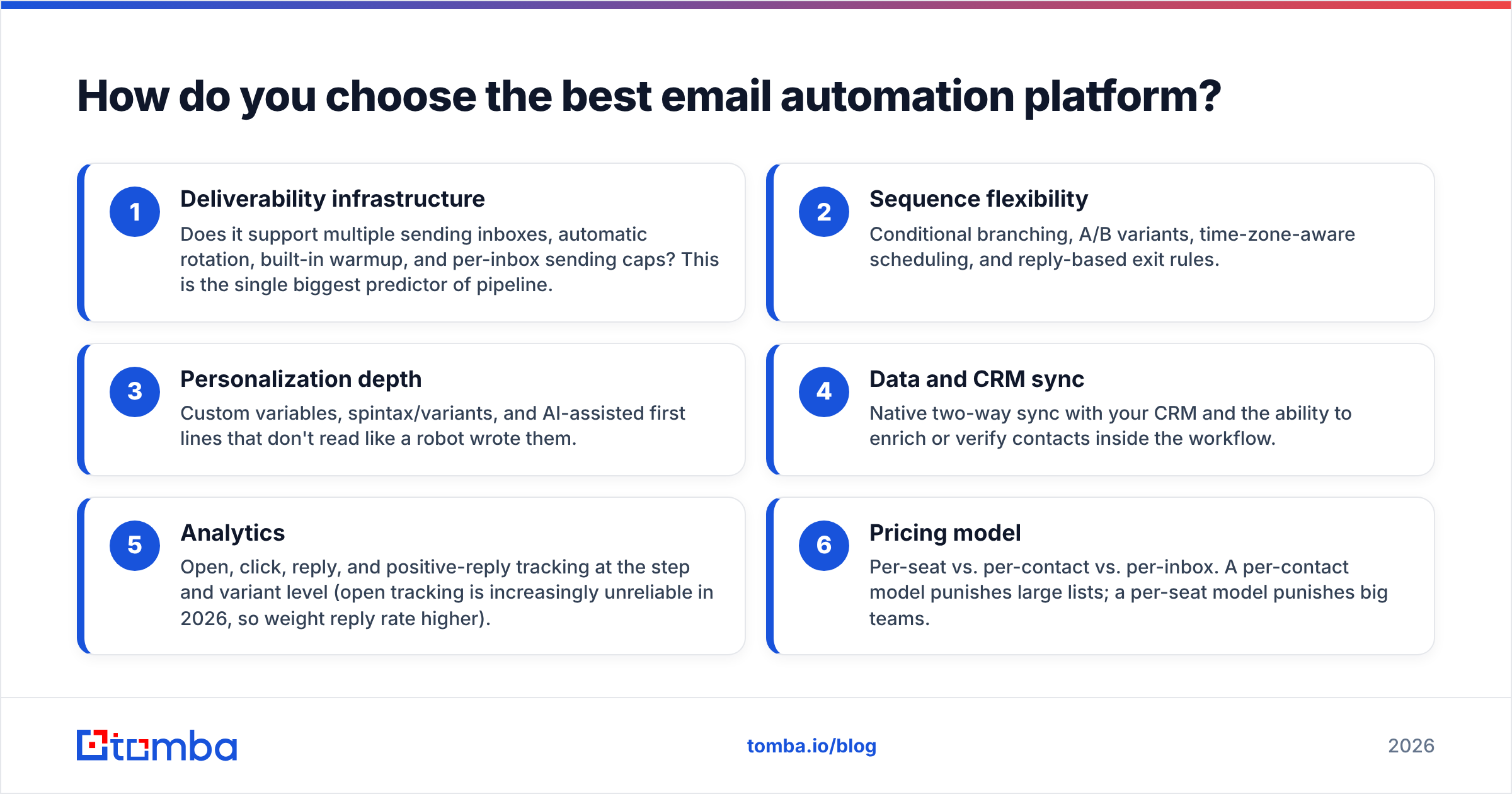
Score every candidate against these six dimensions. Weight them by your motion — cold outbound teams should triple-weight deliverability; marketing teams should weight segmentation.
- Deliverability infrastructure — Does it support multiple sending inboxes, automatic rotation, built-in warmup, and per-inbox sending caps? This is the single biggest predictor of pipeline.
- Sequence flexibility — Conditional branching, A/B variants, time-zone-aware scheduling, and reply-based exit rules.
- Personalization depth — Custom variables, spintax/variants, and AI-assisted first lines that don't read like a robot wrote them.
- Data and CRM sync — Native two-way sync with your CRM and the ability to enrich or verify contacts inside the workflow.
- Analytics — Open, click, reply, and positive-reply tracking at the step and variant level (open tracking is increasingly unreliable in 2026, so weight reply rate higher).
- Pricing model — Per-seat vs. per-contact vs. per-inbox. A per-contact model punishes large lists; a per-seat model punishes big teams.
Which email automation platforms are best in 2026?#
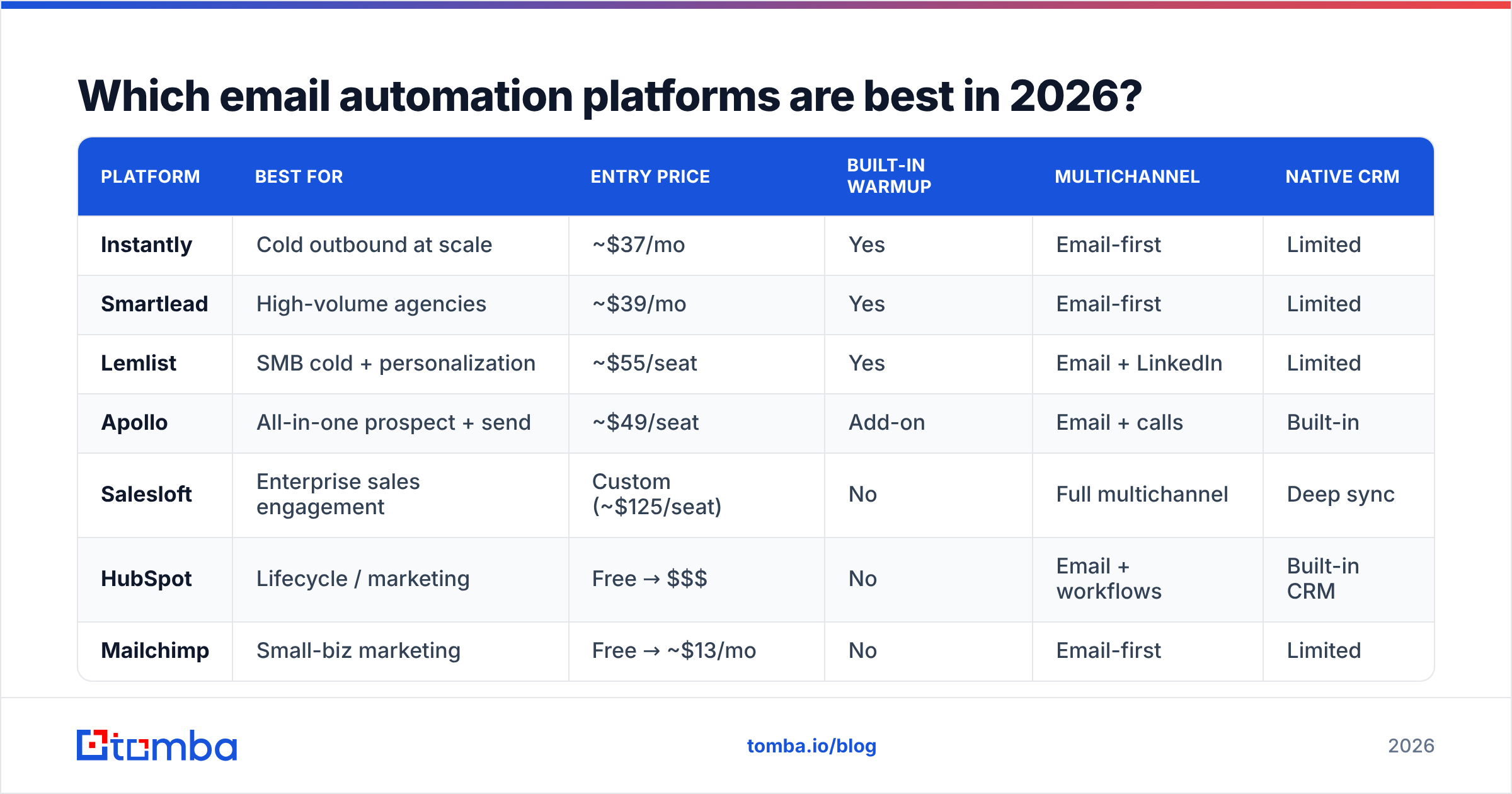
Here's a head-to-head on the attributes that actually move revenue. Prices are entry-tier published rates and shift often — confirm before you buy.
| Platform | Best for | Entry price | Built-in warmup | Multichannel | Native CRM |
|---|---|---|---|---|---|
| Instantly | Cold outbound at scale | ~$37/mo | Yes | Email-first | Limited |
| Smartlead | High-volume agencies | ~$39/mo | Yes | Email-first | Limited |
| Lemlist | SMB cold + personalization | ~$55/seat | Yes | Email + LinkedIn | Limited |
| Apollo | All-in-one prospect + send | ~$49/seat | Add-on | Email + calls | Built-in |
| Salesloft | Enterprise sales engagement | Custom (~$125/seat) | No | Full multichannel | Deep sync |
| HubSpot | Lifecycle / marketing | Free → $$$ | No | Email + workflows | Built-in CRM |
| Mailchimp | Small-biz marketing | Free → ~$13/mo | No | Email-first | Limited |
| ActiveCampaign | Behavioral automation | ~$15/mo | No | Email + SMS | Built-in CRM |
A few honest takeaways from the table:
- Cold outbound tools (Instantly, Smartlead) bundle warmup and inbox rotation because that's their entire reason to exist. Marketing tools don't, because opt-in sending doesn't need it.
- Apollo is the "do everything" option — prospecting database plus sending — which is convenient but means you're trusting one vendor's data and deliverability. Many teams keep data enrichment and verification separate for accuracy.
- Salesloft and Outreach are priced for funded sales orgs. If you're a two-person startup, you'll feel the seat cost immediately.
Is a cold email tool better than a marketing automation platform?#
It depends on consent. Cold email tools (Instantly, Smartlead) are engineered for high-volume sending to people who never asked to hear from you, so they obsess over inbox rotation, warmup, and domain protection. Marketing automation platforms (HubSpot, Mailchimp) assume an opt-in list and instead invest in segmentation, landing pages, and journey logic.
Using the wrong one is costly in both directions:
- Running cold outreach through Mailchimp will get your account suspended fast — their terms forbid non-opt-in sending, and their shared IPs aren't built for it.
- Running opt-in newsletters through Instantly wastes the segmentation and design tooling you actually need, and the multi-inbox setup is overkill.
If your motion is genuinely both, run two tools. Don't force one platform to do a job it was never designed for. For a deeper primer on what separates a healthy sending setup from a flagged one, the email deliverability fundamentals are worth a read before you commit.
What actually drives results — features or data?#
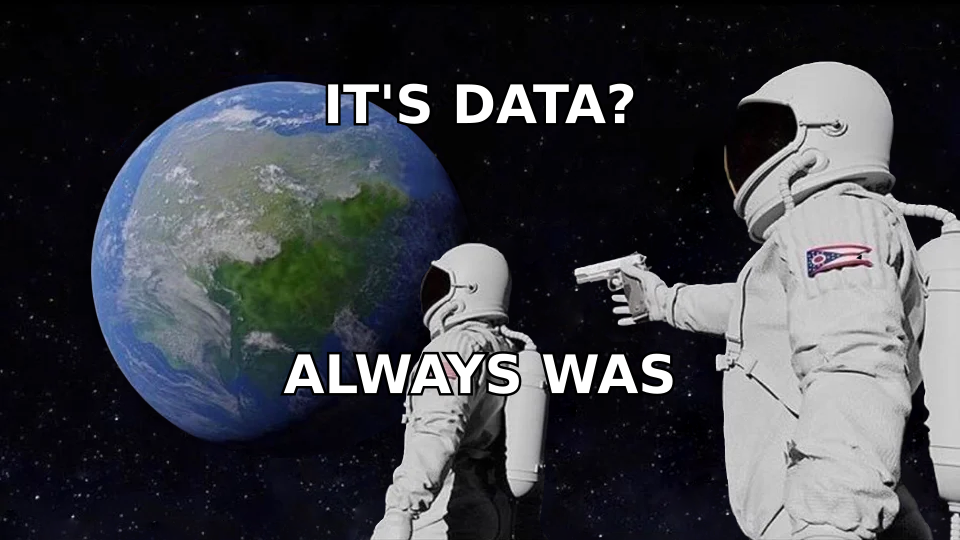
Data. Every time. The most sophisticated sequence builder in the world will still bounce if you load it with stale or fabricated addresses, and bounces are the fastest way to wreck sender reputation.
Here's the uncomfortable math. If your list is 15% invalid — common for scraped or aged data — and you blast 1,000 contacts, that's 150 hard bounces. Most mailbox providers start throttling or junking your mail once your bounce rate crosses ~2–3%. You've poisoned the well for the 850 valid prospects before they ever saw your offer.
That's why the best-run outbound stacks treat data hygiene as step zero, not an afterthought:
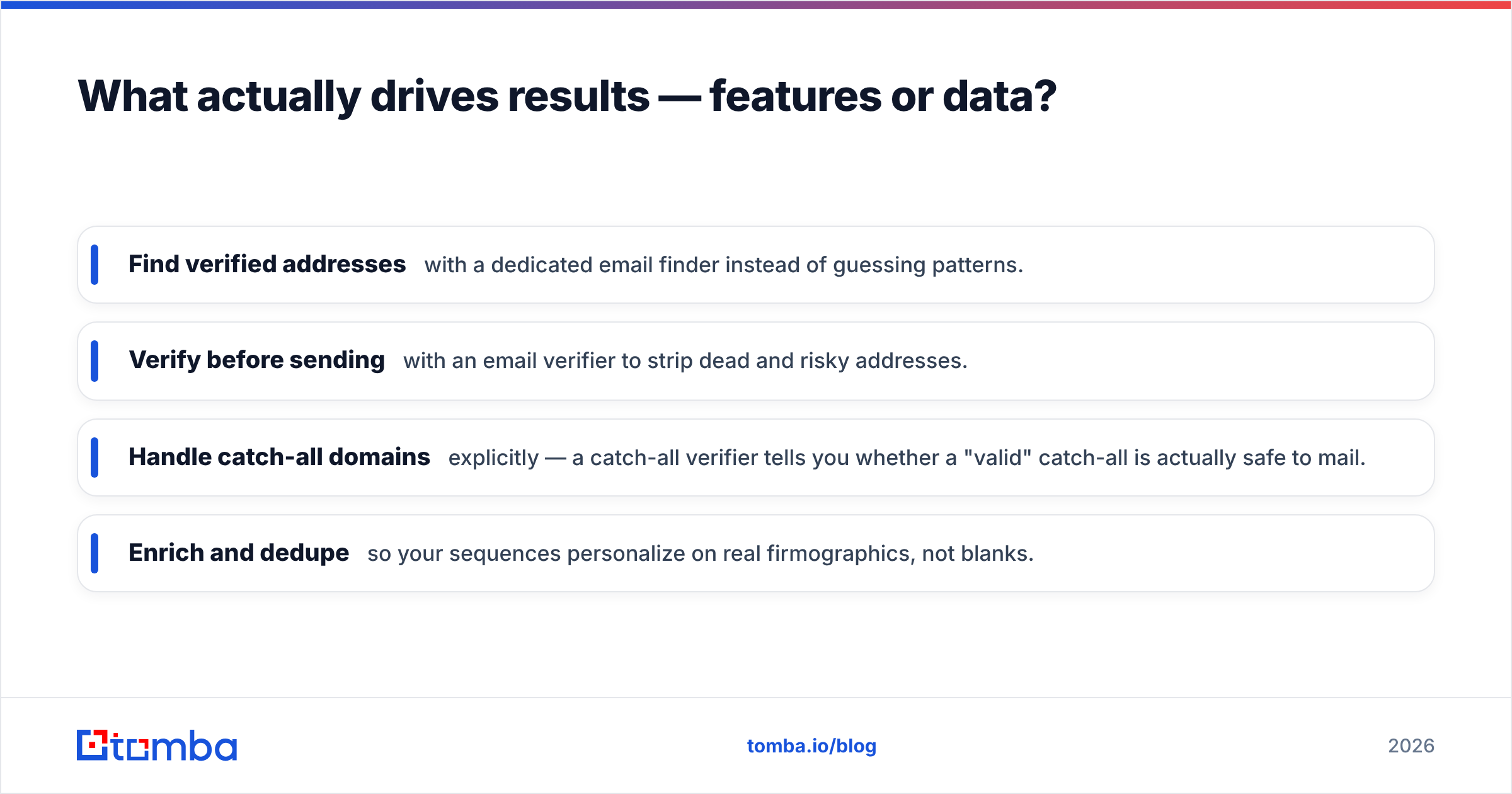
- Find verified addresses with a dedicated email finder instead of guessing patterns.
- Verify before sending with an email verifier to strip dead and risky addresses.
- Handle catch-all domains explicitly — a catch-all verifier tells you whether a "valid" catch-all is actually safe to mail.
- Enrich and dedupe so your sequences personalize on real firmographics, not blanks.
A clean, verified list pushed through a mediocre sender will out-perform a dirty list through a best-in-class platform. The tool is the sprinkler; the data is the water. No water, no harvest.
How should pricing factor into the decision?#
Match the pricing model to your shape, not just the sticker price. The three common models punish different teams:
- Per-inbox / per-sending-volume (Instantly, Smartlead) — cheap to start, scales with how aggressively you send. Great for lean teams running many domains.
- Per-seat (Salesloft, Apollo, Lemlist) — predictable per rep, expensive as headcount grows. Great for stable sales teams, painful for large or seasonal ones.
- Per-contact (Mailchimp, ActiveCampaign, HubSpot) — cost climbs with database size whether or not you email those contacts. Great for small lists, brutal for big ones.
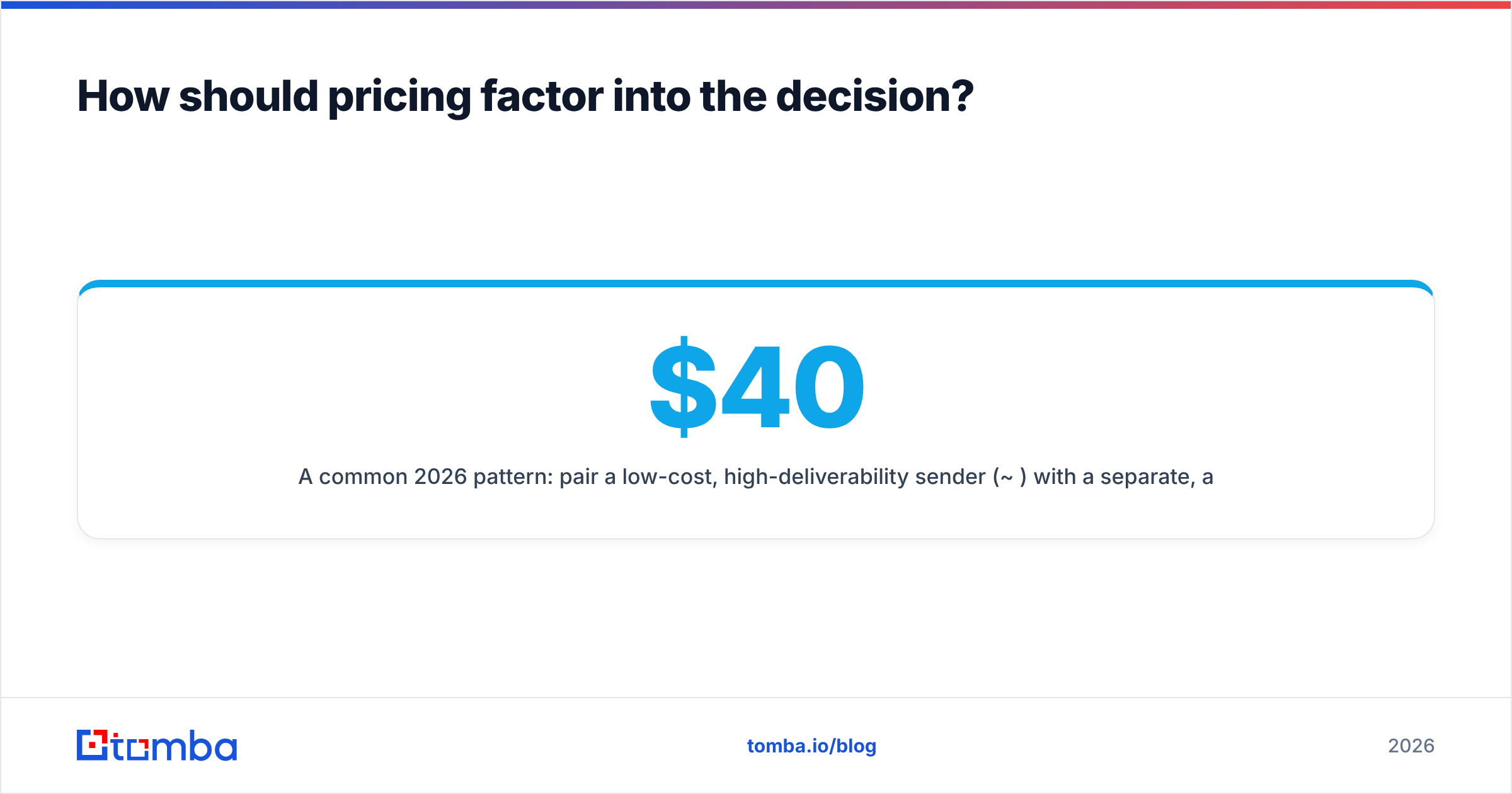
A common 2026 pattern: pair a low-cost, high-deliverability sender (~$40/mo) with a separate, accurate data layer rather than paying premium "all-in-one" rates for mediocre built-in data. Tomba's own pricing follows that logic — a free tier with 25 searches/mo, then Starter at $49/mo and Growth at $99/mo — so your data spend scales with verified contacts found, not seats parked.
Can you connect your data layer to any automation platform?#
Yes — and you should. The strongest stacks keep finding/verification separate from sending so each layer can be best-in-class. Connection happens three ways:
- Native integrations — push verified, enriched contacts straight into your CRM or sender. Tomba ships connectors for HubSpot, Salesforce, Pipedrive, and more via its integrations catalog.
- No-code automation — route data through Zapier or Make so a new lead is found, verified, and enqueued without engineering.
- API — for product-led or high-volume teams, the Tomba API lets you verify and enrich inside your own app or sending pipeline programmatically.
This decoupling is what lets you swap automation platforms later without re-plumbing your entire data operation. Your sender becomes interchangeable; your verified data stays put.
What's the verdict?#
- Cold outbound at scale → Instantly or Smartlead for inbox rotation and built-in warmup.
- Multichannel sales sequences → Salesloft (enterprise) or Apollo (all-in-one, budget-friendly).
- Lifecycle / opt-in marketing → HubSpot for the full platform, ActiveCampaign or Mailchimp for SMB.
- Whatever you choose → the platform is only the delivery mechanism. Real performance comes from clean, verified, well-enriched contact data feeding it.
You can compare verified user reviews of any of these on G2 or Capterra before committing, and check vendor terms — HubSpot's documentation is a useful baseline for what opt-in automation should include.
Start with the data, then pick your sender#
Before you sign up for any sending platform, fix the input. Use the Tomba Email Finder to source verified professional emails by name, domain, or company, then verify and enrich them so every address you load is real. Whether you end up on Instantly, Apollo, Salesloft, or HubSpot, you'll send into clean inboxes, protect your domain reputation, and book more meetings from the same list. Start free with 25 searches a month and scale only when your pipeline does — the best email automation platform is the one you feed the cleanest data.
// get started
Find, verify and enrich your first contacts today
Start on the free plan with 25 searches a month, then scale when your team is ready.
Free plan · No credit card required · GDPR & CCPA
// about the author