Best Email Search Engine in 2026: Top 9 Tools Compared
A no-fluff comparison of the best email search engine options in 2026 — accuracy, pricing, free tiers, and which tool fits your outbound workflow.
Finding one verified work email by hand takes about six minutes. Multiply that by a 300-contact prospect list and you have lost a full work week before sending a single message. An email search engine collapses that to seconds — but only if it returns addresses that actually land. This guide compares the best email search engine options in 2026 on the two things that move pipeline: accuracy and cost per usable contact.
TL;DR#
- The best email search engine is the one with the highest verified-hit rate for your market, not the longest feature list. For most B2B teams in 2026 that means Tomba, Hunter, or Apollo.
- Tomba leads on accuracy-per-dollar: a real free tier (25 searches/mo), a $49/mo Starter plan, and built-in verification so you pay for emails that bounce less.
- Apollo bundles a contact database with sequencing, but its email accuracy is uneven and seats get expensive fast.
- Always verify before you send. Even a 97%-accurate finder needs a verification pass to protect your sender reputation.
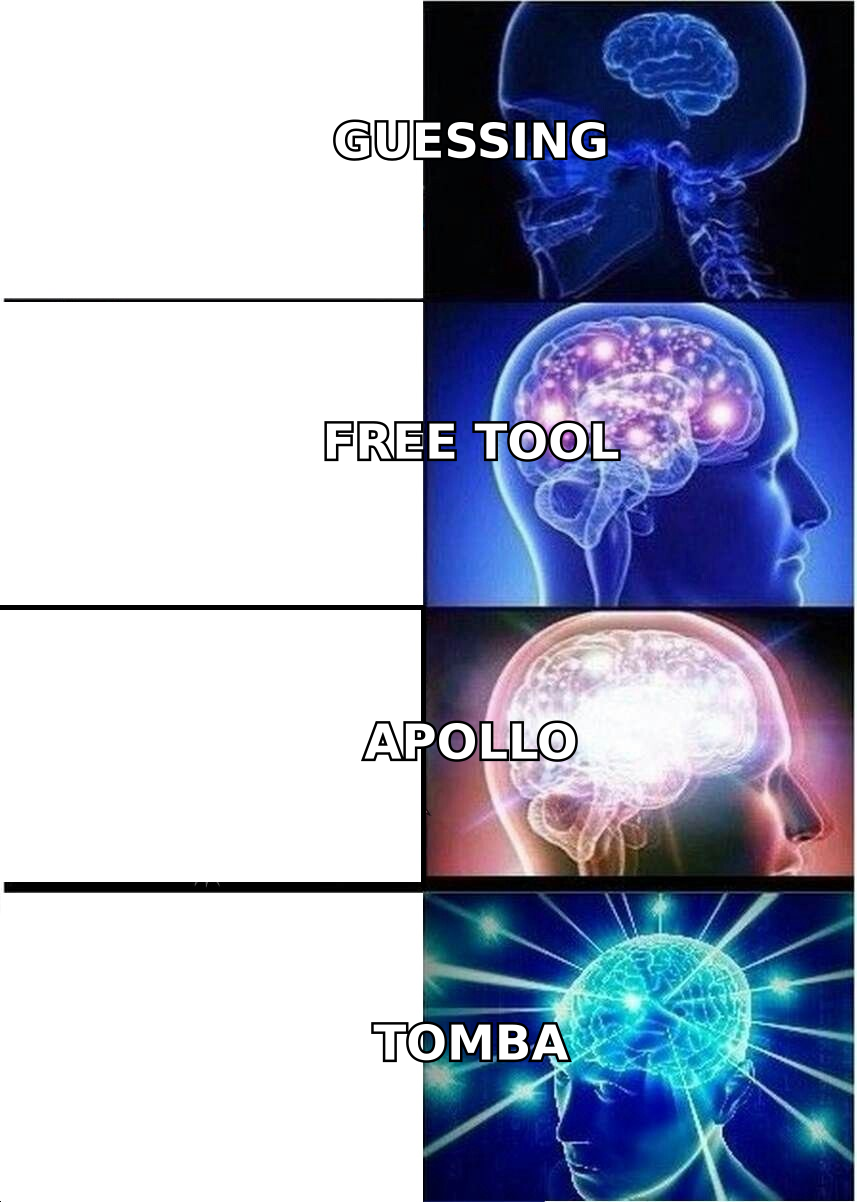
- Free browser tools and "email permutators" are fine for one-off lookups but collapse at scale — they guess, they don't confirm.
What is an email search engine?#
An email search engine is a tool that takes something you already know — a name, a domain, a LinkedIn profile, or a company — and returns the professional email address tied to it. Think of it like a reverse phone book for work inboxes: you bring the person or the company, it brings the contact path.
Under the hood, the good ones do three jobs at once:
- Discovery — crawl public sources, company sites, and partner data to find candidate addresses.
- Pattern matching — infer the company's email format (
first.last@,flast@, etc.) when no direct record exists. - Verification — ping the mail server (SMTP) to confirm the inbox accepts mail before handing it to you.
The third step is what separates a real search engine from a guesser. A tool that skips verification is just an email permutator with a nicer logo.
How do you judge the best email search engine?#
Five attributes decide whether a tool earns a place in your stack. Rank them in this order:
- Verified accuracy — the percentage of returned emails that are real and deliverable. This is the only metric that protects your domain.
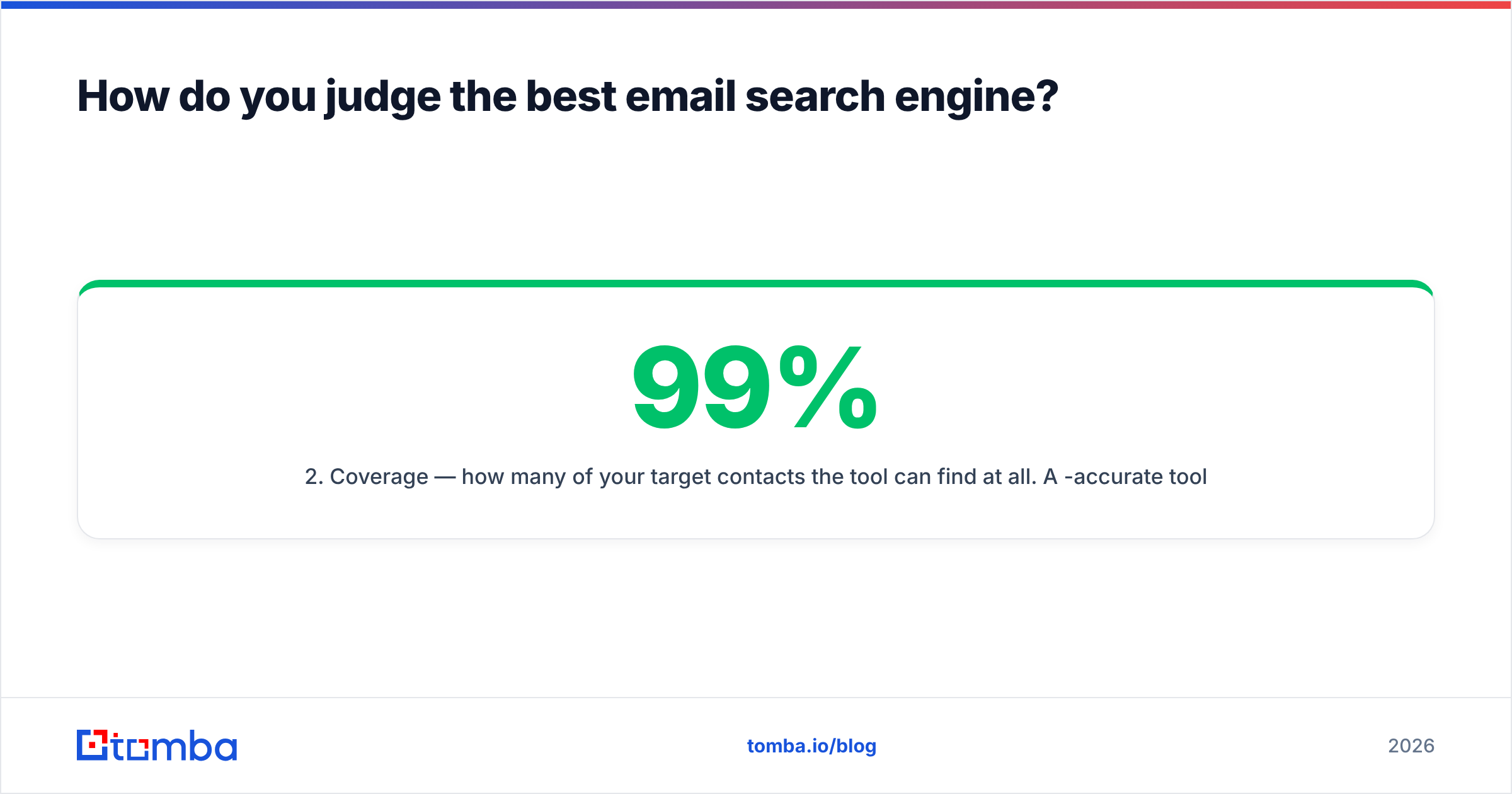
- Coverage — how many of your target contacts the tool can find at all. A 99%-accurate tool that finds 40% of your list is worse than a 95%-accurate tool that finds 80%.
- Verification built in — a finder that bundles an email verifier saves you a second subscription and a second export.
- Cost per usable contact — not headline price. Divide the plan cost by the number of verified emails you actually get.
- Workflow fit — API, bulk email finder, CRM integrations, and a Chrome extension so the tool meets you where you prospect.

A quick word on accuracy claims: every vendor advertises a number, and almost none publish their test methodology. Treat marketing numbers as a ceiling, not a promise, and always validate against a sample of your own list before committing budget. The honest move is to run 100 known-good contacts through the free tier and measure the verified-hit rate yourself.
Which is the best email search engine in 2026?#
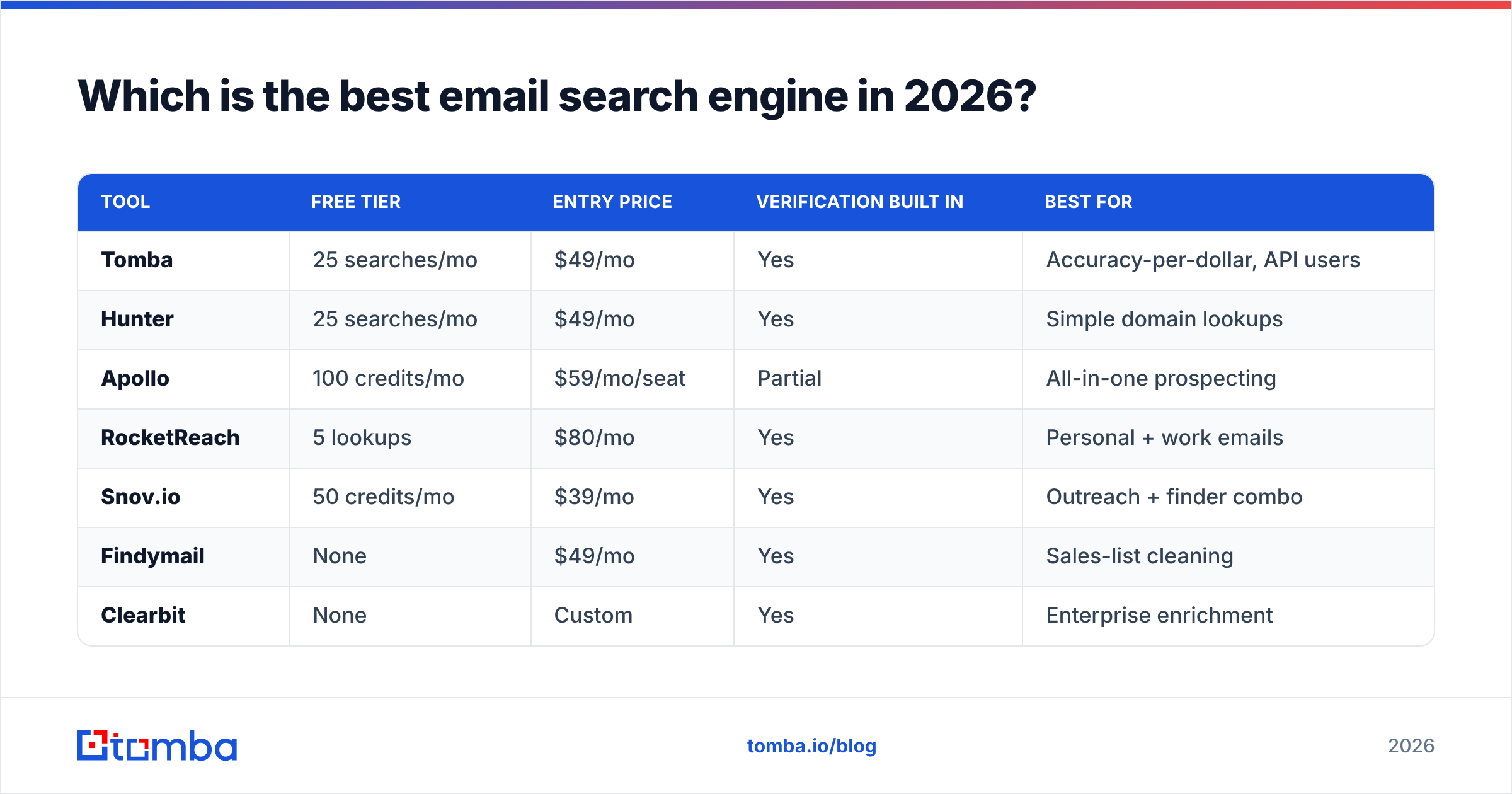
Here is the head-to-head. Prices are entry paid tier; accuracy reflects published vendor figures and independent G2 review patterns as of early 2026.
| Tool | Free tier | Entry price | Verification built in | Best for |
|---|---|---|---|---|
| Tomba | 25 searches/mo | $49/mo | Yes | Accuracy-per-dollar, API users |
| Hunter | 25 searches/mo | $49/mo | Yes | Simple domain lookups |
| Apollo | 100 credits/mo | $59/mo/seat | Partial | All-in-one prospecting |
| RocketReach | 5 lookups | $80/mo | Yes | Personal + work emails |
| Snov.io | 50 credits/mo | $39/mo | Yes | Outreach + finder combo |
| Findymail | None | $49/mo | Yes | Sales-list cleaning |
| Clearbit | None | Custom | Yes | Enterprise enrichment |
| Voila Norbert | 50 leads | $49/mo | Add-on | One-off campaigns |
| Free permutators | Unlimited | $0 | No | Single manual lookups |
A few things this table makes obvious:
- The $49 cluster is crowded. Tomba, Hunter, Snov.io, and Voila Norbert all sit near the same entry price, so accuracy and verification quality — not sticker price — are the tiebreakers.
- Seat-based pricing punishes teams. Apollo's per-seat model looks cheap until five reps need access. Credit-pool tools like Tomba let the whole team draw from one balance.
- "No free tier" is a red flag for testing. Findymail and Clearbit make it hard to validate accuracy before you pay. The tools with a genuine free tier let you measure before committing.
Where Tomba fits#
Tomba's email finder wins the accuracy-per-dollar comparison for one structural reason: verification is not an upsell. Every address you pull is checked against the mail server in the same call, so your export is already clean. You can also work by company with domain search, pull contacts straight from a profile with the LinkedIn finder, and push everything through the Tomba API when you outgrow the dashboard. Pricing runs Free (25 searches), Starter $49/mo, Growth $99/mo, and Pro $249/mo — see full Tomba pricing for credit allowances.
Is a free email search engine good enough?#
For fewer than ~20 lookups a month, yes. Above that, no — and here is the honest tradeoff.
Free permutators and "guess the format" tools generate every plausible address (john@, j.smith@, jsmith@) but cannot tell you which one is real. You either send to all of them — torching your deliverability — or you paste them into a separate email verifier and do the work the finder should have done. A free email checker helps for a single address, but it does not scale to a list.
The real cost of a free tool is not the price. It is the bounces. One outbound campaign to 500 unverified guesses can spike your bounce rate past 5%, and mailbox providers will start routing your real prospects to spam. At that point the "free" tool has cost you the whole channel. Protecting email deliverability is the entire reason verification exists.

How accurate are email search engines, really?#
Accuracy splits into two numbers that vendors love to blur together:
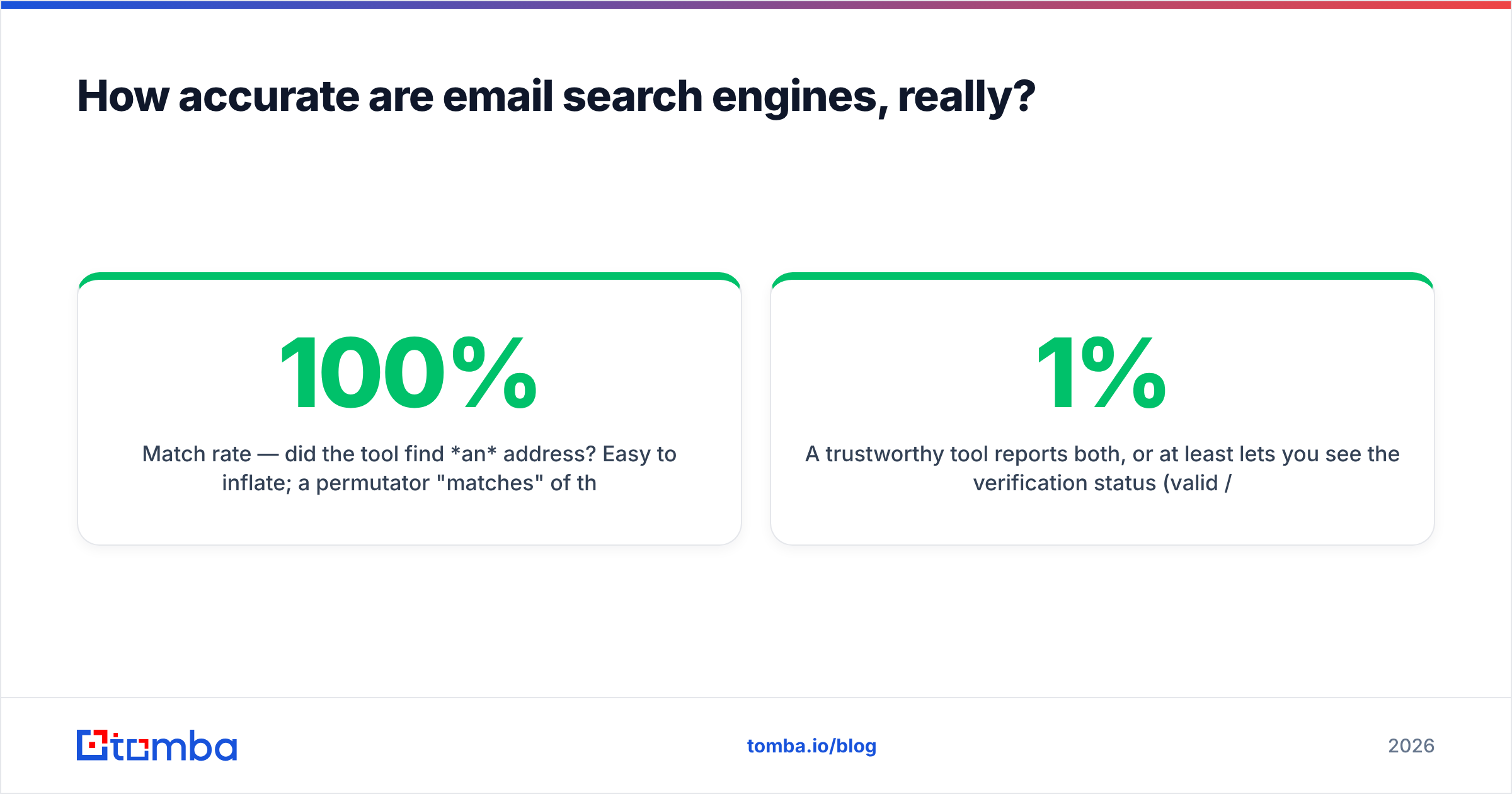
- Match rate — did the tool find an address? Easy to inflate; a permutator "matches" 100% of the time because it always guesses.
- Verified accuracy — is that address real and deliverable? This is the number that matters, and it is always lower than the match rate.
A trustworthy tool reports both, or at least lets you see the verification status (valid / risky / invalid) on every result. Tomba surfaces a confidence score and SMTP status on each email, and flags catch-all domains separately — because a catch-all server accepts everything, so a green checkmark there means "we couldn't disprove it," not "guaranteed delivery." Knowing that distinction is the difference between a 1% and a 6% bounce rate.

Independent benchmarks from review sites like Capterra consistently show the gap between match rate and verified accuracy is widest on free and permutator tools and narrowest on finders that verify in-line. The lesson holds across every test: a tool that verifies as it finds beats a tool that finds fast and verifies never.
How should you actually use an email search engine?#
A reliable workflow looks like this, whether you have 10 prospects or 10,000:
- Build the target list — names, companies, and domains from LinkedIn, a conference list, or your ICP filters.
- Run domain or bulk search — use domain search to pull every contact at an account, or the bulk email finder to process a CSV in one pass.
- Filter by verification status — keep only
valid; quarantineriskyandcatch-allfor a manual check or a separate, gentler sequence. - Enrich — add titles, phone numbers, and company data via data enrichment so personalization is one click, not ten tabs.
- Push to your CRM — send clean contacts straight into HubSpot or Salesforce through native integrations instead of manual exports.
- Re-verify before each send — emails decay ~22% a year as people change jobs. A list you built three months ago is already stale.
Skipping step 3 is the most common mistake. The whole point of choosing a strong search engine is to earn the right to skip the separate verification step — so don't undo that by exporting unfiltered.
Email search engine vs contact database: what's the difference?#
People conflate these, but they solve different problems.
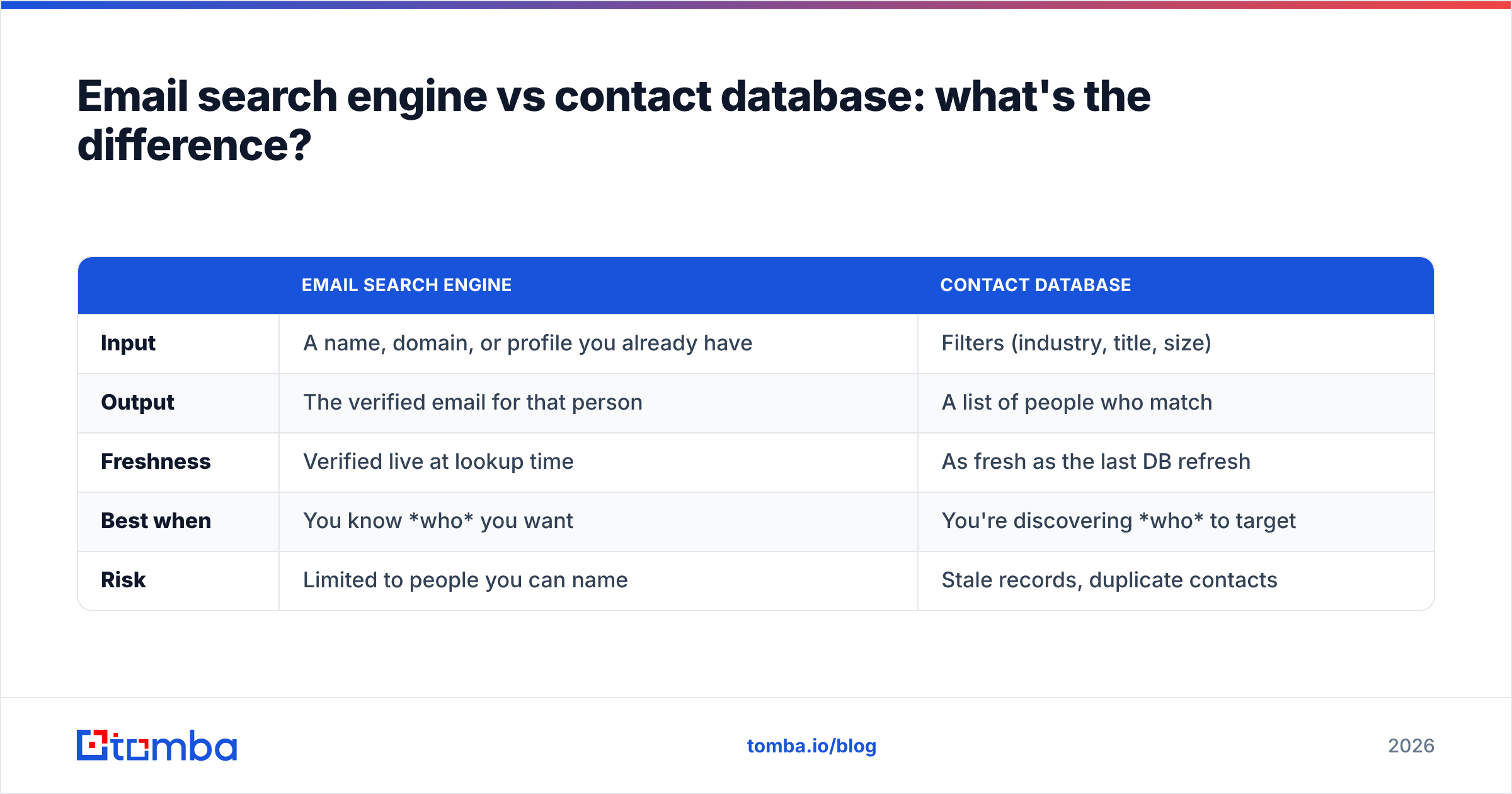
| Email search engine | Contact database | |
|---|---|---|
| Input | A name, domain, or profile you already have | Filters (industry, title, size) |
| Output | The verified email for that person | A list of people who match |
| Freshness | Verified live at lookup time | As fresh as the last DB refresh |
| Best when | You know who you want | You're discovering who to target |
| Risk | Limited to people you can name | Stale records, duplicate contacts |
The strongest stacks use both: a B2B database to discover accounts and decision-makers, then an email search engine to confirm the live, deliverable address before you hit send. Tomba ships both under one roof, which is why teams pick it over stitching two vendors together.
Frequently asked questions#
What is the best email search engine for small teams? Tomba, for cost-per-usable-contact. The shared credit pool means five reps draw from one $99/mo Growth plan instead of paying per seat, and verification is included so you don't buy a second tool.
Can I find emails for free? Yes, in small volumes. Tomba's free tier gives 25 searches a month with full verification — enough to test accuracy on your own list before paying. Free permutators are unlimited but don't verify, so they're risky at any real volume.
Are email search engines legal? Finding publicly available business email addresses is legal in most jurisdictions, but sending is governed by laws like GDPR and CAN-SPAM. Have a lawful basis, honor opt-outs, and keep records. The tool finds; compliance is on you.
How do I avoid bounces?
Only send to addresses marked valid, treat catch-all and risky addresses with caution, and re-verify lists older than 60–90 days with an email verifier.
Does a higher price mean better accuracy? No. Several $49/mo tools match or beat enterprise-priced platforms on verified accuracy. Test before you trust the price tag.
The bottom line#
The best email search engine in 2026 is the one that hands you verified, deliverable addresses at the lowest cost per usable contact — and lets you prove it on your own data before you pay. On that test, Tomba's combination of a real free tier, $49 entry pricing, in-line verification, and a full API consistently comes out ahead of guess-and-hope tools and per-seat platforms alike.
Start with the Tomba Email Finder: run your 25 free searches against a list of contacts you already know, measure the verified-hit rate yourself, and let the numbers — not the marketing — pick your tool. When the accuracy holds up, scale into a plan that fits your volume and keep your pipeline full of emails that actually land.
// get started
Find, verify and enrich your first contacts today
Start on the free plan with 25 searches a month, then scale when your team is ready.
Free plan · No credit card required · GDPR & CCPA
// about the author