Best Email Tracker for Firefox in 2026: Top 7 Compared
Firefox has fewer email tracking add-ons than Chrome, but the right one still tells you exactly when prospects open and click. Here are the 7 best for 2026, compared on accuracy, privacy, and price.
Most "best email tracker" lists are written for Chrome users and quietly assume you run Gmail in Chrome. If you live in Firefox, half those recommendations either don't have a Firefox build or ship a stripped-down version. This guide fixes that: seven email trackers that actually work as Firefox add-ons in 2026, ranked on what matters — open and click accuracy, privacy, Gmail and Outlook support, and price.
TL;DR — Which Firefox Email Tracker Should You Pick?#
- Best free pick: Mailtrack — unlimited open tracking on the free tier, native Firefox add-on, works with Gmail.
- Best for sales teams: HubSpot Sales — open/click tracking baked into a real CRM, generous free tier.
- Best for privacy-conscious senders: Streak's tracking is contained inside your Gmail tab; nothing leaves your inbox UI.
- Best for Outlook on Firefox: Mailsuite (formerly Mailtrack for Outlook web) handles OWA better than Gmail-first tools.
- The catch nobody mentions: a tracker only tells you that someone opened — it can't find or verify the address you're emailing. Pair any tracker with a dedicated email finder and email verifier so your tracked sends actually land.
What Does an Email Tracker Do in Firefox?#
An email tracker tells you when a recipient opens your message and clicks your links. Think of it like a read receipt that the other side never agreed to — the tracker drops a tiny invisible pixel into your email, and when the recipient's mail client loads that image, the tracker pings back with a timestamp.
In Firefox, this happens through a browser add-on installed from the official Mozilla Add-ons store. The add-on hooks into your webmail (Gmail or Outlook on the web), injects the tracking pixel as you compose, and surfaces notifications inside the same tab. Most trackers layer two signals on top of each other:
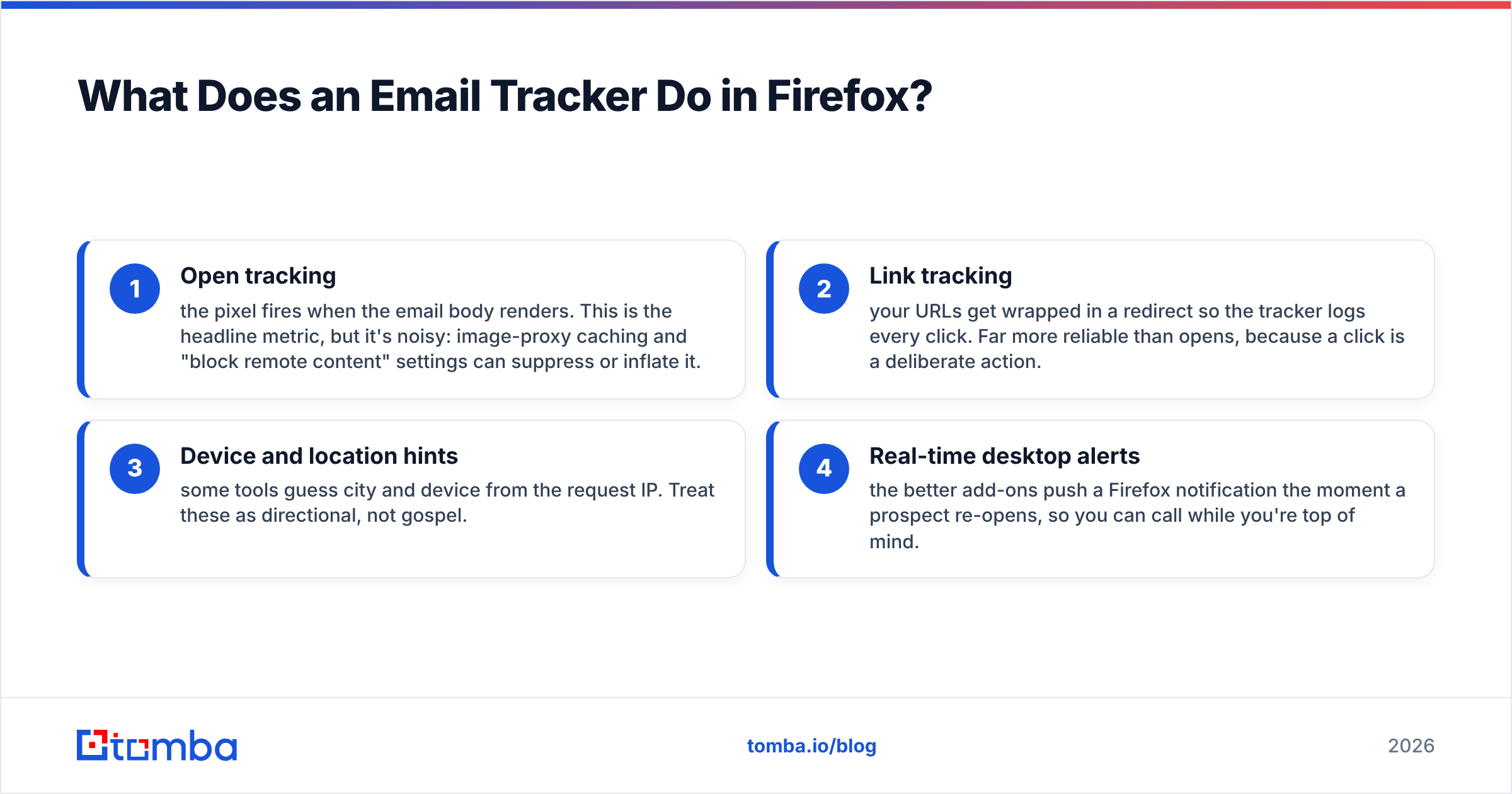
- Open tracking — the pixel fires when the email body renders. This is the headline metric, but it's noisy: image-proxy caching and "block remote content" settings can suppress or inflate it.
- Link tracking — your URLs get wrapped in a redirect so the tracker logs every click. Far more reliable than opens, because a click is a deliberate action.
- Device and location hints — some tools guess city and device from the request IP. Treat these as directional, not gospel.
- Real-time desktop alerts — the better add-ons push a Firefox notification the moment a prospect re-opens, so you can call while you're top of mind.
The honest limitation: Apple Mail Privacy Protection and Gmail's image proxy now pre-fetch images for many users, which means a chunk of "opens" are machines, not humans. That's why click tracking and reply tracking matter more every year — and why your sending list quality matters even more.
Why Are There Fewer Email Trackers on Firefox Than Chrome?#
Because most vendors build for Chrome first and port to Firefox second — if at all. Chrome's market share makes it the default target, and Manifest V3 changes forced every extension developer to rewrite their plumbing anyway, so some smaller trackers simply dropped their Firefox build rather than maintain two.
The practical effect for you: the Firefox catalog is smaller but higher signal. The tools that bothered to ship and maintain a Firefox add-on tend to be the established players. You won't find 40 sketchy "free unlimited tracking" clones — you'll find a handful of serious options, which actually makes choosing easier.
One thing to verify before installing anything: open the add-on's listing on Mozilla Add-ons and check the "Last updated" date. A tracker that hasn't shipped an update since the Manifest V3 cutover is a tracker that may silently stop firing pixels.
What Are the Best Email Trackers for Firefox in 2026?#
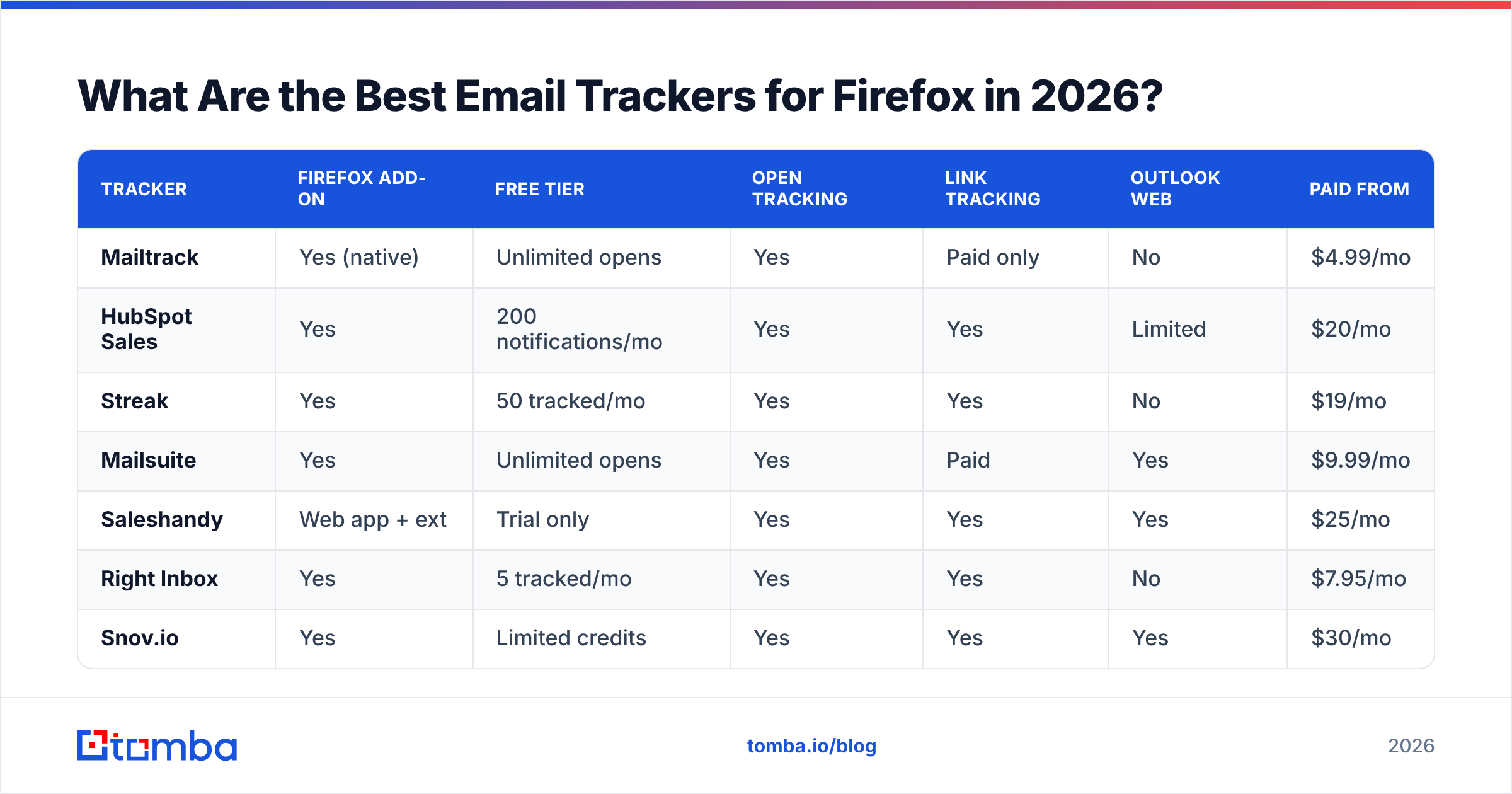
Here's the head-to-head. Every tool below has a working Firefox add-on as of 2026 and supports Gmail at minimum.
| Tracker | Firefox add-on | Free tier | Open tracking | Link tracking | Outlook web | Paid from |
|---|---|---|---|---|---|---|
| Mailtrack | Yes (native) | Unlimited opens | Yes | Paid only | No | $4.99/mo |
| HubSpot Sales | Yes | 200 notifications/mo | Yes | Yes | Limited | $20/mo |
| Streak | Yes | 50 tracked/mo | Yes | Yes | No | $19/mo |
| Mailsuite | Yes | Unlimited opens | Yes | Paid | Yes | $9.99/mo |
| Saleshandy | Web app + ext | Trial only | Yes | Yes | Yes | $25/mo |
| Right Inbox | Yes | 5 tracked/mo | Yes | Yes | No | $7.95/mo |
| Snov.io | Yes | Limited credits | Yes | Yes | Yes | $30/mo |
A few notes on reading this table. "Unlimited opens" on a free tier almost always means link tracking, scheduling, and reply tracking sit behind the paywall — that's the upsell. And "Outlook web" support is genuinely rare in Firefox-friendly trackers, so if you live in OWA, that column narrows your shortlist fast.
Mailtrack — Best Free Open Tracking#
Mailtrack is the default answer for "I just want to know if they opened it, for free." Its Firefox add-on is native, lightweight, and the double-check-mark UI inside Gmail is instantly readable. The free tier gives unlimited open tracking; you upgrade for link tracking, daily reports, and the removal of the "Tracked by Mailtrack" signature. Verify your add-on's status directly with the vendor on the Mailtrack site before relying on it for revenue work.
HubSpot Sales — Best for Teams Already in a CRM#
If your team touches HubSpot at all, its Sales extension is the obvious pick. Opens and clicks log straight onto the contact timeline, so tracking isn't a silo — it feeds sequences, tasks, and reporting. The free tier's 200 monthly notifications are plenty for a solo rep testing the waters.
Streak — Best Self-Contained Privacy Story#
Streak runs as a CRM inside Gmail, and its tracking stays inside that tab. For senders nervous about how much data leaves their inbox, that contained model is reassuring. The 50-tracked-emails free tier is tight, but fine for low-volume, high-value outreach.
Mailsuite — Best for Outlook on Firefox#
Mailsuite (the rebranded Mailtrack-for-Outlook lineage) is the cleanest option if you send from Outlook on the web in Firefox. Unlimited opens free, link tracking paid, and a notably reliable pixel even against Outlook's image handling.
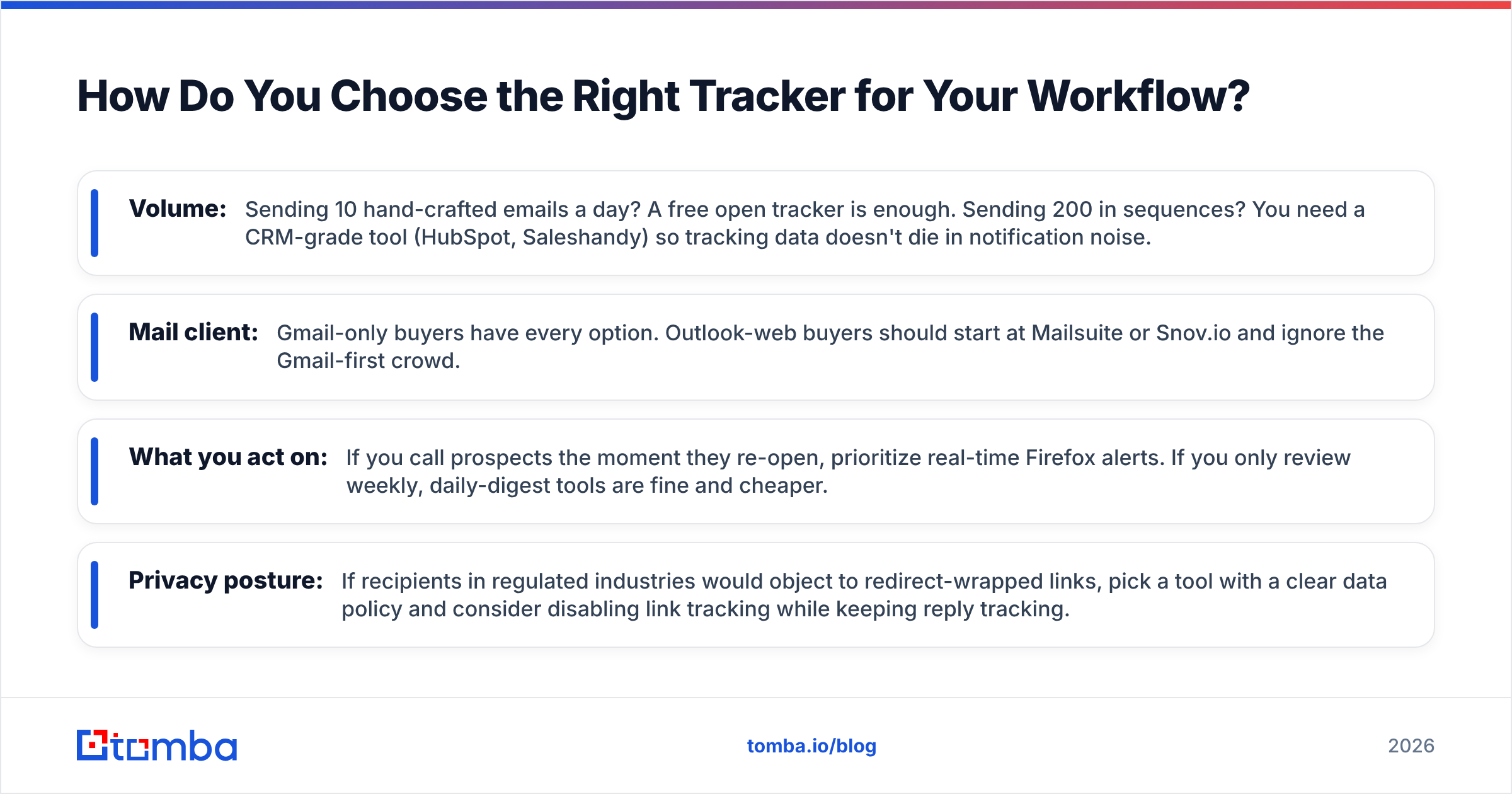
How Do You Choose the Right Tracker for Your Workflow?#
Match the tool to your actual sending pattern, not the longest feature list. Run through these four questions:
- Volume: Sending 10 hand-crafted emails a day? A free open tracker is enough. Sending 200 in sequences? You need a CRM-grade tool (HubSpot, Saleshandy) so tracking data doesn't die in notification noise.
- Mail client: Gmail-only buyers have every option. Outlook-web buyers should start at Mailsuite or Snov.io and ignore the Gmail-first crowd.
- What you act on: If you call prospects the moment they re-open, prioritize real-time Firefox alerts. If you only review weekly, daily-digest tools are fine and cheaper.
- Privacy posture: If recipients in regulated industries would object to redirect-wrapped links, pick a tool with a clear data policy and consider disabling link tracking while keeping reply tracking.
Cross-check any shortlist against independent reviews on G2 — pay attention to recent complaints about pixels silently failing after browser updates, which is the single most common Firefox-specific gripe.

Does Email Tracking Actually Improve Reply Rates?#
Tracking improves timing and prioritization, not deliverability — and people constantly confuse the two. Knowing a prospect opened your email three times in an hour tells you when to follow up. It does nothing to fix an email that landed in spam or bounced because the address was wrong.
This is the trap. Reps install a tracker, watch open rates sit at 4%, and assume their subject lines are weak. Often the real culprit is upstream: dead addresses, catch-all domains, and a warming problem. A pixel can't open an email that never arrived.
So before you obsess over tracking analytics, fix the inputs:
- Verify every address so hard bounces don't wreck your sender reputation. Run lists through an email verifier before the first send.
- Find the right contact in the first place — tracking the wrong person's open is worthless. Sourcing accurate addresses from a real email finder beats guessing from a permutator.
- Watch your sending hygiene — a clean list plus a spam checker pass does more for reply rates than any pixel.
Once the inputs are clean, tracking earns its keep: you stop following up blindly and start contacting people exactly when they're paying attention.
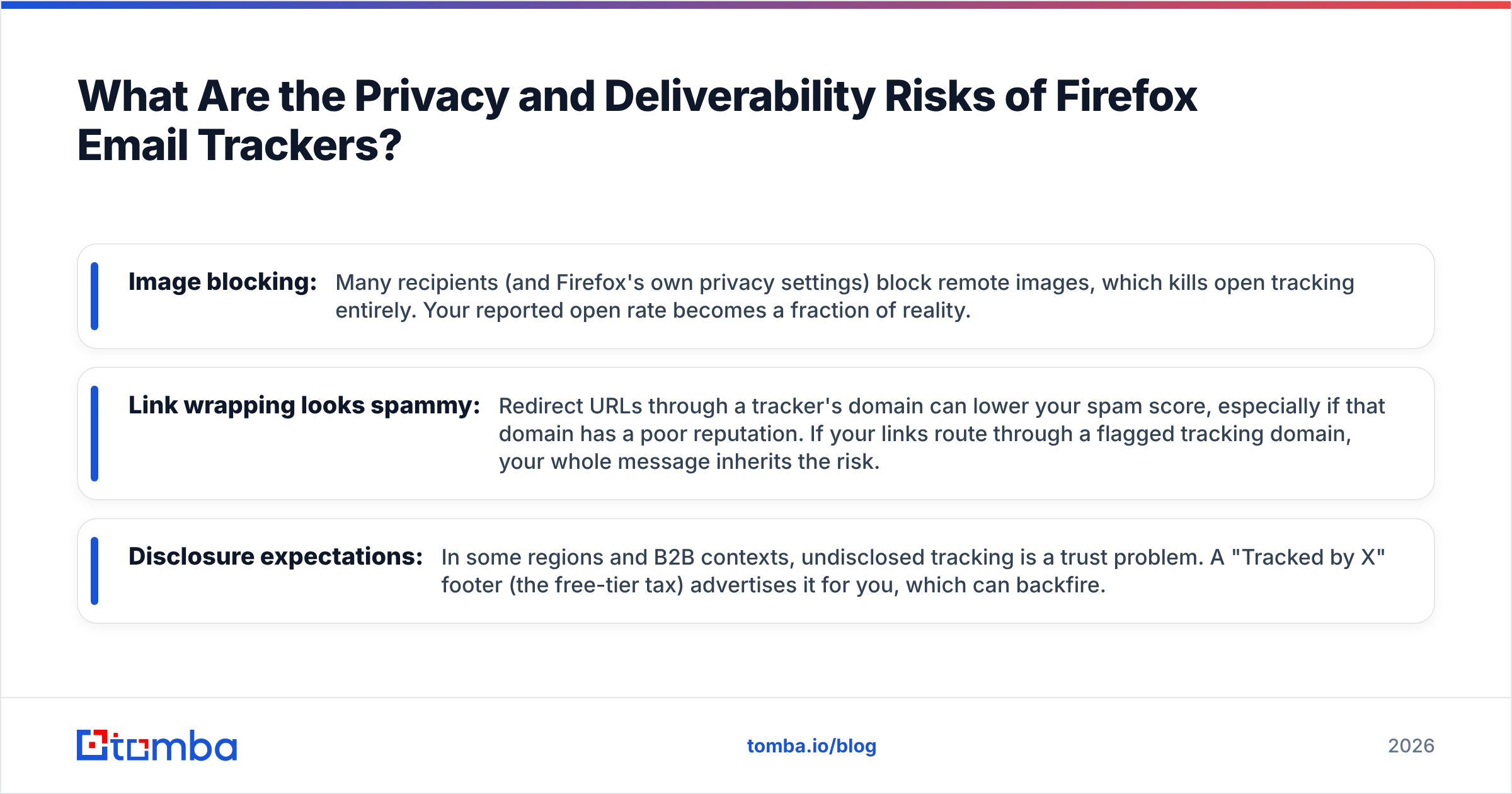
What Are the Privacy and Deliverability Risks of Firefox Email Trackers?#
The two real risks are recipient trust and spam filtering. Tracking pixels and link redirects are exactly the signals spam filters and privacy tools look for.
- Image blocking: Many recipients (and Firefox's own privacy settings) block remote images, which kills open tracking entirely. Your reported open rate becomes a fraction of reality.
- Link wrapping looks spammy: Redirect URLs through a tracker's domain can lower your spam score, especially if that domain has a poor reputation. If your links route through a flagged tracking domain, your whole message inherits the risk.
- Disclosure expectations: In some regions and B2B contexts, undisclosed tracking is a trust problem. A "Tracked by X" footer (the free-tier tax) advertises it for you, which can backfire.
The mitigation is the same discipline that protects deliverability generally: keep lists clean, don't over-track, and monitor your sender reputation. A tracker that boosts your visibility but tanks your inbox placement is a net loss. If you're scaling outreach, build the workflow on verified data first — see Tomba pricing for how finding and verification credits are structured — and treat tracking as the analytics layer on top, not the foundation.
Firefox Email Tracker FAQ#
Is there a completely free email tracker for Firefox? Yes — Mailtrack and Mailsuite both offer unlimited open tracking free, with link tracking and reporting reserved for paid plans. HubSpot's free tier adds CRM logging but caps monthly notifications.
Do these trackers work with Outlook in Firefox? Only some. Mailsuite, Snov.io, and Saleshandy support Outlook on the web; Mailtrack, Streak, and Right Inbox are Gmail-first.
Why is my open tracking inaccurate? Image proxies (Gmail, Apple Mail Privacy Protection) pre-load pixels, inflating opens, while "block remote content" settings suppress them. Lean on link and reply tracking for ground truth.
Will tracking hurt my deliverability? It can, if you over-wrap links through a low-reputation domain or send to unverified lists that bounce. Verify addresses first and keep tracking minimal.
The Bottom Line#
The best email tracker for Firefox depends on your stack: Mailtrack for free open tracking, HubSpot Sales for teams, Mailsuite for Outlook, and Streak for a contained, privacy-minded setup. All four ship a real Firefox add-on and won't leave you stranded with a Chrome-only download.
But remember what a tracker can and can't do. It tells you when someone engages — it can't find that person or confirm their address is real. The reps who win at outbound treat tracking as the last 10% of the workflow and spend the first 90% getting the contact data right.
That's where Tomba fits. Before you track a single open, use the Tomba Email Finder to source accurate professional addresses by name, domain, or company, then verify them so your tracked sends actually reach a human inbox. Start free with 25 searches a month, and let your Firefox tracker measure engagement that's built on data that doesn't bounce.
// get started
Find, verify and enrich your first contacts today
Start on the free plan with 25 searches a month, then scale when your team is ready.
Free plan · No credit card required · GDPR & CCPA
// about the author