Best Email Tracker for Outlook in 2026: Top 7 Tools Ranked
Compare the best email tracker for Outlook in 2026 — open tracking, link clicks, reply alerts, and privacy trade-offs ranked for sales teams.
Knowing the moment a prospect opens your email is the difference between a follow-up that lands and one that gets ignored. If you live in Outlook, you need tracking that works inside the desktop app, the web client, and the new Outlook for Windows — without breaking deliverability or tipping off privacy-conscious buyers.
This guide ranks the best email tracker for Outlook in 2026, compares features and pricing side by side, and tells you which tool fits which kind of sales motion.
TL;DR — Best Email Tracker for Outlook in 2026#
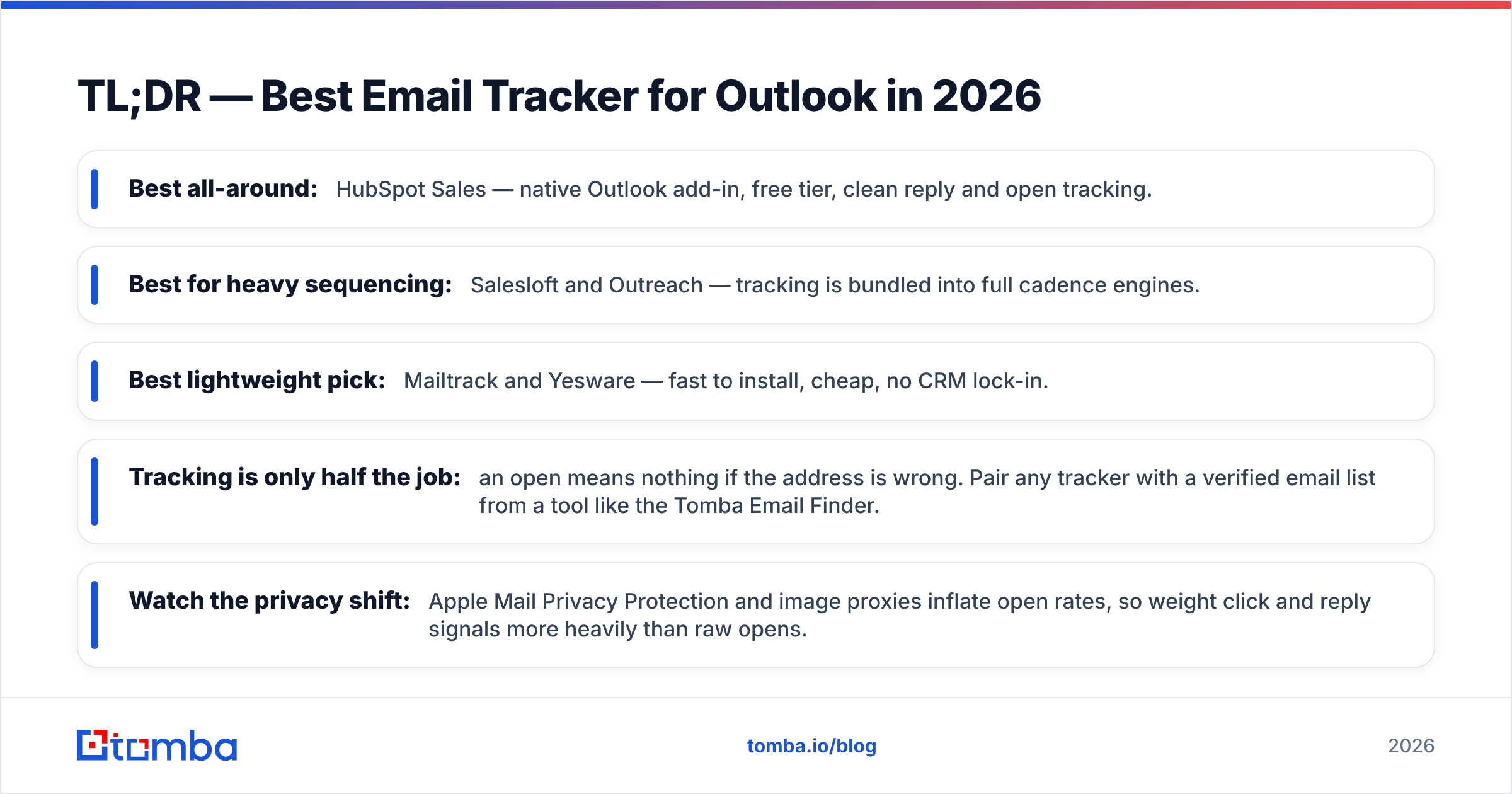
- Best all-around: HubSpot Sales — native Outlook add-in, free tier, clean reply and open tracking.
- Best for heavy sequencing: Salesloft and Outreach — tracking is bundled into full cadence engines.
- Best lightweight pick: Mailtrack and Yesware — fast to install, cheap, no CRM lock-in.
- Tracking is only half the job: an open means nothing if the address is wrong. Pair any tracker with a verified email list from a tool like the Tomba Email Finder.
- Watch the privacy shift: Apple Mail Privacy Protection and image proxies inflate open rates, so weight click and reply signals more heavily than raw opens.
What Is an Email Tracker for Outlook?#
An email tracker for Outlook tells you what happens to a message after you hit send. Think of it like a delivery service that texts you "package opened" instead of just "package shipped." Most trackers do this with a tiny invisible tracking pixel and wrapped links.
The core signals a good tracker surfaces:
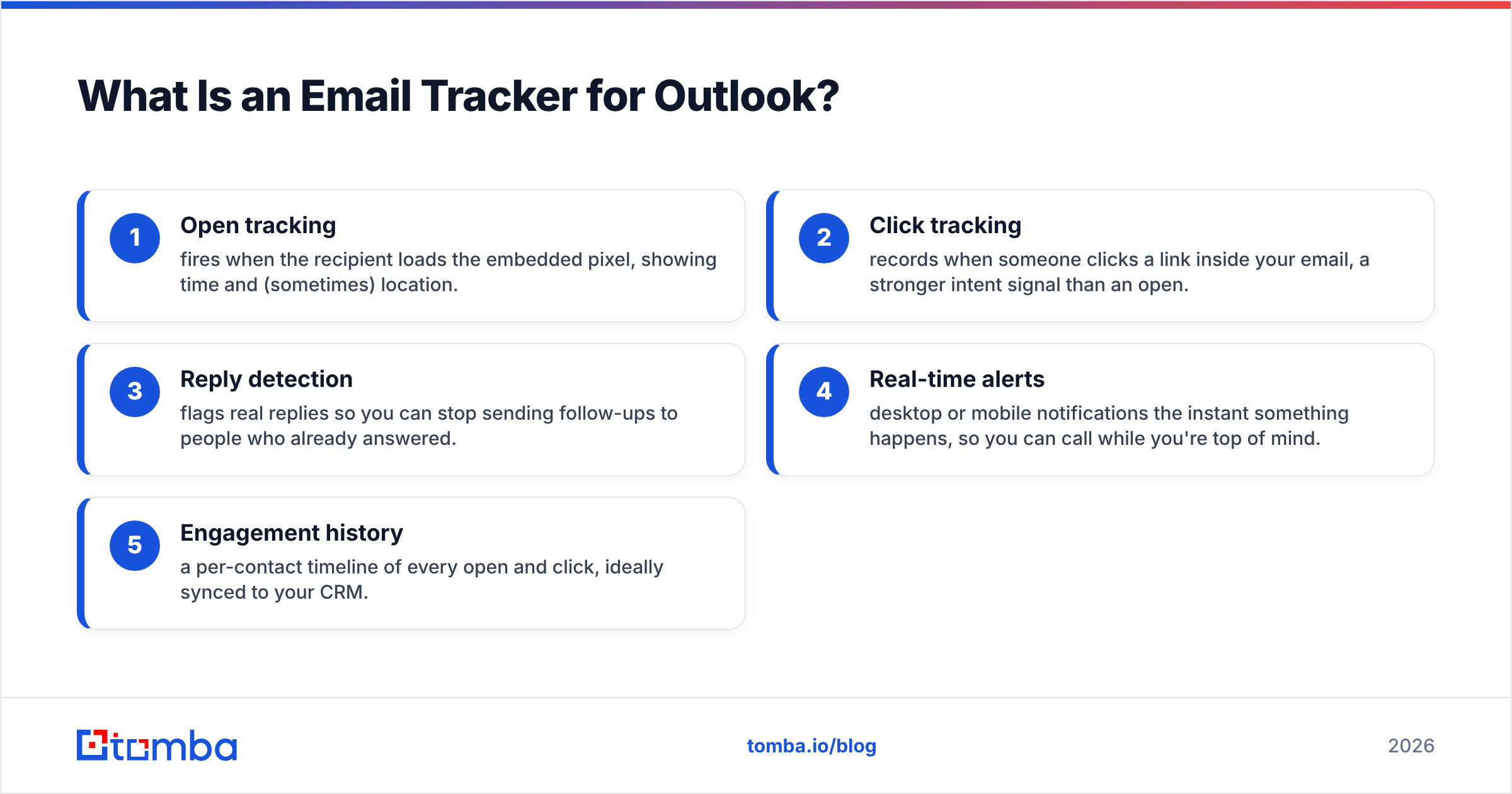
- Open tracking — fires when the recipient loads the embedded pixel, showing time and (sometimes) location.
- Click tracking — records when someone clicks a link inside your email, a stronger intent signal than an open.
- Reply detection — flags real replies so you can stop sending follow-ups to people who already answered.
- Real-time alerts — desktop or mobile notifications the instant something happens, so you can call while you're top of mind.
- Engagement history — a per-contact timeline of every open and click, ideally synced to your CRM.
Opens are the noisiest signal; clicks and replies are the gold. As you move down that list, the data gets more reliable and more actionable.
How Does Email Tracking Work Inside Outlook?#
Outlook makes tracking trickier than Gmail for two reasons. First, the desktop client caches images differently than the web app, which can cause false or missed opens. Second, the "new Outlook for Windows" rebuild changed how add-ins load, so some legacy trackers that worked in classic Outlook silently broke.
The cleanest implementations install as a native Outlook add-in (via the Microsoft 365 admin center or AppSource) rather than a browser extension. That way tracking follows you across desktop, web, and mobile under one Microsoft 365 identity. Browser-extension-only tools only work in Outlook on the web, which is a dealbreaker for desktop-heavy teams.
One thing no tracker can fix: a pixel can't fire if the email never reaches the inbox. If your sender reputation is weak, your beautifully tracked emails are sitting in spam. Brush up on email deliverability and sender reputation before you blame the tracker for low open rates.
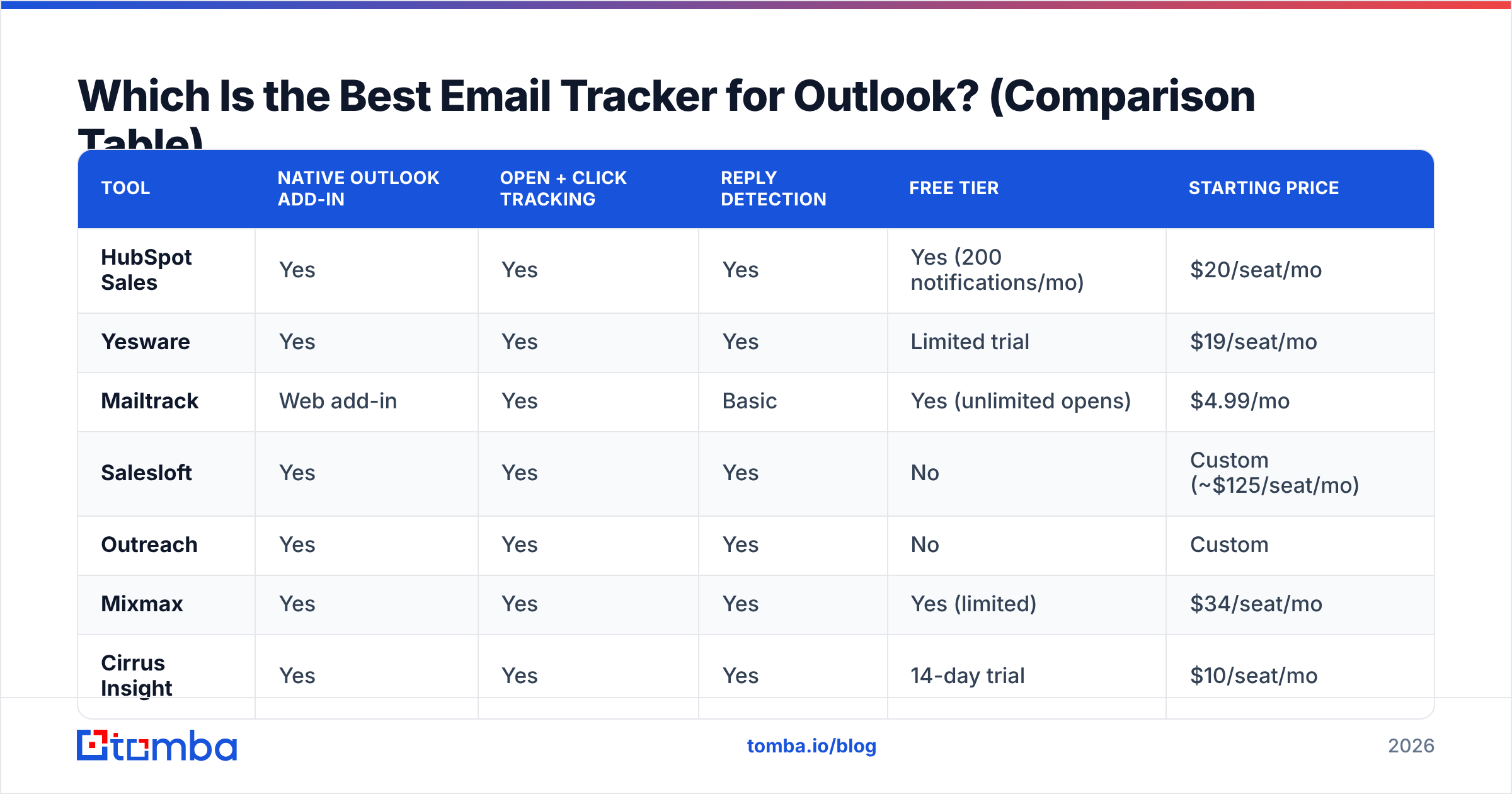
Which Is the Best Email Tracker for Outlook? (Comparison Table)#
Here are the seven tools worth shortlisting, compared on what actually matters for Outlook users.
| Tool | Outlook integration | Core focus | Key features | Free tier | Starting price |
|---|---|---|---|---|---|
| EmailAnalytics | Microsoft 365 API; no plugin required | Team email analytics | Response times by person, team, and shared mailbox; email volume and workload; SLA alerts; AI sentiment analysis; PDF/CSV exports | Not provided | Not provided |
| HubSpot Sales | Native Outlook add-in | Email tracking + CRM | Open and click tracking; reply detection | Yes (200 notifications/mo) | $20/seat/mo |
| Yesware | Yes | Yes | Yes | Limited trial | $19/seat/mo |
| Mailtrack | Web add-in | Yes | Basic | Yes (unlimited opens) | $4.99/mo |
| Salesloft | Yes | Yes | Yes | No | Custom (~$125/seat/mo) |
| Outreach | Yes | Yes | Yes | No | Custom |
| Mixmax | Yes | Yes | Yes | Yes (limited) | $34/seat/mo |
| Cirrus Insight | Yes | Yes | Yes | 14-day trial | $10/seat/mo |
A few takeaways. HubSpot is the safest default because the free tier is genuinely usable and the add-in is rock solid. Salesloft and Outreach are overkill if you only want tracking — you're paying for full cadence orchestration. Mailtrack wins on price for solo reps who just want open notifications and nothing else.
When Each Tool Makes Sense#
- HubSpot Sales — you want tracking and a CRM, or you're already in the HubSpot ecosystem.
- Yesware / Cirrus Insight — Microsoft 365 shops that want tracking plus templates without a heavy platform.
- Mailtrack — solo founders and individual reps who want cheap, no-frills open tracking.
- Salesloft / Outreach — SDR teams running structured multi-touch cadences at scale.
- Mixmax — teams that value scheduling, sequences, and polls alongside tracking.
Is Email Tracking in Outlook Accurate in 2026?#
Short answer: opens are less reliable than they used to be, clicks and replies are still solid.
Apple's Mail Privacy Protection pre-loads tracking pixels, which means an "open" can register even when the human never read the message. Corporate security gateways and image proxies do the same. The result is inflated open rates that look great in a dashboard and mean nothing in reality.
That's why mature sales teams have shifted their scoring. Treat opens as a weak directional signal, and weight clicks and replies far more heavily when you decide who to call. Microsoft's own guidance on Outlook tracking and read receipts is worth a read if you want to understand the difference between a true read receipt and a pixel-based open.

Does Tracking Hurt Deliverability or Privacy?#
It can, if you do it carelessly. Two risks:
Deliverability risk. Some spam filters penalize the link-wrapping that click tracking requires, especially when you use a generic shared tracking domain. The fix is a custom tracking domain (most serious tools support it) so your links resolve to your own subdomain instead of a flagged shared one. Run your message through a spam checker before a big send, and confirm your SPF record is in order.
Privacy and compliance risk. Tracking pixels are personal data under GDPR. If you sell into the EU, you may need a lawful basis or disclosure. Independent review sites like G2 catalog how each vendor handles consent and data residency — check before you commit.
The bottom line: tracking is fine for one-to-one sales outreach where you have a legitimate interest. It gets risky when you bolt it onto cold blasts to unverified lists.
What Should You Pair With Your Outlook Tracker?#
A tracker tells you who's interested. It can't tell you whether the address was correct in the first place — and a tracked email to a dead mailbox is just a bounce with extra steps.
Before you load contacts into any Outlook sequence, run them through three steps:
- Find the right address. Use a dedicated email finder to get verified, work-domain emails instead of guessing formats.
- Verify before sending. Clean your list with an email verifier so you protect your sender reputation and your tracking data stays clean.
- Enrich for context. Layer in titles, company size, and other fields via data enrichment so your tracked outreach is actually relevant.
Do this and your open and click numbers reflect real human interest — not bounces, spam traps, and bad data noise.
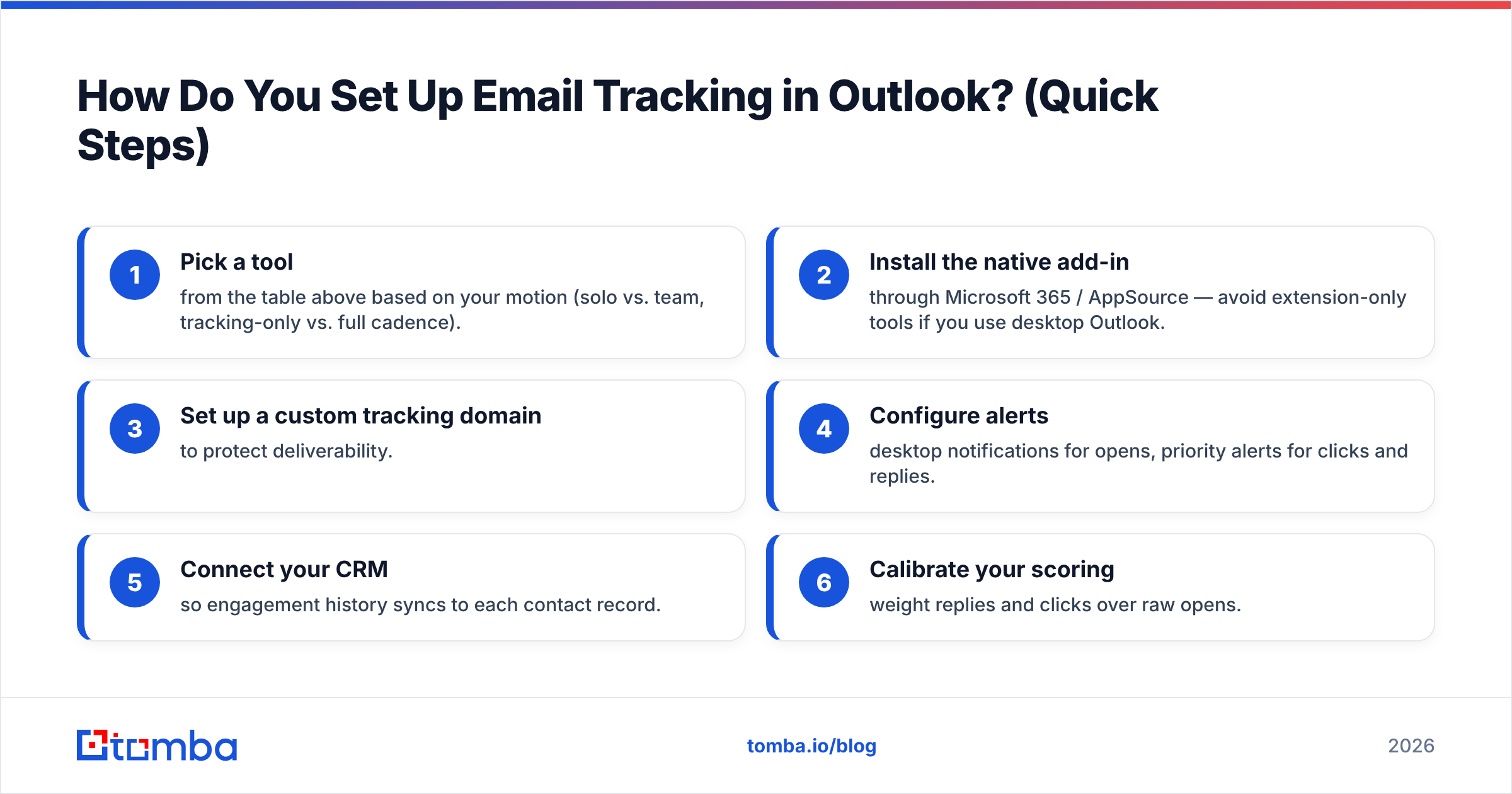
How Do You Set Up Email Tracking in Outlook? (Quick Steps)#
- Pick a tool from the table above based on your motion (solo vs. team, tracking-only vs. full cadence).
- Install the native add-in through Microsoft 365 / AppSource — avoid extension-only tools if you use desktop Outlook.
- Set up a custom tracking domain to protect deliverability.
- Configure alerts — desktop notifications for opens, priority alerts for clicks and replies.
- Connect your CRM so engagement history syncs to each contact record.
- Calibrate your scoring — weight replies and clicks over raw opens.
Five minutes of setup and you'll never wonder again whether that proposal got read.
Pros and Cons of Email Tracking in Outlook#
| Pros | Cons |
|---|---|
| Time follow-ups to the moment of interest | Open rates inflated by privacy proxies |
| Clicks reveal genuine buying intent | Link-wrapping can hurt deliverability |
| Stop chasing people who already replied | Pixels are regulated personal data (GDPR) |
| Per-contact engagement history in CRM | Extension-only tools miss desktop Outlook |
Final Verdict: Which Outlook Email Tracker Wins?#
For most teams, HubSpot Sales is the best email tracker for Outlook in 2026 — free to start, native add-in, reliable reply detection. If you run structured cadences, step up to Salesloft or Outreach. If you're a solo rep who just wants open alerts, Mailtrack is the cheapest reliable pick.
But remember the order of operations: tracking is the last 10% of a good outreach system, not the first. Garbage contacts produce garbage tracking data no matter which tool you pick.
Start by building a clean, verified list. Use the Tomba Email Finder to source accurate work emails by name, company, or domain, verify them before you send, and only then let your Outlook tracker do its job. You can test it on the free tier (25 searches/month) and scale up through Tomba pricing — Starter is $49/mo — once your pipeline proves out. Accurate data in, meaningful opens out.
// get started
Find, verify and enrich your first contacts today
Start on the free plan with 25 searches a month, then scale when your team is ready.
Free plan · No credit card required · GDPR & CCPA
// about the author