Best Email Validation in 2026: Tools, Accuracy & Pricing
Bounces wreck your sender reputation and waste credits. Here's how to pick the best email validation tool in 2026 — accuracy, pricing, catch-all handling, and API quality compared.

Picking the best email validation tool is less about marketing claims and more about three numbers: how many invalid addresses it catches, how many good addresses it wrongly kills, and what it charges you per thousand checks. Get those wrong and you either pay to email dead inboxes or you delete customers who would have replied.
This guide breaks down what email validation actually does, how the leading tools compare on accuracy and price, and how to choose one without overpaying or torching your sender reputation.
TL;DR#
- Email validation removes invalid, risky, and undeliverable addresses before you send — protecting your sender reputation and your deliverability.
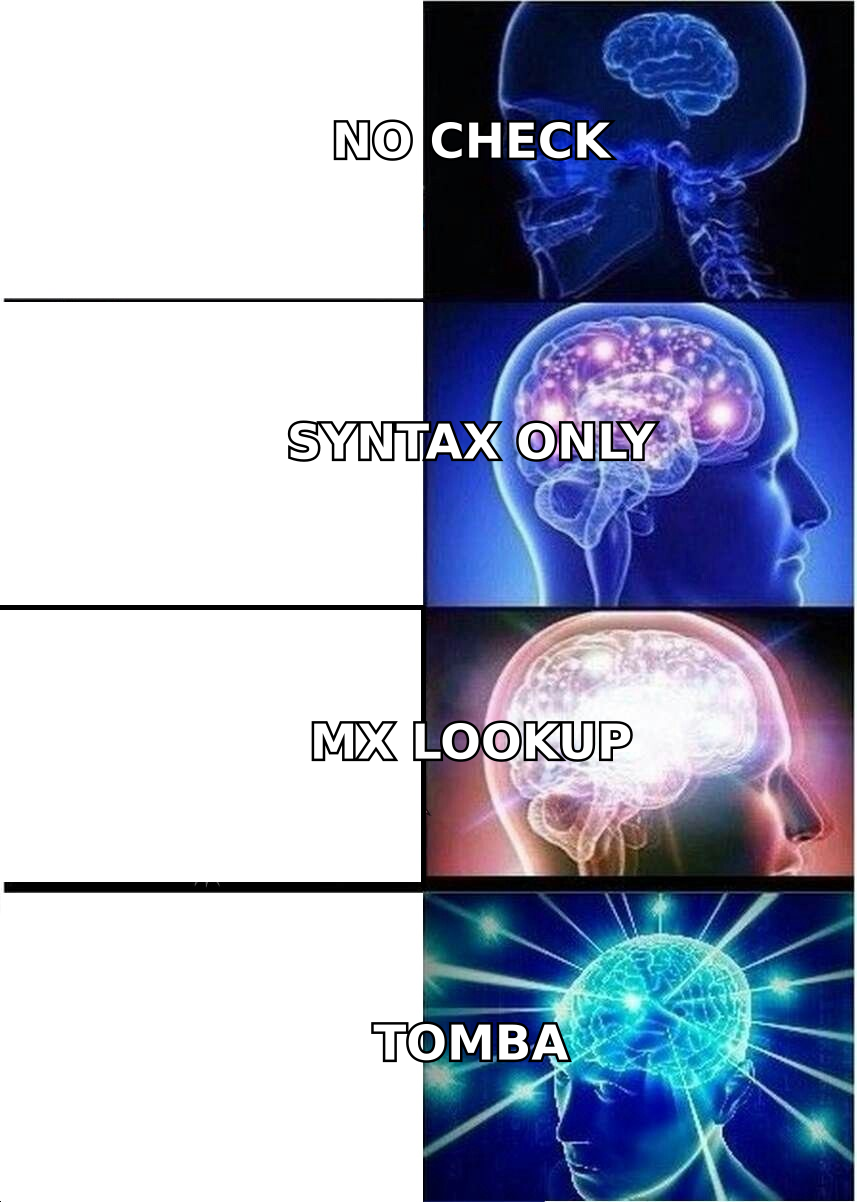
- The best tools combine syntax, MX, SMTP, and catch-all checks; syntax-only "free" checkers are close to useless for cold outreach.
- Accuracy matters more than headline price: a cheap validator with a high false-valid rate costs you more in bounces.
- Expect to pay $0.0004–$0.01 per verification; volume and API quality separate the serious tools from the toy ones.
- For teams that already find and enrich leads, an all-in-one platform like Tomba bundles verification with finding, so you don't juggle two vendors.
What is email validation?#
Email validation is the process of checking whether an email address is real, correctly formatted, and able to receive mail — before you hit send. Think of it like calling a phone number's carrier to confirm the line is active instead of just dialing and hoping someone picks up.
A proper validator runs several layers of checks, not one:
- Syntax check — Is the address formatted per the email address standard? Catches typos like
name@gmail,com. - Domain & MX records — Does the domain exist and publish mail-exchange records that can actually accept email?
- SMTP handshake — Does the receiving mail server acknowledge the specific mailbox without a hard bounce?
- Catch-all detection — Does the domain accept all addresses (making per-mailbox confirmation impossible)? A good catch-all verifier flags these instead of guessing.
- Risk flags — Is it a disposable address, a role account (
info@,sales@), a known spam trap, or a complainer?
The difference between a weak and a strong validator is how many of these layers it runs and how honestly it reports uncertain results.
Why does email validation matter in 2026?#
Because mailbox providers got stricter. Google and Yahoo's bulk-sender rules now expect spam complaint rates under 0.3%, and every hard bounce chips away at your email deliverability. One dirty list can push a warmed-up domain into the spam folder for weeks.
The cost shows up in three places:
- Wasted send volume — You pay your ESP and your outreach tool to message inboxes that don't exist.
- Reputation damage — High bounce rates signal "spammer" to inbox providers, hurting even your valid recipients.
- Skewed metrics — Open and reply rates look worse than reality when the denominator is full of dead addresses.
Validation is the cheapest insurance you can buy against all three. Running a list through an email verifier before a campaign typically costs cents per contact and saves you from a multi-week reputation recovery.
How do the best email validation tools compare?#
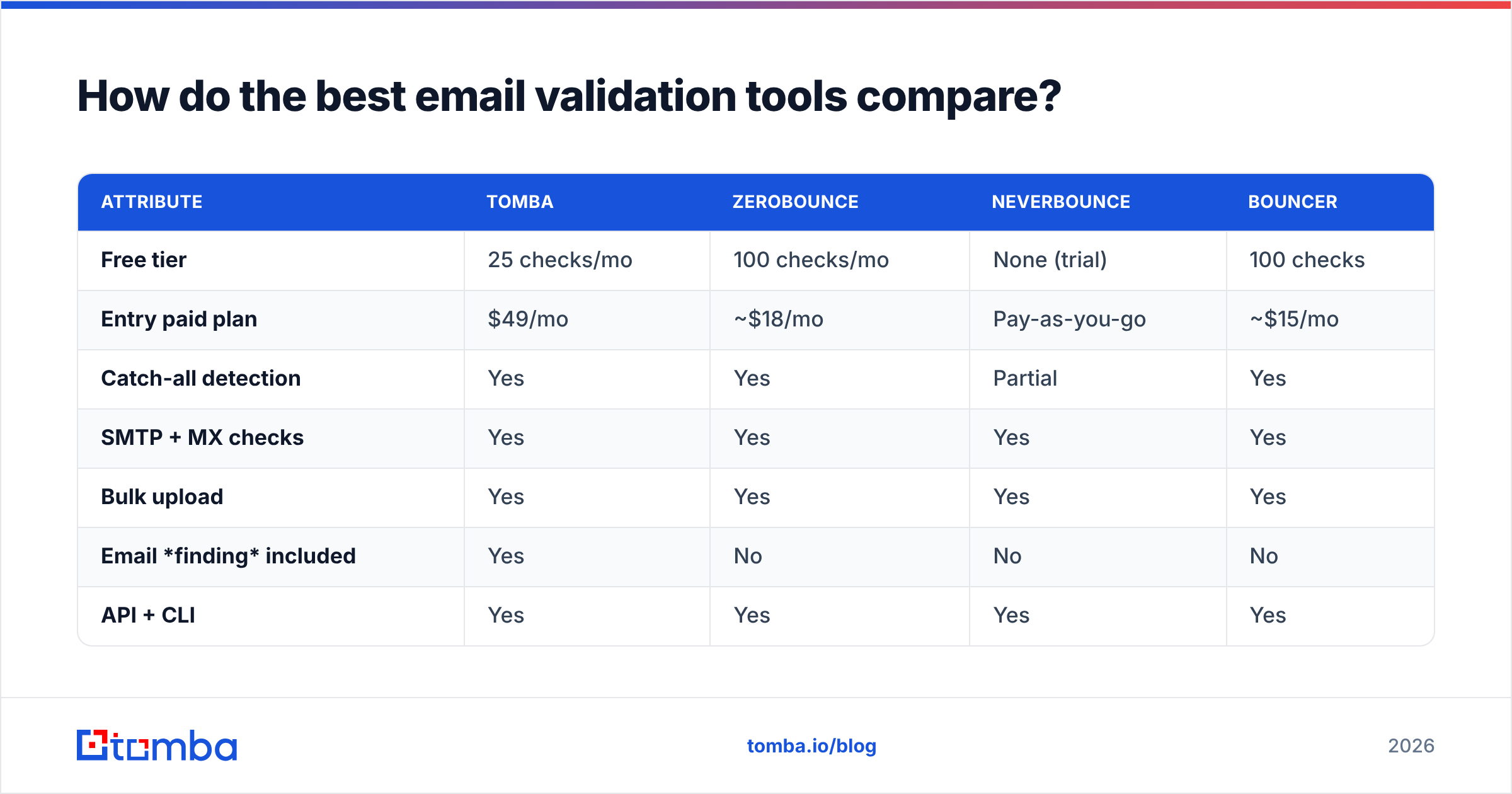
Here's how the leading validation tools stack up on the attributes that actually move the needle. Pricing reflects entry paid tiers and typical per-verification rates as of 2026; always confirm current numbers on each vendor's page.
| Attribute | Tomba | ZeroBounce | NeverBounce | Bouncer |
|---|---|---|---|---|
| Free tier | 25 checks/mo | 100 checks/mo | None (trial) | 100 checks |
| Entry paid plan | $49/mo | ~$18/mo | Pay-as-you-go | ~$15/mo |
| Catch-all detection | Yes | Yes | Partial | Yes |
| SMTP + MX checks | Yes | Yes | Yes | Yes |
| Bulk upload | Yes | Yes | Yes | Yes |
| Email finding included | Yes | No | No | No |
| API + CLI | Yes | Yes | Yes | Yes |
| Best for | Find + verify in one place | Standalone hygiene | One-off list cleans | EU-focused hygiene |
The honest takeaway: dedicated hygiene tools like ZeroBounce and Bouncer do one job well. Tomba's edge is that the same platform finds, enriches, and verifies — so you're not exporting a list from a finder, importing it into a verifier, and reconciling two bills. If you only ever clean lists someone else built, a standalone tool is fine. If you build the lists too, an all-in-one wins on workflow.
What accuracy rates should you actually expect?#
Real-world accuracy on deliverable verdicts for the top tools clusters in the 96–99% range on standard domains, and drops sharply on catch-all and greylisting-heavy domains where no tool can be certain. Be skeptical of any vendor claiming 99.9% across the board — that number usually hides how they handle "unknown" results.

The metric that separates good from great isn't the valid-detection rate — it's the false-valid rate (bad addresses marked good) and how transparently the tool labels uncertain ones. A validator that buckets a shaky address as "risky" or "catch-all" instead of confidently calling it "valid" is doing you a favor.
How should you choose the best email validation tool?#
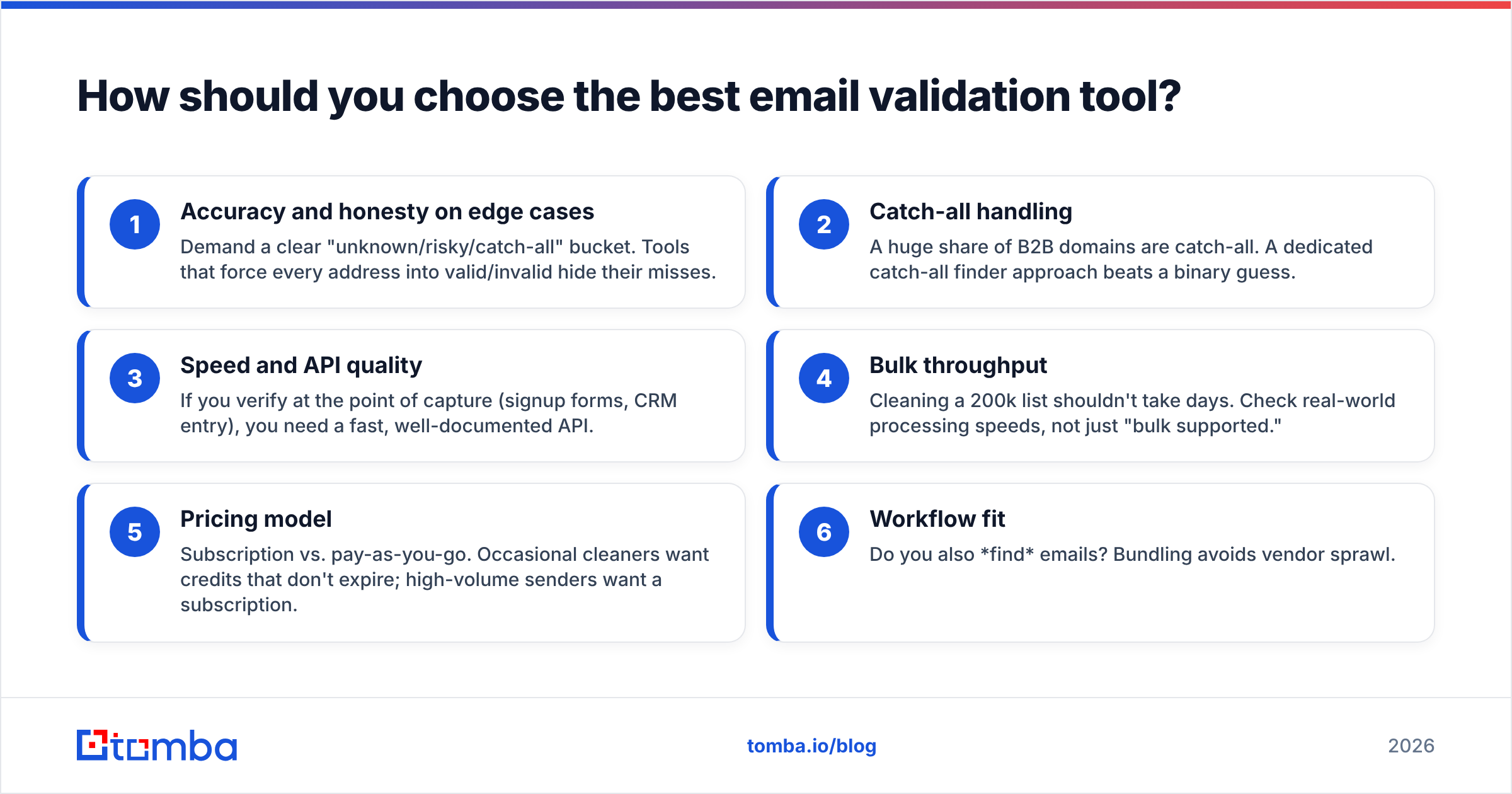
Match the tool to your actual workflow, not to a feature checklist. Use these criteria:
- Accuracy and honesty on edge cases — Demand a clear "unknown/risky/catch-all" bucket. Tools that force every address into valid/invalid hide their misses.
- Catch-all handling — A huge share of B2B domains are catch-all. A dedicated catch-all finder approach beats a binary guess.
- Speed and API quality — If you verify at the point of capture (signup forms, CRM entry), you need a fast, well-documented API.
- Bulk throughput — Cleaning a 200k list shouldn't take days. Check real-world processing speeds, not just "bulk supported."
- Pricing model — Subscription vs. pay-as-you-go. Occasional cleaners want credits that don't expire; high-volume senders want a subscription.
- Workflow fit — Do you also find emails? Bundling avoids vendor sprawl.
Standalone validator vs. all-in-one platform#
This is the real fork in the road, so weigh it explicitly:
- Standalone validators (ZeroBounce, NeverBounce, Bouncer) — Cheapest entry price, deep hygiene-only features, ideal if your lists come from elsewhere and you just need to scrub them.
- All-in-one platforms (Tomba) — Find, enrich, and verify under one login, one API, and one bill. Slightly higher entry price, but you skip the export/import shuffle and keep verification attached to the moment of finding.
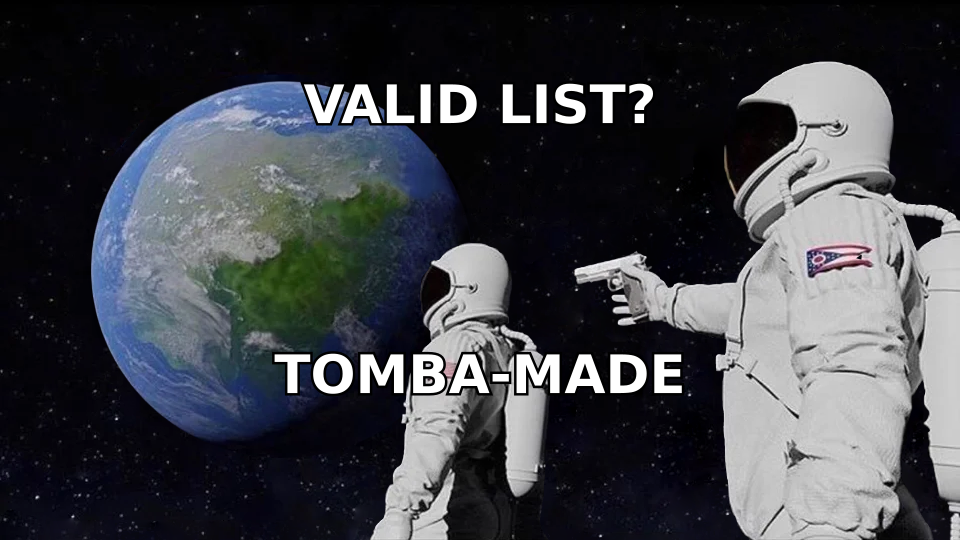
If your week looks like "find 500 prospects, enrich them, verify, then send," the all-in-one math favors consolidation. If it looks like "marketing handed me a CSV, clean it," a standalone tool is the leaner buy.
How do you validate emails without hurting deliverability?#
Validation protects deliverability, but only if you do it right. A few rules:
- Verify close to send time. Email lists decay roughly 22–30% per year as people change jobs. A list validated six months ago is already stale.
- Don't over-send to catch-all domains. Treat catch-all verdicts as "send carefully, watch bounces," not "guaranteed good."
- Re-verify before reactivation. Before emailing a list you haven't touched in months, run it through a fresh check with a bulk verify pass.
- Combine with warmup, not instead of it. Validation removes bad addresses; it doesn't build sender reputation. Pair it with a proper warmup and authentication (SPF, DKIM, DMARC).
- Validate at capture. Add API validation to signup forms so junk never enters your database in the first place.
For a deeper checklist on the deliverability side, HubSpot's guidance on email deliverability best practices pairs well with a strong validation routine.
Email finder vs. email verifier: what's the difference?#
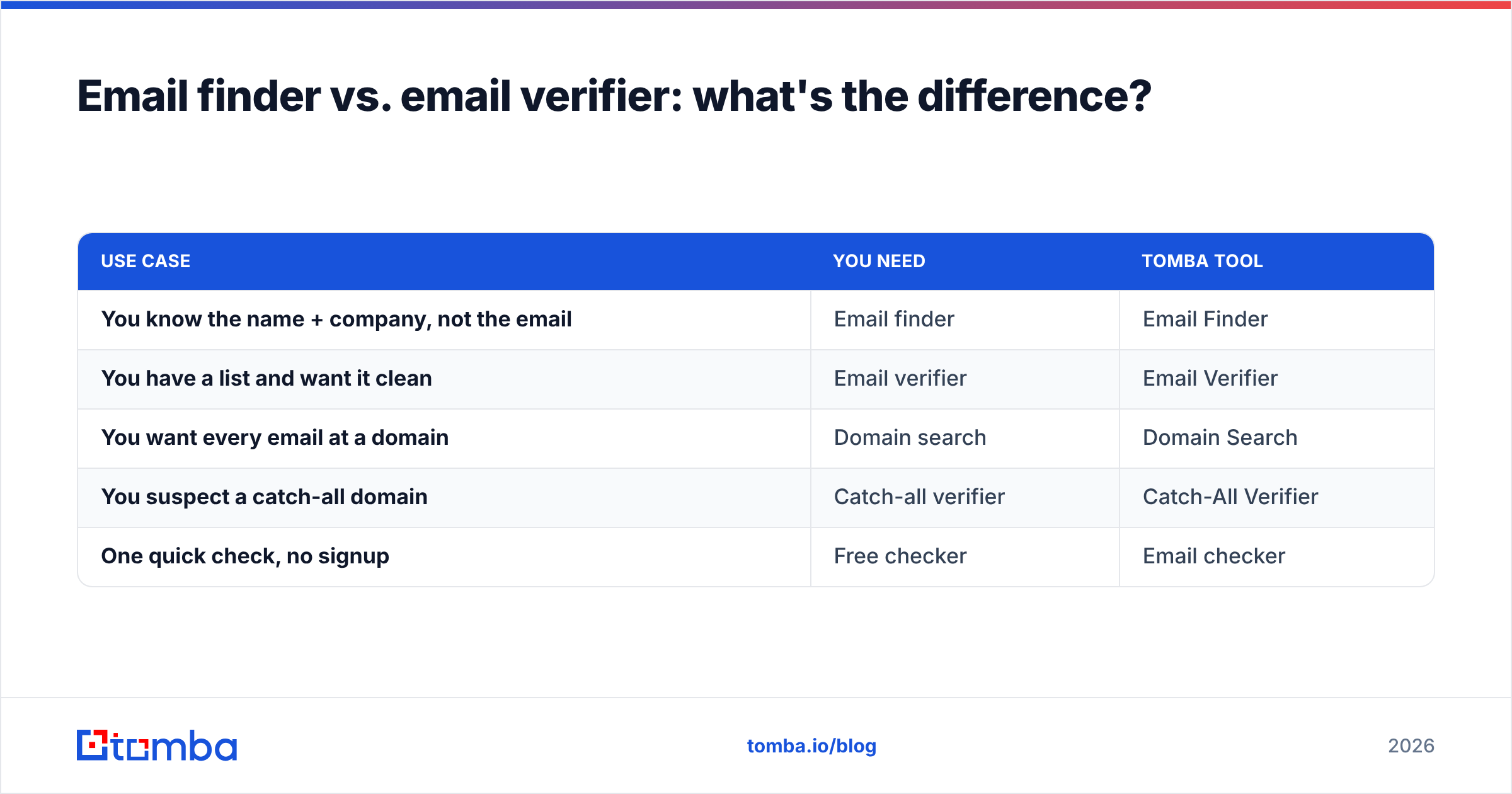
They're complementary, not interchangeable. An email finder discovers an address you don't have — given a name and a company domain, it returns the likely email. A verifier confirms whether an address you already have is deliverable.
| Use case | You need | Tomba tool |
|---|---|---|
| You know the name + company, not the email | Email finder | Email Finder |
| You have a list and want it clean | Email verifier | Email Verifier |
| You want every email at a domain | Domain search | Domain Search |
| You suspect a catch-all domain | Catch-all verifier | Catch-All Verifier |
| One quick check, no signup | Free checker | Email checker |
The best workflow chains them: find the address, verify it on the spot, and only then enrich and send. Doing both in one platform is why teams consolidate — you can review full Tomba pricing to see how finding and verification credits share one plan.
How much should email validation cost?#
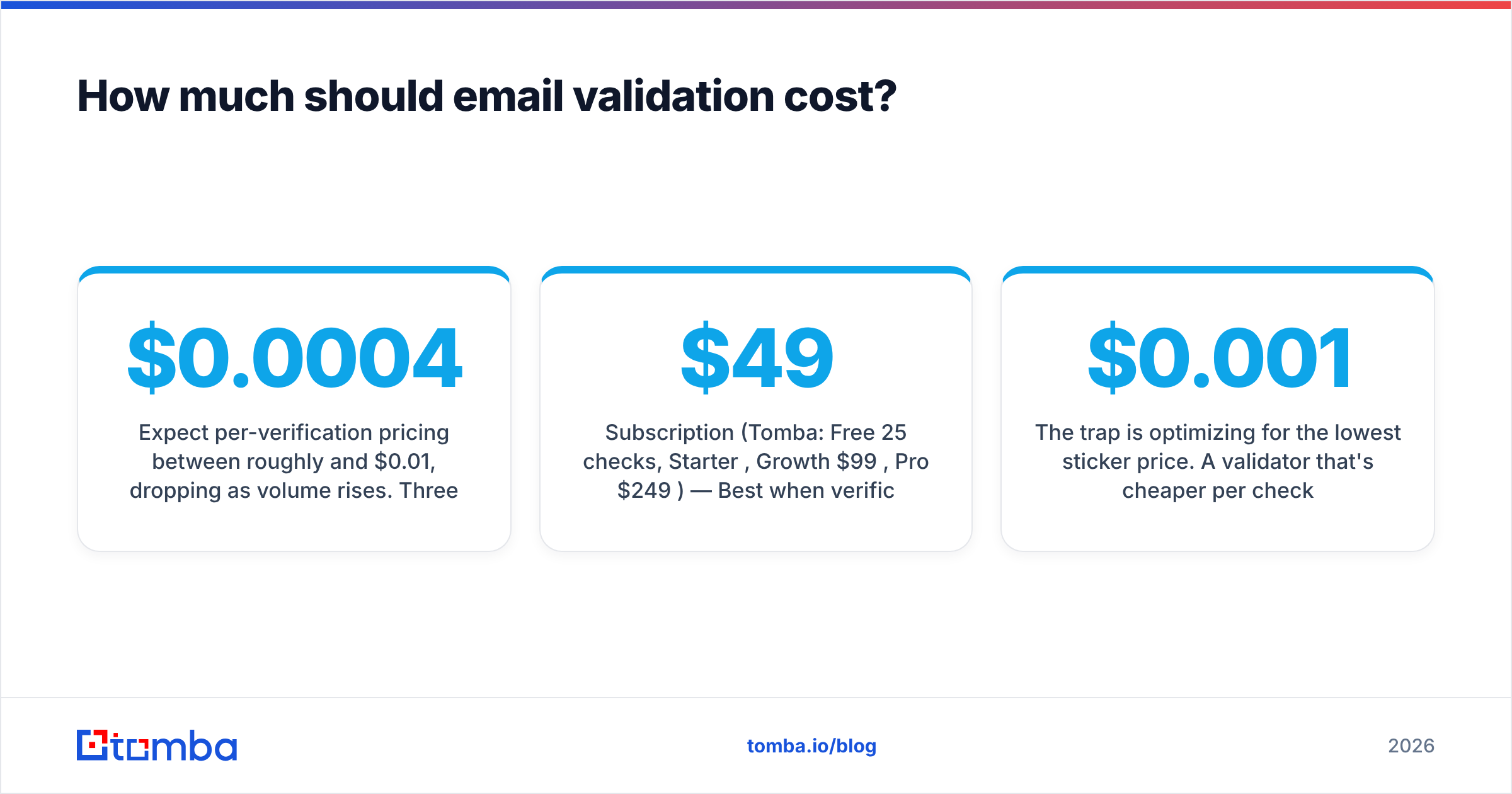
Expect per-verification pricing between roughly $0.0004 and $0.01, dropping as volume rises. Three pricing shapes dominate:
- Subscription (Tomba: Free 25 checks, Starter $49/mo, Growth $99/mo, Pro $249/mo) — Best when verification is a recurring part of your week.
- Pay-as-you-go credits — Best for occasional, large one-off cleans; watch for credits that expire.
- Enterprise/API volume — Custom rates for high-throughput, real-time validation at capture.
The trap is optimizing for the lowest sticker price. A validator that's $0.001 cheaper per check but marks 3% more bad addresses as valid will cost you far more in bounces and reputation than you saved. Buy accuracy first, price second.

Frequently asked questions#
Is free email validation good enough? For a single quick check, yes — a free syntax-and-MX checker confirms an address isn't obviously fake. For cleaning a list you'll email at scale, no. Free tools skip SMTP and catch-all checks, which is exactly where the costly mistakes hide.
Can any tool verify catch-all addresses with certainty? No tool can confirm an individual mailbox on a true catch-all domain, because the server accepts everything. The best tools are honest about this and label it "catch-all/risky" rather than guessing "valid."
How often should I re-validate my list? Before every major campaign, and at minimum every 3–6 months for active lists. B2B data decays fast as people change roles.
Does validation guarantee inbox placement? No. Validation prevents bounces from bad addresses; inbox placement also depends on authentication, content, and sender reputation. They work together.
The bottom line#
The best email validation tool is the one that catches the most bad addresses, misclassifies the fewest good ones, and fits the way you already work. If you only clean lists, a focused standalone verifier is a fine, cheap choice. If you find, enrich, and verify in the same motion, consolidating into one platform saves both money and friction.
Tomba puts finding and verification in one place: discover professional addresses with the Tomba Email Finder, then verify them in the same workflow before you send — starting free with 25 searches a month and scaling to a $49/mo Starter plan when you're ready. Stop paying to email inboxes that don't exist, and stop letting bounces decide your sender reputation for you.
// get started
Find, verify and enrich your first contacts today
Start on the free plan with 25 searches a month, then scale when your team is ready.
Free plan · No credit card required · GDPR & CCPA
// about the author