Best Free Email Finder Tool in 2026: Top 7 Tested
We tested 7 free email finders on accuracy, free-tier size, and verification. Here's which tool actually finds real, deliverable addresses in 2026 — and which waste your credits.
The phrase "free email finder" hides a wide quality gap. Some tools hand you 25 verified addresses a month and a real API. Others give you 5 guesses, a watermarked export, and a hard upsell on credit two. This guide tests the difference so you don't burn a prospecting day on tools that return catch-all noise.
TL;DR#
- Best overall free tier: Tomba — 25 verified searches/month, real domain search, and a working API on the free plan, not a trial.
- Accuracy is the real metric, not free-credit count. A tool that gives 100 free guesses at 60% accuracy wastes more time than 25 verified hits.
- Always pair a finder with a verifier. Free finders that skip SMTP verification quietly pad results with catch-all and invalid addresses.
- Watch the catch-all trap: domains that accept every address inflate "found" rates and tank your real deliverability.
- For one-off lookups, browser extensions win; for lists, you need bulk + verification + an export that isn't paywalled.
What makes an email finder "free" — and what's just a trial?#
Conclusion first: most "free email finder" tools are time-limited trials wearing a free-tier costume. The honest test is whether you can keep using it next month without a card on file.
Think of it like a gym day-pass versus a real membership. A day-pass (trial) lets you touch every machine once, then locks the door. A free membership (true free tier) gives you fewer machines but every single month, forever. When you're building a repeatable prospecting habit, the recurring free tier wins even if the day-pass looks more generous on day one.
Three things separate a genuine free email finder from bait:
- Recurring credits — searches that reset monthly, not a one-time bucket.
- Verification included — the tool tells you if the address is valid, risky, or invalid, instead of just guessing a pattern.
- Usable export — CSV or API access, not a blurred preview that forces an upgrade to copy results.
A finder that only generates a likely address (firstname.lastname@company.com) without checking it is really an email permutator, not a finder. Useful, but know the difference: permutation guesses the format; a finder confirms the mailbox exists.

Why does accuracy matter more than free credits?#
Because a wrong email costs you twice: once when you send to it, and again when the bounce damages your sender reputation. Volume of free guesses is the vanity metric; verified accuracy is the one that protects your domain.
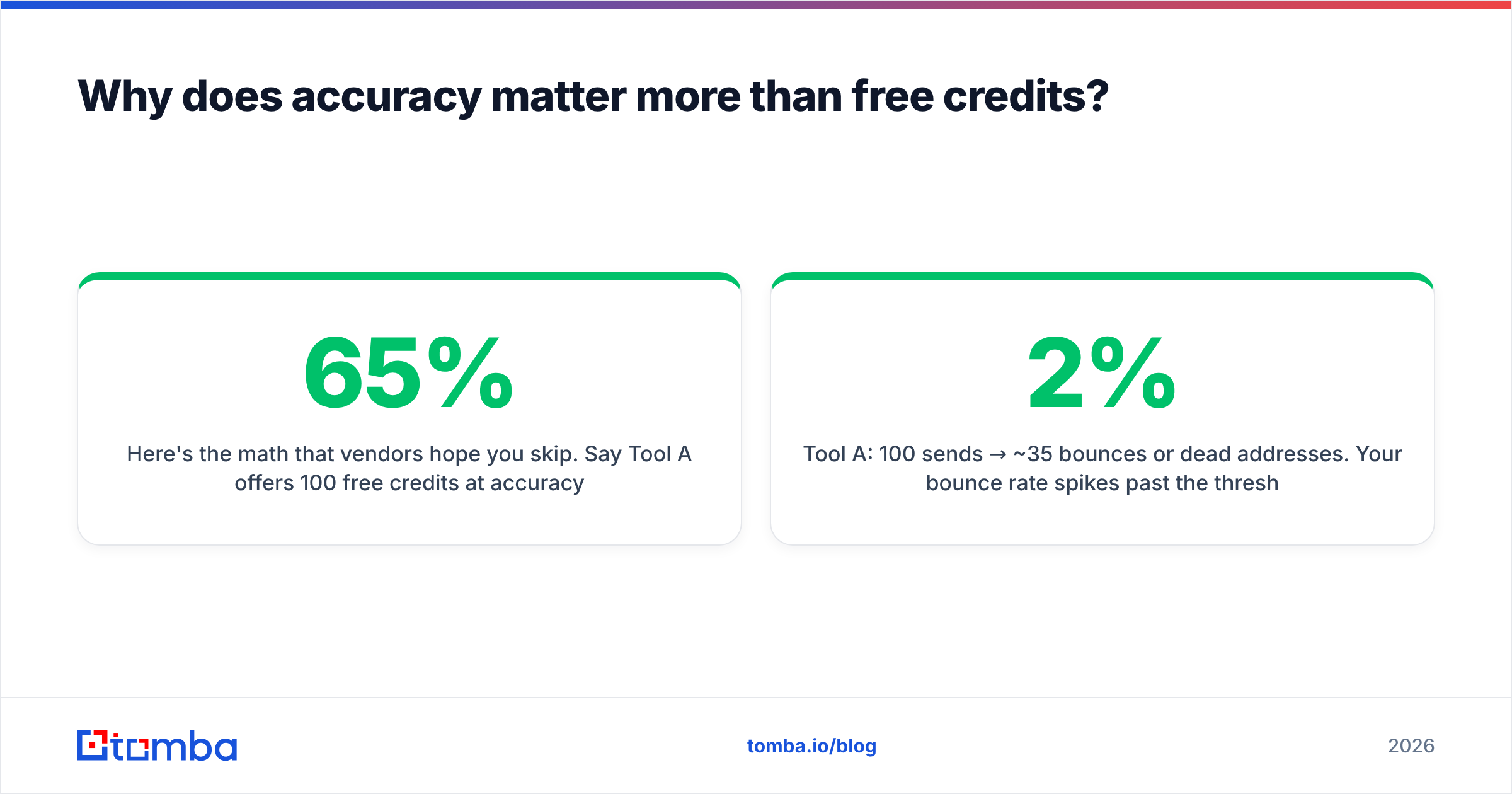
Here's the math that vendors hope you skip. Say Tool A offers 100 free credits at 65% accuracy and Tool B offers 25 free credits at 95% accuracy.
- Tool A: 100 sends → ~35 bounces or dead addresses. Your bounce rate spikes past the 2% threshold mailbox providers watch, and warmup gains evaporate.
- Tool B: 25 sends → ~1 bad address. Clean list, intact sender reputation, and replies that actually land.
The "smaller" free tier produced more usable conversations. This is why the best free email finder tool is judged on deliverable hits, not raw credit count. Accuracy compounds; free credits don't.
)
A quick reality check on bounces: most free finders skip the SMTP handshake that confirms a mailbox accepts mail. If a tool returns results instantly with zero "verifying…" step, it's pattern-matching, not finding. Run anything you collect through a real email verifier before it touches your sending domain.
What are the best free email finder tools in 2026?#
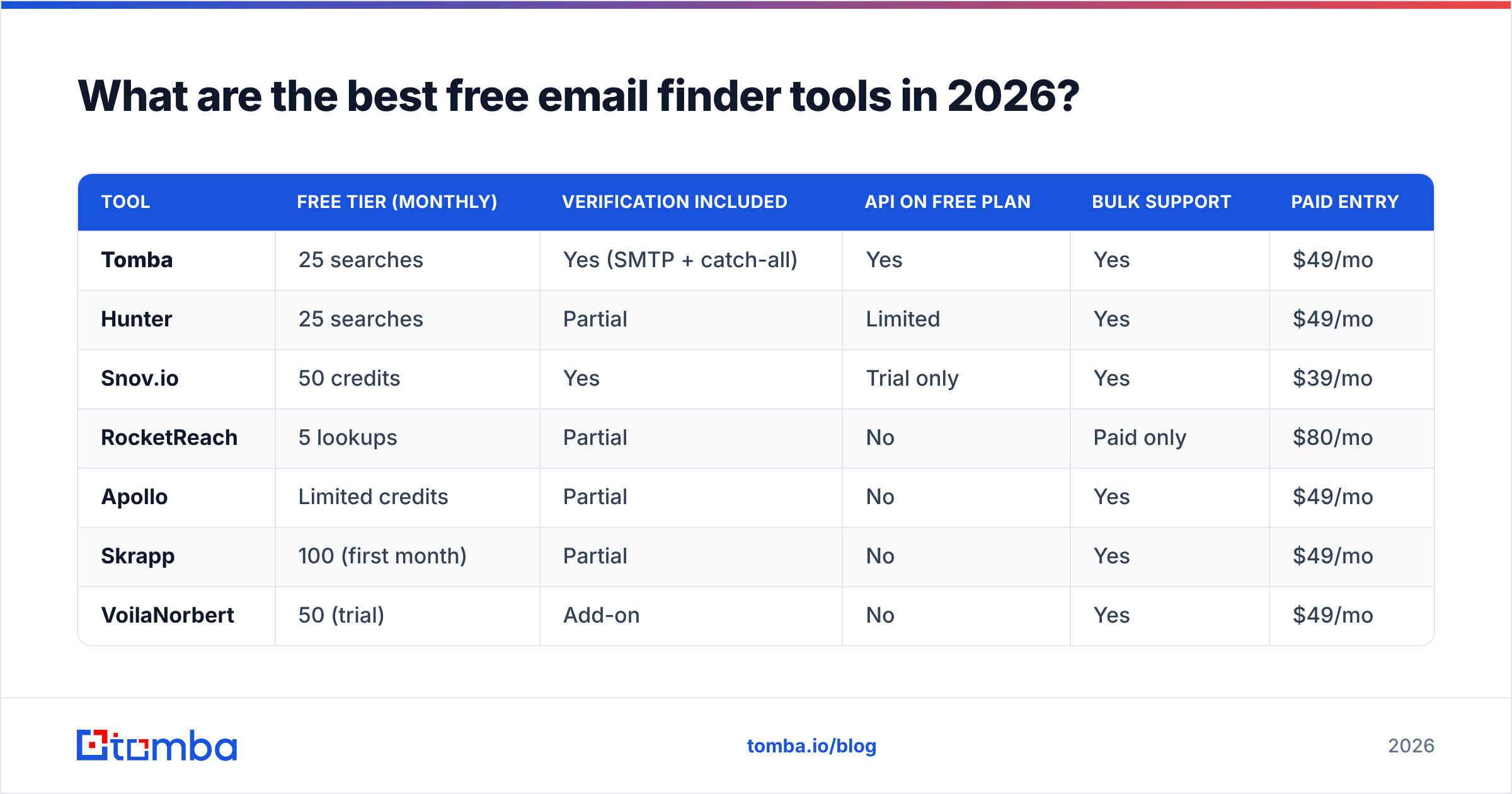
Below is the head-to-head. Every "free tier" column reflects the recurring monthly allowance, not a one-week trial, and pricing is the paid entry point if you outgrow free.
| Tool | Free tier (monthly) | Verification included | API on free plan | Bulk support | Paid entry |
|---|---|---|---|---|---|
| Tomba | 25 searches | Yes (SMTP + catch-all) | Yes | Yes | $49/mo |
| Hunter | 25 searches | Partial | Limited | Yes | $49/mo |
| Snov.io | 50 credits | Yes | Trial only | Yes | $39/mo |
| RocketReach | 5 lookups | Partial | No | Paid only | $80/mo |
| Apollo | Limited credits | Partial | No | Yes | $49/mo |
| Skrapp | 100 (first month) | Partial | No | Yes | $49/mo |
| VoilaNorbert | 50 (trial) | Add-on | No | Yes | $49/mo |
A few notes the table can't hold:
- Tomba is the most complete genuine free tier: the 25 monthly searches include verification and domain search, and the Tomba API works on the free plan — rare among free finders. See current Tomba pricing if you scale up.
- Hunter is the household name and a solid 25/month free tier, but deeper verification and confidence scoring sit behind paid plans. Their public Hunter tooling is well documented.
- Snov.io lists 50 free credits, but credits are consumed by both finding and verifying, so the effective monthly volume is lower than it looks.
- RocketReach leans toward phone and social data; 5 free lookups is a sampler, not a workflow.
- Apollo bundles finding into a larger sales platform — great if you want sequences too, lighter as a pure finder. Compare the platforms on G2 before committing.

How do you actually find an email for free?#
There are four reliable methods, ordered from fastest to most thorough. Most pros use a stack, not a single tool.
- Domain search — Enter a company domain and pull every public address pattern the company uses. Best when you have the account but not the person. Tomba's find emails by domain returns the dominant pattern (e.g.
{first}.{last}@) plus confidence. - Name + company lookup — You know the person and the company; the finder resolves and verifies the specific mailbox. This is the core find email addresses flow.
- Browser extension — While viewing a LinkedIn profile or company site, a Chrome extension surfaces the address inline. Fastest for one-offs; check the LinkedIn finder for profile-based lookups.
- Bulk upload — Drop a CSV of names and domains, get back verified addresses. Free tiers cap row counts, but it's the only sane path past a handful of contacts. See bulk email finder workflows.
Whichever method you use, the last step never changes: verify before you send. A free finder gets you a candidate; verification confirms it's a real, deliverable mailbox. Skipping that step is how clean-looking lists still bounce 15%.
What is a catch-all domain, and why does it break free tools?#
A catch-all domain accepts mail to any address — valid or not — so the SMTP server says "yes" to everything. That's the single biggest reason free email finders overstate their accuracy.
Analogy: a catch-all domain is a mailroom that signs for every package addressed to the building, even ones with made-up apartment numbers. The signature (SMTP 250 OK) tells you nothing about whether a real person will ever receive it. A weak finder reads that signature as "found and valid" and reports a win.
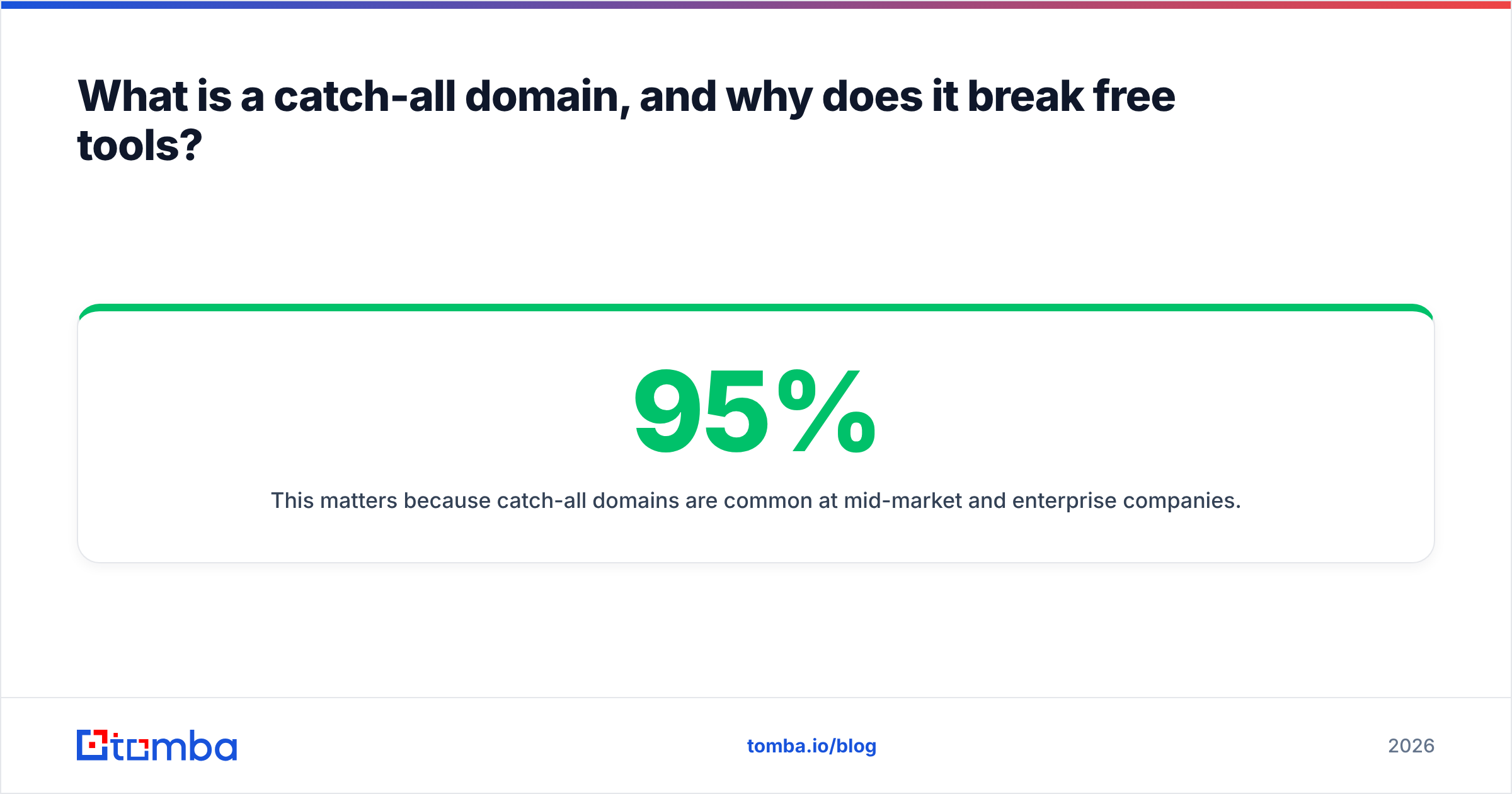
This matters because catch-all domains are common at mid-market and enterprise companies. If your finder can't flag them, your "95% found" rate might be 70% real and 25% catch-all guesses. Tools that include a catch-all verifier mark these addresses as risky rather than valid, so you can decide whether to send, verify deeper, or skip. Free finders that omit this step inflate their numbers and quietly hand you the bounce risk.
When you evaluate any free email finder, run a known catch-all domain through it. If it returns a confident "valid" with no risk flag, downgrade your trust accordingly.
)
Free email finder vs. paid: when should you upgrade?#
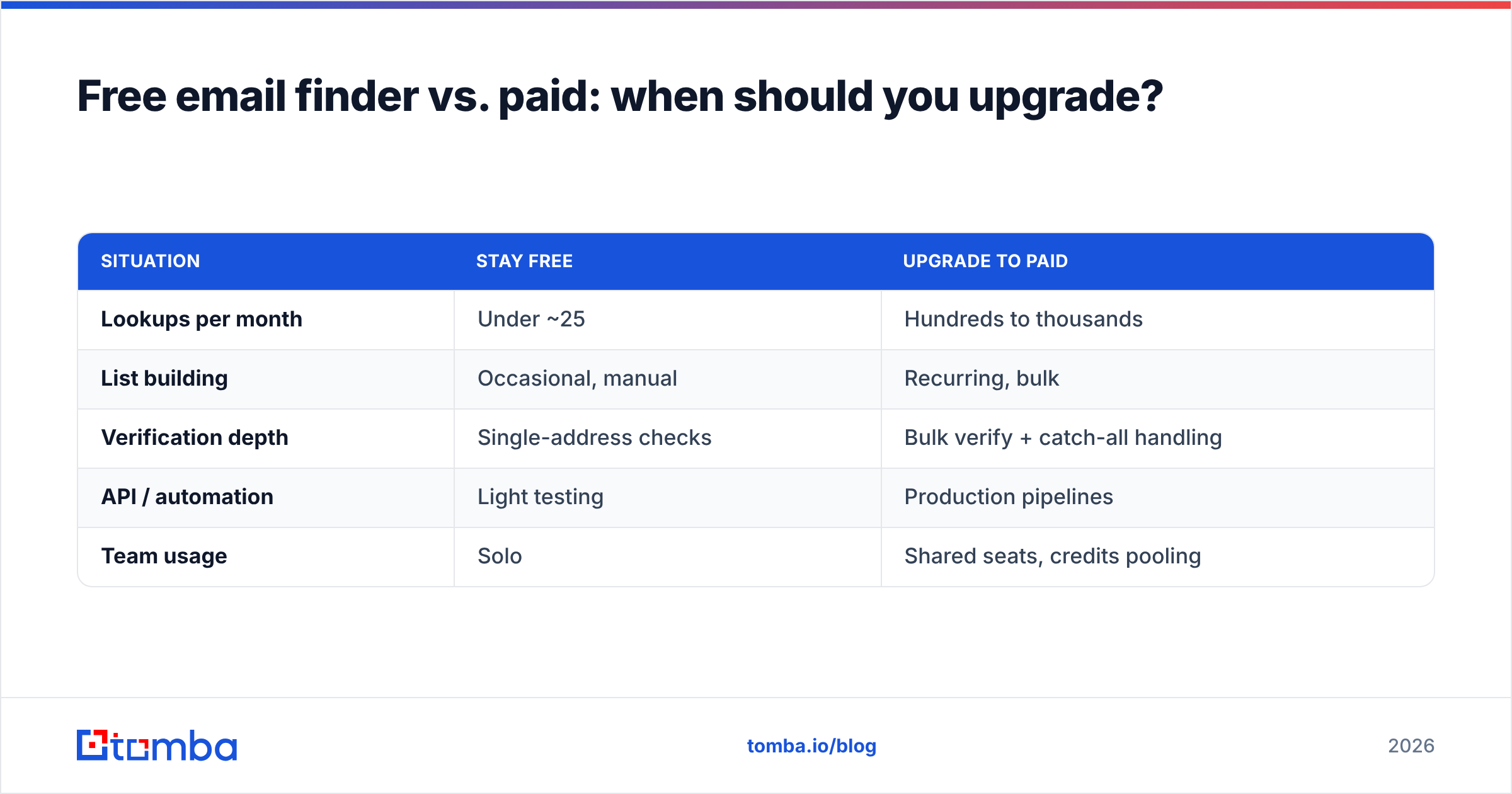
Stay free as long as your volume and your reputation tolerance allow. Upgrade the moment bounce risk or manual effort starts costing more than the subscription.
| Situation | Stay free | Upgrade to paid |
|---|---|---|
| Lookups per month | Under ~25 | Hundreds to thousands |
| List building | Occasional, manual | Recurring, bulk |
| Verification depth | Single-address checks | Bulk verify + catch-all handling |
| API / automation | Light testing | Production pipelines |
| Team usage | Solo | Shared seats, credits pooling |
The honest signal you've outgrown free: you're rationing credits or re-checking the same domains by hand. At that point the paid Tomba plans (Starter $49/mo, Growth $99/mo, Pro $249/mo) pay for themselves in recovered hours and avoided bounces. Until then, a real free tier is genuinely enough — don't let urgency pricing rush you.
One more upgrade trigger: enrichment. When you need job titles, company size, or phone numbers alongside the email, you've moved past finding into data enrichment and a phone finder, which free finders rarely cover.
How do you verify free email finder results stay deliverable?#
Build a two-step habit: find, then verify in a separate pass. Treating verification as a checkbox inside the finder is how bad addresses slip through.
A practical free-tier workflow:
- Step 1 — Find. Use domain search or name lookup to collect candidates. Export to CSV.
- Step 2 — Verify in bulk. Run the list through a dedicated email verification pass. Drop anything marked invalid; flag catch-all as risky.
- Step 3 — Segment by confidence. Send to "valid" first. Hold "risky/catch-all" for a smaller, slower warmup batch so a bad guess can't spike your whole campaign's bounce rate.
- Step 4 — Recheck stale lists. Emails decay ~22–30% a year as people change jobs. Re-verify before any list older than a quarter goes out.
This is the part free-tool reviews skip, and it's the part that protects your domain. The finder is the lead generator; the verifier is the quality gate. You need both, and the good news is both exist on genuine free tiers.
Which free email finder should you pick?#
Pick by your dominant job, not by the biggest free number on a pricing page:
- You do occasional, high-stakes lookups → Tomba free tier (25 verified searches + working API + catch-all flagging). Best accuracy-per-credit.
- You live in your browser on LinkedIn → a finder with a strong extension; Tomba's browser extension covers profile and site lookups.
- You're inside a full sales platform already → Apollo or Snov.io, accepting lighter standalone-finder quality for the bundled sequences.
- You need raw social/phone coverage → RocketReach, knowing the email free tier is tiny.
Across the field, the deciding factor in 2026 isn't who advertises the most free credits — it's who returns deliverable addresses and tells you the truth about catch-all and risky ones. On that test, a recurring free tier with built-in verification beats a generous-looking trial every time.
Start finding real emails for free#
If you want the shortest path to verified, deliverable addresses without a credit card, start with the Tomba Email Finder. The free plan gives you 25 monthly searches, domain search, catch-all flagging, and real API access — enough to build a clean prospect list, prove the accuracy on your own domains, and only upgrade when your volume genuinely demands it. Find the address, verify it, and send with your sender reputation intact.
Ready to find emails that actually work?
Join 150,000+ professionals who stopped guessing and started sending. Free credits on signup — no credit card required.
Get the Tomba newsletter
Practical outbound tactics and product updates — once every two weeks.
About the author