Bettermerge vs ContactOut 2026: Which Email Finder Wins?
Bettermerge vs ContactOut compared on accuracy, pricing, data sources, and use cases — plus where a waterfall-grade alternative like Tomba beats both in 2026.
Choosing between Bettermerge and ContactOut comes down to one question: do you want a multi-source waterfall that stitches data from many vendors, or a LinkedIn-native finder that pulls personal and work emails straight off profiles? Both find B2B contact data, but they solve the problem from opposite ends — and the gap shows up fast in your bounce rate and your bill.
This guide breaks down both tools on accuracy, pricing, data sources, coverage, and workflow fit, then shows where a single-vendor finder like Tomba quietly beats both for most outbound teams.
TL;DR — Bettermerge vs ContactOut at a glance#
- Bettermerge is a waterfall enrichment tool: it queries multiple email-finder providers in sequence and returns the first verified hit, charging only for found emails. Best when you want one bill across many data vendors.
- ContactOut is a LinkedIn-first finder, strongest at surfacing personal/Gmail addresses and phone numbers from profiles via a Chrome extension. Best for recruiters and LinkedIn-heavy prospecting.
- Accuracy is comparable on common B2B domains, but both degrade on catch-all domains unless you verify separately.
- Pricing models differ sharply — Bettermerge bills per found contact, ContactOut bills per seat with monthly credit caps.
- For most outbound teams, a single-source finder with built-in verification (like Tomba Email Finder) delivers lower cost-per-valid-email without juggling vendor waterfalls or browser extensions.
What is Bettermerge?#
Bettermerge is a waterfall enrichment platform. Instead of relying on one database, it routes each lookup through a chain of email-finder APIs — provider A, then B, then C — and returns the first result that passes verification. You pay only when a valid email comes back, which makes it attractive for teams burned by tools that charge for blanks.
The pitch is coverage. No single vendor has every contact, so querying several in a waterfall raises your overall hit rate, especially across mixed industries and regions. The trade-off is that you're renting other people's data through a router, so your unit economics depend on which underlying providers actually fire on your list.
If you've evaluated tools in this category before, the model resembles other waterfall players — and Tomba publishes a direct BetterContact alternative breakdown if you want to see how a native database compares to a router approach.

What is ContactOut?#
ContactOut is a LinkedIn-native contact finder built around a Chrome extension. You browse a profile, click, and it surfaces work emails, personal Gmail addresses, and phone numbers. It's a favorite among recruiters precisely because it digs up personal emails that work-only finders miss.
ContactOut also offers a search portal and a data export flow, but the center of gravity is the browser extension and LinkedIn workflow. That's its strength and its ceiling: if your prospecting starts on LinkedIn, it's smooth; if you're enriching a CSV of 50,000 domains from a CRM, the LinkedIn-per-profile motion fights you.
You can compare ContactOut's positioning directly against a domain-and-API-first approach on Tomba's ContactOut alternative page.
How do Bettermerge and ContactOut compare on features and pricing?#
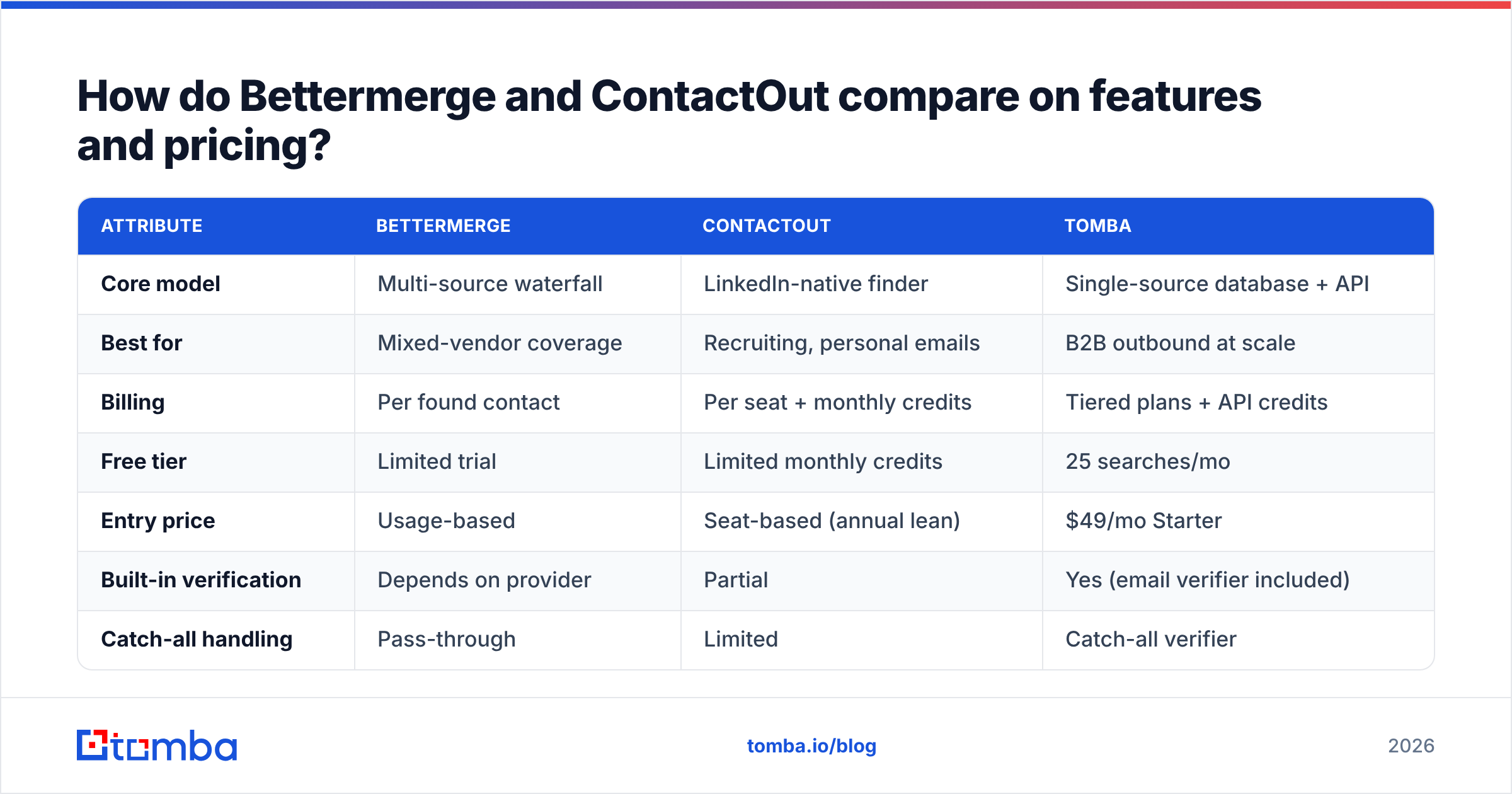
Here's the head-to-head on the attributes that actually change your cost-per-valid-lead.
| Attribute | Bettermerge | ContactOut | Tomba |
|---|---|---|---|
| Core model | Multi-source waterfall | LinkedIn-native finder | Single-source database + API |
| Best for | Mixed-vendor coverage | Recruiting, personal emails | B2B outbound at scale |
| Billing | Per found contact | Per seat + monthly credits | Tiered plans + API credits |
| Free tier | Limited trial | Limited monthly credits | 25 searches/mo |
| Entry price | Usage-based | Seat-based (annual lean) | $49/mo Starter |
| Built-in verification | Depends on provider | Partial | Yes (email verifier included) |
| Catch-all handling | Pass-through | Limited | Catch-all verifier |
| Bulk / CSV workflow | API-driven | Extension-heavy | Bulk + Sheets/Excel/API |
| Phone numbers | Some providers | Strong | Phone finder add-on |
A few things stand out. Bettermerge's per-found pricing is honest but unpredictable — your invoice swings with list quality. ContactOut's seat model is predictable but caps credits, so heavy months hit a wall. Tomba's pricing sits in between with a flat $49/mo Starter, $99/mo Growth, $249/mo Pro, and a usable free tier, so you can forecast spend before committing.

Which tool is more accurate?#
Accuracy depends less on the brand and more on the domain type you're hitting.
On standard corporate domains with clear MX records, all three tools land in a similar range — high accuracy when the email pattern is discoverable and the mailbox responds to SMTP checks. The differences appear at the edges:
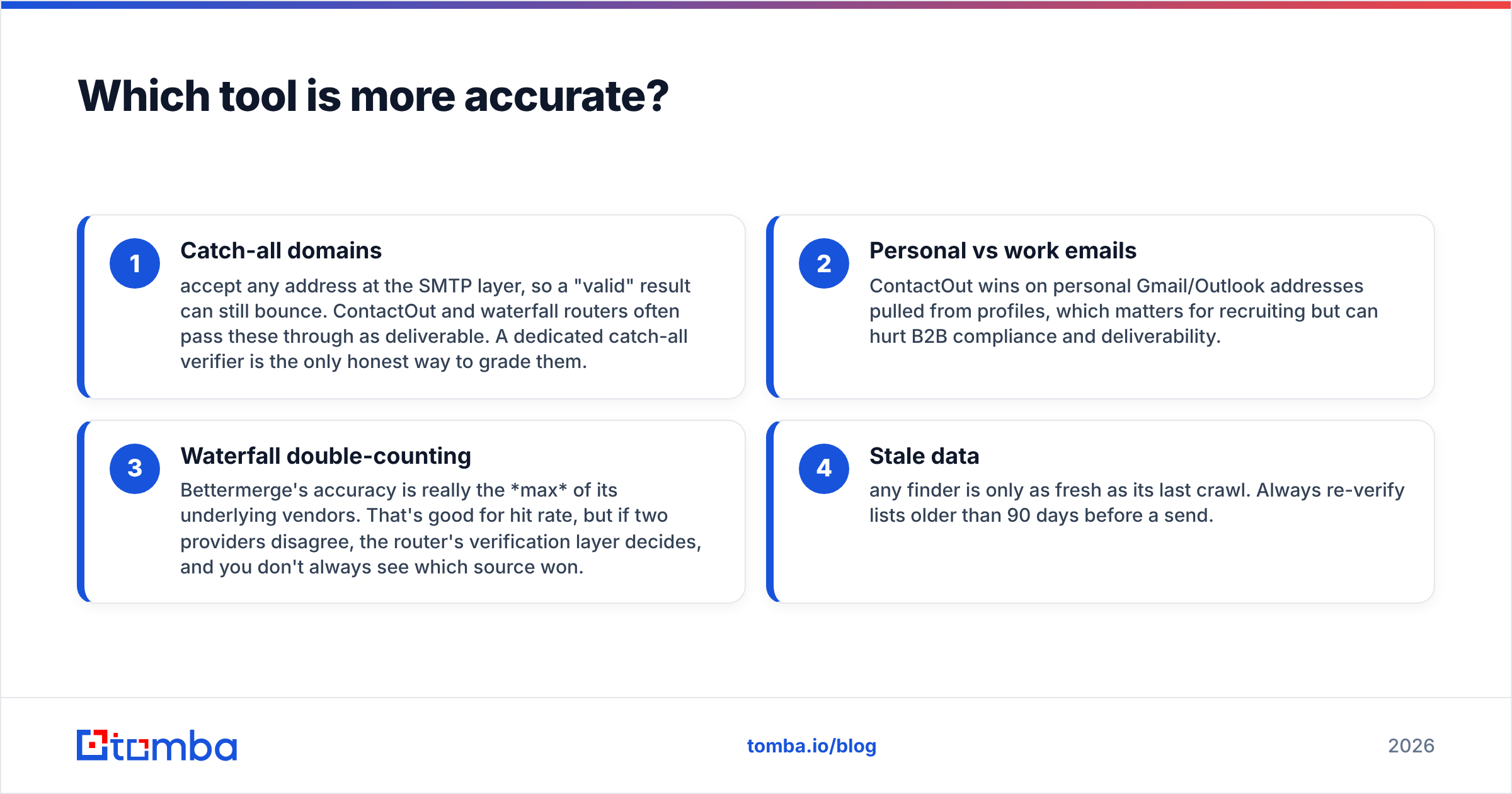
- Catch-all domains accept any address at the SMTP layer, so a "valid" result can still bounce. ContactOut and waterfall routers often pass these through as deliverable. A dedicated catch-all verifier is the only honest way to grade them.
- Personal vs work emails — ContactOut wins on personal Gmail/Outlook addresses pulled from profiles, which matters for recruiting but can hurt B2B compliance and deliverability.
- Waterfall double-counting — Bettermerge's accuracy is really the max of its underlying vendors. That's good for hit rate, but if two providers disagree, the router's verification layer decides, and you don't always see which source won.
- Stale data — any finder is only as fresh as its last crawl. Always re-verify lists older than 90 days before a send.
The practical takeaway: treat "found" and "valid" as two different states. Run every list through an email verifier regardless of which finder sourced it, and you'll cut bounces more than by switching finders.
Is Bettermerge or ContactOut better for cold outbound?#
For pure cold outbound at volume, neither is ideal out of the box — and that's not a knock, it's a fit problem.
Bettermerge shines when you already have a CRM full of companies and need to fill contact gaps through an API, paying only for hits. But you still need a separate verification pass and a separate sending stack, so it's one piece of a bigger machine.
ContactOut shines when a human is researching named accounts on LinkedIn and wants the email and phone in two clicks. That's a sales-rep or recruiter motion, not a 50,000-row automated enrichment job.
If your outbound looks like "give me every reachable contact at these 2,000 domains, verified, in a CSV by Friday," you want a tool built for that shape — domain search plus bulk plus verification in one place. That's where a single-vendor platform pulls ahead, because you're not paying a margin on routed data or clicking through profiles one at a time. Tomba's domain search returns every known address on a company domain with the pattern and confidence score attached, and the bulk email finder runs the same job across thousands of rows.

Where does Tomba fit between them?#
Tomba is the single-source answer to a problem both tools solve indirectly. Instead of renting a waterfall or scraping LinkedIn profile-by-profile, Tomba runs its own B2B database and pairs the finder with verification natively, so "found" and "valid" happen in one step.
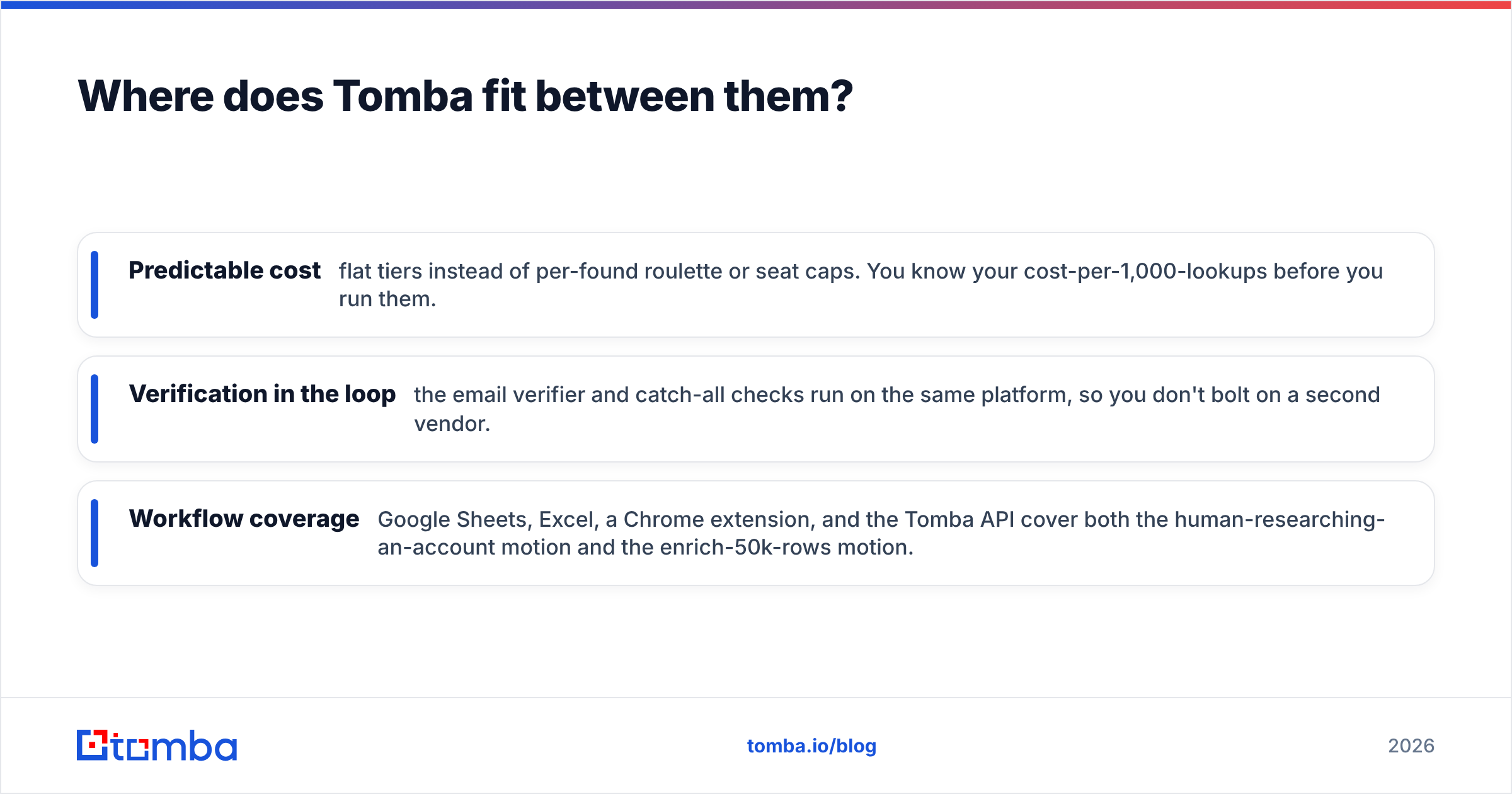
That structure produces three concrete advantages for outbound teams:
- Predictable cost — flat tiers instead of per-found roulette or seat caps. You know your cost-per-1,000-lookups before you run them.
- Verification in the loop — the email verifier and catch-all checks run on the same platform, so you don't bolt on a second vendor.
- Workflow coverage — Google Sheets, Excel, a Chrome extension, and the Tomba API cover both the human-researching-an-account motion and the enrich-50k-rows motion.
It isn't magic — on a niche LinkedIn-only personal-email task, ContactOut may still surface a Gmail that a B2B database won't carry. The point is that for the standard outbound and RevOps job, you get most of the coverage with far less plumbing and a cleaner bill.
For a transparency check on sourcing, Tomba documents where its data comes from, which matters when you're stress-testing accuracy claims from any vendor — including waterfall routers that can be vague about which provider actually delivered a contact.
How should you choose between Bettermerge, ContactOut, and Tomba?#
Match the tool to the motion, not the marketing:
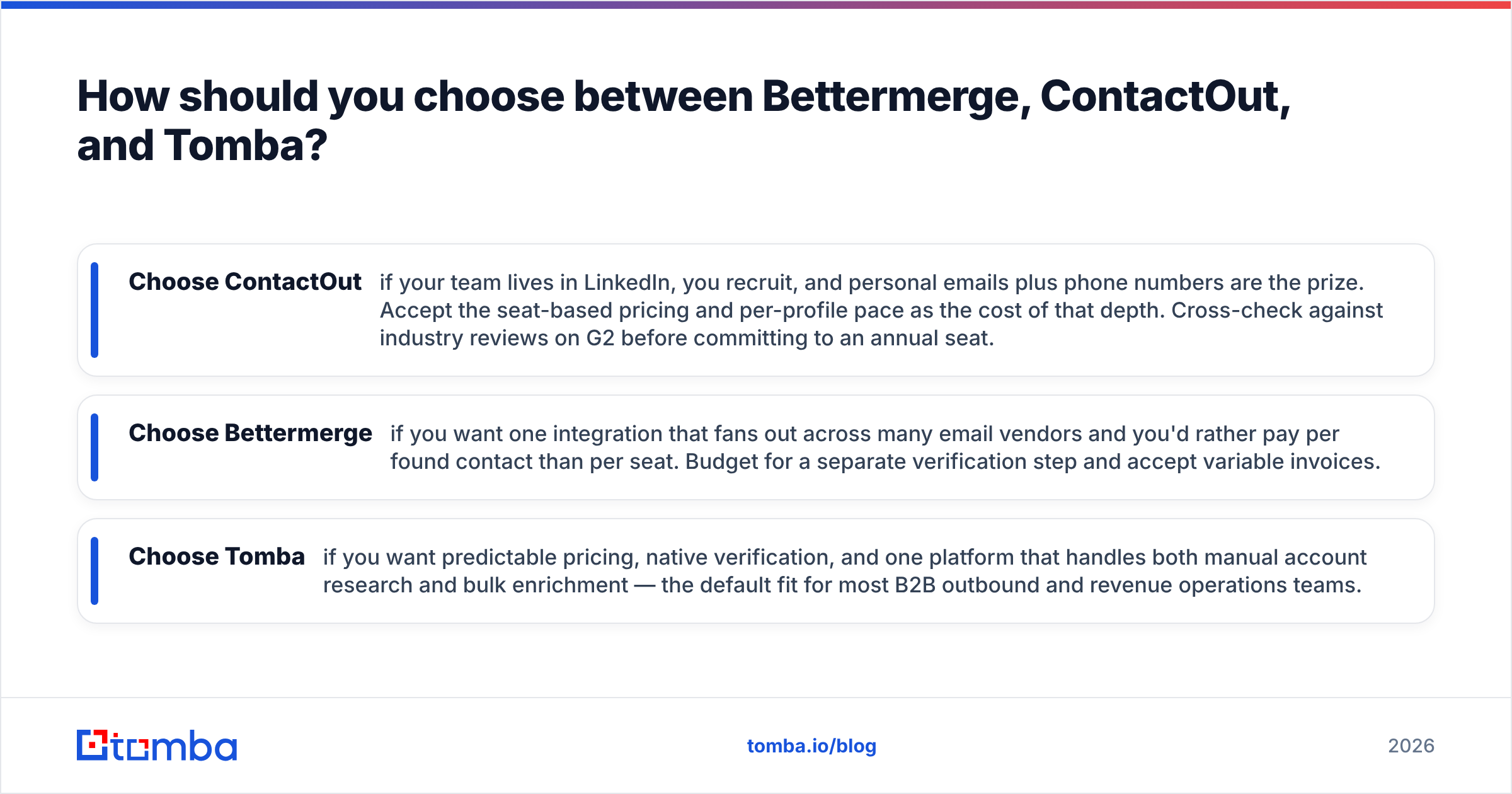
- Choose ContactOut if your team lives in LinkedIn, you recruit, and personal emails plus phone numbers are the prize. Accept the seat-based pricing and per-profile pace as the cost of that depth. Cross-check against industry reviews on G2 before committing to an annual seat.
- Choose Bettermerge if you want one integration that fans out across many email vendors and you'd rather pay per found contact than per seat. Budget for a separate verification step and accept variable invoices.
- Choose Tomba if you want predictable pricing, native verification, and one platform that handles both manual account research and bulk enrichment — the default fit for most B2B outbound and revenue operations teams.
Whatever you pick, validate the claim yourself. Pull a sample of 100 known-good contacts, run them through each finder, then verify every result independently. The tool that gives you the highest verified hit rate per dollar wins — and that's rarely the one with the loudest accuracy headline. Vendor-neutral directories like Capterra are useful for surfacing edge-case complaints before you trial.
Frequently asked questions#
Is Bettermerge better than ContactOut? Neither is universally better. Bettermerge's waterfall maximizes coverage across mixed lists; ContactOut maximizes LinkedIn and personal-email depth. Your list type and workflow decide the winner.
Does ContactOut find personal emails? Yes — surfacing personal Gmail and Outlook addresses from LinkedIn profiles is one of its strongest features, which is why recruiters favor it. For B2B sending, lean on verified work emails instead.
Why verify emails if the finder already did? Finders report "found," not "deliverable." Catch-all domains and stale records slip through. A dedicated verification pass is the only way to protect email deliverability and keep bounce rates low.
What's the cheapest way to start? Tomba's free tier gives 25 searches per month with no card, so you can benchmark accuracy against your own list before paying anything.
The bottom line#
Bettermerge and ContactOut are good tools aimed at specific jobs — waterfall coverage and LinkedIn depth, respectively. But most outbound teams don't need a router or a browser-bound recruiting workflow; they need verified B2B emails at a predictable cost, in bulk and via API.
That's the gap Tomba fills. Start with the Tomba Email Finder free tier, run your own 100-contact bake-off against both alternatives, and let the verified hit rate — not the pitch deck — pick your winner. Find emails by domain, name, or company, verify them in the same pass, and ship a clean list without stitching three vendors together.
// get started
Find, verify and enrich your first contacts today
Start on the free plan with 25 searches a month, then scale when your team is ready.
Free plan · No credit card required · GDPR & CCPA
// about the author