Bettermerge vs GetProspect (2026): Honest Tool Comparison
Bettermerge vs GetProspect in 2026: accuracy, pricing, integrations, and outreach features compared side by side—plus where each one quietly costs you leads.
Choosing between Bettermerge and GetProspect usually comes down to one question that neither website answers cleanly: which one actually finds correct, reach-the-inbox email addresses for the people you want to sell to? Everything else—UI, integrations, credits—matters only after that.
This is a neutral, feature-by-feature breakdown for 2026. No tribal loyalty, no "they're all great" hand-waving. Where one tool wins, it wins; where a third option does the job cheaper, we'll say so.
TL;DR — Bettermerge vs GetProspect in one screen#
- GetProspect is a mature LinkedIn-first email finder with a built-in CRM, bulk enrichment, and a free tier. It's strong if you live inside LinkedIn Sales Navigator and want list-building plus light outreach in one place.
- Bettermerge positions itself around data merging, deduplication, and enrichment workflows—useful when your problem is messy lists, not no list. Its email-discovery depth is narrower than a dedicated finder.
- Accuracy and verification are where buyers get burned. A finder that returns an unverified guess is worse than no result, because it silently torches your sender reputation.
- On raw cost-per-verified-email, both are beatable. Tomba pricing starts at a free tier (25 searches/mo) and $49/mo Starter—often below the per-credit math of either tool once you factor in verification.
- Pick by job: list-building from LinkedIn → GetProspect; cleaning and merging existing data → Bettermerge; high-accuracy finding + verification at scale → a dedicated email finder.
What are Bettermerge and GetProspect?#
GetProspect is an established B2B lead-generation platform. Its core loop is: search or import companies and people, pull professional email addresses, verify them, store them in a lightweight CRM, and optionally push them into outreach or your real CRM. It leans heavily on a LinkedIn Chrome extension, so reps who prospect inside Sales Navigator can build lists without leaving the page. You can confirm current capabilities on the official GetProspect site.
Bettermerge sits closer to the data-operations end of the spectrum. The name signals the value: merging records, deduplicating contacts, normalizing fields, and enriching rows that are missing emails, titles, or company data. If your CRM is a swamp of half-complete records and duplicates, that's the problem Bettermerge is built to drain. Email discovery exists, but it's one feature inside a cleanup-and-enrich story rather than the headline act.
That difference in DNA matters more than any feature checkbox. One tool's job is acquire new contacts; the other's is fix the contacts you already have. Teams often need both—just rarely from the same vendor.

How do Bettermerge and GetProspect compare at a glance?#
Here's the honest side-by-side. Treat pricing as directional—both vendors change tiers, so confirm on their pricing pages before you buy.
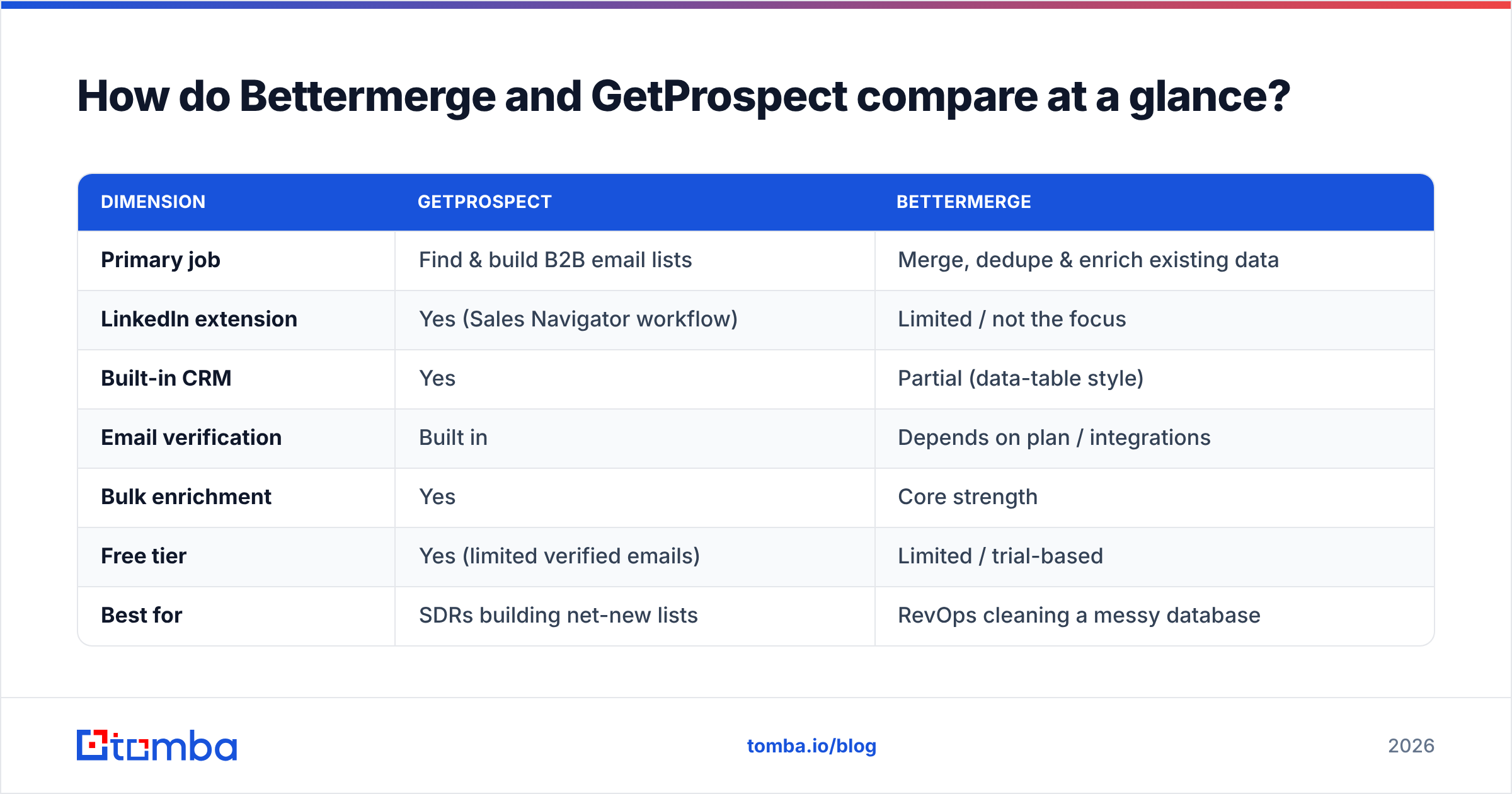
| Dimension | GetProspect | Bettermerge |
|---|---|---|
| Primary job | Find & build B2B email lists | Merge, dedupe & enrich existing data |
| LinkedIn extension | Yes (Sales Navigator workflow) | Limited / not the focus |
| Built-in CRM | Yes | Partial (data-table style) |
| Email verification | Built in | Depends on plan / integrations |
| Bulk enrichment | Yes | Core strength |
| Free tier | Yes (limited verified emails) | Limited / trial-based |
| Best for | SDRs building net-new lists | RevOps cleaning a messy database |
| Weak spot | Credits burn fast on bulk | Thinner net-new discovery |
If you only read one row, read "Primary job." Buying GetProspect to clean a database, or Bettermerge to source thousands of net-new contacts, is how teams end up paying for two tools and being happy with neither.
Which has better email-finding accuracy?#
Accuracy is the whole game, and it's the metric marketing pages are vaguest about. A tool advertising "98% accuracy" usually means of the emails we chose to return, after silently dropping everything it wasn't sure about. Coverage (how many of your targets it finds at all) and accuracy (how many of those are correct) pull against each other.

For a net-new prospecting motion, GetProspect generally finds more addresses than Bettermerge simply because finding is its core function and it draws on LinkedIn signals. Bettermerge tends to shine when the email already half-exists in your data and just needs enrichment or correction.
But "found" is not "deliverable." Every returned address should pass:
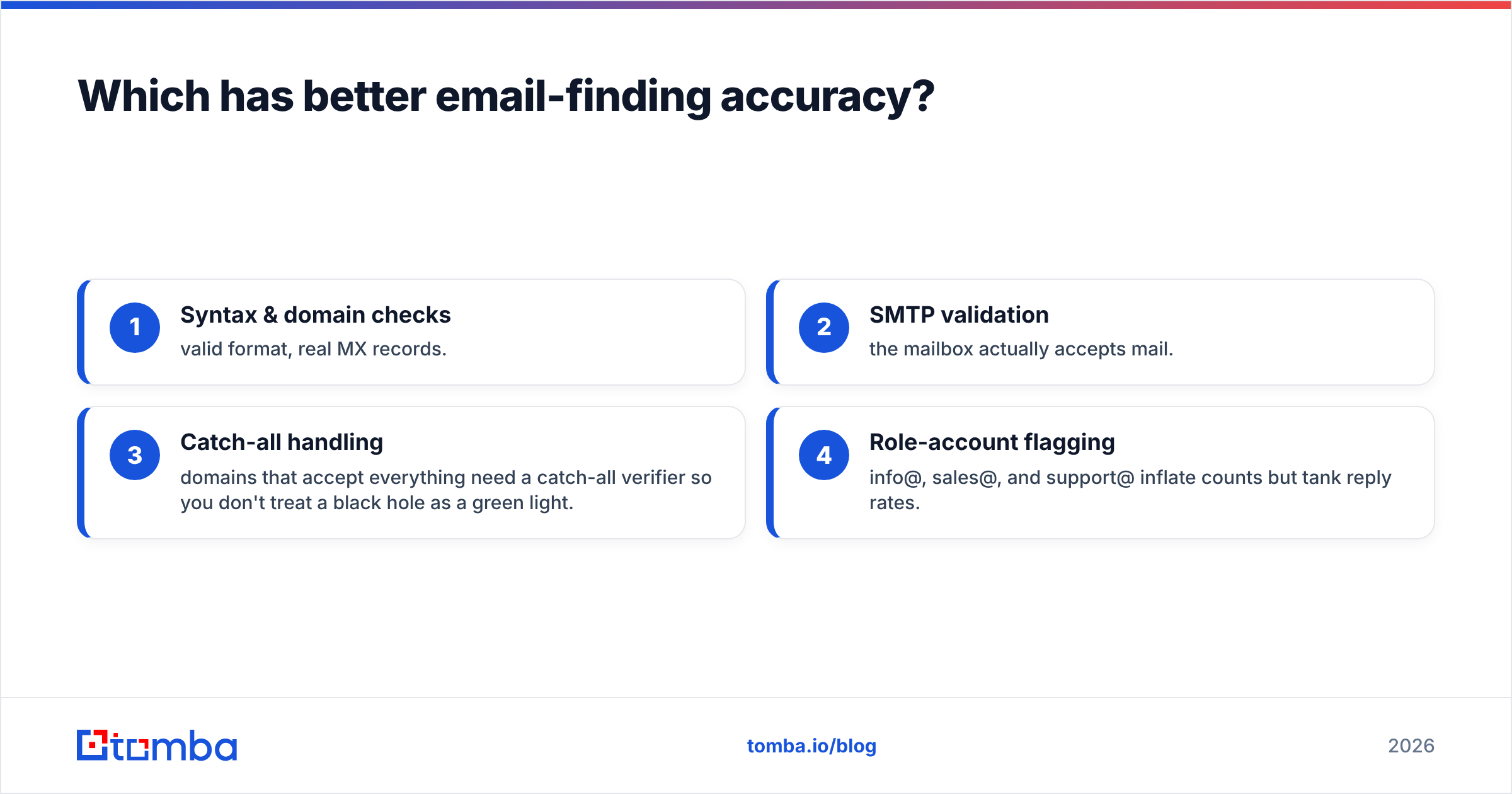
- Syntax & domain checks — valid format, real MX records.
- SMTP validation — the mailbox actually accepts mail.
- Catch-all handling — domains that accept everything need a catch-all verifier so you don't treat a black hole as a green light.
- Role-account flagging — info@, sales@, and support@ inflate counts but tank reply rates.
If a finder hands you addresses without this, run them through a dedicated email verifier before a single send. The cost of skipping it isn't abstract—bounces above ~2% drag your email deliverability and can get your domain throttled. One bad bulk send poisons every campaign that follows.
How does pricing stack up?#
Both tools sell credits, and credit math is where the real price hides. The sticker number is rarely the number you pay per usable, verified email.
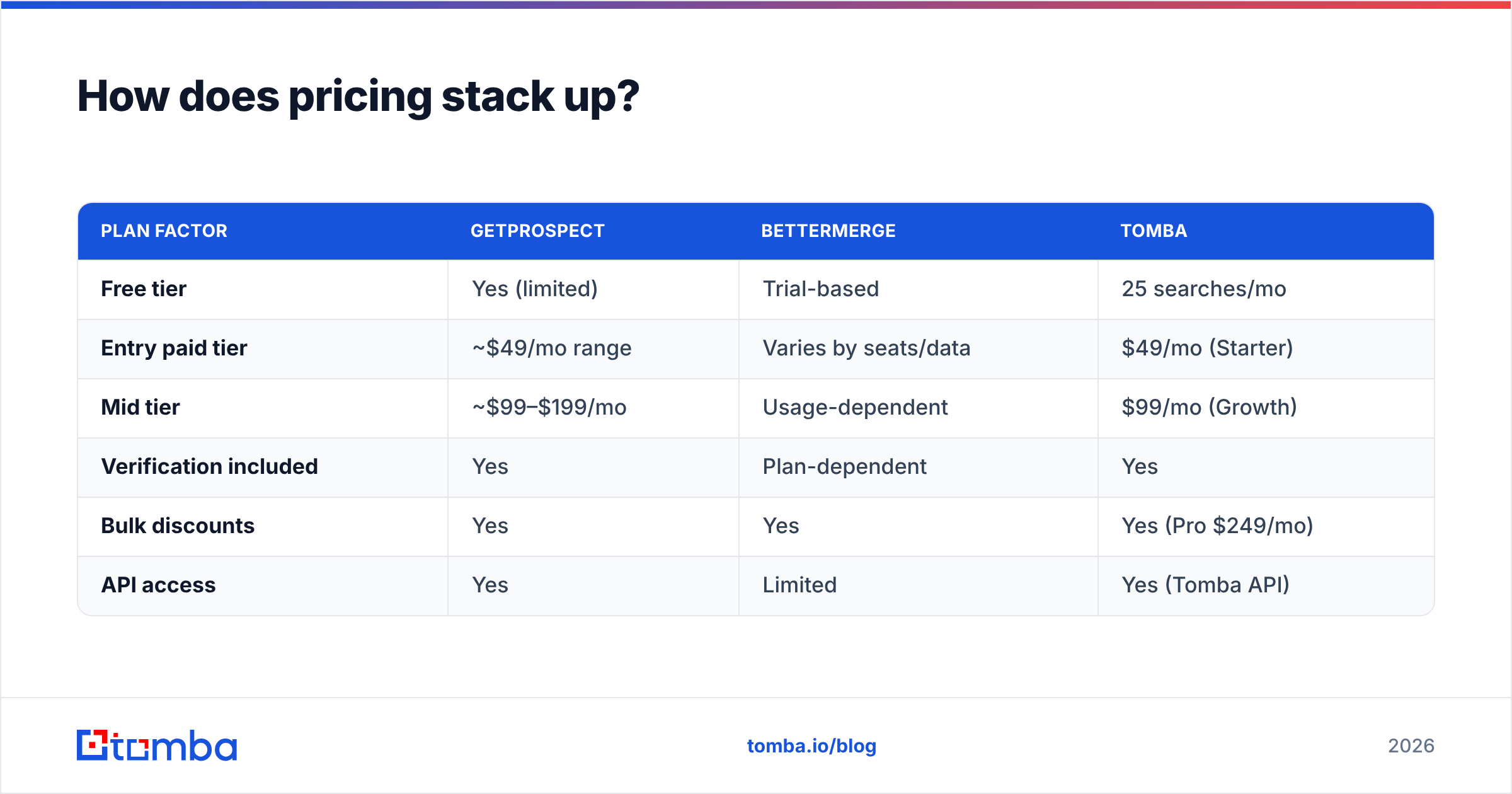
| Plan factor | GetProspect | Bettermerge | Tomba |
|---|---|---|---|
| Free tier | Yes (limited) | Trial-based | 25 searches/mo |
| Entry paid tier | ~$49/mo range | Varies by seats/data | $49/mo (Starter) |
| Mid tier | ~$99–$199/mo | Usage-dependent | $99/mo (Growth) |
| Verification included | Yes | Plan-dependent | Yes |
| Bulk discounts | Yes | Yes | Yes (Pro $249/mo) |
| API access | Yes | Limited | Yes (Tomba API) |
Two traps to watch on either platform:
- Unverified results still cost credits. If a tool charges you to "find" an address it can't verify, you're paying for guesses.
- Enrichment and find are billed separately. Building a list and then enriching it can double your effective per-contact cost.
Run your own break-even: take a typical month's volume, divide your plan cost by the number of emails that survive verification, and compare per-verified-email. That single number reorders most vendor comparisons—and it's why teams running real volume keep landing on Tomba pricing after the spreadsheet math.
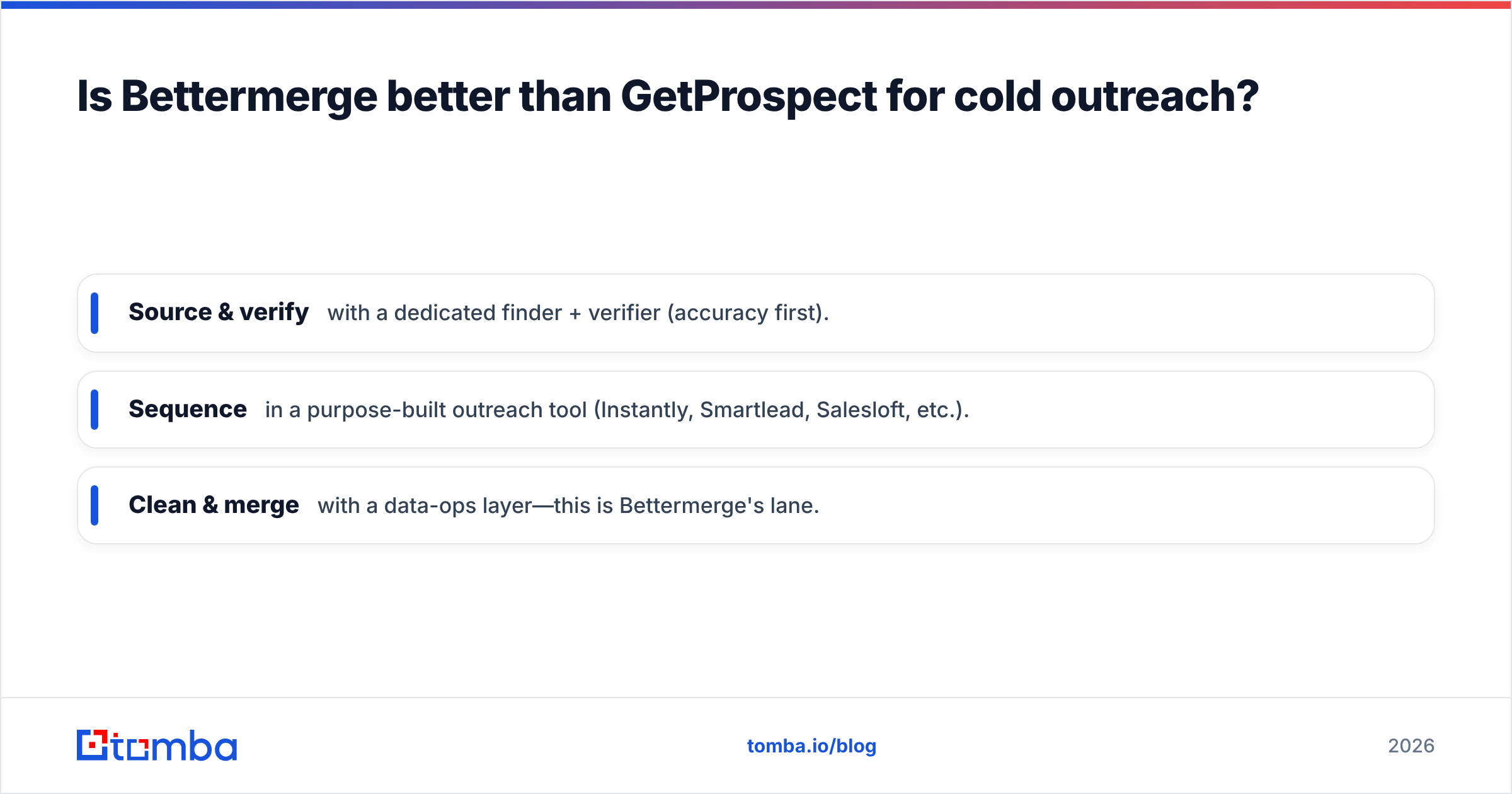
Is Bettermerge better than GetProspect for cold outreach?#
For outreach itself, neither is a full sequencer—and that's fine. GetProspect bundles light sending and a CRM, which is enough for a solo SDR or a small team running modest volume. Bettermerge isn't trying to be your outreach tool at all; it feeds clean data into whatever you already use.
The practical pattern most teams settle on:
- Source & verify with a dedicated finder + verifier (accuracy first).
- Sequence in a purpose-built outreach tool (Instantly, Smartlead, Salesloft, etc.).
- Clean & merge with a data-ops layer—this is Bettermerge's lane.
Trying to force one tool to do all three is how reps end up with a CRM full of stale, duplicated, unverified contacts. If your bottleneck is list quality, Bettermerge earns its seat. If it's list existence, GetProspect (or a finder) does. Outreach performance is downstream of both: clean, verified data is what actually lifts your response rate, not the send tool's UI.
Where does Tomba fit between them?#
Tomba is worth a direct look precisely because the Bettermerge-vs-GetProspect choice often presents a false binary: "list-builder" vs "data-cleaner." Tomba's stack covers the finding and verification core that both rely on, then exposes it through the channels your team actually works in.

| Capability | What Tomba offers |
|---|---|
| Find by name/company | Email Finder |
| Find every email on a domain | Domain Search |
| Verify before you send | Email Verifier + catch-all verifier |
| Work where you live | Chrome extension, Google Sheets, Excel |
| Scale & automate | Bulk email finder, API |
| Enrich records | Data enrichment |
The pitch isn't "Tomba does everything." It's that the accuracy core—find, then verify, then catch-all check—is the part you can't afford to get wrong, and Tomba prices that core transparently. If you still need heavy deduplication, pair it with a data-ops tool; if you need a LinkedIn-native list workflow, the LinkedIn finder covers that angle.
For deeper comparisons against the broader market, vendor-review sites like G2 and buyer guides from HubSpot are useful neutral checkpoints before committing budget.
Which should you choose?#
Decide by your actual bottleneck, not by feature lists:
- You're an SDR building net-new lists from LinkedIn → GetProspect's extension and CRM make it the smoother daily driver.
- Your CRM is a duplicate-ridden mess → Bettermerge's merge-and-enrich focus is the right tool for that specific pain.
- Accuracy and verified deliverability are the priority, at any volume → lead with a dedicated finder + verifier, then bolt on outreach and cleanup tools as needed.
- You're cost-sensitive and measure per-verified-email → run the break-even math; it usually favors a transparent, verification-included finder.
The mistake isn't picking the "wrong" tool—it's buying one tool to do a job it was never built for, then blaming the category. Match the tool to the bottleneck and both of these products look a lot smarter.
Frequently asked questions#
Is GetProspect or Bettermerge more accurate? For net-new discovery, GetProspect typically finds more addresses because finding is its core. Bettermerge is stronger at correcting and enriching data you already hold. Either way, verify every address before sending.
Do I need a separate email verifier? Yes, unless your finder verifies in real time and handles catch-all domains. Unverified sends are the fastest way to wreck sender reputation.
Can I use these alongside Tomba? Absolutely. Many teams use a data-ops tool for cleanup, a finder for accuracy, and an outreach tool for sequencing. They're complements, not either/or.
The bottom line#
Bettermerge and GetProspect solve adjacent but different problems—cleaning data versus building lists—so the "winner" depends entirely on your bottleneck. What neither lets you skip is verified accuracy, because every guessed address you send to chips away at the deliverability that makes the next campaign work.
If finding correct, ready-to-send email addresses is the job to be done, start with the Tomba Email Finder: find by name, company, or domain, verify in the same flow, and keep your per-verified-email cost honest. Spin up the free tier (25 searches/mo), test it against your real target list, and let the bounce rate—not the marketing page—make the call.
Ready to find emails that actually work?
Join 150,000+ professionals who stopped guessing and started sending. Free credits on signup — no credit card required.
Get the Tomba newsletter
Practical outbound tactics and product updates — once every two weeks.
About the author