Bettermerge vs Zintlr: B2B Data Tools Compared (2026)
Bettermerge cleans and merges your CRM data; Zintlr finds and enriches new B2B contacts. Here's which one fits your pipeline in 2026 — and where a dedicated finder beats both.
Choosing between Bettermerge and Zintlr feels harder than it should, because the two tools barely do the same job. One cleans the data you already own. The other goes out and finds data you don't have yet. If you pick based on a feature-matrix screenshot alone, you'll buy the wrong one and still have a broken pipeline.
This guide breaks down what each platform actually does, where each one wins, what they cost, and when a dedicated email finder beats both for the specific job of turning a name and a company into a verified, deliverable contact.
TL;DR — Bettermerge vs Zintlr in five lines#
- Bettermerge is a data-hygiene tool: it deduplicates, merges, and standardizes records that already live in your CRM or spreadsheets.
- Zintlr is a prospecting and sales-intelligence platform: it surfaces new B2B contacts, company data, and personality/behavioral insights for outreach.
- They solve opposite ends of the same problem — Zintlr fills the funnel, Bettermerge keeps it clean. Many teams eventually need both.
- Neither is a best-in-class email finder; coverage and verification depth lag behind a focused tool when accuracy is the only metric that matters.
- If your real bottleneck is "find a correct, verified email for this person at this company," a dedicated email finder like Tomba is faster, cheaper, and more accurate than either.
What is Bettermerge?#
Bettermerge is a data-quality and deduplication tool. Think of it as a dishwasher for your CRM: you load in messy, duplicated, half-empty records, and it returns clean, merged, standardized ones. It does not go find new prospects — it makes the contacts you already have usable.
Typical jobs Bettermerge handles well:
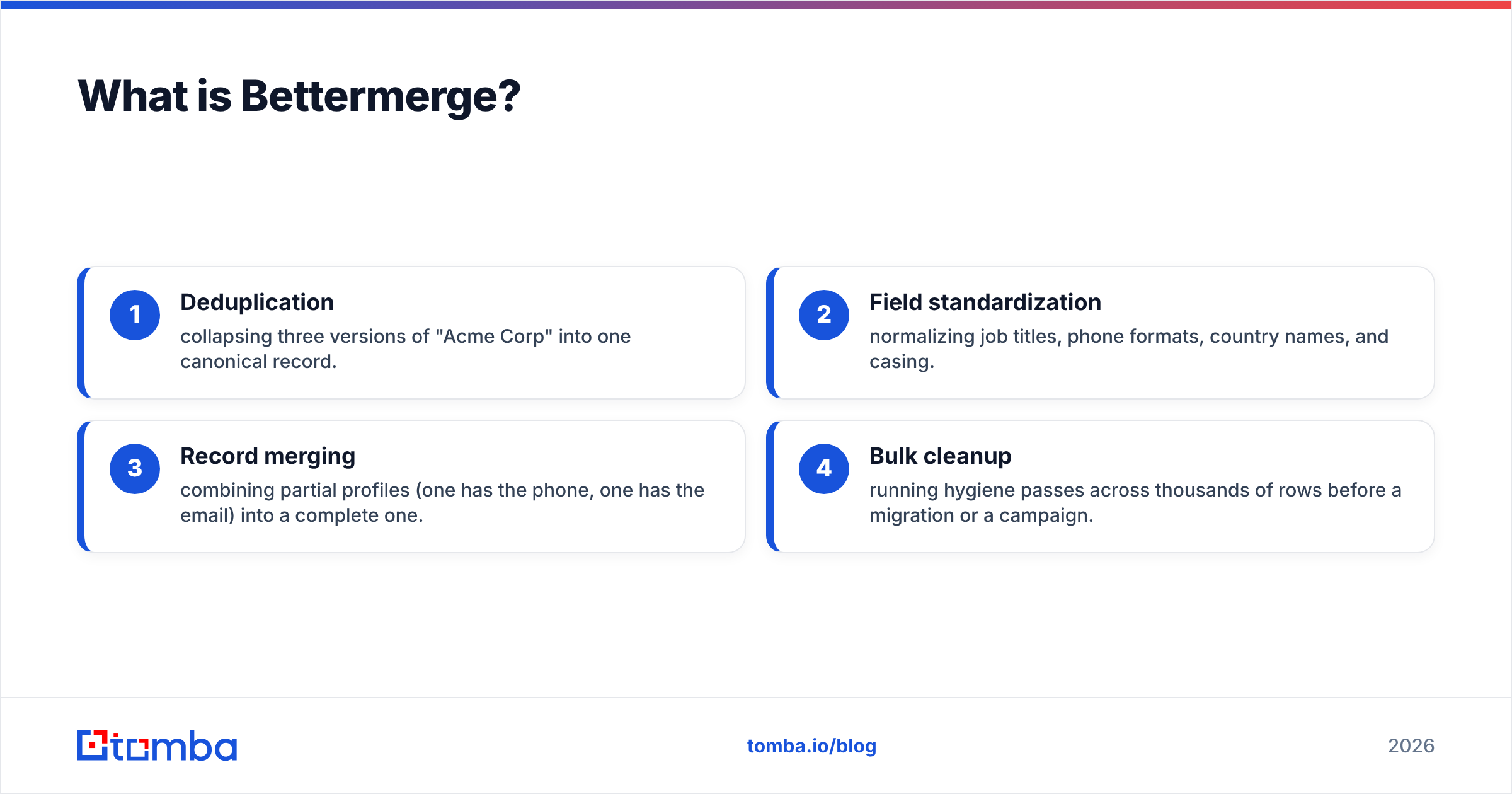
- Deduplication — collapsing three versions of "Acme Corp" into one canonical record.
- Field standardization — normalizing job titles, phone formats, country names, and casing.
- Record merging — combining partial profiles (one has the phone, one has the email) into a complete one.
- Bulk cleanup — running hygiene passes across thousands of rows before a migration or a campaign.
If your team has imported lists from five sources over three years and your CRM is now a swamp, Bettermerge is the kind of tool that earns its keep. But it can only work with data you already possess. Garbage in, cleaner garbage out — it cannot create a contact that isn't there.
)
What is Zintlr?#
Zintlr is a B2B sales-intelligence and prospecting platform. Where Bettermerge cleans, Zintlr collects. It gives you a contact database, company firmographics, and its signature differentiator — "personality intelligence," which attempts to profile a prospect's communication style so reps can tailor outreach.
Core Zintlr capabilities:
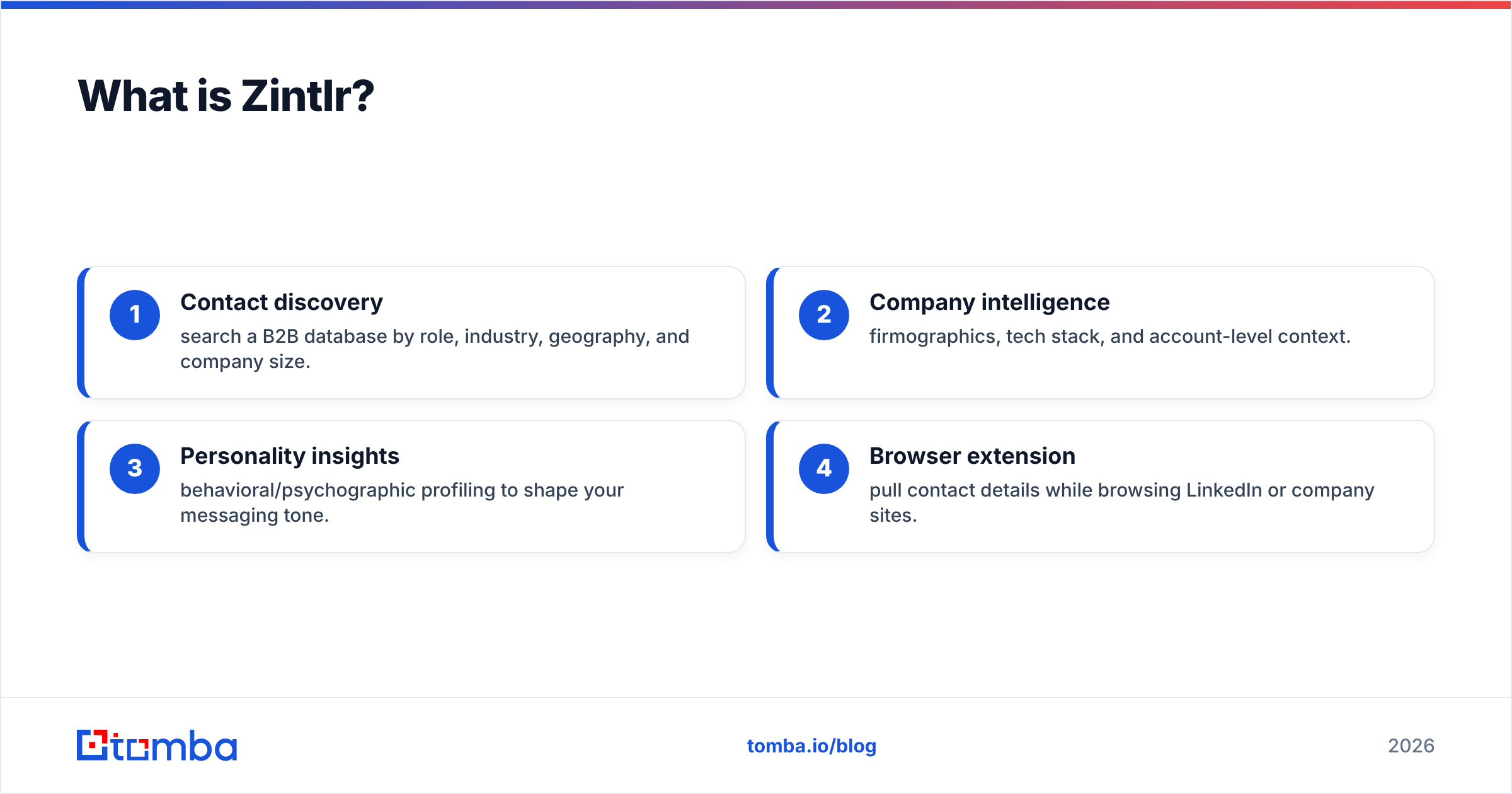
- Contact discovery — search a B2B database by role, industry, geography, and company size.
- Company intelligence — firmographics, tech stack, and account-level context.
- Personality insights — behavioral/psychographic profiling to shape your messaging tone.
- Browser extension — pull contact details while browsing LinkedIn or company sites.
Zintlr is aimed at SDRs and founders who want a single pane that goes from "who should I talk to" to "how should I talk to them." The trade-off is that breadth comes at the cost of depth: when you only need a verified email address, you're paying for an intelligence layer you may never use, and the email accuracy underneath is not the platform's headline strength.
Bettermerge vs Zintlr: how do they compare directly?#
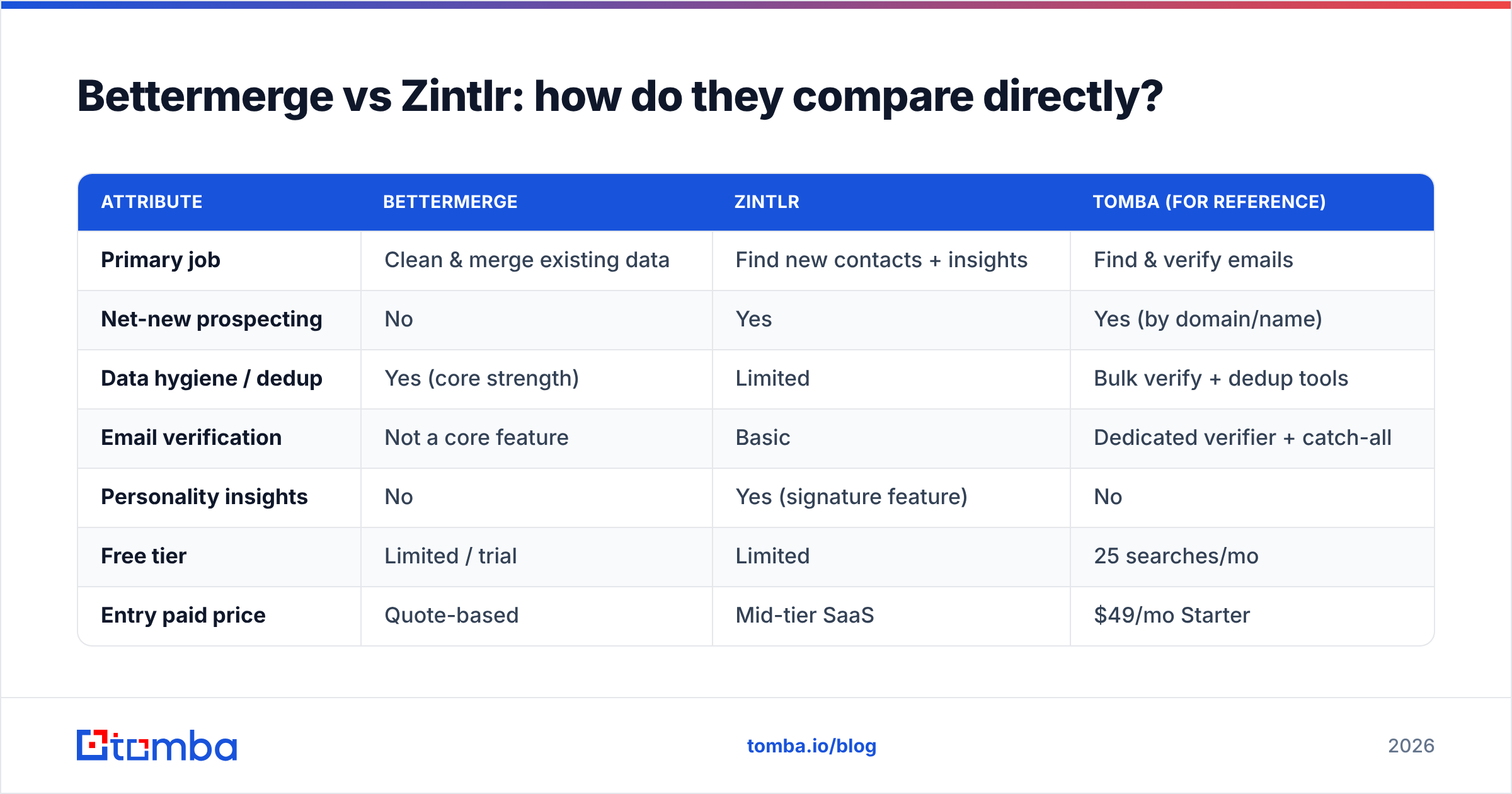
Because the two tools sit at different stages of the data lifecycle, the honest comparison is about job-to-be-done, not a feature checklist. Here's the side-by-side.
| Attribute | Bettermerge | Zintlr | Tomba (for reference) |
|---|---|---|---|
| Primary job | Clean & merge existing data | Find new contacts + insights | Find & verify emails |
| Net-new prospecting | No | Yes | Yes (by domain/name) |
| Data hygiene / dedup | Yes (core strength) | Limited | Bulk verify + dedup tools |
| Email verification | Not a core feature | Basic | Dedicated verifier + catch-all |
| Personality insights | No | Yes (signature feature) | No |
| Free tier | Limited / trial | Limited | 25 searches/mo |
| Entry paid price | Quote-based | Mid-tier SaaS | $49/mo Starter |
| API access | Varies | Yes | Yes (Tomba API) |
| Best for | RevOps cleanup | SDR prospecting | Verified contact sourcing |
The pattern is clear: these tools are complements as often as competitors. A mature go-to-market motion runs prospecting (Zintlr-style), sourcing/verification (a finder), and hygiene (Bettermerge-style) as three distinct stages. Forcing one tool to do all three is where pipelines break.
Is Zintlr better than Bettermerge?#
Neither is "better" — they answer different questions. Pick by your bottleneck, not by reviews.
- Choose Bettermerge if your CRM is full but dirty. You have the contacts; you just can't trust them. Duplicates are inflating your reporting and reps are emailing the same lead twice. Your problem is quality, not quantity.
- Choose Zintlr if your CRM is clean but thin. You've run out of people to contact and you want net-new accounts plus context on how to approach them. Your problem is quantity and insight.
- Choose neither if your single recurring task is "I have a name and a company, get me their verified work email." That's a finder's job, and a generalist platform will cost more and verify less.
That third case is more common than vendors admit. Most outbound teams don't have a data-cleaning crisis or an intelligence gap — they have a "this email bounced and killed my domain reputation" problem. For that, accuracy and verification beat breadth every time. You can read more on why bounce rates wreck deliverability in our note on email deliverability.
How accurate is the data — and why does it matter?#
Accuracy is the metric that quietly decides whether your campaign works. A platform can show you a million contacts, but if 20% of the emails bounce, you've torched your sender reputation and landed the rest in spam. Volume without verification is a liability, not an asset.
Here's the uncomfortable reality for all-in-one tools: every feature they add (personality profiling, intent, tech stack, dedup logic) is engineering effort not spent on the unglamorous work of validating that an email actually accepts mail today. That's why specialized finders and verifiers tend to outperform suites on the one metric that controls bounce rate.
)
Three things to demand from any data source before you trust it:
- Real-time verification, not a stale "verified 18 months ago" flag. Pair sourcing with an email verifier that checks at send time.
- Catch-all handling — many corporate domains accept everything, so a naive check passes addresses that silently vanish. A proper catch-all verifier distinguishes deliverable from dead.
- Transparent sourcing — you should know where a record came from. Tomba documents its data sources so you can judge accuracy instead of guessing.
If you only take one thing from this section: treat any contact as a hypothesis until it's verified, regardless of which platform surfaced it.
What about pricing — which is more cost-effective?#
Bettermerge and Zintlr both lean toward quote-based or mid-tier SaaS pricing that scales with seats, credits, and feature tiers. That's fine if you're buying the full intelligence or hygiene suite. It's wasteful if 90% of your usage is "find and verify this email."
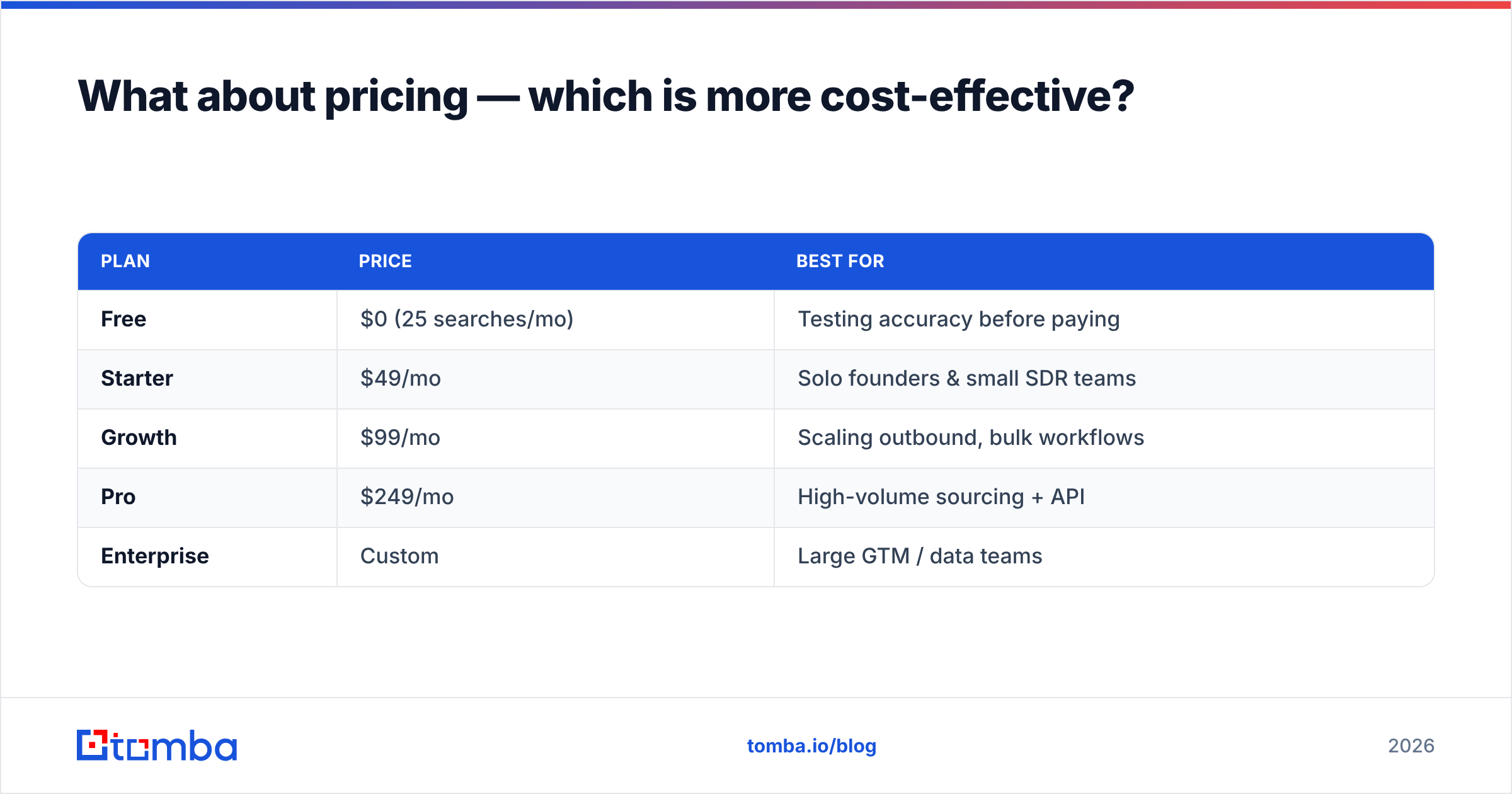
For comparison, dedicated finder pricing is built around exactly that job. Tomba's published tiers are straightforward:
| Plan | Price | Best for |
|---|---|---|
| Free | $0 (25 searches/mo) | Testing accuracy before paying |
| Starter | $49/mo | Solo founders & small SDR teams |
| Growth | $99/mo | Scaling outbound, bulk workflows |
| Pro | $249/mo | High-volume sourcing + API |
| Enterprise | Custom | Large GTM / data teams |
You can see full Tomba pricing for credit counts per tier. The takeaway isn't "Tomba is cheapest at everything" — it's that you should match spend to the job. Paying suite prices for single-job usage is the most common B2B-data budget leak.
Before committing to any vendor, cross-check current plans on a neutral marketplace like G2 or Capterra, and read the official feature pages — Bettermerge and Zintlr — since tiers and limits shift quarterly.
Can you use them together — and where does a finder fit?#
Yes, and for many teams the strongest stack uses all three layers:
- Source new, verified contacts with a dedicated finder (find the email, confirm it's deliverable).
- Enrich and prospect at the account level with an intelligence platform like Zintlr when you need context and personality angles.
- Clean and dedupe the resulting records with a hygiene tool like Bettermerge before they pollute your CRM.
The mistake is starting in the middle. If you prospect with an intelligence tool but skip verification, you feed Bettermerge dirty data and pay to clean what should never have entered. Put a finder + verifier at the front of the pipeline and the downstream cleanup shrinks dramatically. For teams working in spreadsheets, the bulk email finder handles list-scale sourcing, while the domain search pulls every known address at a target company in one pass.
This is also where workflow integrations matter. A finder that drops verified contacts straight into your CRM via Tomba's integrations — HubSpot, Salesforce, Pipedrive, Sheets — keeps the "source → verify → store" loop tight, so Bettermerge has less mess to fix and Zintlr's intelligence sits on records you can actually reach.
Bettermerge vs Zintlr: the verdict#
Bettermerge and Zintlr aren't really rivals — they're two stages of the same data lifecycle. Buy Bettermerge when your problem is messy, duplicated records. Buy Zintlr when your problem is too few prospects and too little context. Buy both when you've scaled enough to need ongoing hygiene and ongoing discovery.
But if you strip the comparison down to its most common real-world job — get a correct, verified email for a specific person — neither suite is the sharpest tool. A focused finder sources faster, verifies deeper, and costs less per result, which is exactly why it belongs at the front of the stack.
Start there. Run a few real lookups against names you already know, check the bounce rate, and let accuracy decide. Try the Tomba Email Finder free — 25 searches a month, no card required — and see how verified-first sourcing changes what your downstream tools have to clean up. If accuracy on your own list wins, you've found the front of your pipeline.
Ready to find emails that actually work?
Join 150,000+ professionals who stopped guessing and started sending. Free credits on signup — no credit card required.
Get the Tomba newsletter
Practical outbound tactics and product updates — once every two weeks.
About the author