Best BigContacts Alternatives in 2026: 7 CRMs Compared
BigContacts is solid for simple contact management, but it is not the only option. Here are 7 BigContacts alternatives compared on price, features, and fit.
BigContacts does one thing well: it keeps a small team's contacts, notes, and follow-ups in one place without a steep learning curve. But "simple" cuts both ways. As your pipeline grows, you start bumping into limits — thin automation, basic reporting, few native integrations, and no way to find or enrich the contact data you actually need. If that is where you are, you are shopping for BigContacts alternatives.
This guide compares seven CRMs that teams switch to, what each is good at, where each falls short, and how to make sure whichever one you pick is fed accurate contact data instead of stale records.
TL;DR#
- BigContacts is best for tiny teams that want simple contact + email management. You outgrow it when you need real automation, deeper reporting, or many integrations.
- HubSpot and Zoho CRM are the most feature-complete BigContacts alternatives; Pipedrive wins on pipeline simplicity; Less Annoying CRM wins on price and ease.
- Nimble and Freshsales are strong middle-ground picks for relationship-led and AI-assisted selling.
- No CRM is better than the data inside it. Pair any tool with an email finder and data enrichment so records stay accurate.
- Pricing ranges from $15/user/mo (Less Annoying) to $90+/user/mo (HubSpot Sales Pro) — match the tier to the workflow, not the logo.
What is BigContacts and who outgrows it?#
BigContacts (now part of the ProProfs suite) is a contact-management CRM aimed at small businesses. Think of it as a shared address book with superpowers: contact records, email tracking, simple pipelines, task reminders, and basic email marketing in one screen. The appeal is that a non-technical team can be productive in an afternoon.
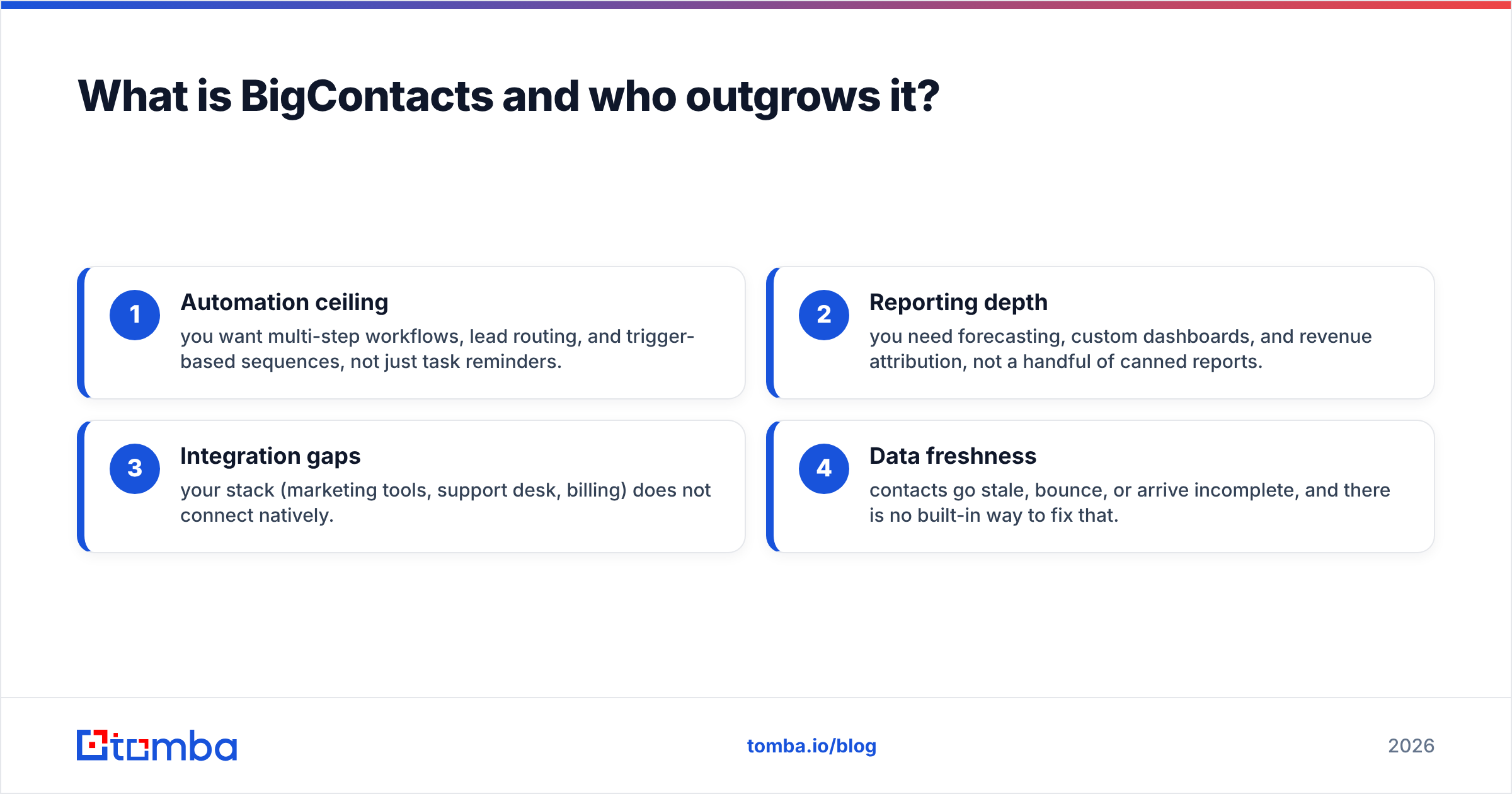
You typically outgrow BigContacts when one of these becomes a daily friction point:
- Automation ceiling — you want multi-step workflows, lead routing, and trigger-based sequences, not just task reminders.
- Reporting depth — you need forecasting, custom dashboards, and revenue attribution, not a handful of canned reports.
- Integration gaps — your stack (marketing tools, support desk, billing) does not connect natively.
- Data freshness — contacts go stale, bounce, or arrive incomplete, and there is no built-in way to fix that.
That last point matters more than most buyers expect. A CRM is only as useful as the records inside it, which is the theme we keep coming back to below.
What are the best BigContacts alternatives in 2026?#
Here is the short list, with the job each one is built for:
- HubSpot CRM — the all-in-one platform when you want sales, marketing, and service under one roof.
- Pipedrive — the cleanest visual pipeline for deal-focused sales teams.
- Zoho CRM — the most configurable option at a mid-market price.
- Less Annoying CRM — the simplest, cheapest true alternative to BigContacts.
- Insightly — CRM plus light project management for services businesses.
- Nimble — relationship-first CRM that lives in your inbox and social feeds.
- Freshsales — AI-assisted selling with built-in phone and scoring.
How do the top BigContacts alternatives compare?#
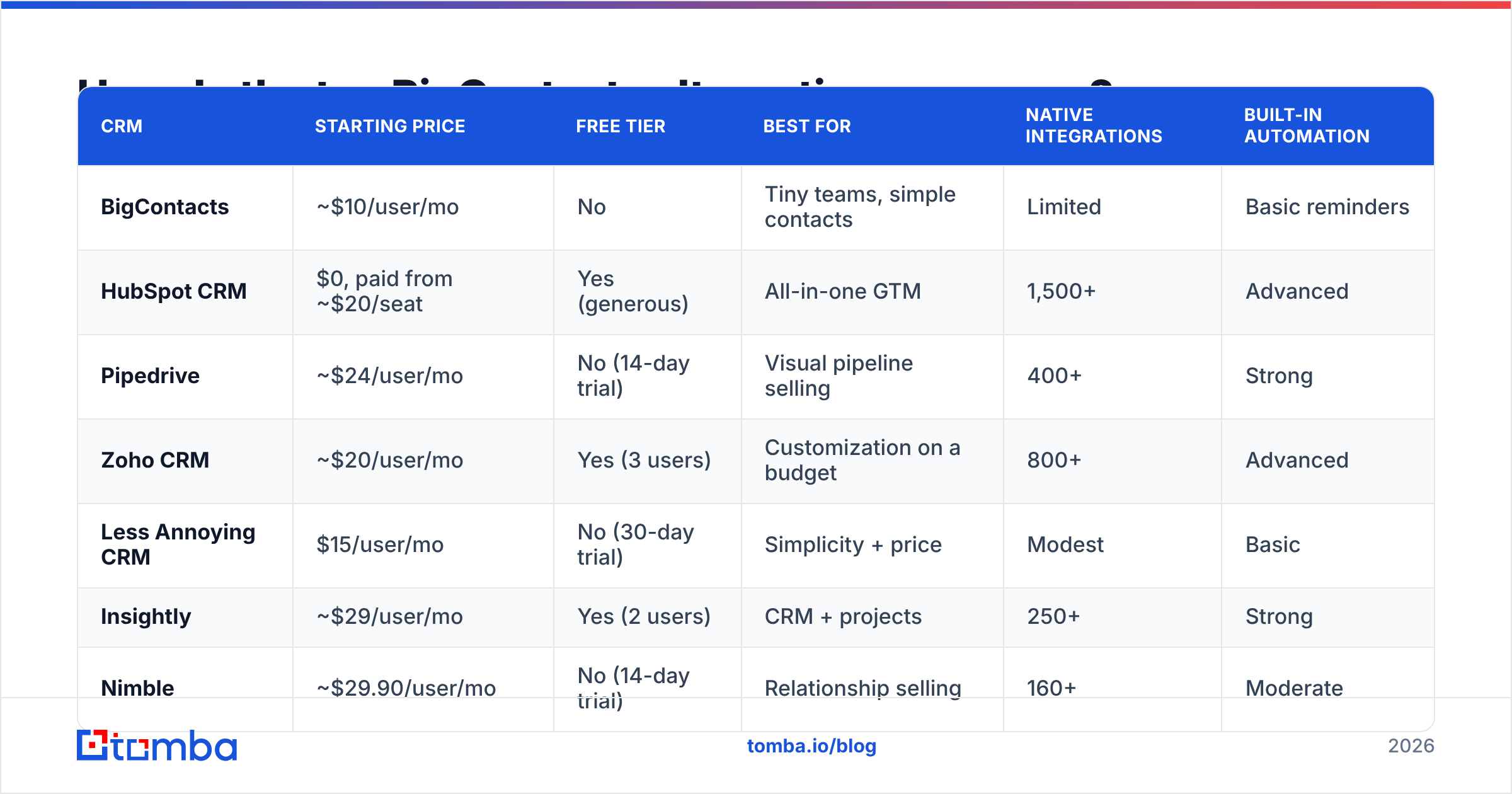
The table below lines them up on the attributes that actually drive a switch. Prices are entry paid tiers as published by each vendor and are billed per user per month unless noted.
| CRM | Starting price | Free tier | Best for | Native integrations | Built-in automation |
|---|---|---|---|---|---|
| BigContacts | ~$10/user/mo | No | Tiny teams, simple contacts | Limited | Basic reminders |
| HubSpot CRM | $0, paid from ~$20/seat | Yes (generous) | All-in-one GTM | 1,500+ | Advanced |
| Pipedrive | ~$24/user/mo | No (14-day trial) | Visual pipeline selling | 400+ | Strong |
| Zoho CRM | ~$20/user/mo | Yes (3 users) | Customization on a budget | 800+ | Advanced |
| Less Annoying CRM | $15/user/mo | No (30-day trial) | Simplicity + price | Modest | Basic |
| Insightly | ~$29/user/mo | Yes (2 users) | CRM + projects | 250+ | Strong |
| Nimble | ~$29.90/user/mo | No (14-day trial) | Relationship selling | 160+ | Moderate |
| Freshsales | ~$11/user/mo | Yes | AI + built-in phone | 100+ | Strong |
A few takeaways from the grid:
- If price is the only reason you are leaving BigContacts, Less Annoying CRM or Freshsales keep you under $15/user with more headroom.
- If you want room to grow into marketing and service, HubSpot's free tier plus paid upgrades is the safest long-term bet. You can read independent user sentiment on G2 before committing.
- If configurability matters, Zoho CRM gives you the most knobs per dollar.
Is HubSpot a better BigContacts alternative than Pipedrive?#
It depends on whether you are buying a platform or a pipeline.
HubSpot is a platform play. The free CRM is genuinely usable, and you can bolt on Marketing, Sales, and Service Hubs as you scale. The trade-off is that costs climb quickly once you need the Professional tiers and the full feature set can feel heavy for a five-person team.
Pipedrive is a pipeline play. It is laser-focused on moving deals from stage to stage, with a drag-and-drop board that salespeople actually enjoy using. It is lighter on marketing and reporting than HubSpot, but for a pure outbound or deal-closing team, that focus is a feature, not a gap.
Rule of thumb: choose HubSpot if you want one system for the whole revenue team; choose Pipedrive if your reps live in the pipeline and you want zero clutter. If you connect either to your data stack, Tomba offers a native HubSpot integration so found and verified contacts flow straight into the CRM.
What about budget and relationship-led options?#
Not every team needs an enterprise platform. Three alternatives punch above their price:
- Less Annoying CRM — flat $15/user/mo, one tier, no upsell maze. It is the closest spiritual successor to BigContacts: easy, cheap, and built for small teams that just want contacts and follow-ups done right.
- Nimble — pulls in social and email context automatically, so every contact record is enriched with who the person is and where you last interacted. Great for consultants, agencies, and relationship sellers.
- Freshsales — bundles AI lead scoring, a built-in phone dialer, and sequences at a low entry price, making it a strong fit for teams that want automation without a HubSpot-sized bill.
Insightly deserves a mention too: if your "deals" are really projects (implementations, client onboarding, services delivery), its CRM-plus-project-management combo removes the need for a second tool.
Why does data quality matter more than the CRM you pick?#
Here is the part most "best CRM" lists skip: switching CRMs does not fix bad data — it just moves it. If your contacts bounce, your sequences die in spam, and your reports are built on records that were wrong six months ago, a shinier interface changes nothing.
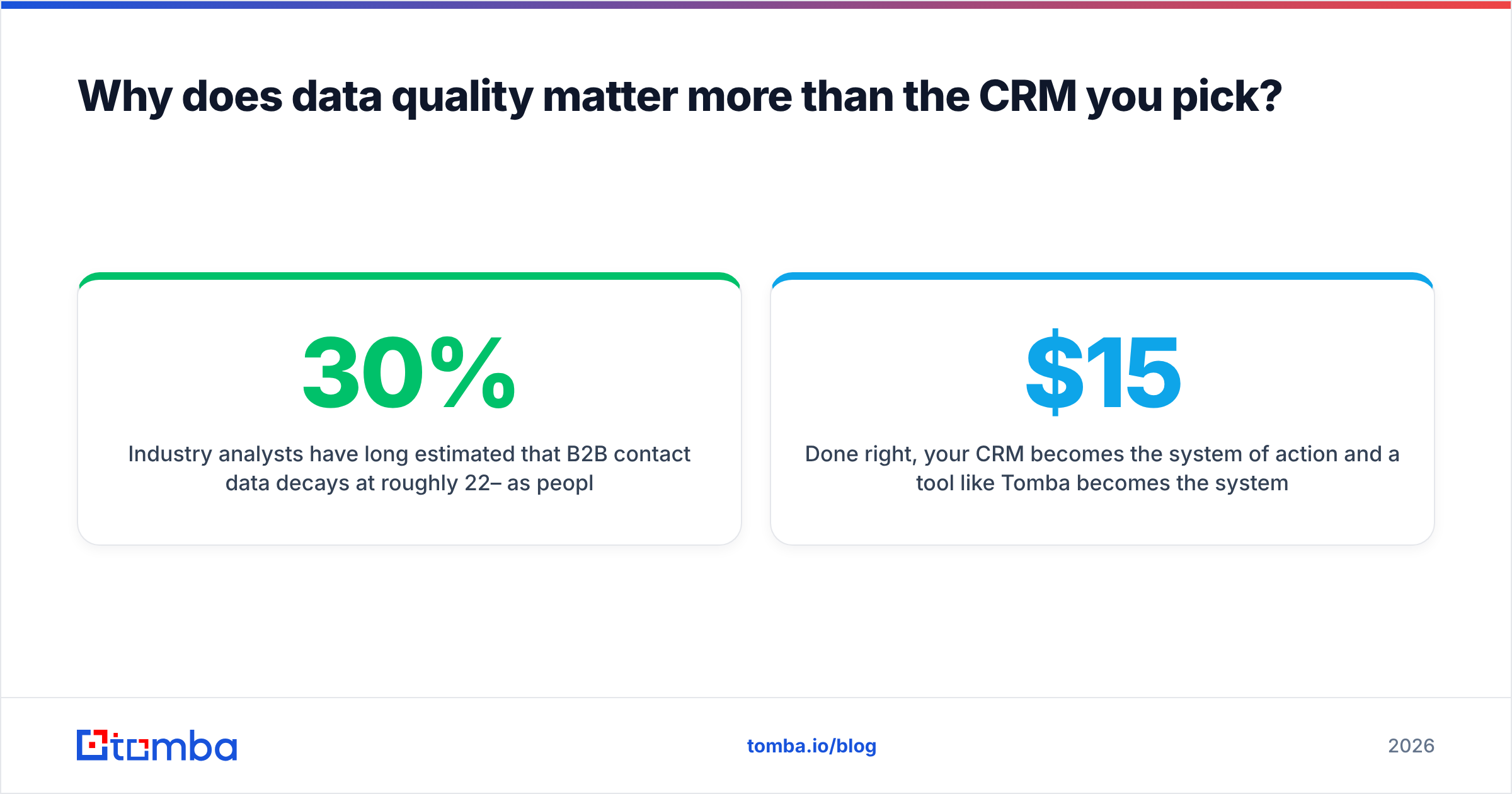
Industry analysts have long estimated that B2B contact data decays at roughly 22–30% per year as people change jobs, companies rebrand, and inboxes get retired. Migrate stale records into HubSpot or Pipedrive and you have simply paid more to store the same garbage.
This is where a dedicated data layer earns its keep, independent of which CRM you land on:
- Find the right contacts. Use domain search to pull every reachable email at a target company, or the email finder to get one person by name and domain.
- Verify before you import. Run addresses through an email verifier so you stop bounces before they hurt your sender reputation.
- Enrich thin records. Fill in job titles, companies, and social profiles with contact enrichment so reps have context, not just a name.
- Keep it fresh. Re-verify and re-enrich on a schedule, because the data you imported clean today decays tomorrow.
Done right, your CRM becomes the system of action and a tool like Tomba becomes the system of truth feeding it. That separation is why a $15 CRM with clean data outperforms a $90 CRM full of bounces.
How do you choose the right BigContacts alternative?#
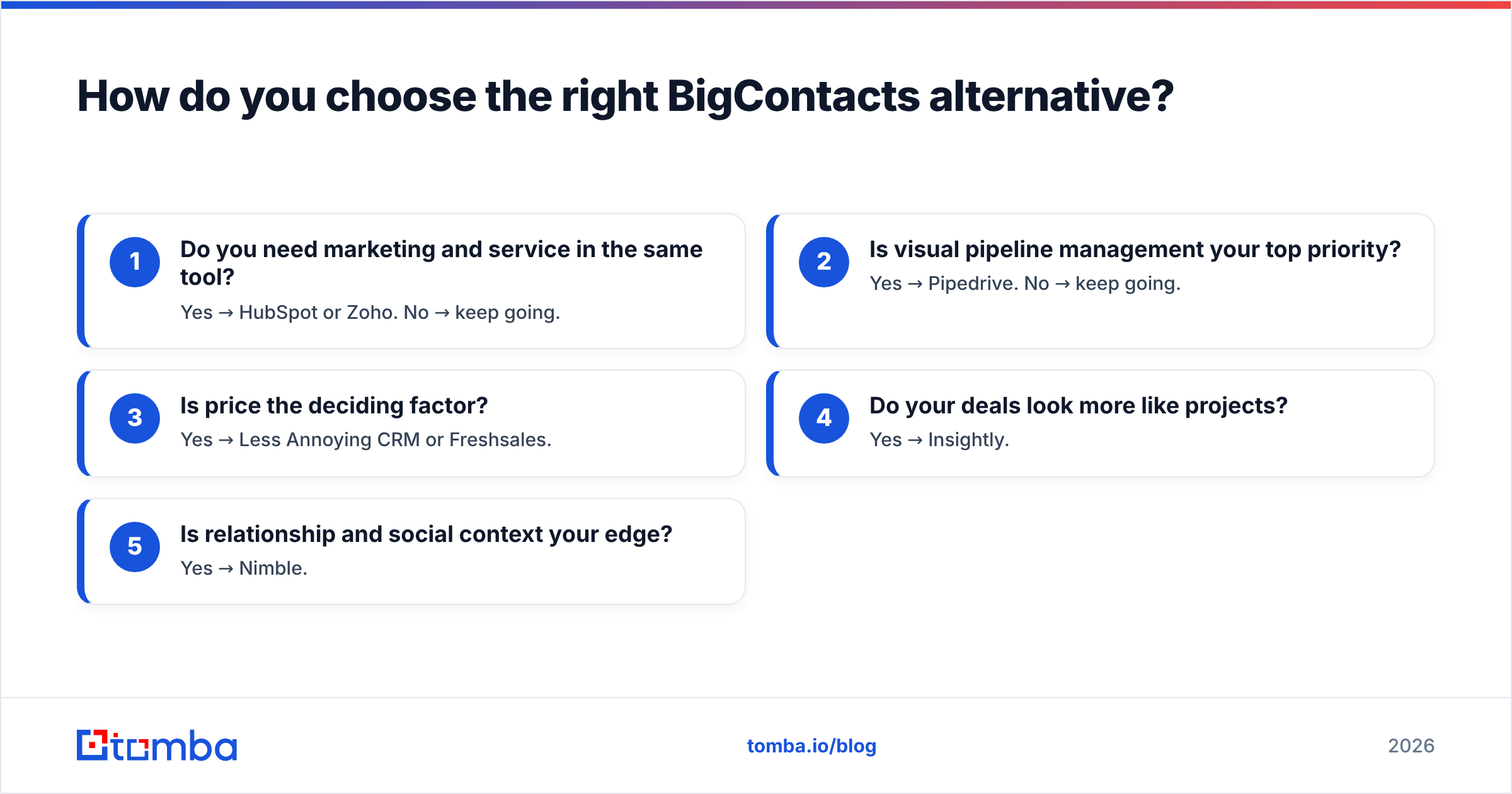
Work through these questions in order — the first "no" usually points you to the answer:
- Do you need marketing and service in the same tool? Yes → HubSpot or Zoho. No → keep going.
- Is visual pipeline management your top priority? Yes → Pipedrive. No → keep going.
- Is price the deciding factor? Yes → Less Annoying CRM or Freshsales.
- Do your deals look more like projects? Yes → Insightly.
- Is relationship and social context your edge? Yes → Nimble.
Then, regardless of the box you land in, ask the question that decides whether any of it works: where does accurate contact data come from, and how do I keep it accurate? Budget for that layer the same way you budget for the CRM seat. You can compare what that costs on the Tomba pricing page — the Free tier covers 25 searches a month, Starter is $49/mo, and Growth is $99/mo as your volume grows.
One more practical tip: shortlist two tools, import the same 50 contacts into each, and run a week of real outreach. Capterra and G2 reviews are useful directional signals, but your own pipeline data beats any star rating.
Frequently asked questions#
Is BigContacts being discontinued? No. BigContacts remains available as part of the ProProfs suite. Teams move off it for capability and integration reasons, not because it is shutting down.
What is the cheapest BigContacts alternative? Freshsales has a free tier and a low paid entry point, while Less Annoying CRM offers a single $15/user/mo plan with no hidden tiers. Both undercut most enterprise CRMs.
Can I migrate my contacts out of BigContacts? Yes. Export to CSV from BigContacts, then import into your new CRM. Before importing, run the file through an email verifier to drop dead addresses so you start clean.
Which alternative is best for cold outreach? Pipedrive or Freshsales for the pipeline and sequencing, paired with a dedicated email finder and verifier so your outbound list is accurate and your domain stays out of spam folders.
The bottom line#
Every CRM on this list beats BigContacts on some axis — automation, integrations, reporting, or price. But the switch only pays off if the contacts inside are real, reachable, and current.
Pick the CRM that fits your workflow, then feed it with the Tomba Email Finder to find verified professional emails by name, company, or domain — and keep every record in your shiny new CRM worth the seat you are paying for. Start free with 25 searches a month and only pay once it is moving your pipeline.
// get started
Find, verify and enrich your first contacts today
Start on the free plan with 25 searches a month, then scale when your team is ready.
Free plan · No credit card required · GDPR & CCPA
// about the author