BigDBM vs FindThatLead 2026: Which Lead Data Tool Wins?
BigDBM vs FindThatLead compared on data depth, accuracy, pricing, and use cases for 2026 — plus where a dedicated email finder beats both.
BigDBM vs FindThatLead: Which Lead Data Tool Should You Buy in 2026?
TL;DR
- BigDBM is a bulk data provider — it sells large, licensable B2B and B2C identity datasets (emails, phones, demographics) and shines when you need volume and enrichment at scale.
- FindThatLead is a self-serve email finder and cold-outreach tool — it finds and verifies emails by domain or name and bundles a basic sender for campaigns.
- They are not the same category: BigDBM is "buy the database," FindThatLead is "find emails one search at a time." Picking wrong wastes budget.
- On email accuracy and verification depth, neither is a true specialist — a dedicated finder/verifier like Tomba Email Finder typically returns cleaner, source-cited results.
- If you want predictable per-email cost, real-time verification, and an API you can wire into your CRM, read the comparison table below before you commit.
If you searched "bigdbm vs findthatlead," you are probably trying to solve one of two problems: feed a sales team a steady stream of accurate contacts, or buy a large dataset to enrich records you already own. Those are different jobs, and these two tools sit on opposite ends of that spectrum. This guide breaks down what each actually does, where each wins, and when a focused email-finding stack beats both.
What is BigDBM?#
BigDBM is a data-as-a-service provider. Think of it less like a search box and more like a wholesaler: you tell them the audience you want — by industry, geography, demographics, intent signals — and they license you a dataset to load into your systems. Their catalog spans both B2B contact data and consumer (B2C) identity graphs, which is unusual; most sales tools stay B2B-only.
The strength here is scale and breadth. If you run programmatic advertising, identity resolution, or large enrichment jobs, a provider that can hand you millions of records with demographic and behavioral attributes is genuinely useful. You can review their positioning on the BigDBM site directly.
The trade-off: BigDBM is built for buyers who already know how to ingest, model, and clean bulk data. There is no friendly "type a name, get an email" workflow for a single SDR. Pricing is quote-based and oriented toward contracts, not a $49 self-serve plan. For a five-person sales team, that is usually overkill.

What is FindThatLead?#
FindThatLead (FTL) is a prospecting tool aimed at individual reps and small teams. Its core jobs are finding business emails — by domain, by company, or by first name + last name + company — and running basic cold email campaigns from the same dashboard. It also offers a Chrome extension and a "Prospector" search for building lists by role and location. You can see its feature set on the FindThatLead homepage.
The appeal is simplicity and a low entry price. A solo founder can sign up, pull a few hundred emails, verify them, and start a sequence without involving a data team. That is the opposite of the BigDBM model.
The limits show up at the edges. FTL's email verification is serviceable but not best-in-class, catch-all handling is shallow, and credit consumption can feel opaque when a lot of searches return no result. If deliverability matters to you, pairing any finder with a strong email verifier step is non-negotiable.
BigDBM vs FindThatLead: how do they compare head to head?#
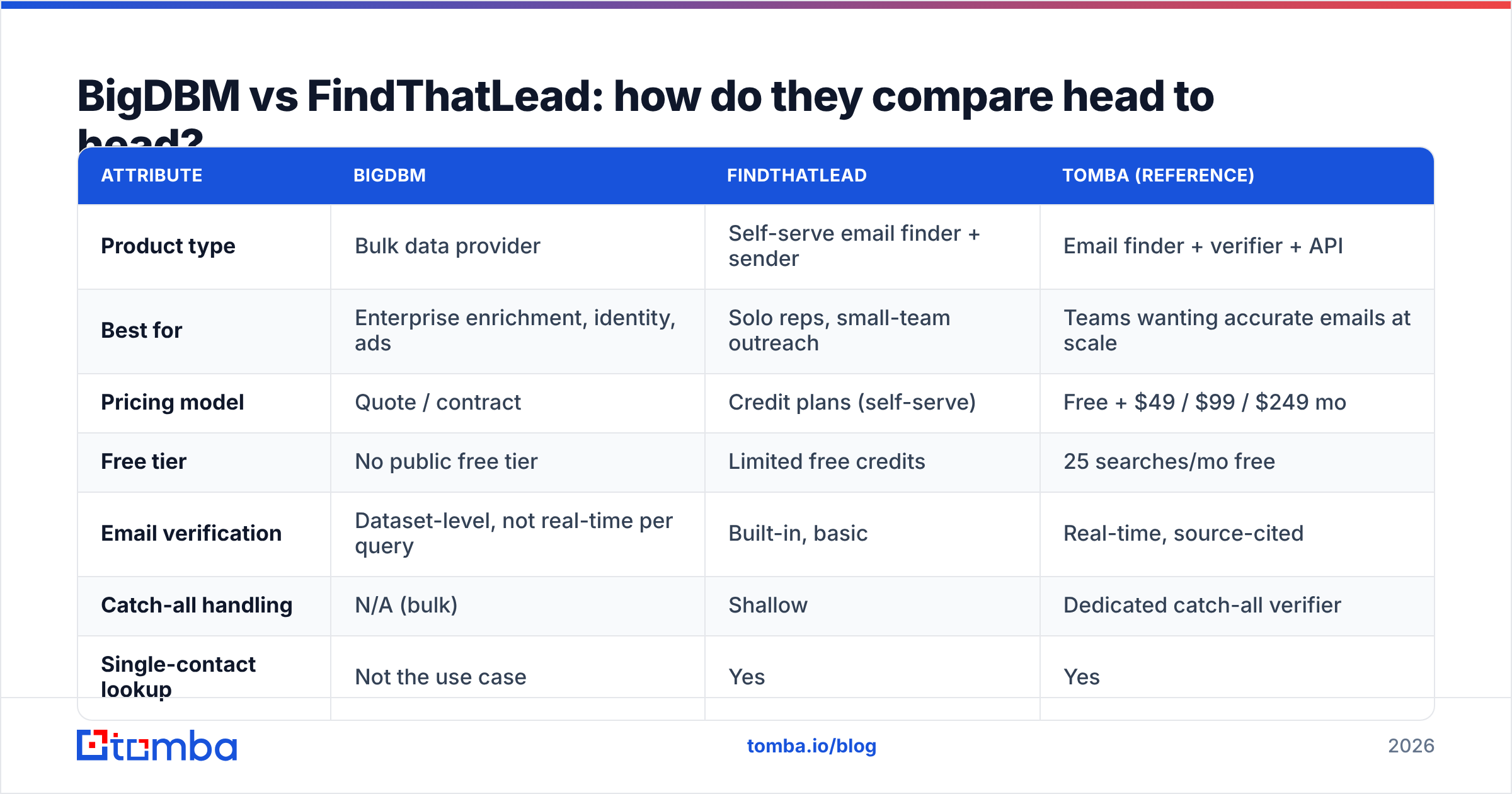
Here is the core comparison. Read it as "different tools for different buyers," not "one is strictly better."
| Attribute | BigDBM | FindThatLead | Tomba (reference) |
|---|---|---|---|
| Product type | Bulk data provider | Self-serve email finder + sender | Email finder + verifier + API |
| Best for | Enterprise enrichment, identity, ads | Solo reps, small-team outreach | Teams wanting accurate emails at scale |
| Pricing model | Quote / contract | Credit plans (self-serve) | Free + $49 / $99 / $249 mo |
| Free tier | No public free tier | Limited free credits | 25 searches/mo free |
| Email verification | Dataset-level, not real-time per query | Built-in, basic | Real-time, source-cited |
| Catch-all handling | N/A (bulk) | Shallow | Dedicated catch-all verifier |
| Single-contact lookup | Not the use case | Yes | Yes |
| Bulk lookup | Core strength | Limited | Bulk finder + API |
| API access | Yes (data feeds) | Yes (limited) | Full email finder API |
| Phone data | Yes (broad) | Limited | Phone finder add-on |
A few takeaways from the table:
- Buy BigDBM when your problem is "I need a large licensed dataset to enrich or model." It is not a tool you hand to a single SDR.
- Buy FindThatLead when your problem is "one rep needs to find and email a few hundred prospects this week" and budget is tight.
- Neither is a verification specialist. BigDBM verifies at the dataset level (point-in-time), and FTL's per-email checks are basic. For high-volume cold outreach, you want real-time verification at the moment of send.
- API maturity differs. If you plan to build email lookup into your own product or CRM, the depth and documentation of the email finder API you choose matters as much as the data itself.
Is BigDBM or FindThatLead more accurate?#
Accuracy is the question that actually decides ROI, because a bounced email costs you twice: wasted send and damaged sender reputation.
The honest answer: it depends on freshness, not just size. BigDBM's datasets are large, but bulk data ages. An email that was valid when the file was compiled may be dead three months later when you actually mail it. FindThatLead verifies closer to query time, which helps, but its verification engine is shallow on the hard cases — catch-all domains, role accounts, and recent job changes.
This is where a dedicated finder pulls ahead. Tools that verify in real time and cite where each address came from — a pattern Tomba uses with its data sources — give you a confidence score per address instead of a take-it-or-leave-it list. For cold email, that difference is the gap between a 2% bounce rate and a 15% one.

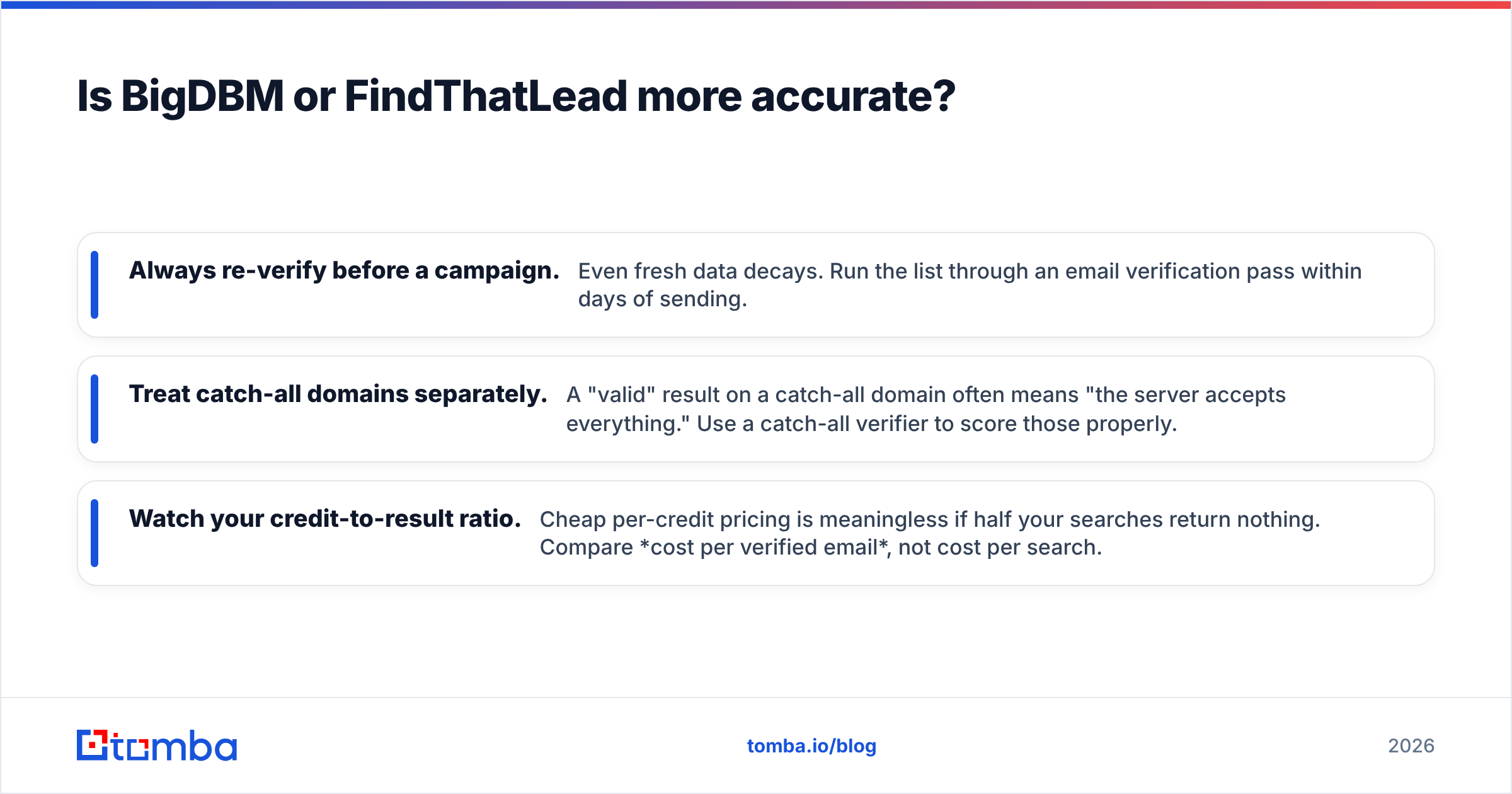
Three accuracy rules that apply no matter which tool you pick:
- Always re-verify before a campaign. Even fresh data decays. Run the list through an email verification pass within days of sending.
- Treat catch-all domains separately. A "valid" result on a catch-all domain often means "the server accepts everything." Use a catch-all verifier to score those properly.
- Watch your credit-to-result ratio. Cheap per-credit pricing is meaningless if half your searches return nothing. Compare cost per verified email, not cost per search.
How does pricing compare for BigDBM vs FindThatLead?#
Pricing is the clearest place these two diverge, because they sell to different buyers.
BigDBM is quote-based. You will talk to sales, define volume and attributes, and sign a contract. This makes sense for enterprise enrichment but means there is no quick way to test it for $50. Budget conversations start in the thousands, not the dollars.
FindThatLead uses self-serve credit tiers. You pick a plan, get a monthly credit allotment, and burn credits on searches and verifications. It is approachable, but two things catch people out: credits are consumed even on some misses, and the cheapest tier runs out fast once you are prospecting daily.
For comparison, here is how a focused email-finding tool prices the same job. Tomba's published Tomba pricing is transparent and self-serve:
| Plan | Tomba | Typical FTL-style plan | BigDBM |
|---|---|---|---|
| Free | 25 searches/mo | Limited trial credits | None |
| Entry | $49/mo (Starter) | ~$49/mo equivalent | Quote only |
| Growth | $99/mo | Mid tier | Quote only |
| Pro | $249/mo | Higher tier | Quote only |
| Enterprise | Custom | Custom | Custom contract |
The lesson: if you want to start small, prove value, and scale up predictably, a transparent per-tier finder is easier to justify than a bulk-data contract — and far easier to control than a credit meter that drains on empty searches.
https://blog-cdn.tomba.io/content/images/2026/06/memes/2026-06-19/bigdbm-vs-findthatlead-meme-2.png
Wait — embed correctly:
Which tool fits which use case?#
Match the tool to the job rather than chasing a single "winner."
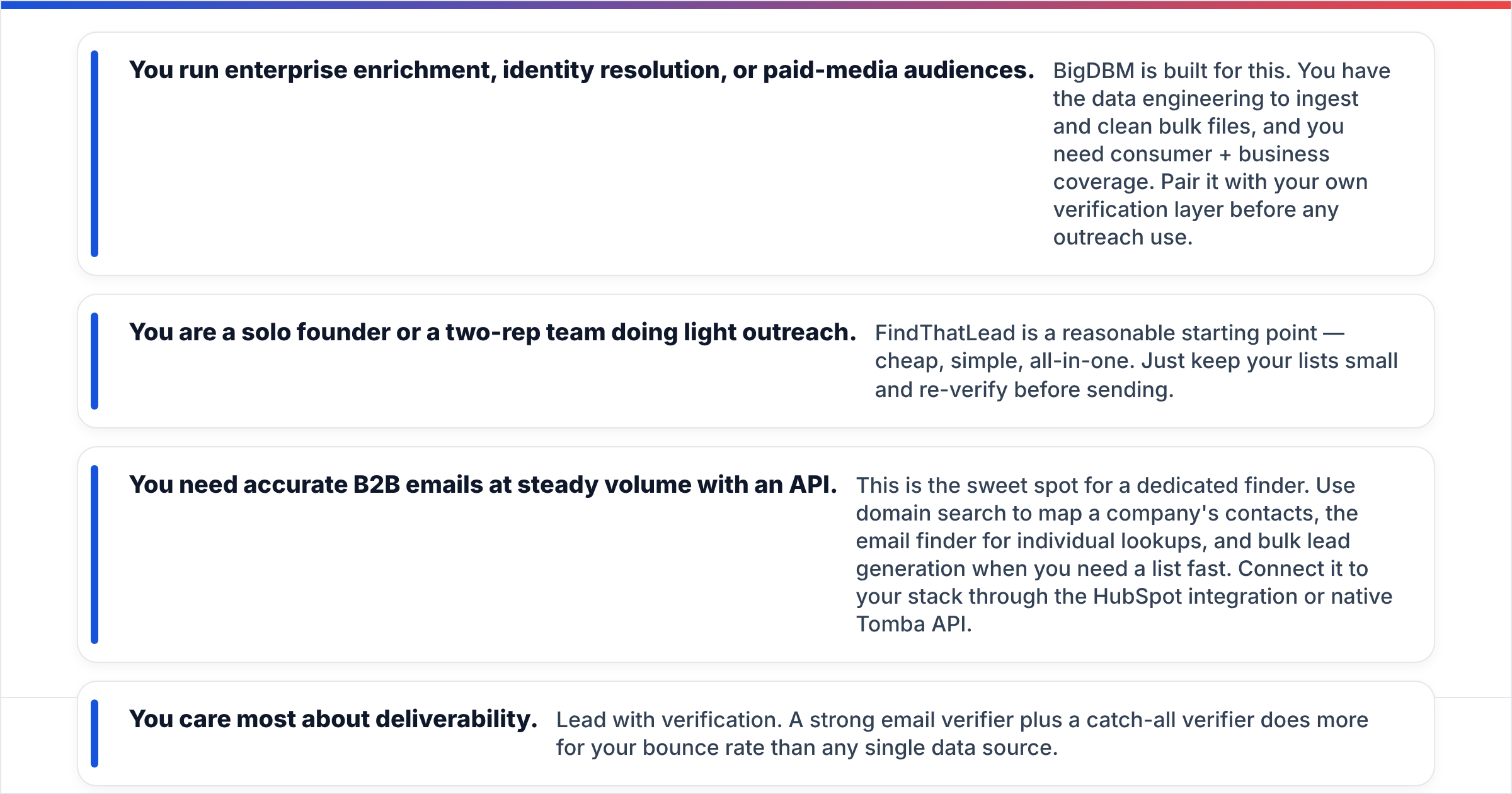
- You run enterprise enrichment, identity resolution, or paid-media audiences. BigDBM is built for this. You have the data engineering to ingest and clean bulk files, and you need consumer + business coverage. Pair it with your own verification layer before any outreach use.
- You are a solo founder or a two-rep team doing light outreach. FindThatLead is a reasonable starting point — cheap, simple, all-in-one. Just keep your lists small and re-verify before sending.
- You need accurate B2B emails at steady volume with an API. This is the sweet spot for a dedicated finder. Use domain search to map a company's contacts, the email finder for individual lookups, and bulk lead generation when you need a list fast. Connect it to your stack through the HubSpot integration or native Tomba API.
- You care most about deliverability. Lead with verification. A strong email verifier plus a catch-all verifier does more for your bounce rate than any single data source.
What about deliverability and compliance?#
Both tools put the compliance burden on you, and that is normal. Buying or finding an email does not grant you permission to mail it. Whatever you choose:
- Honor opt-out and regional law. GDPR, CAN-SPAM, and CASL apply regardless of where the data came from. The reputable way to vet vendor practices is documentation like the G2 category pages and each vendor's own data-handling pages.
- Warm up your sending domain before high-volume outreach, and keep daily volume sane. No data quality survives a cold domain blasting thousands of emails on day one.
- Verify at send time, not just at purchase. This is the single highest-leverage habit. Data decays; your verification step should be the last thing that touches a list.
For a deeper primer on the mechanics, the email deliverability glossary entry is a good starting point, and Salesforce's broader guidance on outreach hygiene at salesforce.com covers the sales-process side.
So, BigDBM vs FindThatLead — what should you do?#
Decide by your actual job, not the brand:
- Need bulk, licensable data for enrichment, ads, or identity? Start with BigDBM and budget for a verification layer.
- Need a cheap, simple finder for light solo outreach? FindThatLead will get you moving.
- Need accurate B2B emails, real-time verification, transparent pricing, and an API that grows with you? A dedicated email-finding platform beats both, because that is the one job it is built to do.
That is where Tomba fits. Instead of a bulk contract you can't test or a credit meter that drains on empty results, you get a free tier of 25 searches a month, source-cited results, real-time email verification, catch-all scoring, and a documented email finder API — all from the same email finder built for accuracy first.
Try the Tomba Email Finder free today. Run a domain search, check the confidence scores against whatever list you have now, and see the difference accurate, verified data makes before your next campaign sends.
Ready to find emails that actually work?
Join 150,000+ professionals who stopped guessing and started sending. Free credits on signup — no credit card required.
Get the Tomba newsletter
Practical outbound tactics and product updates — once every two weeks.
About the author