Bitrix24 vs Odoo 2026: Which CRM and ERP Wins for B2B?
Bitrix24 vs Odoo: an honest 2026 breakdown of pricing, CRM depth, ERP modules, and which platform fits your B2B sales team best.
Choosing between Bitrix24 and Odoo is really a choice about how you want to run your whole company, not just your sales pipeline. Both platforms try to be the single system where deals, projects, invoices, and customers live. They get there from opposite directions, and that difference decides which one will feel right for your team in 2026.
TL;DR: Bitrix24 vs Odoo at a glance#
- Bitrix24 is a CRM-and-collaboration suite first. It bundles CRM, tasks, chat, telephony, and a website builder into one flat-priced plan, which makes it cheap to add seats.
- Odoo is a modular ERP first. You start with one app (CRM, Inventory, Accounting) and bolt on more, paying per user across the whole suite.
- Pick Bitrix24 if you want an all-in-one team hub with unlimited users on lower tiers and strong built-in communication tools.
- Pick Odoo if you need real ERP depth — manufacturing, inventory, accounting — and you value a clean, modern interface plus an open-source option.
- Neither tool finds or verifies B2B contact data well on its own. Both need a dedicated email finder feeding them clean records, or the CRM rots fast.
What is Bitrix24 and who is it for?#
Think of Bitrix24 as a digital office building where every team gets a room and they all share the same lobby. CRM, project management, an internal social network, video calls, document storage, and even an HR module sit under one roof. You don't assemble it — it arrives mostly built.
That design makes Bitrix24 popular with small and mid-size teams that want one login for everything. Its standout commercial angle is pricing structure: most paid plans charge a flat fee for a fixed bucket of users rather than per-seat, so a 40-person team can cost the same as a 25-person team on the same tier. For collaboration-heavy organizations, that math is hard to beat.
The trade-off is depth. Bitrix24's CRM is genuinely capable — pipelines, automation rules, lead scoring, built-in telephony — but its ERP-style functions (inventory, invoicing) are lighter than a true ERP. It's a sales and operations hub, not a manufacturing backbone.
What is Odoo and who is it for?#
Odoo is the opposite philosophy: a catalog of business apps you click together like LEGO. There's a CRM app, an Inventory app, an Accounting app, Manufacturing, eCommerce, Point of Sale, HR, and dozens more — currently over 40 official modules plus thousands of community add-ons. You install what you need and the apps share one database, so a sales order can flow into inventory, then accounting, without re-keying.
This makes Odoo the stronger fit for product companies — manufacturers, distributors, retailers — that need their CRM tied to real stock levels and a real general ledger. The interface received a major refresh in recent versions and now feels closer to a modern SaaS app than the clunky ERP screens most people dread.
Odoo also ships in two flavors: the Community edition (open source, free to self-host) and the Enterprise edition (paid, hosted, with the advanced features). That open-source path is a genuine differentiator no Bitrix24 tier matches. You can read the full module list on the official Odoo site before committing.
Bitrix24 vs Odoo: core feature comparison#
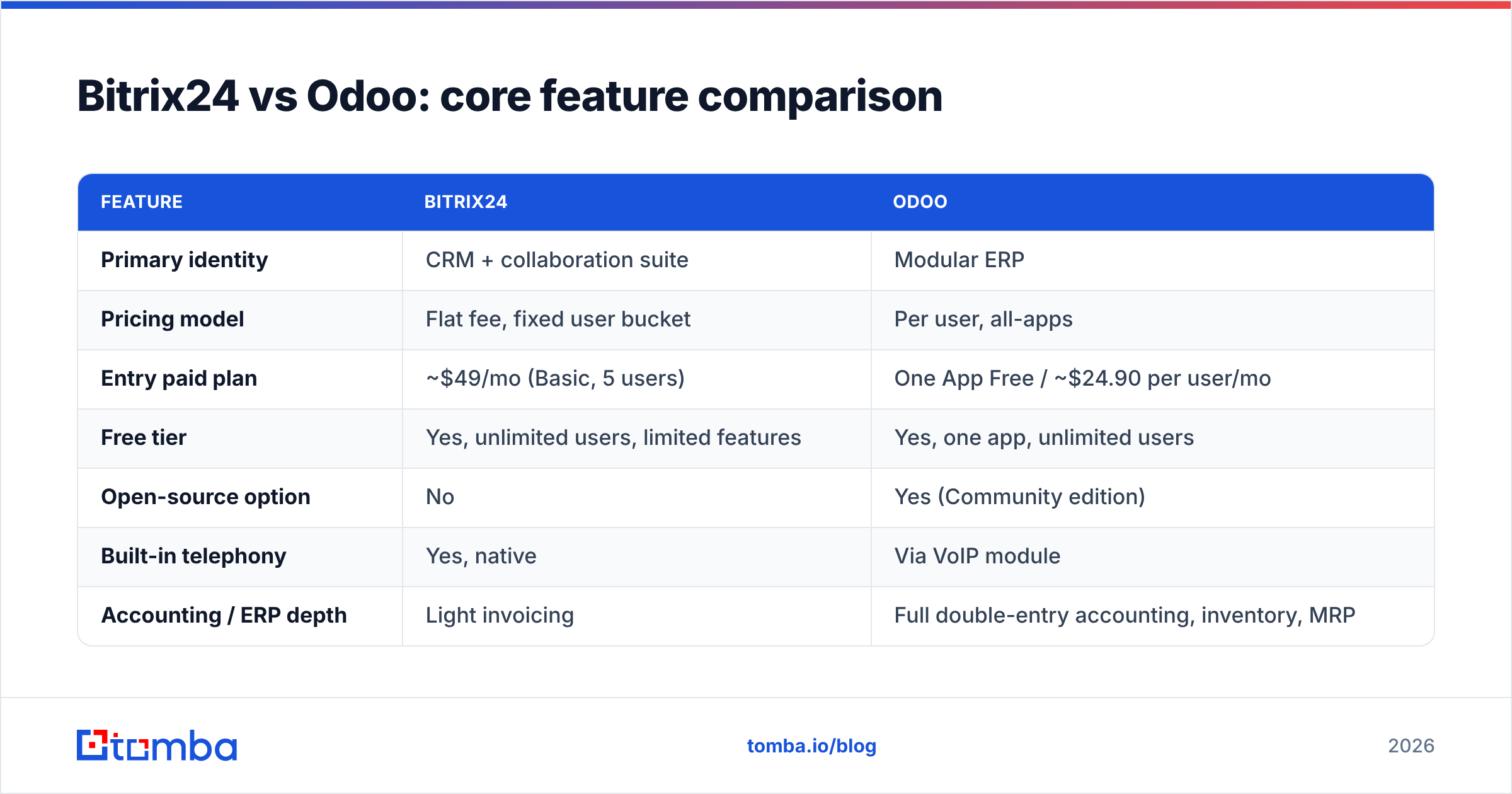
Here's the head-to-head on the dimensions that actually change your day-to-day. Prices reflect publicly listed 2026 plans and shift with promotions, so confirm before you buy.
| Feature | Bitrix24 | Odoo |
|---|---|---|
| Primary identity | CRM + collaboration suite | Modular ERP |
| Pricing model | Flat fee, fixed user bucket | Per user, all-apps |
| Entry paid plan | ~$49/mo (Basic, 5 users) | One App Free / ~$24.90 per user/mo |
| Free tier | Yes, unlimited users, limited features | Yes, one app, unlimited users |
| Open-source option | No | Yes (Community edition) |
| Built-in telephony | Yes, native | Via VoIP module |
| Accounting / ERP depth | Light invoicing | Full double-entry accounting, inventory, MRP |
| Team chat & video | Native, strong | Discuss module, basic |
| Website / eCommerce builder | Included | Included (separate apps) |
| Best for | Service & sales teams | Product & operations companies |
The pattern is consistent: Bitrix24 wins on breadth-for-the-price and built-in communication, Odoo wins on operational depth and flexibility.
How does pricing really compare?#
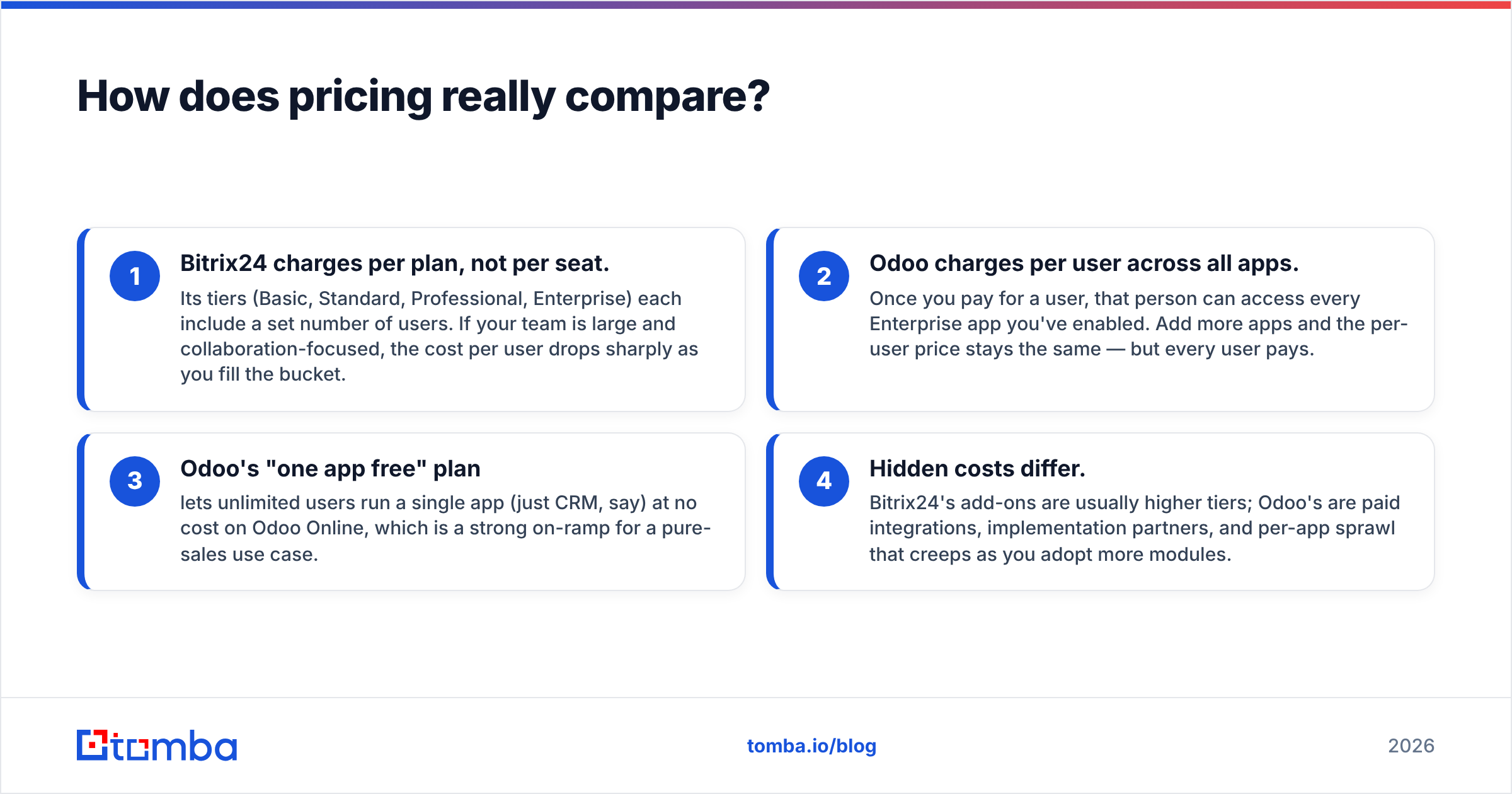
Pricing is where most teams make the wrong call, because the two models don't compare cleanly.
- Bitrix24 charges per plan, not per seat. Its tiers (Basic, Standard, Professional, Enterprise) each include a set number of users. If your team is large and collaboration-focused, the cost per user drops sharply as you fill the bucket.
- Odoo charges per user across all apps. Once you pay for a user, that person can access every Enterprise app you've enabled. Add more apps and the per-user price stays the same — but every user pays.
- Odoo's "one app free" plan lets unlimited users run a single app (just CRM, say) at no cost on Odoo Online, which is a strong on-ramp for a pure-sales use case.
- Hidden costs differ. Bitrix24's add-ons are usually higher tiers; Odoo's are paid integrations, implementation partners, and per-app sprawl that creeps as you adopt more modules.
For a 10-person sales team that only needs CRM, Odoo's free single-app plan or low per-user cost often wins. For a 50-person cross-functional team that wants chat, tasks, and CRM together, Bitrix24's flat pricing usually wins. Run your own headcount through both before deciding.
Which is easier to use and implement?#
Bitrix24 is faster to start, slower to master. You can spin up the cloud version, invite your team, and be running a pipeline the same afternoon. The catch is that the sheer number of features crammed into one interface can overwhelm new users — the menu is dense.
Odoo is cleaner per-screen because each app is focused, but full implementation is heavier. Connecting CRM to inventory to accounting, configuring tax rules, and training staff often means hiring an Odoo partner. Budget for implementation time if you're deploying more than one or two apps.
A simple rule of thumb: if your goal is "get sales and the team talking in one place this week," Bitrix24 is the shorter path. If your goal is "run my entire product business on one system," Odoo's longer setup pays off.
Bitrix24 vs Odoo: pros and cons#
| Bitrix24 | Odoo | |
|---|---|---|
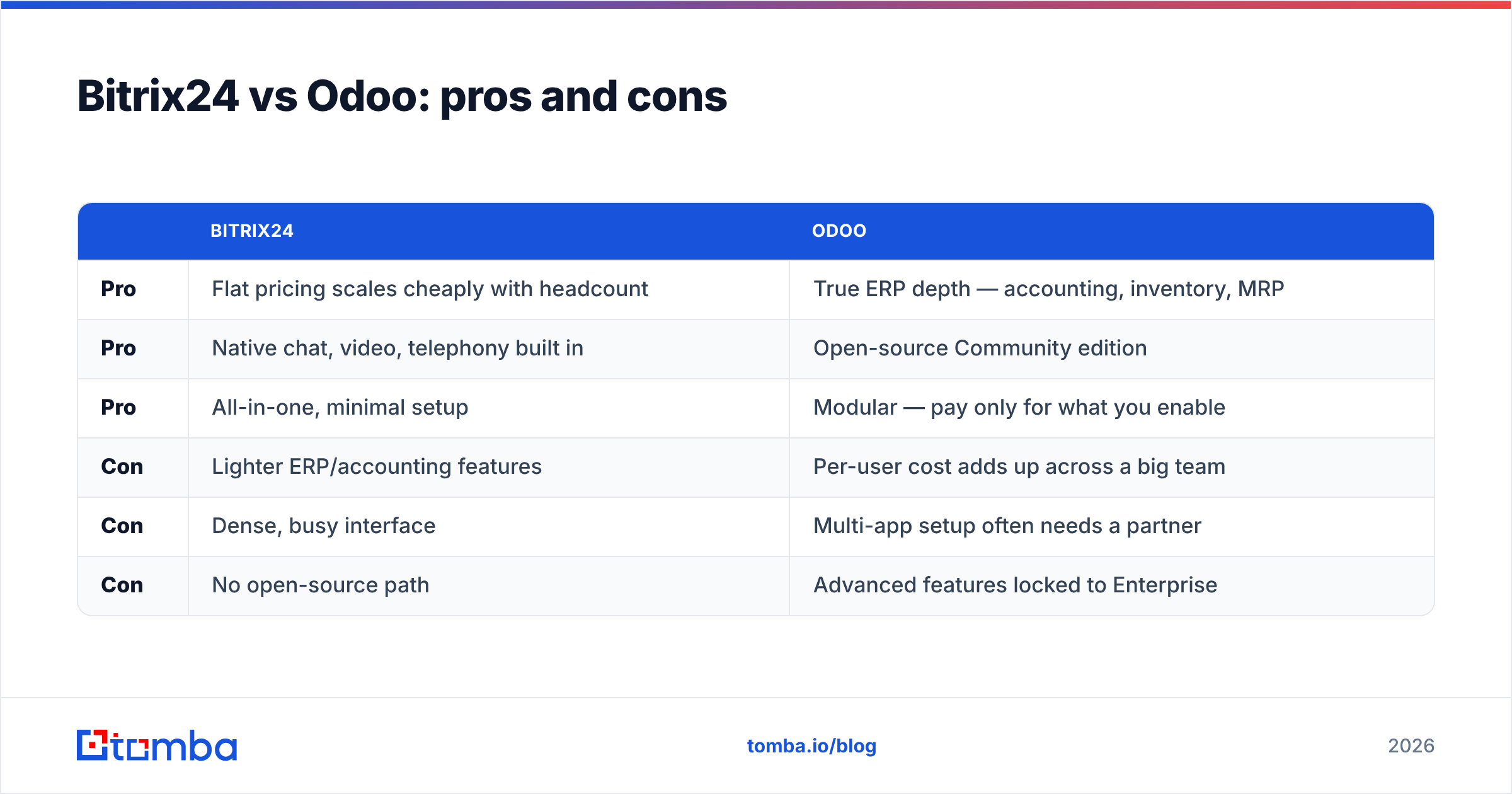
| Pro | Flat pricing scales cheaply with headcount | True ERP depth — accounting, inventory, MRP |
| Pro | Native chat, video, telephony built in | Open-source Community edition |
| Pro | All-in-one, minimal setup | Modular — pay only for what you enable |
| Con | Lighter ERP/accounting features | Per-user cost adds up across a big team |
| Con | Dense, busy interface | Multi-app setup often needs a partner |
| Con | No open-source path | Advanced features locked to Enterprise |
Why does contact data quality decide the winner?#
Here's the part both vendors gloss over: a CRM or ERP is only as useful as the contact data inside it. Bitrix24 and Odoo both store leads beautifully — neither one finds or verifies those leads for you. Import a list of stale emails and your shiny new pipeline is full of bounces on day one.
This is the gap that quietly kills CRM ROI. Sales reps spend hours guessing email formats, deals stall on wrong phone numbers, and email deliverability tanks when bounce rates climb. The platform isn't broken — the data feeding it is.
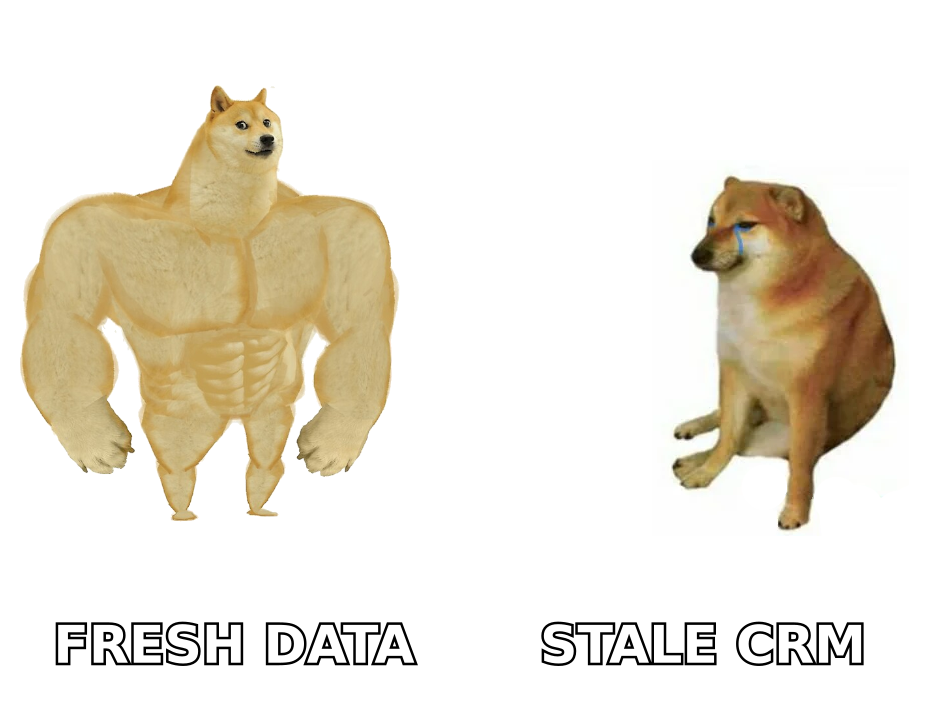
That's where a dedicated data layer matters more than which CRM you picked. Before a contact ever lands in Bitrix24 or Odoo, you want to:
- Find the right work email by name and company domain.
- Verify it's deliverable so it doesn't bounce.
- Enrich the record with role, phone, and social profiles.
- Deduplicate so the same lead doesn't enter twice.
Tomba's domain search and email verifier handle exactly those steps, and the Tomba API can push clean records straight into either platform through automation tools like Zapier or Make. The CRM stays the system of record; Tomba keeps it accurate. You can compare plans on the Tomba pricing page — the free tier covers 25 searches a month to test the workflow.
Which integrations and ecosystem are stronger?#
Odoo's ecosystem is broader on the operations side because the apps are first-party and natively connected — your eCommerce store, POS, and accounting genuinely share one database with no glue code. Its app store also hosts thousands of community modules.
Bitrix24 leans on its built-in breadth plus a marketplace of REST-API apps and connectors. For pure sales-and-marketing stacks, Bitrix24's native telephony and marketing automation reduce the number of third-party tools you need. Both integrate with mainstream tools; you can read independent user reviews on G2 to see which connectors people actually rely on in your industry.
Whichever you choose, plan a clean data inbound path. A bulk email finder run before import keeps both systems from inheriting garbage, and ongoing verification keeps them clean as records age.
So, Bitrix24 or Odoo — which should you choose?#
Choose Bitrix24 if you're a service-based or sales-led team that wants collaboration, communication, and CRM in one flat-priced package, and you don't need deep manufacturing or accounting. Its pricing rewards larger headcounts and its built-in tools cut your software bill.
Choose Odoo if you sell physical products, need accounting and inventory wired directly into sales, or want the freedom of an open-source core. Its modular model and modern interface make it the stronger long-term operational backbone — as long as you budget for implementation.
There's no universal winner. There's a winner for your business model. Map your must-have modules, run your real headcount through both pricing models, and trial each with a small team before committing.
Keep your CRM worth the money#
Whichever platform you land on, it will only perform as well as the leads inside it. Start every record with a verified, accurate contact instead of a guess. Use the Tomba Email Finder to find and confirm professional emails by domain, name, or company, then feed clean data into Bitrix24 or Odoo from day one. A great CRM plus great data beats a great CRM alone — every time. Try Tomba free and watch your bounce rate fall before your first campaign goes out.
// get started
Find, verify and enrich your first contacts today
Start on the free plan with 25 searches a month, then scale when your team is ready.
Free plan · No credit card required · GDPR & CCPA
// about the author