Bitrix24 vs SuiteCRM 2026: Which CRM Wins for B2B Sales?
Bitrix24 vs SuiteCRM compared on pricing, features, hosting, and real B2B sales fit. See which CRM actually deserves your pipeline in 2026.
Choosing between Bitrix24 and SuiteCRM comes down to one decision: do you want an all-in-one cloud suite that runs itself, or an open-source platform you control end to end? Both are credible CRMs, both have free entry points, and both are used by tens of thousands of B2B teams. But they solve the problem from opposite directions, and picking the wrong one means months of wasted setup.
This guide breaks down the real differences — pricing, hosting, features, automation, and where each one quietly costs you more than the sticker price.
TL;DR — Bitrix24 vs SuiteCRM in one minute#
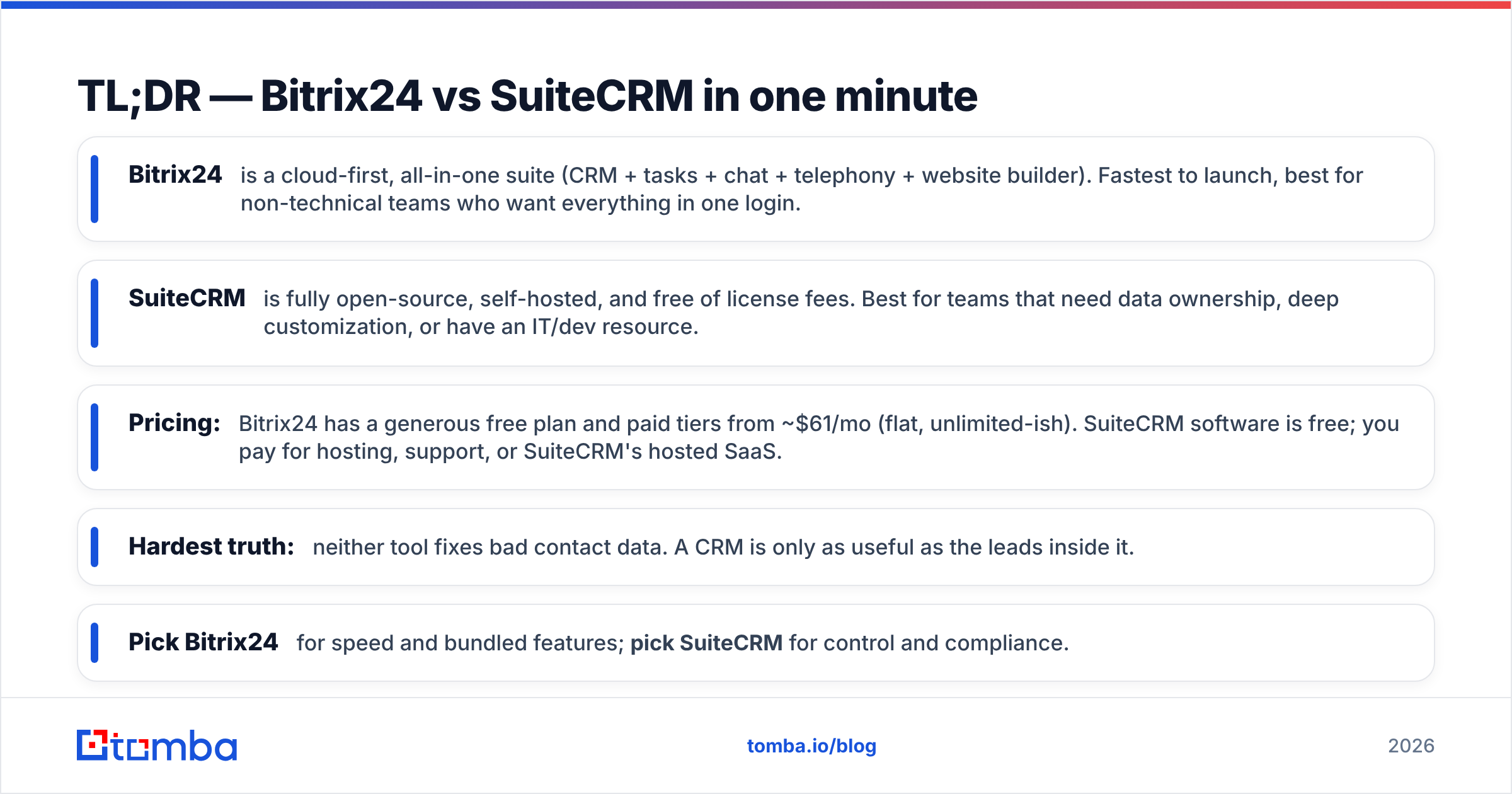
- Bitrix24 is a cloud-first, all-in-one suite (CRM + tasks + chat + telephony + website builder). Fastest to launch, best for non-technical teams who want everything in one login.
- SuiteCRM is fully open-source, self-hosted, and free of license fees. Best for teams that need data ownership, deep customization, or have an IT/dev resource.
- Pricing: Bitrix24 has a generous free plan and paid tiers from ~$61/mo (flat, unlimited-ish). SuiteCRM software is free; you pay for hosting, support, or SuiteCRM's hosted SaaS.
- Hardest truth: neither tool fixes bad contact data. A CRM is only as useful as the leads inside it.
- Pick Bitrix24 for speed and bundled features; pick SuiteCRM for control and compliance.
What is Bitrix24?#
Bitrix24 is an all-in-one business platform that bundles a CRM with project management, internal chat, video calls, a contact center, telephony, and even a website and landing-page builder. Think of it less like a CRM and more like an operating system for a small company — the CRM is one room in a much larger house.
It runs primarily in the cloud (a self-hosted on-premise edition exists for higher tiers), so you sign up and start working the same day. The appeal is consolidation: instead of paying for a CRM, a Slack alternative, a task tool, and a phone system, you get one subscription. For small B2B teams that hate stitching tools together, that's a strong pitch.
The trade-off is depth versus breadth. Because Bitrix24 does so many things, individual modules can feel less specialized than a dedicated tool, and the interface is dense. New users routinely describe the first week as overwhelming.

What is SuiteCRM?#
SuiteCRM is a free, open-source CRM that forked from the original SugarCRM Community Edition and is now maintained by SalesAgility. Because it's released under a public license, there are no per-seat fees for the software itself — you download it, host it, and own every byte of your data.
That open-source model is the whole point. You can read the source, modify modules, build custom logic, and host it on infrastructure you control — which matters enormously for regulated industries, government, and EU teams with strict data-residency rules. SuiteCRM covers the standard CRM surface: accounts, contacts, leads, opportunities, quotes, cases, campaigns, and workflow automation.
The catch is responsibility. Open-source means you (or a partner) handle hosting, updates, security patches, and backups. The default UI looks dated next to modern SaaS tools, and getting it production-ready usually requires technical hands. If you want it managed, SalesAgility sells a hosted SaaS and support plans — which moves it closer to Bitrix24's pricing reality.
You can read more about the project on the official SuiteCRM site and verify reviews on G2.
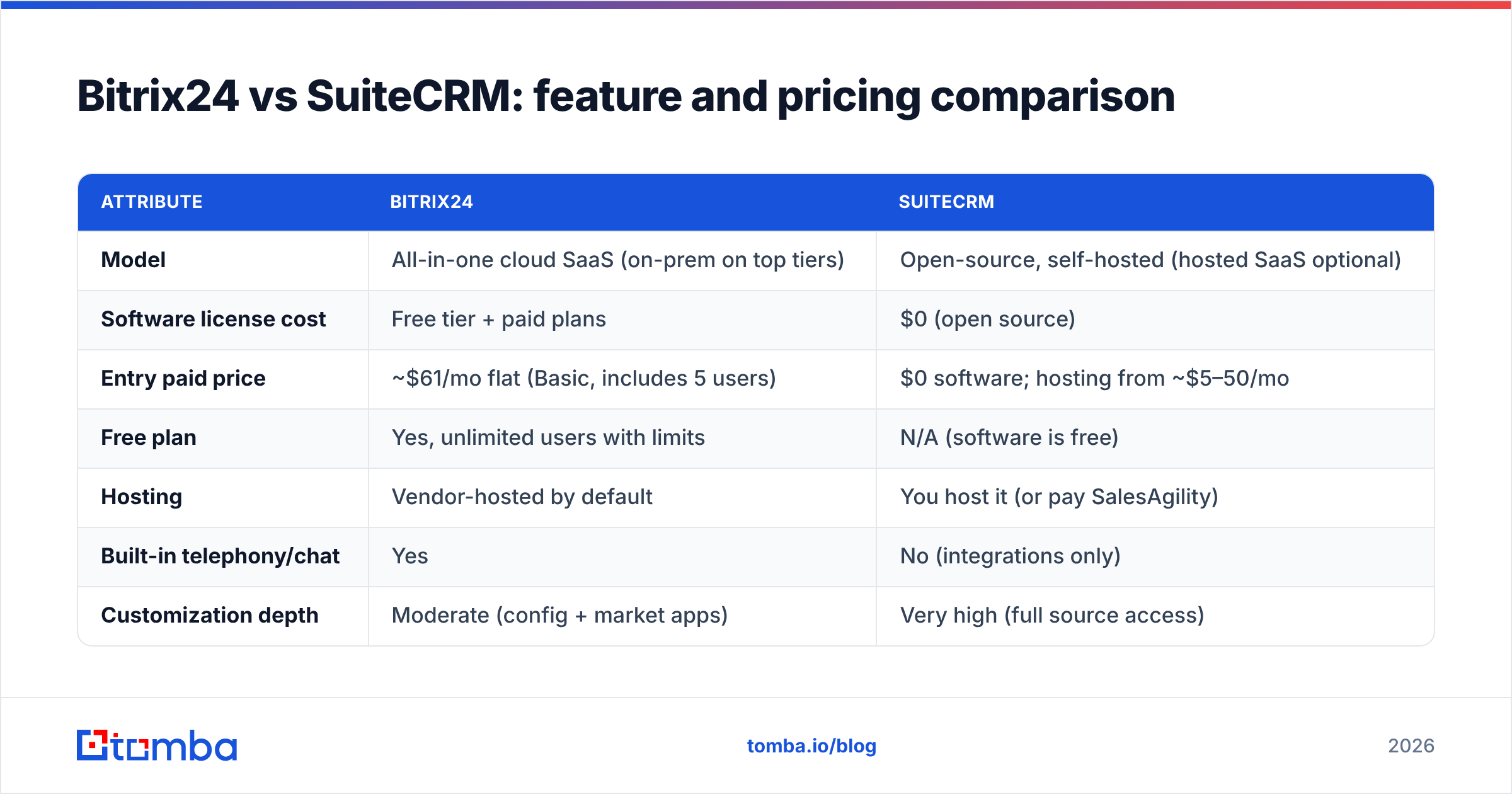
Bitrix24 vs SuiteCRM: feature and pricing comparison#
Here's the core-concept comparison most buyers actually care about. Numbers reflect publicly listed 2026 plans and move around, so confirm current pricing on each vendor's page before committing.
| Attribute | Bitrix24 | SuiteCRM |
|---|---|---|
| Model | All-in-one cloud SaaS (on-prem on top tiers) | Open-source, self-hosted (hosted SaaS optional) |
| Software license cost | Free tier + paid plans | $0 (open source) |
| Entry paid price | ~$61/mo flat (Basic, includes 5 users) | $0 software; hosting from ~$5–50/mo |
| Free plan | Yes, unlimited users with limits | N/A (software is free) |
| Hosting | Vendor-hosted by default | You host it (or pay SalesAgility) |
| Built-in telephony/chat | Yes | No (integrations only) |
| Customization depth | Moderate (config + market apps) | Very high (full source access) |
| Data ownership | On vendor cloud | 100% yours on your servers |
| Best for | Non-technical SMB teams | Dev-capable, compliance-driven teams |
| Learning curve | Steep (feature overload) | Steep (setup + maintenance) |
A few things to read between the lines:
- Bitrix24's flat pricing scales well. Because paid plans bundle blocks of users rather than charging strictly per seat, a growing team can add headcount without a linear bill — a real advantage over per-seat CRMs.
- SuiteCRM's "free" is rarely free. Server costs, a sysadmin's time, and SSL/backups add up. The license is free; the total cost of ownership is not zero.
- Telephony and chat are bundled in Bitrix24. With SuiteCRM you wire those up through third-party tools, which is more flexible but more work.
- Compliance is SuiteCRM's home turf. Self-hosting means data never leaves your jurisdiction — a deciding factor for healthcare, finance, and public-sector buyers.

Is Bitrix24 better than SuiteCRM?#
It depends entirely on who's asking — there is no universal winner.
Bitrix24 wins when you want to be live this week, your team isn't technical, and you'd rather pay one bill than manage servers. It's the better choice for marketing-led SMBs, agencies, and service businesses that value the bundled chat, telephony, and task tools as much as the CRM itself. The convenience is real: one platform, one login, one vendor to call.
SuiteCRM wins when data ownership is non-negotiable, you have development resources, or you need customization that no SaaS will allow. Government contractors, EU firms under strict GDPR interpretation, and companies with unusual sales processes get more from a platform they can rewrite. There's also a philosophical pull — no vendor lock-in, no surprise price hikes, no feature held hostage behind a higher tier.
The honest summary: Bitrix24 optimizes for time-to-value, SuiteCRM optimizes for control. Map that against your team's technical depth and you'll usually know the answer in a sentence.
What about migration and setup effort?#
Setup is where the two diverge most sharply.
Bitrix24 gets you a working CRM in an afternoon: sign up, import contacts via CSV, configure your pipeline stages, and invite users. The heavy lifting is learning the platform, not building it.
SuiteCRM requires provisioning a server (LAMP stack), installing the application, configuring email and cron jobs, and hardening security before you import a single lead. Plan for developer time or a SalesAgility partner. Once it's running, day-to-day use is straightforward — but the on-ramp is steep.
For either platform, the migration step that teams underestimate is data quality. Importing a contact list full of stale, role-based, or invalid email addresses just moves the mess into a nicer interface. Before you import anything, run your list through an email verifier to strip bounces, and consider data enrichment to fill the gaps your old system left behind. A clean import is the single highest-leverage thing you can do during a CRM switch.
How do they handle automation and sales workflows?#
Both platforms automate the repetitive parts of selling, but with different ceilings.
Bitrix24 ships visual automation rules and triggers inside the CRM: auto-assign leads, move deals between stages, send templated emails, and fire tasks on events. Higher tiers add CRM-wide robotic process automation and AI assists (call transcription, lead scoring). For most SMB workflows it's more than enough, and you configure it without code.
SuiteCRM uses a Workflow module plus Process/BPM capabilities, and because it's open source, anything the UI can't do, a developer can. The ceiling is effectively unlimited; the floor requires more setup. If your sales motion has genuinely unusual logic, SuiteCRM bends to it where SaaS tools won't.
Either way, automation amplifies whatever data you feed it. Automated sequences sent to unverified addresses tank your sender reputation fast — which is why email deliverability hygiene belongs in your CRM rollout plan, not as an afterthought. If you're pushing contacts into outbound sequences, validate first, automate second.
Which CRM is right for your team?#
Use this quick decision framework:
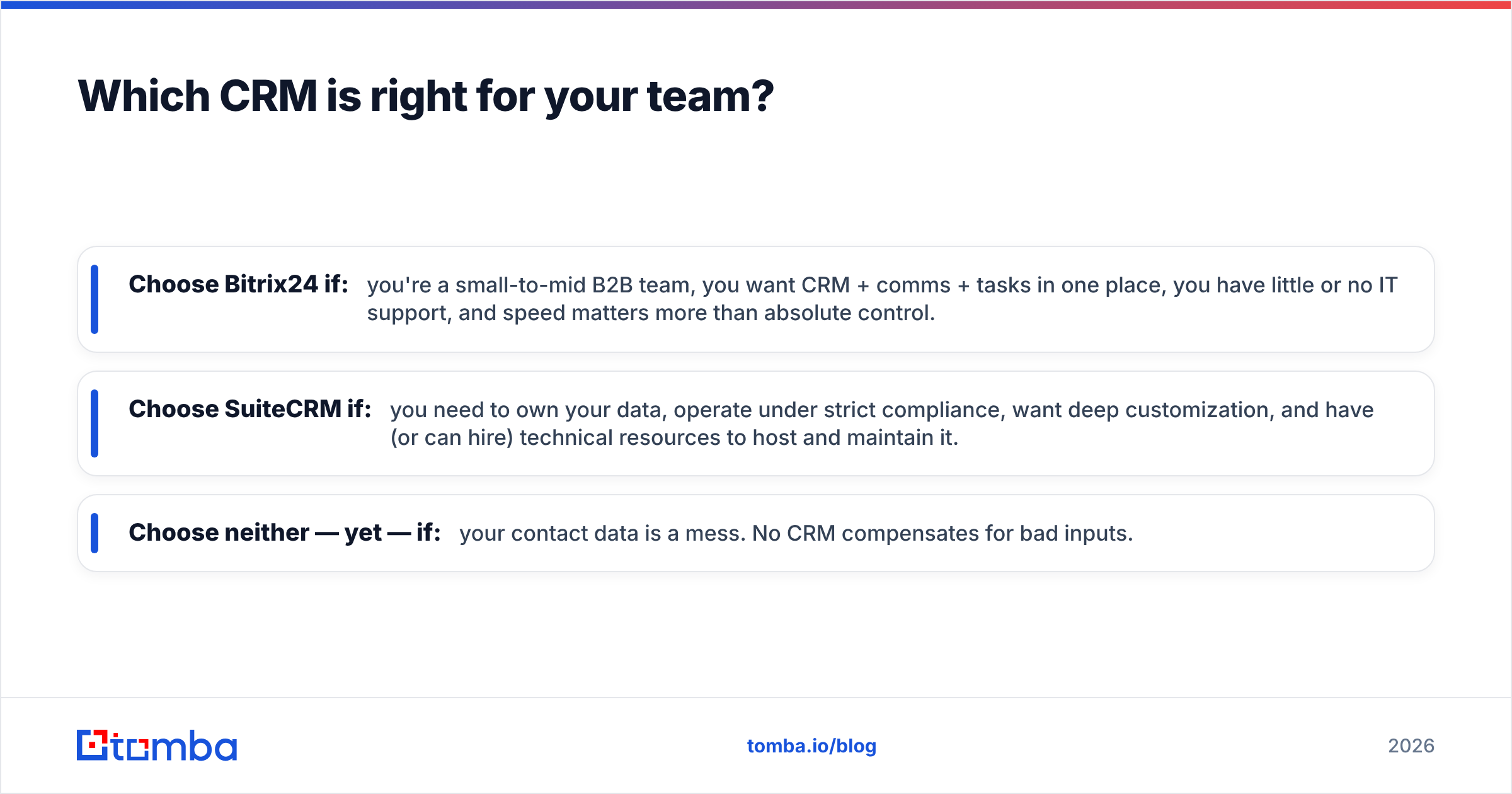
- Choose Bitrix24 if: you're a small-to-mid B2B team, you want CRM + comms + tasks in one place, you have little or no IT support, and speed matters more than absolute control.
- Choose SuiteCRM if: you need to own your data, operate under strict compliance, want deep customization, and have (or can hire) technical resources to host and maintain it.
- Choose neither — yet — if: your contact data is a mess. No CRM compensates for bad inputs.
For B2B sales specifically, the deciding question is rarely "which CRM has more features." Both have plenty. It's "which model fits how my team works and what my data rules require." Answer that, and the rest follows.
If you want to compare other platforms before deciding, browse the broader B2B sales tools coverage on the blog and check independent reviews on Capterra so you're not relying on vendor marketing alone.
Fill your CRM with leads worth selling to#
Whichever CRM you pick — Bitrix24's bundled cloud or SuiteCRM's open-source control — it's only as valuable as the contacts inside it. An empty or dirty pipeline makes even the best platform useless.
That's where Tomba's Email Finder fits. Use it to find verified, professional email addresses by name, company, or domain search, then push clean, deliverable contacts straight into Bitrix24 or SuiteCRM. You can start on the free tier (25 searches/month) and scale through Tomba pricing — Starter at $49/mo, Growth at $99/mo — as your outbound grows. Pick the CRM that fits your team; fill it with data that actually converts.
// get started
Find, verify and enrich your first contacts today
Start on the free plan with 25 searches a month, then scale when your team is ready.
Free plan · No credit card required · GDPR & CCPA
// about the author