BizKonnect Pros and Cons (2026): An Honest Review for Teams
BizKonnect promises org charts and actionable contacts, but does it deliver? Here's an honest, no-fluff breakdown of the pros, cons, pricing, and alternatives.
BizKonnect sells a specific promise: stop staring at a flat contact list and start seeing the org chart behind it. For account-based teams chasing multi-threaded deals, that's a compelling pitch. But a slick org-chart visualizer doesn't automatically mean clean data, fair pricing, or a workflow your reps will actually adopt.
This is a straight read on the BizKonnect pros and cons in 2026: what it does well, where it frustrates, how the pricing model behaves, and which alternatives make more sense depending on your motion.
TL;DR — Is BizKonnect worth it?#
- Best for: account-based selling (ABM) teams that need visual org charts and decision-maker mapping inside target accounts.
- Biggest strength: "actionable contacts" and org-chart generation that turn a company name into a navigable hierarchy of people.
- Biggest weakness: data freshness and contact accuracy can lag, pricing is quote-driven and opaque, and the UI feels dated next to modern sales-intelligence tools.
- Watch-out: like most database vendors, coverage is strong for US mid-market and enterprise, thinner for SMB and non-US regions.
- Bottom line: great for visualizing who-reports-to-whom; weaker as your single source of verified email and phone data. Many teams pair it with a dedicated email finder and verifier.
What is BizKonnect and who is it for?#
BizKonnect is a sales-intelligence platform built around two ideas: actionable company org charts and personalized email campaigns driven by that data. Instead of handing you a CSV of names, it tries to show how an account is structured — departments, reporting lines, and the decision-makers you need to reach.
The typical buyer is an ABM or enterprise sales team running multi-threaded deals, where knowing that the VP of Engineering reports to a CTO who sits under a specific business unit head genuinely changes your outreach sequence. You can read more about the company on its official site and cross-check user sentiment on review platforms like G2.
If you sell transactional SMB deals one contact at a time, the org-chart machinery is overkill — you'll pay for a capability you rarely use.

What are the main BizKonnect pros?#
Here's where BizKonnect earns its keep.
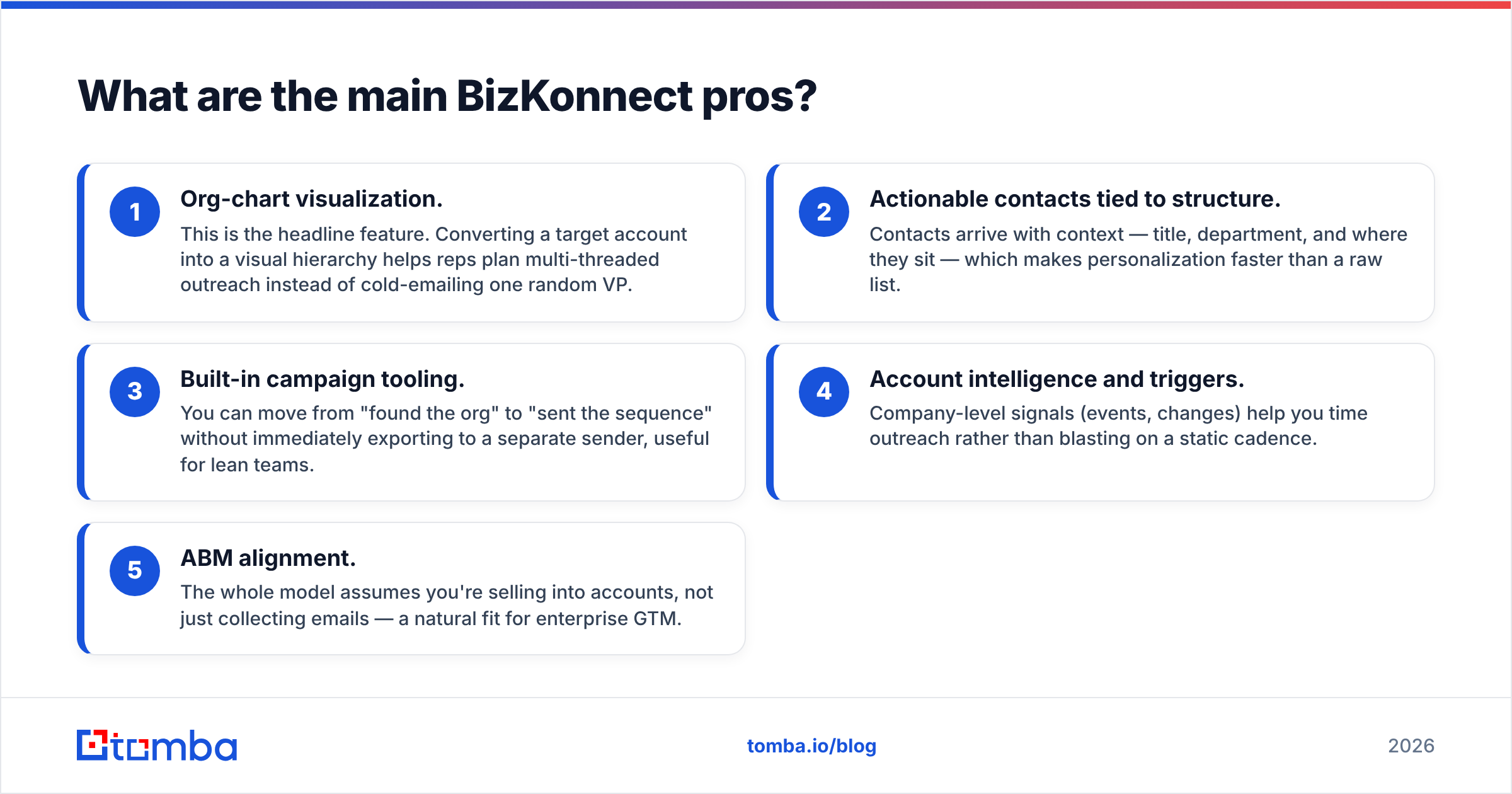
- Org-chart visualization. This is the headline feature. Converting a target account into a visual hierarchy helps reps plan multi-threaded outreach instead of cold-emailing one random VP.
- Actionable contacts tied to structure. Contacts arrive with context — title, department, and where they sit — which makes personalization faster than a raw list.
- Built-in campaign tooling. You can move from "found the org" to "sent the sequence" without immediately exporting to a separate sender, useful for lean teams.
- Account intelligence and triggers. Company-level signals (events, changes) help you time outreach rather than blasting on a static cadence.
- ABM alignment. The whole model assumes you're selling into accounts, not just collecting emails — a natural fit for enterprise GTM.
For teams whose core problem is "we don't understand the buying committee," these strengths are real and hard to replicate with a flat database.
What are the main BizKonnect cons?#
Now the honest part — the reasons teams churn or supplement it.
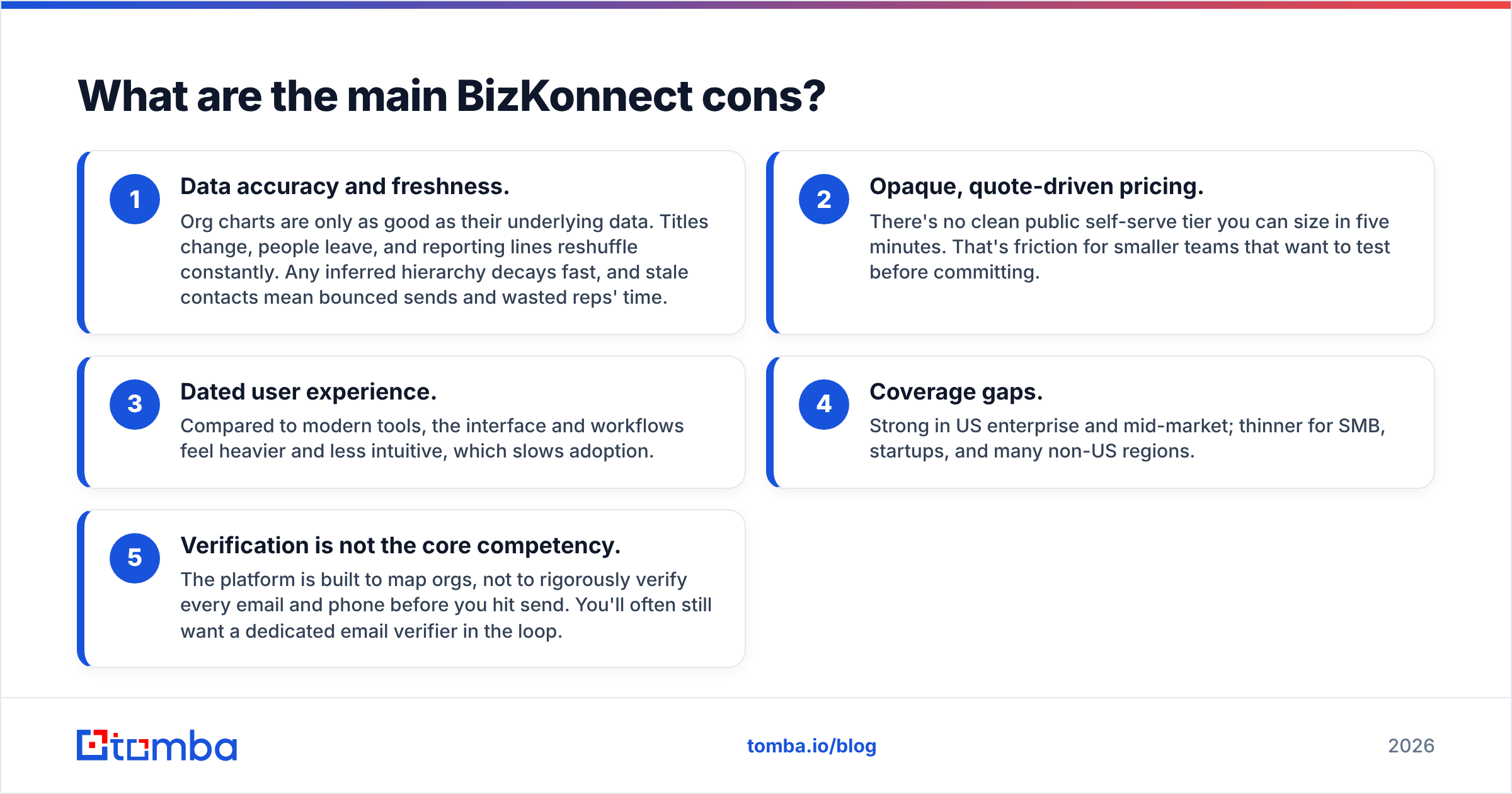
- Data accuracy and freshness. Org charts are only as good as their underlying data. Titles change, people leave, and reporting lines reshuffle constantly. Any inferred hierarchy decays fast, and stale contacts mean bounced sends and wasted reps' time.
- Opaque, quote-driven pricing. There's no clean public self-serve tier you can size in five minutes. That's friction for smaller teams that want to test before committing.
- Dated user experience. Compared to modern tools, the interface and workflows feel heavier and less intuitive, which slows adoption.
- Coverage gaps. Strong in US enterprise and mid-market; thinner for SMB, startups, and many non-US regions.
- Verification is not the core competency. The platform is built to map orgs, not to rigorously verify every email and phone before you hit send. You'll often still want a dedicated email verifier in the loop.
None of these are dealbreakers on their own. Together, they explain why BizKonnect is frequently used alongside other tools rather than as the only one.
How accurate is BizKonnect's data?#
Treat any org-chart vendor's data as a strong hypothesis, not gospel. BizKonnect infers structure from multiple sources, and inference is inherently probabilistic — a title pulled from a profile that's 14 months stale produces a confident-looking but wrong reporting line.
The practical impact shows up in two places: bounce rates and wrong-person outreach. If 10-15% of contacts are outdated, your sender reputation and reps' credibility both take the hit. That's why disciplined teams run a verification pass before any campaign and enrich gaps with a separate provider. Pairing org-chart context with verified contact data — for example layering in data enrichment — is what turns a pretty chart into deliverable pipeline.
If accuracy is your top priority, benchmark BizKonnect against a tool whose entire job is verified contact discovery, and measure real bounce rates on a sample list before you sign.
BizKonnect vs alternatives: how does it compare?#
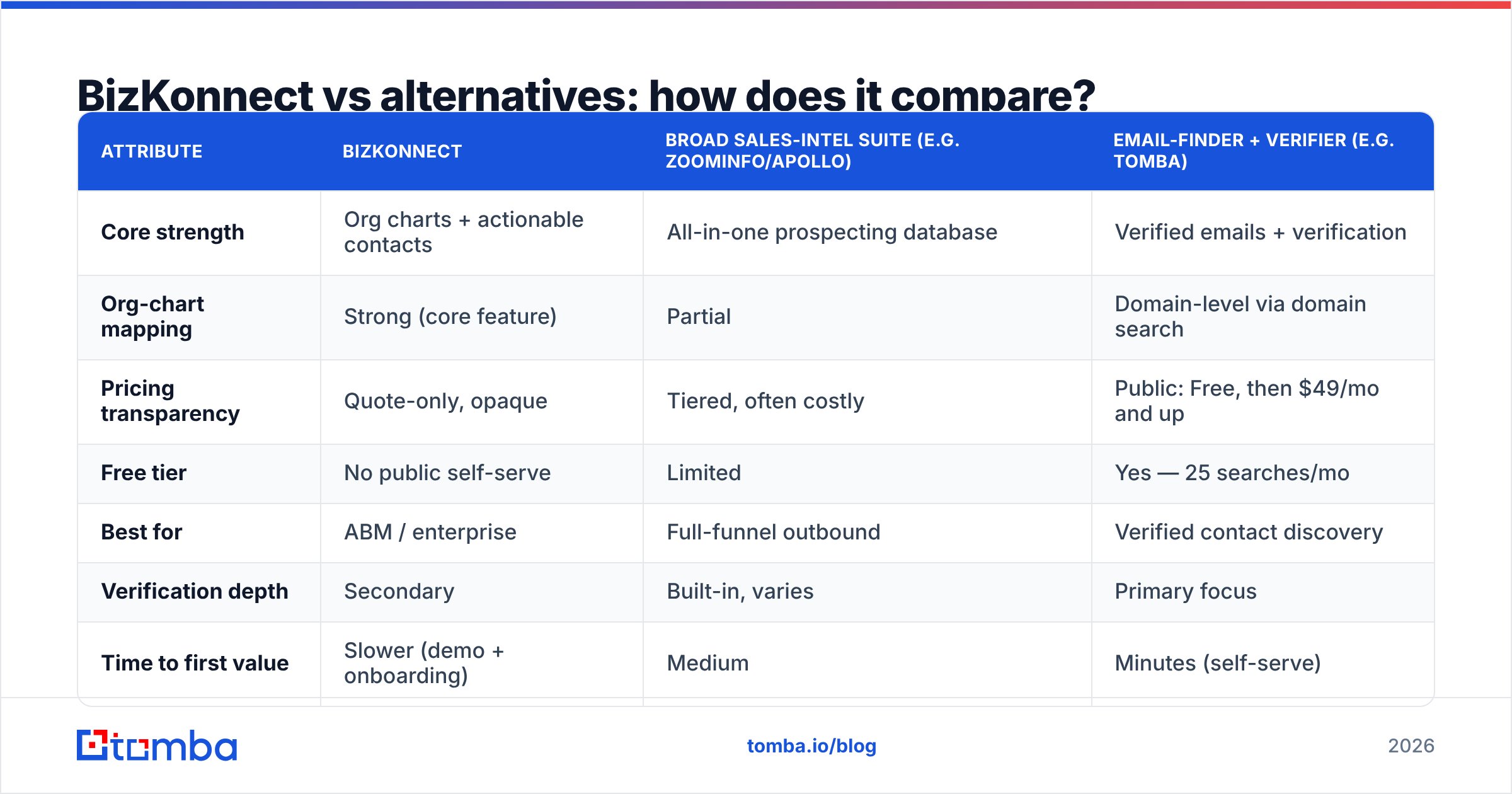
No single tool wins every category. The table below frames BizKonnect against the kind of alternatives teams evaluate next to it — an org-chart-first platform, a broad sales-intelligence suite, and a verification-first email finder.
| Attribute | BizKonnect | Broad sales-intel suite (e.g. ZoomInfo/Apollo) | Email-finder + verifier (e.g. Tomba) |
|---|---|---|---|
| Core strength | Org charts + actionable contacts | All-in-one prospecting database | Verified emails + verification |
| Org-chart mapping | Strong (core feature) | Partial | Domain-level via domain search |
| Pricing transparency | Quote-only, opaque | Tiered, often costly | Public: Free, then $49/mo and up |
| Free tier | No public self-serve | Limited | Yes — 25 searches/mo |
| Best for | ABM / enterprise | Full-funnel outbound | Verified contact discovery |
| Verification depth | Secondary | Built-in, varies | Primary focus |
| Time to first value | Slower (demo + onboarding) | Medium | Minutes (self-serve) |
The pattern is clear: BizKonnect is the specialist for structure, suites are the generalists for volume, and a focused email finder is the specialist for deliverability. Many teams run a hybrid — map the account in one tool, verify and enrich contacts in another. You can compare transparent options on the Tomba pricing page to see what self-serve actually costs versus a sales-led quote.

How much does BizKonnect cost?#
BizKonnect uses a quote-based model — pricing depends on seats, data volume, and modules, and is delivered through a sales conversation rather than a public pricing page. That's standard for enterprise data vendors, but it has trade-offs.
Pros of quote pricing: you can negotiate, bundle, and right-size for a large team.
Cons of quote pricing: no fast self-serve test, slower procurement, and harder apples-to-apples comparison. For a small team or a single rep who just wants to validate the tool this week, that's a real barrier.
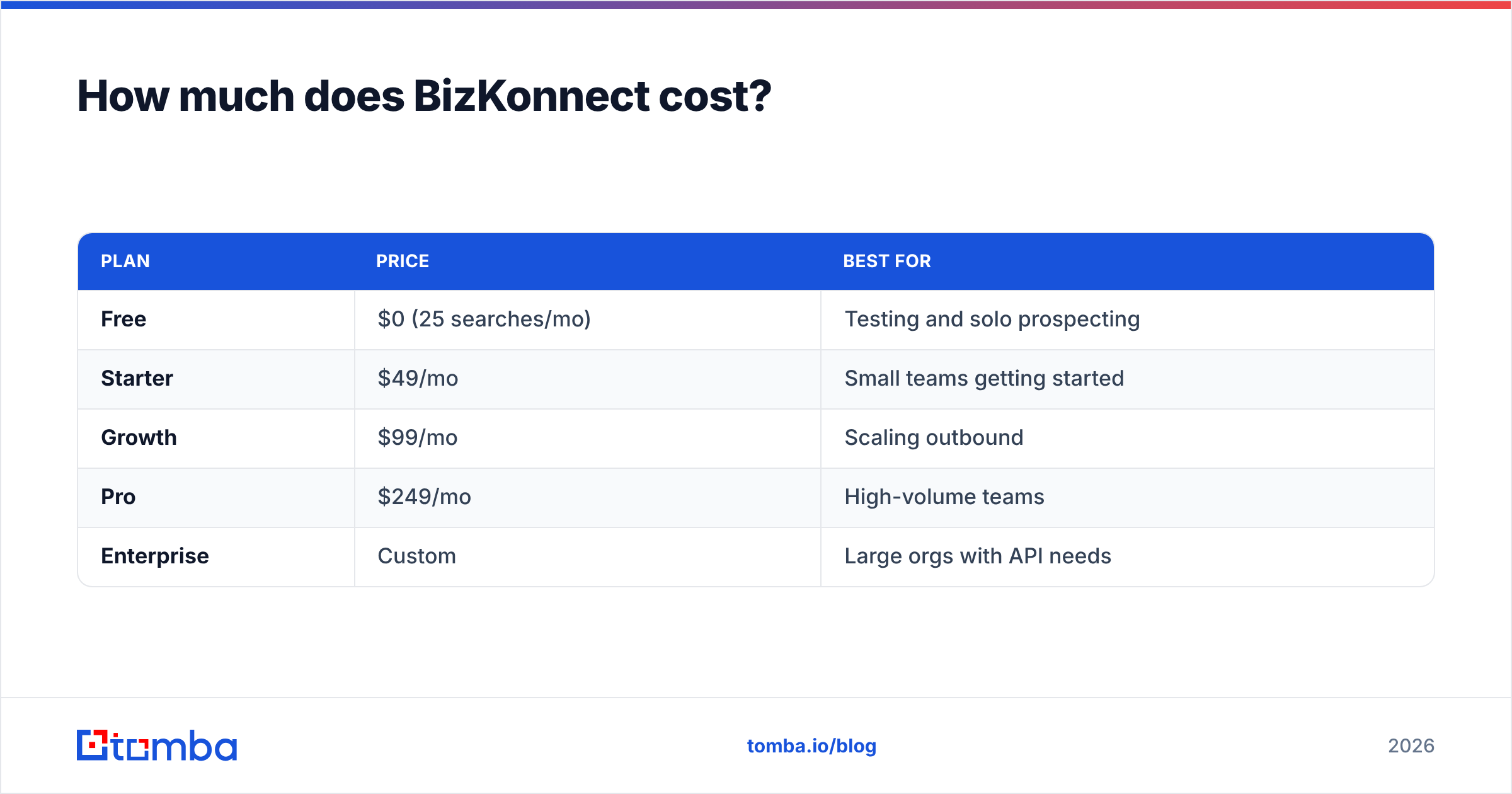
Contrast that with transparent, self-serve pricing where you can start free and scale. Tomba, for instance, publishes its tiers openly:
| Plan | Price | Best for |
|---|---|---|
| Free | $0 (25 searches/mo) | Testing and solo prospecting |
| Starter | $49/mo | Small teams getting started |
| Growth | $99/mo | Scaling outbound |
| Pro | $249/mo | High-volume teams |
| Enterprise | Custom | Large orgs with API needs |
If predictable, public pricing matters to your buying process, weigh that against BizKonnect's demo-first motion.
Should you use BizKonnect or a dedicated email finder?#
Choose based on the problem you're actually solving — they're complementary, not interchangeable.
- Use BizKonnect when: your bottleneck is understanding the buying committee, mapping reporting lines, and running account-based plays into large organizations.
- Use a dedicated finder/verifier when: your bottleneck is getting accurate, deliverable contact data at the individual level without burning sender reputation.
- Use both when: you're running serious ABM and need both the org map and verified contacts. Map in BizKonnect, then verify and fill gaps with a finder.
A common, effective stack: BizKonnect (or a similar org-chart tool) for structure, plus a self-serve finder for verified emails, plus your CRM and sequencer for execution. If you're cost-conscious or just starting, you can replicate much of the contact-discovery value with find email addresses by domain and name, then verify before send — at a fraction of an enterprise contract.
What do reviewers say about BizKonnect?#
Across review sites, the sentiment clusters predictably:
- Praise: the org-chart concept, account context, and time saved on committee research.
- Criticism: data going stale, occasional inaccurate contacts, and an interface that feels behind modern competitors.
- Recurring theme: users love the idea and the structure, but supplement with other tools for verification and broader coverage.
That's a healthy reality check. A tool can be excellent at one job (org mapping) and still leave gaps that a focused complement fills. Always run a paid pilot on real target accounts and measure bounce rate, connect rate, and rep adoption before committing budget.
Final verdict on the BizKonnect pros and cons#
BizKonnect is a strong specialist, not an all-in-one. The pros — org-chart visualization, actionable contacts, and ABM alignment — are genuinely useful for enterprise teams. The cons — data freshness, opaque pricing, dated UX, and coverage gaps — are why most users pair it with other tools rather than relying on it alone.
If your motion is account-based and your reps need to see the buying committee, it earns a place in the stack. If your core need is verified, deliverable contact data at a transparent price, lead with a dedicated finder and verifier instead.
Want verified contacts to power your outreach, not just an org chart? Start with the Tomba Email Finder — find professional email addresses by domain, name, or company, verify them before you send, and keep your bounce rate low. The free tier gives you 25 searches a month to test it on your real target accounts before you spend a dollar. Map the org wherever you like; let Tomba make sure the emails actually land.
Ready to find emails that actually work?
Join 150,000+ professionals who stopped guessing and started sending. Free credits on signup — no credit card required.
Get the Tomba newsletter
Practical outbound tactics and product updates — once every two weeks.
About the author