Bizkonnect vs ContactOut: Which B2B Data Tool Wins in 2026?
Bizkonnect vs ContactOut compared on data accuracy, coverage, pricing, and workflow fit — plus where a leaner email finder beats both for outbound teams in 2026.
Choosing between Bizkonnect and ContactOut comes down to one question: do you need account intelligence (org charts, buying committees, account maps) or do you need contact data (verified emails and phone numbers at scale)? They look similar on a feature grid, but they solve different halves of the prospecting problem — and most teams overpay for one when they actually needed the other.
This guide breaks down both tools on data accuracy, coverage, pricing, and real outbound workflows, then shows where a focused email finder undercuts both.
TL;DR#
- Bizkonnect is built for account intelligence: org charts, reporting lines, and account-based selling plays. It shines for enterprise ABM, not high-volume contact pulls.
- ContactOut is a contact-data tool: a Chrome extension and search portal that surfaces personal and work emails plus phone numbers, mostly sourced from LinkedIn.
- Accuracy and price diverge sharply. ContactOut leans on consumer/personal emails; Bizkonnect leans on curated org data. Neither is cheap at scale.
- If your core need is verified work emails by domain or name, a dedicated email finder like Tomba covers the same job from $49/mo with a 25-search free tier.
- Pick by job-to-be-done: Bizkonnect for org mapping, ContactOut for LinkedIn sourcing, Tomba for accurate work-email discovery and verification.
What is Bizkonnect?#
Bizkonnect is a sales intelligence platform focused on actionable account intelligence. Its signature product is org-chart data: visual maps of who reports to whom inside a target company, so account executives can identify the real buying committee instead of guessing at titles.
Think of it like a seating chart for a wedding you weren't invited to. Instead of emailing whoever you can find, you see the table layout — decision-maker here, influencer there, blocker in the corner — and plan your approach around the actual hierarchy. That's the value Bizkonnect sells: context, not just contacts.
It also offers company lists, technographic and trigger-event data, and curated contact records aimed at enterprise account-based marketing (ABM) teams. The trade-off is that this curation makes Bizkonnect feel more like a managed data service than a self-serve, pull-10,000-emails-today tool.
What is ContactOut?#
ContactOut is a contact-finding platform best known for its Chrome extension that pulls emails and phone numbers off LinkedIn profiles. Recruiters adopted it early because it surfaces personal email addresses — useful when you're trying to reach a candidate who ignores their work inbox.
ContactOut has since expanded into a search portal, a data-enrichment API, and email campaign features. Its pitch is breadth of reach: work emails, personal emails, and mobile numbers from a large profile-based dataset. You can review ContactOut's positioning on its official site and cross-check user sentiment on G2.
The catch is the same as its strength. Personal-email coverage is great for recruiting but noisier for B2B outbound, where deliverability depends on hitting verified, role-based work addresses your sequencer can actually warm into.

How accurate is the data in Bizkonnect vs ContactOut?#
Accuracy is where the "vs" matters most, because the two tools optimize for different data types.
- Bizkonnect invests in human-curated and structured org data. When the org chart is right, it's very right — but curated datasets update on a slower cycle, so fast-moving headcount changes (layoffs, promotions, new hires) can lag.
- ContactOut maximizes match rate by including personal emails. You'll get an email for more profiles, but a higher share may be personal Gmail/Outlook addresses that hurt B2B sender reputation if you blast them in a work-email sequence.
Either way, no provider is 100% accurate, which is why a verification step is non-negotiable. Running every address through an email verifier before you load a sequence is the single highest-ROI habit in outbound. It protects email deliverability and keeps your bounce rate under the thresholds Google and Microsoft enforce.
)
A practical rule: treat any single-source dataset — Bizkonnect, ContactOut, or anything else — as a starting point, then confirm with a second source and a real-time SMTP check before sending.
Bizkonnect vs ContactOut: feature and pricing comparison#
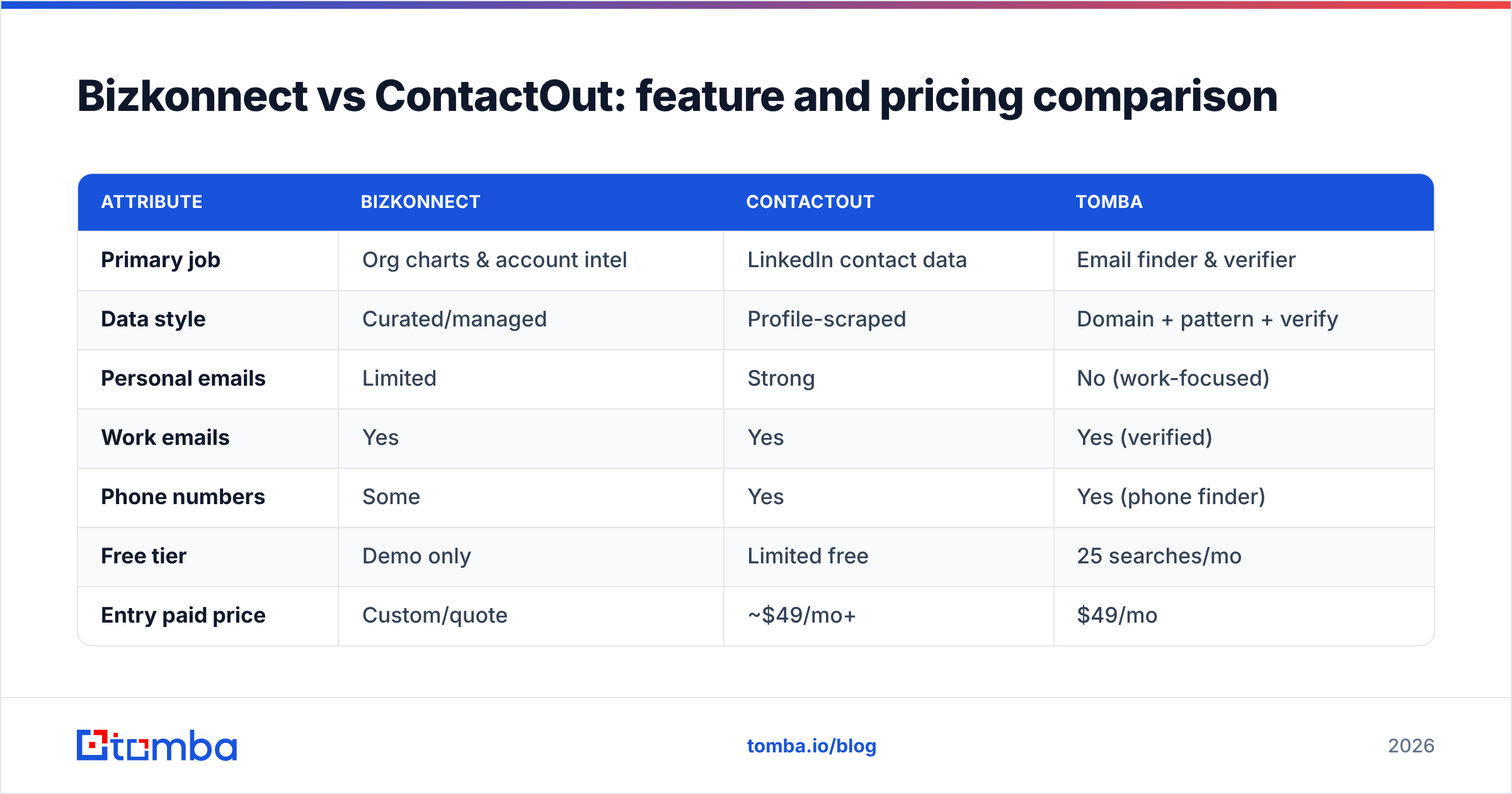
Here's the head-to-head on the attributes that actually change your buying decision. Tomba is included as the focused email-finder reference point.
| Attribute | Bizkonnect | ContactOut | Tomba |
|---|---|---|---|
| Primary job | Org charts & account intel | LinkedIn contact data | Email finder & verifier |
| Data style | Curated/managed | Profile-scraped | Domain + pattern + verify |
| Personal emails | Limited | Strong | No (work-focused) |
| Work emails | Yes | Yes | Yes (verified) |
| Phone numbers | Some | Yes | Yes (phone finder) |
| Free tier | Demo only | Limited free | 25 searches/mo |
| Entry paid price | Custom/quote | ~$49/mo+ | $49/mo |
| Best for | Enterprise ABM | Recruiting & sourcing | Outbound email at scale |
| Self-serve API | Limited | Yes | Yes (full REST) |
Two things stand out. First, Bizkonnect rarely lists transparent self-serve pricing — it's a quote-and-onboard motion aimed at enterprise buyers. Second, ContactOut and Tomba overlap heavily on the contact-data job, but Tomba is built specifically around verified work email discovery rather than personal-email reach. You can compare full Tomba pricing against either vendor's quote.
Which tool fits which team?#
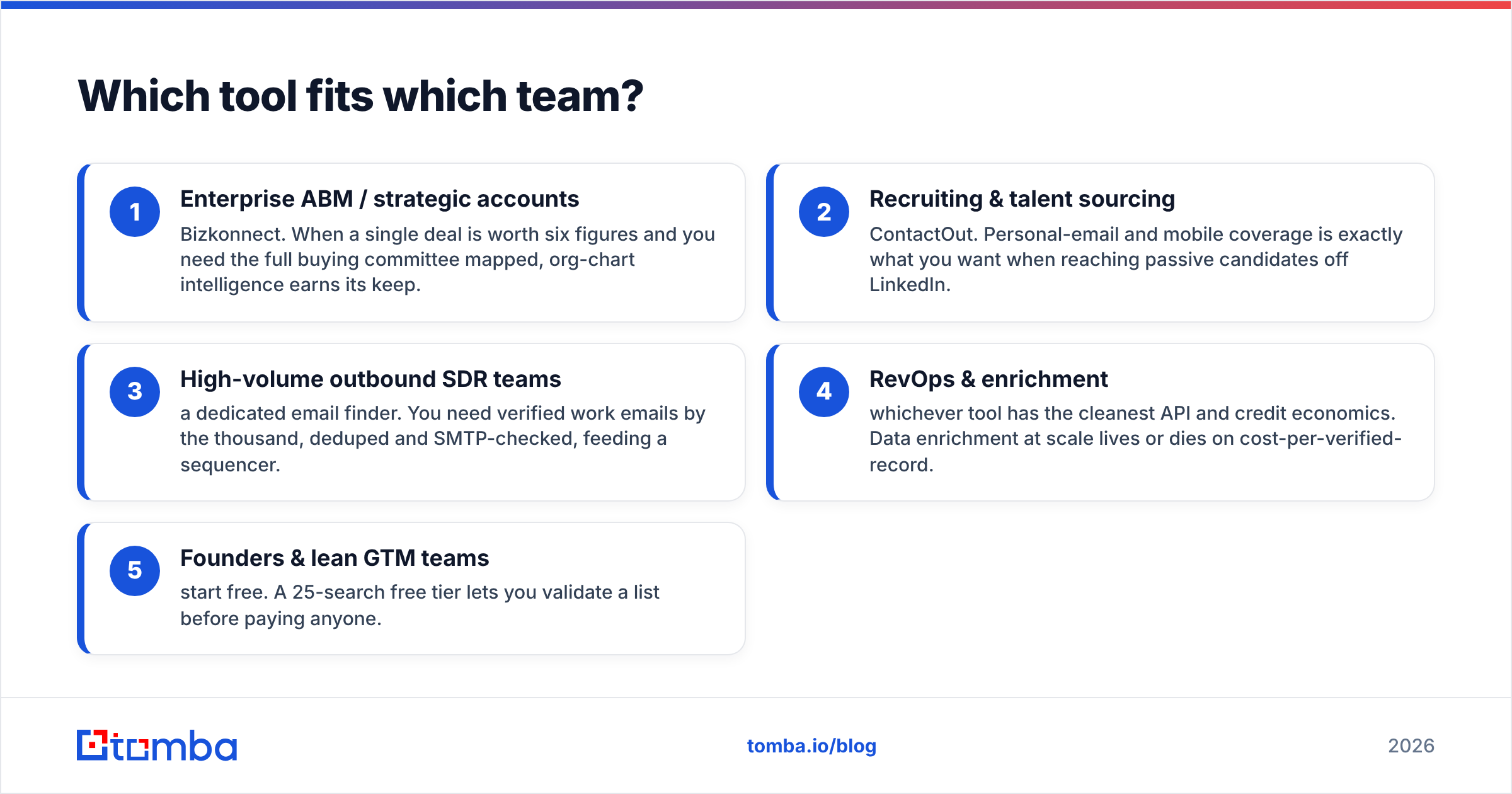
Match the tool to the motion, not the marketing. Use these five profiles:
- Enterprise ABM / strategic accounts — Bizkonnect. When a single deal is worth six figures and you need the full buying committee mapped, org-chart intelligence earns its keep.
- Recruiting & talent sourcing — ContactOut. Personal-email and mobile coverage is exactly what you want when reaching passive candidates off LinkedIn.
- High-volume outbound SDR teams — a dedicated email finder. You need verified work emails by the thousand, deduped and SMTP-checked, feeding a sequencer.
- RevOps & enrichment — whichever tool has the cleanest API and credit economics. Data enrichment at scale lives or dies on cost-per-verified-record.
- Founders & lean GTM teams — start free. A 25-search free tier lets you validate a list before paying anyone.
If your team spans more than one of these, you'll likely run two tools: an intelligence layer and a contact-data layer. That's normal — just don't pay enterprise rates for the half you barely use.
)
Is there a better-value alternative to Bizkonnect and ContactOut?#
For the contact-data job specifically, yes — a focused email finder usually wins on cost-per-verified-email. This is where Tomba fits.
Tomba isn't trying to map org charts or surface personal Gmail addresses. It does one thing precisely: find and verify professional email addresses by domain, name, or company, then hand them back clean. That narrow scope is the point — fewer personal-email false positives, lower bounce risk, predictable credit cost.
Where Tomba lines up against both tools:
- Domain search — drop in a company domain and pull every discoverable work email with role and confidence score. See domain search.
- Bulk processing — upload a list of names and domains and run bulk email finder jobs instead of clicking profile by profile.
- Verification built in — every address can be SMTP-checked and catch-all filtered before it touches your sequencer.
- Developer-friendly — a full Tomba API, CLI, and Chrome extension, so RevOps can wire enrichment into the CRM without a custom integration project.
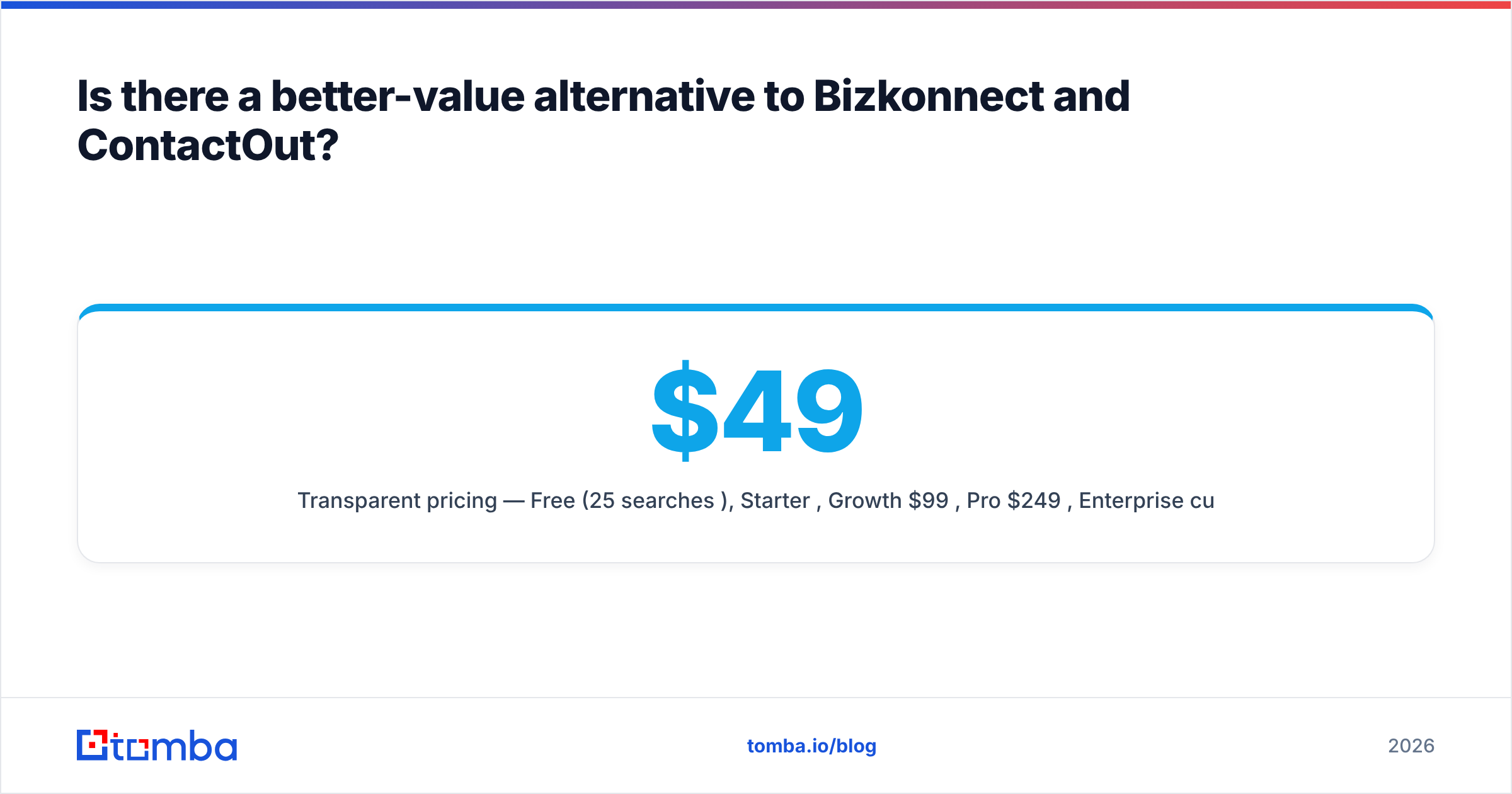
- Transparent pricing — Free (25 searches/mo), Starter $49/mo, Growth $99/mo, Pro $249/mo, Enterprise custom. No "request a quote" gate to test the data.
If you also need mobile numbers, the phone finder covers B2B phone discovery alongside email, so you're not bolting on a third vendor just for dials.
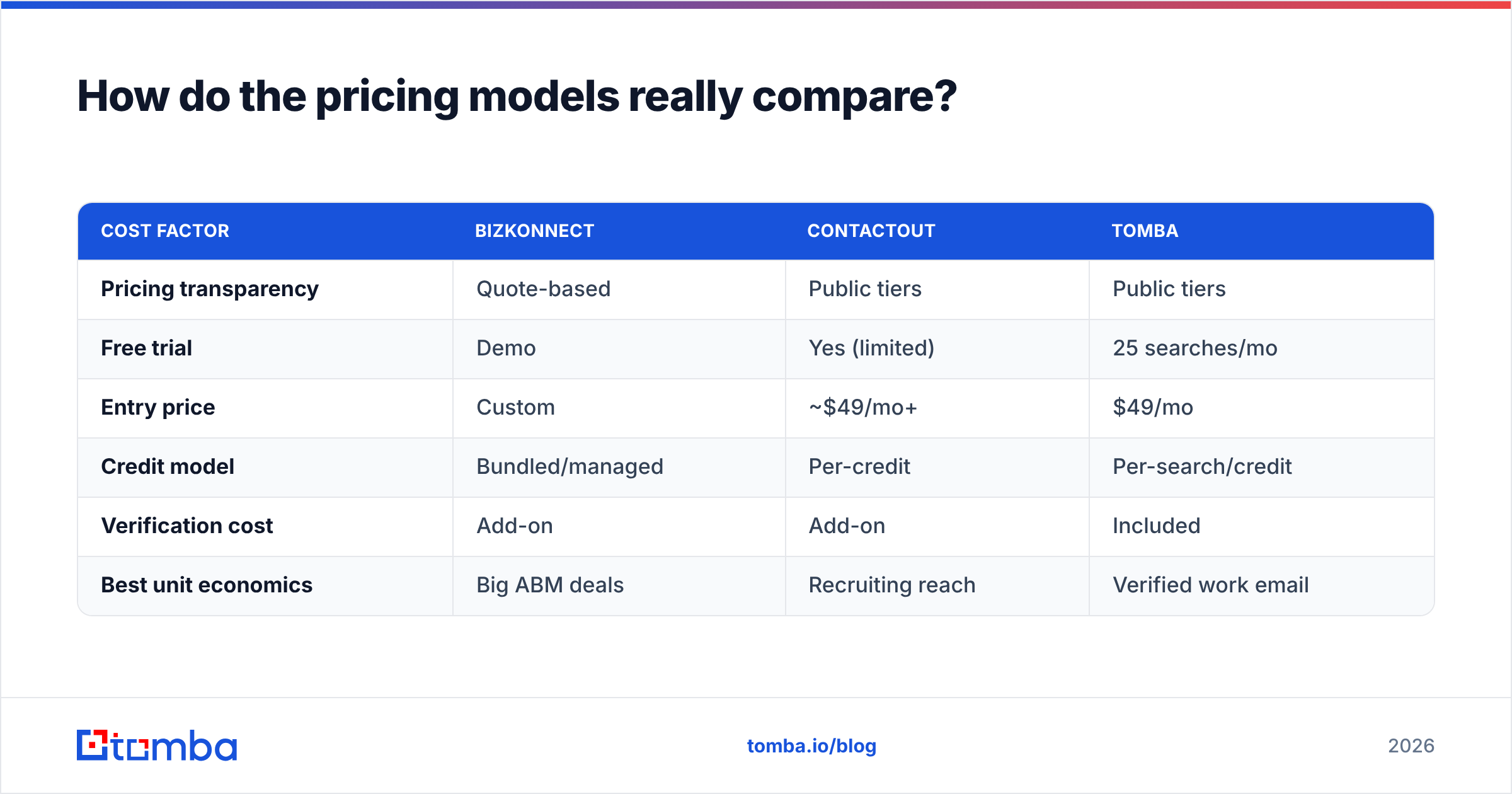
How do the pricing models really compare?#
The headline numbers hide the metric that matters: cost per usable, verified contact.
| Cost factor | Bizkonnect | ContactOut | Tomba |
|---|---|---|---|
| Pricing transparency | Quote-based | Public tiers | Public tiers |
| Free trial | Demo | Yes (limited) | 25 searches/mo |
| Entry price | Custom | ~$49/mo+ | $49/mo |
| Credit model | Bundled/managed | Per-credit | Per-search/credit |
| Verification cost | Add-on | Add-on | Included |
| Best unit economics | Big ABM deals | Recruiting reach | Verified work email |
A tool that looks cheaper per credit can be more expensive per deliverable email if half its matches are unverified or personal addresses you can't safely use. Always price on the contact you can actually send to — and factor verification in, because a bounced send costs you sender reputation, not just a credit.
What about compliance and data sourcing?#
Both categories of tool draw scrutiny on data provenance. Profile-scraped datasets (ContactOut's strength) raise GDPR/CCPA questions when personal emails are involved, especially for EU prospects. Curated datasets (Bizkonnect's strength) tend to be lower-risk but cover fewer records.
Whatever you choose, do two things: document where your data comes from, and honor opt-outs immediately. Tomba publishes its approach to data sources so your legal team can review it before you commit — a step worth taking with any vendor, including the two in this comparison. For a neutral primer on the regulations themselves, the GDPR overview on Wikipedia is a reasonable starting point.
Bizkonnect vs ContactOut: the verdict#
Neither tool is "better" in the abstract — they win different jobs:
- Choose Bizkonnect if your motion is enterprise ABM and you need to map buying committees and reporting lines inside large accounts. The org-chart intelligence is its real moat.
- Choose ContactOut if you're recruiting or sourcing off LinkedIn and personal-email plus mobile coverage is the priority.
- Choose a focused email finder if your bottleneck is verified work emails at volume for outbound sequences — the most common need for SDR and growth teams, and the one where transparent per-credit pricing matters most.
The mistake to avoid is buying an account-intelligence platform when you really just needed clean contact data, or a recruiting-grade scraper when you needed deliverable B2B work emails. Map the job first, then the tool.
Start with verified emails, not guesswork#
If your goal is reaching decision-makers with emails that actually land, skip the quote forms and start with data you can verify on the spot. The Tomba Email Finder finds professional email addresses by domain, name, or company, verifies them in the same workflow, and scales from a free 25-search tier up to bulk and API plans as your outbound grows. Test it against your current Bizkonnect or ContactOut list, compare the bounce rates, and let the deliverability numbers decide. Try it free, then upgrade only when the data proves itself.
Ready to find emails that actually work?
Join 150,000+ professionals who stopped guessing and started sending. Free credits on signup — no credit card required.
Get the Tomba newsletter
Practical outbound tactics and product updates — once every two weeks.
About the author