Bizkonnect vs Kaspr 2026: Which B2B Data Tool Wins?
Bizkonnect sells org charts and account intelligence; Kaspr grabs LinkedIn phone and email data. Here's how the two compare on data, pricing, and workflow in 2026 — and where a dedicated email finder beats both.
You typed "Bizkonnect vs Kaspr" because both promise to put the right contact in front of you faster — but they solve very different halves of the prospecting problem. One maps the org. The other grabs the number. Picking wrong means paying for data you can't action.
TL;DR — Bizkonnect vs Kaspr at a glance#
- Bizkonnect is an account-intelligence and org-chart platform. It's strongest when you need to understand a buying committee — reporting lines, departments, and who sits above your champion.
- Kaspr is a LinkedIn-first contact extractor. It's strongest when you already know the person and need their direct dial and email pulled from a profile in one click.
- Pricing diverges sharply: Kaspr publishes self-serve tiers (free plan plus paid seats); Bizkonnect runs custom, sales-led quotes aimed at enterprise teams.
- Neither is a pure email finder. If verified email coverage at scale is your real goal, a dedicated tool like Tomba often beats both on cost-per-valid-email.
- Best combo: use org intelligence to choose targets, then a high-accuracy email finder to reach them.
What is Bizkonnect?#
Bizkonnect is a B2B sales-intelligence company best known for "actionable org charts." Instead of handing you a flat list of contacts, it visualizes how a company is structured — who reports to whom, which functions exist, and where your product's economic buyer likely sits.
Think of it like a building directory versus a phone book. A phone book gives you 400 names in alphabetical order. A directory shows you which floor the VP of Engineering is on and who guards the door. Bizkonnect sells the directory: department trees, decision-maker mapping, and account dossiers built for account-based selling motions.
That makes it useful for enterprise reps chasing six- and seven-figure deals where the buying committee has eight stakeholders and you cannot afford to email the wrong one. The trade-off is that org charts are interpretive data — they're inferred and maintained, so freshness varies, and you still need a way to get a working email or phone number once you've identified the target.
What is Kaspr?#
Kaspr is a contact-data tool built around a Chrome extension that fires on LinkedIn. Open a profile, click the extension, and Kaspr attempts to surface that person's phone numbers, email addresses, and other contact details, then lets you push them into your CRM or a sequence.
Kaspr's center of gravity is speed at the individual level. It's the tool an SDR opens 60 times a day while prospecting on LinkedIn Sales Navigator. It leans on a contributed/aggregated data network for mobile numbers, which is its headline differentiator — European mobile coverage in particular is a frequent selling point. Kaspr is part of the Cognism family, which gives it a credible data lineage.
The limitation mirrors Bizkonnect's, just from the opposite side: Kaspr is excellent at extracting a known profile but does not map the account for you. You bring the target; it brings the digits.

Bizkonnect vs Kaspr: how do they actually differ?#
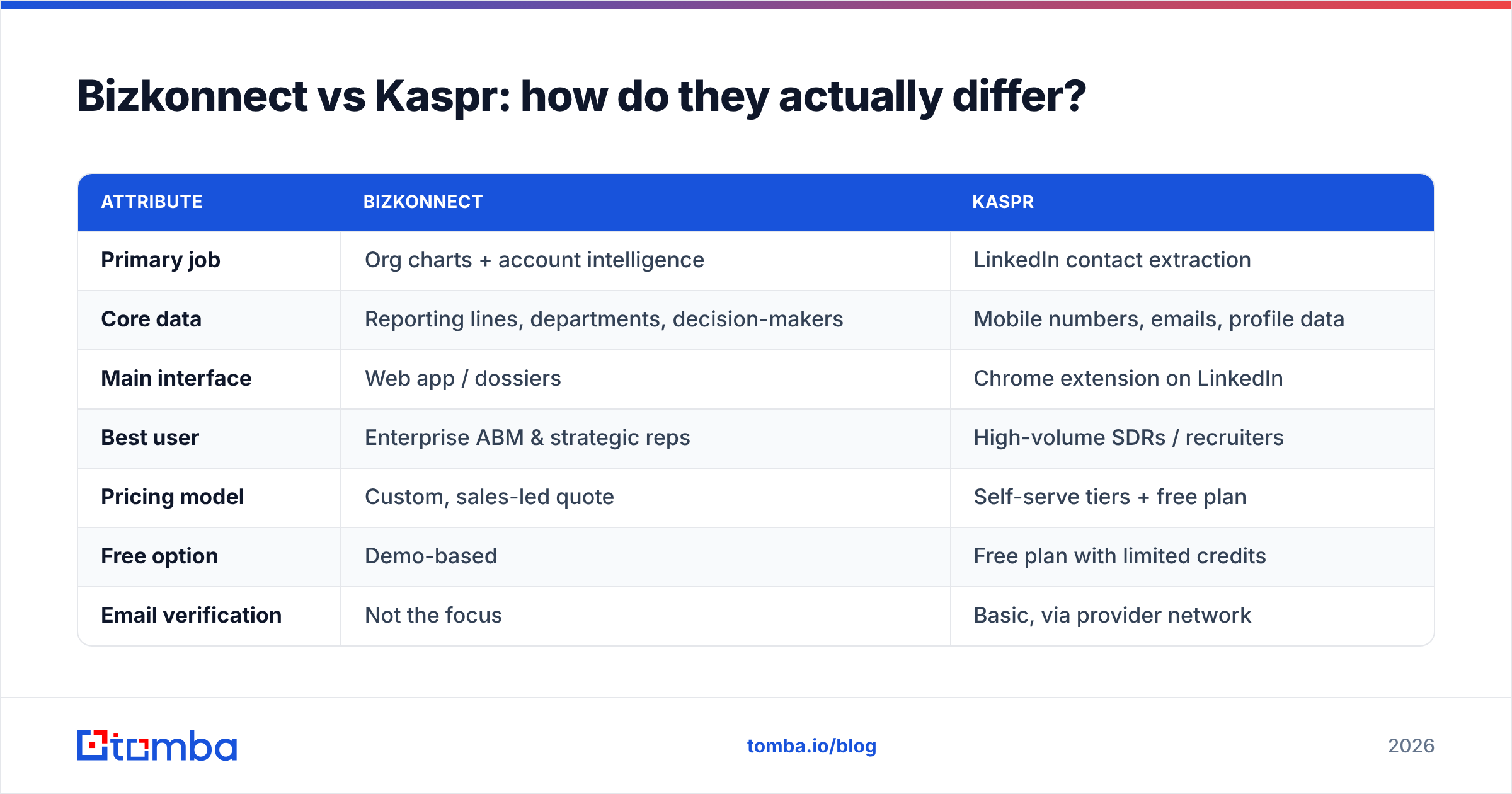
The cleanest way to think about it: Bizkonnect answers who should I contact and why, while Kaspr answers what's their number. Here's the side-by-side.
| Attribute | Bizkonnect | Kaspr |
|---|---|---|
| Primary job | Org charts + account intelligence | LinkedIn contact extraction |
| Core data | Reporting lines, departments, decision-makers | Mobile numbers, emails, profile data |
| Main interface | Web app / dossiers | Chrome extension on LinkedIn |
| Best user | Enterprise ABM & strategic reps | High-volume SDRs / recruiters |
| Pricing model | Custom, sales-led quote | Self-serve tiers + free plan |
| Free option | Demo-based | Free plan with limited credits |
| Email verification | Not the focus | Basic, via provider network |
| Bulk/API workflow | Account-list oriented | Per-profile, with some bulk |
| Geographic strength | US enterprise accounts | Strong EU mobile coverage |
The practical read: these are complementary, not interchangeable. A team that buys Bizkonnect still needs a contact-data source, and a team that buys Kaspr still has to decide which profiles to open. Many orgs end up paying for both — or for a third tool that does the contact half cheaper.
Which one is more accurate?#
Accuracy means different things for each tool, so compare like with like.
For Bizkonnect, accuracy is about org structure: is the reporting line current, is the VP still in seat, did the team reorg last quarter? Org data decays fast — people change roles every 18–24 months on average — so the value depends heavily on refresh cadence. Treat the chart as a strong hypothesis, not gospel.
For Kaspr, accuracy is about contact validity: does the mobile number connect, does the email bounce? Aggregated mobile data is genuinely useful but uneven by region, and email coverage from a LinkedIn-extraction model tends to trail dedicated email tools because the discovery happens one profile at a time rather than across an entire domain.
This is where a focused tool earns its keep. A dedicated email verifier checks deliverability before you send, and a domain search pulls every known address pattern at a company in one pass rather than profile-by-profile. If your bounce rate matters to your sender reputation — and it does — verification is not optional. See email deliverability for why bounces quietly wreck inbox placement.
Independent reviews on G2 are a sensible sanity check before you commit to either vendor's accuracy claims.
How does pricing compare?#
This is the sharpest contrast between the two.
Kaspr is transparent and self-serve. There's a free plan with limited credits, then paid tiers priced per user with monthly or annual billing, plus add-on credits. An SDR can sign up and start pulling numbers the same afternoon without a sales call.
Bizkonnect is enterprise-quoted. You request a demo, describe your account list and seat count, and receive a custom price. That model suits large ABM programs but creates friction for small teams who just want to test it.
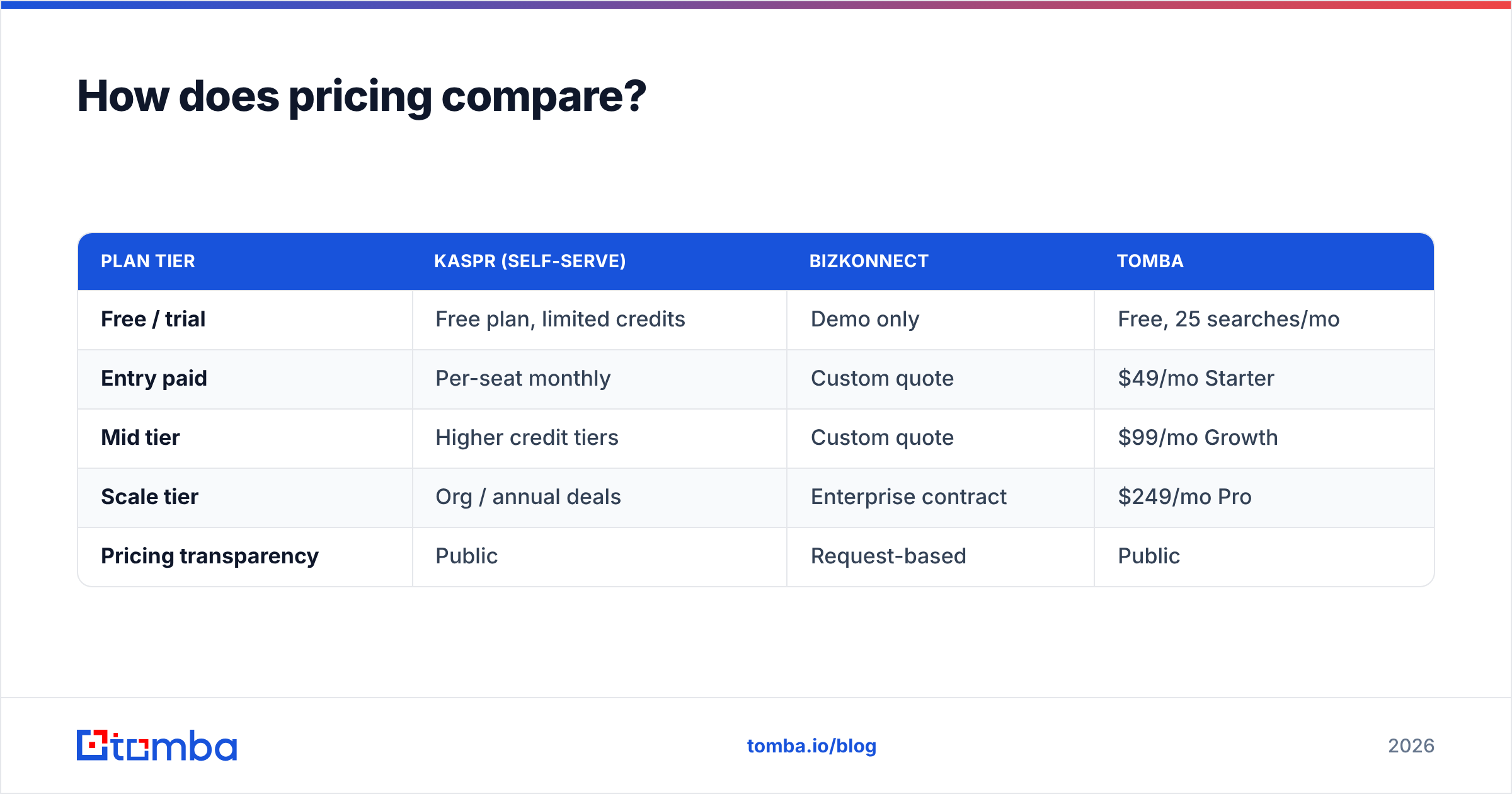
Here's how both stack up against a dedicated email-finding budget:
| Plan tier | Kaspr (self-serve) | Bizkonnect | Tomba |
|---|---|---|---|
| Free / trial | Free plan, limited credits | Demo only | Free, 25 searches/mo |
| Entry paid | Per-seat monthly | Custom quote | $49/mo Starter |
| Mid tier | Higher credit tiers | Custom quote | $99/mo Growth |
| Scale tier | Org / annual deals | Enterprise contract | $249/mo Pro |
| Pricing transparency | Public | Request-based | Public |
If you only need verified work emails at volume, neither org-chart software nor a per-profile extractor is the most efficient spend. Transparent Tomba pricing starts at $49/mo for the Starter plan, and the free tier gives you 25 searches to test accuracy before paying anything.
When should you choose Bizkonnect?#
Pick Bizkonnect when the map is your bottleneck, not the contact. Specifically:
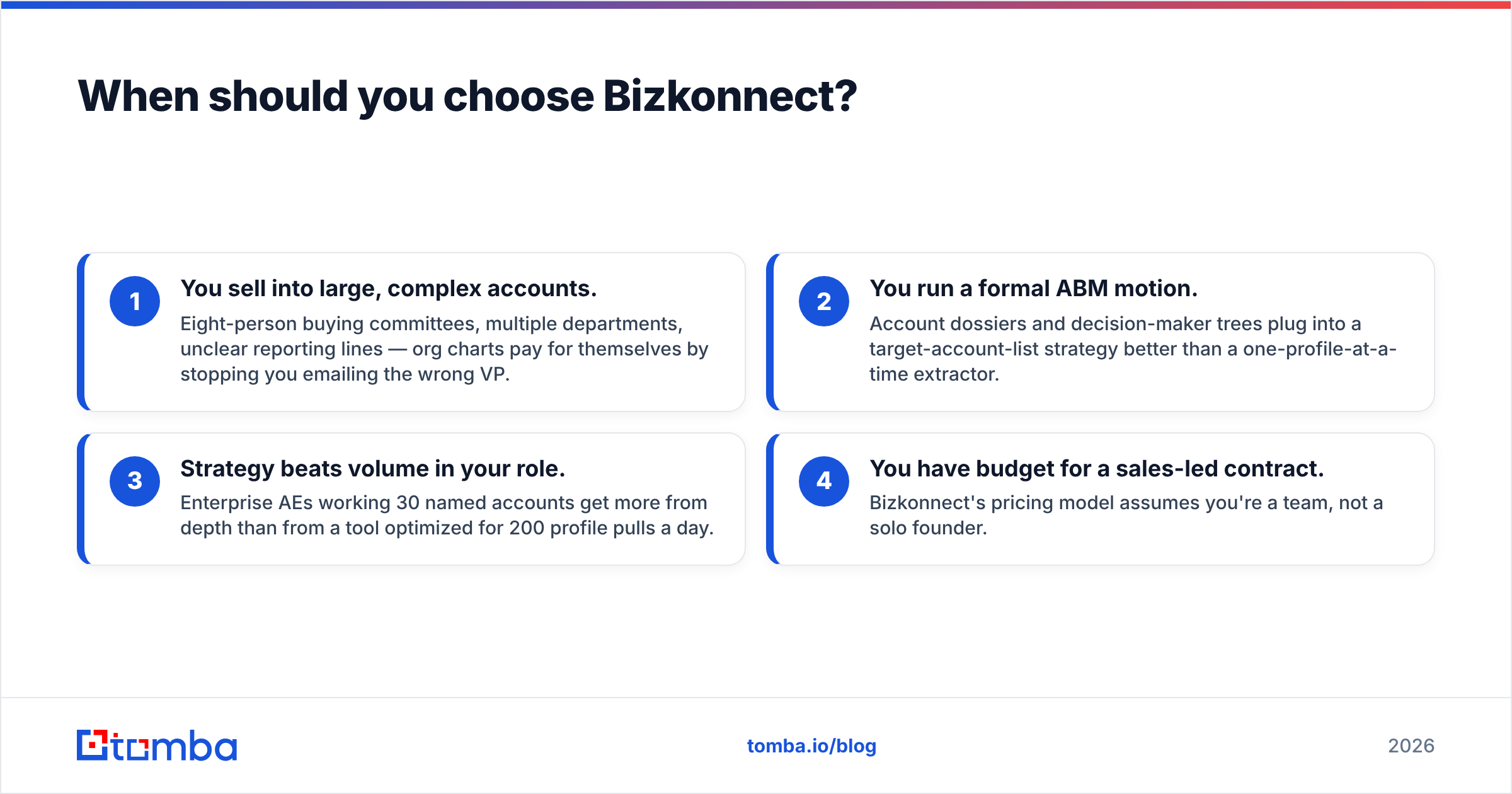
- You sell into large, complex accounts. Eight-person buying committees, multiple departments, unclear reporting lines — org charts pay for themselves by stopping you emailing the wrong VP.
- You run a formal ABM motion. Account dossiers and decision-maker trees plug into a target-account-list strategy better than a one-profile-at-a-time extractor.
- Strategy beats volume in your role. Enterprise AEs working 30 named accounts get more from depth than from a tool optimized for 200 profile pulls a day.
- You have budget for a sales-led contract. Bizkonnect's pricing model assumes you're a team, not a solo founder.
If that's not you — if you're an SDR or small team measured on activity and pipeline created — Bizkonnect is probably more platform than you need.
When should you choose Kaspr?#
Pick Kaspr when you already know your targets and live inside LinkedIn:
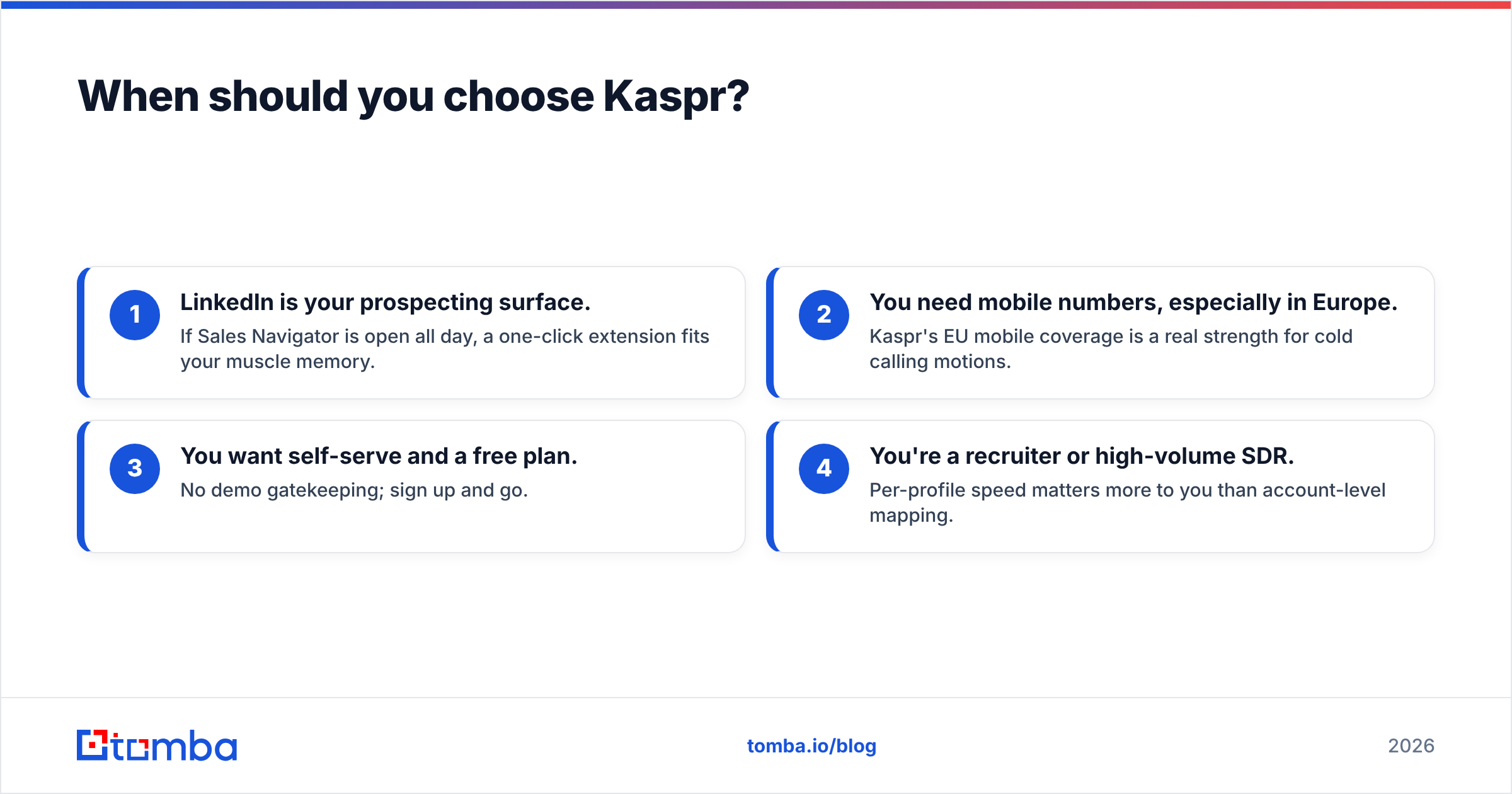
- LinkedIn is your prospecting surface. If Sales Navigator is open all day, a one-click extension fits your muscle memory.
- You need mobile numbers, especially in Europe. Kaspr's EU mobile coverage is a real strength for cold calling motions.
- You want self-serve and a free plan. No demo gatekeeping; sign up and go.
- You're a recruiter or high-volume SDR. Per-profile speed matters more to you than account-level mapping.
The catch: credit caps and per-profile workflow make Kaspr expensive and slow if your real goal is every contact at a domain, or thousands of verified emails for a sequence.
Is there a better option for finding emails at scale?#
Yes — if email is the actual job, a purpose-built email finder usually beats both. Bizkonnect doesn't focus on contact retrieval, and Kaspr's LinkedIn-by-profile model isn't built for sweeping a whole company or running a list of 5,000 prospects through verification.
That's the gap Tomba fills. A few capabilities that matter for outbound at volume:
- Domain-wide discovery. Domain search returns all known email patterns at a company in one query instead of profile-by-profile clicks.
- Verification before you send. The email verifier and catch-all verifier cut bounces that damage sender reputation.
- Bulk and API. Run lists through the bulk email finder or wire it into your stack with the Tomba API.
- Transparent pricing. Public tiers from a free plan to $249/mo Pro — no demo required to see the number.
Here's the honest framing across all three, because no single tool wins every column:
| Use case | Best fit |
|---|---|
| Map a complex buying committee | Bizkonnect |
| Grab a mobile number off LinkedIn | Kaspr |
| Find + verify emails at scale | Tomba |
| Self-serve, transparent pricing | Tomba / Kaspr |
| Enterprise ABM dossiers | Bizkonnect |
| Lowest cost per valid email | Tomba |
The smartest stacks often combine layers: use account intelligence (Bizkonnect-style) to pick targets, LinkedIn extraction (Kaspr-style) where you need a specific mobile, and a dedicated finder (Tomba) to get verified emails for everyone else cheaply.
How do I decide between Bizkonnect and Kaspr?#
Run your decision through three questions:
1. What's my real bottleneck — knowing who, or reaching them? If you struggle to identify the right stakeholder, lean Bizkonnect. If you already have names and need contact details, lean Kaspr.
2. What's my volume? A handful of strategic accounts favors org intelligence. Hundreds of contacts a week favors a fast extractor — or, for email specifically, a bulk finder.
3. How important is verified email deliverability? If your outbound depends on landing in the inbox, prioritize a tool with real email verification. Neither Bizkonnect nor Kaspr is built primarily for that, and a reputation checker will tell you fast whether your current data is hurting you.
For most outbound teams, the answer isn't strictly one of these two. It's the right combination — and the email layer is the one you can upgrade today for the least money.
The bottom line#
Bizkonnect and Kaspr aren't really rivals; they're two different tools that happen to show up in the same searches. Bizkonnect maps the org so you target the right people. Kaspr extracts contacts off LinkedIn so you reach a specific person fast. Choose Bizkonnect for strategic ABM and complex committees; choose Kaspr for LinkedIn-native, self-serve, mobile-heavy prospecting.
But if your day-to-day pain is finding and verifying professional emails — at scale, without bounces, without a sales call — start with the tool built for exactly that. Try the Tomba Email Finder free with 25 searches a month, scale to the $49/mo Starter when it proves out, and keep your bounce rate (and your sender reputation) clean from day one.
// get started
Find, verify and enrich your first contacts today
Start on the free plan with 25 searches a month, then scale when your team is ready.
Free plan · No credit card required · GDPR & CCPA
// about the author