Bizkonnect vs SalesQL 2026: Which Email Finder Wins?
Bizkonnect sells account intelligence and org charts; SalesQL scrapes LinkedIn emails. Here's an honest 2026 breakdown of which one fits your prospecting motion — and where both fall short.
You're staring at two tools that barely belong in the same sentence, yet both keep showing up when you search for ways to fill your pipeline. Bizkonnect and SalesQL solve different halves of the same problem — finding the right person and getting a working email to reach them — and picking the wrong one wastes a quarter of prospecting budget. This breakdown cuts through the positioning so you know which fits your motion.
TL;DR — Bizkonnect vs SalesQL in 30 seconds#
- Bizkonnect is account-intelligence software: org charts, "actionable contacts," and sales triggers aimed at enterprise account-based selling. It's strong on context, weaker on self-serve email volume.
- SalesQL is a LinkedIn email-finder extension. You install it, browse profiles or Sales Navigator lists, and it pulls personal and work emails on the spot. Fast, cheap, narrow.
- Accuracy is the real battleground: SalesQL leans on LinkedIn scraping, Bizkonnect on curated org data. Neither publishes an independently audited match rate.
- Pricing favors SalesQL for solo reps and small teams; Bizkonnect is quote-based and built for enterprise budgets.
- If you want verified emails at scale plus a free tier to test, a dedicated finder like Tomba Email Finder usually beats both on cost-per-valid-email.
What is Bizkonnect?#
Bizkonnect is a sales-intelligence platform built around account-based selling. Instead of handing you a raw list of contacts, it tries to map the buying committee: who reports to whom, which executives own which initiatives, and what "actionable contacts" exist inside a target account. It bundles org charts, company sales triggers (funding, leadership moves, expansion), and contact data into one workflow for enterprise teams chasing large, multi-stakeholder deals.
The pitch is context. If you're selling a $200K platform into a 5,000-person company, knowing the org structure matters more than scraping one email. Bizkonnect's value is helping you navigate that hierarchy, not just blasting a sequence.
The trade-off: it's heavier, pricier, and not designed for a rep who just wants 300 verified emails by Friday. Pricing is quote-based, onboarding is sales-led, and the tooling assumes you're running a deliberate ABM play rather than high-volume outbound.
What is SalesQL?#
SalesQL is a browser extension that finds emails and phone numbers directly from LinkedIn. You open a profile — or run a Sales Navigator search — click the SalesQL button, and it returns personal emails, work emails, and sometimes phone numbers. It integrates with the LinkedIn UI you're already in, which makes it feel effortless for reps who live in Sales Navigator.
SalesQL's strength is speed and price. Plans start cheap, there's a free tier with limited credits, and you can enrich a list in minutes without leaving the browser. It's a favorite for solo founders, recruiters, and SMB sales teams who prospect one profile at a time.
The limits show up at scale. SalesQL is tied to LinkedIn — no LinkedIn page, no data. It doesn't do domain-wide search the way a dedicated email finder does, and like every LinkedIn scraper it carries account-safety and terms-of-service risk if you push volume.

Bizkonnect vs SalesQL: the head-to-head comparison#
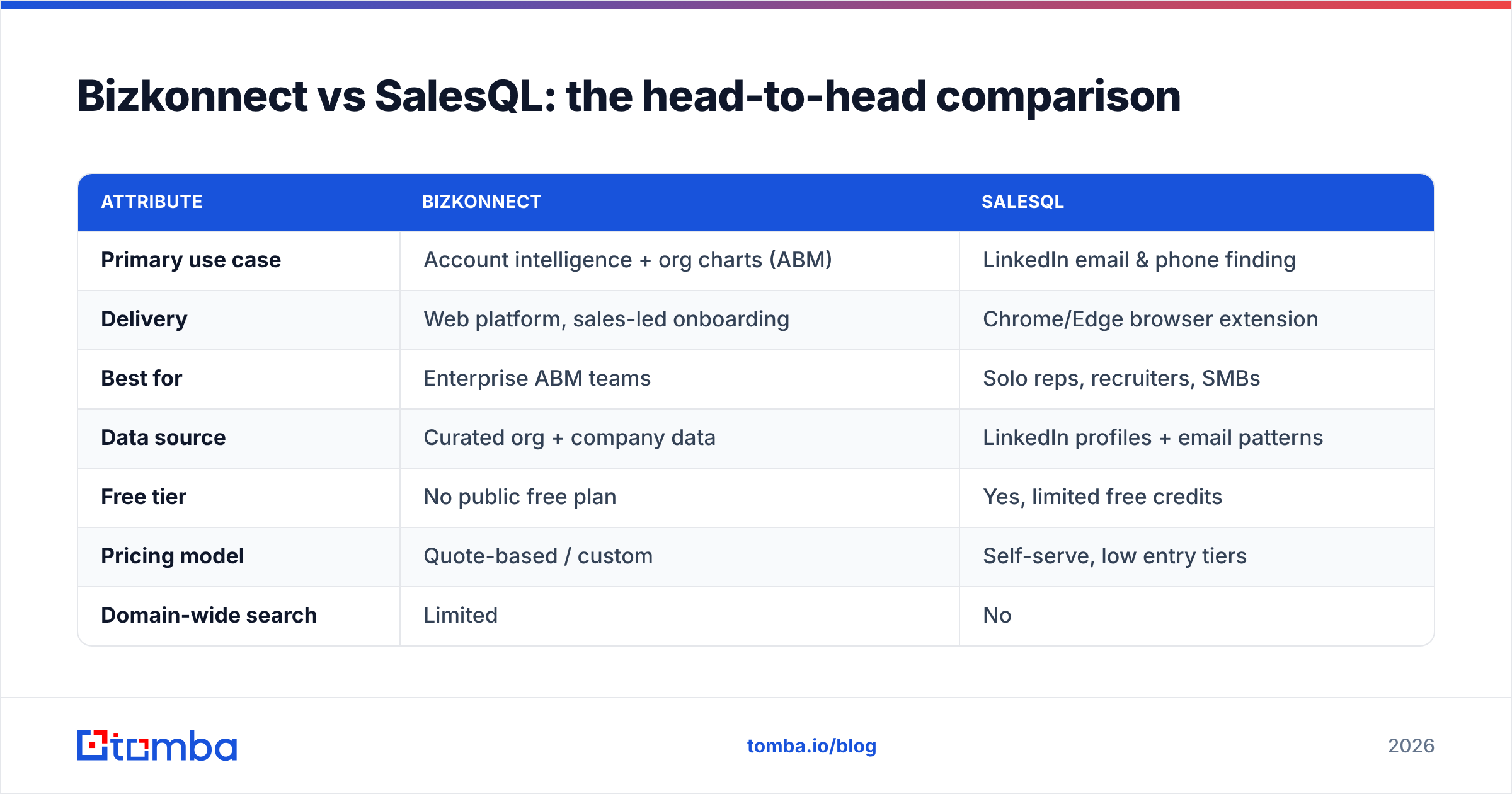
Here's how the two stack up on the attributes that actually change your buying decision.
| Attribute | Bizkonnect | SalesQL |
|---|---|---|
| Primary use case | Account intelligence + org charts (ABM) | LinkedIn email & phone finding |
| Delivery | Web platform, sales-led onboarding | Chrome/Edge browser extension |
| Best for | Enterprise ABM teams | Solo reps, recruiters, SMBs |
| Data source | Curated org + company data | LinkedIn profiles + email patterns |
| Free tier | No public free plan | Yes, limited free credits |
| Pricing model | Quote-based / custom | Self-serve, low entry tiers |
| Domain-wide search | Limited | No |
| Bulk enrichment | Yes (enterprise workflows) | Limited by LinkedIn browsing |
| Email verification | Bundled, not transparent | Basic validation |
| Org-chart / buying committee | Core strength | Not offered |
The pattern is clear: these tools aren't really competitors so much as different answers to "how do I reach my prospects?" Bizkonnect answers who to reach and in what order. SalesQL answers give me the email of the person on this screen, now.
Which has better data accuracy?#
Accuracy is where every email tool lives or dies, and neither vendor makes it easy to verify their claims. SalesQL derives emails partly from LinkedIn data and partly from pattern guessing (first.last@domain and its cousins), then runs light validation. That works well for common corporate domains and poorly for catch-all servers, where a guessed address may "pass" without being real. If you don't run a separate email verifier, a chunk of SalesQL exports will bounce.
Bizkonnect relies on curated org and contact data, which tends to be cleaner for senior, named executives at large companies — but staler for fast-moving SMB contacts who change jobs every 18 months. Curated databases age the moment they're built, so freshness depends entirely on Bizkonnect's refresh cadence, which they don't publish.

The honest takeaway: treat any vendor's accuracy number as marketing until you test it on your target accounts. Export 100 contacts, verify them independently, and measure the bounce rate yourself. A tool that's 95% accurate on Fortune 500 CFOs might be 60% accurate on Series A founders — and your ICP determines which number you actually get.
How do Bizkonnect and SalesQL price out?#
Pricing is the cleanest dividing line between these two.
SalesQL is self-serve and affordable. It publishes tiers, offers a free plan with a small monthly credit allotment, and lets you upgrade without talking to anyone. For a solo rep or a three-person SMB team, you can be enriching profiles within five minutes of signing up. The cost-per-credit is low, which is why it's popular with recruiters and founders.
Bizkonnect is enterprise-priced and quote-based. There's no published self-serve plan and no free tier you can spin up on a Tuesday afternoon. You book a demo, scope your seats and account volume, and negotiate. That's normal for ABM platforms, but it means Bizkonnect is effectively off the table for anyone testing the waters or running lean.
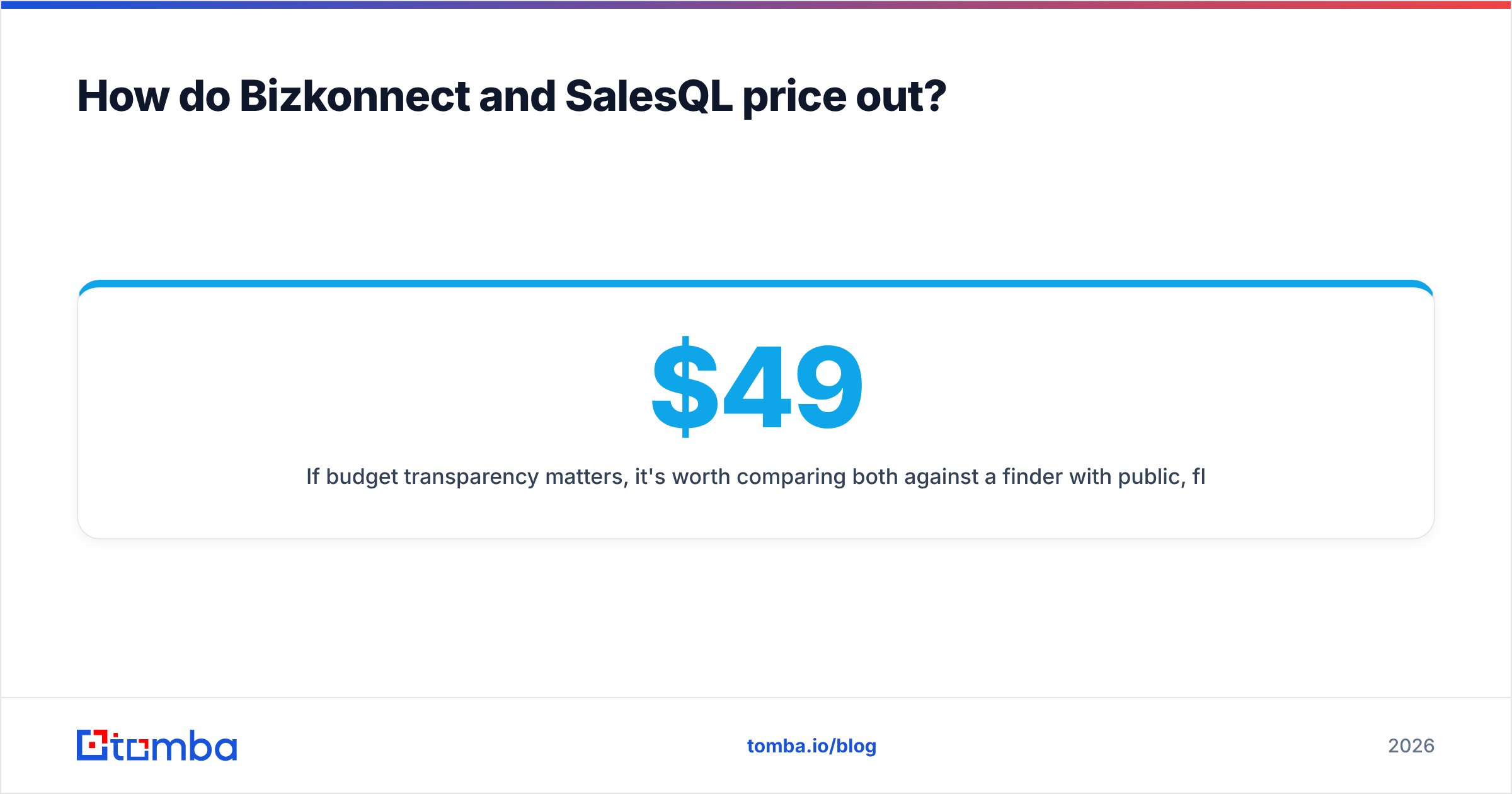
If budget transparency matters, it's worth comparing both against a finder with public, flat pricing. For reference, Tomba pricing runs a Free tier (25 searches/mo), Starter at $49/mo, Growth at $99/mo, and Pro at $249/mo — numbers you can evaluate without a sales call.
When should you pick Bizkonnect?#
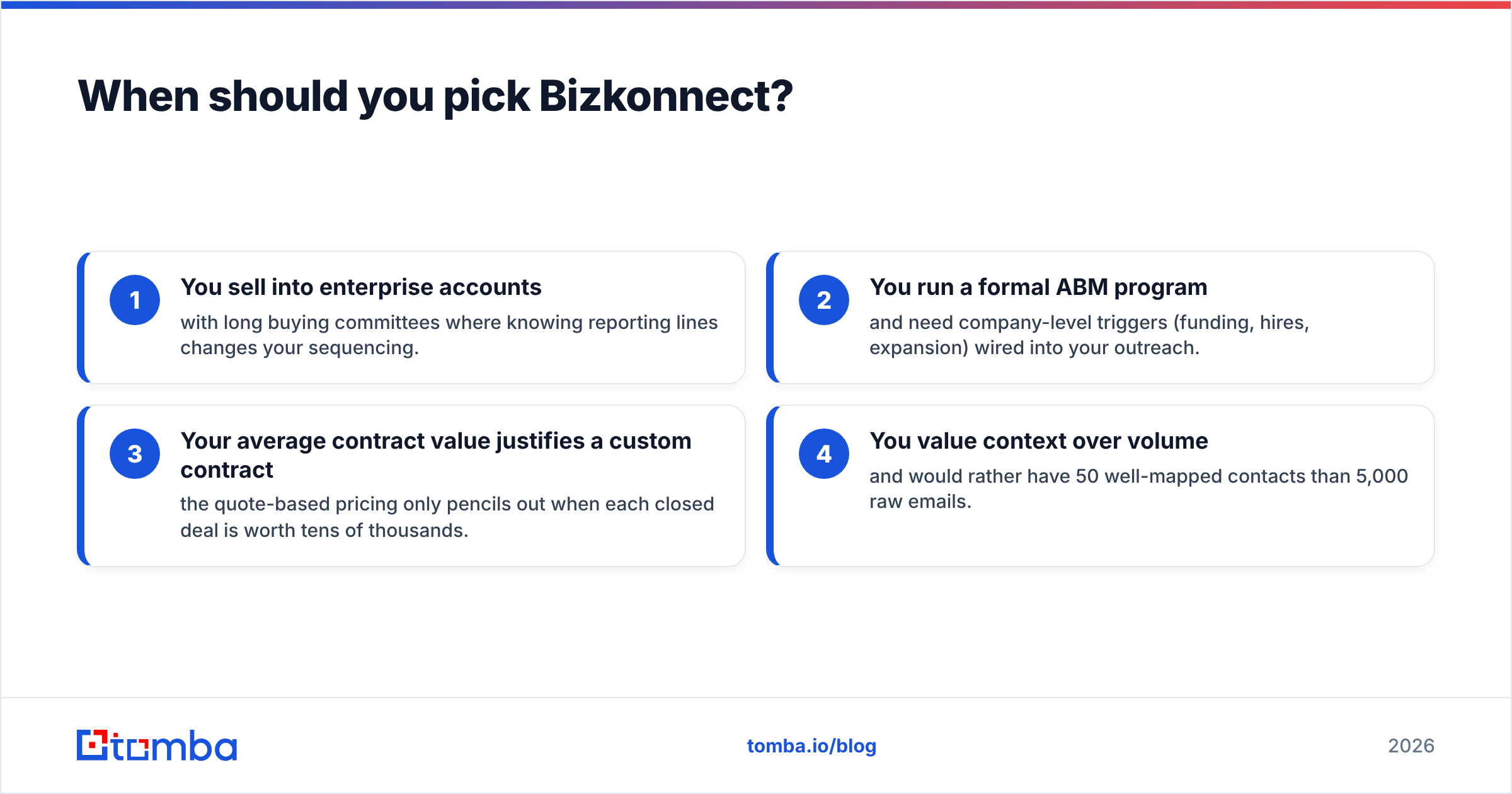
Choose Bizkonnect when the org chart is the deal. Specific signals:
- You sell into enterprise accounts with long buying committees where knowing reporting lines changes your sequencing.
- You run a formal ABM program and need company-level triggers (funding, hires, expansion) wired into your outreach.
- Your average contract value justifies a custom contract — the quote-based pricing only pencils out when each closed deal is worth tens of thousands.
- You value context over volume and would rather have 50 well-mapped contacts than 5,000 raw emails.
If you're a transactional SMB seller doing volume outbound, Bizkonnect is overbuilt for you. You'd pay enterprise rates for intelligence you don't need.
When should you pick SalesQL?#
Choose SalesQL when LinkedIn is your prospecting surface and speed matters:
- You live in Sales Navigator and want emails without switching tools.
- You prospect one profile at a time — recruiting, founder-led sales, niche outreach.
- You want a free tier to start and low monthly costs as you scale.
- Your volume is modest enough to stay inside LinkedIn's safety limits.
SalesQL breaks down when you need domain-wide coverage (every email at a company, not just LinkedIn members), when you want to enrich a CSV that didn't come from LinkedIn, or when your volume gets high enough to risk your LinkedIn account. At that point you've outgrown a scraper extension and need a proper data platform with an API.
Is there a better alternative to both?#
Often, yes — because most teams don't actually need either a heavyweight ABM platform or a LinkedIn-locked scraper. They need accurate, verified emails at a predictable price, with the flexibility to search by domain or by LinkedIn or in bulk.
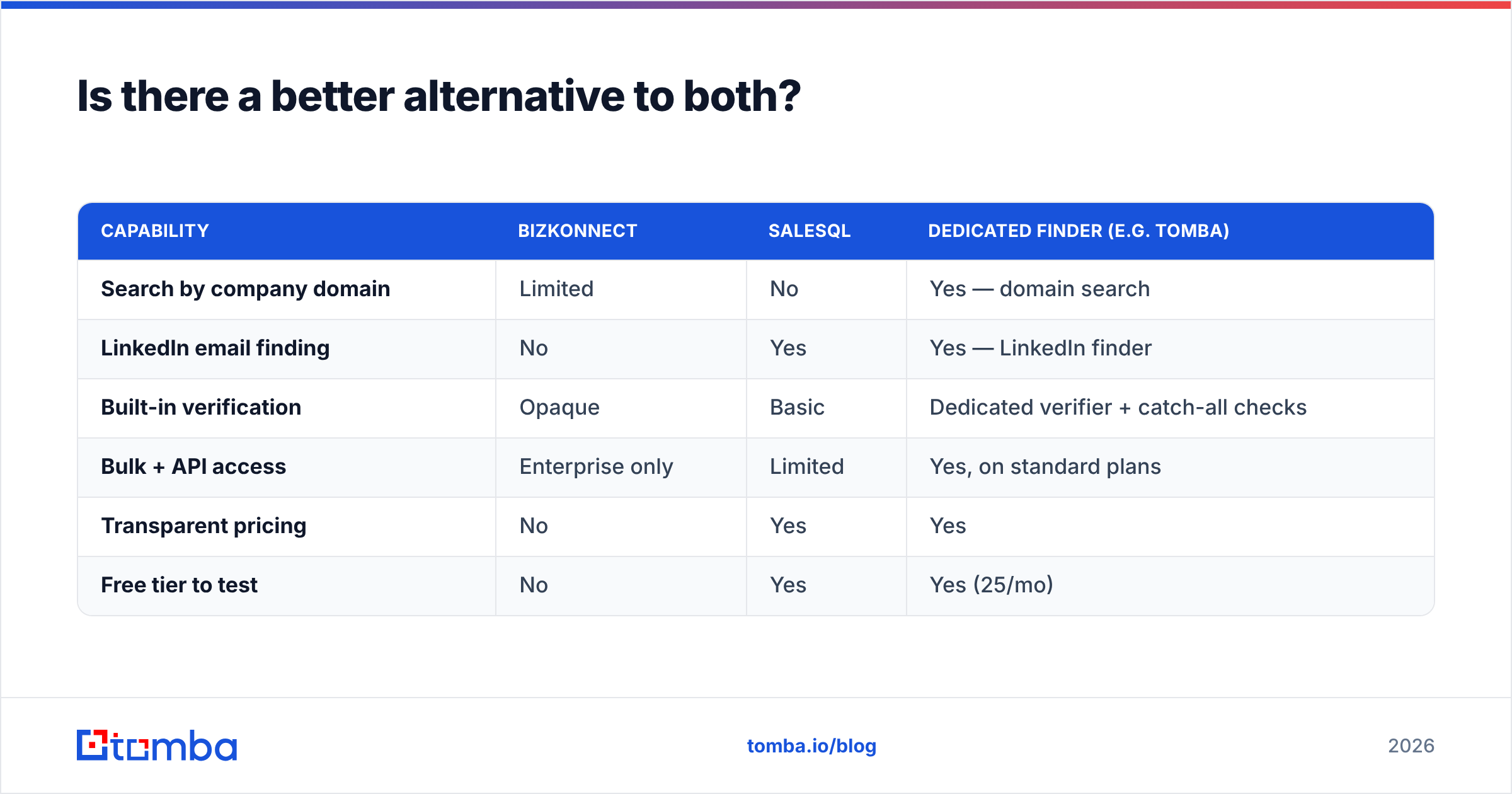
That's the gap a dedicated finder fills. Here's how the categories compare on the dimensions that drive cost-per-valid-email:
| Capability | Bizkonnect | SalesQL | Dedicated finder (e.g. Tomba) |
|---|---|---|---|
| Search by company domain | Limited | No | Yes — domain search |
| LinkedIn email finding | No | Yes | Yes — LinkedIn finder |
| Built-in verification | Opaque | Basic | Dedicated verifier + catch-all checks |
| Bulk + API access | Enterprise only | Limited | Yes, on standard plans |
| Transparent pricing | No | Yes | Yes |
| Free tier to test | No | Yes | Yes (25/mo) |

The point isn't that one tool wins every category — it's that a finder built specifically for getting verified contact data tends to beat tools where email is a side feature. Bizkonnect's email data is downstream of its org-chart focus; SalesQL's is downstream of LinkedIn. A purpose-built finder treats the email as the product, runs verification on it, and exposes an API so you're not clicking profiles by hand.
Before you commit to any of them, sanity-check the vendor's data sources and run your own bounce test. Two outbound resources worth reading: G2's sales-intelligence category for verified user reviews, and the vendors' own sites — bizkonnect.com and salesql.com — to confirm current features before you buy.
How do you actually choose between them?#
Work backward from your motion, not the feature list.
- Volume outbound into SMB/mid-market? SalesQL gets you started cheap, but expect to bolt on verification — and plan to graduate to a platform with an API once you scale past LinkedIn's safe limits.
- Deliberate ABM into the enterprise? Bizkonnect's org charts and triggers earn their keep, provided your ACV covers the custom contract.
- You mostly need accurate emails, fast, at a price you can see? Skip both and use a dedicated finder with a free tier so you can measure accuracy before spending a dollar.
Run the same 50-account test through whichever two you shortlist. Measure valid-email rate, time-to-list, and cost-per-verified-contact. The winner on your data is the only benchmark that counts — vendor marketing won't bounce-test itself.
The bottom line#
Bizkonnect and SalesQL aren't really rivals; they're specialists. Bizkonnect maps enterprise buying committees for ABM teams with budget. SalesQL pulls LinkedIn emails fast and cheap for solo reps. Most teams sit between those extremes — they need verified emails by domain and by LinkedIn, in bulk, at transparent pricing.
If that's you, start with a finder that does the core job well and lets you prove accuracy before paying. Tomba Email Finder gives you domain search, LinkedIn email finding, built-in verification, and an API on flat plans — including a free tier with 25 searches a month so you can bounce-test your own ICP before committing. Find the right person, get a working email, and spend the saved budget on actually selling.
// get started
Find, verify and enrich your first contacts today
Start on the free plan with 25 searches a month, then scale when your team is ready.
Free plan · No credit card required · GDPR & CCPA
// about the author